Cisco Learning Network Store Promotions Page
Showing posts with label Xbox One. Show all posts

6.29.2016

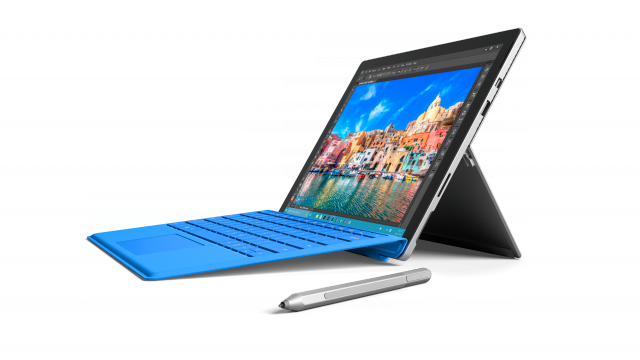
Microsoft's back to school deal helps students save $300 on Surface and Xbox One bundle

Microsoft today introduces a pretty sweet back to school deal, giving students the option to save $300 with the purchase of a Surface device and an Xbox One console. Part of the bundle are three free extras, one of which is a wireless controller.
 
The promo is valid for all configurations of the Surface Book and Surface Pro 4, and starts at just $878. For the money, students get the base Surface Pro 4 and a 500GB Xbox One game bundle. The two devices are normally available to students for $809.10 and $279, respectively, when purchased separately.
 
The Surface + Xbox bundle also includes a free Xbox One game -- students can choose from Just Dance 2016 ($39.99), The Crew ($29.99) and Assassin's Creed Unity ($19.99) -- and a $50 Microsoft Store gift code, on top of the aforementioned wireless controller for Xbox One in black, which students can now buy for $53.99. (The wireless controller is included with the 500GB Xbox One game bundle that students can buy.)
 
If you do the math, the savings effectively range between $279.99 and $299.99, depending on how expensive the free game that you choose is. Even if you do not care about that or the gift code, the deal is still pretty nice as you are basically getting an Xbox One at a very, very low price -- $68.90 when using the aforementioned example -- when buying a Surface Pro 4 or Surface Book.
 
A more future-proof bundle would include a mid-range Surface Pro 4 (Core i5 version with 8GB of RAM and 256GB of storage) and 1TB Xbox One, which would end up costing $1,298. You should also add a Type Cover keyboard, which adds $129.99 to the cost, just to make the tablet usable at a desk and more usable in general.
 
Students also have access to cheaper Office 365 subscriptions as well. The Home version can be had for $79.99 (normally it costs $99.99) while the Personal version goes for $49.99 (normally, $69.99); for most folks I believe the latter is the best option.
 
~ Mihăiță Bamburic
3.07.2016

New Xbox One Preview build brings backward compatible games to the Store

There's a new preview build for Xbox One, and it sees the arrival of Xbox 360 Backward compatible games in the Store. Coming from the TH2 branch, the update makes it easier to discover games that are backwards compatible with the older console.
 
The availability of backwards compatible games not only helps to increase the number of games Xbox One users can choose from, but also helps to reduce the cost of gaming -- older games are significantly cheaper than newer titles.
 
The update means that fans of Xbox 360 games will be able to browse through the Store and grab copies of their favorite titles from there.
 
There are two key new features to look out for:
  • Purchase Xbox 360 Backward compatible games: Games today will be discover-able via Game hubs and Activity feed and over the next 24 hours the Store programming will be live for a full end to end purchasing experience
  • The Achievements snap app is no longer in the build -- use the guide experience to view your achievement's progress
As with other updates, this one is not just about new features, but also bug fixes. Issues addressed in this latest build are:
  • Green Screen issues when watching Video
  • Fixed an issue which green screens could appear in some video applications
  • Intermittent flickering Black screens
  • Fixed an issue in which black screens would appear, in games, apps or when navigating the dashboard
The latest preview build is version th2_xb_rel_1603.160304-1900, and you should be able to grab a copy right now if you are signed up to get preview builds.
 
~ Mark Wilson

1.06.2016

Xbox One gets new bundles for the new year

It may be time for the Consumer Electronics Show, but Microsoft no longer maintains a presence at the big event. The days of Bill Gates and Steve Ballmer keynotes are long gone now. That does not mean the company has nothing to announce, though.
  
Today Larry Hryb, also known as Major Nelson and the head of Xbox Live, is unveiling a set of new bundles for the gaming console.
  
"While the holidays are now behind us, we’re excited to ring in the New Year with even more value and choice for our fans to experience the greatest games lineup in Xbox history well into 2016", Hryb promises.
  
Being unveiled is a bundle that includes Tom Clancy's Rainbow Six Siege. You likely know Clancy as the popular author of such classics as The Hunt for Red OctoberThe Sum of All Fears and many more. Plenty of his novels were turned into popular movies including the recent Jack Ryan: Shadow Recruit.
Also being outed in this announcement is a bundle that includes a 500 GB console with a "Name Your Game" option. "We’re always looking for more ways to offer value to our fans so, for the first time ever, fans have the option to choose one of four blockbuster titles with the new Xbox One 500GB Name Your Game Bundle. The bundle comes with a 500GB hard drive and a full-game download of one title from the greatest games lineup in Xbox history -- Forza Motorsport 6, Rise of the Tomb Raider, Gears of War: Ultimate Edition or Rare Replay", the Major tells us.
The Rainbow Six bundle will retail for $399, while the name your game option comes out at $349. The latter hits Germany, the UK, Australia, Ireland, Mexico and New Zealand on January 12th and will come to US stores later in the month. No date was given for the former bundle.

~ Alan Buckingham

11.03.2015

Microsoft shows what gamers can expect from the New Xbox One Experience

 
The New Xbox One Experience is just around the corner. We already know that the rollout starts on 12 November, and that means that there are just ten days until Windows 10 comes to Xbox One gamers. Today Microsoft shows off what there is to look forward to in a couple of new videos.
 
This is not a small update by any stretch of the imagination -- it sees the arrival of the New Xbox One Experience. Not everyone has been keeping up to date with the snippets of news that have crept out over recent months, nor have they all been taking part in the preview program. But whether you've kept abreast of what's to come or you haven’t got a clue what to expect, the videos serve as an excellent introduction.
 
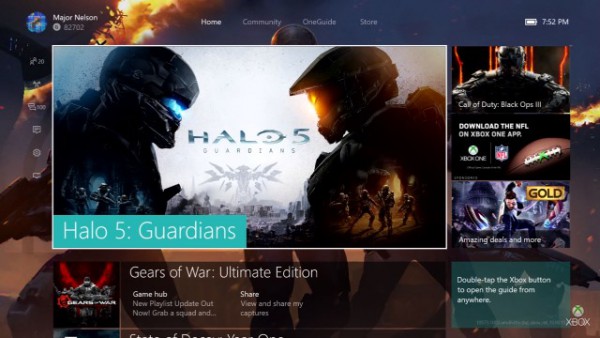
Presented by Larry Hryb and Richard Irving, the videos show Xbox 360 backwards compatibility, the new Xbox One Home, and vertical scrolling to access content. Just like Windows 10 on the desktop, Xbox One also gains Live Tiles which include "contextual items that allow you to easily see messages straight from the developer, see which friends are playing games, and share your latest game clips and screenshots".
 
There's also the new Guide which, Microsoft explains, provides instant access to:
  1. Profile: You can add and manage profiles on your console, switch users, view your profile, and view your achievements here.
  2. Friends: You can easily see which friends are online, see the games they are playing, and invite them to join your game. This is the default section of guide that first opens. In game, you will be able to check your friends’ status up to 10x faster.
  3. Party: You can easily start or manage a Party, which can now include 12 active participants, making it 3x as fast to start a party and 6x faster to join a party while playing a game.
  4. Messages: Easily access all of your messages and group text chats via the new guide -- starting November 12.
  5. Notifications: Your Notifications will also be included in the guide and we made improvements to group your Notifications together by type, separating social notifications from game-related notifications from the developers.
  6. Settings: We’ve redesigned Settings based on feedback to make the most commonly used items easy to access.
  7. Snap: Easily snap an application, like achievements, from the guide.
The first video serves as a guide to Home on the New Xbox One Experience:


The second video highlights what's new in the Guide:
 
 
~ Mark Wilson

6.10.2015

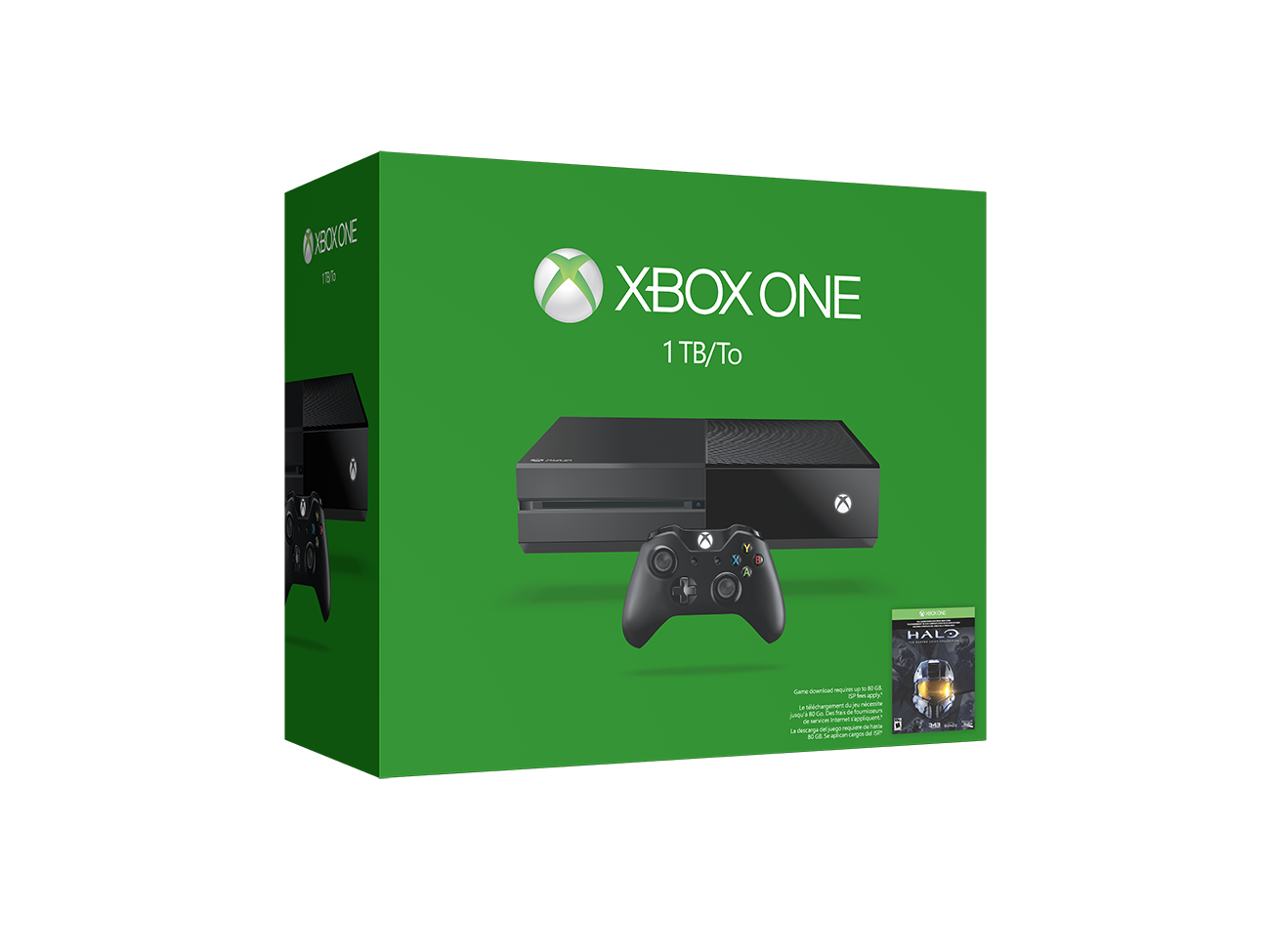
Microsoft announces 1TB Xbox One, new controller, and Wireless Adapter for Windows

As someone who just bought a 500GB Xbox One -- the white Halo edition -- I can attest to the awesome capabilities that the console offers. Not only have I been using it to play amazing games like Ori and the Blind Forest, but for watching movies and TV too. Everybody Loves Raymond full series on Netflix? Sweet!

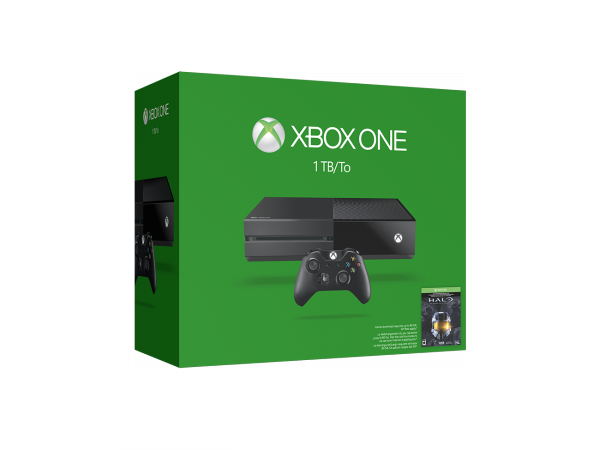
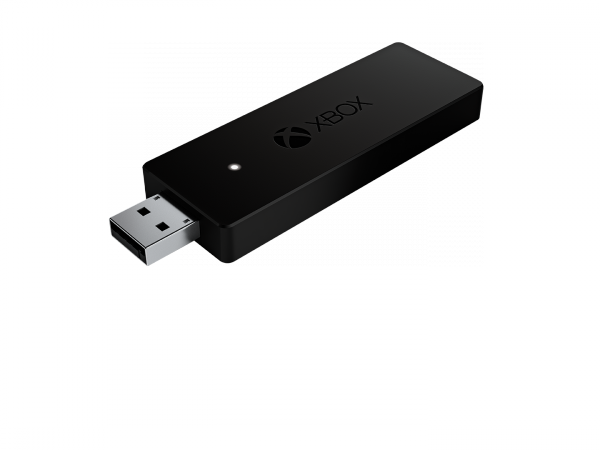
Today, however my new purchase loses a little luster. You see, Microsoft announces an all-new 1TB variant -- double the storage -- in a new matte-black for $399. The controller is slightly tweaked, featuring a 3.5mm jack, improved audio quality and more. Even PC gamers should be excited, as a wireless dongle for the controller is finally coming to Windows.

"Since Xbox One launched, one of the most frequent requests from fans is to add more storage to their consoles. Today, we're unveiling the Xbox One 1TB console, with a new matte finish and more storage for your games and media, making it the best place to play the biggest blockbusters this holiday like Halo 5: Guardians, Rise of the Tomb Raider, and Forza Motorsport 6. Only Xbox offers the most choice when it comes to storage options, now with increased on-board storage as well as the capability to extend game storage by adding an external USB 3.0 drive", says Major Nelson.

By comparison, the PlayStation 4 allows users to upgrade the internal hard drive, but not add external variants. Microsoft's solution is preferable, as you can use both the internal drive and external drive together.

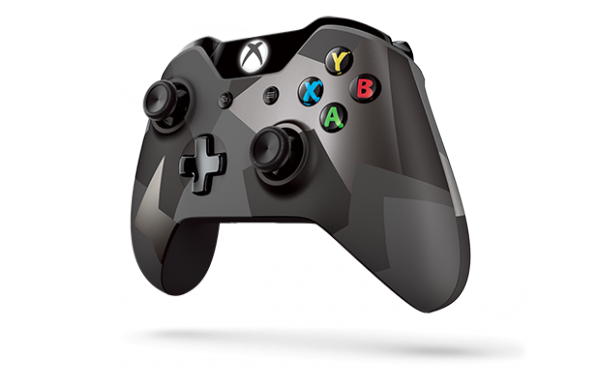
Nelson details the new controller by saying, "in addition to audio improvements, we've fine-tuned the bumpers for more consistent performance anywhere along the full surface of the bumper. And we've enabled wireless firmware updates on the updated controller which eliminates having to connect the controller via USB cable to receive updates. What's more, fans will be able to purchase the new controller as a standalone item in black as well as a new camouflage design in silver and black with the Xbox One Special Edition Covert Forces Wireless Controller".


Grrr. I wasn't mad about my newly bought controller (see White 500GB unboxing above) becoming "old" when the only rumored difference was a 3.5mm jack, but improvements to the bumpers and wireless firmware updates make me mad. Oh well, first world problems, I suppose. Maybe I will buy the cool Covert Forces controller in the future.

The wireless dongle is great for those who want to sit far away from their gaming PC, such as in a living room with an HTPC. Otherwise, the Xbox One controller already works when connected by USB. With that said, $24.99 is not a lot to spend for the convenience.


If you have yet to invest in Xbox One, will this new 1TB variant get you to pull the trigger? Tell me in the comments. Remember, as an added bonus, Halo: Master Chief Collection will be included for a limited time.

~ Brian Fagioli

4.05.2014

Five-year-old discovers Xbox Live security vulnerability

 
Each month, Microsoft recognizes security researchers that help make their online services safer by finding and reporting security vulnerabilities. The March 2014 list is seemingly no different than any other… that is, until you learn that a five-year-old is among those being acknowledged.
 
Shortly after the Xbox One launched late last year, the parents of five-year-old Kristoffer Von Hassel noticed he was somehow logging into his father’s Xbox Live account and playing games he shouldn’t have been. When confronted by his father, Kristoffer spilled the beans and showed his proud papa exactly how he did it.
 
After typing in the wrong password for the account one day, Kristoffer was presented with a secondary verification prompt. Apparently by entering only blank spaces then pressing enter, he gained access to the account.
 
The father and son team reported the flaw to Microsoft. It has since been patched and Kristoffer received four Xbox One games, $50 and a year’s subscription to Xbox Live from the Redmond-based company for his efforts.
 
In a statement on the matter, Microsoft said they’re always listening to customers and thank them for bringing issues to their attention. The message further reads that they take security seriously and fixed the issue as soon as it was brought to their attention.
 
This isn’t the first time that the youngster has uncovered vulnerabilities. According to his father, he managed to circumvent the toddler lock screen on a smartphone simply holding down the home button – at age 1.
 
~ Shawn Knight

1.18.2014

Microsoft to finally unveil Siri, Google Now rival in April

Microsoft to finally unveil Siri, Google Now rival in April
Apple first unveiled Siri in the fall of 2011, Google took the wraps off Google Now in the summer of 2012 and now Microsoft is at long last about to release its own voice-enabled personal assistant this coming April. One of MSFTNerd’s sources claims that Microsoft plans to release its Cortana virtual assistant this spring, just in time for its annual Build developers conference.
 
MSFTNerd hints that the new service will be integrated directly with Bing and that users will be able to activate it on their mobile devices simply by saying the phrase “Bing tell me…” MSFTNerd also says that “the service will expand to the Bing app for iPhone in the US market this fall” and that “the underlying technology will be extended to American Xbox One & Windows users in 2015 with Threshold.” Cortana, for all you non-gamers out there, is the name of famous artificial intelligence character in Microsoft’s smash-hit Halo series.

12.21.2013

Column: Microsoft’s Mistake with the Xbox One

Microsoft missed the boat by not bolstering Windows cross-platform capabilities

Let’s begin with the most amusing part of the widely derided launch of the Xbox One: At least some of the game demos for the new system were run on a PC using Windows 7 and an Nvidia graphics card. See! Even Microsoft doesn’t use Windows 8 for gaming!
 
 
Microsoft used Windows 7-powered PCs to power their Xbox One E3 demos.
 
It’s not at all unusual for new consoles or games to run on PCs, but if only Microsoft really understood what that meant. At the heart of the new system are eight x86-64 cores, a GPU based on the AMD GCN with 768 cores total, 8GB of DDR3 RAM (3GB for overhead such as OS, and the remaining 5GB for games and operations), a 500GB hard drive, a Blu-ray drive, and integrated Wi-Fi and Kinect.
 
No PC gamer worth his box would turn up his nose at that kind of firepower for $500. It may not be a pure muscle system, but it’s more power than you usually can get for the price.
 
It’s even running a kernel with the same network, file, and graphic support used in the Windows family, which raises the possibility of cross-platform portability. The potential for this remains to be seen, particularly since Windows apps can’t be brought straight into XB1 without significant adaptation.
 
My question is: why?
 
With Microsoft's foothold in the PC market wobbling, why wasn’t XB1 a radical PC/console hybrid that allowed for full interoperability?
 
Microsoft could easily have taken that shot, and given Sony a good one-two punch. My question is: Why didn’t they?
 
~ Thomas McDonald


11.24.2013

What the Xbox One tells us about ‘the new Microsoft’

The Xbox One is apparently more than just a killer next-generation gaming console — it’s also apparently a dry run for what outgoing CEO Steve Ballmer hopes will be a more collaborative Microsoft. Bloomberg Businessweek reports on how the Xbox One really is the first major consumer product Microsoft has built where it’s encouraged input from so many of its major divisions including Windows, Skype, Bing, Azure, Kinect and SkyDrive. All of this in-house cooperation is somewhat new to Microsoft, which has long been famous for encouraging cutthroat competition among its employees.
 
“The Xbox One’s operating system includes Windows 8 and speeds switching between apps and games,” explains Bloomberg Businessweek. “
“Windows also means a broader range of apps for users, because it makes software development easier than on earlier Xbox systems… Users can pan and zoom during Skype calls, and cloud service SkyDrive allows them to view photos and videos they’ve uploaded from other devices. Say ‘Xbox, record,’ and cloud service Azure will save the last 30 seconds of game play as a video clip that players can share with friends.”
 
As great as all this sounds, Bloomberg Businessweek notes that it doesn’t come without risk for Microsoft: If users hoping for a game-centric console find all the added features distracting then it could force the company to reconsider its strategy of making the Xbox a console that tries to be everything to everyone. If early reviews are any indication, though, it looks like Microsoft has a winner on its hands that will give it an excellent start to its new “One Microsoft” policy.
 
~