Cisco Learning Network Store Promotions Page
Showing posts with label Mac OS X. Show all posts

7.30.2015

9 OS X antimalware suites get the thumbs up from AV-TEST

AV-TEST ran 10 Mac OS X antivirus applications through its test labs, and five of the suites achieved 100% malware detection.  

Image: AV-TEST
Microsoft operating systems may soon have competition as the most popular malware targets, because the bad guys are making serious inroads with Apple products. Just yesterday, my friend's Apple notebook caught some new form of ransomware and is completely locked up.
 
Seeing an emerging trend, AV-TEST GmbH, an independent IT security and antivirus research house, started testing antimalware products for Apple in 2014, Mac OS X in the Crosshairs - 18 Malware Scanners Put to the Test. AV-TEST just released its 2015 survey, Mac OS X under attack - 10 security packages put to the test. The 2015 report starts out with good news, "While the first test of OS X security solutions in 2014 revealed that many products had massive problems in malware detection, the results in the 2015 test were significantly better."
 
The 10 systems tested are:
  • Avast Mac Security - free
  • Avira Free Antivirus
  • Bitdefender Antivirus for Mac
  • Kaspersky Internet Security
  • Symantec Norton Security
  • Intel Security/McAfee Internet Security
  • Intego VirusBarrier
  • Sophos Anti-Virus - free
  • Webroot SecureAnywhere
  • ClamXav - free

Test setup

One reason to pay attention to AV-TEST reports is the willingness of company management to publish, in detail, the procedures used during the testing. This test report was no different.
  • All products were installed on identical iMacs with a 2.7 GHz Core i5 CPU, 16 GB memory, and a 500 GB SSD hard disk running OS X 10.10 (Yosemite) with recent updates.
  • All test systems were connected to the internet, so the products could reach their respective cloud and reputation services.
  • Each product was installed and ran on the test system individually.
  • All product versions were cross-checked with the developer's website (when available) to ensure that we had the latest product version and updates installed (before the start of each test).
Maik Morgenstern, one of the company's CEOs and technical director, mentioned, "We only tested downloadable products offered at the AV vendors' websites. The versions available at the Mac App Store appeared to be limited in functionality."

Testing for malware detection

To be realistic, care was taken in creating the test set of more than 160 malware threats. "All samples are confirmed to include malicious functionality," explained Morgenstern. "During the creation of the test set, we selected the most recent samples from several different malware families."
 
Morgenstern added, "There may be archive files included in the test set, as long as the specific malware is distributed that way (e.g. DMG or PKG)."
 
As for the actual tests, engineers performed on-demand scans of "native" malware, Potentially Unwanted Applications (PUA), and Potentially Unwanted Programs (PUP) samples, including scripts.
 
When the initial test run was finished, the engineers checked for application updates; if any were available, they were installed and the application was tested again to see if the updated version detected samples missed earlier. On-access tests were also run twice. Morgenstern said, "However, we excluded archives as such formats are not scanned by all products."
 
The report stated that Avast, Avira, Bitdefender, Kaspersky, and Symantec had 100% malware detection. The only antimalware that had detection rates less than 88% was the security package from ClamXav, detecting 39.6% of the malware threats.

No false positives

Engineers at AV-TEST understand that false positives are the bane of the antimalware industry. If false positives appear regularly, users will ignore both false positives and real warnings. The 2015 report explains how AV-TEST engineers check for false positives:
 
"We perform an on-demand scan while installing and using the top 100 products for the Mac OS X platform. This includes, but is not limited to Adobe Reader XI, Apache OpenOffice, CCleaner, Firefox, GIMP, Google Chrome, iTunes, Java Runtime Environment, Libre Office, Opera, Picasa, Raw Therapee, Safari, Skype, Thunderbird, Virtualbox, and VLC media player."
 
Morgenstern added, "Only Webroot sounded a warning twice in the test when launching programs. The other security solutions passed this test category without a glitch."

Performance slowdown

Almost as bad as false positives are system slowdowns due to inefficient antimalware programs. To test for slowdowns, AV-TEST engineers first created a reference baseline by timing how long a Mac OS X reference machine without antimalware took to copy 20 - 30 GB of files (documents, media files, presentations, and programs). That averaged out to 66.1 seconds. The adjacent slide lists the results, with Symantec Norton Utility ending up on top.
 
The free versions of antimalware held their own. As for features, Morgenstern told me the free versions were spartan. He added, "Most paid versions were not much better feature-wise, but were better equipped than the freeware solutions." For example:
  • Intel Security (McAfee) and Norton include a firewall
  • Kaspersky offers parental control

Bottom line

What I took away from the tests and Morgenstern's explanations was that, except for ClamXav, the OS X security package you choose from this list of 10 appears to be a matter of personal preference.
 
It might be best to reiterate something Morgenstern mentioned earlier: make sure to download the antimalware program from the manufacturer's website or purchase the boxed version from a retail store.
 
~ Michael Kassner

7.23.2015

Alternative is the question, Linux is the answer

Jack Wallen has seen a huge rise in the amount of a single question coming into his inbox. Those asking the question will surprise you... the answer will not. 

 
Lately, I've been getting bombarded by a very telling question. It's a question I've been asked over and over throughout the years, but never with the frequency and desperation that I'm seeing now. What is that question?
 
What alternatives to Windows are available?
 
This question is coming at me from all layers of the user space—from members of the business sector, single mothers, retirees, hipsters, metal-heads, gingers, and even the occasional character from Bloom County.
 
Why is this happening all of a sudden? The answer to that question should be quite obvious to most who follow technology. Microsoft has, over the last few years, blundered and squandered their popularity to an almost irreparable condition. Now, with the pending release of Windows 10, they hope to change that.
 
Honestly, they are trying. This new look Microsoft is mending bridges with a lot of groups, including the open-source community. But this isn't about trust or a shiny new leaf turned over by the once unstoppable juggernaut. This is about the court of public opinion and how sour it has turned on products delivered.
 
Consider this. The last widely accepted platform Microsoft produced was Windows 7. From there, it's been a very bumpy ride—one that has jettisoned users left and right. Add to this the fact that an ever-increasing number of consumers have evolved into mobile-only users, and you have the makings for trouble.
 
And that's where I come in... to answer the call of questions from users of all ilk. When someone asks the question, "What alternatives to Windows are available?" I answer simply "Linux."
 
I can already hear the groans. You've all heard it before. Linux is superior, more secure, more flexible, and reliable. The list goes on and on. But for some people, there's another answer that they're now anxious to hear. That answer? It's not Microsoft.
 
Okay, let's get this out of the way. I fully understand that businesses will continue to breath deep the oxygen that is Microsoft until they are blue in the face. That's not going to change any time soon. But I'm speaking to and about consumers—that cross section of humanity that doesn't require proprietary software to prevent the bottom line from bottoming out. I'm talking about an overwhelming amount of people that really only depend on a browser... those that would get by just fine with a Chromebook. For those people, the answer to the question is, undoubtedly, Linux. 
 
Unless you can afford a Mac, which many cannot.
 
So, we're back to Linux... the affordable OS X.
 
It used to be that we'd all assume Microsoft operating system releases were like the Star Trek movies—the even numbered films were great, but the odd numbered, not so much. 
  • Windows 98—good
  • Windows Me—not good
  • Windows XP—good
  • Windows Vista—Ugh
  • Windows 7—good
  • Windows 8—not good
  • Windows 8.1—marginally good
  • Windows 10—unknown
With the release of Windows 8, the regularity of dark and light side of the force (I'm mixing my metaphors, I know) has been challenged. Windows 8 was the beginning of the end for consumer faith in the Windows product line. Consumers have grown weary of fighting with their computers and the lack of assurance the machines will actually work the way they expect.
 
Linux will bring users a breath of fresh air. And that's why, at this point, I no longer hesitate to suggest that users give the Linux desktop a try. The time is right, the storm is perfect, the stars have aligned. And even if Windows 10 arrives to become the single most perfect operating system ever developed, Microsoft is looking at a very possible too little, too late scenario. 
 
How can I say this? Simple. Over the years, 99% of the people that contacted me about using Linux as an alternative operating system were nerds, IT pros, and those in the know. Now? I'm getting contacted by your grandmother, your weird uncle, that lady with too many cats, and the adorable young couple who ride matching scooters everywhere they go. That's what's different this time around. Everyone is looking for an alternative—one that will allow them to check their email, get on Facebook, listen to music, toss a sideways glance toward their bank account, pay their bills, and watch videos. These are the people looking for a reliable alternative that won't require them to purchase new hardware, visit their local PC repair shop every other month, or spend an arm and a leg when their machine crashed every time they want to play Candy Crush or write a term paper.
 
The answer, the one they desperately want to hear, is that yes, there is an alternative—and that alternative is Linux. For example:
Each of these distributions (even the beta release of Solus) are ideal for users seeking an alternative to Windows. They have everything you need and nothing you don't. They are user-friendly and will get the job done. There is no cost associated with the platform, so you won't miss a meal to upgrade. 
 
To put it simply, Linux is the answer. If you concur, what's your favorite distribution? If you don't agree, I'd love to hear your reason in the discussion thread below.
 
~ Jack Wallen 

6.18.2015

Researchers uncover major security flaws in iOS and OS X that allow for rampant password theft

 
A group of security researchers have revealed zero-day vulnerabilities within iOS and OS X that allow an attacker to wreak havoc on Apple’s ecosystem.
 
The group, comprised of researchers from Indiana University, Peking University and Georgia Institute of Technology, recently published their findings in a paper titled Unauthorized Cross-App Resource Access on Mac OS X and iOS.
 
In it, they demonstrate how it’s possible to upload malware to the App Store and the Mac App Store by circumventing Apple’s vetting process. From there, the malware can also steal credentials from Apple’s password management system Keychain, from other installed apps and even from Google Chrome.
 
The team said it first notified Apple of the issue in October 2014; Apple asked for six months to fix the issue. In February, Apple staff asked for an advanced copy of their research paper. It’s now eight months later and the vulnerabilities still exist in the most recent versions of Apple’s software.
 
The researchers told The Register that Google’s Chromium security team removed keychain integration for Chrome, saying the issue likely couldn’t be rectified at the application level.
 
Just how big of a deal is this? According to the researchers, more than 88 percent of apps they tested were completely exposed to the attack.
 
As 9to5Mac notes, the best advice for now would be to exercise caution when downloading apps from unfamiliar developers.
 
~ Shawn Knight

12.05.2014

Macs and Linux come under attack as the threat landscape shifts

 
The latest monthly report from internet security specialist Doctor Web shows that whilst Windows and Android users have no cause for complacency, November saw substantial numbers of malicious programs aimed at Mac OS X and Linux platforms.
 
Trojans remain the most popular form of attack making up 8.7 percent of all malware detected. Trojan.InstallCore.12, which installs different adware, toolbars and browser extensions, ranks first. BackDoor.Andromeda.404, which downloads other malicious programs into an infected system when commanded to do so by intruders, ranks second.
 
In November BackDoor.Andromeda.404 was distributed in large quantities by email thanks to a mass spam campaign. It accounted for 2.4 percent of the malware detected by Doctor Web. The malware top 10 includes a number of other programs that seek to steal confidential information.
 
Several new examples of OS X malware have been added to Doctor Web's database. These include Mac.BackDoor.Ventir.2 a backdoor that can execute commands from a remote server, log key strokes and relay information to criminals. Particularly sneaky is Mac.BackDoor.WireLurker.1 which waits for the moment when an iOS device is connected to an infected Mac and then uploads its files onto the device. It even comes in two versions, one intended for jailbroken devices, while the other is for unaltered iOS devices. It takes advantage of the "enterprise provisioning" feature that enables companies to bypass the AppStore and install applications onto its employees’ devices.
 
Linux systems have been targeted by Linux.BackDoor.Fgt.1 which scans random IP addresses on the internet and launches a brute force attack in an attempt to establish a Telnet connection with their nodes. If successful, it commands the attacked host to download a special script. The malware’s command and control server stores versions for various Linux distros and versions allowing it to infect not only internet-connected servers and PCs running Linux, but also other devices, such as routers.
 
Android doesn't escape the onslaught, with a large number of malicious programs being detected. Many of these are banking trojans aimed at stealing money from accounts accessed on compromised devices. For example Android.BankBot.33.origin is aimed at Russian internet banking users. It employs SMS commands to covertly transfer money to the intruders' account and hide SMS replies from the bank, so that the user won't notice unauthorised transactions. In addition it can load a bogus web page in the browser to lure users into submitting their online credentials.
 
For more information about the latest virus activity and a free online scanner for malicious files and links you can visit the Doctor Web site.
 
Photo Credit: Jirsak/Shutterstock

~ Ian Barker

9.30.2014

Windows 9 -- What to expect from the new OS

 
Microsoft will be announcing its new OS later today, with things kicking off at 10am PT/6pm BST. Although we’ve already seen various leaked images and videos, this will be our first official look at Windows 9 (aka Threshold) and Microsoft will reveal what it has planned for the successor to the much maligned Windows 8.
 
There isn’t a live stream unfortunately, and although a technology preview will be released for the new OS, it isn’t expected to be made available today. So what can we expect from Windows 9?
 
The return of the Start menu
 
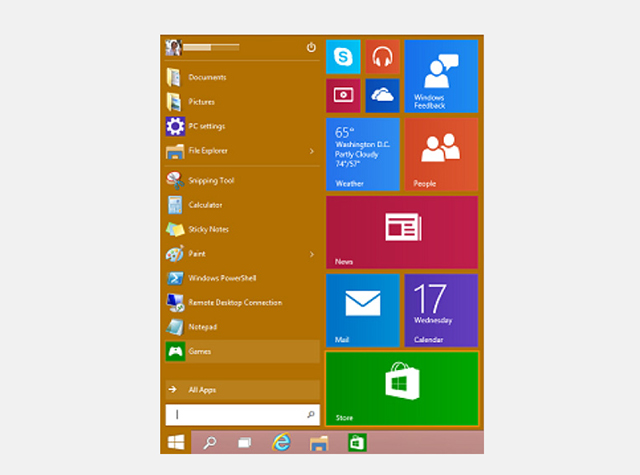
Of course top of the list of changes in Windows 9 is the reintroduction of the Start menu. Before Windows 8 even launched people were crying out for its return, and that demand has never wavered. The Windows 9 Start menu looks good, and is exactly what most keyboard and mouse users have been asking for. It works much like the Start menu in Windows 7, but adds tiles from the Windows 8.x Start screen which, for me, is the perfect compromise.
 
Tiles can be added, removed and resized, and you can resize the Start menu itself.
 
You can use the Start screen if you prefer simply by switching to it in the Navigation properties window. Tablets running Windows 9 won’t have the Start menu, only the Start screen which makes sense.
 
Better integrated Modern UI
 
If you hate the Modern UI then you won’t really have to worry about it in Windows 9. You can switch off the tiles in the Start menu, and never see the Start screen or Charms bar. Apps can be run full-screen, or snapped, but also run in a windowed mode on the desktop, which is great news. A new Options button on the right lets you customize them and access system commands.
 
Switching between running apps is done using the new Task view button on the taskbar.
 
Virtual desktops
 
Linux and Mac OS X users are very familiar with the idea of virtual desktops, where you can switch between different workspaces, but Windows 9 will be the first time Microsoft has offered this featured natively. It’s a big boost for productivity, and great news for power users.
 
Cortana
 
Microsoft’s personal assistant is expected to find her way from Windows Phone to Windows 9, which makes sense. Cortana wasn’t in any of the leaked builds, so whether she’s included in the technical preview remains to be seen, but we’d bet on the feature being added at some point.
 
Notifications center
 
Windows 9 will gain a new Notifications center which will provide a single place to view all of the alerts and messages that the operating system flashes up. You’ll be able to view all of the Windows notifications directly from the system tray, including Skype messages, and delete individual ones, or all notifications at once.
 
General improvements
 
Windows 8.x has been a work in progress since launch, and Windows 9 will continue the improvements we’ve seen, while adding a further layer of polish.
 
What are you hoping for from Windows 9?
 
~ Wayne Williams

9.25.2014

New Bash software bug may be even worse than Heartbleed

  
A security flaw in the GNU Bourne Again Shell (Bash) could leave systems running the software vulnerable to breaches and attacks. Dubbed Shellshock, the vulnerability is posing a bigger threat than the infamous Heartbleed bug, as it allows hackers to take complete control of a targeted system.
 

Discovered by Stéphane Chazelas, a French IT manager working in the UK, the bug is related to how Bash processes environmental variables passed by the OS or by a program calling a Bash-based script.
 
"An enormous percentage of software interacts with the shell in some fashion", said Errata Security's Robert David Graham in a blog post. "We'll never be able to catalogue all the software out there that is vulnerable to the bash bug".
 
The United States Computer Emergency Readiness Team (US-CERT), which is part of the Department of Homeland Security, has also issued an alert saying the vulnerability affected Unix-based operating systems including Linux and Mac OS X, advising users to obtain OS updates from software vendors.
 
While many of the major Linux distribution vendors, including RedHat, CentOS, Ubuntu, and Debian, have already issued a fix, Apple hasn't yet patched the shell. The vulnerability affects versions 1.14 through 4.3 of Bash.
 

To determine if your system is vulnerable you can run the following command:
 

env x='() { :;}; echo vulnerable' bash -c "echo this is a test" 
 
If the system is vulnerable, the output will be:
 
vulnerable
this is a test  


An unaffected (or patched) system will output:
 
bash: warning: x: ignoring function definition attempt
bash: error importing function definition for `x'
this is a test

 
For those unfamiliar, Bash is a command line interpreter produced by the non-profit Free Software Foundation. It's the default shell in most Linux distributions as well as Apple's OS X operating system.
 
~ Himanshu Arora

9.02.2014

Firefox 32 FINAL released for desktop, shows off HTTP caching improvements and other minor tweaks

Mozilla has released Firefox 32.0 FINAL for desktop, with Firefox for Android 32.0 due to follow.
 
While there are a lot of changes to both desktop and mobile builds, Firefox 32 doesn’t throw up any standout new features, instead concentrating on tweaks and minor improvements.
 
Firefox 32 FINAL now enables a new implementation of HTTP caching (dubbed v2) by default. This promises improved performance through tweaks such as optimized request prioritization, which should cut the loading times for large content while offering increased stability. The new feature is joined by the integration of generational garbage collection.
 
Firefox 32 also debuts support for Public key pining, which should prevent man-in-the-middle attacks through tighter checks of website certificates, which are used to verify a site’s identity and security.
 
Other new features see login metadata made visible in the Password Manager, while the Find toolbar now displays the number of found items. The Scratchpad developer tool also gains inline documentation and code completion.
 
The update also adds HiDPI/Retina support in the Developer Tools UI, and now displays hidden nodes differently when in mark-up review. The Inspector button has shifted position to the top left of the Developer pane and there’s a new Web Audio Editor – this needs to be enabled via the Developer settings button.
 
The new build also widens its HTML5 support, promises performance improvements for both Password and Add-on Manager tools and fixes a couple of platform-specific problems – [Cmd] + [L] should now open new windows even when no window is available on OS X, while text rendering issues in Windows 8.1 (and Windows 7 with Platform Update KB2670838) have also been resolved.
 
The update, which is officially released tomorrow, will be followed by Firefox 32 for Android. Platform-specific improvements include the ability to switch languages without closing the browser. A new Clear History control has been added to the History panel and the Gamepad API is finally enabled.
 
Other Android-only improvements include support for URL autocomplete on composition-focussed keyboards such as Swype. Support for Android 2.2 and ARMv6 processor chipsets have, however, been dropped. Other major unresolved issues mean that neither MP4 nor Flash videos will play.
 
Firefox 32.0 FINAL for Windows, Mac and Linux is available now as a free, open-source download.Firefox 32.0 FINAL for Android should be available shortly.
 
~ Nick Peers

9.01.2014

Bigger, better 64-bit Chrome Web browser now available for Windows

Summary: Google delivers a faster, better and more secure version of its Chrome Web browser for Windows. Indeed, the 64-bit version may just be today's best Windows Web browser. 
 
Like clockwork, Google has delivered its latest version of its Chrome Web browser for Linux, Mac, and Windows users, but it's the 64-bit Windows users who will get the most from this latest upgrade: Chrome 37.
 
64-bit Chrome for Windows is the best Windows Web browser available today.
Will Harris, a Google Software Engineer, blogged, "64-bit Chrome offers many benefits for speed, stability and security." While 64-bit Chrome has long been available for Linux, this is the first 64-bit version in Chrome's stable channel. The 64-bit Chrome for Mac OS X is now in beta.
 
Harris added that "The native 64-bit version of Chrome has improved speed on many of our graphics and media benchmarks. For example, the VP9 codec that’s used in High Definition YouTube videos shows a 15% improvement in decoding performance." So, is it really faster?
 
To find out, I ran benchmarks on 32-bit Chrome 36m the new 64-bit Chrome 37, and 64-bit Internet Explorer (IE) 11 on a Gateway DX4710 running 64-bit Windows 7 SP1. You must be running 64-bit Windows to run a 64-bit application, but you can run 32-bit applications on a 64-bit system.
 
By default, IE 11 on the desktop runs its tabs as 32-bit processes. That's because historically, 64-bit IE runs far more slowly than 32-bit IE. In addition, Microsoft runs IE 11 processes as 32-bit for compatibility with older plugins. If you choose to run 64-bit IE, however, you'll be operating with more security because this also invokes Enhanced Protected Mode. For these benchmarks, to make sure IE showed to its best advantage, I ran IE in its default 32-bit mode. 
 
My benchmark PC is powered by a 2.5-GHz Intel Core 2 Quad processor and has 6GB of RAM and an Intel GMA (Graphics Media Accelerator) 3100 for graphics. It's hooked to the Internet via a Netgear Gigabit Ethernet switch, which, in turn, is hooked up to a 100Mbps (Megabit per second) cable Internet connection. For the benchmarks, I used Sunspider 1.02Futuremark's Peacekeeper; Octane 2.0, Google's own Web browser benchmark; and Mozilla's Kraken 1.1 benchmark.
 
On Sunspider, which is a popular, simple JavaScript benchmark, the lowest scores are the best. In this benchmark, IE 11 was the clear winner at 184.3-milliseconds. It was followed by Chrome 36 at 264.3-milliseconds and the newest 64-bit Chrome at 288.3-milliseconds. Clearly, for this test anyway, the new Chrome isn't that fast.
 
With Futuremark's PeaceKeeper, which examines almost all aspects of a browser's end-user performance, it was a different story. On this benchmark, where higher scores are better, Chrome 37 won with a score of 2,409, well ahead of the 32-bit Chrome 36's 2,214, and far, far ahead of IE 11's 1,632.
 
In Kraken, which gives browsers' JavaScript engines a good work-out, low scores are again better than higher ones. Here, the new Chrome once more won by a nose, with a score of 2,638.5-milliseconds over Chrome 36's 2661-milliseconds. IE 11, with 5,136.3, was in the rear.
 
Finally on Octane 2.0, Google's house Web browser benchmark, where higher is better, it should come as no surprise that Chrome 37 was the victor with a score of 13,156, well over Chrome 36's 12,895 and way ahead of IE 11's 8,142.
 
Google also claims that the new 64-bit Chrome displays high-definition (HD) video better. While I was unable to benchmark this, it certainly appeared to my eyes that YouTube HD videos, such as The Emmys 2014: Robin Williams Tribute (Highlight) and the Homeland Season 4: Teaser Trailer appeared quite sharp without any frame drop-outs.
 
For now, the 64-bit version of Chrome is optional. If you want to use it, click on the new “Windows 64-bit” link on the Chrome download page. Harris noted, however, that one "significant known issue is the lack of 32-bit NPAPI [Netscape Plugin Application Programming Interface] plugin support." NPAPI is an obsolete technology and Google is depreciating it, but there are still a handful of older Web services and out-of-date Web sites that use it. 
 
The 32-bit channel will remain fully supported for the foreseeable future. In addition, Chrome will continue to support 32-bit plugins until NPAPI is removed from Chrome.
 
Regardless of whether you use 32- or 64-bit Chrome on Windows, the new Chrome now supports DirectWrite support on Windows for improved font rendering. DirectWrite has been around since Windows Vista, but Google had continued to use the mid-80's Graphics Device Interface (GDI) for font rendering. That was fine in the day when VGA's 640x480 resolution was the best you could expect, but it's completely out of date today.
 
Not everyone is happy with this change. Some users are reporting that with DirectWrite, "Chrome appears zoomed in and blurry, including the header bar (address bar, tabs, bookmarks bar)."  I was unable to reproduce this problem on any of my Windows 7 or 8 systems. I strongly suspect this problem is because of a combination of individual factors rather than a Chrome bug.
 
One user has suggested that if this happens to you, you can try "Right-clicking the Chrome shortcut and then click Properties. On the Compatibility tab, select Disable Display Scaling On High DPI Settings, and then click OK. This causes the text in the application to appear clearer." This fix is based on a fix for Windows applications having trouble with high DPI displays. 
 
Both 32- and 64-bit Windows versions, as well as those for Linux and Mac OS X, also received numerous stability, security, and performance fixes.
 
To me, this is a no-brainer. If you want the best possible Web browsing experience on Windows, especially 64-bit Windows, get Chrome today.
~ Steven J. Vaughan-Nichols

7.30.2014

How to Securely Erase a Solid State Drive on Mac OS X


Does your computer have a solid-state drive? All new Apple laptops come with SSDs, and you better be careful what you do if you want to erase it. "Cleared" memory is not actually cleared; sensitive info may be available for the taking. The Apple experts at Stack Exchange provide tips on staying safe.
 
I'm pretty new to SSD technology, so I don't know how it compares to hard drives when it comes to securely erasing the drive. Is it enough to run Disk Utility and erase the drive with the option "overwrite with zeroes," or does this only work with hard drives? Are there other actions that should be taken?
  
I'm not looking for NSA-grade security, but I'd like to be safe if selling my Mac. 

Total SSD Security Isn't Easy (Answered by Gordon Davisson)

Unfortunately there isn't a simple answer, and it really depends on your paranoia level. Because of the way SSDs handle writing data, doing a zero-once on an SSD is not as good a method of removing data as it is on a hard drive.
 
When you write a particular data page on an HD, the new data is simply written over the old data, replacing it. If you write zeros over the whole disk, all of the old data will be gone. SSDs, on the other hand, cannot simply overwrite individual pages. In order to replace the data on a page, the old data must first be erased, and SSDs cannot erase individual pages; they have to erase entire blocks consisting of many pages.  
 
So what happens when you ask an SSD to overwrite, say, page #5, is that the SSD leaves the data on page #5 alone, but marks it as invalid, allocates another currently-blank page (say, #2305), writes the new data to page #2305, and makes a note that next time the OS asks for page #5 it should get #2305 instead. The original page #5 data sits there until some later time, when the drive needs more space, moves any remaining valid pages away from the block, and erases it. See this AnandTech review for more through details.

The net result is that if you write zeros over the "whole" drive, you haven't actually overwritten all the old data. You have updated the controller's translation table so it'll never return any of the old data to the OS, as those pages are all marked as invalid. But if someone's interested enough to bypass the controller, they could get some of your data back.
 
Overwriting twice will probably work, but it depends on the controller's allocation strategy. Overwriting twice with random data (diskutil randomDisk 2 /dev/diskN) is a little more likely to work, but still not guaranteed. Both of these also have some bad side-effects: they may slightly diminish the lifetime of the drive, and also increase the logical fragmentation on the SSD, decreasing its write performance.
  
Note that recent versions of OS X's graphical Disk Utility disable the secure erasure options on SSDs for the aforementioned reasons, but the command-line version still allows them. I have also seen several recommendations to securely erase SSDs by converting them to an encrypted format, but this is (if anything) slightly less secure than overwriting with random data.
 
The best way to securely erase an SSD is to invoke the controller's built-in secure-erase feature. This should—if the controller designers did their jobs—truly erase all blocks, and also have the side-effect of resetting the logical page map, essentially defragmenting it and restoring its original performance. Unfortunately, most of the utilities I've seen for doing this (e.g. CMRR's HDDErase) run under DOS, which won't boot on a Mac. Some users MacRumors offer some rather complex instructions for doing a secure erase from a GParted boot CD. It might also be possible to use Parted Magic from a bootable flash drive.
 
Researchers at the Non-Volatile Systems Lab at UCSD have tested various ways of sanitizing SSDs by "erasing" the drive, then disassembling it to bypass the controller, and checking for remnant data (you can read the summary or the full paper). Their results mostly agree with what I've said above, and also show that the built-in secure-erase command isn't always implemented properly:
Our results lead to three conclusions: First, built-in commands are effective, but manufacturers sometimes implement them incorrectly. Second, overwriting the entire visible address space of an SSD twice is usually, but not always, sufficient to sanitize the drive. Third, none of the existing hard drive-oriented techniques for individual file sanitization are effective on SSDs.
So there you have it; overwriting the entire drive twice is probably secure enough for most people, but absolute security may require some extra effort.
 
~ Andy Orin

2.10.2014

Ubuntu 14.04 Looks to Improve Support For Hi-Res Screens

Ubuntu is working to improve its support for high pixel density displays.

A code snapshot of Cairo 1.3, which supports the scaling and rendering of GTK assets on HiDPI screens, has been made available to trial in Ubuntu 14.04 through a PPA.

While I don’t have one of these new-fangled ‘high resolution’ displays to try it with, in theory the changes should go a long way to making Ubuntu more useable under native resolutions.

That said, even with the changes Cairo brings the end result won’t be entirely flawless.

As in GNOME, pixel precise scaling of vector-based UI components, like icons, GTK+ widgets and themes, will look suitably better. But applications making heavy use of bitmap assets will mean that the odd spot of fuzziness or pixelation remains.
 
As an aside, Mac OS X works around this by scaling down bigger sized assets rather than scaling up smaller ones.
 
With Ubuntu 14.04 LTS supported until 2019, during which time HiDPI screens are only going to become more ubiquitous, ditching ‘squinting’ for ‘scaling’ sounds like a smart idea.
 
~ Joey-Elijah Sneddon 

1.20.2014

Linux: The clear choice for security

According to the UK's Communications-Electronics Security Group (CESG), Linux is the clear choice when it comes to security.
 
 
Recently, the United Kingdom's Communications-Electronics Security Group (CESG) ran a series of tests to find out which operating system would be the most secure platform for the UK government. The test consisted of the following categories:
  • VPN
  • Disk Encryption
  • Authentication
  • Secure Boot
  • Platform Integrity and Sandboxing
  • Application Whitelisting
  • Malicious Code Detection and Prevention
  • Security Policy Enforcement
  • External Interface Protection
  • Device Update Policy
  • Event Collection for Enterprise Analysis
  • Incident Response
The goal was to see which platform would pass most of the 12 tests. The winner, Ubuntu 12.04 (Figure A), was far ahead of both Windows 8 and Mac OS X. The CESG site contains all of the findings, or you can read the Canonical summarization of the report. From the Canonical summary:
“All in all, Ubuntu 12.04 LTS stacks up as the most secure of the current desktop and mobile operating systems. Supported by Canonical with free security updates for 5 years, and without malware problems, it’s hard to beat in official public sector applications. We are working hard to close the gap and make Ubuntu clearly stand out as the most trustworthy operating system for the future and we hope to make excellent progress before our next LTS release in April 2014, 14.04 LTS, which will be even better.”
Figure A


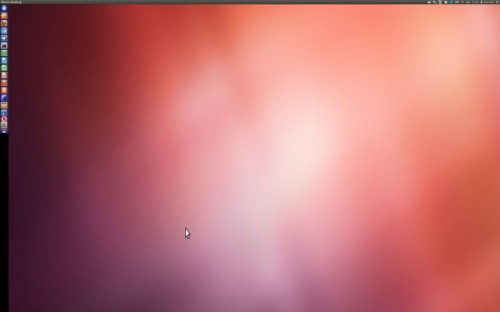
The Ubuntu 12.04 desktop ready to install.  

One interesting statement from the full report is that no operating system that's currently available can meet all of the above tests. Also interesting from the full report is that Samsung devices running Android 4.2 scored as high as Ubuntu 12.04.
 
Why 12.04? Because it's the most recent Long Term Support (LTS) release. Canonical is confident that 14.04 (the next LTS release) will meet or exceed the tests passed by 12.04. As for the current LTS: Ubuntu 12.04 passed nine of the 12 tests and had zero significant risks. Windows 8 passed seven with 1 significant risk. OS X passed eight tests with zero significant risks.

What does this mean?

One can surmise that the UK government is looking for their platform of the future. With the dramatic rise in cyber-crime, every government agency (business or enterprise) would be remiss in failing to run similar tests or, at the very least, giving the UK report a close read. 
 
People have argued for years about platform security. There have been numerous events held with the sole purpose of determining a clear winner. Unfortunately, many of those tests and research papers cannot be trusted, simply because they were sponsored events (with vested interests in one particular platform performing beyond the others). But for the needs of a government agency (or an enterprise-grade business), the tests run by the CESG are right on the money. These are unbiased, unfiltered tests with end results that aren't concerned with market share, board of directors, or investors.

And in the end... Linux wins. Period.

No, Linux may not hold the coveted spot on top of the business and home desktop food chain, but now that a government entity has singled out Ubuntu 12.04 as the must secure platform available, this could easily change. Why? Businesses can't function without security. If the thought leaders of industries can't wrap their heads around that one fact, they're dooming countless businesses -- and not recommending Linux for desktop use is senseless.
 
Over the last five years, I've been working as a remote support engineer for hundreds of clients (with thousands of end users). I can say this with complete assurance: Nearly 100% of the problems I've dealt with could have been avoided by simply using Linux. Desktops have lost data and businesses have lost hundreds of thousands (if not millions) of dollars because of Windows. That is not opinion... that is fact. Had those users been using Linux, that would not be the case.
 
It never ceases to amaze me the amount of reports and claims of Windows superior security, when real-world results point to quite the opposite. And now, thanks to the UK government, there is official proof that Linux (specifically Ubuntu 12.04) is the best choice in a world where security should be priority number one.
 
The results of this test couldn't have come at a more poignant time. With Windows XP about to be put to rest, there will be a seemingly endless needs for businesses around the globe to replace those aging desktops. With all of the choices available to them, there is now one that stands well above the rest. That choice is Linux.
 
Share your thoughts about this report and the future of Linux in the discussion thread below.
 
~ Jack Wallen 
 

9.02.2013

Windows 8 market share surpasses all versions of OS X combined

According to Net Applications, Windows 8 has achieved a milestone in the month of August, overtaking the market share of all versions of Mac OS X combined. Microsoft's latest operating system gained 2.01 percentage points in August to end with 7.41% of the market, allowing it to gain a narrow lead on Mac OS X, which posted a market share of 7.28%.
 
The growth Windows 8 experienced in August was the largest month-on-month gain since its launch in October last year, although it's not quite clear what sparked the sudden influx of upgrades. It could perhaps be related to the price cuts of Microsoft's Surface RT and Surface Pro tablets, or the leaks of the Windows 8.1 RTM, or simply a large amount of mid-year system purchases.
 
Net Applications: Operating system market share, August 2013
 
 
Windows 7 also saw a gain of 1.14% in August, while Windows Vista and Windows XP declined by 0.13 and 3.53 percent respectively. Overall, Windows saw a fractional decline of 0.37% in the month, which allowed both Mac OS X and Linux to gain a small amount of market share.
 
Despite gains for Windows 8 in August, it seems Microsoft hasn't been able to convince a large number of Windows 7 users to upgrade. The launch of Windows 8.1 later this year, which addresses a number of complaints surrounding Windows 8, may prompt more users to upgrade their OS, but at least for now it seems Windows 7 and Windows XP will remain kings of the market.
 
~ Tim Schiesser

8.30.2013

Apple Mac flaw gives hackers 'super status,' root access

Summary: A five-month old flaw allows hackers to bypass authentication protocols by altering clock and user timestamp settings.
 
An unaddressed five-month-old flaw in Apple's Mac OS X gives hackers near unlimited access to files by altering clock and user timestamp settings. 
 
As reported by Ars Technica, a bug discovered five months ago has received renewed interest due to the creation of a new module in testing software Metasploit, which can life easier for hackers looking to exploit the Mac vulnerability.
 
The bug revolves around a Unix component called sudo. The program is designed to require a password before "super user" privileges are granted to an account -- giving access to other user files -- and the flaw works around this authentication process by setting a Mac's clock back to Jan 1, 1970, the Unix epoch, a way to describe instances in time. By setting the clock back to 1-1-1970, the beginning of time for the machine -- as well as altering the sudo user timestamp -- it is possible for hackers to gain root access without the need for a password. 
 
Metasploit is an open-source framework that makes it easier for security researchers to penetrate and test networks. Although useful for researchers to pinpoint and correct security flaws, this can also be used to make exploiting the sudo vulnerability easier. 
 
All versions of OS X from 10.7 through to the current 10.8.4 version remain vulnerable. 
 
However, the vulnerability -- (CVE-2013-1775) -- does have limitations. In order for hackers to exploit this security flaw, they must already have administrator privileges, and the user must have ran sudo at least once previously. In addition, the hacker needs to have either physical or remote access to the machine in question.
 
"The bug is significant because it allows any user-level compromise to become root, which in turn exposes things like clear-text passwords from Keychain and makes it possible for the intruder to install a permanent rootkit," HD Moore, the founder of Metasploit, told the publication. "I believe Apple should take this more seriously but am not surprised with the slow response given their history of responding to vulnerabilities in the open source tools they package."
 
~ Charlie Osborne  

8.13.2013

Hackintosh -- a meager man finally gets his Mac

I’ve never owned a Mac before, but I’ve secretly wanted one since the release of OS X. The first time I tried the operating system was at CompUSA where I was a salesman. I regularly sold iMacs, iBooks, PowerBooks, Mac Minis and eMacs. The people that came to the Apple section of the store always seemed very odd -- they dressed weird and were loyal to Macintosh as if it were a religion. However, as odd as the people were, they were also very computer literate -- the same could not be said for the average eMachines or Compaq buyer.
 
Sadly, like many people, Apple hardware has always been too expensive for me -- I live meagerly. And so, I had to settle for Windows. There was nothing bad about Windows per se, but it lacked the cool-factor that the Apple computers had. Plus, I like to build computers and upgrade them. Something like a Mac Mini was affordable but not upgradeable -- a major turnoff.
 
Over the years, I slowly transitioned to using Linux in a dual-boot with Windows. It felt more like Mac since OS X and Linux distributions are both Unix-like operating systems. Linux allowed me to continue building my computers while taking advantage of free operating systems. While I learned to love Fedora and Gnome 3, it just wasn’t the super-cool OS X that I pined for.
 
Earlier this year, I decided to try Windows 8 despite the poor press and reviews it received. I surprised myself and actually liked it! I decided to make it my daily-driver. In fact, I liked it so much that I declared I was leaving Linux for it. However, truth be told, I still kept Linux on a partition for dual-boot purposes.
 
Unfortunately, my Windows 8 love affair was short lived. While the Modern UI and Start screen were great for casual home use, they really got in my way when trying to do actual work. I even installed Windows 8.1 to see if it could help but it couldn’t -- Windows 8 is just a productivity killer.
 
I decided I wanted a Mac. However, I had built a very nice Ivy-Bridge desktop last year -- I simply could not buy another computer when I had a perfectly good one already. I considered selling it but desktops are very hard to sell online due to the large size. I decided to head into the deepest and darkest sections of the Internet to investigate building a Hackintosh.
 
A Hackintosh is a run-of-the-mill PC that is made to run Apple’s Mac OS X. This is where things get a bit tricky from a legal standpoint. Technically, the EULA for OS X prohibits the operating system from being installed on non-Apple hardware. So, are Hackintosh computers illegal? Yes and no. In my case, I have an Apple Wired keyboard plugged into my desktop -- this is Apple hardware. In my opinion, I am fine.
 
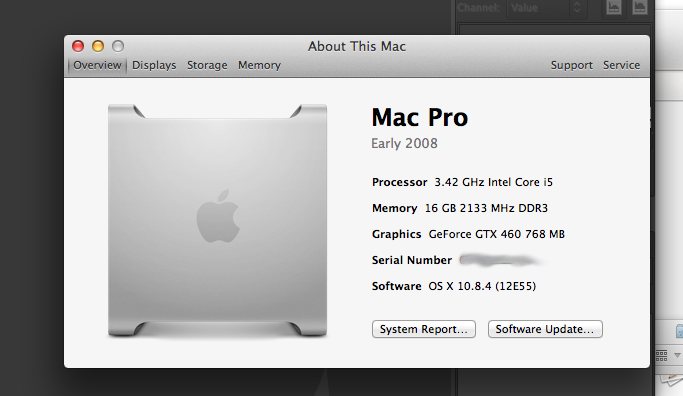
After much research, I determined that my desktop was very compatible. Below are some of the specs:
  • RAM -- G.SKILL Ripjaws Z Series 16GB (4 x 4GB) 240-Pin DDR3 SDRAM DDR3 2133
  • Motherboard -- ASUS P8Z77-V LE LGA 1155 Intel Z77
  • CPU -- Intel Core i5-3570K Ivy Bridge 3.4GHz Quad-Core
  • SSD -- Corsair Force Series GT CSSD-F90GBGT-BK 2.5" 90GB
  • HDD -- Hitachi GST Deskstar 7K3000 HDS723020BLA642 2TB 7200 RPM
  • Video Card -- Asus ENGTX460 DirectCU TOP 768MB
  • Power Supply -- OCZ ModXStream Pro 700W Modular
  • Bluetooth -- IOGEAR GBU521W6 Bluetooth 4.0 USB Micro Adapter
  • Soundcard -- FiiO E10 USB DAC
  • Wi-Fi -- Intel Centrino Advanced-N 6205
Sadly, in my research, I found the Intel Wi-Fi card (which I love) was not compatible. And so, I bought a TP-LINK TL-WDN4800 Dual Band Wireless N900 PCI Express Adapter. This card is very popular with the Hackintosh community as it works out of the box without any hacks.
 
Building The Beast
 
I obtained OS X Mountain Lion and made a bootable drive for the installation -- using a SanDisk Extreme 16GB USB 3.0 flash drive. Unfortunately, for legal reasons, I cannot tell you how to do this step. However, you should be able to figure it out if you look hard enough.
 
With the flash drive plugged in, I started my computer and entered the BIOS. I selected the flash drive as the boot drive and it began to boot. I was presented with the Clover Bootloader, which passed me through to the OS X installation. I was very impressed and surprised that it actually worked -- I expected problems and headaches.
 
Once in the OS X installation, I went to the Mac Disk Utility and formatted the SSD with Mac OS X file format. This deleted both Windows 8 and Fedora -- there was no turning back! I then selected the SSD as the installation destination.
 
The installation went very smoothly. I set up my profile, answered some questions and was off to the races. Once on the desktop I had one last thing to do -- install Multibeast. This is a special utility that will install the necessary drivers for your hardware plus the Chimera Bootloader. This bootloader is necessary if you want to boot directly from your hard drive or SSD. Without it, you would need to boot from a special CD or flash drive.
 
It's Alive!
 
Once Multibeast was complete, I rebooted my computer and selected the SSD as the new default boot device. I was presented with a very cute boot screen -- a picture of a lion cub. After about 30 seconds I was presented with the OS X login screen. After logging in, I found that everything worked -- App store, Messages, Facetime, iTunes…everything. I was overwhelmed with joy -- I finally had my Mac!
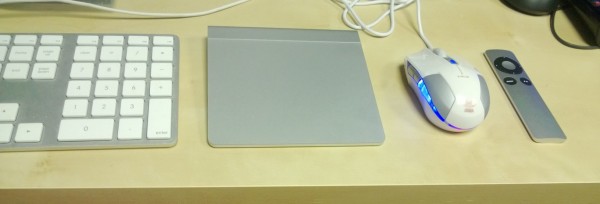
I quickly and excitedly drove to Best Buy and bought an Apple Magic Trackpad and Apple Remote to complement my Apple wired keyboard. I got both of them to work with ease. The trackpad paired with BlueTooth flawlessly and worked with all multi-touch gestures. The remote, which is infrared, worked with an old Windows Media Center USB receiver once I installed a free program called Mira.
 
While this entire project was very smooth, I did encounter one bug. After about an hour of use, my computer would just freeze requiring a reboot. I tracked the issue to a bug with NVidia Fermi-based graphics cards. The Hackintosh community already had a fix, which I installed -- no more freezes.
 
Now that my 10.8.4 Hackintosh was rock-solid and working flawlessly, I decided to seek some software. I installed Chrome, Gimp, Adium, Transmission, VLC and doubleTwist from the Internet. As a Linux-user (and lover) I was particularly happy to use Gimp for my photo editing. While LibreOffice is available for OS X, I opted to buy Microsoft’s Mac Office 2011 -- productivity and compatibility is paramount.

Overall, I am extremely happy with my new self-built Mac. It is a dream come true and very fun to use. If you choose to criticize me for bypassing Apple’s protection, I respect that. However, I do plan on making my next computer an actual Mac (probably a Macbook Air) -- Apple will get my money eventually.
 
This time, I am not declaring that I am leaving any OS behind, I will continue to use Windows and Linux. I recently ordered another SSD, which I will use for those operating systems. In other words, I will have a tri-boot computer with OS X Mountain Lion, Windows 8.1 and Fedora 19 -- the best of all worlds.
 
If you are interested in building your own Hackintosh, I suggest you start by going here.
 
~ Brian Fagioli


4.14.2012

20-million new Ubuntu Linux PCs in 2012?

Summary: Ubuntu 12.04 will be arriving shortly and Canonical founder Mark Shuttleworth expects big things from it: 20-million new PCs sold with Ubuntu in the next twelve months.

Will there be 20-million new Ubuntu users in the next twelve months?
 In less than two weeks, the latest version of Canonical’s Ubuntu Linux distribution, Ubuntu 12.04, Precise Pangolin, will be released. This new Ubuntu is looking good. How good? In a recent interview with Julie Bort, Canonical and Ubuntu founder Mark Shuttleworth said, “We expect to ship close to 20 million PCs in the next year.”

He wasn’t talking about 20-million new copies of Ubuntu being installed. That’s easy to believe. True, desktop Linux has only a fraction of the total desktop market, but there are certainly tens of millions of Linux users. Mind you, there are hundreds of millions of Mac OS X users and over a billion Windows users.

A first look at Ubuntu 12.04 (Gallery)

Still, 20-million people buying Ubuntu pre-installed on their computers in the next twelve months? That’s a lot! Indeed, in Canonical’s own recent user survey, a mere 0.1% of Ubuntu users bought their Linux PCs with Ubuntu pre-installed from such vendors as Dell, System76, and ZaReason.

In analyzing those numbers, Gerry Carr, Canonical’s director of communications, said “The low number of [Ubuntu] pre-loads is certainly a concern . [It's] reflecting the continuing lack of availability in the market. We also probably under-counted this as we asked about the version users are currently running versus how they originally acquired a version. Still the good news from the sales team in Canonical is that 2012 should see a turnaround in this availability issue at least in many markets so again, a figure that is worth tracking over time.” In short, Canonical expects that there will be a lot more vendors selling a lot more Ubuntu equipped PCs and laptops this year.

20-million or so more though? I asked Shuttleworth about it and he stands by his prediction. “That’s what we think, based on projections, tell you how it went in a year :) Globally, with all the big brands, pretty evenly distributed. We ship with Asus, Dell, HP, Lenovo, and quite a few smaller ones.”

Well, there you go. Even globally I’ll be surprised if Ubuntu can move that many unit. Still, Ubuntu 12.04 is looking great and I really can’t see many Windows users switching from XP or Windows 7 to Windows 8 later this year. So, as was the case with Vista, desktop Linux in general, and Ubuntu in specific, may get a brief shot at gaining more desktop users. Yes, conceivably even 20-million more who are willing to buy PCs with Ubuntu ready to go on them.

~ Steven J. Vaughan-Nichols

4.08.2012

Three-quarters of Mac owners don't use anti-malware software

Early results from our "do you have anti-malware installed on your primary computer" polls are in, and there's some change from the ones conducted last May. More respondents on Mac and Windows use security software, but the split remains polarized: 75 percent of Mac users don't, while 90 percent of their Windows counterparts do. Welcome to the wonderful world of Apple denial. There are no pesticides to save this crop.

Responses are unusually low to both polls. I should know better asking anything over the Easter holiday weekend and start of Passover. I'm re-embedding the polls, hoping to jack up the numbers -- 315 for Mac and 358 for Windows, as I write. But the polarized results are consistent enough with the previous polls, when 86 percent of Windows PC users answered yes and 81 percent of Mac owners no. The difference between the polls is within reasonable margin of error, particularly considering respondents aren't qualified. Responses also could represent increased anti-malware usage in both camps.

I asked the poll following reports that the Flashback Trojan infects more than 600,000 Macs, binding them together as a botnet. Flashback first popped up last summer, so this isn't something new -- just the success as new variants appeared, Apple released updates (often too slowly) and Mac users failed to apply them.

Readers Respond


BetaNews reader Joel Medina uses OS X and Windows, and on the latter runs Microsoft Security Essentials. "But on my mac I rarely install an AV program -- not because I think I'm immune but because it's just so rare that Macs get them because the focus for years for hackers was to attack Windows. But now that Macs are starting to get into mainstream usage I'm considering an antivirus program for my Macs."

Andrew Johnson comments earlier today:
Getting nasties such as Mac Defender or System Tool 2012 or whatever on your computer has always been more about the user's browsing habits than about any supposed flaws, or lack thereof, in the browser and/or operating system. This is not to say that those flaws do not exist, but they would be harder to exploit if most users knew what and how to avoid infection.
Mac has had a pretty good track record up until recently, but I have always said, Apple versus Microsoft is an irritating debate, because it's all code, and if you can write code for it, you can write malicious code. I'm not using the "security through obscurity" argument here, I'm just saying it was always just a matter of time.
On a side note, I find it sad how many people think that their smartphones are unassailable fortresses even though the number of infected mobile devices is on the rise.
The real question to ask: Do you need antivirus software at all? Reader capncoad has an answer for that: "Anti-malware apps are simply a moron detector with no real security. Every time it dings and tell you that it blocked a virus, it's really saying 'moron'...If someone created an antivirus app that caused your PC to shock you every time you downloaded a 200kb executable thinking it was a free song then I think we'd be on to something".

That's the point isn't it? Behavior. Windows 7 and OS X 10.7 are pretty hardened. Often malware infections are about stupid online behavior. "How stupid can people be", maddy143ded writes. "Why download stuff from websites that promise you a song and instead give you a small executable?"

Do I Feel Lucky?

There are lots of reasons, like social media. Your friend whom you trust recommends a link and you click. Or you trust Google and search for band X, only to find SEO poisoning in place. Or you trust Apple marketing statements like "Mac OS X doesn't get PC viruses", creating a false sense of security. Or you're browsing from home, you feel safe and project that feeling to web browsing. Trust is the constant.

Last year I kicked Apple in the groin for making security claims like this: "Mac OS X doesn't get PC viruses", which fosters a false sense of security. Oftentimes, as Flashback and countless Windows malware show, successful attacks are more about social engineering than lax operating system security. Human behavior matters as much, sometimes more. Criminals can break in no matter how good the locks if people open the door for them.

But do they need to install a separate security system (e.g. anti-malware)? I would feel pretty safe using Windows 8 and OS X Snow Leopard without anti-malware software. But then, again, I'm cautious of what I click.

After making Snow Leopard seem like the toughest thing next to the Terminator, the updated OS X security page concedes and recommends:
The Mac is designed with built-in technologies that provide protection against malicious software and security threats right out of the box. However, since no system can be 100 percent immune from every threat, here are some other ways to help keep your information as safe as possible:
  • Download files only from known and trusted websites.
  • Use FileVault 2 to encrypt everything on your Mac.
  • Control access to your Mac by locking your screen after a period of inactivity.
  • Securely delete outdated sensitive files with the Secure Empty Trash command.
As Clint Eastwood playing Dirty Harry said, "You've got to ask yourself one question: Do I feel lucky? Well, do ya, punk?"

~ Joe Wilcox


3.25.2012

New Times ~ New Technology ~ Open Your Minds

My name is Anthony Hinds. I have been a Windows user for twenty-one years, Mac OS X user for five, and a Linux user for two years and counting.
 
Many of us know of or have used Windows. A handful of you have used a Mac. How many of you know and use Linux today? Good question, right?
 

Many of you are asking ~ What is Linux?
 
What is Linux
All computers (including desktops, serverssmart-phones and supercomputers) needs a core piece of software which is called an “OperatingSystem”. Many computers today use Microsoft Windows as their main operating system or if you are using an Apple machine, Mac OS X. Linux is an operating system for Personal Computers (including Apple Macs), servers, super computers, mobile phones and tablets.
 
Linux is a free operating system originally created by Linus Torvalds for use on Intel 386 based PCs. It was created with the help of many developers (hackers) around the world. Linux is developed and released under the GNU General Public License which makes the source code for Linux freely available to everyone.
 
A Linux distribution (a package of Linux and Linux related programs) comes with everything a modern computer user need including an advanced GUI (Graphical User Interface), full Internet capabilities including e-mail, web browsing and FTP. Office applications like word processors and spreadsheets (often with a high level of compatibility with other programs like Microsoft Office), photo editing, full development suites, games and much more. Linux is also great on servers. Linux is often used as an email and web server. In fact this web site runs on Linux. But its use doesn't stop at just desktops and servers. It is the predominate operating system used by super computers and it is one of the major operating systems used on smart phones and tablets. 
Linux runs on many different hardware platforms including Intel, Sparc, PowerPC, and ARM Processors.
 
 
Now, I know that many of you are saying ~ If Linux is used so often then why haven't I heard of this free operating system. Well, the answer is simple... People have been afraid of what they do not know and change.
 
 
I have reviewed several different Linux distros (Linux Distributions). Different distros offer different things. Their is one distro, in particular, that I really like and believe is great for all users ~ Pinguy OS. Pinguy OS is a blend of UbuntuLinux Mint, and a bunch of other stuff all rolled into a unique package. It contains the default Ubuntu features and a whole lot more including a ton of multimedia codecs, additional desktop goodies, and a great range of default software. By the way, this is what I use as my main operating system on my desktop computer.
 
 
Now, I will not bore you with a review on Pinguy OS. I believe in “Hands On” and if you would like to try Linux or have questions prior to trying it then complete the "Contact Form" or Click Here to send me a personal email. I will contact you as soon as possible.
 
~ Anthony Hinds, (Founder of HindSight Technologies™)