Cisco Learning Network Store Promotions Page
Showing posts with label Office 2016. Show all posts

9.24.2015

Office 2016 arrives on the PC with an emphasis on teamwork and cloud features

 
Microsoft has officially started the worldwide rollout of its Office 2016 application suite - the first new version of Office for Windows in almost three years. For the 1.2 billion people who use Office, this latest iteration brings a slew of new features including a greater focus on collaboration and cloud services.
 
Office 2016 - which is available as a standalone package or as part of a subscription to Microsoft’s Office 365 cloud service - will bring new versions of familiar Windows apps such as Word, Excel, PowerPoint, OneNote and Outlook.
 
"The way people work has changed dramatically, and that's why Microsoft is focused on reinventing productivity and business processes for the mobile-first, cloud-first world," said Satya Nadella, chief executive officer of Microsoft. "These latest innovations take another big step forward in transforming Office from a familiar set of individual productivity apps to a connected set of apps and services designed for modern working, collaboration and teamwork."
 
 
Bringing a new focus on teamwork, Office 2016 introduces a real-time document co-authoring feature to Word. The application’s new ‘share’ button enables the creator of a document to invite others to collaborate on it.
 
"It's moving to a ‘tell me what you want to do' process rather than just describing how a function works in the Help system," explained Richard Ellis, Microsoft's Office Division Lead in the UK.
 
The new Office 2016 apps are available in 40 languages and require Windows 7 or later. A one-time purchase costs $149 for the Office Home & Student; $229 for the Office Home and Business; and $399 for Office Professional. Any customers who subscribe to Office 365 can get always-up-to-date, fully installed apps for use across their devices, combined with a continually evolving set of consumer and commercial services, such as OneDrive online storage, Skype for Business, Delve, Yammer and enterprise-grade security features, Microsoft stated.
 
 
~ Rob Thubron
5.05.2015

Microsoft Office 2016 Public Preview now available

 
Microsoft has announced the release of Microsoft Office 2016 Public Preview for Windows 7 and later.
 
The build is free for everyone to try out, no Office 365 subscription required. Although beware, there is one potential complication: the preview won’t run alongside Office 2013, so you’ll need to uninstall the older version first.
 
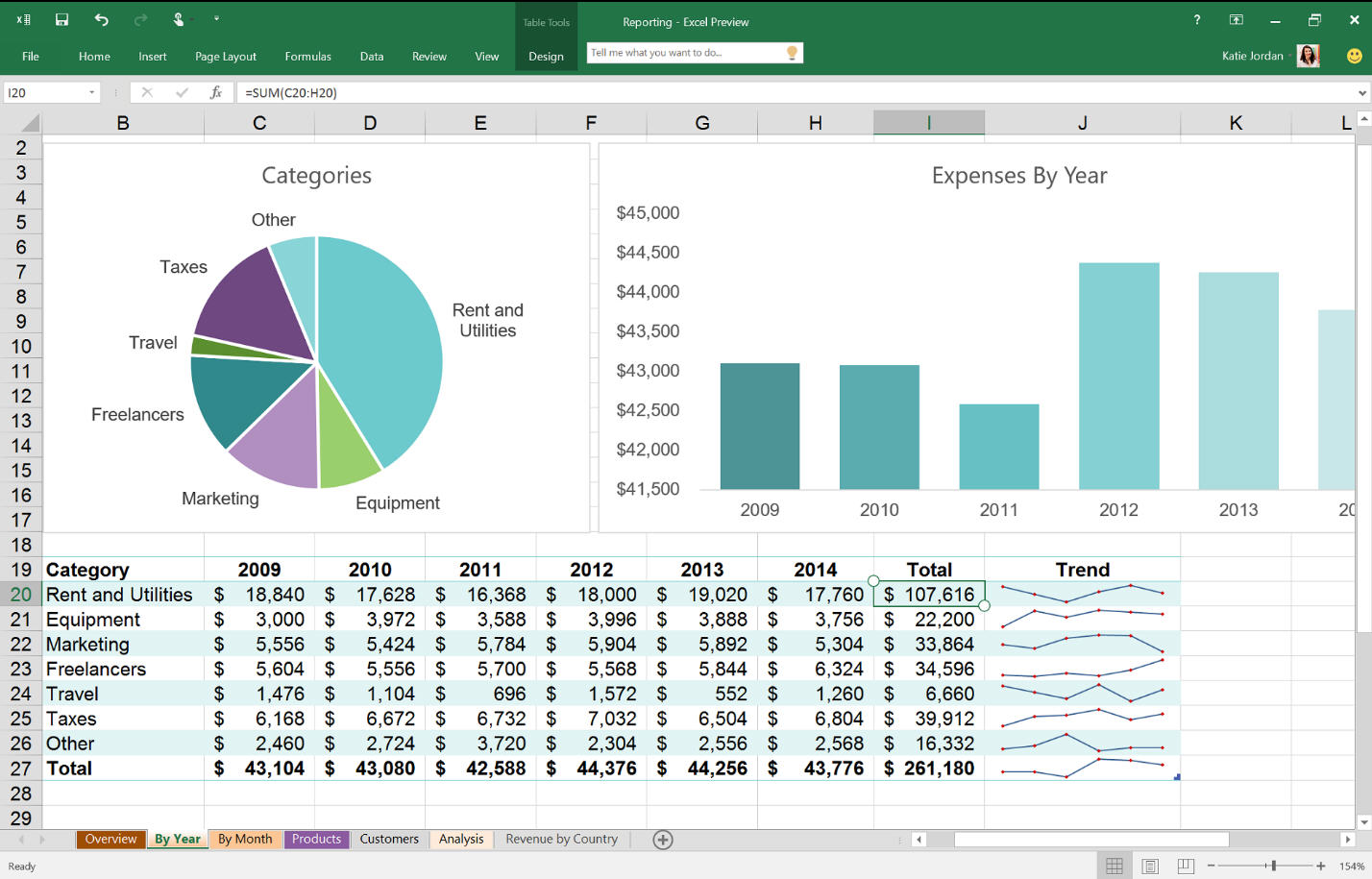
If you decide to take a look anyway then Excel is the best place to start. It has new charts and graphs, one-click forecasting, improved PivotTable and PivotCharts, simpler sharing and collaboration via Microsoft’s Power BI, and more.
 
There’s better support for cloud services across the suite, including Outlook’s new ability to directly attach OneDrive files and configure any recipient’s permissions.
 
Office Online apps-like real-time co-authoring of documents is making its way to the desktop, although initially for Word only.
 
Elsewhere, a "Tell Me" smart search tool helps you find the commands you need; Insights brings Bing-powered web search results without switching to a browser; and the Background Intelligence Transfer Service (BITS) does a better job of managing network bandwidth, throttling back activity when other critical network traffic is present.
 
Microsoft Office 2016 Public Preview is available now for Windows 7 and later.
 
~ Mike Williams

3.05.2015

Microsoft launches Office 2016 Mac Preview

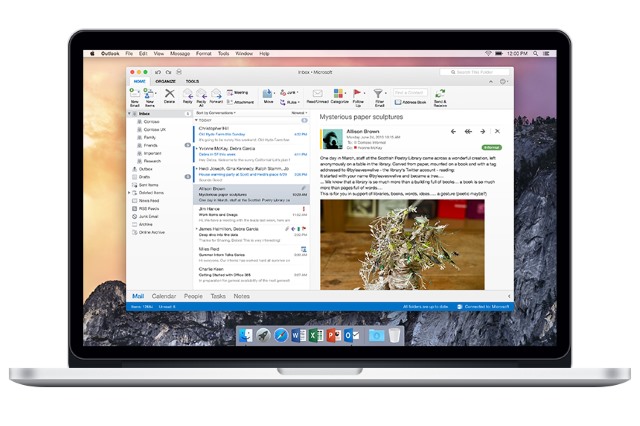
Microsoft is all about software previews these days. We've seen various preview builds of Windows 10 and Windows 10 for Phones, and now it's time for the next version of Office for Mac. Today Microsoft released Office 2016 Mac Preview, giving Mac users a chance to try out the next version of the office suite ahead of its full launch.
 
As with the Windows version of Office, and in keeping with the new focus of Microsoft, there's a strong emphasis on the cloud. OneDrive, OneDrive for Business and SharePoint can be used to sync documents between devices, and Microsoft is keen to point out that this is more than just a straight port of PC Office -- the suite has been Mac-ified.
 
A redesigned ribbon can be found across Word, Excel, PowerPoint, OneNote and Outlook, and the whole UI has been designed to take full advantage of Retina displays. Mac-specific features? Apart from full screen mode, there's also "little Mac affordances like scroll bounce," says Microsoft. But there are lots of new features and improvements to look for in the individual app.
 
OneNote has been quite a success story for Microsoft, and the note organization tool receives a welcome update in Office 2016 for Mac. We've already seen Outlook for Mac as a standalone app, but it's also part of the suite. The app everyone know Office for, Word, gains features such as threaded commenting, while Excel benefits from new data analysis options. PowerPoint gains, among other things, new transitions and an animation builder.
 
If you fancy taking the office suite for a spin, you can download it here -- as ever, your feedback is encouraged.
 
~ Mark Wilson

2.11.2015

Microsoft to launch Office 2016 this year, Office touch apps arriving 'in the coming weeks'

Microsoft has already announced a ton of exciting stuff this week, but the company isn't done yet. Today, it announced that the next version of its fully-featured Office suite of desktop PC applications will be called Office 2016.


Microsoft has been testing the new version of Office internally with a handful of its key partners. Images that leaked last year suggest the new release won't rock the boat too much in terms of design, although customers can expect to see a range of new features and improvements.
 
The company said today that it "will have more to share on Office 2016 in the coming months", confirming its earlier promise of releasing the new applications "in the second half of 2015" – perhaps coinciding with the launch of Windows 10, which is expected around the same time.
 
Although Microsoft did not publicly show its new Office 2016 desktop applications this week, it did unveil its new suite of touch-friendly Office apps for Windows. As with the touch-optimized Office apps on Android and iOS, they lack the complete feature set of the desktop applications, but they still offer many of the features that users need most often for creating, editing and sharing documents.
 
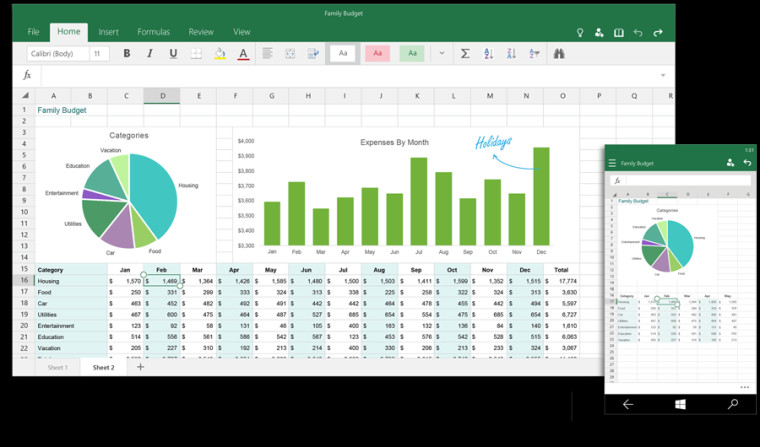
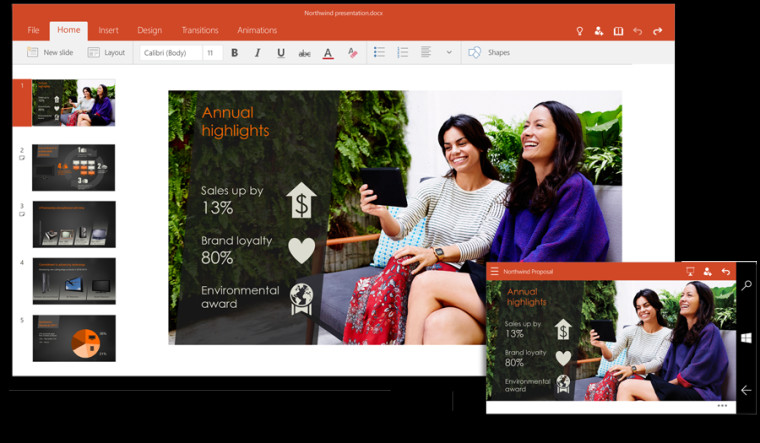
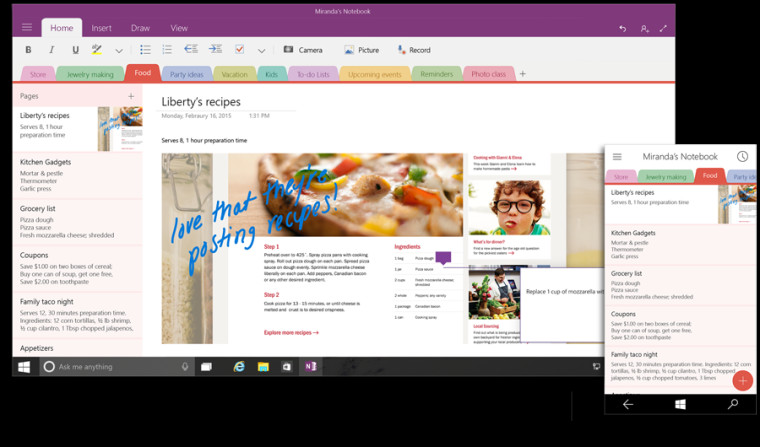
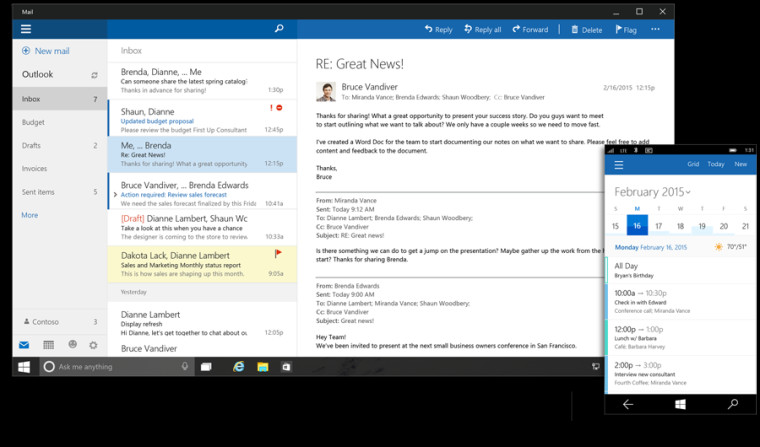
As Universal Windows apps, they'll be available not just on Windows 10 PCs, notebooks, and tablets, but also on smartphones. Microsoft shared a few images of the Office touch apps for Windows 10 today, showing how they'll look on handsets and devices with larger displays.
 
Word for Windows 10
  
 
Excel for Windows 10
  
 
PowerPoint for Windows 10
  
 
OneNote for Windows 10
  
 
Outlook Mail and Outlook Calendar for Windows 10
  
 
Microsoft says the new Office touch apps will eventually be "pre-installed for free on phones and small tablets running Windows 10, and available to download from the Windows Store for other devices." It adds that the new apps will be "available with the Windows 10 Technical Preview in the coming weeks and general availability is on track for later this year."
 
~ Andy Weir

1.23.2015

Microsoft Office 2016 for desktops set to arrive later this year

 
Whereas yesterday belonged to Windows 10, today is all about Office. Microsoft on Thursday revealed that the next iteration of its productivity suite for the desktop will be called Office 2016 and that it’ll remain the comprehensive experience that people are already familiar with.
 
The admission came buried inside a post about the new Office universal apps for Windows 10 that Microsoft touched on during yesterday’s event.
 
Not wanting to let too much out of the bag just yet, the post only revealed that Office 2016 will be best suited for a PC with a keyboard and mouse and that they have compelling new experiences coming as part of the new suite. The Redmond-based company said they’d have more on the subject in the coming months and that we can expect to see Office 2016 made available in the second half of this year.
 
 
Last September, alleged slides of Office 2016 leaked onto the web. What we saw was an Office with a much darker theme, reportedly one of the top requests in Office 2013. As you can see above, it does seem to be a bit easier on the eyes versus staring at a bright white screen for hours on end.
 
Office 2016 is also expected to feature the spiritual return of Clippy (Clippit), the animated paperclip assistant bundled with much earlier versions of Office. The new assistant is reportedly called “Tell Me.” It’s essentially a search field positioned at the top of documents to facilitate searching for questions regarding Office features.
 
It’s unclear if this will be a voice-controlled feature powered by Cortana or simply a standard search field.
 
~ Shawn Knight