Cisco Learning Network Store Promotions Page
Showing posts with label Windows. Show all posts

2.12.2017

WhatsApp adds two-step verification -- here's how to enable it

 
It has been a little while coming, but WhatsApp is finally rolling out support for two-step verification to its messaging app.
 
The extra layer of security means that it is now more difficult to gain unauthorized access to an account, and it is a feature that is being made available to iOS, Android and Windows users. With the feature enabled, if you -- or anyone else, for that matter -- tries to verify your phone number on WhatsApp, you -- or they -- will have to provide the 6-digit passcode you create.
 
In addition to creating a passcode to secure your account, WhatsApp also lets you provide an email address which can be used to disable two-step verification. Oddly, WhatsApp has chosen not to run email addresses through any sort of confirmation or verification process, so the FAQ helpfully suggests: "We highly recommend you provide an accurate email address so that you're not locked out of your account if you forget your passcode."
 
If you want to secure your account, it's a very simple process. Head to Settings > Account > Two-step verification and flip the setting to Enable. Job done!
 
Something else worth noting also crops up in the FAQ:
If you have two-step verification enabled, your number will not be permitted to reverify on WhatsApp within 7 days of last using WhatsApp without your passcode. Thus, if you forget your own passcode, but did not provide an email to disable two-step verification, even you will not be permitted to reverify on WhatsApp within 7 days of last using WhatsApp. After these 7 days, your number will be permitted to reverify on WhatsApp without your passcode, but you will lose all pending messages upon reverifying -- they will be deleted. If your number is reverified on WhatsApp after 30 days of last using WhatsApp, and without your passcode, your account will be deleted and a new one will be created upon successfully reverifying.
Now: go forth and secure!
 
Photo Credit: dennizn / Shutterstock.com
 
~ Mark Wilson

12.09.2016

Malwarebytes 3.0 aims to replace your antivirus

 
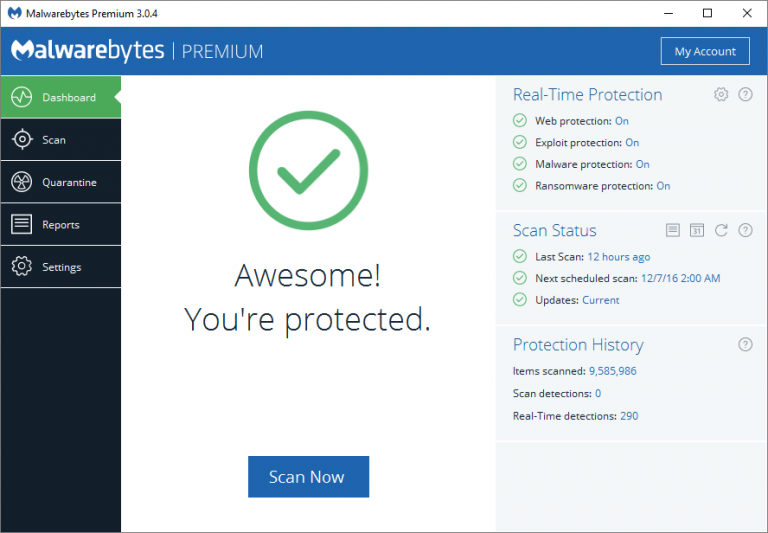
Malwarebytes has released Malwarebytes 3.0, a new package which combines its anti-malware, anti-exploit, anti-ransomware and web protection technologies. You won’t see most of these in the free version, unfortunately. That’s still strictly on-demand anti-malware only, although the new product does allow you to check out the new features with a 14-day Malwarebytes Premium trial.
 
Both the free and Premium builds see major performance improvements, with scan speeds up to 4x faster than the previous editions.
 
Usability tweaks include integration with the Windows Action Center, automatic update checks (no scheduling required) and fewer reboots after some malware removals.
 
A redesigned and simplified interface ties all this together and gives you complete control over the new functionality. If you don’t need Malwarebytes’ anti-ransomware technology, for instance, you can turn it off in a couple of clicks.
 
Existing customers won’t have to pay anything extra for the new release. Just install Malwarebytes 3.0 over Malwarebytes Anti-Malware and it’ll automatically adopt your current license.
 
New users can purchase Malwarebytes 3.0 for $39.99 per year, 20 percent less than the previous combination of Anti-Malware and Anti-Exploit, and with Anti-Ransomware thrown in as well.
 
The company says this is "33 percent less than an average traditional antivirus", but if you want to use another antivirus as well, that’s okay too. Malwarebytes 3.0 still has a strong focus on compatibility, and should run happily alongside most other security tools.
 
Malwarebytes 3.0 is available now for Windows XP and later.
 
~ Mike Williams

11.17.2016

Betternet is a simple, free and 'unlimited' VPN

Connecting to a virtual private network can shield your IP, maintain your privacy on insecure wireless hotspots and perhaps help you access websites you couldn’t reach normally.
 
VPN’s usually require paying a chunky subscription fee, but Betternet promises an unlimited service for absolutely nothing at all.
 
We grabbed the Windows client --there are also iOS and Android apps, as well as Chrome and Firefox extensions -- and ran the installer. It’s essentially a front end for the OpenVPN client, which works for us, but doesn’t pack your PC with any other network layers or components.
 
Betternet doesn’t require any registration, which is another plus. You don’t have to hand over your name, email address or anything else: just run the program and click "Connect".
 
Our default browser opened immediately to display an advert, which wasn’t a great surprise -- Betternet has to fund the service somehow, and the mobile apps have other elements (you’re asked to watch videos or installed sponsored apps). But the ads only appear when connecting, there’s no extra toolbar and you can ignore the sponsored app and video-watching requests, so overall it’s not too intrusive.
 
On the plus side, the system connected us quickly, and within a few seconds we had a new IP address in Switzerland. Testing showed no DNS or other privacy leaks, and our browsing speeds weren’t noticeably affected.
 
A Swiss IP doesn’t suit your needs? Tough luck, at least with our Windows client. We couldn’t see any way to choose or change our server location, and no matter how many times we connected and disconnected, our new Swiss home remained the same.
 
There are no other major tweaks or options, either. The only setting is a "reconnect automatically" feature which restores your connection if it drops, which is convenient, but not as speedy or effective as the "kill switches" of the commercial competition. If the VPN does go down, your system will use its regular network connection instead, giving away your real IP address to any other service you’re accessing.
 
Once you are connected, there don’t seem to be any specific restrictions on what you can do. We tried downloading a couple of small torrents and had no problems at all. Betternet’s terms and conditions have the usual clauses about restricting service to protect other users, though, and we’d guess the system will also drop or throttle the connection if you’re using too much bandwidth.
 
Overall, Betternet scores for its simplicity, the relatively few ads and the fact that it doesn’t need registration. If you just need quick protection when connecting to a wireless hotspot, it’ll do the job very well.
 
The lack of server choice and configuration options will be an issue for more experienced users, though, and for real privacy and more reliable site-unblocking we’d look elsewhere.
 
Betternet is available for Windows, iOS, Android, Chrome and Firefox.
 
~ Mike Williams

11.16.2016

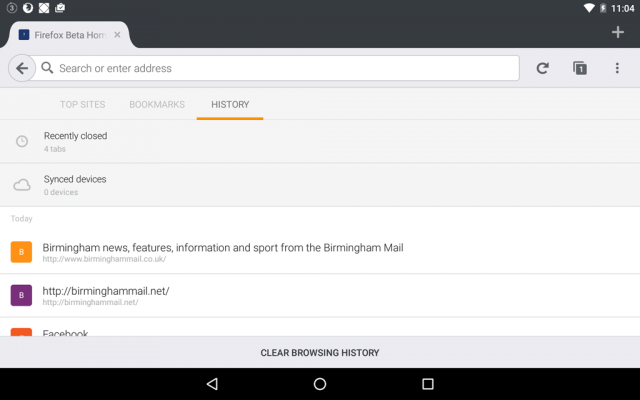
Mozilla Firefox 50 trims start-up times, widens download protection

 
Mozilla has released Firefox 50.0 for Windows, Mac and Linux, with Firefox for Android 50.0 due imminently. For the second release in a row it’s launched a week late, but this time the reason behind the pause is different.
 
The extra week gave Firefox 50 time to unveil its headline new feature: significant start-up improvements, achieved through an overhaul of the application’s add-on SDK module system. Elsewhere download protection covers a wider range of executable files, plus Firefox 50 introduces a smattering of useful usability improvements.
 
The existing add-on SDK’s module system was described as a "performance disaster" in the bug listing accompanying this improvement. Long story short, one developer has claimed start-up time has improved from 35 percent (around 0.3 seconds) on a system with no add-ons, to 65 percent on a Firefox install with three add-ons.
 
The new release has four interesting new features that improve functionality. Users can now print a page in Reader Mode for a clearer printout, plus switch to Reader Mode via a new keyboard shortcut: [Ctrl] (or [Cmd] on Mac) + [Alt] + [R]. Firefox 50 also widens its download protection support to cover a much broader range of executable files found on Windows, Linux and Mac systems -- now everything from compressed files and generic exe/bin/app packages to Office executables and scripts will be subject to the download scan.
 
The Search bar has a new "Whole Words" button -- click this to restrict in-page web searches to complete words only. Users can also choose to assign the [Ctrl] + [Tab] shortcut to cycle through tabs in the most recently accessed order -- go to Options > General and tick the new setting under Tabs to enable it.
 
Last, but not least, those running operating systems without native support for Emojis -- namely Windows 8 or lower and Linux -- gain a built-in Emoji set.
 
 
Elsewhere, support for WebGL has now been widened to cover more than 98 percent of PC users running Windows 7 or later, while Windows and Mac users also gain support for WebM EME content protected by Widevine DRM.
 
There’s a fix for the rendering of dashed and dotted borders with rounded corners, while libavcodecs older than 54.35.1 have been blocked. There are also a large number of updates for Web developers.
 
Firefox 50.0 is available now as a free, open-source download for Windows, Mac and Linux. Also due for release is Firefox for Android 50.0. This adds support for HLS video via a player overlay, plus simplifies the user interface by combining the Recent Tabs and History panels.
 
~ Nick Peers

10.31.2016

Thanks to Microsoft, Chrome is now 15% faster on Windows

 
In a bid to make its browser faster than ever, Google has started using Microsoft’s Profile Guided Optimization (PGO). Introduced in Chrome 53, this technology can help optimize high-use functions in the browser.
 
The nightly Chrome builds track how often functions are used, and these functions are then optimized by PGO, sometimes increasing their binary size. In addition, PGO optimizes the memory location of the browser code, keeping rarely and frequently used functions away from each other.
 
PGO was first introduced into the 64-bit build of Chrome in version 53. It has since been added to the 32-bit build in Chrome 54.
 
As to the impact PGO has already had on Chrome’s load and startup times, Google shares the following stats:
 
New tab page load time                                                           14.8% faster


Page load (time to first paint)                                                   5.9% faster


Startup time                                                                              16.8% faster


Have you noticed Chrome getting faster recently?
 
Photo Credit: Faber14/Shutterstock
 
~ Wayne Williams

MacBook Pro (2016) disappointment pushes some Apple loyalists to Ubuntu Linux

 
The new Apple MacBook Pro looks to be a wonderful laptop, but understandably, not everyone is impressed. The "Pro" moniker literally means "professional", and there are some concerns from that segment. Some photographers, for instance, will be very hurt and disgusted by the lack of an SD card slot. More importantly, the computer maxes out at 16GB of RAM -- many pro users want 32GB or more, which is not possible on the new machine, sadly.
 
While you might expect some of these disappointed Apple loyalists to turn to a Windows machine -- and I'm sure some will -- some are turning to an unexpected alternative -- Linux. You see, immediately after the Apple Keynote, famed Ubuntu laptop and desktop seller, System76, saw a huge jump in traffic from people looking to buy its machines. The traffic was so intense, that it needed to upgrade servers to keep up!
 
"We experienced much more traffic than we had prepared for, the website didn't go hard down but experienced slowness. We had to scale up to return to normal. It was a pretty big surge, I don't have the details in front of me at the moment but I've not really heard of anything like this before. People being so underwhelmed by a product that immediately following a new product release they actively seek out competitor's products", says Ryan Sipes, Community Manager, System76.
 
I decided to compare specifications and pricing on my own, so I headed to both Apple.com and System76.com to compare. Apple's new 15-inch MacBook Pro starts at $2,400. This machine has a Quad-core Sklyake i7, maxes out at 16GB of RAM, has an NVMe 256GB SSD, and a Radeon Pro 450 with a paltry 2GB memory.
 
 
Alternatively, I headed to System76 and configured its 15-inch Oryx Pro (you can do so here). I closely matched the MacBook Pro specs, with a Quad-core Sklyake i7 and NVMe 256GB SSD. Instead of 16GB of RAM as found on the Apple, I configured with 32GB (you can go up to 64GB if needed). By default, it comes with a 6GB Nvidia GTX 1060. The price? Less than $2,000! In other words, the System76 machine with much better specs is less expensive than Apple's.
Still, the Oryx Pro can be configured with specs far beyond the MacBook Pro, and at a very competitive price -- it is not hard to see why System76 saw a huge jump in traffic following the Apple Keynote. It is worth noting that both the Oryx Pro and MacBook Pro can run Windows too.
 
Are you surprised that some Mac users are jumping to Linux? Tell me in the comments.
 
Photo credit: Brian A Jackson / Shutterstock
 
~ Brian Fagioli

10.13.2016

HP announces refreshed line of Windows PCs for the holidays

 
It seems like it was just yesterday we were putting up the decorations, and we've only just put away the bathing suits. Now it's time to think about going through the whole cycle again. We know some of the new tech that will be hitting the store shelves this forthcoming holiday season because some was announced way back in January at the Consumer Electronics Show.
 
On the other hand, some is only just being unveiled, hoping to capture the news cycle and be fresh in consumer minds as the wish lists begin to get written. One of those companies announcing new devices is HP, which is refreshing its lineup of Windows computers.
 
Coming to market are the second-generation HP Spectre x360, HP ENVY Laptop, HP ENVY A10 27, and the HP ENVY 27 Display.
 
"Premium customers have high expectations around device performance and quality for consuming media and productivity whether at home, work or on the go", says Kevin Frost, vice president and general manager of consumer personal systems at HP. "We are strengthening our leadership in premium with our redesigned PC portfolio to deliver big power in thin and light designs to be even more portable and revolutionize our all-in-one to bring amazing sound into the home".
 
 
The Spectre x360 claims 15 hours of battery life. This, HP says, is accomplished with 7th generation Intel Core processors and a slim 57.8W battery. The 13.3 inch screen has a thin 10mm bezel and is only 13.8mm thick -- 2 mm thinner than the previous model. The overall weight has been slimmed down to 2.85 lbs. It features two USB-Type C ports with Thunderbolt 3 support and a USB-Type A 3.0 port. You can now choose between Core i5 and i7 processors.
 
The Envy Laptop (pictured at the top) also comes with a 13.3 inch screen, but weighs slightly more at 3.15 lbs. It also features an i5 or i7 processor and comes with 16GB of RAM and a 1TB SSD. It promises a fast charge of "90 percent in 90 minutes".
 
The HP ENVY A10 27 is a powerful desktop that would be great for gamers. It sports a large 27 inch screen, a 356GB SSD and "NVIDIA GTX 950M graphics card with 4GB GDDR5 video for blazing fast 3D gaming performance". You can also buy the monitor alone if you want to pep up an existing system.
 
Release dates are staggered, naturally. The Spectre x360 is available today at a price of $1,049.99, while the HP ENVY Laptop hits the market on October 26th for $849.99. The HP ENVY Display 27 releases on December 4th and retails for $499.99. The HP ENVY 27 All-In-One will set you back $1,299.99, and will be available "sometime" in October.
  
All computers come with Windows 10, so if you, or someone on your shopping list, is in the market for a new PC this holiday season, then these may be something to take a look at.
 
~ Alan Buckingham

8.18.2016

Watch and analyze chess games with Kvetka

 
If you’re looking to improve your chess skills then watching the best players at work will usually teach you a lot. There are plenty of chess sites to help you do just that, but they mostly offer only a very basic view of the game with few tools or options.
 
Kvetka is a free Windows package which can display games from chess.com, chessbase.com, chessgames.com, chessok.com and many other sites, as well as opening PGN, FEN and other formats, and importing games from the clipboard.
 
The program comes bundled with the Stockfish engine for analyzing games, although it works with other UCI engines too.
 
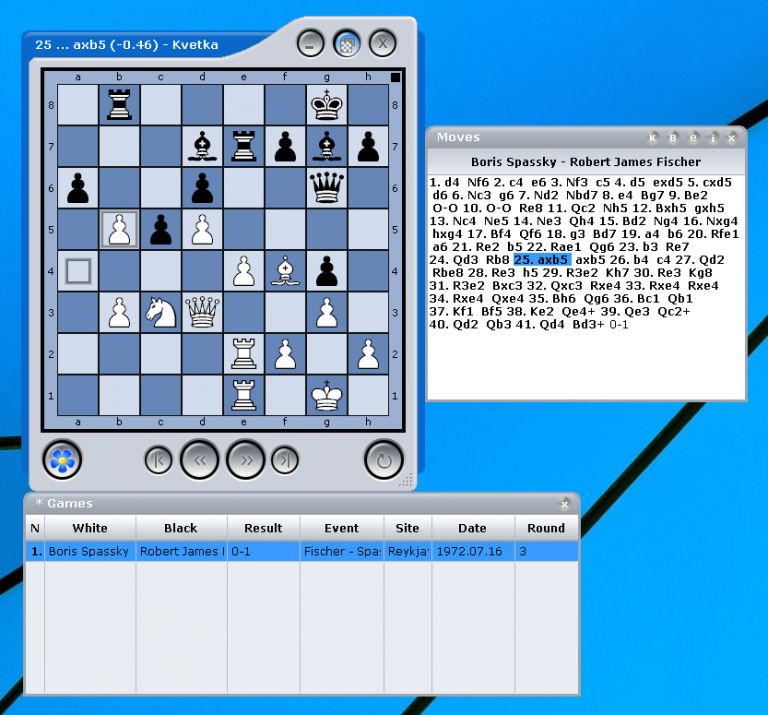
Launch Kvetka and it displays an opening board, along with your list of games, which initially just has a single "Anonymous vs Anonymous" placeholder.
 
To get started, we went to chessgames.com, selected one of the "Hot Games" and copied the URL to the clipboard (http://www.chessgames.com/perl/chessgame?gid=1044727).
 
We then double-clicked Kvetka’s placeholder game, right-clicked in the empty "Moves" box and selected Paste > Load.
 
The details of the game (Spassky vs Fischer) appeared in the list, and we were able to follow it move by move, or by jumping directly to any move of interest.
 
Kvetka also allows you to flip the board, move and place pieces, copy position data or game screenshots to the clipboard, run and view your analysis, and more.
 
Figuring all this out takes a while as features aren’t always clearly labelled, or where you’d expect them to be. But the tutorial page will get you started (once you’ve translated it from the original Russian) and overall Kvetka could be a useful step on your route to chess grand-mastery.
 
Kvetka is a free tool for Windows 7 and later.
 
~ Mike Williams

8.02.2016

Firefox 48 FINAL improves download protection as part of wider security crackdown

 
Mozilla has unveiled Firefox 48 FINAL for desktop. After the relatively minor releases of late, Firefox 48 contains a number of notable new features, both visible and behind the scenes, to excite users.
 
There’s improved protection against potentially malicious downloads, the requirement for add-ons to be both verified and signed by Mozilla before they will load, and a number of WebRTC enhancements -- and that’s just for starters.
 
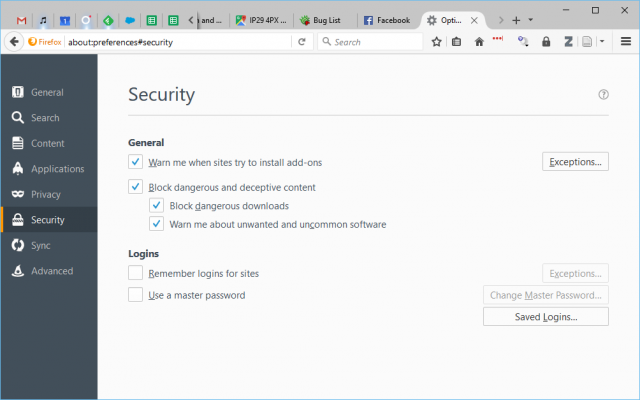
Firefox 48’s somewhat cryptic battle cray is "roar for moar protection against harmful downloads!". It refers to new features for blocking potentially malicious downloads and sees the Security tab of Firefox’s Options get a shakeup.
 
Users will now find a new "Block dangerous and deceptive content" option that includes two further options: "Block dangerous downloads" and "Warn me about unwanted and uncommon software", both of which are ticked by default.
 
Other security improvements include all add-ons requiring a digital signature (and verification) from Mozilla before they will load, while the media parser has also been redeveloped using the Rust memory-safe programming language to protect against potential exploit-based attacks.
 
Selected users will also see process separation enabled, splitting the main Firefox browser process from all loaded web content. This allows the latter to be sandboxed, blocking direct access to the filesystem for security purposes, but should also yield stability and performance improvements too.
 
One usability improvement sees the Awesome bar’s results list include a number of handy icons to help identify results from a user’s history, bookmarks or open tab.
 
WebRTC improvements include enabling delay-agnostic AEC, full duplex for GNU/Linux and support for ICE Restart & Update, while a bug leading to frequency distortions on Jabra and Logitech C920 webcams has also been fixed.
 
Windows users will now find the [Tab] and [Shift]+[F10] key combos work as they should when in customization mode, while GNU/Linux users gain visible Canvas performance improvements through support for Skia.
 
Developers gain a multitude of new features, including a geometry editor for moving absolute and fixed positional elements and the addition of a tree-map view to the memory tool for debugging purposes. Content Security Policy (CSP) is now enforced for all WebExtensions. The Firebug Theme has also been enabled for Developer Tools.
 
Firefox 48 FINAL is available now as a free, open-source download for Windows, Mac and Linux. Support for OS X 10.8 and earlier has now been dropped, while version 48 will also be the last version to run on Windows PCs without SSE2 CPU extensions.
 
~ Nick Peers

7.02.2016

Unhappy with Evernote's new pricing? Here's how to import your data into OneNote for free

When Evernote announced changes to its pricing structure this week, users were unhappy. As well as an increase to the price of paid-for accounts, new restrictions were also wheeled in for free accounts. It's no longer possible to sync data between more than two devices without coughing up a monthly fee, and this has people looking for alternatives.
 
A worthy competitor is Microsoft's OneNote and the company has a dedicated OneNote Importer tool that can be used to move all of your notes between services. Like OneNote, the importer is also free, and gives disgruntled Evernote users a way to sync between multiple devices and benefit from unrestricted uploads.
 
Head over to the OneNote Importer website to download a copy of the software, and you can be up and running in next to no time. Despite the fact that the tool was released back in March, it is still considered a preview version. At the moment it's only available for Windows, but there is a Mac version in the works as well.
 
All you need to do is point the importer at your Evernote data, create or sign into your OneNote account, and sit back while your data is transferred.
 
Microsoft has a video that shows you the tool in action, demonstrating just how quick and easy it is to jump ship to OneNote:
 

~ Mark Wilson

6.14.2016

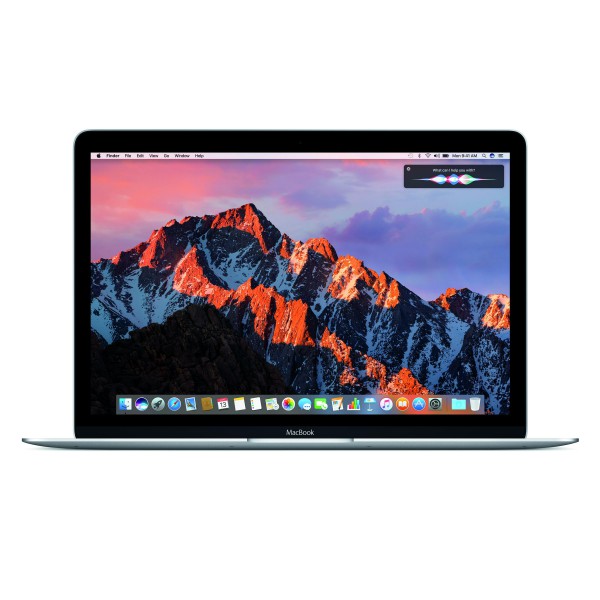
Apple renames OS X to macOS -- upcoming 'Sierra' version will get Siri, Apple Pay, and more

If you are wanting a desktop operating system, you largely have two options -- Windows or OS X. To a lesser extent, consumers can opt for Linux-based operating systems, such as Chrome OS or Ubuntu, but Apple and Microsoft's offerings reign supreme. While OS X is arguably more elegant than Windows, it only comes installed on Apple's expensive hardware. Microsoft's OS is the best option for those on a budget.
 
One thing that was not elegant about OS X, however, was the name. It was not in line with the company's other operating systems -- iOS, watchOS, and tvOS. Not to mention, the 15 year old "X" branding was getting a bit long in the tooth. Today, Apple renames it to macOS, while also designating a new code name to the upcoming version -- Sierra. It looks to be the best Mac operating system ever.
 
"Siri on the Mac is now just one click away. The familiar features of Siri are now on the Mac with brand-new capabilities specifically designed for the desktop. Easily accessible from the Dock, menu bar or keyboard, Siri lets you use your voice to search for information, find files and send messages. For example you can ask Siri to locate a specific document you worked on last night, add a meeting to your calendar or start a FaceTime call. With Siri on the Mac, you can also drag and drop items from Siri search results into your documents or emails, pin Siri search results in Notification Center to keep an eye on information like sports scores or stock prices, and even adjust system preferences, set reminders and search your Photos library", says Apple.
 
Duing the event, I was quite impressed with the demo of Siri on macOS. She is deeply integrated with finder, offering high-quality contextual search. The voice assistant doesn't just fetch the weather, but it finds your documents too. Taking things a step further, the drag-and-drop functionality worked wonderfully, allowing seamless workflow in the operating system.
 
 
The other big feature is Apple pay on the web. The company explains, "users love to shop online using their Macs and with macOS the shopping experience in Safari is now even better. Apple Pay on the web makes it easy to make secure and private purchases when shopping on participating websites. You no longer need to share credit or debit card numbers with an online merchant and actual card numbers are not stored on your device, nor on Apple servers. Just look for the Apple Pay button at checkout on many of your favorite shopping sites and complete your purchase with Touch ID on your iPhone or by using your Apple Watch. Strong encryption protects all communication between your devices and Apple Pay servers, and Apple Pay does not track your purchases".
 
Strangely, rather than highlight biometrics on the Mac, Apple wants you to verify transactions using your iPhone or Apple Watch. I hope this will change with future hardware -- the company is probably not be ready to discuss features of future computers. With that said, if upcoming Mac computers lack fingerprint readers, it will be a huge blunder. Not every Mac user owns other Apple hardware, and if they do, they may not always have it with them. Maybe Apple just wants to keep Apple users buying multiple devices.
 
Another great feature is the ability to automatically offload local documents to the cloud to conserve space with "Optimized Storage". This will allow those with smaller storage drives to have more breathing room. On paper it sounds like a great idea, but as more and more folks surf the web on metered connections and jetpacks with limited data, this could end up being a costly headache. Not to mention, increased iCloud Drive storage is yet another monthly cost for users that utilize the functionality.
 
The operating system is full of other features too, like universal copy and paste, allowing you to share a clipboard between iOS and macOS. Plus, the ability to use "picture in picture" to conveniently watch a video while multitasking. The company has even enabled program tabs on the OS level so any app can be easily managed without any work from the developer.
 
All in all, this is shaping up to be the best Mac operating system ever. Developers can download the preview today, while existing OS X end users can upgrade when macOS becomes available in the fall. More daring home users can grab the public beta in July.
 
Are you excited for macOS Sierra? Tell me in the comments.
 
~ Brian Fagioli

6.13.2016

How to watch Apple's WWDC 2016 keynote live on any device including Windows, Linux and Android

 
Apple's Worldwide Developer Conference kicks off today, Monday 13 June, in San Francisco, with the big keynote speech scheduled for 10am PDT/1pm EST/6pm BST. As always it will be streamed live so you can tune in at home or (maybe) work.

As WWDC is for software developers, Apple doesn’t usually reveal major new hardware -- typically it’s just updated versions of existing products. We're expecting to see makeovers for iTunes and Apple Music, a massively improved Siri, and iOS 10 and macOS 12 (Apple is rumored to be dropping the X from the OS name). There are likely to be some interesting surprises too.
 
As for viewing the live stream, Apple likes to preach to the faithful, so there are the usual restrictions in place. Streaming the event requires Safari 6.0.5 or later on OS X v10.8.5 or later; Safari on iOS 7.0 or later. Streaming via Apple TV requires second- or third-generation Apple TV with software 6.2 or later, or Apple TV 4 with any version of tvOS. If you have Windows 10 you can watch on Microsoft Edge.
 
Assuming you have what's required, you can watch the keynote live here.
 
If you have a Windows PC running an earlier version of Microsoft’s OS, a Linux box or an Android phone or tablet, you can still watch the event, but you’ll need VLC Media Player installed. Assuming you do, open it, and click on Media at the top left. Go to Open Network Stream and paste in the network URL of the live Apple event which is:
 
http://p.events-delivery.apple.com.edgesuite.net/15pijbnaefvpoijbaefvpihb06/m3u8/atv_mvp.m3u8
 
This link won’t go live until the event begins.
 
There’s also an official WWDC app available. This lets you stream videos from current and previous WWDC sessions, start watching on one iOS device, and pick up where you left off on another, browse times, locations, and descriptions for sessions, labs, and special events, and keep up with the latest news, get important notifications, and see daily photos.
 
Feel free to share your comments about what Apple is showing off in the comments below.
 
Photo credit: TK Kurikawa / Shutterstock

~ Wayne Williams

6.07.2016

Firefox 47 widens HTML5 video support to include DRM-protected streams

 
Mozilla has released Firefox 47 FINAL for Windows, Mac and Linux. Version 47 adds support for Google’s Widevine CDM, enabling compliant sites including Amazon Video to stream DRM-protected video natively using HTML5 rather than via a third-party video plugin.
 
Elsewhere the new build drops support for add-ons that use the Firefox User Extension Library, plus implements a tweak that allows pages in Reader Mode to be read aloud to the user.
 
Support for Google’s Widevine CDM -- which is currently limited to Windows and OS X -- was first introduced to the Nightly build of Firefox two months ago, and has made a seamless transition to the stable build. It enables supported web sites -- with Amazon Video a prime example -- to stream DRM-protected content using HTML5 rather than forcing users to use a third-party plugin (Microsoft Silverlight in Amazon’s case).
 
The feature has also been joined by Firefox’s newly acquired ability to stream embedded YouTube videos using HTML5 when the built-in Flash plugin, often a source of security and privacy concerns, has been disabled.
 
Another new feature sees secure web pages no longer automatically reloading when users navigate use the back or forward button -- this has been implemented for security purposes.
 
Users can now extend Firefox’s accessibility features to also read out loud pages in Reader Mode, while one final addition sees the VP9 video codec enabled on faster machines for better video performance.
 
One key change sees support for the Firefox User Extension Library (FUEL) dropped in favor of Firefox’s add-on SDK -- developers should have already updated add-ons and extensions accordingly, but those that haven’t been updated will no longer work as of Firefox 47.
 
Another change sees the ‘click-to-activate plugin’ whitelist removed, while a third tweak resets the 'browser.sessionstore.restore_on_demand' preference to its default true value for performance reasons.

Developers will find a number of improvements in Firefox 47, the most notable of which is the ability to review Firefox performance data via the 'about:performance' page.
 
Android updates
Firefox 47 for Android is also due for release, and adds an option to show and hide web fonts under its Advanced settings to reduce data and bandwidth usage.
 
Other tweaks include renaming 'Open multiple links' under the Customize setting to 'Tab Queue', plus removed support for Android web runtime (WebRT) as well as Favicons in the Awesomebar to prevent HTTPS spoofing. This is also the final release that will support Android Gingerbread.
 
Firefox 47 FINAL and is available now as free, open-source downloads for Windows, Mac and Linux. Firefox 47 for Android should be released imminently.
 
~ Nick Peers

5.16.2016

Terrorist group Al-Qaeda threatens to murder Microsoft founder Bill Gates

 
When Al-Qaeda destroyed two World Trade Center buildings, it felt like everything changed. Seemingly overnight, the citizens of the USA went from being fairly care-free to having to constantly look behind their collective backs. It is now 2016 and when I go to Penn Station in New York City, I still see military people with assault rifles. Sadly, this is apparently the new reality.
 
Now, that same terrorist group is threatening business men and women in America. It is particularly sad that a person must live in fear because of their success. One particular person being threatened is Microsoft's founder, Bill Gates.
 
According to The Washington Times, Al-Qaeda's official online propaganda magazine Inspire, contains a montage of violent images -- things like guns and blood -- next to an image of Bill Gates. The terrorist group is calling for home invasion murders of successful business folks, like Gates, which is absolutely sickening.
 
Regardless of your feelings towards Microsoft, I am sure you agree that its founder does not deserve a target on his back -- no one does. Quite frankly, Mr. Gates' work with that company has contributed greatly to improving the world. Windows alone is a large factor in the advancement of the personal computer.
 
Now semi-retired, the man has become a philanthropist, donating resources to helping humanity. His foundation has even developed a machine that turns waste into clean drinking water. He should be admired, not threatened.
 
 
It is easy to see why a group that hates the USA and its freedom would target Bill Gates. Not only is he one of the richest people in the world, but a symbol of the American dream. Even as an older man, the image of a young and bright technology success is still ingrained in our society. Even presidential hopeful Donald Trump thinks Gates is powerful enough to close down the entire internet!
 
Feel free to leave a message of support for Bill Gates in the comments below.
 
~ Brian Fagioli

5.13.2016

Opera 39 will boost your laptop's battery life by up to 50 percent

 
No matter if we are talking about Windows PCs or MacBooks running OS X, the browser that you use can have a major impact on your laptop's battery life. Tests suggest that if you want the best results you should stick to the default browser, Internet Explorer or Microsoft Edge on Windows, and Safari on OS X.
 
But, with Opera 39 soon to be released, Opera Software is basically claiming that the new version of its browser is far superior to any of its rivals. The trick is to activate the new power saving mode, which is available when you run on battery power.
 
Opera Software has performed some tests to see how Opera 39, which is currently available in the developer stream, stacks up against Google Chrome on a laptop running the 64-bit version of Windows 10. The results show a massive difference: the former delivers 2:56 minutes of battery life while the latter only manage 1:54 minutes. That is just shy of a 50 percent improvement, which, quite frankly, sounds unbelievable.
 
"Battery saving on Opera for computers is possible thanks to optimizations, such as reducing activity from background tabs, adapting page-redrawing frequency and tuning video-playback parameters", Opera Software explains. But, that is not all that is new.
 
"Some parts of the code have been simplified, while animated themes have been optimized. In this version, we are also testing a smarter way of managing memory, which ensures that constantly opened tabs like Gmail and Facebook will be much more responsive", the company adds.
 
What's more, the built-in ad-blocker, which was introduced in a recent version of Opera, also leads to a claimed improvement in memory consumption of up to 47 percent. With it and the power saving mode on users can expect "even better power savings and performance", Opera Software claims.
 
Based on the other tests I have seen so far how much battery life you get with a certain browser is dependent, among other things, on your laptop's hardware configuration. Certain devices perform better than others, no matter if their specs are similar. Still, while not everyone may see a 50 percent improvement in battery life by using Opera's new browser, there should be a major difference nonetheless.
 
Opera Software is pitting Opera 39 against Google Chrome because the latter is the most popular browser today. The company clearly wants to make an impression, so it is going after the leading player. That said, that boost in battery life is significantly higher than what you get when comparing Google Chrome to Internet Explorer, Microsoft Edge or Safari, so it stands to reason that Opera 39 should perform the best when compared to those other browsers too.
 
The testing has been performed on a Lenovo X250, with an Intel Core i7-5600U processor and 16 GB of RAM. That is a premium configuration, and those are the kind of devices that you can expect to reveal a dramatic difference in real-life use when switching browsers. The company says that it has timed the browsers on 11 popular websites, so your experience may vary depending on the websites that you most frequently access.
 
Opera Software has, sadly, not provided any results for any of the other competitors, nor has it done any testing on OS X. But, if those claims turn out to be true, its rivals would have some catching up to do.
 
Photo credit: Brian A Jackson / Shutterstock
 
~ Mihăiță Bamburic

5.12.2016

The WhatsApp native desktop app for Windows and Mac has arrived

 
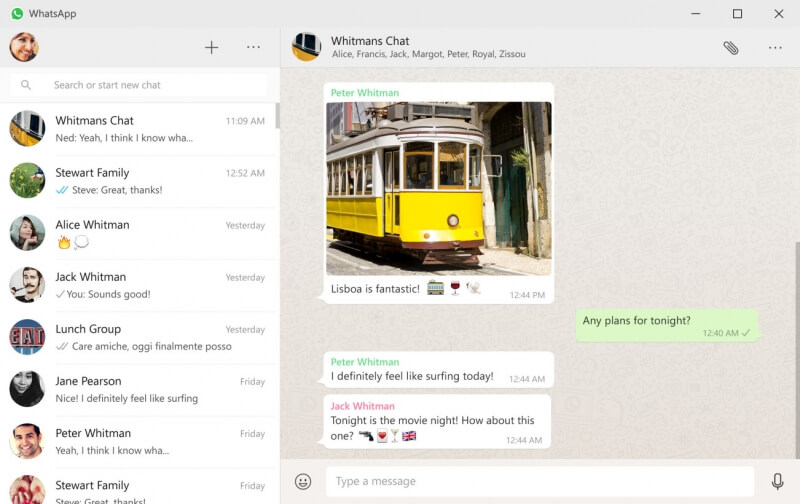
Facebook-owned messaging service WhatsApp has announced the arrival of its native desktop app, which you can download here. It’s available for Windows 8 and above, and for Mac OS X 10.9 (Mavericks) and above.
 
You’ll need to scan a QR code using WhatsApp on your smartphone to log in to the desktop app (look for WhatsApp Web menu under Settings). Once you’re set up, you’ll get desktop notifications, better keyboard shortcuts, and more.
 
This desktop WhatsApp is very similar to the web version that’s been available since 2015, copying much of the user interface. “Like WhatsApp Web, our desktop app is simply an extension of your phone,” the company said in a statement.
 
 
The software syncs with your phone to mirror conversations and messages. It also supports voice dictation. WhatsApp suggests connecting your phone to Wi-Fi as a way of keeping data costs down.
 
Rumors that a full desktop version of the app was in the works surfaced last week after screenshots appeared on Twitter. The app now joins the likes of Facebook Messenger and Skype, both of which have desktop incarnations.
 
WhatsApp was in the news again last week, after being banned in Brazil for the second time in six months. The app was blocked in the country for 72 hours for refusing to hand over chat records related to a drug case, something the company says it couldn’t do as its messages are encrypted. A different judge overturned the ruling and the service was restored 24 hours into the ban.
 
~ Rob Thubron

5.05.2016

Malware takes advantage of Windows' God Mode hack to slip past security

 
The so-called God Mode hack for Windows is rather less grand than it might first sound. Rather than granting users deity-like abilities, it simply provides one-folder access to an absolute butt-load of Control Panel options and settings. But security researchers have discovered that the technique used to create this special folder can also be exploited by malware.
 
McAfee says that while the Easter Egg is great for power users, it is also being used by attackers for "evil ends". By placing files within the God Mode shortcut folder, malware such as Dynamer is able to run undetected on a victim's computer.
 
McAfee researchers explain: "It allows users to create a specially named folder that acts as a shortcut to Windows settings and special folders, such as control panels, My Computer, or the printers folder. This "God Mode" can come in handy for admins, but attackers are now using this undocumented feature for evil ends. Files placed within one of these master control panel shortcuts are not easily accessible via Windows Explorer because the folders do not open like other folders, but rather redirect the user".
 
In the case of Dynamer, a registry key is created that runs automatically when Windows starts, and it persists through reboots:
 
HKEY_CURRENT_USER\SOFTWARE\Microsoft\Windows\CurrentVersion\Run
 
lsm = C:\Users\admin\AppData\Roaming\com4.{241D7C96-F8BF-4F85-B01F-E2B043341A4B}\lsm.exe
 
This command not only allows the malware to run, but also opens the RemoteApp and Desktop Connections control panel entry as cover. In using the name 'com4' the malware writers have made life for victims a little trickier. As this is detected as a Windows command, deletion of the file is blocked.
 
McAfee advises using the following technique to kill the problem:
  1. First, the malware must be terminated (via Task Manager or other standard tools).
  2. Next, run this specially crafted command from the command prompt (cmd.exe):

rd “\\.\%appdata%\com4.{241D7C96-F8BF-4F85-B01F-E2B043341A4B}” /S /Q
 
Photo Credit: Stocksnapper/Shutterstock
 
~ Mark Wilson

4.19.2016

Viber introduces end to end encryption

 
The major messaging services are now placing a greater emphasis on their users' privacy and security, following the heated encryption debate started by Apple and the FBI. Viber has just announced end-to-end encryption support, making it the second leading player this month to introduce this feature after WhatsApp.
 
Viber has over 700 million users across the globe, but its end to end encryption feature will not be available everywhere right away. The company is focusing on Belarus, Brazil, Israel and Thailand first, with other markets to get the same treatment in the weeks that follow.
 
Viber is also rolling out an option to hide chats on users' accounts which, like end to end encryption support, will work on all the major platforms supported by the company: Android, iOS, Windows and OS X. The option to hide chats comes with support for four-digit PINs.
 
Speaking with TechCrunch, Viber COO Michael Shmilov says that his company has been working on enabling end-to-end encryption for a few years. Hopefully this means that the feature will be even better than what WhatsApp has introduced.
 
Viber's end-to-end encryption extends to both messages and calls, and includes group chats. There will be different levels of encryption, and users will be notified of it via a color-coded lock, to accommodate different types of conversations.
 
Viber claims that it will be able to tell when users could be compromised while chatting, at which point the app will show a red-colored lock to inform other users involved in that conversation.
 
No matter how you feel about encryption, it is good to know that the big players have their users' privacy and security in mind. Such measures, however, are only effective if messaging services do not cave under pressure and give governments, for instance, a special key, like BlackBerry has done for the Canadian police.
 
Photo credit: faithie / Shutterstock
 
~ Mihăiță Bamburic

1.26.2016

Firefox 44 adds H.264 video support on desktop, supports cloud printing on Android


Mozilla has released Firefox 44 FINAL for Windows, Mac and Linux, with Firefox 44 for Android hot on its heels. Like the previous release, the most visible changes are reserved for the mobile build.

Android users gain support for cloud printing and improved search tools, while desktop users can now watch H.264 video on supported systems. Most other changes are under the hood or aimed at developers.

Once again, the Android release is the one that will turn heads. Users can now send pages to their cloud-enabled printer using the Android print service via the new Page > Print command.

Other new features include an improved tab tray on phones, the ability to choose a specific home page (rather than the Top sites panel) when launching Firefox, and a web-based Firefox Accounts page.

Three new search features include the showing of search history suggestions, easier access to search settings when performing a search, and a link to the option for customizing search providers when users tap the search label in the quick search bar.

Users will also now be prompted when in Private Browsing mode if they tap a link that launches an app direct from a web page. The Android build also now supports URIs that use the mms: protocol.

The desktop build will now enable H.264 video if a system decoder is present, or fall back to WebM/VP9 on systems that don’t support it. There are also improved warning pages for certificate errors and untrusted connections.

Developers gain many improvements, including one to the recently introduced Animations view in Page Inspector, with lightning bolt icons signifying those animations running on the compositor thread.

There’s also support adding for the brotli compression format via HTTPS content encoding, which should help speed up web browsing on supported secure sites.

Changes include removed support for the RC4 decipher, a new SHA-256 signing certificate to meet new signing requirements for Windows builds. It also no longer trusts either Equifax Secure Certificate Authority 1024-bit root certificates or UTN-DATACorp SGC when validating secure websites.

One regression is that support for on-screen keyboards in Windows 8 and 8.1 has been temporarily turned off. A bug preventing the disabling of the XP and Vista screensaver when watching videos has -- however -- been fixed.

Firefox 44 FINAL is available now as a free, open-source download for Windows, Mac and Linux. It’ll soon be joined by Firefox 44 for Android.

~ Nick Peers

1.22.2016

Major university goes all-in on iPad Pro -- shuns Microsoft Surface


The original iPad is one of the most disruptive products in the history of personal computing. Its popularity caused the entire industry to shift -- it made Microsoft go bonkers with Windows 8 (retrofitting a touch UI to a mouse and keyboard OS), while countless manufacturers tried to copy it with Android. Yes, many have tried to duplicate the magic, but ultimately, nothing has ever truly matched it.

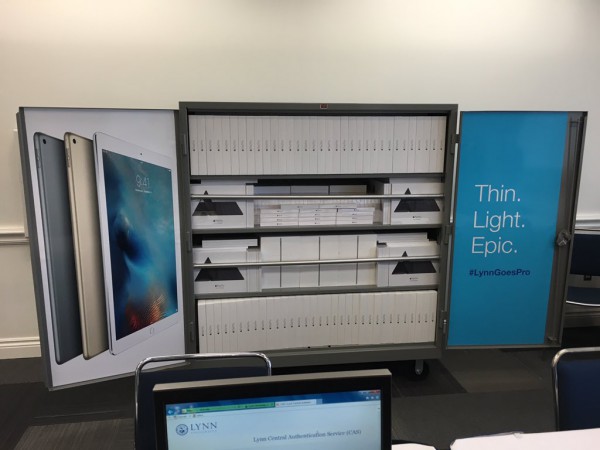
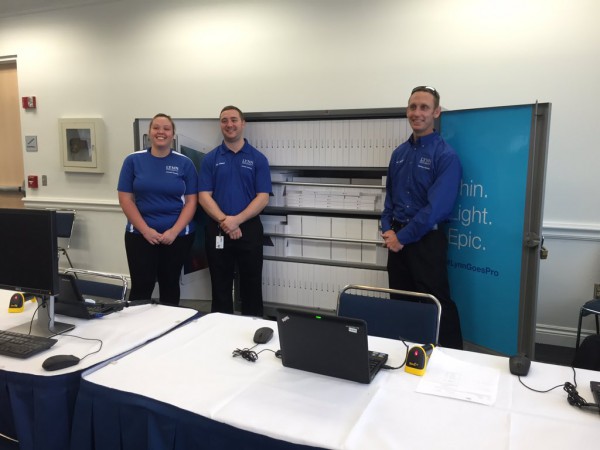
The iPad Pro, however, has not seen the same consumer interest, and for good reason -- its not intended for personal use (although it can be). Actually, the "Pro" moniker seems to be quite intentional; it is more appropriate for things such as business and education. Speaking of the latter, today, Lynn University announces that it is giving an iPad Pro to all undergraduate students and some members of faculty. Unfortunately for Microsoft, its Surface line was not chosen.

"iPad Pro also supports Lynn's ongoing efforts to create a more affordable education, eliminating personal computer costs and saving students money through apps and e-books that are more cost-effective, timely and relevant than  traditional textbooks and support materials. iPad Pro provides even greater flexibility, too. Whether studying aviation, design or music, students now can use one device for writing papers, taking notes with Apple Pencil, creating videos that demonstrate learning, completing in-depth projects outside the classroom and much more", says Lynn University.

Chris Boniforti, Chief Information Officer, Lynn University explains, "iPad Pro, its accessories and the next generation of education-focused apps will make learning even more relevant to the world students live in. This immersive, versatile technology also provides access to top-notch content and can replace bulky desktop devices to save space and allow Lynn to convert computer labs into interactive, mobile workspaces -- places that inspire creativity and foster collaboration".


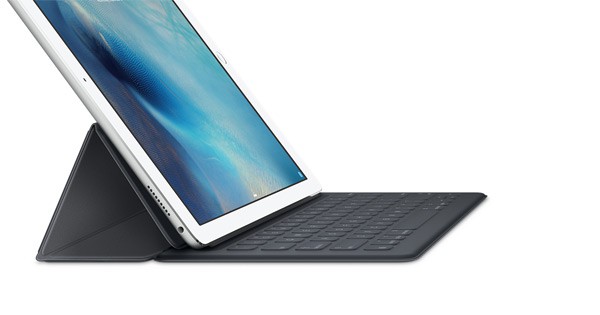
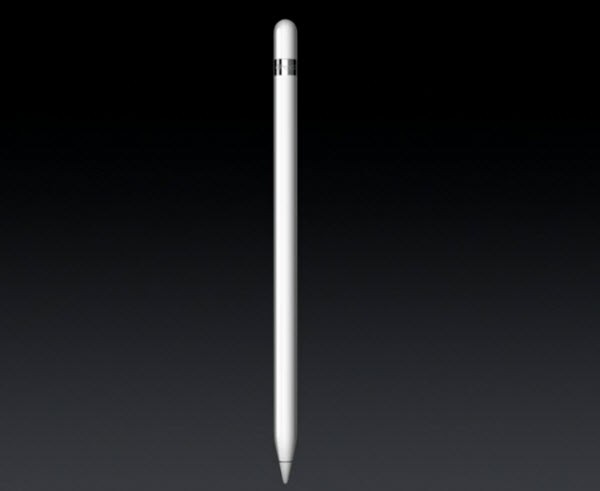
Not only will students and staff get the iPad Pro, but the Apple Pencil and Smart Keyboard too. This will make the large tablet a great solution for typing notes, making annotations, and creative drawing too.


Quite frankly, this sounds like the perfect college machine. After all, iOS has access to many wonderful productivity apps, such as Microsoft Office, Dropbox, Notability, and more. No to mention, when a student wants to relax, there are tons of quality iOS games.


Could the Surface be a better choice? It depends. While Microsoft's solution can arguably do more as it runs a desktop operating system, it also comes with baggage, such as malware, and potentially higher deployment and maintenance costs. In the Enterprise, yeah, the Surface is probably the better choice. At a university, however, the iPad Pro is a seemingly better fit -- well done, Lynn University.

~ Brian Fagioli