Cisco Learning Network Store Promotions Page
Showing posts with label Android. Show all posts

2.16.2017

Google partners with Telenor to bring enhanced RCS messaging to Europe and Asia

 
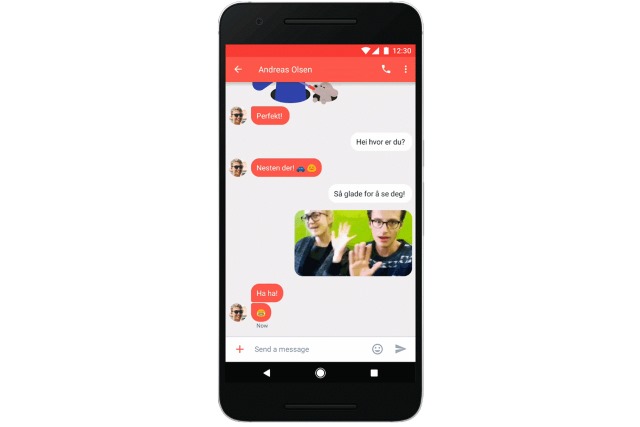
A potential successor to SMS has received strong backing from Google as it partners with Telenor to launch RCS messaging in Europe and Asia. Rich Communications Services is more feature-rich than traditional SMS and Google's latest partnership sees the technology spreading outside of the US and Canada.
 
With support for features such as group chat, read receipts and high resolution image sharing, RCS has a lot going for it. There's just one catch. In integrating RCS support into Android, Google is providing the "upgraded SMS experience" through its own Messenger app.
 
The deal means that RCS messaging is making its way to 214 million Telenor subscribers, and a successful rollout will almost certainly mean that Google will expand the technology even further. As this is little more than a switch of protocols, RCS can be used on older devices as well as new ones -- all that's required is an upgrade to the latest version of Google Messenger, and the app will be preinstalled on new Telenor handsets.
 
Google says:
In markets where RCS is launched, Telenor subscribers who already have the Messenger app on their phone will automatically get access to RCS services through an app update. Subscribers who don't have the app can install the Messenger app from the Google Play store. In addition, as part of the partnership with Telenor, many new Android devices will come with Messenger for Android preloaded as the default SMS and RCS messaging app.
This RCS messaging implementation supports the GSMA universal profile -- a standard supported by more than 58 carriers and manufacturers collectively covering a subscriber base of 4.7 billion people globally. We’ve launched RCS messaging using the universal profile with carriers in the U.S. and Canada, and plan on launching RCS in more countries in the coming months.
Do you feel the need for RCS, or are you happy with standard SMS?
 
~ Mark Wilson

2.12.2017

WhatsApp adds two-step verification -- here's how to enable it

 
It has been a little while coming, but WhatsApp is finally rolling out support for two-step verification to its messaging app.
 
The extra layer of security means that it is now more difficult to gain unauthorized access to an account, and it is a feature that is being made available to iOS, Android and Windows users. With the feature enabled, if you -- or anyone else, for that matter -- tries to verify your phone number on WhatsApp, you -- or they -- will have to provide the 6-digit passcode you create.
 
In addition to creating a passcode to secure your account, WhatsApp also lets you provide an email address which can be used to disable two-step verification. Oddly, WhatsApp has chosen not to run email addresses through any sort of confirmation or verification process, so the FAQ helpfully suggests: "We highly recommend you provide an accurate email address so that you're not locked out of your account if you forget your passcode."
 
If you want to secure your account, it's a very simple process. Head to Settings > Account > Two-step verification and flip the setting to Enable. Job done!
 
Something else worth noting also crops up in the FAQ:
If you have two-step verification enabled, your number will not be permitted to reverify on WhatsApp within 7 days of last using WhatsApp without your passcode. Thus, if you forget your own passcode, but did not provide an email to disable two-step verification, even you will not be permitted to reverify on WhatsApp within 7 days of last using WhatsApp. After these 7 days, your number will be permitted to reverify on WhatsApp without your passcode, but you will lose all pending messages upon reverifying -- they will be deleted. If your number is reverified on WhatsApp after 30 days of last using WhatsApp, and without your passcode, your account will be deleted and a new one will be created upon successfully reverifying.
Now: go forth and secure!
 
Photo Credit: dennizn / Shutterstock.com
 
~ Mark Wilson

11.17.2016

Betternet is a simple, free and 'unlimited' VPN

Connecting to a virtual private network can shield your IP, maintain your privacy on insecure wireless hotspots and perhaps help you access websites you couldn’t reach normally.
 
VPN’s usually require paying a chunky subscription fee, but Betternet promises an unlimited service for absolutely nothing at all.
 
We grabbed the Windows client --there are also iOS and Android apps, as well as Chrome and Firefox extensions -- and ran the installer. It’s essentially a front end for the OpenVPN client, which works for us, but doesn’t pack your PC with any other network layers or components.
 
Betternet doesn’t require any registration, which is another plus. You don’t have to hand over your name, email address or anything else: just run the program and click "Connect".
 
Our default browser opened immediately to display an advert, which wasn’t a great surprise -- Betternet has to fund the service somehow, and the mobile apps have other elements (you’re asked to watch videos or installed sponsored apps). But the ads only appear when connecting, there’s no extra toolbar and you can ignore the sponsored app and video-watching requests, so overall it’s not too intrusive.
 
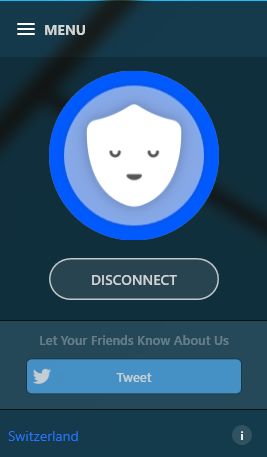
On the plus side, the system connected us quickly, and within a few seconds we had a new IP address in Switzerland. Testing showed no DNS or other privacy leaks, and our browsing speeds weren’t noticeably affected.
 
A Swiss IP doesn’t suit your needs? Tough luck, at least with our Windows client. We couldn’t see any way to choose or change our server location, and no matter how many times we connected and disconnected, our new Swiss home remained the same.
 
There are no other major tweaks or options, either. The only setting is a "reconnect automatically" feature which restores your connection if it drops, which is convenient, but not as speedy or effective as the "kill switches" of the commercial competition. If the VPN does go down, your system will use its regular network connection instead, giving away your real IP address to any other service you’re accessing.
 
Once you are connected, there don’t seem to be any specific restrictions on what you can do. We tried downloading a couple of small torrents and had no problems at all. Betternet’s terms and conditions have the usual clauses about restricting service to protect other users, though, and we’d guess the system will also drop or throttle the connection if you’re using too much bandwidth.
 
Overall, Betternet scores for its simplicity, the relatively few ads and the fact that it doesn’t need registration. If you just need quick protection when connecting to a wireless hotspot, it’ll do the job very well.
 
The lack of server choice and configuration options will be an issue for more experienced users, though, and for real privacy and more reliable site-unblocking we’d look elsewhere.
 
Betternet is available for Windows, iOS, Android, Chrome and Firefox.
 
~ Mike Williams

11.16.2016

Mozilla Firefox 50 trims start-up times, widens download protection

 
Mozilla has released Firefox 50.0 for Windows, Mac and Linux, with Firefox for Android 50.0 due imminently. For the second release in a row it’s launched a week late, but this time the reason behind the pause is different.
 
The extra week gave Firefox 50 time to unveil its headline new feature: significant start-up improvements, achieved through an overhaul of the application’s add-on SDK module system. Elsewhere download protection covers a wider range of executable files, plus Firefox 50 introduces a smattering of useful usability improvements.
 
The existing add-on SDK’s module system was described as a "performance disaster" in the bug listing accompanying this improvement. Long story short, one developer has claimed start-up time has improved from 35 percent (around 0.3 seconds) on a system with no add-ons, to 65 percent on a Firefox install with three add-ons.
 
The new release has four interesting new features that improve functionality. Users can now print a page in Reader Mode for a clearer printout, plus switch to Reader Mode via a new keyboard shortcut: [Ctrl] (or [Cmd] on Mac) + [Alt] + [R]. Firefox 50 also widens its download protection support to cover a much broader range of executable files found on Windows, Linux and Mac systems -- now everything from compressed files and generic exe/bin/app packages to Office executables and scripts will be subject to the download scan.
 
The Search bar has a new "Whole Words" button -- click this to restrict in-page web searches to complete words only. Users can also choose to assign the [Ctrl] + [Tab] shortcut to cycle through tabs in the most recently accessed order -- go to Options > General and tick the new setting under Tabs to enable it.
 
Last, but not least, those running operating systems without native support for Emojis -- namely Windows 8 or lower and Linux -- gain a built-in Emoji set.
 
 
Elsewhere, support for WebGL has now been widened to cover more than 98 percent of PC users running Windows 7 or later, while Windows and Mac users also gain support for WebM EME content protected by Widevine DRM.
 
There’s a fix for the rendering of dashed and dotted borders with rounded corners, while libavcodecs older than 54.35.1 have been blocked. There are also a large number of updates for Web developers.
 
Firefox 50.0 is available now as a free, open-source download for Windows, Mac and Linux. Also due for release is Firefox for Android 50.0. This adds support for HLS video via a player overlay, plus simplifies the user interface by combining the Recent Tabs and History panels.
 
~ Nick Peers

11.15.2016

New security solution protects Office 365 customers

 
More and more companies are moving their office applications to the cloud and Microsoft Office 365 is one of the most popular options with around 85 million subscribers.
 
One of the major concerns with this trend is keeping information secure, to address this IT management solutions provider Kaseya is launching its latest AuthAnvil. An identity and access management solution, this provides single sign on (SSO), multifactor authentication (MFA) and automated user provisioning for Office 365.
 
AuthAnvil gives end users the simplicity and time saving of securely signing in once to access all applications without having to remember multiple sets of login details. With its MFA capabilities, AuthAnvil provides an added, easy to use layer of security to protect businesses from password breaches at third-party services and sites. Kaseya's MFA supports common end-user devices, including Apple iOS, Android phones and tablets, and Windows 10, as well as meeting industry standards such as HIPAA.
 
"The growth of the cloud is in a historic phase right now, and Microsoft Office 365 is one of the leading drivers of this advancement. That said, security remains a leading concern for all organizations as corporate data increasingly resides outside IT firewalls. The latest release of Kaseya AuthAnvil locks down two key threat vectors to hybrid cloud environments: endpoint security and network access", says Mike Puglia, chief product officer for Kaseya. "With Kaseya AuthAnvil, our multiple layers of security checks and balances ensure that access is limited to authorized users only, giving IT leaders peace of mind in the security of their corporate information".

Among other features are the ability to tie into a company's existing Active Directory or other user directory, so AuthAnvil can automate both Office 365 user provisioning and privileges assignment. As a result, IT administrators no longer have the burden of having to create user accounts and assign common services and privileges.
 
More information about AuthAnvil can be found on the Kaseya website.
 
Photo Credit: Slavoljub Pantelic / Shutterstock
 
~ Ian Barker

11.04.2016

How to remove unused Android phones and tablets from your Google Play account

 
If you visit Google Play on your computer, you can install apps to any of the Android devices you own. All you need to do is click the Install button and you'll then be presented with a list of your phones and tablets to choose from.
 
Over the years, you've probably owed a number of Android devices, and it's possible that this list has become a bit unwieldy. Why should you be forced to make a selection when you only have one phone? Here's how to clear up the list and make your life a little easier.
 
If you head to the Settings of Google Play on your computer -- oddly, this is not something you can do from the Google Play app on your phone or tablet -- you should see a list headed My Devices. You'll probably find that most, if not all, of the entries in the list are labeled Unnamed Device. As Google will tend to show you the make and model number (which is not always very helpful) when asking you which device you want to install an app to, you may want to start by editing these -- just click the Edit button to the right and add a suitable name.
 
Google is yet to make it possible to completely remove unused Android phones and tablets from your list of device, but you can hide those you no longer own. In the Visibility column next to a device, just clear the box labeled Show in menus and you'll not be bothered by it again.
 
Photo credit: ymgerman / Shutterstock
 
~ Mark Wilson

9.18.2016

Google redesigns Gmail for Android and the web

 
Gmail was designed to be a cross-platform email tool, but even Google recognizes the fact that it is far from perfect. With this in mind, Gmail -- and Inbox by Google -- are undergoing a redesign to improve things.
 
With the redesign, Google says that it is focusing on adjusting the formatting and general look so that it better suits the device emails are being viewed on. You may well have thought that this should have been the case from the beginning, but it seems that an update is in order.
 
Later this month, a new version of the Gmail app will roll out to Android devices, while web users will also see a tweaked version of Gmail. What the changes mean is that screen elements will be more intelligently resized according to the device they’re being viewed on. Google is referring to it as a new 'responsive design' and there are guidelines for developers to follow.
 
Writing on the Gmail blog, Google says:
Starting later this month, Gmail and Inbox by Gmail will support emails created with responsive design, meaning their content adapts to fit screens of all sizes. Text, links, and even buttons will enlarge to make reading and tapping easier on a smaller screen. If you’re on desktop, you’ll also see improvements, since emails designed for mobile can also adapt to fit larger screens.
~ Mark Wilson

7.28.2016

BlackBerry claims its second Android smartphone is 'world's most secure'

 
BlackBerry's Priv, hasn't quite been a huge hit with consumers, but the company is not ready to give up just yet as it has introduced its second Android handset, called DTEK50. The selling point? BlackBerry claims that it is the "world's most secure Android smartphone".
 
The market for privacy and security-focused smartphones seems to be quite small -- insignificant, really -- if we are to look at how poorly Priv and Silent Circle's Blackphone have been selling so far. And it is hard to see how the new DTEK50 will change that.
 
BlackBerry's second Android smartphone is actually a rebadged Alcatel Idol 4, which is a typical mid-range Android smartphone in terms of hardware specifications. Of course, the main difference lies in the software, which is likely why it costs $299.99 off-contract.
 
When you look at the smartphones that you can buy for around $300 it is hard to get excited about a rebadged Idol 4, which has a 5.2-inch full HD display, Qualcomm Snapdragon 617 processor, 3GB of RAM, 13MP main camera, 8MP front-facing camera, and a 2,610mAh battery. Those are all fine, but not class-leading in that price range.
 
BlackBerry has listed a whole bunch of software features that should make IT people super happy, but they may not sound convincing to the contingent who buy most smartphones. Fortunately, the enterprise still likes BlackBerry so at least there's that.
 
BlackBerry says that the DTEK50 will be available directly through ShopBlackBerry.com in US, Canada, UK, France, Germany, Italy, the Netherlands, and Spain. It will also be offered in other markets across the globe through "more than 40 partners". Those who decide to get a DTEK50 will also get a BlackBerry-branded Mobile Power Pack that retails for $59.99, which is offered until August 8 for free.
 
~ Mihăiță Bamburic

7.04.2016

More than half of Android phones are vulnerable to encryption bypass

 
A newly revealed vulnerability on Android phones is able to bypass the full disk encryption on over half of devices.
 
The attack, demonstrated by Israeli security researcher Gal Beniamini, can allow an attacker to break through the levels of trust and privileges that are intended to ensure only legitimate code can access secret material, such as DRM keys or disk encryption keys.
 
Although the attack was patched in the May security update, two-factor authentication specialist Duo Security says that only 43 percent of Android devices are patched and safe from this type of attack, leaving 57 percent still at risk.
 
From Android 5.0 (Lollipop) onwards the OS automatically protects all of the user's information by enabling full disk encryption based on a Linux Kernel subsystem. It uses a key derived from the user's unlock credentials and bound to the hardware using Android's KeyMaster key store.
 
On devices with Qualcomm processors though -- and Qualcomm is one of the biggest suppliers to the Android market -- Beniamini's research shows it's possible to get KeyMaster to execute hijacked system calls and send keys to a shared buffer from which they can be read.
 
Duo says that users need to ensure their phones are patched -- according to its data the Nexus and Galaxy S6 were the most patched phones at around 75 percent with the Galaxy S5 at 45 percent. For businesses it recommends using an endpoint visibility solution to identify unpatched devices that may be putting corporate data at risk.
 
The Duo Security blog has more information and there's a full technical description of the attack on Beniamini's own blog.
 
Photo credit: wk1003mike / Shutterstock
 
~ Ian Barker

Apple iOS 10 playing catch-up with Android

 
Apple held its annual Worldwide Developers Conference (WWDC) on June 13 in San Francisco, where Tim Cook and his team announced a wide array of new features and functionality across Apple platforms, including a major update to iOS, the renaming of mac OS X to macOS (the new version will be named Sierra) and updates to watchOS, and tvOS were also announced.
 
After reading about it though, I can’t help but think that we already have a lot of the features talked about in a number of Android devices and personally feel that Apple is merely playing catch-up to Android. That said, I will leave you to make up your own mind.
 
Developer previews are already released and there will be public betas for most of the new software in July. Everything will be publicly available on Apple devices from September onwards. Meantime, you will have all the news about these latest enhancements sent directly to your Mac, your iPhone, iPad, Apple Watch, and Apple TV. A lot of the new features focus on improving the use of the iPhone and the iPad such as:
 
Raise to Wake is a key feature which means that as soon as you take your phone out of your pocket your screen lights up letting you check notifications on the iPhone’s screen without touching a single button. Android has had this feature for a while, Google introduced Ambient Display in Android Lollipop, so I don’t see this as anything to shout about.
 
Universal Clipboard is another new feature. What this means is that if you have an iPhone, you can copy what you have on your phone to the Universal Clipboard and sync this to your Mac. This is very handy for pasting images, links and so on. Clearly great if you own an iPhone, a Mac and an Apple Watch whereby everything immediately syncs. I tend to use Dropbox and my Android phone where all my photos immediately appear and sync.
 
So if I screen shot on my device, it will automatically appear in my Dropbox and I can then even paste this immediately into a presentation for example. Google also provides "carry over search" so if you are using Chrome on both devices it synchronizes but clearly this is not a clipboard. As a visual copy feature this is very good so now instead of selecting copy/paste you have Universal Clipboard. This new feature definitely gets the thumbs up from me.
 
Photos App: If you take a load of photos in one area, it makes a little clip out of these and groups them together. Google Photos on Android has been doing this for a while and it does provide a better visual search. It is really quite clever because if you are looking for a photo you can search for a person using facial recognition.
 
Apple Maps: This has been redesigned to make it easier to navigate around. In effect, it is more accurate and it is now integrated with Car Play to give you more of a Sat Nav guide on your car screen. But all these handy new features were already available in Google Maps, including traffic information, support for additional stops, and third-party integrations.
 
Voicemail Transcriptions: Instead of having to dial your voicemail, the iPhone automatically translates these and sends you a message with your voicemail. This is very handy for mobile numbers and email addresses. There was a service called Spin box, that did something similar, that was launched in late 2000, but it seems to have disappeared.
 
Spam Filters stop you from receiving spam calls such as "have you had a car accident", or "your latest PPI claim". The iPhone now filters out these numbers. But again this is the same as the Android. For example, Android 6.0 undertakes reverse look-ups for telephone numbers and populates your screen. I recently ordered a pizza and when the restaurant rang me back it automatically showed me the restaurant name, but this was not in my phone contacts book.
 
Apple Music: This feature has been redesigned from the ground up to make it easier to navigate around and it will be interesting to see how users now find this and whether it will regain momentum. Apple originally launched this feature on the basis that you would own music and Apple Music would integrate with your music and your device. However, when Spotify came into the market, people realized that they didn’t need to own their own music.
 
There were big improvements to the watchOS 3 such as loading times being seven times faster and a revamped UX making using the watch much simpler with new features and different swipes to access different capabilities. Additionally, certain apps have been revamped and improved. For example, there are four new watch faces and a call the police feature, whereby if you hold the middle button for four seconds it automatically dials 911.
 
And finally, Apple Pay was the last major announcement. The key news here is that Apple Pay is now available via the web browser. In effect, you pay for items using your Safari browser by using your phone to pay for items on the web via thumb recognition. So you no longer have to type in your card number every time you make a purchase.
 
All of the above is not exactly revolutionary. I have certainly seen many of these features or similar in Android. However there was definitely a lot of hysteria on show at the event, so let’s hope the new features meet user demand.
 
Paul Swaddle, Chairman, Pocket App.
 
Published under license from ITProPortal.com, a Net Communities Ltd Publication. All rights reserved.
 
Photo Credit: Jacob Lund/Shutterstock
 
~ Paul Swaddle

6.30.2016

Public Wi-Fi is unsecure

 
People are aware of the risks that come with using Wi-Fi, but generally believe public hotspots, like those on airports, are secure. Those are the results published in Norton’s latest Wi-Fi Risk Report 2016, which said 64 percent of UK’s adults assume public Wi-Fi is safe enough to use.
 
However, Norton says this couldn’t be further from the truth.
 
"We know many consumers believe that using a password to access public Wi-Fi means their information is safe, but that’s not necessarily the case", said Nick Shaw, vice president and general manager at Norton EMEA.
 
By using these networks, people often offer their private data, even banking information, to hackers on a plate. Besides using unsecure Wi-Fi networks, the problem also lies in unsecured mobile apps, both on Android and iOS mobile operating sytems.
 
Norton says that 25 percent of the most popular Android apps in the UK transmit personal data without encryption.
 
The security firm offers a solution, though -- an app called NortonWiFi Privacy, helping consumers protect their private data from prying eyes.
 
"Norton WiFi Privacy helps protect information, such as passwords and credit card numbers, and denies access to hackers who may be eavesdropping on the same network", Shaw added.
 
The report is based on a poll of more than 9,000 people, across nine markets. It can be found on this link.
 
Published under license from ITProPortal.com, a Net Communities Ltd Publication. All rights reserved.
 
Image Credit: Sidarta / Shutterstock
  
~ Sead Fadilpašić

6.22.2016

Google reveals end-of-life dates for Nexus devices

 
One of the advantages of buying a Nexus device is the guarantee that you're in line to receive updates for longer than devices from most other manufacturers. Google issues not only Android updates, but also monthly security patches for Nexus phones and tablets, and the company has just published its latest end-of-life list.
 
Next in line to drop off the support list are the Nexus 6 and Nexus 9. These devices will not receive "guaranteed Android version updates" (such as updates to Android N and Android O) after October 2016, but Google has also revealed when the Nexus6P and Nexus 5X will drop off the radar.
 
Google has always been fairly upfront about the length of time its devices are supported for -- something other companies should really consider aping. When it comes to Android version updates, Google says that these will be provided "For at least two years from when the device became available on the Google Store". Security patches are made available for even longer: "For the longer of 3 years from availability or 18 months from when the Google Store last sold the device".
 
The Nexus support page shows that both the Nexus6P and Nexus 5X support cycle comes to an end in October 2017. Here's the full list:
Google's approach is slightly vague, and the use of the word 'guaranteed' is important. After the dates listed above, you probably won't get any more update -- but you might.
 
~ Mark Wilson

6.13.2016

How to watch Apple's WWDC 2016 keynote live on any device including Windows, Linux and Android

 
Apple's Worldwide Developer Conference kicks off today, Monday 13 June, in San Francisco, with the big keynote speech scheduled for 10am PDT/1pm EST/6pm BST. As always it will be streamed live so you can tune in at home or (maybe) work.

As WWDC is for software developers, Apple doesn’t usually reveal major new hardware -- typically it’s just updated versions of existing products. We're expecting to see makeovers for iTunes and Apple Music, a massively improved Siri, and iOS 10 and macOS 12 (Apple is rumored to be dropping the X from the OS name). There are likely to be some interesting surprises too.
 
As for viewing the live stream, Apple likes to preach to the faithful, so there are the usual restrictions in place. Streaming the event requires Safari 6.0.5 or later on OS X v10.8.5 or later; Safari on iOS 7.0 or later. Streaming via Apple TV requires second- or third-generation Apple TV with software 6.2 or later, or Apple TV 4 with any version of tvOS. If you have Windows 10 you can watch on Microsoft Edge.
 
Assuming you have what's required, you can watch the keynote live here.
 
If you have a Windows PC running an earlier version of Microsoft’s OS, a Linux box or an Android phone or tablet, you can still watch the event, but you’ll need VLC Media Player installed. Assuming you do, open it, and click on Media at the top left. Go to Open Network Stream and paste in the network URL of the live Apple event which is:
 
http://p.events-delivery.apple.com.edgesuite.net/15pijbnaefvpoijbaefvpihb06/m3u8/atv_mvp.m3u8
 
This link won’t go live until the event begins.
 
There’s also an official WWDC app available. This lets you stream videos from current and previous WWDC sessions, start watching on one iOS device, and pick up where you left off on another, browse times, locations, and descriptions for sessions, labs, and special events, and keep up with the latest news, get important notifications, and see daily photos.
 
Feel free to share your comments about what Apple is showing off in the comments below.
 
Photo credit: TK Kurikawa / Shutterstock

~ Wayne Williams

6.07.2016

Firefox 47 widens HTML5 video support to include DRM-protected streams

 
Mozilla has released Firefox 47 FINAL for Windows, Mac and Linux. Version 47 adds support for Google’s Widevine CDM, enabling compliant sites including Amazon Video to stream DRM-protected video natively using HTML5 rather than via a third-party video plugin.
 
Elsewhere the new build drops support for add-ons that use the Firefox User Extension Library, plus implements a tweak that allows pages in Reader Mode to be read aloud to the user.
 
Support for Google’s Widevine CDM -- which is currently limited to Windows and OS X -- was first introduced to the Nightly build of Firefox two months ago, and has made a seamless transition to the stable build. It enables supported web sites -- with Amazon Video a prime example -- to stream DRM-protected content using HTML5 rather than forcing users to use a third-party plugin (Microsoft Silverlight in Amazon’s case).
 
The feature has also been joined by Firefox’s newly acquired ability to stream embedded YouTube videos using HTML5 when the built-in Flash plugin, often a source of security and privacy concerns, has been disabled.
 
Another new feature sees secure web pages no longer automatically reloading when users navigate use the back or forward button -- this has been implemented for security purposes.
 
Users can now extend Firefox’s accessibility features to also read out loud pages in Reader Mode, while one final addition sees the VP9 video codec enabled on faster machines for better video performance.
 
One key change sees support for the Firefox User Extension Library (FUEL) dropped in favor of Firefox’s add-on SDK -- developers should have already updated add-ons and extensions accordingly, but those that haven’t been updated will no longer work as of Firefox 47.
 
Another change sees the ‘click-to-activate plugin’ whitelist removed, while a third tweak resets the 'browser.sessionstore.restore_on_demand' preference to its default true value for performance reasons.

Developers will find a number of improvements in Firefox 47, the most notable of which is the ability to review Firefox performance data via the 'about:performance' page.
 
Android updates
Firefox 47 for Android is also due for release, and adds an option to show and hide web fonts under its Advanced settings to reduce data and bandwidth usage.
 
Other tweaks include renaming 'Open multiple links' under the Customize setting to 'Tab Queue', plus removed support for Android web runtime (WebRT) as well as Favicons in the Awesomebar to prevent HTTPS spoofing. This is also the final release that will support Android Gingerbread.
 
Firefox 47 FINAL and is available now as free, open-source downloads for Windows, Mac and Linux. Firefox 47 for Android should be released imminently.
 
~ Nick Peers

5.26.2016

Google plans to replace your Android password with a 'trust score'

 
Google wants to do away with traditional passwords on Android and replace them with "trust scores".
 
The company outlined how it is planning to make the transition away from passwords on its mobile platform by 2017 during its I/O conference last week. By using a variety of different metrics, Google’s Trust API technology would be able to replace traditional passwords and pins used to unlock its smartphones.
 
Typing speed, vocal inflections, facial recognition and how close a user’s device is to familiar Wi-Fi hotspots and Bluetooth devices are some of the metrics that the new system will use to determine if the user accessing the device is indeed its owner.
 
Google will allow access to games and basic tools even if a low trust score is detected. This would allow other users to access the core functionality of a device without delving into more private sensitive data. A device could then be used in what is essentially guest mode without the need to switch from its primary account. Apps that are more sensitive such as email and online banking apps would require correct Wi-Fi and Bluetooth data along with a high score to open.
 
While it will be easier for other users to access a phone, Google’s new trust score system could lead to possible privilege exploitation attacks. However if a user sets a passcode and then forgets it, they will be locked out and unable to access their own data. So essentially Google has made a trade-off between security and convenience with its trust score system. This is quite different from how Android currently operates as it lets a user access every app on a device once it has been unlocked.
 
Richard Lack, director of Sales EMEA at identity management firm Gigya, is in support of Google’s new initiative: The future lies in methods of authentication without passwords, which consumers clearly favor both in terms of convenience and enhanced security.
 
"Biometric authentication is a powerful enabler allowing businesses smart enough to deploy it to significantly increase rates of registration, gaining data and insight about their customers, while also increasing customer security. This is a win/win scenario which sounds the death-knell for awkward and insecure passwords sooner than we may imagine".
 
Published under license from ITProPortal.com, a Net Communities Ltd Publication. All rights reserved.
 
ymgerman / Shutterstock.com
 
~ Anthony Spadafora

5.22.2016

Google launches Safe Browsing API version 4

The world wide web used to be like the wild west (and still sort of is). Visiting the wrong site would often mean an infection with malware or other nastiness, such as getting taken by scams. While that can still happen today, web surfers are much more protected. Some security suites don't only scan for and remove viruses on your hard drive, but prevent the download entirely. Not to mention, users are often better trained to recognize a scam.
 
Unfortunately, no web browser or security software package is infallible -- nor is any user. Thankfully, Google is working around the clock to keep the world protected. Its Safe Browsing API is available to developers, allowing software -- such as Chrome -- to warn a user before they visit a dangerous site. Today, the search giant launches the fourth version of the API.
 
"With protocol version 4, we've optimized for this new environment with a clear focus on maximizing protection per bit, which benefits all Safe Browsing users, mobile and desktop alike. Version 4 clients can now define constraints such as geographic location, platform type, and data caps to use bandwidth and device resources as efficiently as possible. This allows us to function well within the much stricter mobile constraints without sacrificing protection", says Emily Schechter and Alex Wozniak, Safe Browsing Team.
 
Schechter and Wozniak explain to developers, "a single device should only have a single, up-to-date instance of Safe Browsing data, so we're taking care of that for all Android developers. Please don't implement your own Version 4 client on Android: we're working on making a simple, device-local API available to prevent any resource waste on device. We’ll announce the availability of this new device-local API as soon as possible; in the meantime, there’s no need to develop a Version 4 client on your own".
 
That Android device-level implementation is rather genius. Think about it. If every app had to individually implement this, it would not only be a waste of resources, but a risk that a lackadaisical developer could stop updating for the newer API versions. By tying into a local API, developers can prevent their apps from becoming outdated from a Safe Browsing perspective.
 
Developers leveraging the prior version don't need to panic. Version three will continue to be supported until 2017. Google does not share a specific date, so this could possibly be pushed back even further.
 
While Safe Browsing is undeniably beneficial, there is a downside. All of the URLs you visit are passed to Google. After all, it needs to check the address against its server-side database. This is yet another way for the search giant to suck up valuable data. With that said, the benefits -- being protected from malware and phishing scams -- arguably outweigh any conspiracy theories.
 
What do you think of Google's Safe Browsing? Tell me in the comments.
 
~ Brian Fagioli

5.21.2016

Why is Google bringing Android apps to Chromebook?

 
Answer: Your kids. Chromebook leads laptop and desktop sales through U.S. commercial channels to schools, according to NPD. Education is overwhelmingly the primary market for the computers. The institutions can't buy enough of the thangs, for their utility and low-cost compared to notebooks running either OS X or Windows. That cost is as much about extended webapps and services from Google (or its developer partners), available for free or comparatively next-to-nothing, set against software for the other platforms.
 
Wrinkle in the Google firmament: iPhone and Chromebook are like water and dirt. The sediment settles unless shaken up. Sure youngsters can do all their Googly things—Docs, Gmail, Maps, Photos, YouTube, etc.—on iOS but the experience is smoother and more homogenous when mixed Android and Chrome OS. What the kiddies lack, and their educators, is a swath of useful apps like the Apple kids get.
 
Market That Matters
 
Think about it. Yesterday at its annual developer conference, Google unveiled plans to bring Android apps to Chrome OS, which churned some excitement across the InterWebs. But for whom? Coincidentally, or not, a month after IDC released first quarter PC shipments there were news stories about Chromebooks outselling Macs. How conveniently timed for Google.
 
"Chromebooks have outsold Macs in commercial channels during the 'high season' for K-12 sales (April-August) for the last three years", Stephen Baker, NPD's vice president of industry analysis, says. "Even off-season Chromebooks in commercial channels outsell Macs and iPads combined—so this is a trend that has been happening for awhile".
 
Three years? The majority go to schools, and adoption accelerates. "Chromebook sales in commercial channels have increased by 28 percent in the first four months of 2016 vs last year", Baker says.
 
Putting Android apps on Chromebook creates greater synergy among devices running either of Google's platforms. The Alphabet subsidiary seeks to make Android all the more appealing for the most-likely Chromebook user: School kids. Apple devices are the intended collateral damage, despite Big G's continued support for iOS.
 
Device Synergy
 
Mobile is huge for the search subsidiary, regardless of platform. During the first day Google I/O keynote, execs revealed that: more than half of search queries come from mobile devices; one-quarter of queries are from voice ("OK, Google"); 600-plus new Android smartphones launched this year (Seriously?); there have been 65 billion app installations from Google Play.
 
Meanwhile, a bunch of new home-grown Android apps or services are coming in 2016—Allo, Assistant, Daydream, Duo, and Family Library, among others. With more American K-12 students using Chromebook every month, many of them also using Android, and Google wanting to increase their numbers, the new strategy is as much about the kids as adults—greater based on my analysis.
 
Ah, but there is a catch. The earliest school adopters may find their laptops hanging from the gallows in a cold wind. Initially, starting next month, only three models—Acer R11, Asus Flip, and Google Pixel 2—will support Android apps on Chrome OS. A much, much, much longer list will be certified later in the year. But there are some surprising, head-turning omissions, like the original Pixel, which remains a powerhouse compared to most of the other laptops listed.
 
That said, most Chromebooks will be certified for Android apps, and, again, the majority are used in schools—in the United States, at least.
 
~ Joe Wilcox

5.20.2016

Samsung's next Android flagships may have 6GB of RAM

 
Each new generation of Android flagships seems to push the limits of what we consider high-end hardware specifications. A few years ago we were looking at sub-5-inch displays with 720p resolutions and dual-core processors with 2 GB of RAM, and nowadays larger, 2K displays backed by octa-core chips and 4 GB of RAM appear to be the norm.
 
While the bump in resolution and processor speed may not be as noticeable when moving to a new-generation flagship, the extra RAM is certainly a welcome addition. Of course, for some companies not even 4 GB is enough in this department, as Samsung just unveiled a larger module, which should be available in its next flagships.
 
At its Mobile Solutions Forum, Samsung has announced a 6GB, 10nm LPDDR4 RAM module. The earliest that we might see it in a new Galaxy device is this summer or early fall, when the company is expected to unveil the Galaxy Note 6.
 
This much RAM should make any mobile device great for multitasking, something which Android N seems to be better optimized for. The new version of the mobile operating system will allow users to run two apps side by side, something that works best when there are plenty of resources available.
 
Of course, having this much RAM may seem like overkill, but, if the recent crop of Android flagships is of any indication, manufacturers will only try to keep up and even outdo each other. And consumers seem to be expecting progress in this area anyway, no doubt a consequence of manufacturers constantly trying to push the envelope with each of their new premium products.
 
Photo credit: iko / Shutterstock
 
~ Mihăiță Bamburic

5.19.2016

Cortana update brings Android notifications to Windows 10 users

 
The ability to view notifications for multiple devices in one place is something that has been tried in various forms before. Now fans of Cortana can take advantage of notifications about their phone on their computer.
 
The latest version of the Cortana Android app brings the previously hinted at app notification syncing that users have been asking for for so long. First noted by a Windows 10 user on Reddit, the feature is something that we can expect to see included in the Windows 10 Anniversary Update later this summer.
 
The Reddit thread reveals that version 1.7.0.1021-enus-release of Cortana for Android brings the arrival of Android notifications on Windows. Some users are pointing out that they are not able to download this version of the app from Google Play -- it appears to be country-dependant -- but the required APK is freely available on APKmirror.
 
The new syncing feature means that you can see notifications about the calls you missed on your phone within Windows 10. The same goes for messages received through apps, and you will even be able to respond to messages without having to switch devices.
 
~ Mark Wilson

5.10.2016

Think Android security updates take too long to roll out? So do the FTC and FCC

 
Both the Federal Communications Commission (FCC) and Federal Trade Commission (FTC) are starting to ask the questions that Android users have been asking for years: why do updates and upgrades take so long to roll out?
 
If you're in possession of a flagship or recent handset, the chances are you're in line to receive timely updates for the foreseeable future. But Android's fragmentation means that older handsets quickly drop off the radar, get forgotten and remain unpatched. The FCC and the FTC both want to know why security patches are slow to hit phones, and the agencies have launched separate, but parallel, investigations.
 
The FTC has issued orders to a number of handset manufacturers (Apple, Blackberry, Google, HTC, LG, Microsoft, Motorola, and Samsung) seeking details about their security patching processes. Specifically, the agency wants to know what factors influence whether a particular smartphone or tablets receives a particular patch. It is also looking for a breakdown of all handsets released since August 2013, the vulnerabilities each was affected by, and which security problems were fixed.
 
While the FTC says that "the Federal Communications Commission is conducting a separate, parallel inquiry", the FCC itself says that it has a "partnership with [the] FTC [that]] will examine how patches are distributed". The agency expresses concern about how long patches take to make their way to customers:
Consumers may be left unprotected, for long periods of time or even indefinitely, by any delays in patching vulnerabilities once they are discovered. To date, operating system providers, original equipment manufacturers, and mobile service providers have responded to address vulnerabilities as they arise. There are, however, significant delays in delivering patches to actual devices -- and that older devices may never be patched.
The companies sent orders have 45 days to respond, but it's not clear quite how long these investigations could go on for.
 
Photo credit: Kirill__M / Shutterstock
 
~ Mark Wilson