Cisco Learning Network Store Promotions Page
Showing posts with label Beta. Show all posts

7.09.2014

Customers: Using Apple's beta software before it's ready is a terrible idea

As developers test new versions of Apple's iOS and OS X operating systems, non-developers should refrain from using the latest and not-so-greatest.

 Image: Apple
It's been the same story every summer for the past few years. In June, Apple introduces a new version of its iOS mobile operating system and releases a beta version fully stocked with a number of new and exciting features for developers to test.
 
Then, regular users who have no business trying out a buggy piece of beta software use sketchy websites or pester friends with developer accounts with Apple to get the new operating system early.
 
Inevitably, beta software is buggy, and many apps don't work. Unfortunately for developers, many of these users then take to customer support channels, message boards, and the App Store's own review sections to complain that their favorite apps don't work with Apple's newest and unreleased software.
 
We see it every year, and it's incredibly frustrating. When I worked at an Apple Store, we dealt with this as customers came into the store complaining that their iPhone battery life was terrible or that they couldn't get Safari to load more than two web pages without crashing. We immediately turned them away (to their annoyance -- and ours), saying that beta software wasn't supported and that they would do well to wipe their phone and reinstall the latest consumer release of iOS.
 
Even recently, I have friends asking me if they should install iOS 8 or OS X Yosemite on their Macs, iPhones, and iPads. I tell them that it's a terrible idea, and that I regret installing the software on my own devices -- but, in the name of journalism, I make the sacrifice. For three months every summer, my iPhone and iPad are totally unreliable, requiring regular restarts and displaying terrible battery life. However, for regular customers, getting access to upgrades ahead of time is a terrible idea.
 
Advice given and then ignored, they ask me for tips on how to install the new operating systems anyway.

Sorry developers, I tried.
 
All that said, it's easy to see why -- particularly over the past few years -- users want to play with the new iOS operating systems early. Last year, iOS 7 brought a top-to-bottom redesign of the entire user interface. This year, the tight integration of iOS 8 and OS X Yosemite promises to be one of the biggest upgrades to iOS since the App Store (well, if Apple's marketing hoopla is to be believed). Either way, it is a big update.
 
Tight integration between iOS 8 and Yosemite includes some of the following features:
  • AirDrop -- lets users quickly transfer files (documents, photos, and videos) from iPhone to Mac
  • Handoff -- allows users to begin reading a webpage or working on a document on one device and then have it seamlessly transferred to another device
  • Continuity -- helps erase the distinction between the Mac and the iPhone when it comes to making calls or sending text messages
These are all great features, and the redesign of OS X Yosemite appears to be fantastic. The Loop's Jim Dalrymple had nothing but positive things to say about the new Mac operating system, claiming that he "couldn't be more behind an OS X update" if he were designing it himself.
 
Both iOS 8 and OS X Yosemite are expected to be released this fall, alongside new iPhones, iPads, and perhaps an iWatch. It's going to be an exciting second half of 2014, and I know millions of Apple fans are finding it difficult to wait on the company to decide if everything is ready.
 
But, please, for all the Apple Store employees and thousands of developers... just wait until it's ready. 
 
~ Jordan Golson
4.23.2014

Apple's Beta Seed Program brings beta versions of OS X to public -- is that a bad idea?

 
The concept of beta software has changed dramatically over the years. It used to be that a "beta" designation meant software was buggy and not ready for production machines. However, companies like Google have desensitized users by keeping software in perpetual beta mode. I mean hell, Google Maps navigation still comes with a notification about being beta, yet many people depend on it for not getting lost.
 
Apple is a company that does not offer beta software to the public very often. Although, voice-assistant Siri was in beta status when it was first released. In this case, the beta moniker was really used as a way to deflect negativity. I mean, come on, how can one of the biggest selling-points of your new smartphone be beta? Well, Apple is back at it today, as it makes OS X beta software available for testing to all users -- not just developers and employees.
 
This is a very strange announcement, as the company prides itself on stable software. The Mac vs. PC commercials made it clear that a reliable and stable experience was a feature of OS X. By opening up the testing to all, the company may be opening itself up for some bad press when negative things happen. True, Apple will warn that it is "at your own risk", but customers don't care about small print or warnings. In other words, if there is a danger of data loss or computer failure, warnings be damned, the onus falls on Apple for making it available.
 
The real question becomes, why make it available to the public now? There must be a motive for the madness and quite frankly, I don't think it is positive. Apple hasn't needed public beta testing of OS X lately, so this could be signaling that there is trouble in Cupertino. The internal teams at Apple may be overwhelmed, as the SSL bug that plagued the OS in February may indicate. It was such a simple piece of bad code, that should have been caught, but wasn't. While I don't think Apple wants users to review lines of code, shockingly, I do think they truly need the public's help.
 
Some will say that this is simply Apple being nice -- bull. The company, like all companies, is driven by money and no move goes without calculation. This is not Apple being "cool", something is afoot -- this is not passing the smell-test.
 
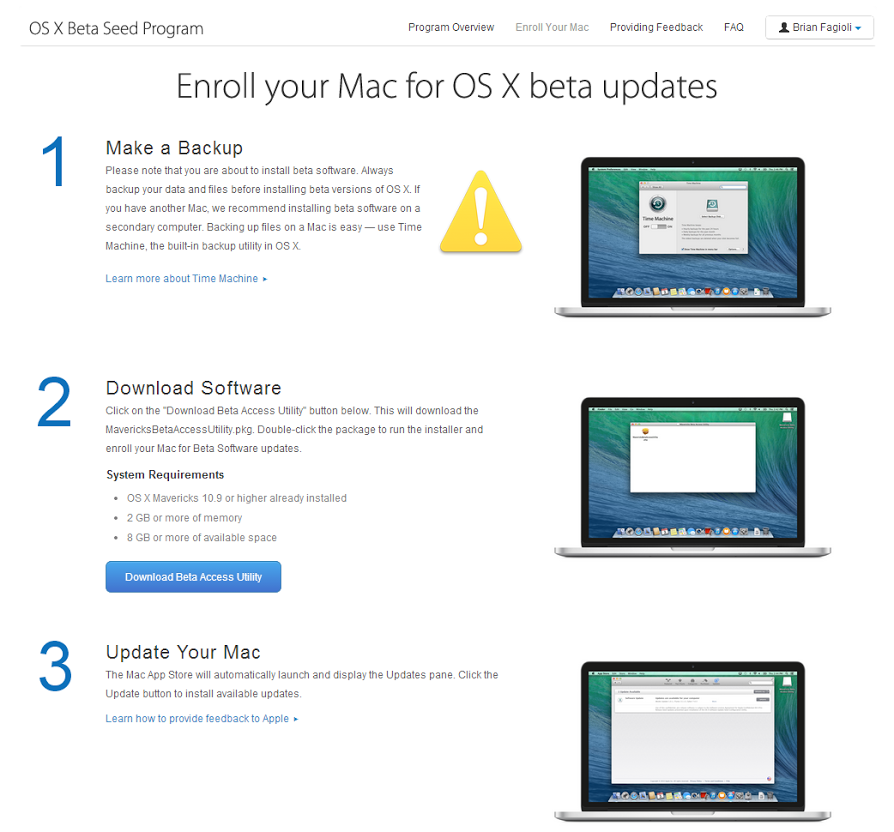
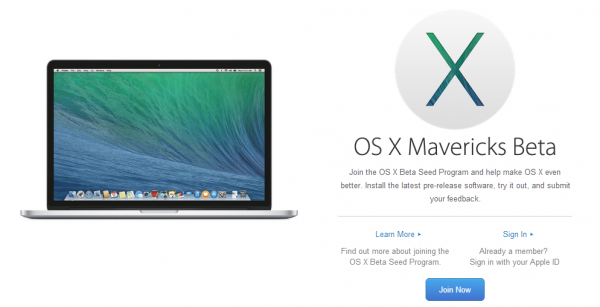
But OK, lets assume all is roses, I signed up for the beta program here. I had to enter my Apple ID and password to get started. I was then presented with the below screen. Apple recommends backing up your computer and I agree, so I copied my OS X SSD to a spare 2TB HDD using SuperDuper!. This way, if anything goes wrong, I can simply restore my SSD using the HDD -- nice and easy.
 
Apple supplies a special download of a program which flags your machine as beta-ready. From here, the App Store will launch and prompt you to update your operating system.
  
 
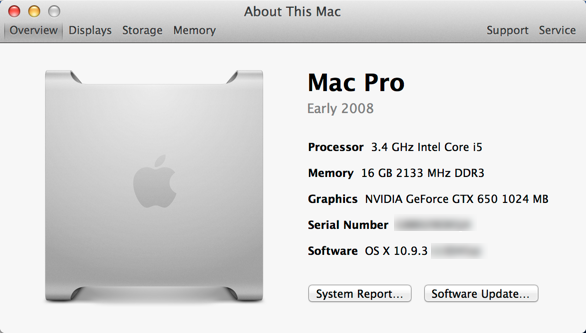
There were two downloads available --  iTunes 11.1.6 and OS X 10.9.3, totaling 542MB. I proceeded to download them both and it went extremely fast -- like, just a few minutes. After that, I was presented with a 1 minute timer, at which my computer would reboot (I selected to reboot immediately). The installation went equally fast, taking only a few minutes. After the reboot, I was relieved to see that my Mac booted up successfully and all was well -- no signs of any bugs. While no new features or changes are immediately apparent, I will have to play around for a while.
  
 
Will you join the Beta Seed Program? Do you think this public program is a bad idea? Tell me in the comments.
 

~ Brian Fagioli


2.27.2013

Firefox betas pull the shades per-tab on 'porn mode'

The latest versions of Firefox Beta and Firefox Beta for Android come with the ability to browse privately on a per-tab basis, among other improvements.
Desktops get a new Download Manager in Firefox 20 Beta.
Private browsing, or 'porn mode' for people with more prurient Web browsing requirements, will soon be available in Firefox on a per-tab basis.

The latest versions of Firefox 20 Beta (download for Windows, Mac, and Linux) and Firefox 20 Beta for Android (download) have been updated to allow people to choose private browsing on a per-tab basis. Private browsing disables built-in browser recording, including history and cookies.

This is a pretty big change for Private Browsing aficionados, since previously in Firefox switching to Private Browsing would save all your tabs, close the window, and open a new Private Browsing window without any previously-running tabs. The new behavior allows Private Browsing tabs to run side-by-side with non-Private tabs.

Mozilla continues to crack down on unexpected or unauthorized alterations to the browser. In this beta, Firefox will offer to reset the location bar search provider to the default if it has been changed by a third-party such as an add-on provider.

Other improvements to Firefox Beta for desktops include a new Download Manager that moves the feature to the browser's toolbar from its traditional management pane in a new window, and a plug-in warning that lets you know when a plug-in has been frozen for more than 45 seconds. It gives you the option of restarting the plug-in, instead of the entire browser.

Under the hood, the new Firefox Beta for desktops now supports getUserMedia for recording from your mic or webcam in the browser; CSS FlexBox, for having site content automatically resize depending on screen dimensions; the Developer Toolbox, for quickly accessing developer tools; and Canvas Blend Modes for improved visual effects.

In addition to the Private Browsing changes, Firefox 20 Beta for Android comes with the ability to customize your Home screen shortcuts, and system requirements for Firefox for Android have been lowered again. The browser will now work on Android devices with 384MB of RAM and QVGA displays, including but not limited to the Samsung Galaxy Next, HTC Aria, HTC Legend, Samsung Dart, Samsung Galaxy Pop, and the Samsung Galaxy Q.

A full list of changes are available for Firefox 20 Beta for desktops and Firefox 20 Beta for Android.

~ Seth Rosenblatt