Cisco Learning Network Store Promotions Page
Showing posts with label Cortana. Show all posts

5.28.2016

Windows 10 Insider Preview Build 14352 includes Cortana, Ink and Feedback hub improvements

 
Microsoft has pushed Windows 10 Insider Preview Build 14352 to the Fast Ring. The latest build introduced a number of updates and bug fixes. One of the biggest changes is to Cortana which can now be used to control a Groove Music Catalog and set a timer.
 
The recently-introduced Windows Ink gains improved Sticky Notes, and the ruler now benefits from the inclusion of a compass. Gamers can now enjoy the Windows Game bar at full-screen in more games, including World of Warcraft, Counterstrike: Global Offensive, and Diablo III. Important changes have also been made to the Feedback Hub.
 
Just days after opening up the Feedback Hub to non-Insiders, Microsoft has now tweaked the app further. The big news here is that responses from Microsoft are now visible in the form of status tags, making easy to see what action is being taken -- if any -- on a particular piece of feedback. In an earlier preview build  Microsoft stripped the color out of the File Explorer icon. This, it seems, did not go down well; a brighter version is now reinstated.
 
It has been made easier and quicker to upgrade from the Pro to the Enterprise edition of Windows 10. Microsoft has removed the need to reboot after performing the upgrade, so now all that is needed is a change of product key, and enterprise features will be immediately unlocked. This build also sees the introduction of Limited Period Scanning. This new security feature is designed to complement your existing antivirus software and allows the Windows Defender scanning engine to check your computer for threats from time to time.
 
There are a small number of known issues with the build:
  • Previously installed extensions for Microsoft Edge may not work for around 15 minutes after your first sign-in. A work around for this is to manually re-install each extension from the Store.
  • In some cases, the new Cortana features highlighted above may not work. Restarting your PC should fix the issue and get the features working.
  • Using the keyboard to navigate in certain Store apps like Netflix or Tweetium does not work. You will need to use your mouse.
But this release is primarily about new features and improvements:
  • Feedback Hub should now be localized properly. If you install a different language, you will need to relaunch Feedback Hub to have it show in that language.
  • We fixed the issue with Intel HD Graphics 3000 or Intel HD Graphics 2000 GPUs causing rendering issues and instability with Microsoft Edge. If you mitigated this issue by using software rendering instead of GPU rendering, you can go back to GPU rendering.
  • Starting with this build, pinned tabs in Microsoft Edge should no longer get lost after updating to a new Insider Preview build.
  • We fixed an issue causing Surface Books to bugcheck (bluescreen) when using Windows Hello.
  • We fixed an issue that caused the Brightness Quick Action to appear missing.
  • This build includes fixes for Precision Touchpads. We have Improved reliability of using gestures to switch between virtual desktops. We also improved touchpad responsiveness for pans and two finger taps. We also fixed an issue where swiping on the touchpad might not wake the device once it was in Connected Standby state.
  • We fixed an issue resulting in maximized UWP apps slightly overlapping the taskbar if taskbar was positioned on top.
  • We fixed an issue in the Action Center where it wouldn’t show the hover state when moving your mouse over notifications if a notification had been expanded.
  • We fixed an issue resulting in missing icons in Action Center when using Light mode.
  • We fixed an issue resulting in “Restart Required” continuing to show in Action Center after restart has already occurred.
  • Increased hit target of X icon for notifications in Action Center, to make them easier to dismiss.
  • We fixed a timing issue where the Bluetooth Quick Action might appear (with state ON) for a device with no Bluetooth.
  • We fixed an issue where using Esc to exit a full screen video with Microsoft Edge maximized would result in the window becoming unmaximized.
  • We fixed an issue where playing mp4s from a network share in the Movies & TV app would sometimes show an “MF_E_UNSUPPORTED_BYTESTREAM_TYPE” error.
  • We fixed an issue that resulted in the volume mixer slider for system sounds getting reset to 100% after receiving a notification or altering master volume.
  • Update notifications to now deep link straight to Update History, rather than the Windows Update landing page in the Settings app.
  • Updated the Settings app so now the CTRL + E keyboard shortcut will set focus to the Settings search box.
  • We fixed an issue where theme settings were not roaming correctly to other PCs with the same Microsoft account.
  • Fixed an issue resulting in the All apps list in Start being blank for certain languages
  • We updated the Action Center icon to now hide unread notification count when the taskbar is using small icons, as there’s not enough space to display it.
  • Fixed an issue with Command Prompt where it wasn’t keeping the current line in view after resizing the window.
  • We fixed an issue that resulted in the User Account Control dialog sometimes appearing behind other windows instead of in the forefront.
  • We fixed an issue resulting in the Lock screen sometimes not showing the Caps lock warning when Caps lock was on.
So... check for updates, and start installing!
 
Photo credit: Stanislaw Mikulski / Shutterstock
 
~ Mark Wilson
5.19.2016

Cortana update brings Android notifications to Windows 10 users

 
The ability to view notifications for multiple devices in one place is something that has been tried in various forms before. Now fans of Cortana can take advantage of notifications about their phone on their computer.
 
The latest version of the Cortana Android app brings the previously hinted at app notification syncing that users have been asking for for so long. First noted by a Windows 10 user on Reddit, the feature is something that we can expect to see included in the Windows 10 Anniversary Update later this summer.
 
The Reddit thread reveals that version 1.7.0.1021-enus-release of Cortana for Android brings the arrival of Android notifications on Windows. Some users are pointing out that they are not able to download this version of the app from Google Play -- it appears to be country-dependant -- but the required APK is freely available on APKmirror.
 
The new syncing feature means that you can see notifications about the calls you missed on your phone within Windows 10. The same goes for messages received through apps, and you will even be able to respond to messages without having to switch devices.
 
~ Mark Wilson

5.05.2016

Microsoft says Windows 10 is now on 300 million devices

 
Microsoft has gone on record as saying it wants to get Windows 10 on a billion devices in 2-3 years. It’s made good headway so far, helped by making the new OS a free upgrade for users on Windows 7 and 8.1, and also by labeling it as a 'recommended' update so it automatically installs on some systems. Whether the user wants it or not.
 
A lot has been written about Microsoft’s aggressive promotional tactics, but they certainly seem to be paying off, as even though adoption has slowed lately, Windows 10 has found its way on to a lot of systems.
 
A month ago, at Build 2016, Microsoft revealed Windows 10 was on over 270 million devices. A month later, and according to the software giant, that figure has jumped to 300 million.
 
In addition to that milestone, Microsoft reveals some numbers on how people are using its operating system. Yes, once again we have those scary stats that hint just what information Windows 10 passes on to the software giant:
  • Over 63 billion minutes were spent on Microsoft Edge in March alone, with 50% growth in minutes since the last quarter. Exclusively available on Windows 10, Microsoft Edge is our modern browser for helping you get things done.
  • Cortana, the personal digital assistant in Windows 10, has helped answer over 6 billion questions since launch.
  • People are playing games on Windows 10 more than ever before, with over 9 billion hours of gameplay on Windows 10 since launch.
  • Apps that come with Windows 10, including Photos, Groove Music, and Movies & TV are seeing millions of active users each month, including more than 144 million people using Photos.
  • And, the Windows Store continues to grow daily with new Universal Windows Platform apps like Facebook, Instagram, and Facebook Messenger; updated UWP apps from Vine, Hulu, Netflix and Twitter; and popular PC games including Rise of the Tomb Raider and Quantum Break.
300 million devices running Windows 10 is certainly an impressive milestone, although it’s sadly one that’s been tainted by an aggressive upgrade policy that makes you wonder just how many devices would have been purchased or upgraded if users had chosen Windows 10 purely because they actually wanted it, and not because it was forced upon them…
 
Photo Credit: ollyy/Shutterstock

~ Wayne Williams

10.13.2015

Windows 10 Insider Preview Build 10565 arrives on the Fast ring, includes Skype integration, Edge improvements

 
If you’re a Windows Insider on the Fast ring, Microsoft has a new Windows 10 preview build for you to try. Build 10565 has quite a lot of changes and new features, including integrated Skype messaging, calling and video, tab preview in Microsoft Edge, some new icons, and Cortana enhancements.
 
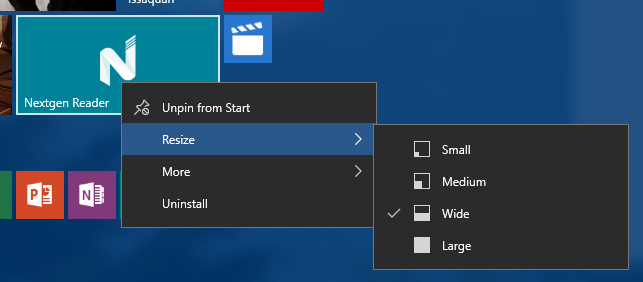
There are also improved context menus on Start, more vibrant title bars, and the ability to sync favorites and reading list items in Edge. A lot of annoying problems have been fixed in this build too.
 
The Skype integration is of course the big new addition. The inclusion comes through Messaging, Phone and Skype video Windows apps, and Microsoft warns that as this is an early preview you can expect "some bugs", so be warned.
 
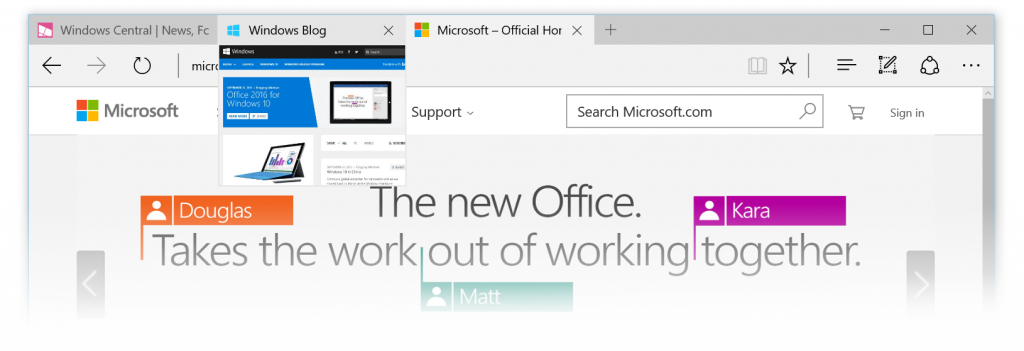
Tab preview shows a glimpse of what’s on a website when you hover your mouse over an open tab, and the Cortana changes include reminders for movie and event bookings and being able to intelligently understand hand written notes.
 
You can read the full list of changes and bug fixes here.
 
Naturally, with this being a Fast ring release, there are some known issues to be aware of:
  • The search box does not work if you are in a locale where Cortana is not available. Microsoft is  currently investigating workarounds.
  • The Xbox app for Windows 10 will consume gigabytes of memory on your PC if you have any Win32 games (non -Windows Store games) installed on your PC that have been identified as games or added by you in the Xbox app. Closing the Xbox app will release your PC’s memory.
  • WebM and VP9 have been temporarily removed from the flight builds. Microsoft will continue to develop a VP9 implementation that it intends to ship in Windows. Expect VP9 to return soon in a future release.
  • Small form-factor devices, like the Dell Venue 8 Pro, that boot with rotation or virtual mode screen size set larger than the physical screen size will experience a bluescreen on upgrade and will roll back to the previous build.

The new build is available to Fast ring insiders now, except those in Russia and Turkey. If you live in either of those countries you'll have to wait a few more days for the build to make its way to you.
 
~ Wayne Williams

7.22.2015

Does Windows 10 attract or repel you?

In some ways it only seems like five minutes since the appearance of Windows 8. But at the same time, it feels as though Windows 10 has been a long time coming. While Microsoft has been talking about the upgrade for quite some time, it has only been in recent months that there has been any sense of progress having been made.
 
Early builds of Windows 10 were a little lacklustre, and even later builds failed to inspire the levels of excitement that Microsoft would undoubtedly want them to do. Any new version of Windows is met with a combination of trepidation, eagerness, and disappointment, and Windows 10 is no different. It's very easy to say that it is impossible to please everyone, but it's certainly fair to say that Windows 10 has proved particularly divisive. Now, as we edge ever closer to launch, the time comes to ask -- what has Microsoft done right, and what is still wrong?
 
I'm not going to stray into review territory just yet, but when canvassing opinion it makes sense to touch on a few of the operating system's key areas. The development of Windows 10 has seen Microsoft looking for, receiving, and responding to feedback in an unprecedented way -- but has it paid off? Are the changes that have been implemented changes for the better, or has the hive mind made Windows take a turn for the worse?
 
So what is there to embrace in Windows 10? In many regards, little has changed, but at the same time. The Windows Insider program -- as well as the various leaks that have surfaced -- have given us a great opportunity to familiarize ourselves with the operating system ahead of launch, but it is easy to forget that the vast majority of people will be coming to Windows 10 blind. There have been a lot of testers trying things out, but there are millions more who have no experience at all. July 29 will be the start of a whole new experience.
 
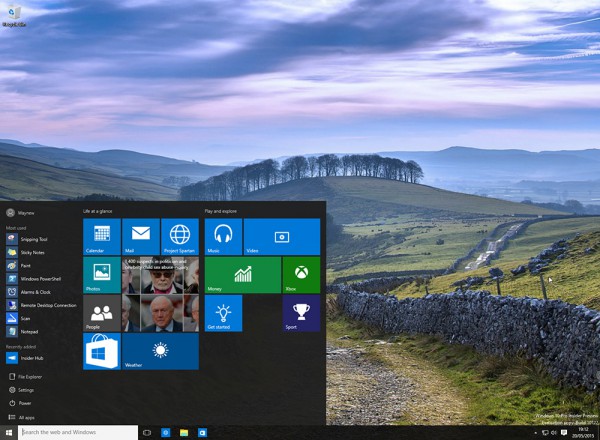
The Live Tiles that have been ported from Windows Phone still feel a little strange. They appear to have been designed for people suffering from an attention deficit disorder. The Start menu is something that people have been begging for ever since it was culled and replaced with the Start screen. Now it's back and there is a very real danger that Microsoft still has not got it quite right. On the plus side there is the choice between using the Start menu and the Start screen, but the menu is likely to disappoint more than it pleases.
 
For purists, the Windows 10 Start menu will be an overly large and fussy affair, and the presence of Live Tiles is something that grates. The Start menu has always been somewhere users visit to access apps, files, and folders. Now it is home to information as well. This sound great in theory, but in practice it is far from ideal. Users of the Start menu become accustomed to firing it up, putting it to use as a launcher... and that's it. Now images scroll by, headlines flash up, and all manner of other information is displayed -- if you're willing to stick around and wait for it to appear that is. Spend a little time with Windows 10 and the feeling that the right hand side of the Start menu in general, and Live tiles in particular, is a waste of space and time. Why would you want to spend time lingering in a part of Windows that is historically only a brief stop-over? Your mileage may vary, of course, but the revamped Start menu feels like something of a missed opportunity. It could have been so much more.
 
One of the biggest features that Microsoft has been shouting about is Edge. The replacement of Internet Explorer is long-overdue, but it's not clear that Microsoft Edge is anywhere near ready. With so few new features in Windows 10, one can't help but feel that it would have made sense to wait a little longer until the browser is fully complete. Perhaps the greatest selling point for Edge is support for add-ons, yet this option will not be available at launch. How many people who rely on add-ons are going to be willing to give Edge another chance further down the line? If you're already invested in Chrome or Firefox, there really is very little reason to move away. It possible that even those moving from Internet Explorer to Microsoft Edge will be tempted to investigate the competition now that concentration has been focused on add-ons and awareness of the possibilities raised.
 
What else is there? We have a change to the way modern apps run. We have Cortana. There's a virtual desktop manager. There is the much sought after notification system. Is it enough? Has Microsoft listened to feedback enough... or too much?
 
Over to you.
 
What are your highs and lows in Windows 10?

~ Mark Wilson

5.27.2015

Microsoft announces Cortana for iPhone, Android and Phone Companion app for Windows 10

 
Microsoft has shown it’s not just open, but intent on bringing its apps and services to rival hardware. Today it’s Cortana’s turn to make the jump as the company officially confirmed in a blog post that the digital assistant is coming to Android and iOS devices through a standalone app -- as Joe Belfiore puts it, for people who don’t have the benefit of a Windows phone.
 
Microsoft is only providing an early look at the non-Windows Cortana today, which will be able to do "most of the things" it does on Windows 10 PCs or Windows phones. This includes things like setting reminders, tracking flights, and more. But since Microsoft can't tap directly into either OS, there are things Cortana won’t be able to do, such as toggling system settings, opening apps and responding hands-free when users say "Hey Cortana”.


In conjunction with Cortana, Microsoft is also unveiling Phone Companion, a Windows 10 app that will allow users to connect their PCs to Android, iOS and Windows phones “to ensure your key Windows experiences—your photos, your music, your docs – move effortlessly wherever you do.”
 
For iPhone and Android device owners, the Phone Companion app will also recommend apps that play well with the Windows ecosystem, like OneNote, Skype, Word, Excel, PowerPoint and others, so whatever you do on your Windows 10 PC you can take with you on the go.
 
 
The Phone Companion app will be coming to a new Windows 10 Insider Preview build “in a few weeks,” while the Cortana companion app will be available for Android phones at the end of June and for iPhones later this year.
 
~ Jose Vilches

5.21.2015

Windows 10 Build 10122 arrives, here's what's new

 
There are risks involved with running any early versions of programs. They’re not finished, sometimes they are far from finished, and could be riddled with bugs. You might not encounter any problems, or then again you might. You take your chances. If you’re a Windows Insider, you get to try Windows 10, in the knowledge you might encounter issues with the OS. If you’re in the Fast ring, that’s even more likely.
 
The latest build being rolled out to Insiders now being a good case in point. Build 10122 has a known issue with AMD GPUs which causes Microsoft Edge (or rather Spartan, as it's still branded in this build) to crash frequently. Microsoft could have held this back until a fix was available, but Windows Insiders voted for it to be released, and so here it is. When the next new build arrives on the Slow ring, this issue should have been fixed (AMD is working on new drivers), so if you have a PC with an AMD GPU you may wish to skip this build, avoid using Edge, or try the OS in a virtual environment, using VirtualBox. So that’s the main problem with the new build, but what about changes and improvements?
 
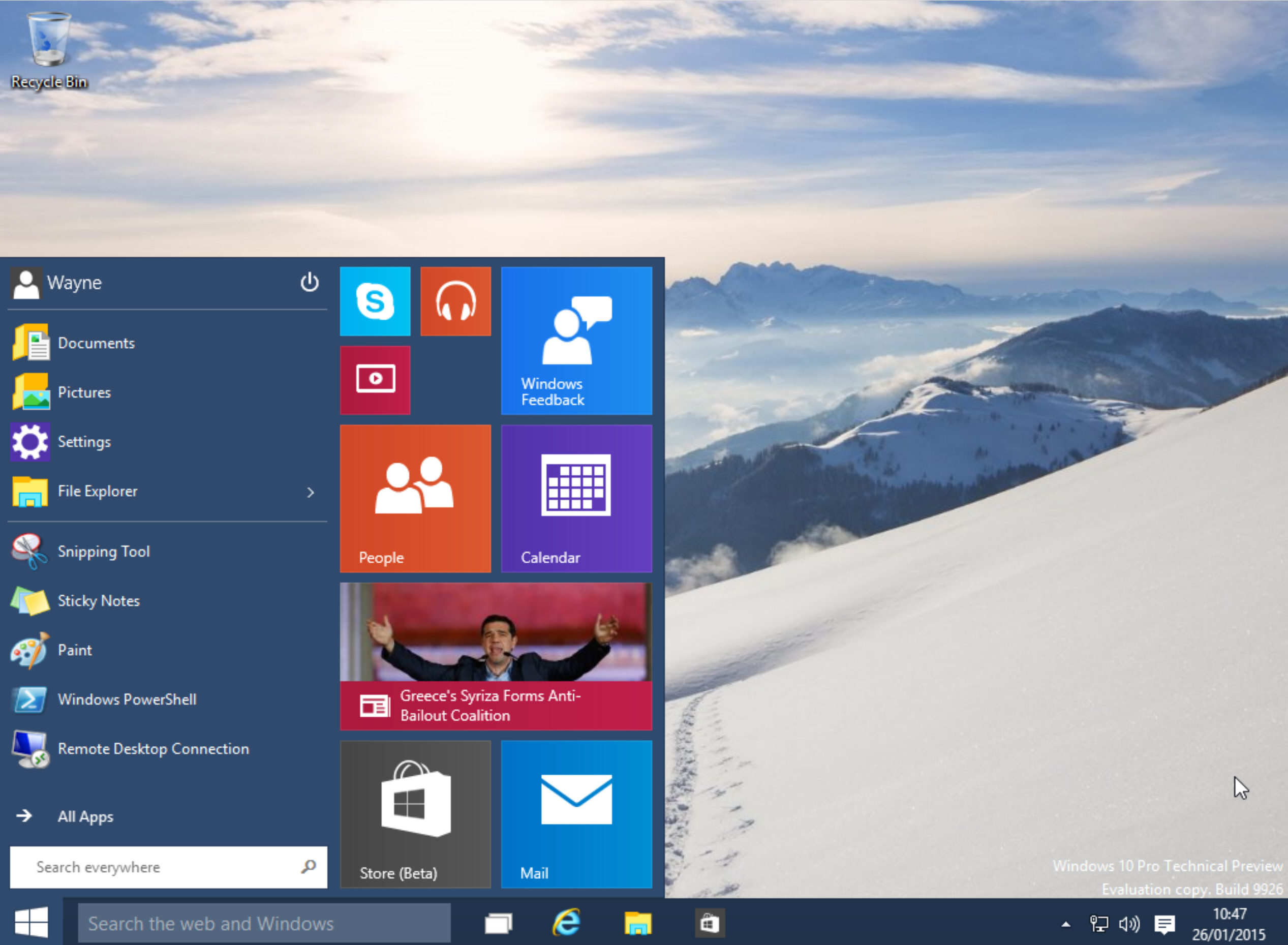
Well, both the Start menu and Continuum have been improved. File Explorer and Settings have been moved to the bottom left, next to Power and All Apps. This, Microsoft says, is for "better symmetry" and who doesn't love better symmetry?
    
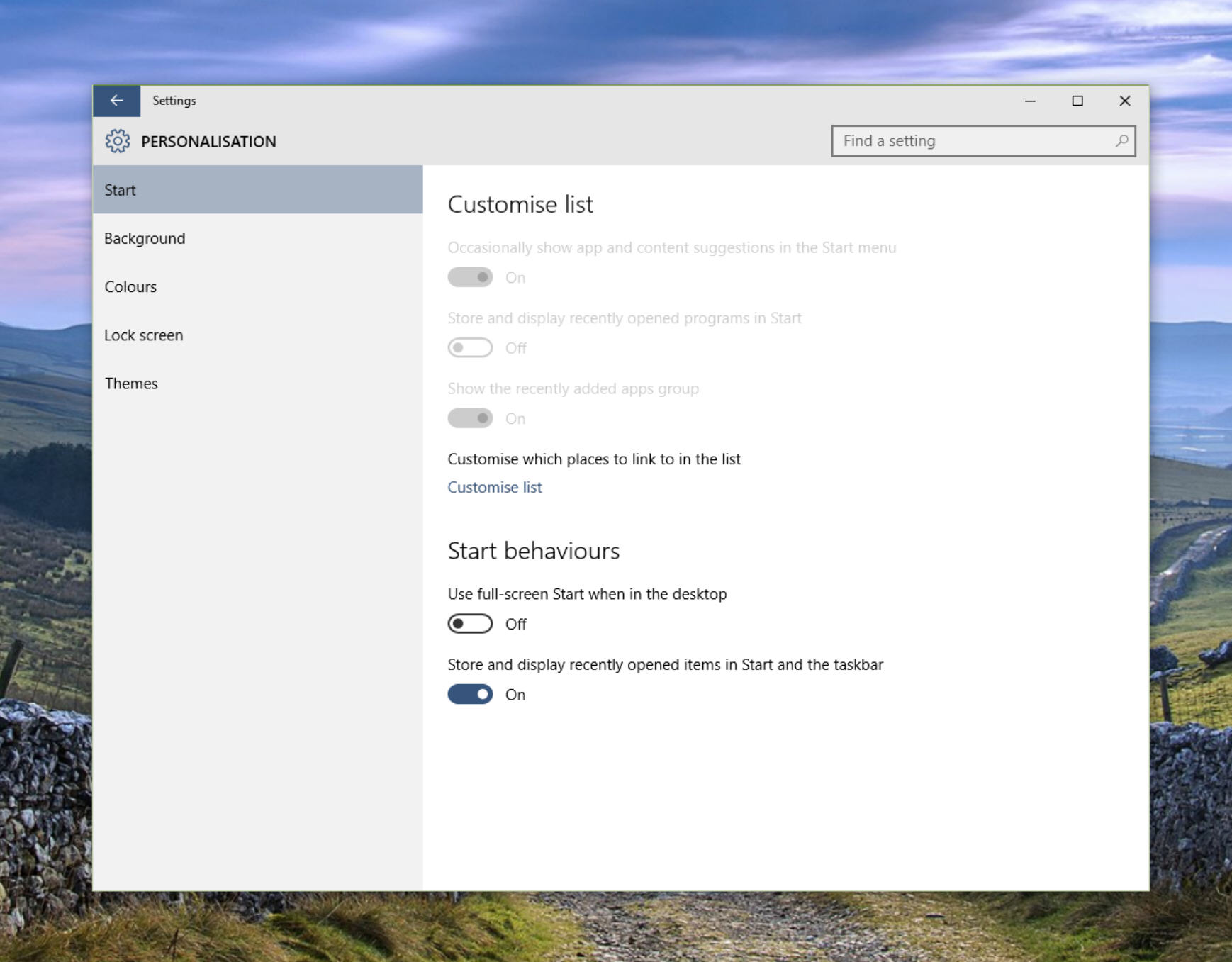
The right-click context menu has been updated, and toggling between the Start menu and Start screen views is now done via the new Start settings page found under Personalization Settings. If you prefer the Start screen you can enable it by going to Settings > Personalization > Start. If you're running the OS in Tablet mode, you'll discover a couple of improvements, most notably the left hand pane is now collapsed, and tiles are larger, more like they are in Windows 8.1.
 
 
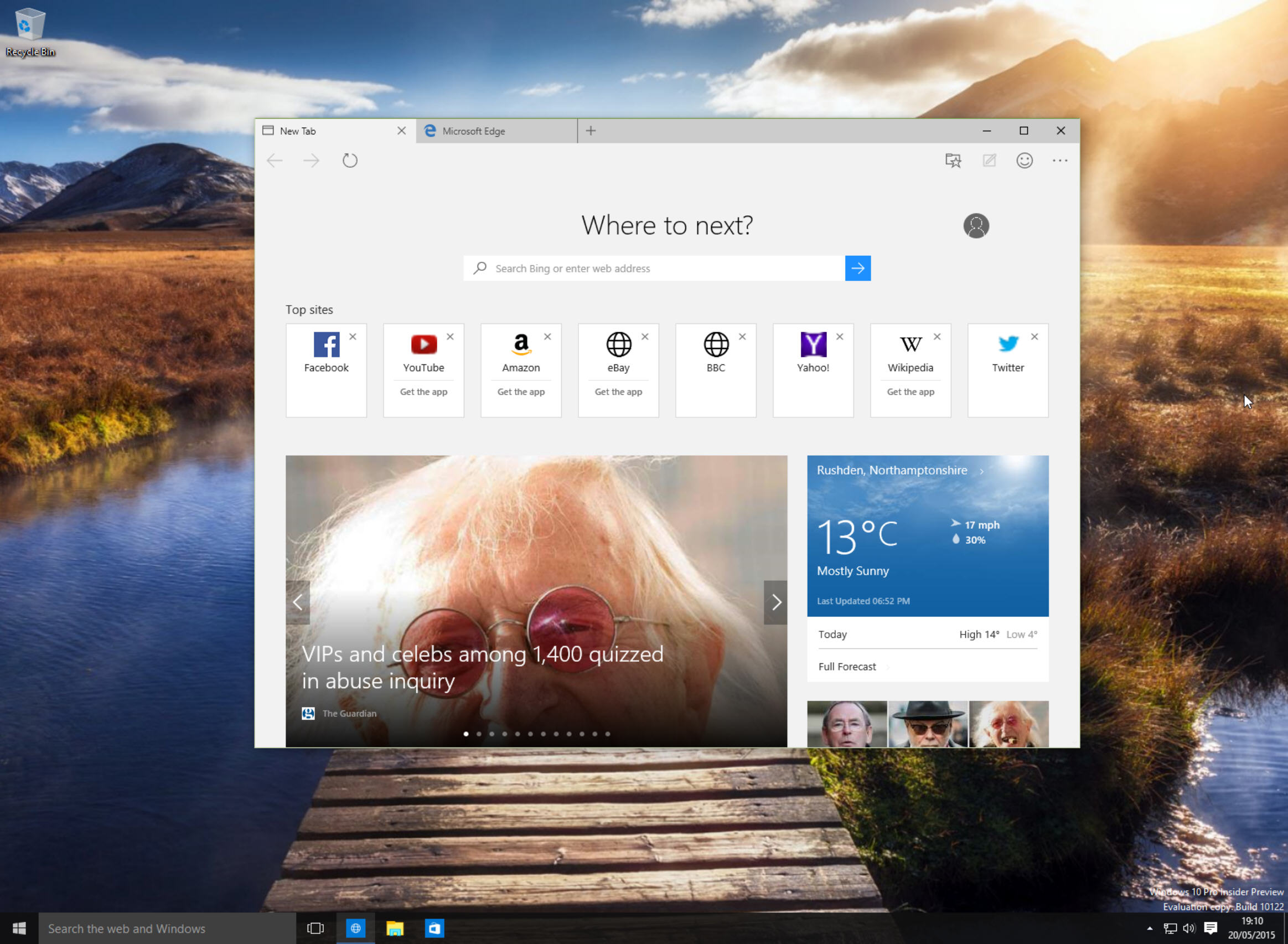
Assuming your PC does haven't have an AMD GPU, and you can run Microsoft Edge without problems, you'll see there's the new Tab Page in place now. This page, which first made an appearance at Build, can be customized in Settings. Other additions include a private browsing mode (InPrivate) and the ability to pin websites to Start, and a history view. An audio icon will now appear on noisy tabs, making tracking down pages playing audio or video in the background much simpler. The Chakra engine has been updated in this version too. Shame the name hasn't. Come on Microsoft, how difficult is it to find and replace "Spartan" with "Edge"?
 
 
Changes have been made to the way Windows 10 handles defaults, making it easier to choose the programs or apps you want to open certain types of files. When you upgrade from Windows 7 or 8.1, you'll be given the chance to upgrade your default to the new Universal Apps that come with Windows 10.
 
As you'd expect, a large number of bugs have been squashed in this build, but plenty remain. Aside from the AMD/Edge issue, Microsoft notes the following known issues:
  • Upgrading to this build on certain PCs may fail and roll back to the previously installed build with error 0x80070057 -- 0x20007. This is a bug where too many device INFs are being migrated and hitting an internal limit. Possible workaround is to use Disk Cleanup to clean up system files and choose Device driver packages, Previous Windows installations and Temporary Windows installation files. You may also need to remove unnecessary peripherals and remove them from Device Manager and trying the upgrade again.
  • In this build there is a bug that may cause issues with Cortana speech. If you are experiencing problems with speech recognition, or are getting errors when trying to speak to Cortana, please visit this thread on the Windows Insider Program forum for assistance in recovering from this bug.
With this being a Fast ring release, there will be no ISOs available (that’s only for builds stable enough for the Slow ring), so the only way to get it will be to update Windows 10 through Update and Security. If you’re not already on the Fast ring, you can switch to it through Advanced Options. The new build is still rolling out slowly, so you might need to wait a while before it gets to you.
 
If you try it, please let us know what you think about it in the comments below.
 
~ Wayne Williams

1.29.2015

Extension support coming to Microsoft's Spartan browser

 
Microsoft is currently in the process of developing a new browser for Windows 10 codenamed 'Spartan', which will be a revamped and modernized version of Internet Explorer. One of the new features set to be included with the browser, finally, is proper support for extensions.
 
Although Internet Explorer 11 currently supports "add-ons", their usefulness and ability to truly enhance the functionality of the browser was limited. Meanwhile, two of the most popular browsers on the web - Mozilla Firefox and Google Chrome - have included wide extension support for years, which has helped them become well liked, feature-filled browsers.
 
At this stage Microsoft has only confirmed that there will be some form of extension support in Spartan, but it's expected that the implementation will be most similar to Chrome's. In fact it has been reported that Microsoft is looking in to some form of easy Chrome extension porting, which will be great for developers who don't want to recreate their extensions from scratch.
 
Spartan will feature a new, streamlined rendering engine called Edge, which is based on a heavily modified version of Internet Explorer 11's Trident engine. Other features already announced include an inking mode for annotating web pages, a new reading mode, and Cortana integration.
 
Spartan will ship with Windows 10, and some versions of the OS will include it alongside Internet Explorer 11 for compatibility reasons.
 
~ Tim Schiesser

1.26.2015

Unlock Windows 10's hidden secrets

 
Microsoft released Build 9926 of the Windows 10 Technical Preview on Friday, and so far we’re liking what we see. There are a few issues with it, naturally, but it’s definitely a giant leap in the right direction (for the most part anyway).
 
There are several hidden features available, but not activated, in this new build, which are well worth exploring and so we’ve put together this handy guide explaining how to get them all working.
 
Firstly, there’s the redesigned system tray clock and calendar. My colleague Mark Wilson explained how to get this up and running in his Windows 10 hands on. The process is easy enough, you just need to open the registry editor, navigate to HKEY_LOCAL_MACHINE\Software\Microsoft\ Windows\CurrentVersion\ImmersiveShell and create a new DWORD (32-bit) value called "UseWin32TrayClockExperience".
 
There’s also a hidden logon screen you can activate by navigating to HKEY_LOCAL_MACHINE\ SOFTWARE\Microsoft\Windows\CurrentVersion\ Authentication\LogonUI\TestHooks. Double-click "Threshold" and change the value to "1". Changing it back to "0" will undo the switch.
 
The new build makes big changes to the Start menu with the introduction of the Continuum mode. If you prefer the way the old menu worked in the previous builds, you can switch back to that style with another registry tweak. Navigate to HKEY_CURRENT_USER\Software\Microsoft\ Windows\CurrentVersion\Explorer\Advanced, create a new DWORD (32-bit) value called "EnableXamlStartMenu" then restart Explorer.
 
File Explorer can open with one of two views -- "This PC" or "Quick Access". The former shows your drives and library folders, while the latter displays frequent folders and recent files. Quick Access is the default but you can change this by opening File Explorer Options, selecting the General tab, and choosing "This PC" next to "Open File Explorer to". You can also perform a simple registry tweak. Navigate to HKEY_CURRENT_USER\Software\Microsoft\ Windows\CurrentVersion\Explorer\Advanced and change the "LaunchTo" DWORD value to "1" (for This PC) or 2 (for Quick Access).
 
Cortana is now built into the desktop and resides on the taskbar. You can control her using your voice (provided you have a microphone plugged in) by clicking on the microphone button, but there’s also a hands free "Hey Cortana" function. This isn’t turned on by default, but is easily activated. Click on the Cortana icon on the taskbar and then click the hamburger button at the top left and select Settings. Turn "Let Cortana respond when you say 'Hey Cortana'" to on.
 
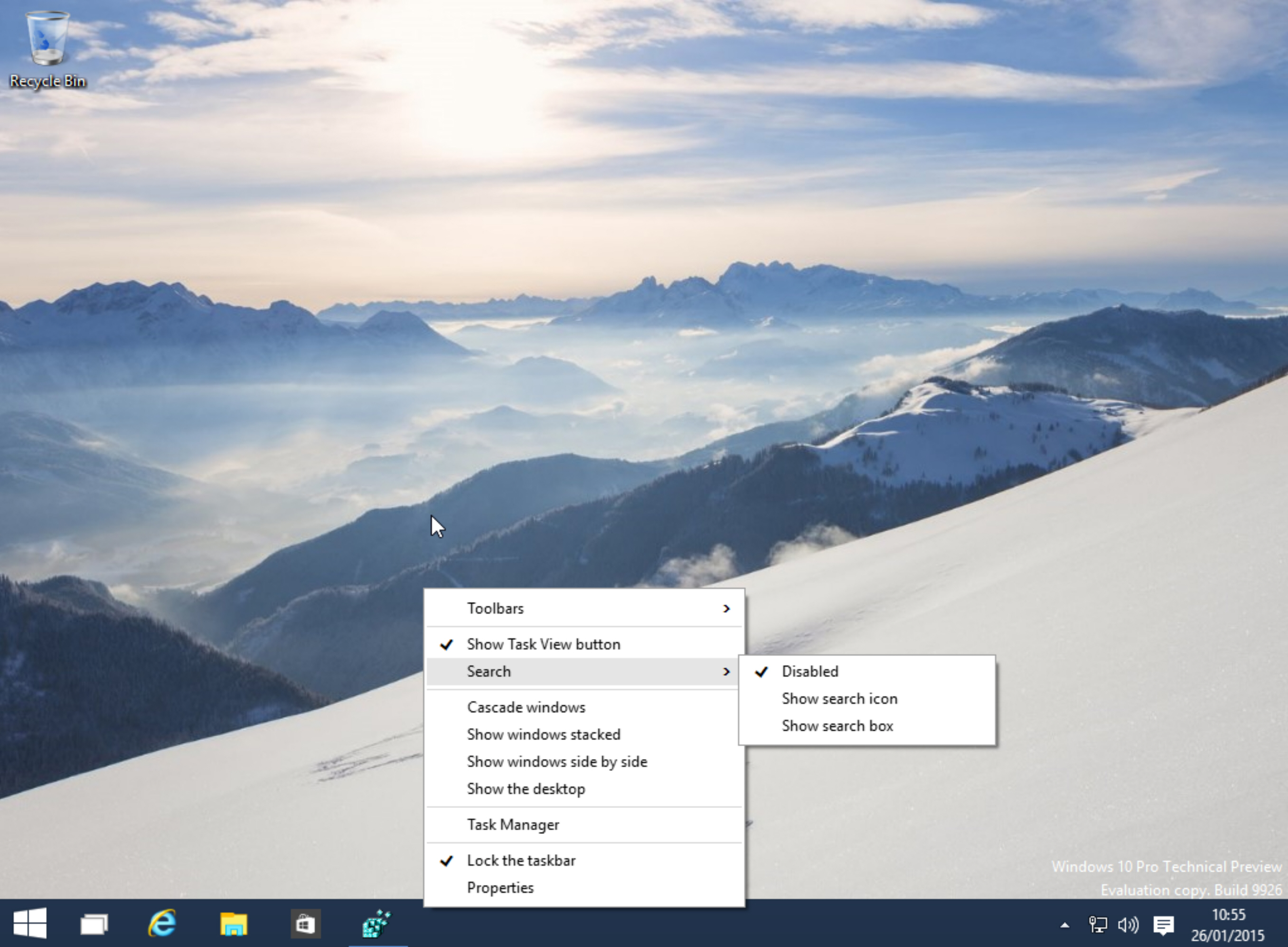
Finally, the search bar on the taskbar takes up a lot of space, but is easily disabled. Just click the taskbar, go to Search select “Disabled”. You can just display the search icon if you prefer.
 
 
Have you uncovered any hidden secrets in this new build? If so, share them in the comments below.
 
~ Wayne Williams

1.24.2015

Windows 10 Build 9926 out NOW -- New features include Cortana, Xbox app, improved Start menu and more

 
Talk about unexpected. After showing off Windows 10 on Wednesday, Microsoft disappointed a legion of dedicated testers by announcing the next build wouldn’t be available until next week.
 
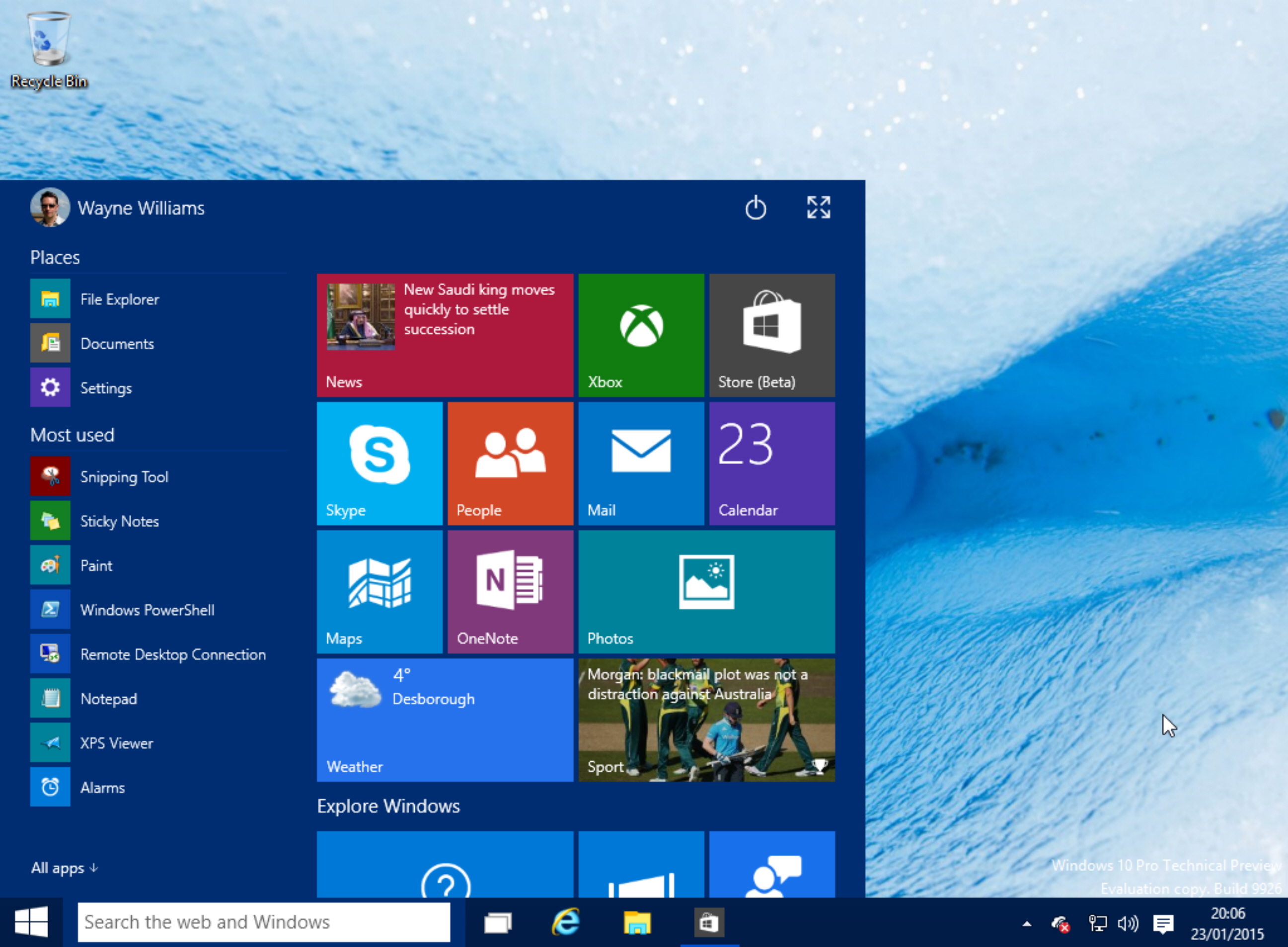
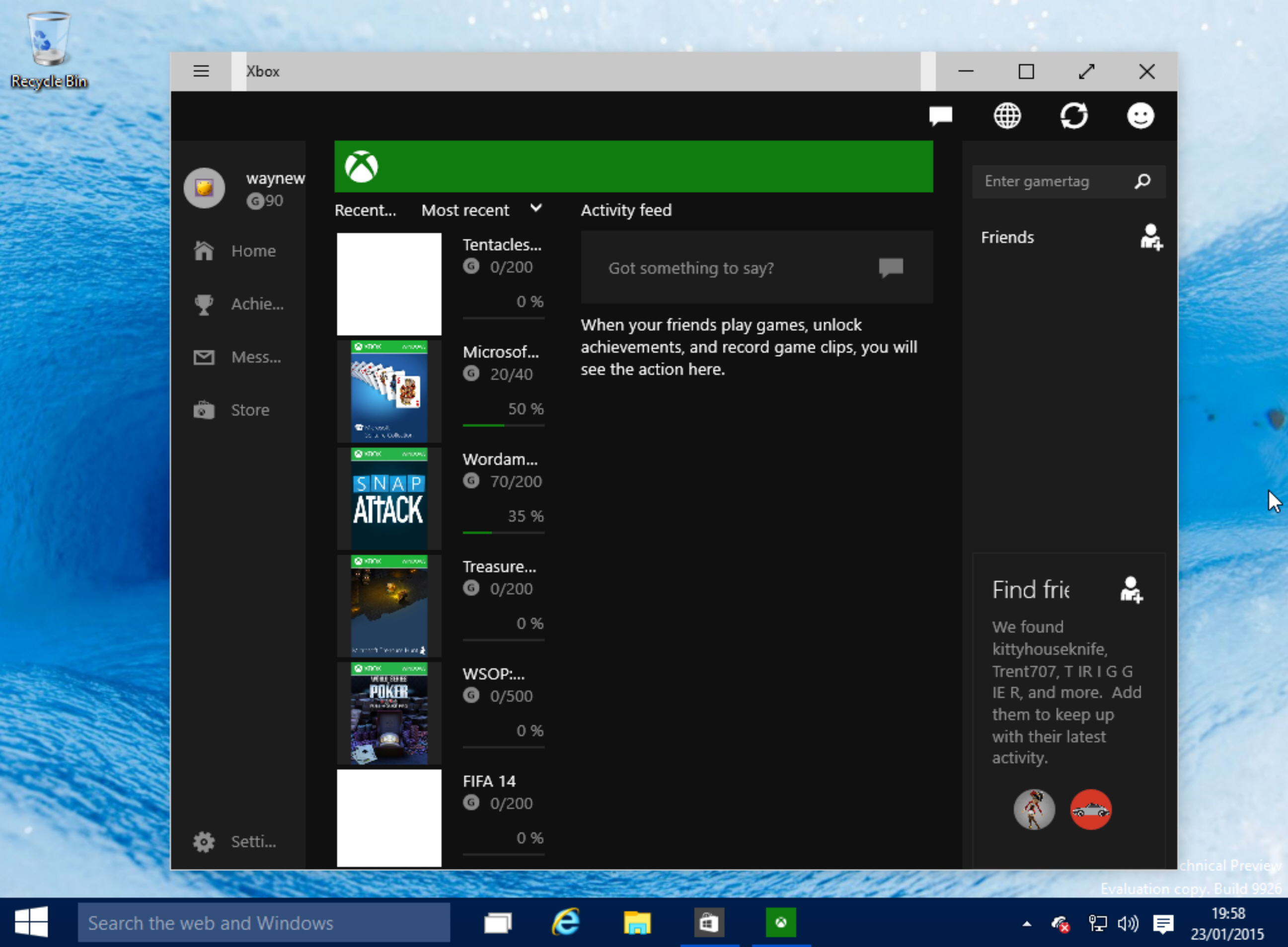
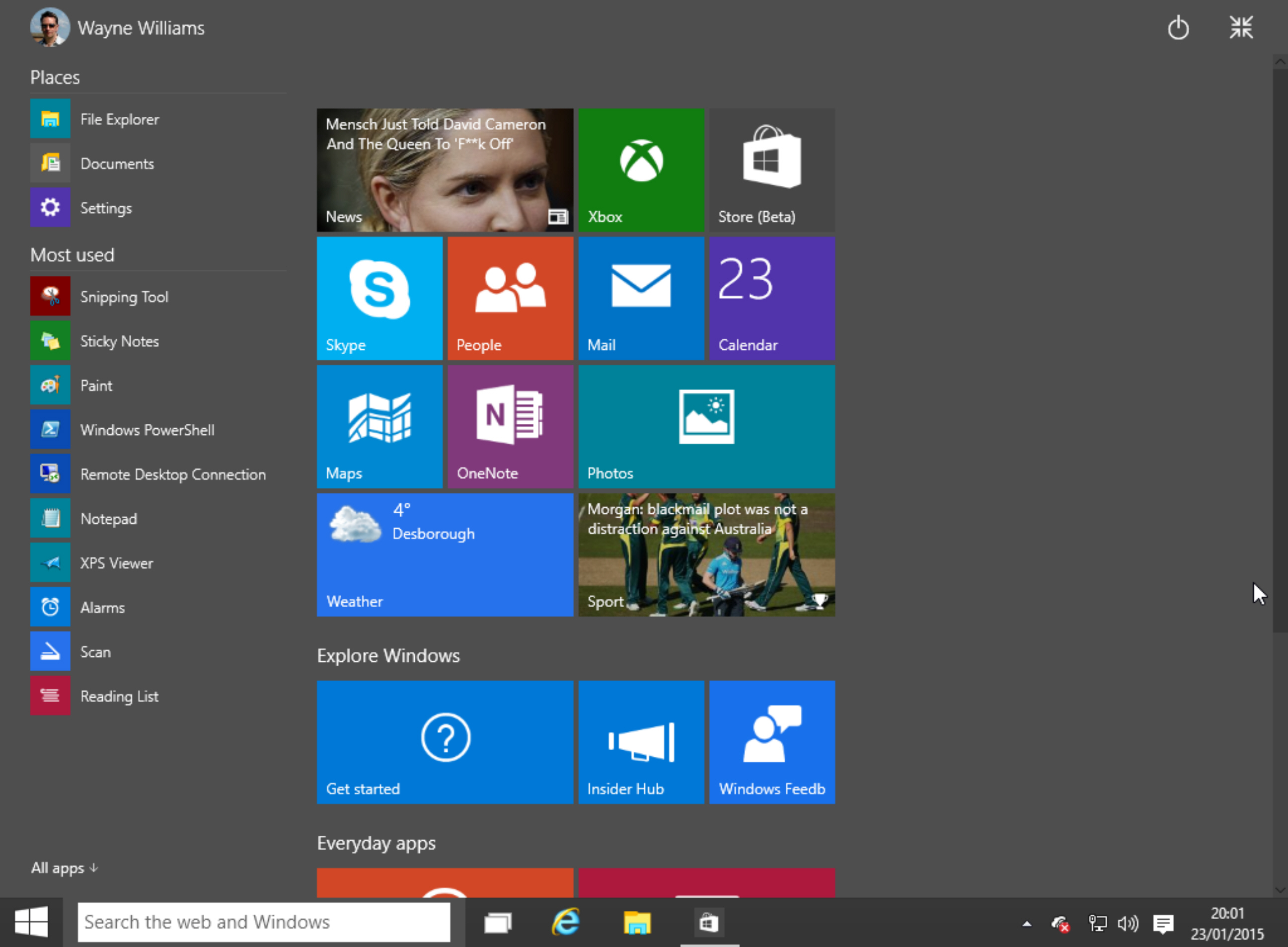
Turns out that’s not the case at all -- it’s available to download, and start using right now. The "January Build" as it’s being called (Build 9926 for those who like version numbers), is being pushed out to Windows Insiders on both the "Fast" and "Slow" rings, and is also available in ISO form. While not everything demoed at the Windows 10 briefing is available in the new build, it does come with Cortana on the desktop, a more polished Start menu, a new Settings app, and the ability to connect to wireless audio and video. There’s also new Photos and Maps apps, a new Xbox app, and Windows Store Beta.
 
We will of course have a much more detailed look at the new build in due course, but first let’s look at how to get it.
 
The easiest option, if you're a Windows Insider, is through Windows Update. You can wait for the new build to be pushed to you, or force an update by going to "PC Settings" > "Update and recovery" > "Preview builds". Click "Check now" to download the new build. If it doesn’t show up immediately, leave it a short while and try again. If you can't wait that long, you can download the ISO.
 
This is a full build, so will be installed as if you were installing Windows 10 for the first time. It may take a little while to complete, depending on your setup.
 
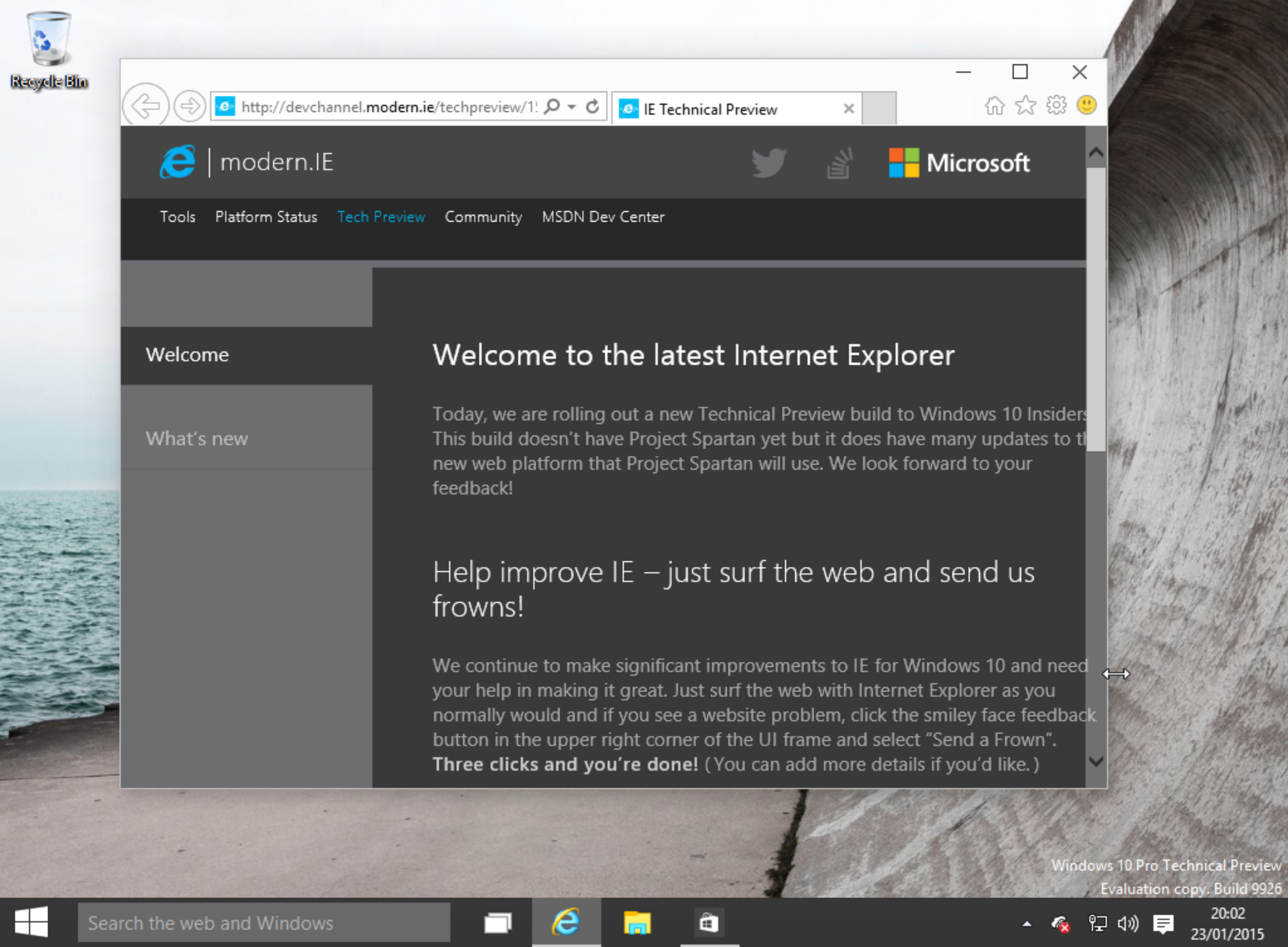
While you’re waiting, you can read about the changes and new features here (including known problems) and view these freshly captured screenshots.


~ Wayne Williams

1.19.2015

Are you ready for the next chapter of Windows 10?

Microsoft's next event will be held on January 21, 2015. Greg Shultz speculates about some of the things we might see in the next chapter of Windows 10.  

 
On Monday, January 12, Microsoft teasingly tweeted "Keep on starting. The Start Menu is back on #Windows10. More coming 1.21.15." Of course, if you've been following along since Windows 10 was unveiled at the event in San Francisco on September 30, 2014, you already know that the Start Menu is front and center in the new operating system. Certainly, a host of other new features were revealed: A new Task view button, multiple desktops, Snap enhancements, apps that run in a window -- just to name a few. However, the return of the Start Menu definitely stole the show as one of the more news worthy features.
 
So, it makes sense that Microsoft would use the return of the Start Menu to drum up suspense for its next event. This one is being called "Windows 10: The next chapter" and will be held at on Microsoft's Redmond campus on January 21, 2015. The event will be hosted by the Operating Systems Group and will feature sessions by Terry Myerson, Joe Belfiore, and Phil Spencer. Microsoft CEO Satya Nadella is also expected to make an appearance. Best of all, Microsoft is planning to webcast the event live. (Microsoft will provide more specific details about the webcast on the Blogging Windows site.)
 
As you would expect, the main focus of the event will be the return of the Windows Insider Program and the release of a new build. When January 21st arrives, it will have been 70 days since Build 9879 was released (11/12/14). That means that Microsoft has had plenty of time to prepare the new build of Windows 10, and we should expect to see that some major enhancements have been made to the new build of the operating system. In fact, in a post on December 17, 2014, Gabe Aul, who leads the Data & Fundamentals Team within the Operating Systems Group, said:
"You'll see some big things, lots of small improvements, and I hope there will be something for each of you to point to and know your influence was felt and appreciated by us. I'm confident that the next build we release will be an exciting one and will show how Windows 10 is evolving with your input."
While there isn't anything concrete in Aul's post, there have been lots rumors and a host of leaked build screen shots to whet our appetites. However, only time will tell us for sure what the next build will contain. In the meantime, we can speculate on what we might see in the next chapter of Windows 10:
  • We've had lots of information leading us to believe that we will see the Cortana digital assistant in the new build.
  • Recent news revealed that Microsoft has been working on a new browser called Spartan that we might see in the new build.
  • Will the OneDrive sync feature be back in place?
  • Will the rest of taskbar icons be more flat looking -- like the Task View icon in Build 9879?
  • Will the PC settings app completely replace the Control Panel?
  • Based on the tweet, will there be enhancements to the new Start Menu?
  • Will there be additional native apps?
  • Will new there be a more integrated Xbox app?
  • Will there be light and dark themes like on the Windows Phone?
  • We might get some more details on how Microsoft is planning on distributing Windows 10. Will it be free, priced normally, or will it be a subscription like Office 365.

What's your take?

Are you ready for a new build of Windows 10? What features are you hoping to see in the new build? Share your opinion in the discussion thread below.
 
~ Greg Shultz

1.09.2015

New Windows 10 leak (build 9901) highlights more polished Cortana and new apps

 
As Microsoft prepares to detail new features coming to Windows 10 at a January press event, pre-consumer builds have already given us some glimpses at the next-gen OS. The latest, build 9901, includes a more refined design for Cortana and a number of other tweaks and new apps.
 
Microsoft’s answer to Siri and Google Now first appeared in a video demo earlier this month, but that particular build had a pretty barebones UI. The most recent implementation looks far more polished and is likely much closer to what it will look like in Windows 10. Namely, Cortana sits at the top of the search interface for Windows 10, which itself has a new home in the task bar.
 
Microsoft’s assistant will respond to text and voice commands and overall it works very similar to the Windows Phone version, with the ability to summon it with the words “Hey Cortana”. Needless to say it’s not 100% functional yet.
 
 
There are several new and updated Modern UI apps such as Camera, Calculator, Alarms, Remind Me, Photos, Contact Support and a Getting Started app. Also in build 9901 is a new Xbox app that appears to work as a central hub for achievements, friends lists, activity feeds, and the Store.
 
Paul Thurrott has a detailed changelog of the new build over at WinSupersite, while the video above from WinBeta shows some of the new features in action.
 
~ Jose Vilches

12.08.2014

Windows 10 Build 9888 includes Cortana -- but so bloody what?

 
It's not long since Windows 10 build 9879 was released and more recently build 9888 leaked online. I'm not going to link to the download as it's not an official release, but it's easy enough to get hold of -- you know where to look, I'm sure. So far the builds that have seen the light of day, officially or unofficially, have been rather light on features, but build 9888 includes what everyone has been chomping at the bit for: Cortana.
 
Was it worth the wait? Is a voice activated digital assistant appropriate for the desktop? Should anyone care? My answer to all three of these questions is a resounding 'no' -- with some possible exceptions in the case of the last question. Let me elaborate.
 
Cortana builds on the ideas introduced by Siri and OK Google, bringing voice activation to the desktop. While voice control makes sense on a mobile, I think it's far harder to justify on a desktop platform. Siri and OK Google make it possible to control a phone or tablet hands-free, which is great for when you're driving or doing something else. There's also Cortana in Windows Phone, but this is of interest to around five people.
 
Talking to one's phone makes a good deal of sense -- it's what the things were invented for, after all. It's also conceivable that using a small, fiddly in-screen keyboard is rather slower than simply giving a vocal instruction for some people. But is it actually useful? Really useful? Outside of those times when it is not practical or possible to operate your phone with your hands, do the likes of Siri really pay their way?
 
If you're sitting in a coffee shop or library, if you're walking down the street, if you're sitting on a park bench, do you feel comfortable using voice activation to set reminders and so on? "Remind me to call the doctor about that weird-looking rash in the morning!" Cue lots of strange looks. Potential embarrassment aside, we live in an age when we're all more concerned about privacy than ever. Why on earth would you want to bellow your schedule, your text messages and emails, or your search queries into your phone for all to hear? It's madness.
 
Sure, voice activation is impressive. The fact that it can be done is quite cool… but, really, is it needed? Anyone who has used Siri whilst out and about -- or even just at home -- must have noticed people turning around to see if they were being spoken to. Introduce the idea on the desktop and the problem is the same. "Cortana, remind me to get milk tomorrow." "What's that, love?" comes a call from the next room. "Nothing. Just talking to the computer."
 
The problem with understanding accents, and dealing with background noise persist. "EVERYONE SHUT UP! I want to set a voice-activated reminder!" Why not just type the thing? That's why the keyboard's there. We learned to type for a reason. Let's not let that skill go the same way as cursive handwriting. There's the problem of misheard commands. If you're not understood the first time around and need to repeat yourself or even manually change what has been interpreted, have you saved any time? Is it really more convenient?
 
And does no one feel remotely self-conscious about the idea of talking to their computer? The day I start issuing vocal instructions to an inanimate object is the day I hope my loved ones make a call and get me institutionalized.
 
Microsoft almost made a rod for its own back by announcing that Windows Phone, Xbox and Windows 10 would be converging into a more uniform platform. In saying this, the company all but committed itself to bringing Windows Phone's Cortana to the desktop -- but it's a terrible idea. It's technology for the sake of technology. It's not clever, it's a waste of time.
 
Photo credit: Stokkete / Shutterstock
 
~ Mark Wilson

9.30.2014

Windows 9 -- What to expect from the new OS

 
Microsoft will be announcing its new OS later today, with things kicking off at 10am PT/6pm BST. Although we’ve already seen various leaked images and videos, this will be our first official look at Windows 9 (aka Threshold) and Microsoft will reveal what it has planned for the successor to the much maligned Windows 8.
 
There isn’t a live stream unfortunately, and although a technology preview will be released for the new OS, it isn’t expected to be made available today. So what can we expect from Windows 9?
 
The return of the Start menu
 
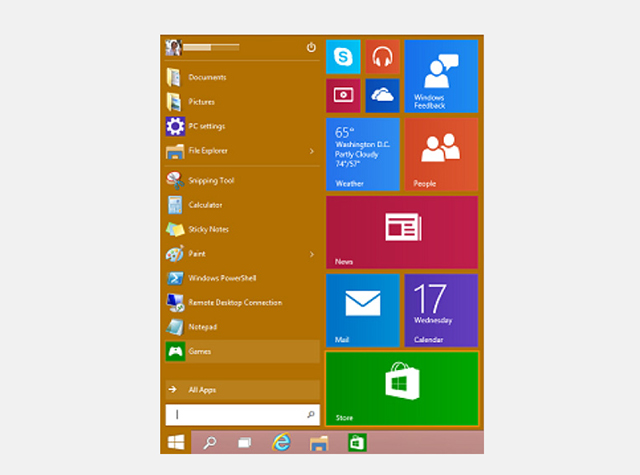
Of course top of the list of changes in Windows 9 is the reintroduction of the Start menu. Before Windows 8 even launched people were crying out for its return, and that demand has never wavered. The Windows 9 Start menu looks good, and is exactly what most keyboard and mouse users have been asking for. It works much like the Start menu in Windows 7, but adds tiles from the Windows 8.x Start screen which, for me, is the perfect compromise.
 
Tiles can be added, removed and resized, and you can resize the Start menu itself.
 
You can use the Start screen if you prefer simply by switching to it in the Navigation properties window. Tablets running Windows 9 won’t have the Start menu, only the Start screen which makes sense.
 
Better integrated Modern UI
 
If you hate the Modern UI then you won’t really have to worry about it in Windows 9. You can switch off the tiles in the Start menu, and never see the Start screen or Charms bar. Apps can be run full-screen, or snapped, but also run in a windowed mode on the desktop, which is great news. A new Options button on the right lets you customize them and access system commands.
 
Switching between running apps is done using the new Task view button on the taskbar.
 
Virtual desktops
 
Linux and Mac OS X users are very familiar with the idea of virtual desktops, where you can switch between different workspaces, but Windows 9 will be the first time Microsoft has offered this featured natively. It’s a big boost for productivity, and great news for power users.
 
Cortana
 
Microsoft’s personal assistant is expected to find her way from Windows Phone to Windows 9, which makes sense. Cortana wasn’t in any of the leaked builds, so whether she’s included in the technical preview remains to be seen, but we’d bet on the feature being added at some point.
 
Notifications center
 
Windows 9 will gain a new Notifications center which will provide a single place to view all of the alerts and messages that the operating system flashes up. You’ll be able to view all of the Windows notifications directly from the system tray, including Skype messages, and delete individual ones, or all notifications at once.
 
General improvements
 
Windows 8.x has been a work in progress since launch, and Windows 9 will continue the improvements we’ve seen, while adding a further layer of polish.
 
What are you hoping for from Windows 9?
 
~ Wayne Williams

1.18.2014

Microsoft to finally unveil Siri, Google Now rival in April

Microsoft to finally unveil Siri, Google Now rival in April
Apple first unveiled Siri in the fall of 2011, Google took the wraps off Google Now in the summer of 2012 and now Microsoft is at long last about to release its own voice-enabled personal assistant this coming April. One of MSFTNerd’s sources claims that Microsoft plans to release its Cortana virtual assistant this spring, just in time for its annual Build developers conference.
 
MSFTNerd hints that the new service will be integrated directly with Bing and that users will be able to activate it on their mobile devices simply by saying the phrase “Bing tell me…” MSFTNerd also says that “the service will expand to the Bing app for iPhone in the US market this fall” and that “the underlying technology will be extended to American Xbox One & Windows users in 2015 with Threshold.” Cortana, for all you non-gamers out there, is the name of famous artificial intelligence character in Microsoft’s smash-hit Halo series.