Linux is arguably the most successful open source project in all of
history. The success of the kernel -- and operating systems that use it
-- are not due to any one man or woman. Actually, the achievements are
thanks to the Linux community. In other words, it is a team effort -- developers, users, and more.
For a Linux distribution, such as Ubuntu, to continue its progress,
Canonical needs developers to remain interested -- this includes getting
new people involved and educated. This week, the company launched
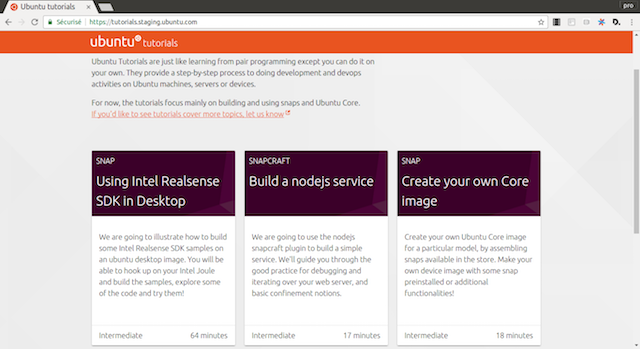
Ubuntu Tutorials -- based on Google's open source Codelab. No, it is not
self-learning for new workstation users, but for programmers and
developers.
"Ubuntu tutorials are a topic-specific walkthroughs, giving you a very
practical experience on a particular domain. They are just like learning
from pair programming except you can do it on your own! They provide a
step-by-step process to doing development and devops activities on
Ubuntu machines, servers or devices," says Canonical.
The Ubuntu-maintainer further says, "You can as well work offline if you
desire and always take your tutorials with you! Using the snap
technology, we built a tutorial snap including the same content and the
same technology as the one you can find on the website."
Canonical shares the following details about the tutorials.
A clear and detailed summary of what you will learn in this tutorial
The content difficulty level: you will know where to start from!
An estimated completion time for each step and the whole tutorial, so that you plan precisely depending on your availability.
A "where to go from there" final step, guiding you to the next
logical places to get more information about that particular subject, or
the next tutorial you can follow now that you have learned those
notions.
Just as the Linux community is a group effort, so shall be Ubuntu
Tutorials. You see, Canonical is asking for assistance in creating new
tutorials. If you are interested in contributing to
tutorials.ubuntu.com, the company shares the rather lengthy guidelines here.
Will you participate in creating tutorials? If yes, tell me how in the comments below.
Fedora is the operating system of choice of Linux founder Linus Torvalds -- that says a lot. Despite the fact that he uses a Dell XPS 13 Developer Edition laptop
that ships pre-loaded with Ubuntu, it is unlikely that he kept that OS
on it. While there is nothing wrong with Canonical's offering, Fedora is
a very wise choice for those who want a no-nonsense Linux distro with a
focus on free and open source software.
Today, Fedora 25 Beta becomes available for download. There are many
things to get excited about, such as the implementation of Wayland and
the pre-release 3.22 version of the GNOME desktop environment.
"Providing many of the latest developer and desktop tools, Fedora 25
Workstation Beta delivers a host of new features, including the
long-awaited official debut of the Wayland display server. Replacing the
legacy X11 system, Wayland has been under development for several years
and aims to provide a smoother, more user-friendly experience when
navigating Fedora Workstation. To further enhance ease-of-use, Fedora 25
Workstation Beta also features GNOME 3.22 in pre-release, which offers
multiple file renaming, a redesigned keyboard settings tool and
additional user interface improvements", says Matthew Miller, Project
Leader, Fedora.
Miller further says, "Fedora 25 Workstation Beta now makes it easier to
upgrade a desktop environment to the latest stable version of Fedora
with the Fedora Media Writer. This tool helps users find and download
the current Fedora release and write it to removable media, like a USB
stick; this allows for potential Fedora users to 'test drive' the
operating system from that media environment. If they like what they
experience, Fedora can then be installed to their system with the same
process".
The Fedora Project shares the following significant updates.
Docker 1.12 for building and running containerized applications
Node.js 6.5, the latest version of the popular server-side JavaScript engine
Support for Rust, a faster and more stable system programming language
Multiple Python versions - 2.6, 2.7, 3.3, 3.4 and 3.5 - to help run
test suites across several Python configurations, as well as PyPy, PyPy3
and Jython
If you want to download Fedora 25 Beta, you can get it here. Keep in mind, however, this is pre-release software, and it should not
be used on a production machine. Even though the Beta operating
system should be fairly safe to use, if you were to, for example,
experience data loss, you have no one to blame but yourself.
If you decide to try it, please tell me your opinions of it in the comments below. Photo credit:FabrikaSimf/Shutterstock ~ Brian Fagioli
Next month, one of the most important desktop operating systems will get
a major update. No, I am not talking about Windows or macOS; I am
referring to Ubuntu. True, from a market share perspective Linux-based
desktop operating systems are rather insignificant, but for those in the
know, Canonical's open source OS is quite brilliant. Its fans and users
are very loyal and passionate.
Today, the final beta of the upcoming Ubuntu Linux 16.10 becomes
available. While this version -- dubbed 'Yakkety Yak' -- will not
reinvent the wheel, it should offer enough to delight existing users of
the open source operating system. Hey, if it's not broke, why fix it,
right? That is a lesson Microsoft learned the hard way with Windows 8,
but I digress.
"Codenamed 'Yakkety Yak', 16.10 continues Ubuntu's proud tradition of
integrating the latest and greatest open source technologies into a
high-quality, easy-to-use Linux distribution. The team has been hard at
work through this cycle, introducing new features and fixing bugs",
says Steve Langasek, Developer, Canonical.
Langasek further says, "the beta images are known to be reasonably free
of showstopper CD build or installer bugs, while representing a very
recent snapshot of 16.10 that should be representative of the features
intended to ship with the final release expected on October 13th, 2016".
While there aren't many new aspects, there are some significant changes.
The Linux kernel has been updated to 4.8 and the included GNOME apps
have all been updated to 3.20 and higher. The wonderful LibreOffice is
now at version 5.2.
If you are ready to download Ubuntu 16.10 'Yakkety Yak', you can use the
below links. Desktop users will most likely want to select Ubuntu
Desktop (Unity), but I recommend Kubuntu and Ubuntu GNOME too. Want to
install Google Chrome on the operating system? You can follow our how-to
guide here.
While Ubuntu focuses on convergence -- smartphones and tablets -- Fedora
seems comfortable with the desktop, server, and cloud. You know what?
That is not a bad thing. There are far too many Linux distributions
nowadays, and if they all started focusing on a "Swiss Army"
strategy with mobile device types, things would get messy. I find
Fedora's narrower view refreshing.
Today, the Fedora Project announces that version 24 of the operating
system achieves Beta status. If you have never tried the Linux-based OS,
I urge you to give it a go. If my recommendation doesn't do it for you,
please know that it is the operating system of choice for Linus
Torvalds -- father of Linux.
"We're pleased to announce that Fedora 24, the latest version of the
Fedora operating system, is now available in beta. The Fedora Project is
a global community that works together to lead the advancement of free
and open source software. As part of the community’s mission the project
delivers three editions, each one a free, Linux-based operating system
tailored to meet specific use cases: Fedora 24 Cloud Beta, Fedora 24
Server Beta, and Fedora 24 Workstation Beta", says Matthew Miller,
Fedora Project Leader.
Miller further says, "each edition is built from a common set of base
packages, which form the core foundation of Fedora 24 Beta. In addition
to minor bug fixes and package tweaks, Fedora 24 Beta’s foundational
packages include glibc 2.23 for better performance and improvements to
POSIX compliance (and backwards compatibility to Fedora 23) and GNU
Compiler Collection (GCC) 6. All base packages have been rebuilt with
GCC 6, providing better code optimization across all Fedora 24 Beta
editions".
The workstation version -- the one most home users will target --
offers GNOME 3.20 preview as a desktop environment. While other
environments will be available too, I urge folks to try GNOME first. It
has improved leaps and bounds over the years, becoming my choice for
best UI of any operating system.
Wayland is available as preview, but not default. The display server
protocol is still poised to replace X, but it will not yet be ready for
Fedora 24. The team explains that it should be ready for "future
versions". Whether that means version 25 will get Wayland as default
remains to be seen.
If you are ready to download it, you can get it here. The download links are not yet live, but keep checking back as they will be available very soon. Image Credit:Bobboz / Shutterstock ~ Brian Fagioli
Open source talent is in high demand when it comes to recruiting new
technology experts, and this trend is only going to grow, new reports
say.
According to the latest 2016 Open Source Jobs Report, 59 percent of hiring managers will increase the number of open source talent in their organization within the next six months.
What’s more, 65 percent of managers said this part of their business is
set to grow more than any other, and 79 percent said they’re doing more
to keep their current professionals.
DevOps seems to be the most wanted skill, with 59 percent of hiring
managers looking for such professionals, and networking has become the
leading emergent technology.
The report was created by Dice, a career site for technology and
engineering professionals, in cooperation with The Linux Foundation, the
non-profit advancing professional open source management for mass
collaboration.
"Demand for open source talent is growing and companies struggle to find
experienced professionals to fill open roles", said Bob Melk, president
of Dice. "Rising salaries for open source professionals indicate
companies recognize the need to attract, recruit and retain qualified
open source professionals on a global scale".
"It’s a seller’s market and it’s only going to get more beneficial for
open source professionals", said Jim Zemlin, executive director at the
Linux Foundation. "As more and more open source projects are developed,
open source professionals will need to update their skillsets with
knowledge and experience including DevOps and networking. Ongoing
training and certifications will be the key to growing their expertise
and keeping a competitive edge". Published under license from ITProPortal.com, a Net Communities Ltd Publication. All rights reserved. Image Credit: alphaspirit / Shutterstock ~ Sead Fadilpašić
Edward Snowden-endorsed developer Open Whisper Systems has announced the first public beta of Signal Desktop, a secure chat app for Chrome.
The new release enables users of its popular mobile app, Signal Private Messenger, to carry on a conversation across even more devices.
One notable issue with the initial build is it only connects to Android
devices, although iOS support is expected in a future release.
As with the mobile version, Signal Desktop is a free app for secure
one-to-one or group chats on mobile phones, avoiding SMS fees, and with
support for file attachments and media sharing.
That’s nothing unusual, but Signal’s major plus point is its security.
End-to-end encryption protects everything you’re doing from snoopers,
even Signal’s server doesn’t have access to your communications, and the
app is open-source so technical users can review the code to check
what’s going on.
The technology is impressive, and endorsements by Bruce Schneier ("I am
regularly impressed with the thought and care put into both the security
and the usability of this app. It’s my first choice for an encrypted
conversation") and Edward Snowden ("Use anything by Open Whisper
Systems") don’t hurt, either. Signal Desktop beta is an open-source secure chat app for Chrome. ~ Mike Williams
Users of Linux-based operating systems often buy Windows-powered
computers, format the hard drive and install their favorite distro. This
can sometimes be a fine experience, although, quite often, it comes
with annoyances such as non-working hardware (usually Wi-Fi). Not to
mention, the keyboard will likely house a "Windows" key, which taints
the experience.
The holy grail for many Linux users -- besides building their own
computer -- is to get a desktop or laptop that comes pre-loaded with a
Linux-based operating system. One of the most popular such
manufacturers, System76, sells computers pre-loaded with Ubuntu,
including a lifetime of telephone tech support. Obviously the company
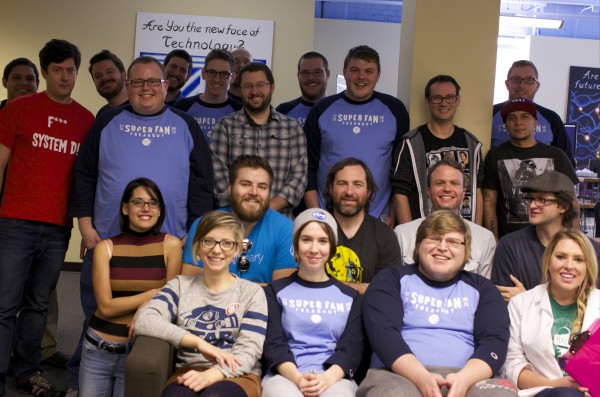
has accumulated many fans over the years, so this past Thursday and
Friday, it held its first-ever superfan event. Fans were flown to its
Denver headquarters. I was honored to be given the opportunity to cover
it.
So, how did the company choose which fans to fly to its headquarters? It
leveraged social media to ask followers to submit anything showing that
they are a superfan. The rules were quite loose -- you could pretty
much submit anything. System76 shares the full list of the winners and
their winning submissions below.
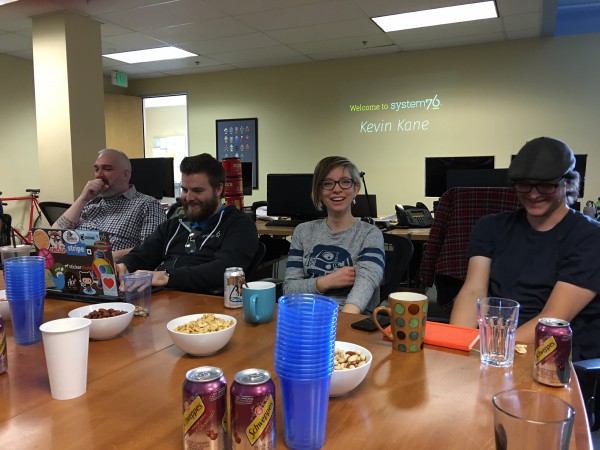
Kevin Kane: Designed an online game on his machine,
and had a ton of engagement on his post, including friends that rallied
for him to win. NXSgame.com
Helena Bales: Sent a story about how she uses
Ubuntu for 3D modeling, hacking raspberry pi and building a
reforestation drone and its website with very little sleep.
Ryan Sipes: Coded Mycroft, an AI device on a system76 machine
These submissions largely shared a common trend -- making and creating.
System76 isn't just selling computers, but striving to inspire those
that buy them to do things with them. I know, it sounds like
marketing-speak, but there is sincerity in the mission.
When you buy one of its machines, it ships in a boring box -- on the
outside, at least. Inside, however, the packaging is decorated with
doodles that show art and creativity. There is symbolism here. A
computer on its own is just a tool. It is what you create with it that
makes it exciting. True, many of us hardware nerds geek out about the
actual tool too!
The company is headquartered in Denver and I am a Long Island guy. This
meant taking quite the long trip to attend a short two-day fan event. I
am scared of flying -- turbulence, actually -- so I normally wouldn't
travel so far for such a short stay. However, as a Linux fan and user,
visiting the System76 office was just too cool to pass on.
Luckily, once at the Colorado office, the long flight -- full of me
praying to God every time the plane shook -- proved to be worthwhile.
The office itself is hidden in a building that highlights the business
diversity of Denver -- it is two floors above a Barbershop and Sushi
restaurant. Certainly not a sprawling campus like with Apple, Microsoft,
HP or the like.
Once inside, I looked around in wonder, as the place was decorated like a
geek's heaven. It was mostly open -- a series of tables where the
employees work, decorated as you would expect -- vinyl figures, bottles
of mountain dew and other stereotypical nerd things.
While I do not drink beer, the System76 employees do -- occasionally
while working -- but not constantly. No, they are not getting drunk, but
instead, relaxing with craft offerings as they collaborate and ponder
the future of computing, Linux and open source. It is sophisticated and
trendy. This is a reflection of Denver, as craft beer seems to be a big
staple of the culture.
I mention the beer drinking to highlight the relaxed atmosphere. All of
the employees, from top to bottom, seem very happy. The same can not be
said for many companies. In fact, I got the impression that no one would
ever voluntarily leave. Working somewhere you can truly express
yourself and give input is rarefied air nowadays.
As cool as it was to take in the visuals myself, it was much cooler to
watch the contest winners experience it. I imagine it is the same look
that children get when entering Disney World for the first time -- wide
eyes and big smiles. It was truly an emotional experience for the
superfans and I could tell that the System76 employees were touched by
that.
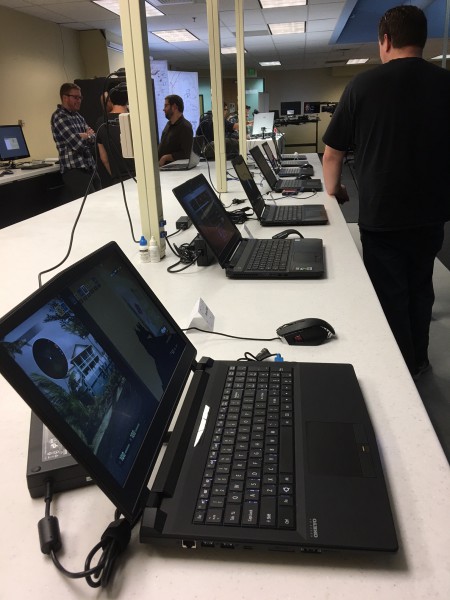
The fun began with a tour of the office. On the right side there are two
rows of counters that are home to System76's entire product line. It is
here that testing is done. An employee can walk up to any of its
offerings and get hands-on experience. In other words, they can get to
know the products intimately. This likely contributes to the
employees' emotional investment in the company and its customers'
satisfaction. Seriously, they truly care about the customers, and it
shows.
To the left of that was a really cool open source project involving sand
and a -- gasp -- Microsoft product. System76 has a sandbox on a table,
full of sand. Above it, suspended from the ceiling, a Microsoft Kinect
camera is pointed at the sand and connected to a laptop running Ubuntu.
Also connected to the laptop is a traditional projector, which is
projecting onto the sand from above. The Kinect sensor measures the
height of the sand, while the projector projects topographical colors
onto it. The "valleys" can even be filled with water when it "rains".
Your hands become the rain clouds. It is pretty incredible. You can see
the video above to learn more.
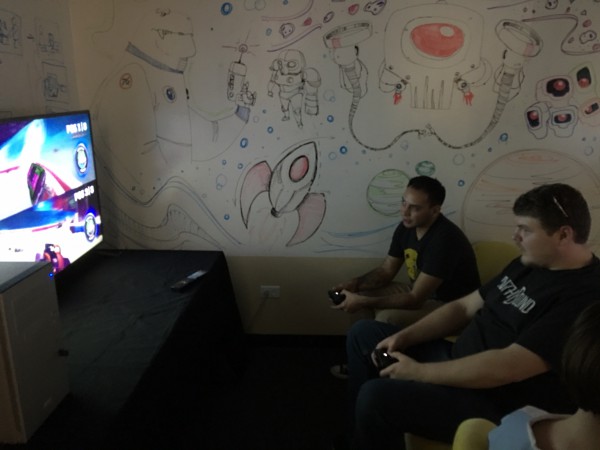
Next to this open source sandbox is an all-purpose room which has become
a dedicated gaming area. Two System76 desktops are connected to large
1080p televisions. The cool thing, however, was the Steam controllers
connected to them. This was my first experience using the controller,
and I came away impressed (I need to buy one!). While the System76 team
obviously has fun with gaming, it is also refreshing to see that they
are on top of Linux-gaming for the sake of its customers too, including
testing the innovative controller.
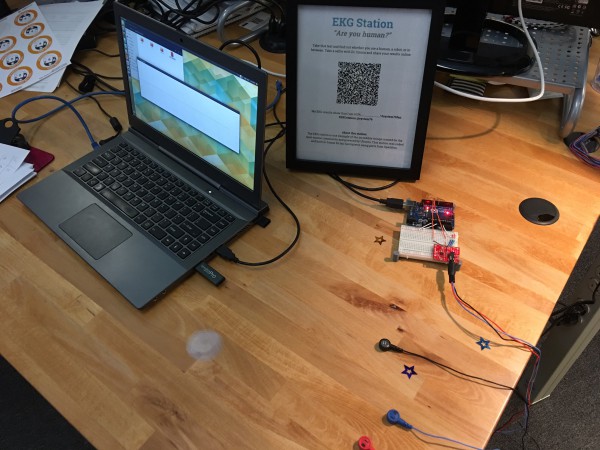
Next up, we were treated to another open source project. The System76
team connected an Arduino board to a Ubuntu laptop. The board was then
wired with EKG contacts. They had us connect one cable to each arm, and
one cable to our ankle. We were then asked a series of questions to
determine if we were humans or not.
I am not sure the science behind it is particularly sound, but it was
certainly interesting to be asked morality questions, such as if we
would help a distressed animal, or funny questions such as if coffee
makes us poop (for me, it does). Based on the spikes on the EKG monitor,
it could be determined if we were lying or being truthful. About half
of us, including me, were deemed to be humans. Comically, being a group
of proud Linux nerds, we were sad not to make the cyborg group!
After a long day of playing with System76 computers and experimenting
with cool open source projects (aka Heaven), the Superfan contest
winners, plus myself, retired for the day. Those with stronger social
skills and younger bodies opted for a night out together. Older and
duller folks like me headed for their beds at the hotel. After a long
day of travel and fun, I needed my beauty rest.
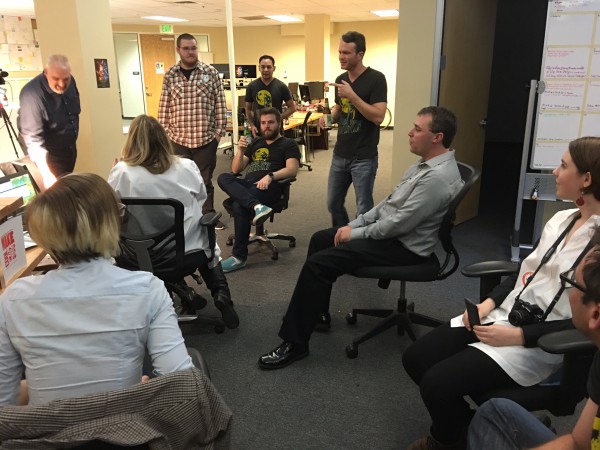
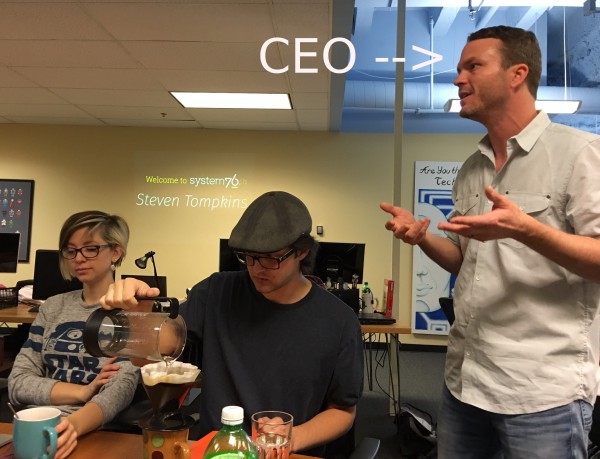
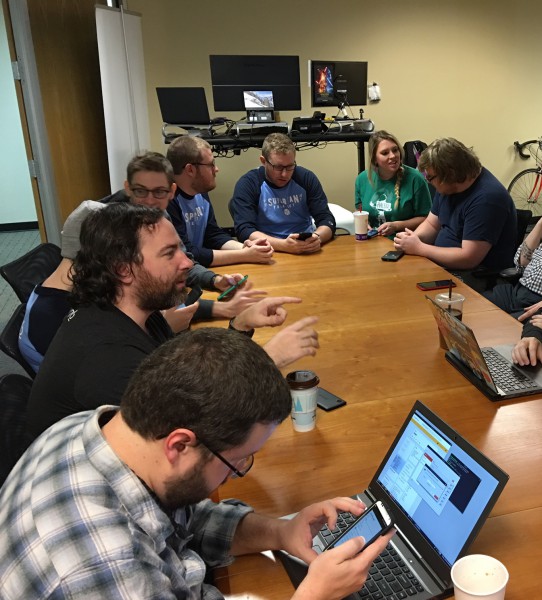
The next day, however, was much more purposeful, as System76 conducted a
brilliant round-table with its CEO, Carl Richell. It was refreshing to
see Richell pick the brains of his company's biggest fans. While some
executives just like to hear themselves talk, he instead listened --
sincerely interested in everyone's opinions on Ubuntu, Linux, open
source, and technology overall. When he weighed in on issues himself,
you could tell that he was a true Linux fan with a passion for making
great products and creating positive customer experiences.
One of the big topics of conversation was convergence and Ubuntu phone.
This was quite polarizing. While everyone generally liked the concept of
having a smartphone that can double as a powerful desktop, the
execution and viability of such projects were called into question by
some. As someone who was underwhelmed by Microsoft's lackluster
continuum, I weighed in with that experience -- Ubuntu definitely has an
opportunity while the Windows-maker's mobile offerings continue to
falter.
After the round-table, there was a little more time to play with
everything before we were off to the airport. As I traveled in a shared
van with some of the other winners, we had a good time talking about
Linux and reminiscing about our fondest memories of technology from the
past. It was a wonderful end to the System 76 superfan experience --
Linux fans geeking out and having fun.
Overall, System76's event was a smashing success -- the company gained
some valuable insight from some of its most loyal customers, while the
superfans got to experience something unique -- something they will
cherish forever. It is similar to finding the golden ticket in Willy
Wonka, but rather than a chocolate factory, it was an Ubuntu computer
manufacturer's office. Am I suggesting that Carl Richell is like
Mr. Wonka, and his staff is like Oompa Loompas? Sure, why not! For the
Superfans, their hospitality was extra sweet.
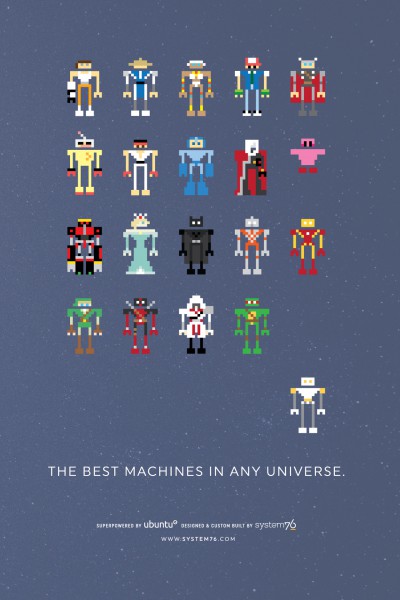
To celebrate the first-ever System76 Superfan event, the company is
giving away a really cool poster (seen above) when you buy one of its
machines. In order to qualify, simply write '#System76fan' in the
instructions of your order. This promotion is running until January 4th,
so it is perfect for Holiday Shopping. You can buy a System76 computer
by clicking here.
There was a point in time where Microsoft was viewed as the giant closed
source monster; the enemy of the Linux and open source communities.
While that may have been true at one time (and some would argue still
true), Microsoft has actually embraced open source lately, choosing to
evolve rather than dissolve.
Now, Microsoft is showing its commitment to open source technologies --
particularly on Azure -- by seeking to hire Linux and open source
professionals. Seriously, the company has hundreds of open positions
just waiting to be filled. Will you apply?
"Microsoft Azure, our cloud platform, is a growing collection of
integrated services: analytics, computing, database, mobile, networking,
storage, and web. Azure supports a large number of open source
applications, frameworks, and languages, as a result of Microsoft’s work
with open source communities. We understand that partners and
customers, from startups to enterprises, want to use the tools that best
fit their experience, skills, and application requirements, and our
goal is to enable that choice", says Mark Hill, Vice President for Open Source Sales and Marketing Strategy, Microsoft.
Hill further says, "Microsoft's commitment to supporting Linux and open
source software on Azure is also an opportunity to grow your career. We
have positions open across the world and are looking for open source
experts to help our customers move to the cloud".
While I am sure some open source professionals will scoff at working for
Microsoft, this way of thinking is misguided. True, you may lose some
"street-cred" with some Linux elitists, but you know what? A job is a
job. Quite frankly, open source evangelists should jump at the
challenge to move the dial from the inside of Microsoft.
If you are a courageous open source maven and you are looking for a job, you can find some here. Will you apply? Tell me in the comments. Photo credit:Gustavo Frazao / Shutterstock ~ Brian Fagioli
One Italian city has decided to move its 1,700s PCs from Microsoft Office to LibreOffice.
The Bari city centre.
Image: iStock
The last few years of austerity measures have left Italian public sector
bodies in desperate need of ways to cut costs. In pursuing this goal
many local governments got some much sought-after help from open source
software. The most recent to follow this path is the municipality of
Bari, a city of 327,000 people in the Puglia region: it's currently
replacing Microsoft Office with LibreOffice on its 1,700 PCs in the hope
to making its budget leaner without hitting productivity. The move, according to Bari officials, will ultimately save €75,000 over
the next five years - but that's not its only positive effect. "The
savings are crucial but they're not the only reason behind the project,"
Angelo Tomasicchio, Bari's councilor for organization and innovation,
told ZDNet. "We also think that moving to open source will benefit our
local IT market instead of some software multinationals, while allowing
the city to archive all the knowledge it produces in an open format."
The project
The Bari's migration began this summer with the goal of having
LibreOffice installed on 75 percent of the municipality's workstations
by the end of the year. The deadline is ambitious but the city
administration is confident it will be met, as some preparatory work has
already been done. The project started in September 2014 when a little
over 100 PCs in different city departments switched to LibreOffice as a
trial. The results of the pilot - which involved one hundred employees - were
encouraging, the city of Bari's officials say, as no major issue was
reported. This preliminary phase was also important to assess what kind
of training the workforce interested in the shift to LibreOffice would
need to undergo. "The feedback we received showed the transition was deemed pretty smooth
by the vast majority of workers participating in the experiment,"
Antonio Cantatore, the city's CIO, said. "This led us to conclude that
the training should be focused on the features of the new productivity
suite, but also on the reasons behind the switch to open source as a way
of fighting the resistance to change that is typical in such projects."
When explaining the migration to the employees, the financial rationale
will likely be mentioned. While not the only reason, reducing costs is
without doubt the main motive behind Bari's move, and the effects will
be felt in the city's budget straight away.
According to Cantatore, the city spends on average €33,000 per year on
new Microsoft licenses, a figure that doesn't seem to have changed much
throughout the years. Instead, the costs involved in migrating to the
open-source productivity suite are projected to fall quickly over time.
"We estimate the migration costs to be €30,000 in year one, € 25,000 in
year two, €15,000 in year three and €10,000 in the following years. That
means we could save up to €75,000 in the first five years," the CIO
said. All the costs, he added, are related to the initial assessment,
the training for employees, and some form of support which will always
be needed. "The idea is to shift our investments from acquiring licenses
to buying services and support, possibly from local providers."
Italy going open source
The Bari's migration will benefit from other Italians' experience,
thanks to the help of the Libre Italia, an association devoted to
promote LibreOffice's use, which is emerging as a major force behind
many open source projects.
"We are following the footsteps of other local governments which
underwent such migrations in the past. In particular we are modeling our
initiative after the one undertaken by the Umbria region" Tomasicchio
said. There, right in the middle of the Boot, with the help of Libre
Italia 7,000 workstations are migrating to the open source suite.
But there are plenty of other examples Bari could draw inspiration from in contemporary Italy. The province of South Tyrol right under the Alps, the city of Turin in the north west, and the city of Udine in the north east have all decided to ditch proprietary software in recent times.
Everywhere the main rationale behind the moves was a financial one.
Admittedly, not all the projects were a clear-cut success on this front
as at least one administration, the city of Pesaro, opted to return to Microsoft after having trained its 500 employees to use OpenOffice. Following the results of a somewhat controversial study, the city officials decided it would be more convenient to use Office 365, Microsoft's cloud productivity suite.
Pesaro's decision notwithstanding, Bari's city administration believes
they made the right choice and hope to be a source of inspiration to
other cities in the Italian Mezzogiorno region, which has so far lagged
behind other parts of the country in such projects. "We really hope to
become an example for other southern public administration that might
learn how it is possible to innovate even in these times of budget
cuts," Tomasicchio said. ~ Raffaele Mastrolonardo
for Italy's got tech
The year 2014 proved wonderful for Linux; however, it was not the fabled
'Year of the Linux Desktop". Quite frankly, that year may never come,
but that is OK. The open-source kernel is dominating the mobile space
with Android, and that is arguably more important anyway.
Linux Mint in particular shone brightly last year, with wonderful
releases and updates. Today, the distribution is continuing that trend
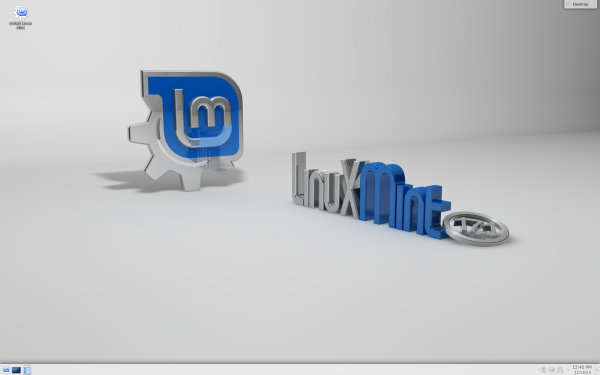
in 2015 with the all-new Linux Mint 17.1 'Rebecca' KDE Edition. If you
are a fan of KDE, your time is now -- get downloading!
If you aren't familiar with KDE, please know it is much more than a
desktop environment. The KDE team explains it is, "an international
technology team that creates free and open source software for desktop
and portable computing. Among KDE's products are a modern desktop system
for Linux and UNIX platforms, comprehensive office productivity and
groupware suites and hundreds of software titles in many categories
including Internet and web applications, multimedia, entertainment,
educational, graphics and software development".
Many Mint users will choose Cinnamon and Mate, as those are the typical
desktop environments for the distro. Those are good choices, but KDE
offers better customization and features. With that said, some people
complain that it has too many options, which can be overwhelming.
If you are interested in KDE, however, you are probably wondering, "why
not just use Kubuntu?'", and that is a valid question. Both operating
systems are great, but Mint's enhancements, such as the awesome Update
Manager, make it a far better experience.
Clement Lefebvre lists the following features of the KDE-based release:
So if you are running an older version of Linux Mint KDE, you should
almost definitely upgrade if your computer meets the system
requirements. Heck, if you are just interested in learning about Linux,
you should definitely give this a try; it is a great operating system
for both beginners and advanced users alike.
You can download the operating system here. Photo Credit: Ollyy/ Shutterstock ~ Brian Fagioli
The famous physicist talks about how he spent three years working with
Intel to devise new software that makes it simpler for him to
communicate with the world.
Hawking and his carer Pete read the paper.
Image: A.Pattenden
Professor Stephen Hawking suffers from a neurological disease that has left him almost entirely paralysed.
For the past 20 years the world-renowned physicist has relied on a
computer to communicate with the world - controlling the machine using a
muscle in his cheek. His limited movement meant everyday tasks were a
painstaking process and even talking via his speech synthesiser took
longer than one minute per word.
Worse, Hawking found he was becoming fatigued, that his cheek muscle
could only control the computer for so long each day, limiting his
ability to work and speak to his friends and family.
Hawking needed a more efficient way to control his computer and turned
to Intel founder Gordon Moore for help. Moore set up a group within
Intel Labs to help Hawking, and over the next three years that group
worked with Hawking to develop a new user interface and predictive text
system. After years of tweaking the system to suit Hawking's needs, the
team devised software capable of doubling his rate of speech and that
let Hawking control everyday software such as web browsers ten times
faster than before.
"My old system is more than 20 years old and I was finding it very
difficult to communicate effectively and do the things I love to do," he
said at an event to unveil the Assistive Context Aware Toolkit (ACAT)
system in London today.
"With the improvements made I can now write much faster and it means I
can continue to give lecture, write papers and books, and speak with
family and friends more easily."
Much of that software that drives Hawking's new system will be released
to the world under an open source licence in January next year, allowing
other disabled people to benefit from and build on top of the system.
Letting Professor Hawking do more
The finished system was the product of hours of observation of Professor
Hawking's life at work and at home, and constant feedback from Hawking
on what he did and didn't like.
Intel quickly realised that Hawking didn't want a shiny new interface -
he wanted the system he had spent 20 years learning how to use, he just
wanted it to be easier.
"We realised he wasn't looking for a new and radical interface. He
wanted something that looked and felt like his current interface but
much more effective and faster to operate," said Lama Nachman, principal
engineer with Intel.
The key behind the improvements that ACAT makes possible is letting
Hawking achieve more each day, said Pete Denman, user experience and
interaction designer with Intel Labs. While they couldn't prevent
Hawking's cheek muscle from getting fatigued, they could reduce how
often he needed to use that muscle to control his computer.
"If we reduce the numbers of steps to get to that point that's more work he can do," he said.
The ACAT system can be split into three parts. The input from the
infrared sensor that sits on Hawking's glasses and detects movement of
his cheek muscles when Hawking wants to select an item on screen. The
interface that selects letters to form words and lets Hawking speak, as
well as interacting with web browsers and other software. The software
that predicts what Hawking is typing as he selects the letters, similar
to autocomplete on modern smartphones.
Being able to compose text is vital for Hawking, both to speak via his
synthesiser and also to write his lectures and books. Hawking's system
pieces together words one character at a time, selecting each letter of
the alphabet in turn and waiting for Hawking to select the one he wants.
Hawking's priority was reducing the number of characters he had to
select to form each word. To achieve this Intel worked with SwiftKey, the British company whose technology underpins predictive text keyboards on smartphones.
By analysing a corpus of Hawking's past work, and the text he inputs
each day, SwiftKey devised a probabilistic model of how Hawking uses
language. The model is able to more accurately predict which word he is
typing so that he only has to type between 15 and 20 percent of the
characters - roughly doubling Hawking's rate of speech.
Making it easier to use Windows
Intel also demonstrated how cumbersome it could be for Hawking to use a
Windows PC. To click and open a file in the Windows operating system,
the computer would step vertically down the screen line by line, until
Hawking indicated it was vertically aligned with the position of the
file in the window. The system would then repeat the process, stepping
horizontally across the screen until the pointer was over the file,
allowing Hawking to click and open it. The whole process - typically
something that takes seconds - would usually take upwards of three
minutes.
To simplify the process Intel came up with a file manager that could
step through each file in a folder - allowing Hawking to access
documents and other files far more rapidly. They also devised
application-specific menus whose options change depending on the
software Hawking is using, which made moving back and forward within web
browsers and other common tasks far simpler.
One thing that will stay the same is Hawking's voice. The synthesiser
he's been using for years may be more robotic than modern alternatives
but Hawking says he will not swap it, insisting that it's his trademark.
Helping others to communicate
Hawking has a motor neuron disease (MND) related to amyotrophic lateral
sclerosis (ALS), a condition that has progressed over the years.
He is not alone in the affliction, quadriplegia and MND affect more than
three million people worldwide. MND impacts voluntary muscle
activities, like speaking, walking, swallowing and general movement of
the body. Progressive in nature, it causes increasing disability and
eventually death.
By open sourcing ACAT, Intel hopes developers will build on the software
to help other MND sufferers, as well as anyone who needs to control a
computer using non-standard inputs such as blinks or eyebrow movements.
The toolkit will be available under an open-source licence from January
next year, with the SwiftKey prediction engine replaced by an
open-source alternative.
Just as the ACAT has made Hawking's life easier, so he hopes it will allow other disabled people to achieve more each day.
"As technology has got smarter it has opened up possibilities I didn't
even predict. The technology that is now being developed to support the
disabled is leading the way in breaking down the communication barriers
which once stood in the way," he said.
"This new system is life changing for me and I hope it will serve me well for the next 20 years."
Jack Wallen digs into the upcoming Samsung Tizen release to uncover how
the mobile giant managed to beat Canonical to the Linux-phone punch.
The Samsung Z is set to hit Russia in the third quarter of the year.
This phone is powered by the open source Tizen operating system. For
those who didn't know, Samsung has been quietly developing Tizen in the
background for three years (Tizen already powers the Samsung Gear
watches).
I firmly believe Samsung is testing the Tizen waters to see if the
platform could be a viable alternative to Google's Android OS. If any
company could pull off such a feat... it would be Samsung. But beyond
the implications Tizen has to Android (the most used platform
worldwide), what does this mean for the near vaporware status Ubuntu
Phone?
Plenty.
While the Ubuntu Phone is still struggling to gain any serious momentum
-- anywhere -- Samsung has already set a date for its open-source
device. The latest worthwhile news from the Ubuntu Phone camp was March
19, 2014, stating that "big smartphone brands [are] looking 'seriously'
at Ubuntu Phone." Prior to that, the big news was that Spanish-based BQ
and China-based Meizu announced they were set to release Ubuntu Phone
devices "sometime in 2014."
2014 is officially half over.
That silence is fairly damning in a world that demands a constant deluge
of updates -- especially when a powerhouse such as Samsung announces
they are set to release the first, mass-produced, open source,
Linux-based smartphone. Samsung beat Canonical to the punch, and if the
Samsung Z does well in Russia, it'll be released to the rest of the
world. Should that happen, the likelihood of the Ubuntu Phone having a
chance, in an already saturated market, is unlikely.
Think about it this way. The IDC reports:
Android powers nearly 80% of the world's mobile devices
iOS powers just over 15% of the world's mobile devices
Windows phone powers just over 3% of the world's mobile devices
BlackBerry powers just under 2% of the world's mobile devices
There is a scant 1% left over for "Other."
Because Samsung already has such a strong presence in the Android
market, and because their devices are found everywhere, they could chip
away (even slightly) at both the Android and "Other" markets. The Ubuntu
Phone will most likely be relegated to the "Other" market. That's not
much to pull from. Those low numbers will make it a huge challenge for
Canonical and the Ubuntu Phone. To make matters worse, the longer it
takes for the Ubuntu Phone to make its way to market, the smaller that
user base will be. That's the crux of the issue -- time. Canonical
announced its intention to create a Ubuntu Phone some time ago. Since
then, it's been nothing but promises and a failed fundraiser for Ubuntu
Edge.
The tragedy of this is that the Ubuntu Phone could well be one of the
finest mobile devices to date. But because Samsung is going to likely
beat Canonical to the punch, that brilliant piece of tech might
flounder... simply because it couldn't get into the fight soon enough.
And now, with Samsung delivering their own open-source smartphone, the
chances they would join in on the Ubuntu Phone fun are pretty much nil.
Don't get me wrong, I would love to see the Ubuntu Phone released and
enjoy a massive success. I would personally drop my current device,
without hesitation, for an Ubuntu Phone -- but I don't see that
happening any time soon. In fact, the likelihood that I could get my
hands on a Tizen-based phone seems exponentially greater than the Ubuntu
Phone.
Canonical needs to understand that timing is everything in this
light-speed paced world in which we live. You cannot announce a product
one year and deliver it the next. By the time you release, everyone has
already moved on to the next great shiny thing. At the moment, that
shiny thing might be the Samsung Z.
At least for Russia.
Will the Samsung Z have a chance in a market that's choked by two major
players (Android and iOS)? Or is it already doomed before it hits the
market? And does Samsung's release of the Tizen-based phone sound a
death knell for the Ubuntu Phone? Share your thoughts in the discussion
thread below. ~ Jack Wallen
Find out why Jack Wallen believes that Google has single-handedly helped
Linux become one of the most popular platforms on the planet.
Ah, Google. Never before has a
company brought about such crazed and polarized opinions. Depending on who
you speak with, they're funneling your information to NSA, they're
controlling where you find content, they're the reason why small businesses have
thrived (or not), they house Bigfoot, Elvis, and Jim Morrison…
Or not.
Google has also, much to the
chagrin of many in the open source community, single-handedly helped Linux to
become one of the most popular platforms on the planet.
Say what?
Redact, retract, rewrite.
Oh no, good ladies and gentlemen; I
uphold my original statement and shall reprise with my blade.
Let’s follow some logic, Spock.
Google is responsible for Android and Chrome OS
Android is becoming one of the most widespread
platforms on the planet
Chromebooks are the best selling laptops on Amazon
Both Android and Chrome OS are based on Linux
What Google has done for Linux,
over the past few years, no other company has managed to pull off. By releasing
two major platforms, both getting the most out of a Linux kernel, Google has
put Linux in more hands than Canonical, Red Hat, SuSE, and any other company to
have attempted to bring to life the Linux platform.
It’s taken a mobile platform
and a completely new take on the “desktop OS” to pull it off. Not the server,
not the standard desktop... nothing like anything the open source community
would have expected.
Chrome OS is a particularly
interesting facet to the gem that is Linux. This relatively new
platform, based
on Linux and created by Google, is gaining ground faster than any
operating
system ever has, thanks to dirt-cheap hardware and an amazingly simple
interface. But it’s much more than that. Everyone has always assumed
that Linux is one of the more secure operating systems on the planet.
But what about
Chrome OS? Recently, the Google-hosted Pwn2own competition shed light on
three
vulnerabilities within Chrome OS. All three were nearly impossible to
find, but
there they were.
However, Google immediately patched
them. This was after shelling out over $150,000 to the winners of the
competition. How brilliant is that? Use a well-known competition to help patch
your platform, and pay the hackers for their efforts. Within short period,
Chrome OS had its only discoverable vulnerabilities fixed. What other platform
can lay claim to that?
Google is doing everything right
for getting Linux into the hands of the masses — something that has been a
dreadful enigma for countless companies and developers before them. But Google
isn’t just getting it out there, it’s doing it the right way — giving the
people what they want and doing so in a way that isn’t going to leave them open
to attacks, viruses, malware, downtime, and much more. One company is
redefining the Linux platform and security in general.
Yes, people have been hesitant to
hop onto the Chromebook bandwagon, but that general opinion is quickly
changing. Chromebooks are handily outselling MacBooks and Windows 8 ultrabooks.
And Android? During 2013, Android accounted for 81% of smartphones sold
worldwide.
That is serious market share — and that, my friends, is Linux.
No matter your opinion of the
Google juggernaut, you cannot deny what they’ve managed to pull off with the
help of Linux. Are they perfect? Not at all. Sure, they’ve injected a host of
proprietary software and not released code under the GPL; and to the purist,
that is a serious strike against all things open. But for those more concerned
with ol’ war cry of World Domination? Well, it looks like it’s
happening... thanks to our good friends at Google.
What do you think? Will Google be
that which propels Linux to the top? And should they be? If not, then who?
Sound off in the comments. ~ Jack Wallen
Linux users do not like change. Well, actually, they do not like change for the sake of change.
If something works, they typically hang on to it until something truly
better comes along. A good example of this is GNOME 2. People love it
and it works well. However, the GNOME Project moved to version 3 and
radically changed how it works. GNOME purists were angry as version 2
worked just fine -- for them. And so, many hung onto the outdated
version, shunning version 3.
Luckily, Linux and open-source software enables forking. Forking is
basically taking source code, but taking it in a different direction
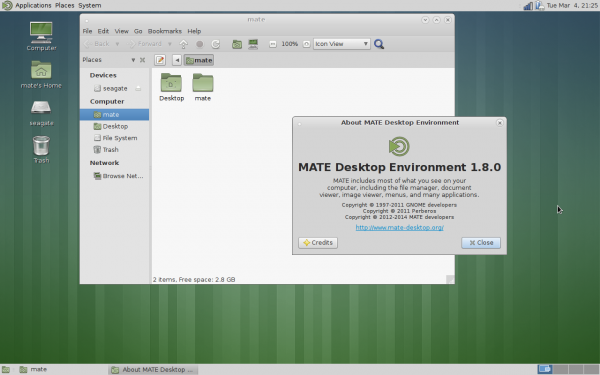
than the original creator. And so, The Mate Desktop was created as a
fork from the ashes of GNOME 2. Today, Mate 1.8 releases to the world.
Wolfgang Ulbrich, MATE maintainer for Fedora says, "during the Fedora
15/16 releases I was very dissatisfied about the desktop solutions
included. After 10 month of using XFCE I got noticed about the MATE
desktop, so I decided to build my own desktop for Fedora in December
2011. This work resulted in the first external MATE Desktop repository
for Fedora and was used by many users worldwide [...] MATE 1.8 is
currently in Fedora rawhide and will be released with Fedora 21 in
summer".
Stefano Karapetsas of the Mate team highlights the following changes:
Caja (file manager)
Added option to use IEC units instead of SI units
Added “Open parent location” option in context menu in search view
Marco (window manager)
Added side-by-side tiling (windows snapping)
Panel
Added support to run dialog and main menu opening with metacity keybindings
Show a progress bar in logout dialog
Control center
Added support for Metacity as window manager
MATE Desktop library
Added MATE User Guide
Added mpaste tool for paste.mate-desktop.org
Eye Of MATE (image viewer)
Added shuffle mode in slideshow
Engrampa (file archiver)
Show always the “extract to” action in caja extension
Screensaver
Show date and time in lock dialog
Applets
Added undo functionality to sticky note applet
New “command” applet to show the output of a command
Rewritten “timer” applet in c
Mouse middle click on volume applet toggles mute state
Dropped packages
Replaced mate-doc-utils with yelp-tools
Replaced libmatekeyring/mate-keyring with libsecret/gnome-keyring
Replaced libmatewnck with libwnck
Replaced mucharmap with gucharmap
Replaced mate-bluetooth with blueman
Merged all caja extensions in a single package
Other improvements
Fixed a lot of code deprecations
Fixed a lot of bugs
Added and improved a lot of translations
Overall, this looks like a winner. Mate is a great desktop environment
that is intuitive and easy on system resources. This is why I
recommended it to Windows XP users looking to upgrade to Linux.
Do you use Mate? On which Linux distribution? Tell me in the comments. ~ Brian Fagioli
Although the Head Up Display (HUD) will remain the default, Canonical
will be bringing back the local menus as an option. Jack Wallen responds
to this announcement.
Canonical recently announced that
local menus will be returning in the upcoming 14.04 release.
And the crowd goes wild!
Not so fast. I have to shake my
head at this. I'll preface that head-shaking by first admitting that I'm a
fan of the Head Up Display (HUD). I find it an efficient and elegant solution
to the old application menu system. What is the HUD? The HUD is a global
replacement for application menus that allows you to quickly search through an
application menu system for what you’re looking for. Watch the video below to see a demonstration of how it's used:
When Canonical introduced this new
menu system, a vast majority of the open-source community tossed their arms up
in the air and cried foul. They wanted the standard, local menu system back.
Maybe I'm a bit naive, but I don’t
get it. This is the same community that prides itself on keyboard shortcuts,
macros, working with text editors that make zero use of the mouse or standard
menu systems. This is the same community that demands an efficient, clean
interface. How much more efficient and clean can you get than Unity’s HUD?
You can’t... unless you’ve developed a Neuromancer-Snowcrash-Matrix interface
between your brain and the operating system. But that has yet to come to
fruition -- "yet' being the operative word.
One of the biggest differences
between open-source and proprietary software is that the public actually does
have a voice. If we were talking about Windows or Apple, it would be a
different story. Canonical heard the voices and reacted with the upcoming
release. The local menus will be an available option, but not the default.
So, with this release, you can have your cake and eat it too. If you don’t like
the HUD, enable local menus (in the Appearance pane of the Unity Control
Center).
But I still don’t get this need to
cling to the past. The computer interface has evolved to meet two things:
Modern aesthetics
Demand for high efficiency
Ubuntu Unity, as it is, has done an
outstanding job of meeting those two needs. Yet, there's a continued pull
backward toward the old metaphor.
One of the aspects of Linux that I'm proud about is that it's always been a leader in innovation. If you
look at the cutting and bleeding edges of nearly every envelope attached to
technology, you’ll find Linux and open source there.
Canonical (and Ubuntu) has taken a
lot of flack for pushing boundaries that no other platform has dared push. This
flack mostly comes from within the Linux community. Personally, I love being
able to work from my keyboard alone (Figure
A). Yes, it took me a while to get used to -- all the while, my hand was
instinctively reaching for the mouse. But once I managed to retrain my thinking
and process, I found the HUD to be one of the most efficient tools I’ve ever used.
Figure A
Opening the TechRepublic web site from
the HUD.
I don’t want anyone to think I’m
bashing the whole of the Linux community. Everyone should be able to use their
PCs in the way that best suits their needs. That’s where Linux has always ruled
the operating system universe -- its ability to look and behave exactly as the
user wants. And this move of Ubuntu’s proves just that. Anyone who jumped the
Ubuntu ship because of the HUD can hop back on and have their interface just the
way they want it.
What platform do you think offers the ideal
application menu interface? The Microsoft Office Ribbon? The old-school local menus?
The HUD? Which do you prefer and why?
Linux is everywhere; from mobile phones to web servers. Even Chromebooks
run Linux. Ironically, Chrome OS is a poor platform for actually
learning about the open-source kernel. This is because Google's OS is
limited by design. And so, it does not behave like a typical Linux
distribution.
Instead, students would be better served by using a true Linux
distribution, such as Ubuntu, Fedora or Mageia. With that said, a
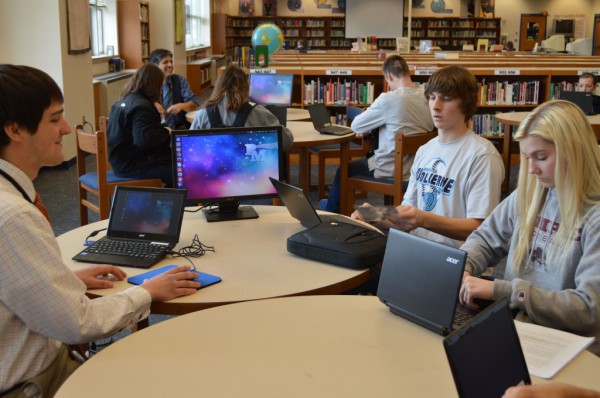
forward thinking school in Pennsylvania has done just that. Penn Manor
High School has purchased 1,700 laptops running Ubuntu. According
to the school, "each student received an Acer TravelMate TMB113 laptop,
mouse, flash disk and case. Kits were distributed, by grade level,
during the week of last week of January 2014. The bulk of the
distribution took 4 days. During distribution, students received an
orientation session to help them get started with the new laptop".
Handing out laptops to students is not news, but the underlying OS is --
Ubuntu 13.10. This is an up to date, easy to use distribution, which
will allow the students to learn more about Linux. Somewhere in the
world, Linus Torvalds is smiling.
Believe it or not, the school has not locked-down the machines for
software installation. Students can explore all aspects of the operating
system and install the software of their choosing. The only caveat is
that they respect copyright laws as well as the school district's
policies.
However, web content will be filtered. "As required by the
Children's Online Protection Act, (CIPA) each laptop is equipped with a
filter to block material deemed harmful to minors. Filters are enabled
both on and off campus", says the school. Regardless of your stance on
censorship, protecting the morals and minds of high-school students is a
positive.
The school should be applauded, not only for thinking outside of the
Microsoft and Google box, but for embracing open-source philosophy.
These students will learn more than how to use Facebook and Microsoft
Word. Not to mention, besides the students benefiting, so does the Linux
community. Future open-source evangelists and programmers may be bred
from Penn Manor High School.
Should more schools embrace Linux? Tell me in the comments. ~ Brian Fagioli
I have been using Linux for many years. I consider myself well-versed in
the open-source kernel and its associated operating systems. When I
first started using Linux distributions, the community dreamed of a day
when it would become the dominant force in computing.
Well, arguably, the time is now. You see, Android is now the most popular mobile operating system and ChromeOS is making big strides in education -- both operating systems use the Linux kernel. Also, Unix-like operating systems power 66 percent of the web (47 percent
of which is Linux). However, Linux is not perfect and is still trailing
on the desktop to Microsoft. Below are what I view as the top five
problems with Linux. 5. Different desktop managers lead to a fragmented experience
I am a big fan of the Gnome desktop environment and conversely I dislike
KDE (but I do respect it). Unfortunately, in the Linux community, this
story is all too common. It equates to the old Chevy vs. Ford, Coke vs.
Pepsi and Xbox vs. PlayStation debates. However, with Linux, there is
also XFCE, Unity, Cinnamon, etc. -- all of which have associated
"fan-boys". In other words, the community is vastly divided by tribal
identity.
While many may point to the freedom of user-interface choice as a
positive (and it can be), I would also argue that it is a negative. You
see, from a trouble-shooting perspective, it is almost impossible to
direct a Linux user over the phone or instant-messenger by just knowing
their distribution. If a user seeking help says they are on Ubuntu, you
cannot be sure that they are on Unity -- they may be on KDE, Gnome or
something else which ultimately can lead to confusion.
A lack of familiarity and shared experiences fragments users since they
do not have a shared rallying point. A screenshot of an OS X or Windows
desktop is immediately recognizable; the countless Linux desktops? Not
so much. 4. Too many package managers makes Linux hard to learn and master
Many Linux newbies start with Ubuntu. This should not take away from
Ubuntu; it is a testament to its smart design and ease of use. In the
terminal or on the command-line, these users will learn the apt package
manager commands, as that is what Ubuntu uses. Sadly, these new Linux
users will think the apt package manager is the only package
manager. There are many other managers such as YUM and Pacman. These
package managers use entirely different commands which can be confusing.
For the most part, that is fine if they never stray from Ubuntu.
However, if they do stray, they will be in for a rude awakening and
frustration when the commands they know and love no longer work. How can
a user master Linux and become an expert when an unfamiliar package
manager can cause a beginner-like regression?
3. Lack of software
This is a sore subject for many, as Linux-purists and loyalist will
eagerly point you to wonderful alternatives that can be acceptable. Need
Adobe Photoshop? Use Gimp. Need Microsoft Office? Use LibreOffice. For
basic users, these alternatives may work (and work well). However, true
professionals cannot trust their careers and reputations to alternative
software. Open-source ideology be damned, Microsoft Office will create more compatible files and lead to a more successful employee.
While Linux distributions offer wonderful photo-managing and editing,
video-editing is poor to non-existent. There is no way around it -- to
properly edit a video and create something professional, you must use
Windows or Mac.
A good example of software woe is, to protect my father from malware, I
built him a computer using Linux Mint. I figured, since he lives in the
browser, a Linux desktop with Google Chrome would be ideal and safe. For
a while, this worked like a dream. However, one day his printer broke
so he had to go to the store to buy another.
He wanted a wireless one so he could put the printer in another room. Of
course, the HP setup CD-ROM did not support Linux and setting up a
networked printer manually was not something he knew how to do. This
lead to headaches and disappointment and in the end he had to return the
printer (I later installed Windows 7 at his request and installed the
printer for him).
Overall, there are no true killer Linux applications that a Windows user
would lust over. However, conversely, Linux users have plenty to be
envious of -- Microsoft Office, Adobe Photoshop, Netflix support and
much more. 2. Hardware compatibility
Linux has come a long way regarding hardware compatibility. In fact, I
would say that Linux now offers a better out-of-the-box experience than
Windows or Mac for basic hardware detection. However, out-of-the-box is
not the end-all-be-all. Hardware will be released after that kernel
release and some accessory hardware will not have the needed software to
interface.
When I bought my first Nexus phone, the Galaxy Nexus, I was in pure
Android heaven. However, that device did away with USB Mass Storage and
opted instead for MTP. Sadly, this caused the device not to interface
with Linux properly. It was not until much later that lengthy and
convoluted instructions were posted on the internet that enabled flaky
performance at best. It is only very recently that MTP support has
started working out of the box.
Another example happened to a friend of mine who is in the Army and
purchased a Garmin GPS running watch. After running and working out, you
can connect the watch to a computer to upload the data. Unfortunately,
the watch was not recognized by Linux (Ubuntu 13.04) and even if it had
been, there was no Garmin software for it to interface with.
Unfortunately, I had to set up a dual boot with Windows; an embarrassing
moment since I was the one who got him started on Linux. 1. Linus Torvalds is mortal
Linus Torvalds, the founder of the Linux kernel is a remarkable man.
However, his intelligence and prowess is rivaled by his outlandish and
controversial behavior -- hurling profanities at Nvidia and insulting
kernel developers are two examples that come to mind. Ultimately, it is
his project and he is the keeper of the kernel; he maintains it. The
problem is, Linus will not live forever and his death can cause grave
consequences. You see, once Mr. Torvalds is no longer living, a new top
kernel maintainer and protector must be named. This can potentially
cause a schism in the project or even worse -- lead to its demise.
Linus Torvalds is both a gift and a curse for the Linux community.
Obviously, the entire thing would not exist without him. However,
developers and users only tolerate his behavior as he is the father of
the creation; he is not often second-guessed (those that do will feel
his wrath). Even if a capable successor is named, their intentions and
decisions will always be questioned. Eventually, the entire project
could be forked into irrelevance. Conclusion
Despite these five problems, Fedora will continue to be my main
operating system at home on my desktop; I can personally get by without
Windows or Mac. However, I still maintain Windows and Hackintosh
installs just in case.
What about you? Can you get by with Linux exclusively? Do you agree with my problems list? Tell me in the comments. ~ Brian Fagioli
Takeaway: If you’re looking for an incredibly easy way to get text to speech from your Microsoft Word 2007/2010 documents, check out the free AudioDocs open source software.
Text to speech products are supposed to help you be more efficient, yet oftentimes, getting these products to work can be a frustrating and and time-consuming experience. You either have to hunt down the correct speech synthesizer, or the program becomes too cumbersome to be useful.
One open source application that makes this process incredibly easy is AudioDocs. The free app does an outstanding job of bringing Microsoft Word documents to life. With little to no hassle, you can have those .doc and .txt files read aloud.
Features
Supports the 64-bit versions of Windows 7/8
Works with docs from Word 2007 or 2010
Offers an easy to use interface
Changes speaking rate
Changes volume
Works with the Windows built-in TTS Voice synthesizer
Change into the newly created audiodocs-XXX folder (XXX is the release number).
Double-click the setup.exe file to start the installation.
Walk through the installation wizard.
After the wizard completes, you should find an AudioDocs entry in the All Programs section of the Start Menu.
One nice thing about the AudioDocs installation is the .NET 4 dependency
is included, so you don’t have to download or update prior to this
step.
Using AudioDocs
When you fire up the tool, you will be greeted by the main window (Figure A). There are no settings icons or menus — the only settings come into play when you click the MS Word To AudioDoc button.
Figure A
The AudioDocs main window’s simple interface.
In the new window that opens, you can set the minimal options (Figure B), which include:
TTS Voices: This will depend on what TTS voices you have installed on your computer.
Speaking Rate: The pace of the spoken audio.
Volume: The volume of the spoken audio.
When you click the drop-down for the output voice selection, you’ll see there is only one option available: Microsoft Anna. If you have installed other sapi files on your computer (many times they will be installed along with third-party applications), they should be available from this drop-down list.
You also need to select the source file. To do that, click the Browse button, locate the file, and click Open.
After you set the options, click the Create AudioDoc button. This process can take awhile — it depends on the length of the source file. After the process completes, you should have a .wav file of the same name in the same directory as the source file. Open that file with your favorite .wav player (I like VLC) and listen away.
Figure B
Most likely, you will need to adjust the speaking rate, the volume, or both to get the spoken voice so you can best understand it. I found the default settings to be pretty good. If you find it hard to understand Anna well enough, slow her down a bit.