Cisco Learning Network Store Promotions Page
Showing posts with label DistroWatch. Show all posts

9.21.2015

Worried about Windows 10 privacy? Use Linux

Windows 10 is a wonderful operating system. Every day, I boot a computer running Microsoft's latest operating system to get work done. On the surface, everything is peachy-keen. Sadly, under the hood, there are some legitimate privacy concerns. There is a bunch of information being sent to Microsoft, and you may not even know it. This has caused programs like the wonderful O&O ShutUp10 to be created.
 
Luckily, Windows is not the only game in town, folks. Actually, there are many wonderful operating systems available to you at no charge. Unlike Windows 10, where it is only free with a prior licence, most Linux-based operating systems are entirely free. Period. If you want to try one of these open-source operating systems, you may be confused as to where to start. Don't worry, I am here to help. Here are the distributions and software you should use.
 
A good place to get started in selecting a distro (short for "distribution" and meaning operating system) is the wonderful DistroWatch. This site can alert you to new operating systems, information about the top choices and show you where to download them. The problem, you see, is that beginners will get confused quickly by all the choices. Plus, some operating systems are more appropriate for beginners than others.
 
To keep things simple, I am going to recommend only two, both of which are great. My top choice is Netrunner 16, with the second being Linux Mint 17.2 Cinnamon. I have highlighted these particular operating systems because Windows users should be fairly comfortable in them. Both the Cinnamon and KDE desktop environments are straightforward with a very slight learning curve.
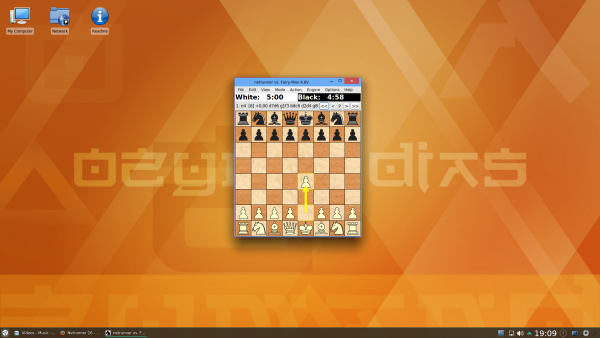
 
 
The reason I make the lesser-known Netrunner my top pick, is the amount of pre-loaded software and overall polish geared towards the user experience. No doubt, you want software like web browsers, image editors and office suites, and this operating system comes with all of that ready "out of the box". It comes with a whole lot more actually, including games and other goodies.
 
If you want to surf the web, many Linux-based operating systems, including Netrunner and Mint, will ship with Firefox. Mozilla's web browser is wonderful, and I suggest using it. If you prefer Google Chrome, no worries -- that can be installed too. Since both Netrunner and Mint are based on Ubuntu, you can install the typical .deb installation files, which Google supports.
 
 
Are you a Microsoft Office user? Well, I have good and bad news. The good news is, there is an alternative called Libreoffice. The bad news? It is not as good as Office. You know what? For home users, that is probably OK. If you want basic word processing and the occasional spreadsheet for budgeting, Libreoffice is free and wonderful. If you are a professional who depends on SharePoint and Microsoft Office integration, Linux and Libreoffice just aren't for you.
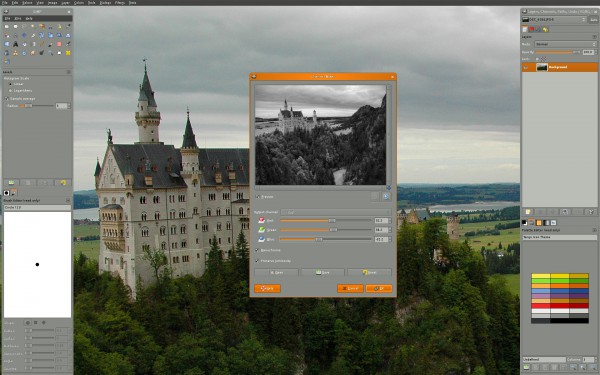
 
 
If you are an amateur Photoshop user, or just curious about advanced image editing and manipulation, Adobe's software is not available for Linux. You know what is though? Gimp, which stands for "GNU Image Manipulation Program". It is very powerful software which, like most Linux software, is totally free. There is plenty of documentation and support online, so you can learn, or even master it, if you try. Best of all, it is also available on Windows and OS X, so if you switch operating systems in the future, your knowledge will not be wasted.
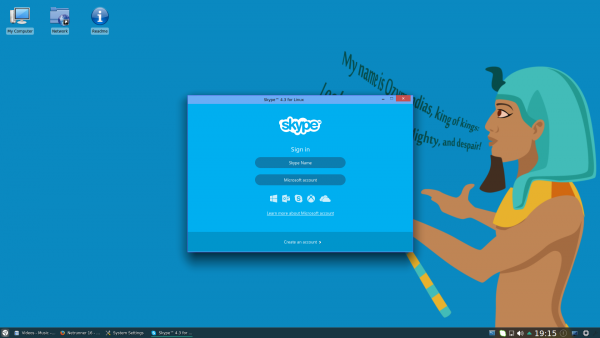
 
 
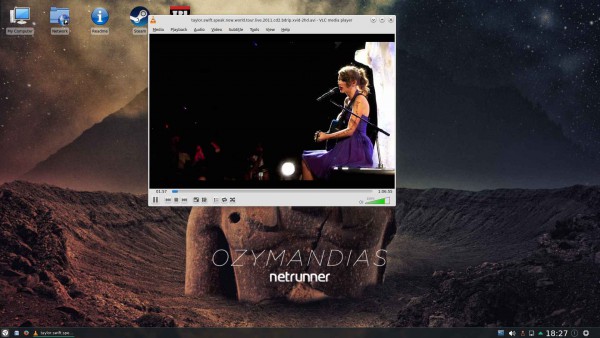
Believe it or not, there are other popular Windows software available as Linux versions too. Which ones? How about Skype for communications, VLC for video, Spotify for music, and Steam for gaming. Part of the fun of Linux is discovering all of the amazing programs that are available. Go ahead and jump in -- you will enjoy yourself and learn at the same time.
 
If you want to try either of my suggested distros, you can download them below. For most modern computers, you should get the 64-bit versions.
Back to the Windows 10 privacy issue for a moment. Am I worried about it? Not really -- I think it is very overblown. Will I stop using Microsoft's operating system? Hell no. With that said, it is always good to have choice, and Linux offers that. If you feel uncomfortable with the confusing privacy settings, that is totally understandable, and your feelings are valid. You should be comfortable and anxiety free with your computing.
 
Are you concerned about Windows 10 privacy settings? Will you jump to Linux? Tell me in the comments.
 
Photo credit: Viachaslau Kraskouski / Shutterstock
 
~ Brian Fagioli

7.07.2014

Linux's DistroWatch site stumbles

Summary: DistroWatch, one of the most popular Linux desktop sites, stumbled over the 4th of July.
 
Perhaps the most popular of all Linux desktop sites, DistroWatch went down over the 4th of July weekend.
 
The popular desktop Linux site, DistroWatch, is currently down.
It appears that DistroWatch went down because of some kind of account issue with its web-hosting provider. This would not be the first, nor last, time an important site went down because of a simple payment problem. The website's last update, a listing for the new version of Scientific Linux, was posted on July 4th.
 
The one thing we know for certain is that DistroWatch's dropping off the net at this point is not because its domain registration has expired. DistroWatch's domain doesn't expire until July 3, 2018.
 
DistroWatch, which tracks all Linux desktop distributions as well as many server and mobile distributions, is a one-stop destination for Linux fans. The site also covers other Unix-related operating systems such as BSD and Solaris.
 
On the site, each distribution is given a chart. These charts present a brief summary of the distro, its history, all its software packages listed in extreme detail, and links to all significant reviews.
 
DistroWatch, which is ranked as the 10,897th most popular website in the world by Alexa, was started in mid-2001 by Ladislav Bodnar. While Bodnar stopped doing major editorial work on the site in 2008, he is still listed as the site's maintainer. DistroWatch's current main writer and editor is Jesse Smith.
 
Bodnar, from the former Czechoslovakia, is a metallurgical engineer and has been a Linux user since 1999. In a 2005 interview, he explained that the idea for DistroWatch came from when he worked for the open source company Linpus Technologies.
 
Bodnar said, "My boss asked me to compile a feature list of all the main distributions on the market so that we can compare them with our own product. This was an easy task, I thought, and started searching the web for the information. To my surprise, I couldn't find any good and up-to-date Linux distribution comparison charts, so I had to do all the work myself by visiting each distribution's website and extracting all the data from their web pages. This took me several days. Once I collected the data, I decided to put them up on a webpage so that those who might need such information can get it easily. The page proved very popular right from the start and I soon found myself flooded with email and suggestions. I registered the distrowatch.com domain shortly after that."
 
I've attempted to reach Bodnar and the DistroWatch management for more details on the site's current state and when we can expect to see it back up. At this point, I have not received a reply.
 
~ Steven J. Vaughan-Nichols