Cisco Learning Network Store Promotions Page
Showing posts with label Microsoft Surface. Show all posts

12.13.2016

Microsoft: Surface just enjoyed its most successful month ever, thanks to the new Apple MacBook Pro

 
Microsoft likes to compare its Surface range with the MacBook Pro at any given opportunity, even though the two products are very different.
 
November, according to Microsoft, was the best month ever for consumer Surface sales, and the software giant is gleefully claiming that disappointment with the new MacBook Pro is part of the reason behind the surge. But is it? Really?
 
In a new blog post, Brian Hall, CVP Microsoft Devices Marketing, writes:
More people are switching from Macs to Surface than ever before. Our trade-in program for MacBooks was our best ever, and the combination of excitement for the innovation of Surface coupled with the disappointment of the new MacBook Pro -- especially among professionals -- is leading more and more people to make the switch to Surface, like this. It seems like a new review recommending Surface over MacBook comes out daily. This makes our team so proud, because it means we’re doing good work.
Microsoft doesn’t reveal any sales numbers, only says that "November was our best month ever for consumer Surface sales" and reports how the Best Buy-exclusive Surface bundle sold out on the first day, the UK experienced its best single week for Surface ever, and the Surface Pen became the best seller in PC Accessories on Amazon in Germany for 12 hours.
 
Those claims obviously don’t really mean much without any context. There could well have been very limited numbers of the Best Buy-exclusive Surface bundle put out to start with, the UK’s sales could have been generally dreadful, but there was one week when it wasn’t, and having the best selling PC accessory in Germany for half a day isn’t exactly big news.
 
Also, Microsoft refers to "Surface" as if it's a single device, rather than an entire family of products which includes Surface, Surface Pro, and Surface Book. There's no breakdown of how each different model has performed.
 
The other point to make, is while Microsoft says people disappointed with the new MacBook Pro are switching to Surface, in speaking to The Independent last month, Apple’s Phil Schiller stated "We are proud to tell you that so far our online store has had more orders for the new MacBook Pro than any other pro notebook before". Is it a disappointment, or is it a huge hit? Take your pick. Tech companies like to make broad claims without any numbers to back them up -- in the hope they’ll be taken at face value -- which is something you should never do.
 
The takeaway from Microsoft's blog post is simply Surface sales were up in November and the company is happy with that.
 
Microsoft also says that demand for its super-sized Surface Hub has far exceeded its expectations, and it’s "shipped Surface Hubs to over 2,000 customers in 24 markets", with "orders as large as 1,500 units to a large car manufacturer". It’s a safe bet that the big order mentioned is likely a one-off, and most sales to companies are one or two units, but Microsoft is happy enough with how the device has been received so far to the point where it is ramping up production, and introducing a Surface Hub Try-and-Buy Program which will let customers try it for 30 days before committing to buy one or more.
 
Photo credit: pathdoc / Shutterstock
 
~ Wayne Williams

10.30.2016

Trade in your MacBook and Microsoft could give you $650 off a Surface

Apple is clearly hoping you'll spend your hard-earned cash on making your next laptop a new MacBook Pro, but Microsoft has other ideas. If the lure of the Touch Bar is not enough to convince you to buy from Apple, Microsoft is dangling a carrot to sway you towards a Surface.
 
As the company has done before, Microsoft is offering a trade-in program for anyone willing to ditch their old MacBook in favor of a Surface Pro 4 or Surface Book. If you're ready to make the switch, you could save up to $650.
 
The offer is only valid until November 7, so you don’t have a great deal of time to think about things, but if you have a 'qualifying Macbook Air or Pro device' ("excludes iPads", Microsoft clarifies), the offer is well-worth considering.
 
To take  advantage of the offer, head over to the dedicated trade-in website to find out how much your old MacBook is worth. Next, you'll need to send your hardware off to Microsoft, and you'll then be provided with a promo code which you can use to obtain a discount off your Surface purchase.
 
Don’t think of this as an opportunity to off-load your crappy, knackered MacBook, though -- conditions apply:
To be eligible for trade-in, you must own the qualifying device, device must power on battery must hold charge and not be required to be plugged in to operate, and be in fully functional, working condition without broken/missing components, cracked display/housing, liquid damage, modification(s) or have device warranty seal broken to be considered working. Cannot be password protected, and include original chargers/accessories. Must contain hard drive.
Trade in and save.
 
~ Mark Wilson

10.25.2016

Microsoft set to reveal the future for Windows 10 on October 26

 
Windows 10 is, it’s fair to say, a bit of a divisive product. While it hasn’t alienated users to the same degree Windows 8.x did, it hasn’t been universally embraced in the same way that Windows 7 was either.
 
Part of the reason for that can be laid squarely at Microsoft's door -- the company’s overly aggressive push to get people to upgrade meant a lot of users were put off before they’d even given the new OS a chance.
 
Windows 10 is, unquestionably, a good operating system though, and recent changes in the Anniversary Update, and weekly Windows Insider preview builds have improved it further still.
 
If you’re wondering what’s up next for the OS, the good news is you don’t have long to wait to find out.
 
Microsoft will be hosting a Windows 10 event on October 26th in New York City, starting at 10:00 AM ET.
 
The invite doesn’t go into any details about exactly what will be revealed on that date, simply that Microsoft will be showing "what’s next for Windows 10". The invite heading -- "Imagine what you’ll do" sounds intriguing though, and we hear a new Surface device and other hardware will be revealed.
 
The software giant will be steaming the event, and as always you’ll be able to watch it here, live.
 
~ Wayne Williams

7.12.2016

Microsoft confirms Windows 10 and Surface subscriptions are on their way

 
Ever since Microsoft announced that Windows 10 would be free "for the first year", and also referred to the new OS "as a service", there has been speculation that the software giant would start charging a monthly fee for Windows 10, much as it does for Office 365.
 
Two weeks ago, a mention of Windows 10 subscriptions appeared in an Insider Preview build, suggesting that changes to the operating system’s model were on their way. Today, Microsoft reveals all by announcing new subscription service offerings for Windows 10 and its Surface line of tablets.
 
First, the good news. Subscriptions only affect businesses, not consumers. The Windows 10 Enterprise E3 for CSP (Cloud Solution Provider) plan, announced today, will allow CSP partners to provide a subscription to Windows 10 Enterprise Edition as part of a managed service offering to businesses.
 
Explaining the move, Yusuf Mehdi, corporate vice president, Windows and Devices Group, says:
Starting this fall, businesses can get enterprise-grade security and management capabilities at just $7 a seat per month for the first time through the Cloud Solution Provider channel.
Mehdi also lists the following benefits:
  • Increased Security: Offering the sophisticated security features of Windows 10 to help businesses secure sensitive data and identities, help ensure devices are protected from cybersecurity threats, give employees the freedom and flexibility to access sensitive data on a variety of devices, and help ensure controlled access to highly-sensitive data.
  • Simplified Licensing & Deployment: Helping businesses lower up-front costs, eliminating the need for time-consuming device counting and audits, and making it easier to stay compliant with a subscription-based, per-user licensing model. This new offering allows businesses to easily move from Windows 10 Pro to Windows 10 Enterprise E3 without rebooting.
  • Partner-managed IT: Configuring and managing devices by a partner experienced in Windows 10 and cloud deployments. Partners can also help businesses develop a device security and management strategy with the unique features of Windows 10. Businesses can view subscriptions and usage for Windows 10 Enterprise, and any other Microsoft cloud services purchased, in their partner portal for easier management with one contract, one user account, one support contact, and one simplified bill.
The new plan won’t affect all businesses of course, as Windows 10 Enterprise will continue to be available through Microsoft’s regular licensing programs.
 
So what about Surface subscriptions?
 
Microsoft’s Surface as a Service program (which will cause a bit of confusion if shortened to SaaS) will allow cloud solution providers (who are also Surface Authorized Distributors) to deliver Surface devices through a managed service offering to all of resellers and customers, alongside managed cloud services, Office 365, Windows 10, and relevant ISV software.
 
In addition to revealing these new programs, Microsoft also announces an expansion to its Surface Enterprise Initiative with two new partnerships with IBM and Booz Allen Hamilton.
 
To go with the new announcements, Microsoft has released a video showing the company’s vision of tomorrow, which you can watch below.
 
 
Photo Credit: Tashatuvango/Shutterstock
 
~ Wayne Williams

7.10.2016

Bug fixes aplenty in surprise Windows 10 Insider Preview Build 14385 release

 
It might be the weekend, but the code monkeys at Microsoft doesn’t let a small detail like that stand in the way of work. The release of Windows 10 Anniversary Update is now within spitting distance, and the Insider builds are being pushed out thick and fast.
 
Today Dona Sarkar announced the launch of Windows 10 Insider Preview Build 14385 for PC and Mobile. As we're so close to launch day, it should come as no surprise that this is a bug fix release -- but there are plenty of them. There are also some extra performance tweaks thrown in for good measure.
 
Surface users have improved battery life to look forward to, and anyone who has been pestered with a message about the end of the Windows evaluation period will be pleased to hear that these notifications have been killed. The desktop build gets much more attention than the mobile build; here are the improvement you will find, as shared by Microsoft:
 
Improvements and fixes for PC
You should no longer see a notification pop-up once a day saying that your Windows evaluation copy expires on 7/15/2016. I know this has caused a lot of you some angst so thank you for being patient.
We have improved battery life for Surface devices.
We fixed an issue resulting in Spotify sometimes crashing while playing music.
We fixed an issue resulting in the Google Chrome window being clipped on the top when maximized.
We fixed an issue with Mobile Hotspot that could result the host device bug-checking (bluescreen) and rebooting if it was sharing on a 5GHz band and the connected device browsed to certain websites.
We fixed an issue where the pin prompt shown when connecting to certain VPNs would display behind the other open windows.
We fixed an issue resulting in LastPass and AdBlock extensions for Microsoft Edge not showing the expected context menu items or status information in subsequently opened Edge windows. We also fixed an issue where the current tab in Edge might hang after exiting Web Notes.
Projecting to a PC auto-discoverability is off by default. To have your PC beacon so it can be discovered and you can project to it through the Connect quick action from a Continuum enabled phone or another PC, go to Settings > System > Projecting to this PC and set “Windows PCs and phones can project to this PC when you say it’s OK” to “Available everywhere” or “Available everywhere on secure networks”. You can also set other settings on this page to your preference.
Improvements and fixes for Mobile
You can open PDFs in Microsoft Edge and use touch to interact with the PDF (such as scrolling, pan or zoom) again without it constantly reloading the PDF.
We have improved battery life for older devices, such as the Lumia 830, 930, and 1520.
We fixed an issue where setting the SIM name on a dual SIM phone would sometimes fail.
There are still a few issues to watch out for, and you can find out about these on the Windows blog.
 
Photo credit: charnsitr / Shutterstock
 
~ Mark Wilson

1.22.2016

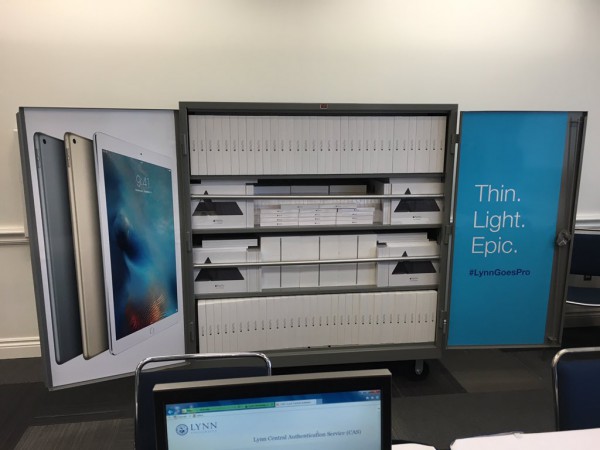
Major university goes all-in on iPad Pro -- shuns Microsoft Surface


The original iPad is one of the most disruptive products in the history of personal computing. Its popularity caused the entire industry to shift -- it made Microsoft go bonkers with Windows 8 (retrofitting a touch UI to a mouse and keyboard OS), while countless manufacturers tried to copy it with Android. Yes, many have tried to duplicate the magic, but ultimately, nothing has ever truly matched it.

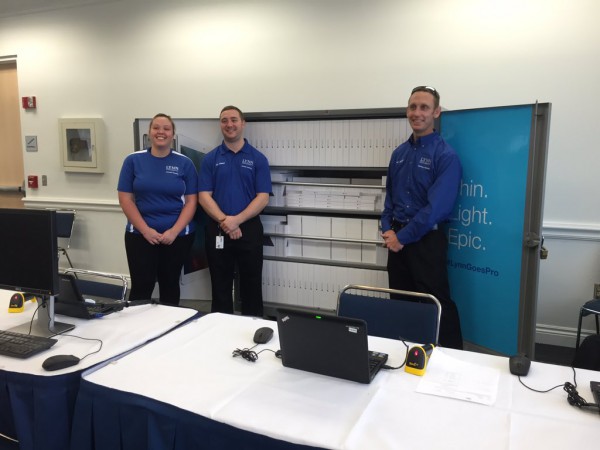
The iPad Pro, however, has not seen the same consumer interest, and for good reason -- its not intended for personal use (although it can be). Actually, the "Pro" moniker seems to be quite intentional; it is more appropriate for things such as business and education. Speaking of the latter, today, Lynn University announces that it is giving an iPad Pro to all undergraduate students and some members of faculty. Unfortunately for Microsoft, its Surface line was not chosen.

"iPad Pro also supports Lynn's ongoing efforts to create a more affordable education, eliminating personal computer costs and saving students money through apps and e-books that are more cost-effective, timely and relevant than  traditional textbooks and support materials. iPad Pro provides even greater flexibility, too. Whether studying aviation, design or music, students now can use one device for writing papers, taking notes with Apple Pencil, creating videos that demonstrate learning, completing in-depth projects outside the classroom and much more", says Lynn University.

Chris Boniforti, Chief Information Officer, Lynn University explains, "iPad Pro, its accessories and the next generation of education-focused apps will make learning even more relevant to the world students live in. This immersive, versatile technology also provides access to top-notch content and can replace bulky desktop devices to save space and allow Lynn to convert computer labs into interactive, mobile workspaces -- places that inspire creativity and foster collaboration".


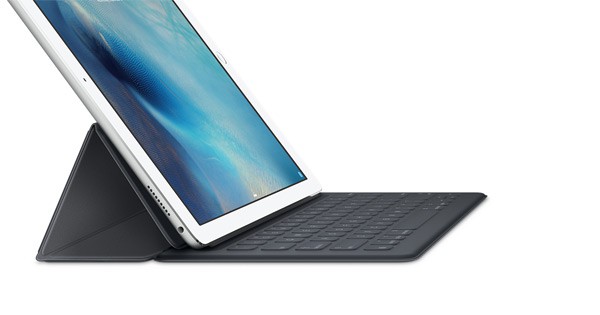
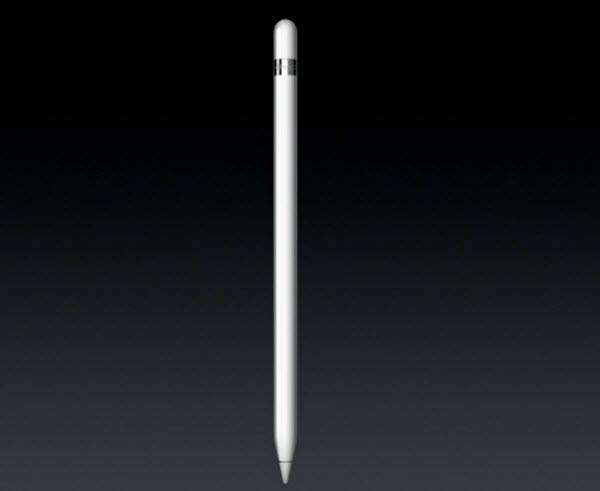
Not only will students and staff get the iPad Pro, but the Apple Pencil and Smart Keyboard too. This will make the large tablet a great solution for typing notes, making annotations, and creative drawing too.


Quite frankly, this sounds like the perfect college machine. After all, iOS has access to many wonderful productivity apps, such as Microsoft Office, Dropbox, Notability, and more. No to mention, when a student wants to relax, there are tons of quality iOS games.


Could the Surface be a better choice? It depends. While Microsoft's solution can arguably do more as it runs a desktop operating system, it also comes with baggage, such as malware, and potentially higher deployment and maintenance costs. In the Enterprise, yeah, the Surface is probably the better choice. At a university, however, the iPad Pro is a seemingly better fit -- well done, Lynn University.

~ Brian Fagioli

11.11.2014

Best Buy takes $100 off iPad Air 2, $75 off iPad mini 3 tablets for Black Friday 2014

Summary: The retailer has the best deals on iPads so far, plus at least $100 off Microsoft Surface 2 and 3 tablets.
 
While tech buyers have increasingly abandoned Best Buy over the years as online shopping has increased in popularity, it's still the bellweather for Black Friday deals on PCs and tablets, especially for mainstream consumers. This year, it managed to avoid an early leak of its deals, and has just launched its ad on its website. Look for the laptop and desktop sales in a separate post; we'll cover the tablets here.
 
The thing that jumps out at you first about Best Buy's ad is its iPad sales are the most aggressive to date. While Sam's Club dropped the price on the older iPad Air, and Target is resorting to store gift cards as a reward for buying the Apple tablets at full price, Best Buy is actually selling new iPads at discounted prices. One is a doorbuster, however, so quantities may be limited: the new iPad Air 2 will be sold for $100 off starting at 5 p.m. on Thanksgiving when the retailer's doors open. It appears that the deal -- which is for any iPad Air 2, not just the base 16GB model -- will be good online all Thanksgiving day, which points to the increasing importance of multichannel sales this holiday shopping season.
 
Best Buy will also take $75 off the price of the new iPad mini 3, with the 16GB version running $324.99 through November 29. Finally, there will be an additional sale the weekend before Black Friday where the retailer will have a first-generation iPad Air special, though you'll have to wait until November 20 to find out just how much less they will cost during that weekend.
 
Those looking for a Microsoft Surface rather than an iPad are also being catered to, with $150 lopped off the price of the Surface 2 models as a doorbuster (like the 32GB version for $299.99) and either $100 or $150 off 128GB or larger Surface 3 tablets, depending on the model. (Best Buy doesn't provide specifics.) There are also a couple of "unbranded" Windows slates being advertised, a 10.1-inch one available for $149.99 or with a detachable keyboard for $199.98.
 
Finally, Android lovers can select tablets from a range of price points, from a 7-inch Asus MeMo Pad with Intel processor for $99.99 to a 10.5-inch Samsung Galaxy Tab S with 32GB of storage for $449.99, or $100 off. The 8.4-inch Galaxy Tab Pro for $199.99 appears to be an especially good deal, as it's not only $100 less than the usual Best Buy, but $200 less than the current price on the Samsung website. Like some other retailers, Best Buy is also reducing the price of Amazon's cheapest Kindle Fire HD -- the 6-inch 8GB version -- by $20 to $79.99 for Black Friday.
 
~ Sean Portnoy

10.09.2014

Apple sends out invites for October 16 media event, new iPads and Macs expected

 
Apple’s next media event is now official. The company has issued media invites to an event scheduled to take place on Thursday, October 16, at the Town Hall auditorium on Apple’s campus in Cupertino, California, which is the same venue that was used to debut last year’s iPhone 5s and 5c.
 
The tagline on the invitation reads, “It’s been way too long” which doesn’t immediately give any hints as to what we might see.
 
Most expect to see Apple unveil updates to its iPad and iPad mini line as well as new Macs. Furthermore, Tim Cook and company will likely launch the public release of OS X Yosemite.
 
Specifically, we’re likely to see an iPad Air that is thinner than the current generation with an A8 chip inside and support for Touch ID. The same can probably be said about the next generation iPad mini and if rumors prove accurate, at least one of the new iPads may see a new gold color option.
 
As for the rumored 12.9-inch iPad that would compete with Microsoft’s Surface Pro 3, there’s no indication that it’ll show but you never know.
 
The general consensus for Macs is that we may see the first Retina display on a desktop in the form of a new iMac.
 
Given the smaller venue, the event is likely to be a more exclusive affair than the massive unveiling that delivered the iPhone 6, iPhone 6 Plus and Apple Watch last month. The 2013 event wasn’t live streamed over the Internet; no word yet if Apple will have a live stream this year.
 
~ Shawn Knight

5.22.2014

China bans use of Microsoft's Windows 8 on government computers

A Microsoft Surface tablet is seen during the launch of Microsoft Windows 8 operating system in Hong Kong October 26, 2012.
Credit: Reuters/Bobby Yip
(Reuters) - China has banned government use of Windows 8, Microsoft Corp's latest operating system, a blow to a U.S. technology company that has long struggled with sales in the country.
 
The Central Government Procurement Center issued the ban on installing Windows 8 on Chinese government computers as part of a notice on the use of energy-saving products, posted on its website last week.
 
The official Xinhua news agency said the ban was to ensure computer security after Microsoft ended support for its Windows XP operating system, which was widely used in China.
 
"We were surprised to learn about the reference to Windows 8 in this notice," the company said in a statement. "Microsoft has been working proactively with the Central Government Procurement Center and other government agencies through the evaluation process to ensure that our products and services meet all government procurement requirements."
 
"We have been and will continue to provide Windows 7 to government customers. At the same time we are working on the Window 8 evaluation with relevant government agencies," Microsoft said.
 
Neither the government nor Xinhua elaborated on how the ban supported the use of energy-saving products or how it ensured security.
 
China has long been a troublesome market for Microsoft. Former CEO Steve Ballmer reportedly told employees in 2011 that, because of piracy, Microsoft earned less revenue in China than in the Netherlands even though computer sales matched those of the United States.
 
Last month, Microsoft ended support for the 13-year-old Windows XP to encourage the adoption of newer, more secure versions of Windows. This has potentially left XP users vulnerable to viruses and hacking.
 
"China's decision to ban Windows 8 from public procurement hampers Microsoft's push of the OS to replace XP, which makes up 50 percent of China's desktop market," said data firm Canalys.
 
~ Paul Carsten and Beijing Newsroom        

5.20.2014

Microsoft's new Surface tablet takes aim at Apple's MacBook

An attendee photographs the new Microsoft Surface Pro 3, during the event in New York May 20, 2014.    
Credit: Reuters/Brendan McDermid
 
(Reuters) - Microsoft Corp unveiled a larger but lighter version of its Surface Pro tablet on Tuesday, hoping that the company's expertise in business software will help it take on Apple Inc in mobile devices.
 
At a presentation in New York, new Chief Executive Officer Satya Nadella made it clear that Microsoft, which recently acquired Nokia's handset business, is committed fully to making its own devices, despite a lack of success for its phones and tablets so far.
 
"We are not building hardware for hardware's sake," said Nadella, at the event. "We want to build experiences that bring together all the capabilities of our company.
 
The Surface Pro 3 tablet, which comes in three models starting from $799 and costing up to $1,949, features a 12-inch screen, much larger than Apple iPad's 9.7 inches. It also comes with access to Microsoft's Office software suite, employed in businesses around the world.
 
Microsoft executives made frequent comparisons with the MacBook Air at Tuesday's launch, making it clear that Apple's lightest laptop, which starts at $899, was the device to beat.
 
The same executives, highlighting a focus on the enterprise segment of the market, also talked up the limitations of existing tablets in a full office environment.
 
Microsoft "has concentrated on its key strength - business users who look at tablets as extensions and/or replacements for full laptop capability," Jack Gold of J. Gold Associates wrote. "Microsoft finally seems to understand it cannot go head to head with Apple's iPad, and must offer a superior business device."
 
Microsoft, which is recasting itself as a 'devices and services' company, has not made much headway on the devices side, except for its Xbox game console.
 
The Surface, launched in October 2012 and updated last year, has about 2 percent of the tablet market, failing to make a dent on Apple's iPad. Microsoft has only 3 percent global share in smartphones, chiefly through Nokia.
 
The Surface Pro 3 runs the full Windows operating system, and Microsoft hopes it will be the device consumers and companies go to when they are replacing laptops.
 
Initial reaction was positive, but analysts have doubts that Microsoft can easily haul itself into a meaningful position in the hardware business.
 
"This is Microsoft's best shot yet to move the needle in the right direction on market share gains," said Daniel Ives, an analyst at FBR Capital Markets. "The odds are stacked against Microsoft, although we have to credit Nadella with putting his pedal to the metal to go after tablet market share, which remains key going forward."
 
The new device, which like previous versions uses Intel Corp processors, will be available to order this week.
 
(This story corrects 5th paragraph; starting price of MacBook Air is $899, not $629)

~ Bill Rigby             

1.18.2014

Supreme Port: 4 Huge Changes Coming to USB

Supreme Port: 4 Huge Changes Coming to USB
Ever since the Universal Serial Bus connector standard launched in the late 1990s, the technology has been featured in every PC and almost every connected gadget. From the charging port on your smartphone to the peripheral connections on your PC, USB is everywhere already with 4 billion USB-enabled devices sold in 2013, but like paper clips and staplers, everyone takes it for granted. However, in 2014, the world's most popular wired connection standard will advance in key ways that will make it an even more central part of your digital life. Here are four new USB technologies which will blow your mind in the next 12 months.
 
Universal USB Laptop Charger
 
If you want to see the worst case of industry fragmentation possible, look no further than your laptop's power port. Not only does each laptop manufacturer use its own proprietary power connector, but sometimes different models within the same brand have incompatible plugs. Large tablets such as the Microsoft Surface and Galaxy Note 10.1 also use their own custom plugs.However, with the exception of the iPhone, which uses Apple's Lightning connector, all of today's smartphones charge over microUSB.
 
Using a standard connection has a number of advantages for consumers. It allows them to choose from thousands of third-party wires or share wires and adapters amongst their different devices. The European Union even has laws forcing phone makers to provide USB charging, because having a standard connection eliminates a lot of eWaste when people keep their chargers even after they've tossed their old gadgets in a landfill. Unfortunately, traditional USB ports do not provide anywhere near the 45 to 65 watts most laptops require.
 
Enter USB Power Delivery, a new standard which provides a strong 100 watts of power, along with a speedy USB data connection over a single wire. In a demo at CES 2014, USB Implementers Forum CEO Jeff Ravencraft showed us a Dell laptop that had been modified to accept USB PD instead of its proprietary power connector. A USB wire ran from the laptop's USB PD port to a specially-modified Targus docking station, which connected to an HD monitor. As we watched, the docking station sent power to the laptop while receiving a 1080p video stream back from it, over the same wire.
 
Today, if you buy an external laptop charger, charging dock or AC adapter from a third party, you have to make sure it comes with the right connector for your model of laptop, which is a nightmare both for accessory makers and consumers.USB PD will not only enable a new generation of smart docks and monitors that work with everything, but will also allow you to share your AC adapters between laptops. The first laptops that support USB PD will arrive later this year.
 
Who Needs Thunderbolt? Superspeed USB 3.1
 
USB 3.0, the current standard, tops out at 5 Gbps in theory but takes more than a 20 percent hit due to overhead and other inefficiencies, putting it squarely in the 400 to 500 MBps range, a bit slower than the fastest SSDs. However, the new USB 3.1 standard eliminates most of the overhead and raises the throughput to 10 Gbps, faster than the fastest SSD around. With that kind of bandwidth, an external storage drive could be as fast as the one inside your PC.

At CES, the USB-IF showed us a demo of USB 3.1 using a RAM disk on an internal card and achieving read and write speeds well over 1 GB per second. A second demo, with two desktops linked together by an old USB 3 cable and new--but not final USB 3.1 controllers--got read and write speeds over 900 MBps.
 
For years, we've been hearing about how Intel's Thunderbolt connection standard would harm USB, because it offers 10 Gbps in its original form, which is going up to 20 Gbps in Thunderbolt 2.0. While there are some Thunderbolt peripherals on the market, Intel's connection is really the next coming of FireWire, a niche connector that's limited to a handful of products used by creative professionals. USB 3.1 will bring high speed and high-power connections to the masses.
 
Reversible USB C Plug for Phones and Tablets
 
If you've ever fumbled around trying to plug a USB connector in the wrong way, a new advancement will change your life. Late last year, the USB-IF announced the development of the USB C connector, which you'll be able to plug in either right side up or upside down.In addition to is reversibility, the USB C plug will be about the size of the current microUSB plugs and be capable of carrying USB 3.1-speed data.
 
Though the USB-IF hasn't even released a concept drawing of the plug yet, Chairman Brad Saunders told us that his organization will show a sample this spring. He told us that there's so much enthusiasm in the industry for this new plug that we could see mainstream adoption start even by the end of this year.
 
4K Video Over USB
 
At CES, DisplayLink unveiled its new DL-5500 chipset, which is capable of delivering video at resolutions up to 3840 x 2160 over a single USB 3 connection. DisplayLink has long enabled users to connect to full HD monitors over USB and some docks even allow you to drive two displays at once. However, this new chipset is truly a breakthrough because it means that you can output to today's best large screen TVs and monitors from your PC through your current USB connection.
 
We can't wait to see docks and adapters based on the DisplayLink DL-5500 chipset, but monitors with this technology will be even more exciting. Late last year we saw the first 1080p portable monitor in the ASUS MB168B+. We can only assume that 4K screens that fit in your laptop bag will arrive in the near future.


12.06.2012

Hands on: Microsoft Surface vs. Apple iPad

Takeaway: Which tablet should you buy: Microsoft Surface or Apple iPad? Patrick Gray compares the hardware and software of these two devices.

In my previous two installments reviewing Microsoft’s Surface tablet (part one and part two), I deliberately tried to avoid comparisons with Apple’s iPad. I’ve never been a fan of reviews that seem to spend more time on the competitive product than the product actually under review, and I wanted to avoid presenting the initial sections of the review as such. However, the iPad is the obvious dominant force in tablet computing in the consumer and enterprise markets, and anyone considering a tablet purchase is likely going to consider Surface in light of its primary competitor. So, how does Surface stack up?
Before getting my Surface tablet, an iPad 2 was my primary tablet computing device. I used the tablet in what industry gurus call a “content consumption” mode — that is, to get email, browse web pages, read electronic books and newspapers, play the occasional game and, in a pinch, create an article or longer email.

The hardware

On the hardware front, Surface easily matches Apple’s legendary build quality. The tablet is sturdy and sleek, and it creates its own business-like aesthetic rather than attempting to “out-Apple” Apple. While I find the position of the buttons sub-optimal, features like the kickstand and touch keyboard are vast improvements over what’s available from Apple. Many in the technology industry, myself included, wondered if Microsoft could actually build quality hardware on its debut effort, and worries about Microsoft’s ability in this area were largely unfounded.

Surface uses a different screen format than the iPad, opting for a widescreen layout rather than iPad’s more traditional 4:3 screen ratio, which is similar to the difference between older televisions and newer widescreen models. This may be troubling to some, but I found it fairly easy to transition between the two screen sizes. Reading a book on the Surface feels like reading a large menu when held in portrait orientation,  yet the wider screen seems a bit more natural for content like newspapers. My aging eyes are probably not the best judges of color and resolution, but the screen on Surface looks better than my iPad 2’s screen, although I have yet to do a side-by-side comparison with the newer iPad’s “Retina” display.

Software

The iPad took a fair amount of criticism on its release for being “just a big iPhone.” That’s an apt
comparison, but it’s also the power of the device. Rather than attempting to offer a full-fledged computing experience, the iPad keeps the iPhone’s quick response times and lightweight operating system, while allowing for more content-rich applications due to the larger screen.

Surface offered an interesting and compelling alternative vision. The aim of Microsoft’s tablet was to be easy to use and finger friendly, plus incorporate the best elements of a traditional computer, like running full-fledged productivity applications, which the iPad has never done well. Unfortunately, I don’t think Surface managed to completely pull it off, especially when compared to the iPad.

For better or worse, the iPad sets the bar for the tablet side of the computing experience very high. Tap an icon for the average iPad application, and you’re in the app and ready to work in milliseconds. Tap an icon for something as mundane as the email application on Surface, and you’ll likely be greeted with the “spinning circle” while the app loads and a delay of a few seconds each time you delete or move an email. The delays are not long or hugely troubling compared to a traditional laptop, but they border on painful when compared to an iPad. Quickly reading, flagging, filing, and deleting email is a task I do all the time on my iPad, but I find myself avoiding this task on Surface largely due to these types of delays. As a pure tablet, the software on Surface moves at a snail’s pace compared to the iPad.

The other element of the Surface proposition is that you can run full-fledged productivity apps, and each Surface RT tablet ships with the traditional suite of Microsoft Office applications. Surface “morphs” into a more traditional computing experience when working in the Office apps, complete with the familiar Windows desktop and familiar menus and icons rather than a touch-optimized product. I actually like this somewhat disjointed user experience; when I’m sitting down to write an article or jockey a spreadsheet, the keyboard and mouse are still the best way I’ve found to get meaningful work down. Surface makes a great laptop replacement for these types of functions vs. the watered-down replacements available for iPad.

Which to buy?

So, should Apple or Microsoft be the name atop you tablet purchase order? If your mobile computing vision centers around productivity applications, with occasional tablet-style usage, Surface might fit the bill. I find myself grabbing Surface if I’m headed on a weekend trip or short business trip where I’ll have some time on the airplane to write or get some work done. The iPad hops in my bag if I’m planning on catching up on reading or email, or if I’m looking more for distractions than a productivity tool to write my next column.

I’m in the rather unique position of having both devices available, along with a slew of laptops and other computing devices. At this stage in its evolution, if I had to choose only one tablet, I’d pick the iPad. While it doesn’t offer the productivity of Surface, it’s a very complementary device to the laptop that’s likely going to end up in my bag anyway. Until Surface can tighten up the tablet side of the user experience, it’s certainly worth adding to a tablet evaluation, but probably not ready to dethrone the iPad in this iteration.

What are your thoughts? If you’ve worked with both devices, which do you prefer and why? Share your insight in the discussion thread below.


~ Patrick Gray