Cisco Learning Network Store Promotions Page
Showing posts with label Android Lollipop. Show all posts

10.09.2015

Pro tip: How to solve the dreaded Wi-Fi exclamation point

If you've been experiencing the dreaded "!" error in your Android Lollipop Wi-Fi connections, Jack Wallen has a solution that will fix the issue. 

 Image: Jack Wallen
If you're running Android Lollipop, and you rely on Wi-Fi, you have probably witnessed the dreaded "!" showing up in your Wi-Fi notification. What does it mean? How do you solve it? The possible solutions are many, but this is the only solution I've found that actually works. The only caveat to this solution is that it requires you have a bit of information about the wireless network you're having issues with.
 
Why is this happening? The best (and only) explanation that Google offers is that there's a problem communicating with the wireless network. Yeah, I know that's not a viable answer.
 
To solve this issue, we're going to set a static IP address for that particular Wi-Fi address. This means that you'll need to know an available address on the LAN, the gateway address, and the DNS address(es) for the network. Note: You can use Google's default DNS addresses of 8.8.8.8 and 8.8.4.4.
 
This is not the best solution, but it works. Here's what you need to do.
 
Open the Settings on your Android device and go to Wi-Fi. Locate and long-press the wireless network in question, and then tap Modify network. In the resulting pop-up, tap Advanced options, and then select Static from the IP settings drop-down (Figure A). 
 
Figure A 
Figure A
Setting a static address for a Wi-Fi network on a Verizon-branded Nexus 7.
Enter the necessary information for the network, and tap Save. Once you've done that, restart your device. When the device restarts, drag down the notification bar to reveal the same network without the dreaded exclamation point.
 
Yes, you'll have to do this same thing for all wireless networks you connect with (that happen to be plagued with the "!"). I'm hoping that the upgrade to Marshmallow will resolve this issue once and for all. Until then, a simple static IP address will fix what ails your device.
 
What other issues do you hope will be resolved with the upcoming Marshmallow upgrade? Let us know in the discussion thread below.
 
~ Jack Wallen

6.16.2015

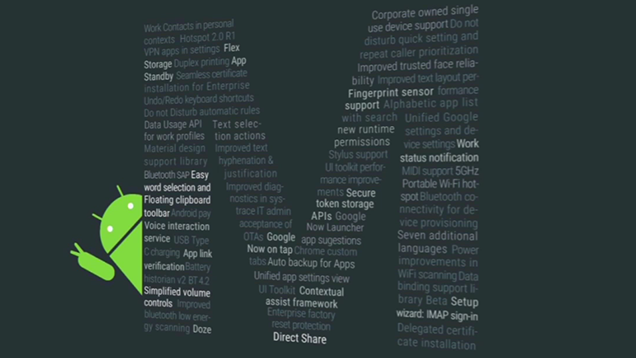
Android "M" offers some serious improvements to the mobile platform

Have you been using Android Lollipop and are ready for what's next for the platform? Get ready, there's some serious improvements in store. Jack Wallen takes a look at what's coming for Android "M."

 
Pop music talk about...
 
If you get the reference, you're already one step ahead of the game.
 
You're probably only now getting used to Android Lollipop, but Google is ready to head on down the alphabet to "M." With the developer preview of "M" making its first "public" appearance at Google I/O, the developers have decidedly "gone back to basics" and turned their sights on stability and usability.
 
Translation: Android "M" will not be a show-stopper release. Aesthetically, you'll probably see little to no change in material design. However, once you get beyond the look of the platform, you'll find some serious improvements on the way that should turn Lollipop into something just shy of brilliant. 
 
Let's take a look at some of what's in store. Also, be sure to check out "A photo tour of the new Android M."

App permissions

This is a big one. Many users have been bemoaning the fact that it's impossible to manage permissions on an app-by-app basis. This is all changing. In fact, when you first install an app, you won't be asked to accept or deny the installation based on a grocery list of permissions. Instead, when an app is first launched, you'll be asked to give permissions for that app. You won't have to allow an app permission to a system that doesn't make sense. This should calm many users' nerves.
 
Because Android will be giving users more power, they'll have to exercise that power with a modicum of logic. If you launch a photo app, but you don't give it permission to use your camera, you'll break the app.

Fingerprint scanning

Google will finally be standardizing fingerprint scanning support in Android. The big plus for this is that it will enable device manufacturers to build fingerprint scanners into hardware so that Android Pay can use them.

Android Pay

I've already covered the new Google mobile payment system (check out "Android is set to shift its mobile payment system"), but it deserves to be mentioned again. Yes, Google borrowed the name from Apple--because the mobile payment systems could use a bit of standardized nomenclature. Why? Consumers need to start using mobile pay systems. They are more secure, convenient, and ready for prime time.

Better standby time and charging

How many times have you been prompted to set a default app with the three words "Always" and "Just Once"? Quite a lot. With "M," Android is going to be a bit more intelligent with how it opens apps. Now, when a Twitter link is tapped, Twitter will open (instead of asking if you want to open the link in Chrome or Twitter). Easy peasy. This may seem like a tiny improvement, but the end result will be a much cleaner, user-friendly experience.

Adoptable storage

At one point, Google was attempting to steer away from external storage. They've decided that might have been a bad move and are opting for a compromise. Android "M" will use external storage, but it will format it as internal storage in order to avoid confusion. What this means (and this is important) is that you'll be able to move data back and forth between internal and external storage with ease. Adoptable storage will use encryption, so users don't have to worry about security.

Google Now On Tap

This will be the biggest change for Android. I've covered what's in store for Google Now (see "Google Now On Tap: The next evolution of the digital concierge"), but it also bears repeating. Google Now will be making a major shift to become more aware so that users can get more localized and relative content.
 
There are plenty of other minor updates to the Android platform coming. But the above should help you draw the conclusion that your Android device is going to very soon become smarter, leaner, and even more ready to serve.
 
What changes in Android "M" are you most excited to see? Share your opinion in the discussion thread below.
 
~ Jack Wallen

5.28.2015

Google reveals Android M with improved security and battery life

 
Ready to further facture the Android market, Google today gave us the first glimpse at what to expect in the follow up to Lollipop -- Android M. We're not yet any the wiser about what the M might stand for (Marshmallow? Marzipan? Mars?) but we do know that Google is placing a focus on security improvements, giving users greater control over app permissions, and prolonging battery life.
 
Battery performance improvements -- if Google is to be believed -- are seriously impressive. The company claims that its Nexus 9 tablet could benefit from twice the battery life currently enjoyed under Lollipop. What else is there to look forward to? The Developer Preview also boasts a new fingerprint reader API, indicating that biometrics are set to become increasingly important in future handsets.
 
The changes to the way permissions work is something that will be embraced by users who have been begging for finer-grained control for some time now. In Android M, it will be possible to configure permissions on a precise level for individual apps, and it has been made easier to revoke permissions as and when required. The ability to see a list of all of the apps that can access pictures, for instance, is something that places users back in control of their Android devices.
 
Borrowing an idea from iOS, many app permission will also be set the first time the app is run rather than simply being listed at the point of installation. For example, launch an app that makes use of your location, and you will be given the opportunity to permit or deny this on first launch. If disabling a particular permission reduces the functionality of apps, developers will be encouraged to provide meaningful feedback to users about what features are dependent on which permissions.
 
Permissions are an important component of perceived security, but something more obvious is facilitated by the fingerprint API. This will enable handset manufacturers to implement fingerprint device unlocking, and app developers to allow users to log into their accounts with a fingerprint rather than a username and password.
 
Improvements to battery life are what will excite most people, however. These have largely come about through the introduction of a Doze mode which puts devices into a deep sleep, low power mode when not in use. If a handset's sensors are not activated by movement -- such as when a phone is sitting on a desk -- certain apps and processes can be suspended to conserve power.
 
Other tweaks and changes to look out for in Android M include streamlined sharing so that the apps and contacts that are most frequently shared with are made more accessible. There are also simplified volume controls and easier word highlighting.
 
~ Mark Wilson

5.07.2015

Android M to be revealed May 28 at Google I/O?

 
Countless Android users are still waiting for Lollipop to roll out to their handsets, but already there is talk of the successor -- Android M. Coming up at the end of this month, Google I/O is a developer conference hosted by the search giant in San Francisco and today the full schedule for the event appeared online.
 
An event on May 28 with the title Android for Work update is of particular interest as there is a strong hint that details of Android M will be revealed. Although it seems that Google may have let something slip a little early -- the session that refers to the next version of Android has since vanished from the schedule, but the description is interesting nonetheless.
 
Originally pencilled in for 2:30PM on the first day of the event, the session will include talk about the follow up to Android 5.0 Lollipop. The description reads (or read): "Android M is bringing the power of Android to all kinds of workplaces. This opens huge new markets for hundreds of millions of devices to workers at small businesses, deskless workers, logistics and warehousing jobs; all be empowered by adoption of Android devices at Work".
 
There is a separate session called "What's new in Android" which would seem to be the natural home for news about the latest version of Google's mobile operating system, but all references to Android M appear to have been erased from the schedule now. It's not clear whether this is because Google gave away more than it meant to ahead of the event, or because of a genuine error -- but it's only three weeks until we find out for sure.
 
Nothing concrete is known about Android M (could it be Mars, Milky Way, M&Ms?) but it is likely that there will be a focus on security in a bid to increase adoption in the workplace. Could we see a demo of Android M in action at Google I/O? Only time will tell...
 
~ Mark Wilson

1.20.2015

Android 5.0.2 Lollipop OTA files now available -- here's how you can update

 
After releasing Android 5.0.2 Lollipop factory images for the 2013 and 2012 Wi-Fi Nexus 7, Google is now rolling out the latest version of Android for the two 7-inch tablets via an over-the-air (OTA) update.
 
Google has yet to provide an official changelog for Android 5.0.2 Lollipop, but from the AOSP commits we can tell that there are only a couple of noteworthy changes made since Android 5.0.1 Lollipop. The biggest one is related to TRIM functionality, which should lead to noticeable improvements in performance.
 
After the update, which I performed using the factory image, my 2013 Wi-Fi Nexus 7 started performing better, with fewer slowdowns and less stuttering. That said, it still feels like there is lots of room for improvement. (For more on what Android 5.0.2 Lollipop brings to the table, check out this article.)
 
As always, the Android 5.0.2 Lollipop OTA files for the 2013 and 2012 Wi-Fi Nexus 7 tablets are available to download from Google's servers. Here are the download links:
Now that you have the OTA file for your Nexus tablet, you can proceed to applying the update. You can do that by following the instructions in this detailed how-to guide, which explains all the steps that you need to take and all the tools that you need to get the job done.
 
As soon as more OTA update files are available, I will update this article with the download links.
 
~ Mihaita Bamburic

1.16.2015

Android 5.0.2 Lollipop now available for 2013 Nexus 7, 10 -- here's how you can install and update

 
Android 5.0 Lollipop is far from perfect, arriving with nasty bugs that have affected battery life, performance, Wi-Fi and more. The first update that Google launched, version 5.0.1, managed to fix some of the problems users have reported, but some major ones persist even to this day. Personally, I am seeing my 2013 Wi-Fi Nexus 7 running excruciatingly slow at times, even with the first update in tow.
 
Fortunately, Google also launched a second update not long after the first, which fixes even more bugs, however it only launched it for the first-generation Nexus 7. Now, the search giant is making Android 5.0.2 Lollipop available for the 2013 Wi-Fi Nexus 7 and Nexus 10 as well, in the form of new factory images.
 
The latest factory images for the second-generation Wi-Fi Nexus 7 and Nexus 10 seem to be based off the same Android 5.0.2 build as the Android 5.0.2 Lollipop Nexus 7 factory image, which has the LRX22G build number.
 
But, one of the first things you likely want to know is what changed in Android 5.0.2 Lollipop. While Google does not provide an official changelog -- which it should have, since users want to know -- some important changes have been discovered by analyzing the commits to the source-code.
 
First off, TRIM should work as expected now. The built-in cleaner will do its thing no matter if the device is charging during the night or during the day or whether it is turned on or not. Before, this feature was only triggered during night charges. Hopefully, this will result in a noticeable boost in responsiveness.
 
There are also changes pertaining to how alarms work (not the alarms you are thinking of, but CPU-related functionality) when waking the CPU and compete for system resources. This should improve stability and responsiveness. There are other changes as well, but less noteworthy in comparison.
 
You can grab the factory images from Google Developers, but, to save some time, here are the direct links:
So what can you do with those factory images? Well, you have two options, both of which I covered in this detailed how-to guide. One, you can perform a clean install of Android 5.0.2 Lollipop, which is the best way you can get the latest version up and running. However, this may entail losing some personal data in the process.
 
And, two, you can update to Android 5.0.2 Lollipop. However, this option is not guaranteed to work as you may expect it to, and it may force you to perform a clean install after all. Google does not stand behind this option as far as I know, so results are sure to vary.
 
That said, I just used the factory image, without any problems, to update to Android 5.0.2 Lollipop on my 2013 Wi-Fi Nexus 7, so there is a (good) chance it'll work the same for you as well. If you wish to go down this route, share the results with us in the comments section below (or hit me up on social networks).
 
~ Mihaita Bamburic

1.08.2015

Android Lollipop is out, but almost no one is using it

Summary:The latest Google Play Store operating systems results are in and after six weeks out Lollipop hasn't even reached 0.1 percent of users yet.
 
Android 5.0 Lollipop has had its troubles. First, it stumbled out of the gate. It was briefly available over-the-air (OTA) for Nexus 4, Nexus 5, Nexus 7 (both first and second generation), and Nexus 10 in early November, but then Google pulled the upgrade for two weeks. Today, almost two months after the re-release on Google Nexus 5, 10, and Nexus 7 Wi-Fi devices, as well as Moto X and G phones, Lollipop still has only a handful of users, never mind a mass audience.
 
No, you're not mis-reading the graphic. Six weeks after Android 5.0.x Lollipop was released, almost no one is running it. Google
According to Google's latest Google Play Store results for early January 2015, less than 0.1 percent of all Android devices were using Lollipop. Ouch! By comparison, the last major Android release 4.4, KitKat, reached 1.1 percent of its audience in its first month out.
 
In January 2015, almost two months in for Lollipop, KitKat is still number one with 39.1 percent of the market. It's followed by the various Jelly Bean versions, 4.1.x with 19.2 percent; 4.2.x with 20.3 percent, and 4.3 with 6.5 percent. Trailing them is Ice Cream Sandwich, 4.03-04 with 7.8 percent, followed by antique Froyo, 2.2, with 0.4 percent.
 
So, what's happening to Lollipop? That's a good question, but you don't have to look too far to find reasons why Lollipop wasn't greeted with open arms. First, some users, who would prove to be mostly Nexus 7 2012 tablet users, had horrible performance problems with Lollipop. This wasn't fixed until the release of Android 5.0.2 in late December. 
 
Other Nexus device users also had some troubles, albeit not as great as the Nexus 7 2012 users. These troubles were addressed with the Android 5.01 release, which came out in early-December for most Nexus models and in mid-December for the Nexus 5
 
All these problems made many Android users wary of Lollipop.
 
Still some users, including your writer, has found Lollipop to be an excellent release. In addition, CyanogenMod has started releasing Lollipop beta releases for dozens of Android handsets.
 
That's all well and good, but it's not enough to reassure most users. After a really rough start, Lollipop has failed to take off. By this time next month it may be a different story, but for now Lollipop is still the Android that only early adopters can love. Mass-acceptance is clearly going to take much longer for Lollipop than it did for KitKat back in its day.
 
~ Steven J. Vaughan-Nichols

12.09.2014

Lollipop 5.01 review: The Android release we've been waiting for

Summary: The bug-fix release of Android 5 is out, and all finally seems well with this eagerly anticipated release.
 
Is it finally safe to upgrade to Android 5 after the recent release of Android 5.01? Based on my experiences with my pair of 2013 Nexus 7 tablets, the answer is an unqualified yes.
 
Android Lollipop 5.01 is here.
When Android 5 Lollipop first appeared, it worked well for some users. Others, however, said that the new operating system made their smartphones and tablets "unusable." People complained that their devices were "laggy and crashed randomly." There were also reports of trouble with the virtual keyboard display and video playback.
 
I didn't see any of those myself with the Lollipop 5.0 release. Google did eventually confirm that there was a battery life problem with Lollipop on Nexus 5 due to a Wi-Fi implementation issue. In addition, Adobe and Google uncovered a show-stopping problem with some Adobe Air applications.
 
While Google has been annoyingly quiet about exactly what bugs were fixed in Lollipop 5.01--there are no release notes--the main troubles appear to have been repaired.
 
So why should you consider upgrading? I'll tell you:

Six licks of Google's Android Lollipop

First, Lollipop's Material design gives Android a new clean look that I find to be very pleasing. It extends from the front-screen to the menus and back again. I really like this new look and it makes me more efficient by making my workflow smoother
 
In addition, Lollipop has far better built-in security. To cite only one example, your data is encrypted now by default. If you lose your phone, the only way anyone's getting at your data is if they have your password -- even if they have the device in hand.
 
This full "disk" encryption does come with a performance hit. Therefore, I don't recommend that anyone with an older Android device, such as a 2012 Nexus 7, should upgrade it. On my 2013 Nexus 7s, however, I didn't see a significant performance hit.
 
On the other hand, I have seen much better battery performance. With Lollipop, my devices are seeing about a 30 percent increase in battery life. That's amazing!
 
Not as neat, but still darn nice, is that notifications are now both more useful and easier to control. For example, with the new Priority mode, I can pick and choose what notifications I'll hear or see. I can fine-tune to the point that I will only see calls and texts from specific people. I can also set up a "Do Not Disturb" mode and nothing can disturb my nap... ah work.
 
I can also now set how app notifications work from the Menu/Sound & Notification/App notification menu. That's a lot easier than diving into each app's own menu to set up its notifications.
 
The Multitasking interface has also been improved in Lollipop. Now instead of "recent apps," Overview shows you all your apps that are running in the background as a card stack. With this, it's much easier to shuffle your way to the application you want. In addition, if you're working on multiple tasks within a single app, you'll see each task. So, for example, if you're writing an e-mail in Gmail and checking your inbox, Overview will show cards for each job. It's really handy.
 
Finally, you'll also notice that some applications run faster when they're not reading or writing to your device's memory. That's because of Lollipop's new Android runtime (ART). This Dalvik replacement gives most apps a small, but noticeable, performance bump.
 
All-in-all, I'm really pleased with this new upgrade. The battery life improvement was worth the price of admission for me. If you can't stand to wait for an automatic upgrade, you can download and install Android 5.0.1 (build LRX22C) for the Nexus 9, Nexus 7 (2013), and Nexus 10. Lollipop is also available for Google Play editions of the HTC One M8 and HTC One M7.
 
~ Steven J. Vaughan-Nichols

12.02.2014

Android's Material Design reaches into Linux


A new OS has been proposed, based on Linux and Android's Material Design specifications. Jack Wallen opens up his hat of supposition to imagine the possibilities this platform could bring to life. 

 
The Linux kernel reaches deep fingers into that of Android. So, it only makes sense that the circle would be completed with Android holding sway over the Linux desktop. But how could a mobile platform inform a desktop platform? Two simple words...
 
Material Design.
 
If you haven't yet taken a peek through the material veil, this new design is the driving force behind Android Lollipop and looks to reinvent the way developers design their apps (and users experience the environment). You can check out the full specs on the official Material Design site. With these design specifications, you can be sure your Android apps blend in perfectly with the new ecosystem.
 
Or you can develop a desktop operating system.
 
That's what Quantum OS is -- a Linux desktop that conforms to Google's Material Design guidelines. You might be thinking this isn't really a big deal. Someone takes either Ubuntu or Arch Linux and creates an Android-like shell to serve as an interface. On a rather low level, you might be right. The developers are simply creating a new desktop shell using Qt 5 and QML to create a very Android-like, interactive environment. They even have mockups of what they expect their efforts will return (Figure A).
 
Figure A 
Figure A
The mockup of the Quantum OS desktop.
They're planning this UI framework to be cross platform, so it'll work on Linux, OS X, and Windows.
 
On the surface, this looks like a fun project (one that I'll most certainly be testing out the second that it's available). But let's dig a bit deeper and consider the implications here. I'm not talking about having a desktop platform that merely follows the design specs for Android's new ecosystem. I'm talking about something special -- the possibility of a happy accident this project could create.
 
Walk with me for a moment.
 
We've already witnessed Android apps running on Chrome OS (Evernote, Cookpad, and more). Imagine that Quantum OS succeeds with Material Design to the point that they're able to easily run Android apps on the platform with little extra effort. By adhering to the Material Design specifications, they've already opened the door.
 
I understand the design element isn't the challenging aspect of getting one platform's apps to run on another. But we've already witnessed, thanks to ARChon, Android apps running on Linux. This is a two and two that can easily be calculated. If Quantum OS can converge Material Design and ARChon into one cohesive unit, something very special will be born -- a truly convergent desktop. Think about it... having a Linux desktop that allows you to easily run your Android apps without having to pick up your smartphone.
 
The possibilities have become limitless. All thanks to Material Design and developer Michael Spencer. Even if Quantum OS doesn't fully deliver, the seed of creation has been planted, and the idea of realizing Material Design on the desktop shows a vast untapped potential.
 
This is all thanks to Linux, open source, and Android. Three core components that have revolutionized the computing world in ways many do not recognize. The trick now is to bring them together in a way that will further the revolution and converge technology to make life and business simpler and seamless. Android and Linux living together on one comprehensive desktop.
 
Imagine the possibilities!
 
Bridging these two ecosystems makes perfect sense. Canonical has been desperately attempting to bring the phone and desktop environments together (with Ubuntu Linux and the vaporware Ubuntu Phone). However, a new mobile wheel doesn't need re-invention. Quantum OS only need follow through with their current intent and then blow a hole through the creative roof by adding the necessary pieces (such as ARChon) to bring Android apps to their Material Design desktop.
 
It sounds simple, though it's most likely not. But the seed has been planted, and it should be allowed to germinate and spread. Yes, the work may be challenging, but the reward would be massive. I tip my hat to Mr. Spencer and his goals. I see big things with Quantum OS and fully believe in the project.
 
Do you think the the marriage of Linux, Android, and Material Design would make the perfect desktop platform? Why or why not? Let us know your thoughts in the discussion thread below.
 
~ Jack Wallen

12.01.2014

Firefox 34 arrives, gains WebRTC support, faster theme switching

 
Mozilla has released Firefox 34.0 FINAL for desktop, with Firefox for Android 34.0 due to follow in the coming days.
 
Firefox 34 rolls out the new Firefox Hello real-time communication client and promises faster and simpler persona switching. It also includes a number of improved features, widens support for HTML5 and unveils a new WebIDE app for developers.
 
Firefox 34 FINAL’s headline new feature is the release of Firefox Hello, the first appearance of Mozilla’s WebRTC component in a stable release. Firefox Hello provides built-in support for video and voice chat within Firefox itself, and works with anyone else who has a WebRTC-enabled browser installed, which include Chrome and Opera in addition to Firefox.
 
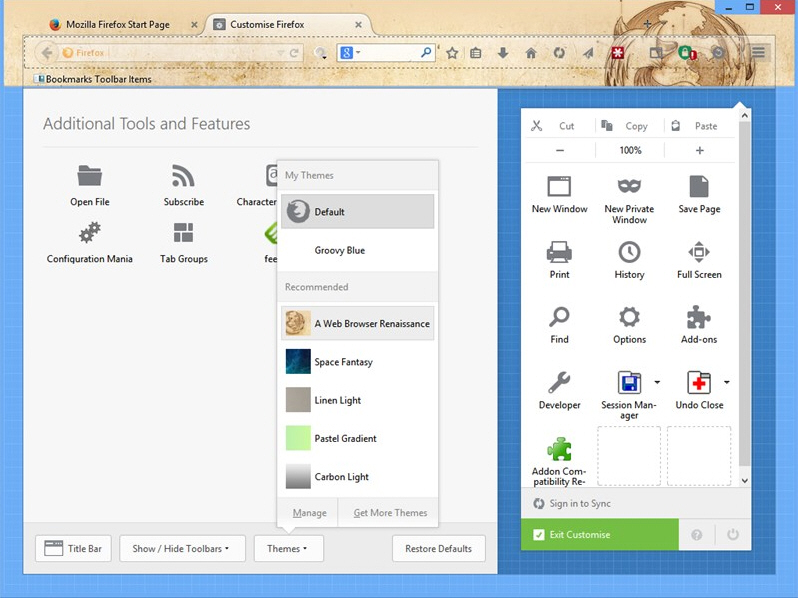
Version 34 also makes it possible to switch themes directly from the Customizing mode, and comes with an improved search bar that implements HTTPS when searching Wikipedia for greater security (English US only).
 
The Windows release is now able to recover from a locked Firefox process that previously resulted in the 'Firefox is already running' error message, and implements HTTP/2 (draft 14) and ALPN while disabling SSLv3 -- in its place proprietary security functions are temporarily re-enabled.
 
A wide range of HTML5 features have been implemented, including various WebCrypto elements. Developers also gain a new WebIDE tool for creating, editing and testing web apps directly from Firefox itself.
 
Firefox 34 also contains all of the improvements and new features found in the unexpected Firefox 33.1 release from last month, focusing largely on increasing user privacy.
 
The Android build -- due to be released in the next few days -- will add mirroring support for Chromecast devices, and provides a redesigned first-run experience. One notable fix sees MP4 videos now playing on Android Lollipop devices, although MP3 audio and Flash video remain broken in this new release.
 
Firefox 34.0 FINAL for Windows, Mac and Linux is available now as a free, open-source download. Firefox 34.0 FINAL for Android should be available shortly.
 
~ Nick Peers

11.15.2014

Android Lollipop rollout delayed due to battery drain bug

Summary: Android fans will have to wait another week to get their hands on Android 5.0 as Google fixes a bug that was causing severe battery drain. 
 
 
In news that will come as a mixed blessing for Android fans, the rollout of Lollipop has been put on hold due to bugs that were causing severe battery drain.
 
If you were wondering why your Nexus or Google Play Edition phone hadn't received an over the air (OTA) update delivering Android 5.0, the answer appears to be that Google is ironing out some serious bugs that would have made it unwelcome in the first place.
 
The good news is that the issues are now fixed. The bad news for Android users is that Google has pushed the Lollipop rollout back as a consequence, from its originally scheduled date of November 3 to November 12.
 
News of the delay arrived yesterday via Artem Russakovskii, founder of Android Police. According to Russakovskii, the first OTA updates were moved to November 12 due to "some outstanding bugs".
 
Google hasn't provided a statement on the new rollout schedule or the source of the delays. However an Android engineer did publicly acknowledge "significant" battery drain when wi-fi is enabled on a Lollipop device.
 
"Android Engineering is aware of an issue affecting Nexus 5 users running Android 5.0 which causes significant 'Miscellaneous' battery usage while wi-fi is enabled. This appears to be caused by an abnormally high number of IRQ wakeup events," Trevor Johns, a Google engineer for the Android Open Source Project, wrote yesterday.
 
As Android Police pointed out, Johns has later confirmed the issue has been fixed in the latest build.
 
Arguably the last thing Google would want is to annoy its millions of users with a battery drain issue, given that one of the headline features of Lollipop is a new battery saving feature that extends the life of a device by up to 90 minutes. The OS version also boasts new power management features which estimate the time left before the device requires a recharge.
 
Other key features Android users can expect when Lollipop does arrive include lock screen notifications, a host of new quick setting functions such as flashlight and cast screen controls, and better accessibility features for the vision impaired.
 
~ Liam Tung 

11.04.2014

Next-gen Gmail with Material Design available for download

Summary: Google's Android Lollipop ready Gmail app is ready for download with support for Yahoo, Outlook and other non-Gmail accounts.
 
The redesigned Gmail app, which also supports non-Gmail accounts, is now available for download ahead of its official release on Google Play.
 
The revamped Gmail app for Android delivers a number of feature and design updates, with Google waving its Material Design wand over the app in preparation for the imminent release of Android 5.0 Lollipop.
 
The redesigned Gmail app. Image: Liam Tung/ZDNet
Some of the notable design changes include the addition of a solid red bar at the top of the inbox, and a changed approach to read emails, with the new app swapping out faded grey box for simply grey finer font text on a white background. Unread emails remain in bold.
 
Google has also cleaned up the top panel, removing the settings icon and the compose new email icon from the top right, where now only search remains. Settings have moved to the navigation panel and integrated as drop down menu from the user’s Google plus photo. Meanwhile, compose has shifted to the bottom of the screen as a floating red icon with white pen. The app also introduces new icons in the navigation panel for starred, important, sent, outbox, and drafts.
 
The other big change on the feature front is that Gmail now lets users add any email that supports IMAP/POP or Exchange, so users can add Yahoo, outlook.com, AOL Mail, and other accounts. In effect, the update makes the Gmail app the de facto email app for Android by cutting out the need to use the stock Android email app to manage non-Gmail accounts.
 
The new Gmail app should be available in a few days from the Google Play Store. However, users that don't want to wait can find the links on Android Police to download them independently.
 
The Gmail app is the latest to get the Material Design scheme it's encouraging developers to adopt in their apps for Android Lollipop, which is due for release in the next week or so. Other Google apps that have already been updated include the Google Play Store and Books.
 
~ Liam Tung

10.16.2014

Google unveils Nexus 6 phablet, Nexus 9 tablet; lands with Android Lollipop

Summary: Google finally catches up with the rest of the smartphone space by offering its home-brew phablet, along with the next iteration of its tablet and Android operating system.
 
(Image: Google)
Despite little fanfare and a muted announcement, Google said on Wednesday it was ready to lift the veil on its latest Nexus devices.
 
Meet the Nexus 6 "phablet" smartphone, and the Nexus 9 tablet. Both will run the latest version of Android, dubbed "Lollipop," in line with its candy-themed naming scheme.
 
In a blog post announcing the new devices, Android chief Sundar Pichai said: "Lollipop is designed to be flexible, to work on all your devices and to be customized for you the way you see fit."
 
According to recent reports, the quiet unveiling was due to a scramble in the last few days to get the final bits ready for the next-generation Android release. That softened any announcement Google was gunning for, said Forbes on Tuesday.
 
Google's Nexus 6 "phablet" phone, built by Motorola, which this year was sold off to Lenovo, features a 5.9-inch quad-HD display with a resolution of 1,440 x 2,560 pixels, or 493 pixels-per-inch. It also comes with a Snapdragon 805 quad-core 2.7Ghz processor, and Adreno 420 graphics.
 
The Nexus 6 boasts a 13-megapixel rear-facing camera and a 2-megapixel front-facing camera. The phone requires just 15 minutes of charging for six hours use. Google says that it's ready for 24 hours of use from a full charge.
 
With dual-front facing speakers, the phone offers stereo sound.


The Nexus 6 will be available for pre-order in late October, and will be out in stores in November. It's available on AT&T, Sprint, Verizon, T-Mobile, and US Cellular, but subject to carrier release times.
 
Unlocked versions will be available through the Google Play Store.
 
Meanwhile, the Nexus 9 tablet includes an 8.9-inch IPS LCD display. Weighing in at just over one pound, it's powered by a 64-bit dual-core Nvidia Tegra K1 processor and an Nvidia Kepler graphics chip.
 
It has an 8-megapixel rear-facing camera, and a 1.6-megapixel front-facing camera for video calls. The tablet also comes with 16GB or 32GB storage options.
 
Google's Nexus 9 tablet, developed by HTC despite little experience in the space, comes in a brushed aluminum frame, instead of the anticipated all-metal design, which helps keep the price of the device down.
 
There is no expandable storage, so choose your model wisely.
 
The Nexus 9 will be available on October 17 for pre-order.
 
The long-awaited revamped tablet arrives a day after Apple is expected to reveal its latest iPads, which are slated to include with a beefed up A8X processor — slightly better than the iPhone 6's chip, along with its Touch ID fingerprint sensor.
 
Both devices, the Nexus 6 phablet and the Nexus 9 tablet, will run the latest version of Android Lollipop.
 
Android Lollipop boasts a number of new features, including a universal user interface and experience across devices, better multitasking, and better enterprise features. The Android operating system also comes with device encryption, just like Apple's iOS 8. Both Apple and Google implemented this in the wake of government intrusions.
 
The latest version of Android will be initially available on Google's latest own-model Nexus devices, including the older Nexus 5, and will roll out to other manufacturers from there.
 
~ Zack Whittaker