Cisco Learning Network Store Promotions Page
Showing posts with label Microsoft Office. Show all posts

11.17.2016

Microsoft releases new Office Hub app for Windows 10 Creators Update for Insiders

 
If you are using Office on an Insider Preview of the Windows 10 Creators Update you are getting some goods today as Microsoft quietly released a new app. The Office Hub can now be found in the Taskbar.
 
Before you get too excited, the app is currently pretty basic right now. It allows you to view your Office documents, open Office apps and get support. However, it is expected to be improved before the final release and there is some speculation about what those improvements could be. These include mobile apps to allow access to documents.
 
This is just one update users can expect in Windows 10 Creators Update. Some that the company has already announced include a new People bar, and a OneClip replacement to Windows 10 devices.
 
We expect a final release of the operating system update in early 2017.
 
Photo credit: tanuha2001 / Shutterstock
 
~ Alan Buckingham

9.22.2015

Innovating in a time of budget cuts: Why the city of Bari swapped Microsoft for open source

The Bari city centre. Image: iStock


The project


"The feedback we received showed the transition was deemed pretty smooth by the vast majority of workers participating in the experiment," Antonio Cantatore, the city's CIO, said. "This led us to conclude that the training should be focused on the features of the new productivity suite, but also on the reasons behind the switch to open source as a way of fighting the resistance to change that is typical in such projects."
 
When explaining the migration to the employees, the financial rationale will likely be mentioned. While not the only reason, reducing costs is without doubt the main motive behind Bari's move, and the effects will be felt in the city's budget straight away. 
 
According to Cantatore, the city spends on average €33,000 per year on new Microsoft licenses, a figure that doesn't seem to have changed much throughout the years. Instead, the costs involved in migrating to the open-source productivity suite are projected to fall quickly over time.
 
"We estimate the migration costs to be €30,000 in year one, € 25,000 in year two, €15,000 in year three and €10,000 in the following years. That means we could save up to €75,000 in the first five years," the CIO said. All the costs, he added, are related to the initial assessment, the training for employees, and some form of support which will always be needed. "The idea is to shift our investments from acquiring licenses to buying services and support, possibly from local providers." 

Italy going open source

The Bari's migration will benefit from other Italians' experience, thanks to the help of the Libre Italia, an association devoted to promote LibreOffice's use, which is emerging as a major force behind many open source projects.
 
"We are following the footsteps of other local governments which underwent such migrations in the past. In particular we are modeling our initiative after the one undertaken by the Umbria region" Tomasicchio said. There, right in the middle of the Boot, with the help of Libre Italia 7,000 workstations are migrating to the open source suite.
 
But there are plenty of other examples Bari could draw inspiration from in contemporary Italy. The province of South Tyrol right under the Alps, the city of Turin in the north west, and the city of Udine in the north east have all decided to ditch proprietary software in recent times. 
 
Everywhere the main rationale behind the moves was a financial one. Admittedly, not all the projects were a clear-cut success on this front as at least one administration, the city of Pesaro, opted to return to Microsoft after having trained its 500 employees to use OpenOffice. Following the results of a somewhat controversial study, the city officials decided it would be more convenient to use Office 365, Microsoft's cloud productivity suite.
 
Pesaro's decision notwithstanding, Bari's city administration believes they made the right choice and hope to be a source of inspiration to other cities in the Italian Mezzogiorno region, which has so far lagged behind other parts of the country in such projects. "We really hope to become an example for other southern public administration that might learn how it is possible to innovate even in these times of budget cuts," Tomasicchio said.

for Italy's got tech

2.20.2015

New features escalate Apple and Microsoft's productivity suite competition

Users of Apple's iWork and Microsoft Office on iOS are getting new features in the never-ending productivity app war.

 
Microsoft Office remains the most popular productivity app suite in the world. However, for the owners of many iPhones, iPads, and Macs, Apple offers its iWork suite of apps for free. Pages, Numbers, and Keynote are more-than-servicable replacements for the venerable Word, Excel, and PowerPoint.
 
To compete, Microsoft offers iOS versions of its Office apps for free, with no subscription to Office 365 required. The apps are excellent, providing full compatibility with files created on other platforms and giving powerful editing features to users on the iPhone or iPad.
 
Both Apple and Microsoft offer excellent productivity suites, but that doesn't mean the companies are done adding new features.
 
Last week, Apple began offering access to its iWork for iCloud service to users who don't actually own any Apple products. The browser-based suite is meant to allow easy access to the full iWork suite of applications from any computer, Mac or PC, with online storage for files on Apple's iCloud Drive.
 
It's currently available only on Apple's iCloud Beta website, though it will likely be available on the main site soon. iWork for iCloud is something of a Google Docs competitor, offering nearly full-featured versions of Pages, Numbers, and Keynote in a browser. It does seem a bit unlikely that users will suddenly flock to iWork from Google Docs, but there's little reason for Apple to keep it locked down when its offering it to its own customers for free. It can only attract customers to the platform, particularly as it offers comprehensive collaboration tools that are silly to lock down behind what is effectively a device-based paywall.
 
Separately, Microsoft continues its years-delayed embrace of iOS. The company's iOS developers have added support for Apple's iCloud Drive to the iOS versions of Word, Excel, and PowerPoint. iCloud Drive, like competitors Dropbox (which Microsoft began supporting in Office for iOS a few months back) and Microsoft's own OneDrive, allows users to back up files to cloud servers and access them on other computers.
 
Apple makes it easy for developers to integrate iCloud Drive into their apps, and Office for iOS users will be able to save and sync their files to the platform without a Microsoft Office 365 subscription, though there are a few file type restrictions that keep users from opening non-Office files in the apps.
 
I'm still a bit surprised that Microsoft has chosen to largely open up the Office for iOS applications to users for free, but I suppose that's where the mobile app world has gone. Desktop users still have to pay, but as more and more users take advantage of mobile, it could be problematic for Microsoft in the long-term if it keeps giving away its apps, especially with all the focus that Apple and IBM are putting on iPads in the enterprise.
 
Mobile users are certainly benefitting from all of the options for productivity apps, including free offerings from Apple, Google and Microsoft, plus more targeted apps like Byword.
 
Do you use productivity apps on your iPhone or iPad? Let us know which apps you prefer in the discussion thread below.
 
~ Jordan Golson

11.06.2014

Microsoft makes more Office features free on iPads

The Microsoft logo is seen at their offices in Bucharest March 20, 2013.  
Credit: Reuters/Bogdan Cristel
 
(Reuters) - Microsoft Corp on Thursday said users of its Office suite of applications on Apple Inc's iPad would be able to create and edit documents for free instead of paying for a subscription, in a bid to capture more mobile users.
 
The move is the latest, and one of the most dramatic, in Microsoft's new strategy of getting customers to use their services regardless of device or operating system, rather than lose them to a proliferation of free or cheap alternatives.  
 
The new strategy, led by new Chief Executive Satya Nadella, is a recognition that the dominance of Windows and Office on PCs has not translated to the fast-growing mobile arena, where Apple's phones and tablets and devices running Google Inc's Android rule.
 
Nadella's first major move after taking the helm in February was to make Office available on the iPad, which has attracted 40 million users. 
 
By downloading a free app, users could read Office documents in Word, Excel and PowerPoint but had to buy a subscription, starting at $7 per month, to create or edit them. From Thursday, that will now be free.
 
Microsoft also announced on Thursday it is releasing Word, Excel and PowerPoint apps for the iPhone for the first time, and rolling out a test version of those apps for Android tablets, which are expected to be released fully early next year.
 
The world's largest software company still has not released fully touch-optimized Office apps for Windows, but hinted on Thursday that they would be released with Windows 10 sometime next year.
 
Microsoft's Office suite is still the gold standard for work applications on the PC, but easy to use, touch-friendly work apps like Haiku Deck, Quip, Smartsheet and Evernote, plus a full range of Google Apps, have quickly gained a following among younger users who regularly create and consume content on mobile devices.
 
On Thursday, business networking site LinkedIn Corp said it would integrate Haiku Deck - a free alternative to Microsoft's PowerPoint - into its SlideShare platform, where 70 million users create and share presentations.
 
~ Bill Rigby        

11.01.2014

Microsoft: Next Office for Mac coming in 2015, new Outlook is available now

After a long wait, Microsoft announced today that the next version of Office for Mac will finally see the light of day in 2015. Mac users will be able to get their hands on a public beta in the first half of next year, with the final version to arrive before the end of 2015. The latest official version of Office for Mac, Office for Mac 2011, launched more than four years ago.
 
Microsoft does not reveal what the upcoming Office for Mac will be called, but, seeing as it launches in 2015, it is possible that the software giant will stick to the current naming scheme and call it Office for Mac 2015. What we do know is that it will include Excel, OneNote, PowerPoint and Word, which will make it less feature-rich than Office 2013, which has been available on Windows for nearly two years.
 
Microsoft also explained why the next Office for Mac did not arrive shortly after Office 2013, as it had been expected:
Historically we have released a new version of Office for Mac approximately six to eight months after Office for Windows. However, following the release of Office 365 we made the conscious decision to prioritize mobile first and cloud first scenarios for an increasing number of people who are getting things done on-the-go more frequently. This meant delivering and continuing to improve Office on a variety phones (iPhone, Windows Phone, and Android) and tablets (iPad and Windows) brought together by the cloud (OneDrive) to help people stay better organized and get things done with greater efficiency at work, school, home and everywhere between.
The next Office for Mac will be available for free to Office 365 subscribers, but Microsoft will also make it possible to buy "perpetual" licenses, for those who are not yet ready to shell out for its yearly subscription. That said, I think that it may be better value for money to just opt for Office 365, and enroll your Mac to your subscription as, of late, it also gives you unlimited cloud storage via OneDrive.
 
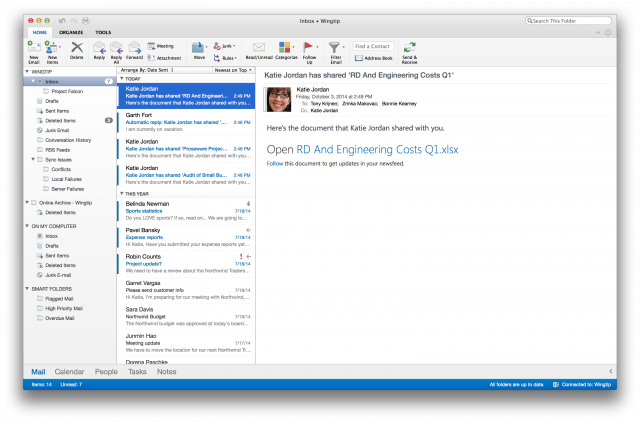
Today's announcement is not just about the next Office for Mac, as Microsoft today launched the new Outlook for Mac. It is designed to deliver a consistent experience that is in line with what you get by using Outlook on Android, iOS, online and Windows. On top of the "fresh look and feel", it also comes with other improvements, as you might expect.
 
The biggest changes are increased reliability and performance, a revamped user interface with improved switching between Ribbons, online archive support for searching archived Exchange emails (stored on-premise and in the cloud), push email support with Office 365, quicker sync and download with Exchange Web Services, support for Master Category List and improve access delivery for category lists, and, last but not least, syncing between Mac, OWA and Windows clients.
 
It is a substantial improvement over the last Outlook for Mac, which is part of Office for Mac 2011. The new Outlook for Mac is only available for Office 365 subscribers, and can be downloaded from Office 365 Portal (for business users) or My Account (home users).
 
~ Mihaita Bamburic

10.15.2014

Why I'm cashing in my iPad Air today

Summary: Another year, another round of tablet upgrades.
 
 
October cometh, and with that is the latest round of iPad upgrades. We don't know for sure what will be in the next version, although I took a stab at it around this time last year, so we'll find out in very short order whether I came close or not with my predictions.
 
When I heard just before I left on my vacation to Mexico last week that Apple was going to have an iPad event on the 16th, I immediately logged into Amazon Trade-In and put my iPad Air 128GB up for cash. They offered me a cool $407.
 
Gazelle and a few other companies do the same thing, but I find that Amazon is usually the best way to go, as their offers tend to be more generous and I spend a lot of money with them as a Prime customer anyway, so it doesn't matter much to me that it is for store credit.
 
If you decided that you were going to do the same thing today, assuming your device is in pristine, "like new" condition, you'd get $361. So in the course of a week, right after it was known a new version was going to be announced, the value of a used iPad Air depreciated $47.
 
My device of course has always lived in an OtterBox or some other heavy-duty protective case, so it's perfect. I've kept the original packaging, cable, and charger, so I expect that Amazon will give me the full $407. I sent it off via UPS today.
 
I am officially iPad-free, at least temporarily. My Surface 2 and Surface Pro will have to hold me over for a bit, and my iPhone 6 can fill the app gap.
 
Keep in mind that the iPad Air 128GB Wi-Fi was $799.00 brand new, so even with my $407.00 store credit offer from Amazon, that's a net loss of $392.00, or the equivalent of leasing an iPad at $32.66 a month over the course of a year.
 
It sounds nutty, but I do this every single year. Why? Because it's better than the device becoming absolutely worthless for current-generation apps within 2 or 3 years if I were to keep it.
 
Last year, I traded in my iPad 4th Generation 64GB for $387.50. And the year before that, I got $575.00 for my 3rd Generation 64GB.
 
See a pattern here? There's more and more iPads on the secondary market and thus the value of the current model depreciates more and more the same time every year.
 
I did actually consider keeping the current iPad Air and giving it to my wife, but she rebuffed my advances, preferring her Windows Phone and her touchscreen laptop.
 
Why not keep my iPads for as long as possible? Sure, plenty of people do that. They hand them down to their kids, maybe they don't need the latest and greatest stuff. But I'm a technology writer and I need to keep up with this junk, and I can easily make up the price of a new one with a few articles covering accessories and the like.
 
Still, it's not just keeping up with the latest and greatest. I bought the iPad Air, but I did not... love the thing.
 
I used it a lot, sure. I used it every day. I played games on it constantly. But it seemed to me beyond the basic form factor changes and the usual processor rev, the iPad Air was not a massive improvement over the iPad 4th Generation.
 
We did not get a fundamental display improvement over the 4th Generation with the iPad Air. We did not get magnetic induction charging. We did not get Touch ID. And frankly the stereo sound output on the iPad still kind of bites compared to some of its competitors. 
 
Now, if you waited two generations, maybe three generations until you upgraded, you might have noticed a big difference. But for those of us lunatics that need to have the latest model every year, the iPad Air was a bit of a letdown.
 
Sure, you could argue the move towards a 64-bit CPU and a discrete motion sensor processor is a big deal, but I actually haven't noticed tangible benefits of 64-bit processing yet, particularly with business applications like Microsoft Office or Apple iWork.
 
There were only a few games that I played over the course of that last year that I could have said that they worked fundamentally better than on the previous device. Perhaps they had graphic enhancements I wasn't able to examine side-by-side with the old model.
 
So maybe I'm getting a bit jaded.
 
You could also argue how much thinner and lighter the device was over previous versions. That's fine and good until you throw it in an OtterBox that adds an extra pound of weight to protect it from getting damaged, considering how fragile a device it is.
 
You know what I really want in the new model? Other than not making it out of eggshells and potato chips so I don't have to put armor plating on it? Besides adding inductive charging and Touch ID?
 
A much larger screen, like the rumored iPad Pro is supposed to have.
 
I'm getting older, I just got progressive lenses and I'm tired of looking at little screens with tiny fonts. I want 4K resolution with an active stylus so I can draw hyper-realistic paintings of my poodles and actually read something in the Kindle app without squinting.
 
I used to think it was enough, and I was really impressed with it when the iPad 3 came out, but 9.7" and 2560 pixels wide at 267ppi doesn't cut it anymore. My glasses prescription just went up over 2 diopters. I want in excess of 400ppi on a 13" display. Is that too much to ask?
 
Tank, I need business intelligence dashboards! LOTS OF DASHBOARDS!
 
Although it's not a hard requirement, what I would like to see from Apple is a heterogeneous multi-core SoC using big.LITTLE ARM architecture so the device conserves battery for apps that don't need all the horsepower, so we can get closer to 20 hours of battery life out of the tablet.
 
Of course, instead we'll probably get some souped-up version of the A8 with some better GPU than what the iPhone 6 uses, so I doubt it.
 
And I'd like some more RAM, please. 2GB would not be bad, it would beat the 1GB on the Air, but 4GB would be so, so much better. I mean how many times have you crashed an app on iOS because of a resource deficit?
 
Oh well. At least I have some more spending money now for whatever comes next.
 
Have you cashed in your iPad yet, hoping the new model will be better? Talk Back and Let Me Know. 
 
~ Jason Perlow 

10.02.2014

Sorry Linux fans, Windows 10 will continue Microsoft's desktop domination

 
I'll admit, when Windows 8 was first announced, I hated it. Even though I am open-minded about UI changes, the Start Screen rubbed me the wrong way. At the time, I was strictly a keyboard and mouse user, who enjoyed doing things on a large monitor. After months of trying to convince myself that I would eventually like the changes, I gave up and went to Linux full time. I was already a casual user of operating systems based on the open-source kernel, but now I was jumping in head first.
 
Initially, life was great and I hopped from distribution to distribution trying Ubuntu, Mint, Fedora and many more. What was cool about these Linux-based desktop operating systems, was that I could choose the environment of my liking. In other words, if I didn't like the UI, I could easily switch. This was in stark contrast to Windows, which has a take it or leave it approach. Ultimately, I decided on Fedora and the GNOME 3 environment. This surprised me, because as a lifelong Windows user, I expected to gravitate towards KDE. Over time though, something strange happened -- I went back to Windows 8.
 
No, I didn't abandon Linux, but I turned to Microsoft's OS for the majority of my computing. The reason is rather simple -- I like quality programs. Don't get me wrong, software like Gimp and LibreOffice are good, but Microsoft Office and Photoshop are better. Plus, with Linux, I would spend more time tinkering and looking for solutions than actually using my computer as a tool. Don't forget, a computer is designed for getting things done -- it is not a religion or philosophy. Let's say Linux was a wrench and Windows was a hammer; many Linux users would try to drive a nail into a piece of wood with a wrench out of disdain for a hammer, and that is just silly.
 
This is really sad, as I know some very passionate Linux users that thought Linux could grab a huge piece of the desktop pie from Windows. Unfortunately, Microsoft has killed that opportunity with the announcement of Windows 10. You see, the biggest criticisms about Windows 8, which could have driven users towards Linux, are being rectified in the future version of Windows. Microsoft is finally bringing back the Start Menu and allowing Modern apps to run in a windowed mode. People that were considering a switch to Linux because of the lack of familiarity in Windows 8, will now not have to; the experience they desire is on its way back. Hell, $199 laptops don't hurt either!
 
You know that "take it or leave it" approach that I mentioned earlier? Well, Microsoft seems to be relaxing that stance, as users can choose the touch screen UI or desktop UI -- they aren't forced onto one of the other. You can even adjust the Start Menu to be tall or fat, or have live tiles; it is a very customizable experience. Actually, Linux distros offer too much choice, and ultimately, the small user base is fragmented due to the myriad of available desktop environments.
 
I still love Linux and I am anticipating Fedora 21; however, me and most of the world are probably more excited about the next version of Windows. The dream of Linux having a bigger piece of the desktop is less likely today than it was yesterday because of Windows 10. Still, Linux is no slouch -- it owns the smartphone market thanks to Android. Quite frankly, the mobile market may be more important anyway.
 
Image Credit: bouzou / Shutterstock
 
~ Brian Fagioli

7.22.2014

Office vs. iWork: Which performs best in the real world?

Mac users typically choose either Microsoft Office or Apple iWork tools. Erik Eckel explores which app is best for completing most real-world tasks.  

 
Most Microsoft Office users tap only a fraction of the productivity software's capabilities. The most basic, commonly accessed functions -- such as those used for text formatting, inserting elements, and file formatting -- can quickly become lost among a myriad of other functions. Consider how many times a day a business user reaches for such commonly used functions, and it's easy to understand how confusion and frustration arise, not to mention production inefficiencies.
 
I believe that's why Apple's worked to create such simple, yet capable, software. Take Apple's Pages for example. The basic Pages interface features just a dozen icons. That's it. Microsoft Word? Almost 50, by my count. Apple's Numbers and Keynote boast the same advantages vs. Microsoft's Excel and PowerPoint.
 
Normally, I'd be inclined to believe the iWork suite's lack of complexity would make it difficult to format attractive documents, build compelling spreadsheets, and create arresting presentations. But I've used Pages, Numbers, and Keynote for almost a decade, and I've never encountered trouble.
 
The iWork tools provide ready access to frequently used features. The simplicity makes it easier to create and format documents, build information-rich spreadsheets, and create, share, and present powerful presentations. Ultimately, that's the business goal for these applications.
 
Consider the most common actions users are likely to complete using iWork Office-counterparts. Pages, Numbers, and Keynote make it easy to access all the following functions:

Pages

  • Text formatting
  • Bullet and numeric list formatting
  • Image placement
  • Table and chart insertion
  • Header and footer editing

Numbers

  • Cell function editing
  • Table and chart manipulation
  • Text formatting
  • Header and footer formatting
  • Grid line and border formatting
  • Row and column sizing and adjustment

Keynote

  • Slide creation
  • Slide formatting
  • Text formatting
  • Image, table, and chart insertion and editing
  • Slide animations and transitions
  • Audio and video integration
  • Presentation playback
Like Office's programs, the iWork productivity apps -- Pages, Numbers and Keynote -- all include attractive templates, integrated cloud-synchronization features, integrated spell-checking, multiple standard export and Save As options, plus tablet and smartphone compatibility. The true differences are in ease of use and price. While Microsoft Office for Mac Home and Business costs $219.99 (USD) per Mac, the purchase price for Pages, Numbers, and Keynote totals just $59.97 (USD).
 
The Word vs. Pages (and Excel vs. Numbers / PowerPoint vs. Keynote) comparison reminds me of the Pepsi Challenge. Blind testers frequently prefer the sweeter, less-harsh flavor of Pepsi vs. other colas. The iWork office productivity apps (to be fair to Apple, the entire iWork collection also includes iPhoto, iMovie, and GarageBand) are similar. Once you try them, you may well find you prefer the alternative's refined operation.
 
Which do you prefer -- Microsoft Office or Apple iWork -- and why? Share your opinion in the discussion thread below.
 
~ Erik Eckel

7.07.2014

Ubuntu saves Munich millions -- should all governments switch to Linux?

 
Trust in government is not exactly at an all-time high. Sure, there are oppressive governments such as Iran and China that filter and block web content, but even the USA has a spotty record. With all the news of PRISM and other spying programs, it is hard to tell which way is up anymore.
 
One way to solve this dilemma is through transparency and honesty. Unfortunately, as long as governments use closed-source software, it is hard to audit and trust the actions. Today, Canonical announces that not only has Munich taken an open approach to computing with Ubuntu, but the city is saving millions of euros too. Using open-source software and saving money? Hell, maybe all governments should make the switch to Linux.
 
The city had the following needs:
  • Wide range of applications
  • Interoperability with other platforms
  • Regularly updated hardware support
  • Low management overhead
  • Freedom from vendor lock-in
"The project saw Debian deployed in 2006. But a more predictable update cycle was required and, with a policy of tendering for new hardware suppliers every four years, the promise of ongoing support for a wider range of devices. So, in 2009, the city switched to Ubuntu. With the need to sustain political backing throughout the process, blogs and newsletters were used to keep stakeholders up-to-date, while explaining the change in platform to users and support staff. Forums were set up to enable stakeholders to voice their concerns and ask questions. Processes were established to manage user requirements, develop new LiMux releases and test them before roll-out to user workstations", says Canonical.
 
The company further explains, "the switch from from proprietary software to open source has saved the city more than €10 million -- a figure that accounts for both the hire of external companies to implement solutions and the internal man-hours the city has invested in management, training and testing. By 2012, €6.8 million had been saved on Microsoft licensing alone. By August 2013, the cost of the entire project had reached €23 million, compared with an estimated €34 million just to upgrade to Windows 7 and new versions of Microsoft Office".
 
Munich deserves much respect for choosing the open-source route. By saving valuable taxpayer money and supporting an open philosophy to computing, it can be seen as double win. Of course, a government can still be secretive while using Linux -- a truly open approach to information will require an entirely new way of thinking. Still, it is a good start.
 
If Munich can find success and cost-savings with Linux, it begs the question -- should all governments, including the USA, embrace Linux and other open-source solutions? Tell me what you think in the comments.
 
~ Brian Fagioli

3.28.2014

Microsoft launches Office for iPad

It’s taken a very long time, but today, finally, Microsoft unveiled Office for iPad. Despite the name, Office for iPad is three separate apps -- Word, Excel and PowerPoint -- which are individually available in the App store.
 
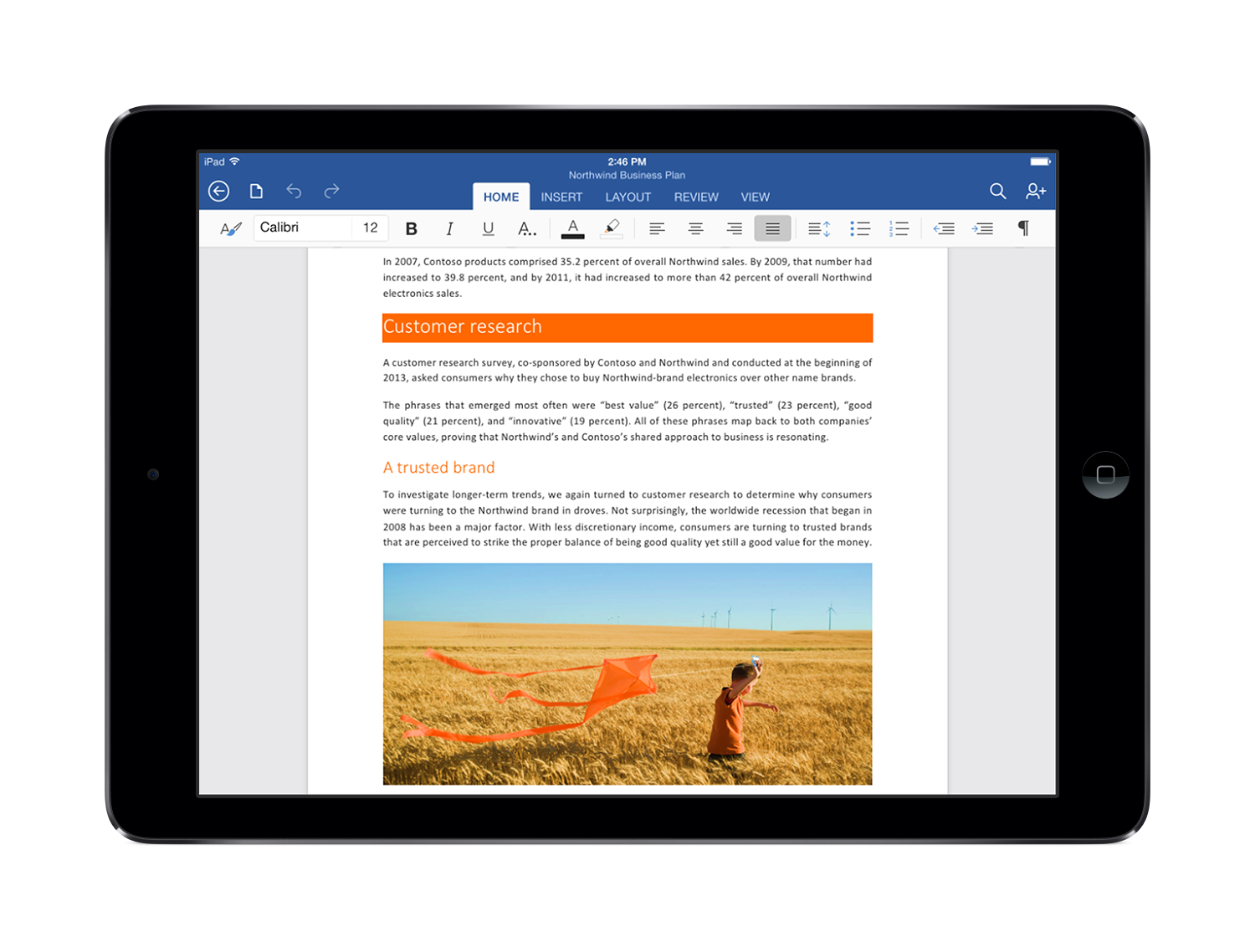
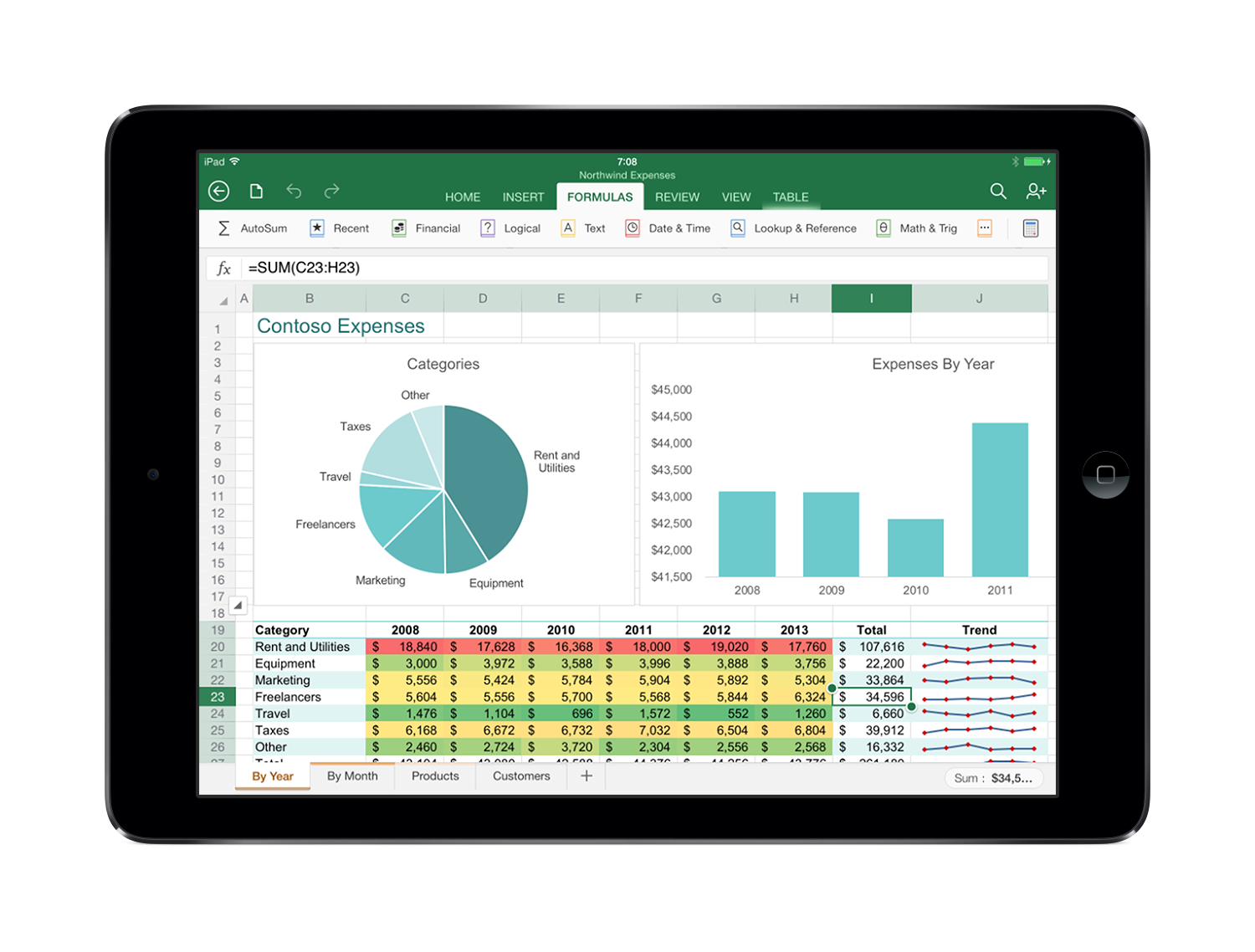
The apps have a familiar interface, with the same Ribbon interface and layout. But at the same time, they’re not just a port of the regular desktop version. Menus have been optimized for touch; objects can similarly be dragged, rotated or resized with a swipe; Excel has a special formula keyboard to help you enter data quickly, and everything scales properly in both portrait and landscape mode.
 
There’s solid integration with other iPad features, too; you can use voice dictation to create a document, perhaps, or AirPlay to project your finished presentation.
 
Best of all, there’s plenty of functionality here. This isn’t the hobbled Office Mobile for iPhone: there are templates, tables, footnotes, filters, transitions, collaboration tools, and just about everything else you’ll need. Formatting is preserved so documents look just as you’d expect, and of course you can save and share your documents in OneDrive, OneDrive for Business and SharePoint.
 
If you’re just looking for a viewer, then the good news is that the Office apps are free. Just download them and you’ll be able to read and present documents, spreadsheets and presentations.
 
To create or edit documents, though, you’ll need an Office 365 subscription. If you have one already, no problem; you’re covered for all the apps installed on up to five tablets, as well as five further Office installations on your PCs and Macs.
If you’re not a subscriber, Microsoft says Office for iPad will be covered by the upcoming Office 365 Personal at $6.99 a month ($69.99 a year).
 
There’s no doubt that Office for iPad looks great, is powerful and easy to use. But whether it’s good enough to justify the price, when there’s so much free competition, is another question.
 
 
~ Mike Williams

3.13.2014

Long-awaited Office for Mac refresh reportedly coming in late 2014


Microsoft is set to refresh its aging Office for Mac productivity suite later this year. According to to Thorsten HĂĽbschen, Business Group Lead at Microsoft Germany, news about the new version of Office should come during the second quarter of 2014, with a final product planned for release by the year's end. The revelation came during an interview with German publication Computerwoche at CeBit 2014.
            
The current version of Office for the Mac was released more than three years ago in October of 2010. While development on Apple’s platform has historically lagged behind its Windows counterpart by about a year, the current timeline would put the Mac release almost two years apart. The company originally had plans to release Office for Mac in the spring of 2014, but it appears it will miss that timeline. HĂĽbschen says a reorganization in 2010 that merged the Mac development team with the wider business software group is what caused the delay.

Office 365 subscribers will automatically get the next version of Office for Mac when it’s ready.
   
In related news last month reports emerged suggesting that development on Office for iPad had been sped up with the goal of launching during the first half of 2014. If that’s the case we should see the touch friendly version of Microsoft’s productivity suite arrive before its desktop counterpart on the Mac.
   
~ Jose Vilches  

2.15.2014

Microsoft Office on iPad: It's alive and coming sooner than most think

Summary: Microsoft's Office for iPad, codenamed Miramar, isn't dead. In fact, it just might beat Microsoft's own touch-first Office implementation for Windows to market.
 
It must be a slow news day. I see a number of folks trying to parse recent statements by Microsoft's Executive Vice President of Marketing Tami Reller -- who described  Microsoft's approach to balancing its Windows and cross-platform plans as "thoughtful" -- as meaning Microsoft plans to drag its feet on Office for iPad.
 
Office for iPad -- which I've recently heard is codenamed "Miramar" -- isn't dead. In fact, it's likely to make it to market ahead of Microsoft's touch-first version of Office (codenamed "Gemini") according to a couple of my sources.
 
Here's a quick recap on what I've heard from Microsoft officials, as well as my own contacts, about Office for iPad.
 
Microsoft officials have acknowledged, in a somewhat roundabout way, that it exists and is coming. Last we heard, it sounded from ex-CEO Steve Ballmer that it was going to arrive some time after Microsoft's own touch-first, "Gemini" implementation of Office. Gemini is Microsoft's Metro-Style/Windows Store versions of Word, Excel, PowerPoint and OneNote.
 
But I hear Ballmer and the senior leaders of the company may have had a change of heart towards the end of last year. According to one of my contacts, Ballmer OK'd the suggestion by the Office team that they'd bring Office for iPad to market as soon as it was ready, even though that would likely mean before the Windows 8 version. I'm hearing that new date for Office for iPad is some time in the first half of calendar 2014. (My sources last summer were hearing Office for iPad wouldn't debut until Fall  2014.)
 
I still haven't heard exactly how Microsoft will make Office for iPad available. I've heard it's likely to require some kind of Office 365 subscription (either corporate or Home Premium, depending on the use case). If I were a betting woman, I'd count on it saving files by default to OneDrive (the soon-to-be-renamed SkyDrive) or OneDrive for Business, with options to save locally. The Office 365 tie-in isn't hard to imagine, given Microsoft has made Office Mobile available for iPhones and Android phones, with an Office 365 subscription requirement.
 
As you might expect, Microsoft officials are declining to comment on anything having to do with Office on iPad. But don't believe the naysayers: Office for iPad is coming. And sooner than many think.
 
~ Mary Jo Foley
 

2.06.2014

Does security matter to you? Ditch Windows XP for one of these upgrade options

Microsoft officially ends support for Windows XP in April 2014, but there are plenty of upgrade options available. Andy Wolber takes a look at some conventional and alternative OS options. 


If you use Windows XP or Office 2003, after April 2014, you’re living dangerously. XP will run, and you can still work with Office 2003 apps, but Microsoft’s support for these systems ends that month. As a result, systems running XP and Office 2003 will be increasingly vulnerable to attack.
 
Microsoft will update anti-malware signatures for Windows XP through mid-July 2015. But anti-malware updates may not address system or software level flaws. Google will update and secure Chrome on Windows XP through April 2015. Yet using a secure browser on a potentially insecure operating system seems unwise. People using Windows XP and Office 2003 should upgrade.
 
Fortunately, upgraders have options. You can choose from at least seven operating systems and five office suites. The path that makes the most sense for you -- or your organization -- depends on many factors, including the number of systems and the reason the systems still run XP (e.g., Custom apps? Or you just haven’t bothered to upgrade yet?).
 
Apps, costs, and knowledge limit your upgrade options, though. The apps you need (or want) to use must be available for the platform you choose. Some upgrade options require new hardware, some don’t. Alternative apps often do similar tasks on different platforms but may require may require people to adapt (i.e., learn new things).
 
This week, we'll look at operating system alternatives to Windows XP. Next week, we'll examine office suite alternatives to Office 2003. 

Three conventional operating system options

Windows 7: Keep your hardware

For large enterprises and many individuals, Windows 7 may be the most obvious upgrade option, since it retains a similar look and feel to Windows XP. In most cases, Windows 7 will run on the same hardware as systems currently running XP. Download Microsoft’s Windows 7 Upgrade Advisor to assess your system.

Windows 8.1: Works best with a touch screen

Microsoft’s newest operating system provides a touch-friendly, tile-based interface while also offering the ability to run older Windows software. Windows 8 does run on non-touch systems, but I find it best suited for systems with touch screens. So, an upgrade from XP to Windows 8 most likely means buying a new touch-screen device.

Upgrade tip: If you’re upgrading individual systems, I’ve found Laplink’s PCmover to be worth the cost. PCmover saves your apps and data to a file before you upgrade. Then, you do a custom install of Windows 7 to a new folder on your system. After that completes, run PCmover again to unbundle your apps and data. It isn’t perfect, but it saves a lot of time otherwise spent reinstalling apps and copying files.

OS X Mavericks: Change platform, with access to apps

Individuals or small businesses may choose to move to the Mac. Many major software vendors make applications that run on both platforms. Emulators, such as Apple’s Boot Camp and Parallels, make it possible to install and run Windows and Windows apps on the Mac. However, not all peripherals, such as printers and scanners, work with both platforms.

Four alternative operating systems

iOS or Android devices: Robust portable computing

A smartphone or tablet may be all many people need, especially when occasionally paired with an external keyboard. Both platforms offer a rich ecosystem of apps, and both are widely used. For many users, a smartphone or tablet provides “just enough” computing power. Mobility and connectivity offer the opportunity to rethink how work gets done. 

Linux: Keep your hardware (but know what you’re doing)

For organizations with sufficient technical expertise (or support), the open source Linux operating system may be a viable alternative. For example, I know of a legal aid society that moved entirely to open source software because the tools both did the job and aligned with the organization’s philosophy. Open source software provides a level of transparency not available with other systems. Security-conscious organizations may find that essential.

Chromebooks / Chrome OS: When the web is enough

If your organization already uses Google Apps, you might replace some of your XP machines with Chromebooks. Unless people need to run non-web apps, Chrome OS and web apps are certainly enough for many users. Chromebooks offer fast boot times and no-hassle access to the web. The low price of most Chromebooks also makes the devices an appealing option for organizations with large numbers of obsolete Windows XP machines.
 
A unique benefit that Chrome OS offers is that people using Chrome OS can login to the Chrome browser on Windows or Mac systems. Most apps, extensions, passwords, and the browser history can be synced across platforms. Once you move 100% to the web with Chrome OS, you can work effectively in Chrome on any Chrome, Windows, or Mac system.

Think before you upgrade

The end of life of XP and Office 2003 offers a chance to rethink the tools you use. The simplest upgrade path is to move to a newer version of Windows and Office and call your task complete. But by doing so, you may miss the opportunity to leverage smartphones, tablets, and web apps -- all of which didn’t previously exist as they do today. Finally, I’ll suggest that people who adapt quickly will be more productive than people for whom change is a chore
 
Next week, we’ll look at upgrade alternatives for Office 2003.
 
What do you and your organization plan to do when support for Windows XP finally ends? Share your game plan in the discussion thread below.
 
~ Andy Wolber

10.09.2013

Microsoft finally confirms Office for iPad is in the works

Microsoft CEO Steve Ballmer has finally confirmed that a version of Office is in the works for the iPad. During a speaking engagement at a Gartner event in Florida, Ballmer said support for the iPad would be picked up once there is a touch first user interface which likely means, it’ll arrive after a Windows version is released.
 
The touch first user interface that Ballmer mentioned is already in progress, he said.
Rumors of Office for iPad date back to when the first tablet was launched in early 2010. The Daily, the now defunct iPad-only news app, reported in November 2011 that an app for the iPad was in the works and even provided photographic evidence. Microsoft at the time denied the accusations and said the story was based on inaccurate rumors and speculation.
 
A version of Office for iOS did arrive earlier this year but it was limited to the iPhone. The Office 365 app requires a subscription to the Office 365 service to use, however. It grants access to Word, Excel and PowerPoint documents while on the go. At the time, Microsoft suggested iPad users could use Office Web Apps via their web browser.
 
It is not known at this hour whether or not the iPad version will require an Office 365 subscription nor do we know exactly when it will be released. If previously leaked roadmaps are to be believed, however, Microsoft likely won’t get around to launching the app until late next year.
 
~ Shawn Knight

6.12.2013

10 reasons why Kingsoft Office is better than the competition

Takeaway: Move over Microsoft Office and LibreOffice - there’s a new suite in town.
Unless you live in China, you’ve probably never heard of Kingsoft Office. That’s a shame because it’s one of the best office suites on the market. Though it doesn’t contain all the tools offered by either Microsoft Office or LibreOffice (it offers only a word processor, spreadsheet, and presentation tools), it’s far more cost effective than the Microsoft offering and more stable than the LibreOffice alternative.
 
Don’t believe me? Until you actually try out the tool, the best way I can convince you is to give you 10 solid reasons why Kingsoft Office is superior to the competition.

1: Compatibility

Kingsoft Office has a high compatibility with the de facto standard in business — Microsoft Office. The Kingsoft suite was developed with compatibility in mind and it shows. You can open/save documents (Word, Excel, and PowerPoint) from Microsoft Office 97/2000/2003/2007/2010 (in both standard and compressed formats). But there is one caveat. Although Kingsoft Office is highly compatible with the Microsoft Office formats, it is not compatible with LibreOffice/OpenOffice default formats. You need to save those documents in the Microsoft Office format (or, say, RTF) to open them. But as for Microsoft Office compatibility, Kingsoft bests LibreOffice and OpenOffice.

2: Page layout/word processing

Kingsoft Office Writer is almost like a word processor/page layout tool in one. With the new Paragraph Layout tool, you can drag and drop your paragraph layouts (on a per-paragraph basis) to make the document look exactly how you need it to look. There is also an abundance of what Kingsoft calls Materials (lines, connectors, shapes, arrows, images, buttons, etc.) that you can quickly add to the document. As well, the Page Layout tab allows you to easily add/change things like orientation, size, breaks, columns, line numbers, text wrapping, and text direction.

3: Integrated backups

This is one feature that really makes Kingsoft Office stand out. Kingsoft Writer creates an initial backup upon first save. You also set up the frequency of autosaves, which works in conjunction with the backup management. Backup management works very much like the OpenOffice crash recovery, only you have access to the tool even when a crash has not occurred.

4: Tabbed interface

Unlike the other office suites, Kingsoft makes it simple to work with multiple windows by taking a page from the world of web browsers. Every time you open a new document (either within Writer, Spreadsheets, or Presentations), it will open as a new tab within the main window. This makes it incredibly simple to switch back and forth between documents and doesn’t clutter your desktop. You can even have the documents open side by side, top to bottom, or cascaded.

5: Skin (UI) manager

Kingsoft Office offers two skins: a Ribbon-like UI and a classic, drop-down menu-based interface. With the paid version, you can quickly switch back and forth between UIs, which means no matter what type of interface you (or your users) prefer, you can have it. I have actually found the Ribbon-like interface to be the best. It’s like the Microsoft Ribbon interface on steroids. You have faster access to features and tools than you do in the Microsoft version. Finally, if you’re an Ubuntu Unity user, Kingsoft Office integrates with the HUD without any extra work (unlike the broken HUD interface with LibreOffice).

6: Mobile version

Kingsoft Office not only has a desktop version for Windows and Linux, but also for Android and should have a full version for IOS as well (currently it offers only the Presentation software). Without a doubt, Kingsoft Office is the king of Android office suites. It has the single best interface, and it offers more functionality and features than any other mobile office suite.

7: Outstanding reference/review tools

If you are a fan of creating TOCs, footnotes/endnotes, captions, and cross-references, Kingsoft Office has an incredibly easy tool for those tasks. Located in the Reference tab, the tool makes it easy to
insert/update/toggle levels for TOCs, insert footnotes/endnotes, add captions and cross-references, and even handle mail merge (available only in the paid version). Any editor will be pleased with the tools offered on the Review tab. A much easier interface for accepting/rejecting changes makes editing far easier than in other office suites. And unlike LibreOffice, Kingsoft Office includes the ability to show markup.

8: Quick formula selection

I have never come across a better interface for a spreadsheet. On the Formula tab, you will find several categories, each of which contains a drop-down where you can select from numerous formulas. You’ll find Autosum, Financial, Logical, Text, Date/Time, Lookup/Reference, Math/Trig, and more functions. There is even a Recently Used drop-down to select from your most recently used formulas.

9: Easy data tools

In a similar vein, Kingsoft Office Spreadsheets makes it easy to work with data. On the Data tab, you will find quick access to Sort, Duplicates, Validation, Forms, Text To Columns, Consolidate, Goal Seek, Group, Subtotal, and more. With the paid version of Kingsoft Spreadsheets, you also have access to data import tools, Edit OLE DB Query, and External Data Range Properties.

10: Cost effectiveness

There are two versions of Kingsoft Office — free and paid. The free version is missing a few of the features (such as the ability to switch between UIs, online updating, macros, and cover page). The Professional version is (as of this writing) $69.95 USD. The full-blown Android app is free.

See what you think

Many will think me mad in my proclamation that Kingsoft Office has quickly become one of finest office suites available. It’s not well known, but that doesn’t detract from the fact it has surpassed its competition in value. Download the free version and see how quickly Kingsoft Office wins you over.
 
~ Jack Wallen