Cisco Learning Network Store Promotions Page
Showing posts with label OS X El Capitan. Show all posts

3.26.2016

How to replace and upgrade a MacBook Pro hard disk

Here's how an IT pro replaced a three-year-old MacBook Pro's hard drive with an SSD for less than $80 in about an hour. Now his machine is faster than ever. 

Image: Erik Eckel/TechRepublic
Laptops that fail three or four months after the extended warranty expires have always proven challenging. Should you replace the hard drive, reinstall the OS, and recover all the system's applications and data? That's a lot of work. And then, what happens after you invest such time and effort and the laptop's logic board or display fails? Is it worth continuing to invest funds in keeping the system running?
 
Well, when you have a less than three-and-a-half year-old MacBook Pro that's packed with an Intel Core i7 and 8 GB RAM and is otherwise running perfectly, I recommend replacing the failed drive with an SSD. The hard disk in my mid-2012 MacBook Pro (purchased very late in 2012) gave up the ghost. Instead of tossing the laptop, I purchased a $65 240 GB SSD and had the MacBook Pro back up and working faster than when it was new (with a 750 GB 5400RPM traditional drive). Only about an hour's work was required. Here's how I did it.
 
First I placed the MacBook Pro upside down on a static-free mat and removed the screws from the laptop's bottom casing. I noted which screws came from which location, as several of the screws are of different sizes. Then I carefully removed the wiring harness that connects the battery to the motherboard, as circled in red below.
 
Image: Erik Eckel/TechRepublic 

For the next step, I removed the two screws from the black plastic hard drive retention piece that secures the hard disk to the motherboard. The hard drive's location within the mid-2012 MacBook Pro is circled in red within the next photo. Note, the photo shows the new SSD drive installed in place of the old 5400RPM traditional hard disk.
 
Image: Erik Eckel/TechRepublic  

After ensuring I could easily replace the hard disk, I found and ordered a compatible SSD on Crucial.com. After ordering the replacement drive, which cost just over $78 including a three-dollar surcharge for expedited shipping, I downloaded the OS X El Capitan install file using another Mac, since I now had the MacBook Pro in pieces.
 
Next I found a 16 GB thumb drive. Using my other Mac, I connected the thumb drive and opened Disk Utility. I selected the thumb drive and clicked the Erase button that appears along the top Disk Utility's top menu. I made no changes to the Disk Utility's default settings, leaving the format set to Mac OS Extended (Journaled) and name as Untitled.
 
Once the El Capitan installer was downloaded to my Mac's Applications directory and the thumb drive finished formatting, I opened a Terminal window and typed the following command, which I found on Mashable (they credited MacRumors member tywebb13 with sharing the command):
 
sudo /Applications/Install\ OS\ X\ El\ Capitan.app/Contents/Resources/createinstallmedia 
--volume /Volumes/Untitled --applicationpath /Applications/Install\ OS\ X\ El\ Capitan.app 
--nointeraction
 
As Mashable notes, Terminal prompts the user for the administrator password. When the correct password is supplied, the command erases the thumb drive media, copies installer files to the drive, and configures the thumb drive to serve as bootable media.
 
Upon receiving the SSD, I moved the screws from the side of the old disk to the same locations on the new drive, and then installed the drive in the MacBook Pro. I also reconnected the battery to the motherboard and replaced the hard drive retention piece, as well as the bottom cover and all screws.
 
I connected the thumb drive to the MacBook Pro, booted up the laptop while pressing the Option key, and then chose to boot from the thumb drive that read Install OS X El Capitan. I selected the SDD as the disk to which I wanted to install the operating system, and then I marveled at how easy the process was.
 
Next, the installation process failed. I was greeted with a nonsensical error that read "This copy of the Install OS X El Capitan application can't be verified. It may have been corrupted or tampered with during downloading." The file was fine; it wasn't corrupt, nor had it been tampered with.
 
I found the problem's answer thanks to YouTube's Easy Steps, who's posted a helpful video for this issue. The problem occurs, as the video notes, because disconnecting the battery causes the laptop to revert to an old date that confuses the OS X installer. I corrected the problem by opening Terminal from the MacBook Pro's boot screen and typing "date 032301532016," which instructed the Mac to set the date as March 23, 2016 and the time as 1:53am. That did the trick, and the installer continued to walk me through a regular OS X installation.
 
I ended with a faster-than-new MacBook Pro and a refreshingly clean install. I could have chosen to recover applications and settings from a Time Machine backup, but for this installation I sought to start from scratch with a fresh new install. For $78 and an hour or so of work, the laptop should provide another two years of reliable service. Time will tell.
 
~ Erik Eckel

3.24.2016

You might want to hold off on upgrading to iOS 9.3, OS X 10.11.4 El Capitan

 
Apple earlier this week released new versions of its mobile and Mac operating systems, namely iOS 9.3 and OS X 10.11.4 El Capitan. They come with a significant number of changes, like Night Shift mode, extended Wi-Fi calling support and lots of security fixes, but also introduce bugs which are causing major issues for some early adopters.
 
It is not unheard of a new iOS or OS X release to break things, as Apple seems to be dealing with these kind of things quite frequently nowadays. Not everyone may be affected, but if you have an iPad 2 or use Apple's messaging services often on your Mac you might want to hold off on performing the upgrade.
 
For iPad 2 users, the update to iOS 9.3 leads to an activation issue, which ultimately renders the device "useless". As you may know, in order for any iOS device to work, it has to be able to activate itself by connecting to Apple's servers. Normally this is done in a matter of seconds when connected to a Wi-Fi or cellular network.
 
However, it looks like, following the iOS 9.3 upgrade, iPad 2 devices cannot connect to the server anymore. At least that is the error message that affected users have reported. It is unlikely to be an issue on the server side, and more likely to be a bug in the upgrade process which affects these devices.
 
Users who have reported this issue say that it is possible to bring their iPad 2 back to life by installing iOS 9.3 from scratch using recovery mode; restoring iOS 9.3 on the device has to be performed twice to work. This is not something that everyone might be comfortable doing though.
 
Connection issues also plague a number of OS X 10.11.4 El Capitan users, who have reported that they are no longer able to access Facetime and iMessage on their Macs following the upgrade. As a Mac user myself, I have yet to experience such problems. While writing this story I was able to access both services without issues. However, if you are a heavy user, you might want to postpone the update to OS X 10.11.4 El Capitan for a while.
 
Photo Credit: 9nong/Shutterstock
 
~ Mihăiță Bamburic

3.22.2016

Apple releases iOS 9.3, OS X 10.11.4 El Capitan, tvOS 9.2 and watchOS 2.2 -- here's what's new

 
Apple just released iOS 9.3, OS X 10.11.4 El Capitan, tvOS 9.2 and watchOS 2.2, following its Let us loop you in event, which, among other things, saw the unveiling of iPhone SE, the 9.7-inch iPad Pro and new Apple Watch bands earlier today.
 
The latest batch of updates packs lots of changes, including security improvements and new user-friendly features but also bug fixes and better hardware support. Here is everything that you need to know.
 
The largest number of changes is in iOS 9.3, which, among other things, brings Night Shift mode, TouchID functionality in the Notes app, the ability to import Evernotes content into Notes, Wi-Fi Calling for Verizon customers, full-screen video playback on iPad using Apple Music, and support for multiple user accounts on iPads enrolled in the education program.
 
For those who are not familiar with it, Night Shift is a new mode which should basically allow you to sleep better. It sets the display to more yellowish tones, to minimize the effects that blue light has on your eyes right before going to bed. It is similar to f.lux, and other such tools, in this regard.
 
Apple has put a lot of effort into iOS 9.3, with the whole changelog being rather long. There is a larger number of bug fixes and improvements listed for Notes, News, Health, Apple Music, Photos, iBooks, Education, CarPlay, 3D Touch, Enterprise, Accessibility, Maps, as well as other areas of the operating system.
 
Worth noting is that Apple has patched a majority security bug in iMessage, which could have allowed hackers to decrypt media sent through the service. The whole list of security updates can be found here.
 
When it comes to OS X 10.11.4 El Capitan, Apple lists only a handful of additions, which add functionality to existing apps, fix some bugs, and improve compatibility and reliability for its USB Type-C adapters.  You can read the complete changelog here, and take a look at the security updates included in the latest version of OS X here.
 
Like iOS 9.3, tvOS 9.2 also packs a lot of interesting changes. We have improved voice support via Siri, which now lets you, among other things, dictate usernames and passwords and find content in App Store, app folders, the ability to switch between recent apps by double-clicking the TV button on Siri Remote, support for iCloud Photo Library, and this includes Live Photos, the re-introduction of support for Bluetooth keyboards, Conference Room Display, and the listing of release notes in Settings, as the main highlights.
 
As far as watchOS 2.2 is concerned, Apple has added new functionality to the Maps app, support for additional dictation, system and Siri languages, and a higher frequency of heart rate measurements when stationary. It is designed for the fourth-generation Apple TV.
 
All of the aforementioned updates are available now.
 
Photo credit: Dmitro2009 / Shutterstock

~ Mihăiță Bamburic

1.29.2016

Apple releases surprise update for no-longer-supported OS X 10.6 Snow Leopard

 
When it comes to supporting older operating systems (or not), it is usually Microsoft that we are talking about. But this week Apple took its users by surprise by releasing an update to Snow Leopard -- the lengthily-named Mac App Store Update for OS X Snow Leopard.
 
If you are wondering why an OS update should come as a surprise, it is because support for Snow Leopard came to an end in the latter half of 2013. It is an update that is ostensibly about ensuring continued access to the Mac App Store, but it also helps to give Snow Leopard users an easier path to upgrade to El Capitan.
 
The update description is short and sweet, and it does not make it sound like anything too exciting. With the most recent versions of OS X delivered through the App Store, and Apple is keen for as many people as possible to run the latest editions, the update makes perfect sense. Apple explains that the (deep breath...) Mac App Store Update for OS X Snow Leopard:
  • Installs a renewed intermediate signing certificate required by the Mac App Store. The certificate ensures that you can continue to use the Mac App Store in Snow Leopard to purchase new apps and run any previously purchased apps that use receipt validation.
  • Includes improvements to Mac App Store alerts.
Unless you're a PowerPC user, you'll probably want to hit the Apple menu and select the Software Update option.
 
Photo credit: Mirek Srb / Shutterstock
 
~ Mark Wilson

12.05.2015

Pro tip: How to create a hidden admin account in OS X

You can make OS X even more secure by protecting a local admin account from becoming compromised. Find out how. 

Image: Apple
Best security practices advise that user accounts run according to the least privilege required, which would virtually erase the ability for standard users to manage systems on their own. While this increases the workload exponentially for IT, standardization can be implemented, and that is increasingly important.
 
One common practice is the implementation of a local user account with admin rights used to continue management of a device in the event that the trust relationship is severed or directory authentication is otherwise unavailable. The provisional account is typically used only to manage the device in times of absolute necessity in lieu of formatting the machine.
 
While it is common practice on a Windows domain to rename and disable a local admin account, Macs will (by default) require at least one local admin account to be created and present in order for the system to function properly.
 
With the recent release of OS X El Capitan, Apple has added functionality to further secure OS X, especially during the deployment phase by fully pre-configuring the administrator account and keeping it hidden from all other users that log on to a system. This is a nice security benefit, as the account is kept from users' prying eyes, while still allowing IT the flexibility of having a local account to manage devices, if needed.
 
But what if you're not running El Capitan? The feature is available as a terminal command within OS X Yosemite and later. It can be executed by following the steps below.
 
1. Create a new user account and assign it admin rights.
 
2. Launch Terminal.app and enter the following command:
 
sudo dscl . /Users/HIDDEN_USERNAME IsHidden 1
  
In essence, the command will hide the local admin account from the logon screen and from the User preferences. While the admin account is "hidden" from common view, the home folder and public folder share point will still be visible to all users who navigate to the /Users folder.
 
To remedy these issues and redirect the home folder to another hidden directory, enter the following command:
 
sudo mv  /Users/HIDDEN_USERNAME /var/HIDDEN_USERNAME
  
To update the home folder user record with the new home path, enter the following command:
  
sudo dscl . -create /Users/HIDDEN_USERNAME NFSHomeDirectory /var/HIDDEN_USERNAME
  
To delete the public folder share point for the hidden admin account, enter the following command:
  
sudo dscl . -delete "/SharePoints/HIDDEN_USERNAME Public Folder"
   
A new, hidden administrator account will be created in OS X with a home folder that's redirected to a hidden directory. The public folder share point for that account will be deleted.
 
This isn't a clear-cut solution to protecting a local admin account from becoming compromised, though it does serve as a layer of protection, which when combined with other established best security practices, will strengthen the security of the admin account used to manage Macs on your network.
 
~ Jesus Vigo

9.10.2015

Apple issues El Capitan Gold Master Release Candidate

 
This just arrived in my inbox from Apple: Offer to download what could be the final build before Apple certifies OS X 10.11 as golden: "Thank you for participating in the Apple Beta Software Program. Your feedback and usage of the OS X El Capitan public beta has helped us make this release great. We are pleased to give you access to the OS X El Capitan GM Candidate".
 
Promises. Promises. "If you are currently testing OS X El Capitan, please back up your Mac and do the following to install the GM Candidate. Go to your Purchased tab in the Mac App Store and click the Download button next to OS X El Capitan GM Candidate. When your download finishes, the installer will automatically launch. Follow the onscreen instructions to complete installation".
 
It's supper time here on the West Coast. I'll eat and install later. We're doing pizza night because it's too hot to cook. I do hope OS X 10.11 won't be too hot to handle. :)
 
The final build is scheduled to release September 30th.
 
~ Joe Wilcox

Apple Music misses a beat

 
Yesterday, I joined the 61 percent. The figure represents the people who, in a MusicWatch survey of 5,000, had turned off auto-renew on their free Apple Music trial, which for all ends September 30. Unless something really big comes out of this week's media event, where new iPhones could debut and iOS 9 and OS X El Capitan receive release dates, I will listen elsewhere. For now, I will stream higher-fidelity tracks from Tidal, and expand my musical horizons at services like SoundCloud.
 
Strange thing: I don't dislike Apple Music. Curated playlists are "frak me" good. Family pricing, $14.99 per month, is very reasonable. The library is voluminous; if I want to listen to it, Apple Music likely has it. Then there is the benefit of easy access to my own library of about 14,000 tracks alongside juicy fruit picked from the orchard.
 
My problem: I prefer Android to iOS. Streaming where and when I want is a benefit that trumps others. Additionally, I don't like the sound of Apple-encoded music files. To my aging ears, they are overly bassy, even with the graphic equalizer turned off. Maybe that's just my perception or quality of digital processing on iPhones and Macs. I find Tidal tracks, even those of comparable bitrate rather than lossless, sound cleaner and expose more instrumental detail and clearer vocals. Again, that's a subjective comparison from a music addict whose ear is attuned to the pre-MP3 sound, which is muddier, if for no other reason than compression.
 
Apple could easily win my loyalty, by offering its music service from web browsers or by providing lossless listening. My preference, Tidal, is pricey, at $19.99 a month for 1411kbps bitrate using the Free Lossless Audio Codec. Most people won't hear the difference, but I do, and it's most pronounced when listening to music engineered before the 21st Century. Tidal curation is best of class, but Apple Music's is even better.
 
Tidal Waves
 
In a commentary last week, Phoebe Jennelyn Magdirila boldly states that "Tidal might be history in less than a year". Aliens might invade the Earth in less than a year. The zombie apocalypse might overwhelm the planet's population in less than year. You can make any claim using "might" as qualifier.
 
I have a suggestion for Jay Z and company, using the grammatically correct statement Apple 1990's marketing brushed off: Think differently. Lossless is a differentiator, but you don't have the reach. You can't build a large enough subscriber base for the price you charge or with Apple Music tapping into an already overly large iPad, iPhone, and iTunes customer base.
 
If you can get music labels to agree on licensing terms, turn Tidal into a broader music distribution platform. Become the back-end lossless provider for Amazon, Google, and other streaming music providers. They must compete with Apple Music, too, and lossless would be a way of offering something different. Curate playlists for these services, too. Make Tidal a music platform OEM, so to speak.
 
One More Thing
 
In June I asserted that "Apple Music is the Tim Cook 'One More Thing' we waited for", and that assertion stands. The service isn't just about listening but engagement. Apple is creating a platform where fans can feel closer to artists through the Connect capability and curated playlists.
 
That said, SoundCloud is purer platform for artists, established or new, and music lovers to discover, to interact, and to share. I see irony in that one of Apple Music's promoted artists, Halsey, broke out on SoundCloud.
 
I don't really expect to see the bitten-fruit logo on an Android app. It's not the Apple Way to support competing platforms. Windows was necessity for iTunes, because of monopoly and reciprocity. Microsoft was for years the largest Mac developer outside of Apple, and Office mattered to businesses.
 
But in 2015, the tech titan gains more from staying the course and letting Apple Music be where it is. If I am mistaken,, and something dramatic comes out of this week's big media event, I have until September 30 to turn back on auto-renew.
 
Photo Credit: Yuganov Konstantin/Shutterstock
 
~ Joe Wilcox

9.02.2015

What to expect at Apple's September 9 event: iPhone 6S, Apple TV, and more (roundup)

The technology giant is expected to release new hardware and software in tandem, with the chance of a few surprises along the way.


Here's what we think we know so far.

New iPhones will steal the show

Almost every year since its inception, Apple has released a new iPhone in September. It's almost certain that the company will reveal its latest mobile incarnation, likely to be called the iPhone 6S.
 
And if you were after a mystery or two, you might be disappointed, because almost everything so far has leaked.
 
From the various blogs and rumor mills, it's clear we can expect three new things. The first is a vastly similar if not identical design as its predecessor, but with a few minor modifications. The shell is said to be slightly thicker, making it more rigid, helping to avoid a repeat of the so-called "Bend-gate" issue from last year. The thicker shell may also house an improved, longer-lasting battery. But what's more likely is that Apple will bring its Force Touch technology from the new MacBook to the new iPhone. That would bring pressure sensitivity to the device, opening up a whole range of possibilities for developers.
 
We're also expecting an improved 12-megapixel camera -- a significant bump on the current models -- allowing for super high-resolution 4K video recording. It's also likely that we will see a beefed-up A9 processor alongside more memory, making the smartphone faster and more responsive.
 
While it's reported that Apple will drop the cheaper "C" phone model, the iPhone will still come in two sizes: the regular 4.7-inch iPhone 6S, and the 5.5-inch iPhone 6S Plus.

New software: iOS 9, OS X 10.11, and Watch OS 2

The next iPhone may be front of so many minds, but it's the software that makes the phone what it is.
 
Along with the new iPhone, the company's mobile operating system iOS 9 is also expected to land at the event. The software, first announced at Apple's developer conference in June, comes with a familiar look and feel, but with a wealth of new features.
 
We'll see an "intelligence" update to Siri, which will expand its search results and answers, add support for more in-built apps, and offer third-party support.
 
That alone has spurred on the intelligence assistant era, nudging Microsoft and Google to offer more in their mobile platforms, and even Facebook has recently jumped on board. Other features to arrive with iOS 9 include better battery management, a boost to security settings and privacy features, and a considerable upgrade to Maps, which has been widely considered a flop since its inception.
 
Hands-on with Apple iOS 9 (in pictures) SEE FULL GALLER
 
 
And there's more. Mac users will see a desktop refresh with OS X 10.11 El Capitan, the latest California-inspired operating system that lands with the company's line-up of desktop and notebooks.
 
The focus of the updated software is to squeeze out more of what you already have, like better performance, and faster speeds -- in some cases as much as four-fold. That's done by bringing Metal, the core graphics technology used in newer iPhones and iPads, to the Mac, offering a welcome boost to app rendering performance. And, there are other updates, such as Split View (which to many Windows 7 and later users will be reminiscent of Snap), and smarter Spotlight search, among other features.
 
And, for the wearable crowd, expect the anticipated update to Apple Watch to land at the event, which comes with new watch faces and greater customization.

A new Apple TV? It's about time

Finally. Apple TV is expected to get a massive overhaul, possibly setting the streaming set-top box up for bigger and better things down the line. 
 
Numerous reports have pointed to a long-awaited refresh of the platform. Almost everything there was to leak has leaked -- at least, so we think.
 
With the new hardware and software, Apple is said to want to "actively complete" with gaming consoles, putting the pintsized box in the big-wig league of consoles like Microsoft's Xbox and Sony's PlayStation. The box is also slated to include Siri, pushing the device to the same realm as competitors like Google's Chromecast and Amazon's Fire Stick.
 
The software and hardware improvements may open the platform up to App Store additions in the coming months. We may also see the launch of a cable-cutter friendly Apple-branded television streaming service down the line, potentially rivaling services like HBO and Netflix.
 
How much will it cost? Some are saying as much as $199, more than double the price of the device now.

Will there be a "one more thing?"

Apple has, at least in the past couple of years, pushed out a small yet generous "one more thing" to take away from the presentation.
 
Some have read into the size of the auditorium booked by Apple: is it a hint that we may see something significantly larger, like a car? Project Titan lives, but it may be a while until we see it.
 
Will we see a refreshed iPad? Our sister-site CNET didn't rule out the possibility that the September event, typically centered around its smaller mobile offering, might share the stage with its tablet cousin. It may be possible that we will see the "enterprise-friendly" 12.9-inch iPad at long last.
 
We'll find out for sure -- about everything -- in about a week's time.
 

7.10.2015

First look at iOS 9 and OS X 10.11 El Capitan public betas

 
Apple has released the first public betas of iOS 9 and OS X 10.11 El Capitan, allowing anyone with a compatible device -- iPhone and/or Mac -- to become a tester. Having signed up for the beta program last month, I immediately wanted to experience what is new in the upcoming versions of the two operating systems.
 
There is huge demand for the first public betas, proof being that Apple's servers were quickly overloaded during the first hours of availability. You can thank the media frenzy for this. Nonetheless, I have managed to install the iOS 9 and OS X 10.11 El Capitan public betas on my iPhone 6 Plus and 13-inch MacBook Air, respectively. And here are my first impressions.
 
Since my first contact was with the iOS 9 public beta, I will start with it. The first thing that I noticed, and likely the first thing that most users will notice as well come its fall release, is the new font that Apple has opted for. I have mixed feelings about it, not knowing whether it helps readability or the overall aesthetics.
 
There is also a new available background, which I applied on both the lockscreen and homescreen. This one is quite nice. This is not the only thing that is new while browsing the Settings menu, with Apple making some welcome changes in this area. The cellular settings are better grouped now, the battery information gets it own dedicated sub-menu which exposes a battery saving option, there is now an option to auto-lock the device after just 30 seconds (the previous-lowest was one minute), and new Siri-related options.
 
New features that you have read about for iOS 9 beta 3 are present in the public beta, including the high-quality streaming option over cellular for Apple Music. You can hide Apple Music in the Music app, which is an interesting choice that Apple is giving. It looks like iOS 9 will be the least-restrictive iOS release yet.
 
While switching apps I noticed that there is a new transition used, and an easier way to go back to the previous app -- a "Back to App X" button shows up in the upper left corner of the display -- which is a welcome touch as well.
 
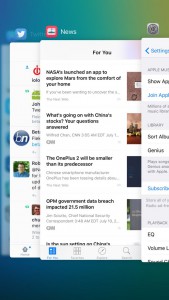
What I do not like about multitasking and switching apps is the new multitasking menu, which now shows apps stacked on top of each other instead of next to each other. There is too much focus on a single app. You can, however, still close multiple apps at the same time by swiping up with three fingers. And it looks prettier, which is a good thing in my book.
 
Spotlight can now be accessed the old-fashioned way again, by swiping to the right on the homescreen. It can also be triggered the iOS 8-way, by swiping down on the homescreen. There is a difference to note about the two ways to trigger Spotlight -- the former doesn't automatically pull up the keyboard for you to go straight to typing something, but the latter does.
 
I have quickly looked at the News app, but have not yet managed to give it a proper run-through. It looks very much like Flipboard, after playing with it for a brief period of time. I believe it will be popular with iOS 9 users but I, personally, would much rather keep using the no-frills News Digest by Yahoo in conjunction with Feedly.
 
When it comes to OS X 10.11 El Capitan, there are fewer changes to notice at first glance. It too features a font change, which gives me the same mixed feelings as its iOS 9 counterpart. I suppose it is a matter of getting used to it, but the benefits are, again, not immediately apparent.
 
There are not many changes in the Settings, except in the App Store menu where OS X 10.11 El Capitan now makes it easier to install free apps, by allowing you to store your iCloud password for free downloads, and automatically update the OS and apps.
 
One of the first things that I have wanted to try on OS X 10.11 El Capitan is the new window management, similar to Snap in Windows 8.x. I had to look up how it works, which does not make it as intuitive as I would have liked.
 
You have to long-click on an app's green maximize button to be allowed to snap it to one side or the other on the screen. However, this seems to work just on the monitor the app is active on, as I was unable to snap it to another monitor. So, I reverted to the old method, which is using Cinch, that works better at the moment.
 
So far, I have to say that I do not regret installing the public betas, but, given that they are not anywhere close to the final releases, only time will tell if they will be stable enough to keep me from downgrading to iOS 8.4 and OS X 10.10.4 Yosemite.
 
~ Mihaita Bamburic

6.09.2015

Apple announces OS X 10.11 "El Capitan" at WWDC 2015, public beta out in July

 
It was straight to business this morning at Apple’s WWDC. Instead of the usual round of updates hyping up how well their different product categories are doing, Tim Cook called Craig Federighi on stage for a run down of the new features and improvements coming to the next version of OS X, which has been named “El Capitan” after the 3,000-foot tall rock formation in Yosemite National Park.
 
Federighi broke down the updates in two different areas: experience and performance. The former comprises a bunch of minor tweaks here and there that should make using Apple’s OS and first-party software better.
 
 
In Mail, for example, we get new gestures to flag or delete messages with a simple swipe, plus a more versatile full screen mode that lets you deal with multiple windows. Safari can now pin tabs by dragging them to the left and also shows a little icon on tabs where audio is playing (yes, like Chrome), with the option to mute them. Meanwhile, Spotlight search is getting more powerful with the ability to respond to queries in natural language (e.g. “Show me photos from May last year"), and handle new weather, stocks, and games scores searches.
 
 
Apple also gave the Notes app a much-needed update with text styling features. Finally, Mission Control is getting a few tweaks too, which work in tandem with a new Split View for power users that lets you rearrange windows by splitting a full-screen desktop view in halve (yup, like Snap in Windows).
 
On the performance front, Apple claims OS X 10.11 will be 1.4x faster at launching apps, twice as fast switching between them and does PDF previews 4x faster. Moreover, the Metal architecture that replaced OpenGL graphics rendering on iOS last year is coming to the Mac, and it will supposedly bring up to 50% faster rendering while being 40% more efficient at it.
 
 
OS X El Capitan will be available as a beta for developers starting today, with the public beta kicking off in July and the final release coming this fall.
 
~ Jose Vilches