Apple's Mac computers -- MacBook, iMac, Mac Pro, and Mac mini -- are
works of art. Not only is the hardware beautiful, but the included
operating system is visually impressive too. Today, after a series of
Beta releases, the final 10.12 version of the desktop operating system
formerly known as OS X -- now known as 'macOS' -- is available for
download. Apple dubs the latest version of the desktop operating system
'Sierra', after a mountain range in the company's home state of
California.
While Windows 10 is a great operating system for productivity, Microsoft
simply cannot match the visual beauty of macOS. Still, Microsoft's
latest operating system does offer some unique features, such as the
voice assistant Cortana -- something that Apple's desktop did not offer.
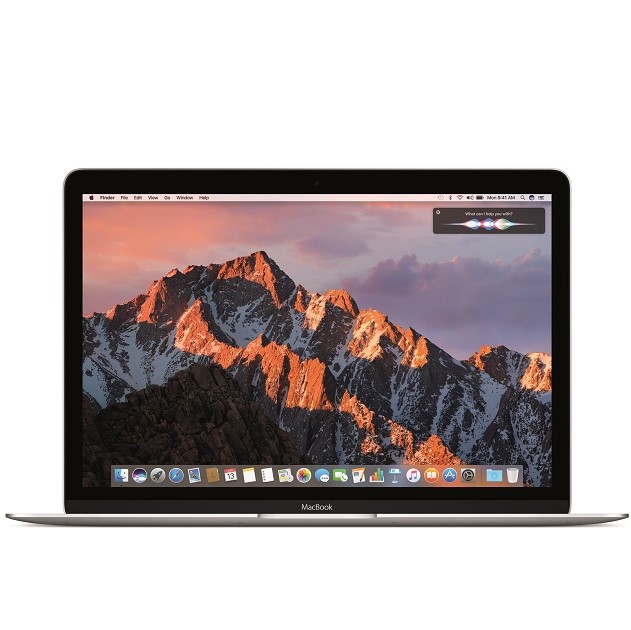
Today, this changes, as the legendary Siri comes to macOS Sierra. Best
of all? As usual, this is a free upgrade for owners of compatible Mac
computers!
"Siri on the Mac can help send messages and email, find documents, look
up information, search a user’s photo library, adjust system preferences
and more. Users can also drag and drop Siri results into documents or
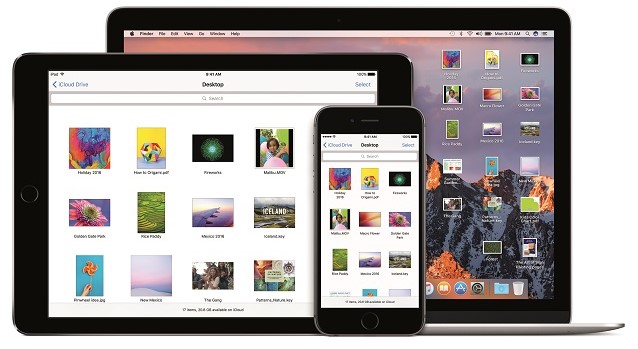
pin them into their Today view for later reference. Universal Clipboard
allows users to copy content from an app on one Apple device and paste
it into another app on a different Apple device. With iCloud Desktop and
Documents users can now access the files on their Desktop from iPhone
and iPad. And Auto Unlock lets users automatically log into their Mac
when they are wearing an authenticated Apple Watch", says Apple.
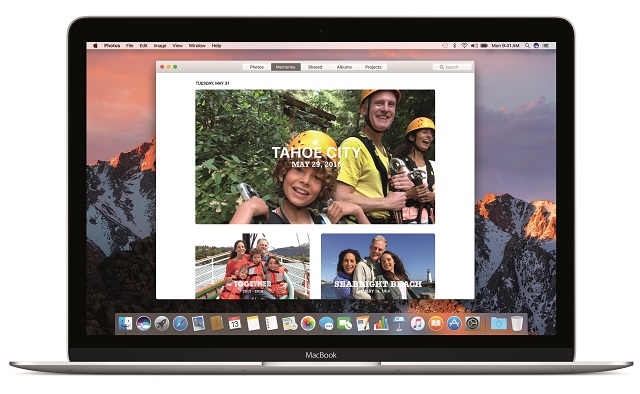
The iPhone-maker further says, "Photos introduces Memories, which
highlights favorite and forgotten moments in users’ photo libraries by
automatically creating curated collections of occasions like birthday
parties or family vacations. Photos uses advanced computer vision to
identify faces, objects and scenes in your images, so photos can be
searched by who and what is in them. An all-new Brilliance editing tool
brightens dark areas and pulls in highlights to make photos look richer
and more vibrant".
One of the biggest pain points of online shopping is the need to enter
your information, such as name and address, on every merchant you use.
Then, you have to find your credit card and enter those numbers too. It
is a real chore. Sometimes I will buy a product on Amazon as opposed to
saving money on a new site, simply because it is easier.
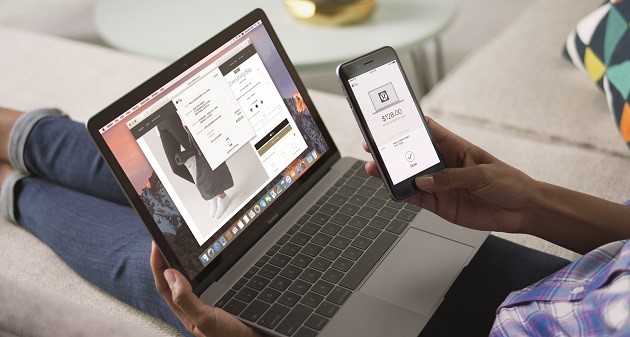
Apple Pay on the web for Safari, new to macOS Sierra, solves this
dilemma as it makes shopping even easier. If a merchant supports the
feature, you can checkout and pay using your Apple Pay information --
creating an account with the online retailer is not necessary. For added
security, the transaction must be verified using an iPhone or Apple
Watch. By leveraging a second device, it arguably makes the overall
experience safer.
What else is new in the operating system? Apple shares the following.
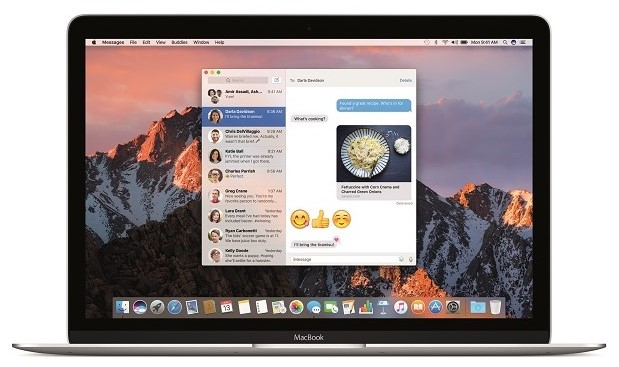
Messages makes conversations more interesting, allowing users to
preview web links and play video clips from right within the app;
respond to messages with a Tapback like a heart, thumbs up and more
directly onto a message bubble; and send bigger emoji for more message
impact.
Tabs are now available across Mac apps that support multiple
windows, including Maps, Mail, Pages, Numbers, Keynote, TextEdit, and
even third-party apps.
Picture in Picture floats video from Safari or iTunes in a window
over the desktop. The window can be resized, dragged and pinned to any
corner of the screen so users can watch video while they work.
Optimized Storage frees up space when a Mac starts getting full by
storing infrequently used items in the cloud and helping users remove
apps and files they no longer need.
Apple Music in iTunes makes it even easier to discover new music and browse exclusives and new releases.
This upgrade also blocks applications from improperly accessing the
accessibility settings in the operating system. This was most infamously
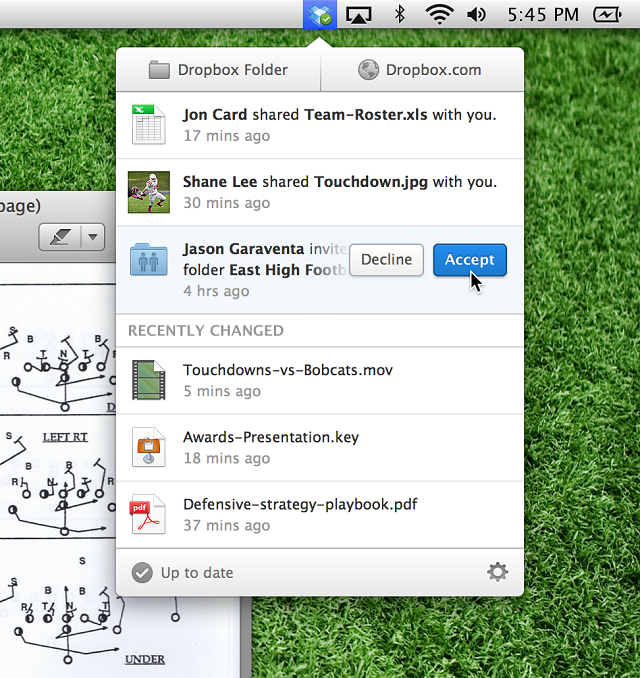
leveraged by Dropbox, and you can read more about it here.
While the cloud storage company had good intentions, there was fear
that it could be used as a loophole for more nefarious apps -- Apple is
wise to close it. If you are a Dropbox user, do not worry -- the company
addresses macOS Sierra here.
If you own a compatible Mac, you can download macOS Sierra immediately from the App Store here.
It looks incredible, so you should definitely not hesitate. Once you
download it, please tell me what you think in the comments below. ~ Brian Fagioli
Summary: David Gewirtz shares first impressions from his
brand new, recently refreshed MacBook Pro. His primary take-away
thought: "Holy Mother of God, storage is fast!"
My new MacBook Pro
Image: David Gewirtz
I'm writing this on my new MacBook Pro. If you'll recall, a week or so ago I took you through my thinking process in determining which Mac notebook to buy.
I wound up deciding to buy the middle-of-the-road 13-inch MacBook, which
is powered with a 2.7GHz dual-core Intel Core i5, 16GB 1866MHz LPDDR3
memory, 256GB PCIe-based flash storage and Intel Iris Graphics 6100. Of
particular note is the Retina display, which makes working on a
relatively small 13-inch display a pleasure.
I'll give you a quick survey of my experiences, but I'm not going to
bury the lead: this machine has completely unexpected, insanely fast
storage performance. More on that near the bottom of the article when I
talk about benchmarks.
Delivery almost-snafu
Oddly enough, my first-first impression of the machine was annoyance.
While I wanted the machine quickly to begin a new project, Apple
informed me that delivery would take until Tuesday (about a week). Given
that I was ordering a non-standard configuration (maxing out RAM), I
accepted that.
But here's where it got annoying. On Thursday, the Apple site said my
order would arrive on Tuesday and require a signature. On Friday, the
order arrived, and required a signature. I was not planning on being
home on Friday and it was just blind luck that the delivery truck showed
up during the short window of time I was home.
I appreciate delivering more than you promise, but when something like
delivery-with-signature requires planning, it would have been nice to
have gotten something resembling an accurate delivery estimate --
especially when I checked just the previous evening.
The display
Here's an admission: this is the first Mac laptop I've had since my 1994
PowerBook 150. We were a heavy Mac shop from about then through 2001 or
so, but we ran off of a succession of desktop machines. After that, I
went all Windows (with a smattering of Linux) until around 2007 or so,
when I moved back into the Apple space with an iMac for iPhone
development.
PowerBook 150, circa 1994 -
Image: Dana Sibera CC BY-SA 2.5
Since then, I've been adding more and more Macs, some of them running
Windows and many of them hybrid machines, but I haven't had a portable
Mac since the early days of the Bill Clinton presidency.
This is not a Bill Clinton-era display. The Retina display on the
MacBook Pro is clean and crisp, and well worth the added costs over a
non-Retina MacBook Air screen. It's clear (pun not intended) that Retina
in terms of how it feels to my eyes was the right choice.
It is also far more comfortable to read this screen (and write on it)
than my trusty (and by comparison crusty and rusty) HP Chromebook. Night
and day.
Keyboard and touchpad
I bought a $69 Magic Mouse with the MacBook because I am not a fan of
touchpads. That said, there are some very noticeable observations about
the MacBook Pro touchpad.
First, this is the first laptop/notebook I've ever used with a touchpad
where my normal typing on the keyboard wasn't always interrupted by
misinterpreted touchpad actions. The MacBook Pro touchpad stays
completely out of the way. It's the first touchpad-equipped notebook
where I haven't had to go in, the very first thing, and turn off the
blasted touchpad.
Second, the haptic feedback in the touchpad is spooky. If I didn't know
better, I'd think that I was clicking and moving the touchpad surface,
when the reality is that it's rock-stable and not moving at all. The
haptic in the touchpad give a feeling completely and totally
indistinguishable from an actual press and click.
I validated this with a laser level. The touchpad isn't moving. But it
sure feels like it is. That's amazing and makes me wonder what other
areas will benefit from limited and directed haptic feedback. Very cool.
Still, I'll use my mouse.
As for the keyboard, typing on it is fine. The key travel is reasonable
and has required no special getting used to. My only complaint is the
keyboard layout itself. I use the PC version of the Logitech K810 keyboard
on all my computers (I'm a big fan of the three Bluetooth connection
buttons), and so my keyboard layout is a little bit more PC and a little
less Mac-oriented.
I'll need to go into Settings on the MacBook Pro and tweak my keyboard
keys. That said, one thing that truly annoys me is that the Delete key
in the upper right of the keyboard is a backspace key, rather than a
true Delete key. Once again, I'll go into either settings or fire up Keyboard Maestro to change things around, so it's no big deal.
What about performance?
Subjectively, performance has been smooth. I haven't tried writing code
on the new MacBook Pro yet, so I can't tell you how that feels, but
basic work is nice and snappy.
However, being somewhat anal about such things, I decided to subject the device to a set of benchmark tests. I used NovaBench for overall performance testing, Cinebench for graphics and a second CPU test, and the BlackMagic Disk Speed Test for storage performance.
As a test set, I compared my main 2013 27-inch maxed-out iMac with my
late 2012 Mac mini (where I replaced the hard drive with an SSD) with
the new MacBook Pro. Overall performance: As comes as no real surprise,
overall performance of my Core i7 3500 MHz 32GB maxed-out iMac was
roughly twice that of the new MacBook Pro. That iMac also cost more than
twice that of the MacBook 18 months ago and was truly maxed in
capability and capacity. CPU and RAM: CPU performance according to Novabench was
considerably better from both core i7s (the one in the iMac and the one
in the Mac mini). Even a Core i7 running at 2300 MHz beats the pants
off a Core i5 running at 2700 MHz by a factor of 697 to 447.
RAM speed has something to do with the performance win, but not as much
as you'd think. The slowest, the new MacBook Pro benched with a RAM
speed of 7112 MB/s, the Mac mini showed 8226 MB/s, and the super-duper
iMac showed 9931 MB/s. Graphics performance: On the other hand, graphics and
storage performance was quite interesting. Using Cinebench, I was able
to measure graphics performance and the iMac running a GeForce 780M blew
everything else away with a benchmark of 87.04 fps. The new MacBook Pro
came in second, running the Intel Iris 6100 and showing a workmanlike
score of 25.73 fps. Far at the bottom of the barrel was the Mac mini
running HD4000 graphics, with a measly score of 16.67 fps
This score makes me wonder just how tolerable the new MacBook might have
been. It sports a Retina display, meaning it has to push a lot more
pixels, and yet it's running a slower HD5000 graphics adapter, which
would give it numbers more in line with the Mac mini's performance than
the MacBook Pro. Combine that with the substantially slower CPU in the
new MacBook and I'm very glad I didn't choose it for my purchase. Storage performance: Finally, let's look at storage
performance. Both the iMac and the MacBook Pro use flash storage, while
the Mac mini uses an aftermarket-upgrade SSD. Flash storage is often
much more efficient than even SSDs, so let's see how the benchmarks
played out. For that, I turned to the BlackMagic Disk Speed Test.
Prepare to be blown away.
My maxed-out iMac showed 708.6 MB/s write speeds and 728.7 MB/s read
speeds. At the other end of the spectrum, my upgraded Mac mini
registered a measly (but still way better than spinning platter) 174.2
MB/s write speeds and 501.9 MB/s read speeds.
Wow!
Now, here's where you need to buckle up. The new MacBook Pro? 1098.3
MB/s write, and 1049.8 MB/s read. Holy Mother of God, that's fast. That
blows away the specially configured 1TB of flash storage in my maxed out
iMac and just leaves it in a puddle. I did not expect this, but I'm
thrilled. I'm always about storage performance and yowzah-bowzah, that's
fast!
Finally, from the Completely Odd Dept
For some reason, my Applications folder is missing all its applications.
I just discovered it this morning, but if I go to my Applications
folder in my David folder, there's nothing there. And yet, applications
like Evernote and Chrome are able to launch.
I haven't had a chance to figure out what's up, and it's new enough in
this machine's life that I may just toss a recovery install its way, but
it's odd. UPDATE: There's no missing apps. I just looked in the wrong place without enough coffee. Oops.
So there you go. I like the machine. I know I haven't touched on battery
life, but that's because it's been sitting on my desk in my study all
weekend. I also haven't mentioned weight for the same reason. It's nice
and small, but does weigh considerably more than the Chromebook. But for
what you get with the extra pound, I think it's worth it. ~ David Gewirtz
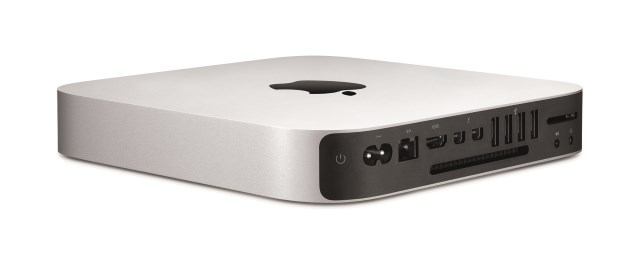
This week, Apple unveiled a number of new and updated products. The latest additions to the iPad range were the crowd pleasers, while the iMac with Retina 5K Display was something of a headline-grabber. Yosemite was expected, but the Mac mini refresh came slightly out of the blue.
For anyone looking for a cheap way to get their hands on a Mac, it's a
great starting point -- prices start at just $499. But you'd better make
sure you select a model with enough RAM when you place your order --
Apple has taken steps that mean it is impossible for buyers to install
more memory.
The surprising news was confirmed by Brian Stucki on the macminicolo blog
and it will come as a disappointment to anyone on a budget. It's quite
common for people investing in a new computer to cut back in certain
areas to help keep costs down, and then upgrade further down the line
when funds allow. With the new Mac Mini, this is simply not an option.
Speculation had been rife that RAM modules were soldered in place, and
this was backed up by Stucki:
This isn't the only bad news for the would-be upgrader. As well as
making double sure you have decided on the right amount of RAM before
placing your order, you'd better also have a good hard think about what
size hard drive you want. While not impossible to upgrade, Stucki deals
another blow:
If you're determined to add more storage, it is possible to do so, providing you don't mind invalidating your warranty.
Does the lack of upgrade possibilities make the Mac mini less desirable, or is it a non-issue? ~ Mark Wilson