Cisco Learning Network Store Promotions Page
Showing posts with label Chromebook. Show all posts

8.01.2016

Charles Schwab says no to Windows 10 -- chooses Chromebooks instead

 
When it comes to get working done, I leverage many operating systems -- Windows 10, Ubuntu, iOS, and believe it or not, even Chrome OS. Google's cloud-focused desktop OS is actually quite capable -- depending on needs, of course. Many things work wonderfully in a browser nowadays, such as word processing, spreadsheets, and photo editing.
 
Apparently, Charles Schwab has seen the light on Chromebooks too, as the financial company has chosen them for a specific need -- in-person account opening. In other words, the much-respected company did not choose Windows 10 for this project. Sorry, Microsoft!
 
"We needed an intuitive interface that not only educated potential clients about our product but also made it easy to sign up. We tested several laptops and tablets that weren’t the right fit, before I reached out to Google. That was on a Friday and the following Monday, Google engineers came into our Phoenix engineering facility. By lunchtime, we landed on a solution that was quick to deploy, very easy to manage and use, and offered the high level of security that we demanded: Chromebooks", says Ed Obuchowski, Senior VP of Advisor Technology Solutions, Charles Schwab.
 
Obuchowski further explains, "opening a Schwab Intelligent Portfolios account on a Chromebook is easy. When a client walks into one of our branches to learn more about automated investing, an associate hands the client a Chromebook. Within seconds, the client is guided to a Charles Schwab webpage, where he or she can learn about the product, complete a questionnaire and open an account. The whole process is electronic, so there’s no paperwork -- minimizing errors and time spent on administration."
 
 
True, the need here is not very heavy -- a Windows 10 computer would be overkill for a webpage-focused account application. But that is the beauty of Chrome OS! There is no need to worry about malware and high administration costs -- Chromebooks and Chromeboxes just work! For a client-facing portal, the Linux-based operating system is a brilliant way to keep sensitive information secure.
 
 
The company was able to implement 1,000 of the computers in just two months time. The company was so impressed with the results, that it is now looking to implement Chrome OS desktops (Chromeboxes) in locations too.
 
Was Charles Schwab smart to choose Chromebooks over Windows 10 laptops? Tell me in the comments.
 
~ Brian Fagioli

5.21.2016

Why is Google bringing Android apps to Chromebook?

 
Answer: Your kids. Chromebook leads laptop and desktop sales through U.S. commercial channels to schools, according to NPD. Education is overwhelmingly the primary market for the computers. The institutions can't buy enough of the thangs, for their utility and low-cost compared to notebooks running either OS X or Windows. That cost is as much about extended webapps and services from Google (or its developer partners), available for free or comparatively next-to-nothing, set against software for the other platforms.
 
Wrinkle in the Google firmament: iPhone and Chromebook are like water and dirt. The sediment settles unless shaken up. Sure youngsters can do all their Googly things—Docs, Gmail, Maps, Photos, YouTube, etc.—on iOS but the experience is smoother and more homogenous when mixed Android and Chrome OS. What the kiddies lack, and their educators, is a swath of useful apps like the Apple kids get.
 
Market That Matters
 
Think about it. Yesterday at its annual developer conference, Google unveiled plans to bring Android apps to Chrome OS, which churned some excitement across the InterWebs. But for whom? Coincidentally, or not, a month after IDC released first quarter PC shipments there were news stories about Chromebooks outselling Macs. How conveniently timed for Google.
 
"Chromebooks have outsold Macs in commercial channels during the 'high season' for K-12 sales (April-August) for the last three years", Stephen Baker, NPD's vice president of industry analysis, says. "Even off-season Chromebooks in commercial channels outsell Macs and iPads combined—so this is a trend that has been happening for awhile".
 
Three years? The majority go to schools, and adoption accelerates. "Chromebook sales in commercial channels have increased by 28 percent in the first four months of 2016 vs last year", Baker says.
 
Putting Android apps on Chromebook creates greater synergy among devices running either of Google's platforms. The Alphabet subsidiary seeks to make Android all the more appealing for the most-likely Chromebook user: School kids. Apple devices are the intended collateral damage, despite Big G's continued support for iOS.
 
Device Synergy
 
Mobile is huge for the search subsidiary, regardless of platform. During the first day Google I/O keynote, execs revealed that: more than half of search queries come from mobile devices; one-quarter of queries are from voice ("OK, Google"); 600-plus new Android smartphones launched this year (Seriously?); there have been 65 billion app installations from Google Play.
 
Meanwhile, a bunch of new home-grown Android apps or services are coming in 2016—Allo, Assistant, Daydream, Duo, and Family Library, among others. With more American K-12 students using Chromebook every month, many of them also using Android, and Google wanting to increase their numbers, the new strategy is as much about the kids as adults—greater based on my analysis.
 
Ah, but there is a catch. The earliest school adopters may find their laptops hanging from the gallows in a cold wind. Initially, starting next month, only three models—Acer R11, Asus Flip, and Google Pixel 2—will support Android apps on Chrome OS. A much, much, much longer list will be certified later in the year. But there are some surprising, head-turning omissions, like the original Pixel, which remains a powerhouse compared to most of the other laptops listed.
 
That said, most Chromebooks will be certified for Android apps, and, again, the majority are used in schools—in the United States, at least.
 
~ Joe Wilcox

7.23.2015

Alternative is the question, Linux is the answer

Jack Wallen has seen a huge rise in the amount of a single question coming into his inbox. Those asking the question will surprise you... the answer will not. 

 
Lately, I've been getting bombarded by a very telling question. It's a question I've been asked over and over throughout the years, but never with the frequency and desperation that I'm seeing now. What is that question?
 
What alternatives to Windows are available?
 
This question is coming at me from all layers of the user space—from members of the business sector, single mothers, retirees, hipsters, metal-heads, gingers, and even the occasional character from Bloom County.
 
Why is this happening all of a sudden? The answer to that question should be quite obvious to most who follow technology. Microsoft has, over the last few years, blundered and squandered their popularity to an almost irreparable condition. Now, with the pending release of Windows 10, they hope to change that.
 
Honestly, they are trying. This new look Microsoft is mending bridges with a lot of groups, including the open-source community. But this isn't about trust or a shiny new leaf turned over by the once unstoppable juggernaut. This is about the court of public opinion and how sour it has turned on products delivered.
 
Consider this. The last widely accepted platform Microsoft produced was Windows 7. From there, it's been a very bumpy ride—one that has jettisoned users left and right. Add to this the fact that an ever-increasing number of consumers have evolved into mobile-only users, and you have the makings for trouble.
 
And that's where I come in... to answer the call of questions from users of all ilk. When someone asks the question, "What alternatives to Windows are available?" I answer simply "Linux."
 
I can already hear the groans. You've all heard it before. Linux is superior, more secure, more flexible, and reliable. The list goes on and on. But for some people, there's another answer that they're now anxious to hear. That answer? It's not Microsoft.
 
Okay, let's get this out of the way. I fully understand that businesses will continue to breath deep the oxygen that is Microsoft until they are blue in the face. That's not going to change any time soon. But I'm speaking to and about consumers—that cross section of humanity that doesn't require proprietary software to prevent the bottom line from bottoming out. I'm talking about an overwhelming amount of people that really only depend on a browser... those that would get by just fine with a Chromebook. For those people, the answer to the question is, undoubtedly, Linux. 
 
Unless you can afford a Mac, which many cannot.
 
So, we're back to Linux... the affordable OS X.
 
It used to be that we'd all assume Microsoft operating system releases were like the Star Trek movies—the even numbered films were great, but the odd numbered, not so much. 
  • Windows 98—good
  • Windows Me—not good
  • Windows XP—good
  • Windows Vista—Ugh
  • Windows 7—good
  • Windows 8—not good
  • Windows 8.1—marginally good
  • Windows 10—unknown
With the release of Windows 8, the regularity of dark and light side of the force (I'm mixing my metaphors, I know) has been challenged. Windows 8 was the beginning of the end for consumer faith in the Windows product line. Consumers have grown weary of fighting with their computers and the lack of assurance the machines will actually work the way they expect.
 
Linux will bring users a breath of fresh air. And that's why, at this point, I no longer hesitate to suggest that users give the Linux desktop a try. The time is right, the storm is perfect, the stars have aligned. And even if Windows 10 arrives to become the single most perfect operating system ever developed, Microsoft is looking at a very possible too little, too late scenario. 
 
How can I say this? Simple. Over the years, 99% of the people that contacted me about using Linux as an alternative operating system were nerds, IT pros, and those in the know. Now? I'm getting contacted by your grandmother, your weird uncle, that lady with too many cats, and the adorable young couple who ride matching scooters everywhere they go. That's what's different this time around. Everyone is looking for an alternative—one that will allow them to check their email, get on Facebook, listen to music, toss a sideways glance toward their bank account, pay their bills, and watch videos. These are the people looking for a reliable alternative that won't require them to purchase new hardware, visit their local PC repair shop every other month, or spend an arm and a leg when their machine crashed every time they want to play Candy Crush or write a term paper.
 
The answer, the one they desperately want to hear, is that yes, there is an alternative—and that alternative is Linux. For example:
Each of these distributions (even the beta release of Solus) are ideal for users seeking an alternative to Windows. They have everything you need and nothing you don't. They are user-friendly and will get the job done. There is no cost associated with the platform, so you won't miss a meal to upgrade. 
 
To put it simply, Linux is the answer. If you concur, what's your favorite distribution? If you don't agree, I'd love to hear your reason in the discussion thread below.
 
~ Jack Wallen 

4.27.2015

Microsoft continues earning money from Linux — increases patent licensing agreements


If you choose to laugh at Microsoft over its mobile presence, feel free, but please know that Microsoft is laughing too; all the way to the bank. What you may not know is, Microsoft makes money from Android handset sales thanks to its patent portfolio. In fact, it also collects money from Chromebooks too. In other words, Microsoft is profiting from Linux, since both operating systems are based on the kernel. Today, Microsoft increases its number of patent licensing agreements, by making a deal with Qisda Corp.
 
“Microsoft Corp. and Qisda Corp. on Friday signed a worldwide patent licensing agreement that provides broad coverage under Microsoft’s patent portfolio for an array of Qisda and BenQ devices, including smartphones and tablets, running the Android and Chrome operating systems”, says Microsoft.
 
Nick Psyhogeos, vice president and executive director of Microsoft Technology Licensing LLC explains, “today’s agreement demonstrates the power of licensing to accelerate innovation, because it will provide Qisda with greater patent protection as it brings new devices to market. With this agreement, Microsoft has now entered into patent licensing collaboration agreements with nearly all the top Taiwanese original device manufacturers (ODMs). We are pleased that companies around the world continue to see the value of our patent portfolio, and view mutual respect for patents as an important element of building broader business partnerships”.
 
This agreement with Qisda simply highlights Microsoft’s money-generating machine — its patent portfolio. While I am sure the company wants Windows Phone and the soon-to-be-released Windows 10 for phones to be successful, collecting money from Android and Chromebook sales is definitely a healthy consolation prize.
 
Does it upset you to know Microsoft is profiting from Android and Chrome OS? Tell me in the comments.
 
Photo Credit: Julien Tromeur/Shutterstock
 

4.24.2015

Refreshed MacBook Pro: Stunningly fast storage, spooky touchpad, delightful display

Summary: David Gewirtz shares first impressions from his brand new, recently refreshed MacBook Pro. His primary take-away thought: "Holy Mother of God, storage is fast!"
 
My new MacBook Pro Image: David Gewirtz
I'm writing this on my new MacBook Pro. If you'll recall, a week or so ago I took you through my thinking process in determining which Mac notebook to buy.
 
I wound up deciding to buy the middle-of-the-road 13-inch MacBook, which is powered with a 2.7GHz dual-core Intel Core i5, 16GB 1866MHz LPDDR3 memory, 256GB PCIe-based flash storage and Intel Iris Graphics 6100. Of particular note is the Retina display, which makes working on a relatively small 13-inch display a pleasure.
 
I'll give you a quick survey of my experiences, but I'm not going to bury the lead: this machine has completely unexpected, insanely fast storage performance. More on that near the bottom of the article when I talk about benchmarks.

Delivery almost-snafu

Oddly enough, my first-first impression of the machine was annoyance. While I wanted the machine quickly to begin a new project, Apple informed me that delivery would take until Tuesday (about a week). Given that I was ordering a non-standard configuration (maxing out RAM), I accepted that.

But here's where it got annoying. On Thursday, the Apple site said my order would arrive on Tuesday and require a signature. On Friday, the order arrived, and required a signature. I was not planning on being home on Friday and it was just blind luck that the delivery truck showed up during the short window of time I was home.
 
I appreciate delivering more than you promise, but when something like delivery-with-signature requires planning, it would have been nice to have gotten something resembling an accurate delivery estimate -- especially when I checked just the previous evening.

The display

Here's an admission: this is the first Mac laptop I've had since my 1994 PowerBook 150. We were a heavy Mac shop from about then through 2001 or so, but we ran off of a succession of desktop machines. After that, I went all Windows (with a smattering of Linux) until around 2007 or so, when I moved back into the Apple space with an iMac for iPhone development.
PowerBook 150, circa 1994 - Image: Dana Sibera CC BY-SA 2.5
 
Since then, I've been adding more and more Macs, some of them running Windows and many of them hybrid machines, but I haven't had a portable Mac since the early days of the Bill Clinton presidency.
 
This is not a Bill Clinton-era display. The Retina display on the MacBook Pro is clean and crisp, and well worth the added costs over a non-Retina MacBook Air screen. It's clear (pun not intended) that Retina in terms of how it feels to my eyes was the right choice.
 
It is also far more comfortable to read this screen (and write on it) than my trusty (and by comparison crusty and rusty) HP Chromebook. Night and day.

Keyboard and touchpad

I bought a $69 Magic Mouse with the MacBook because I am not a fan of touchpads. That said, there are some very noticeable observations about the MacBook Pro touchpad.
 
First, this is the first laptop/notebook I've ever used with a touchpad where my normal typing on the keyboard wasn't always interrupted by misinterpreted touchpad actions. The MacBook Pro touchpad stays completely out of the way. It's the first touchpad-equipped notebook where I haven't had to go in, the very first thing, and turn off the blasted touchpad.
 
Second, the haptic feedback in the touchpad is spooky. If I didn't know better, I'd think that I was clicking and moving the touchpad surface, when the reality is that it's rock-stable and not moving at all. The haptic in the touchpad give a feeling completely and totally indistinguishable from an actual press and click.
 
I validated this with a laser level. The touchpad isn't moving. But it sure feels like it is. That's amazing and makes me wonder what other areas will benefit from limited and directed haptic feedback. Very cool.
 
Still, I'll use my mouse.
 
As for the keyboard, typing on it is fine. The key travel is reasonable and has required no special getting used to. My only complaint is the keyboard layout itself. I use the PC version of the Logitech K810 keyboard on all my computers (I'm a big fan of the three Bluetooth connection buttons), and so my keyboard layout is a little bit more PC and a little less Mac-oriented.
 
I'll need to go into Settings on the MacBook Pro and tweak my keyboard keys. That said, one thing that truly annoys me is that the Delete key in the upper right of the keyboard is a backspace key, rather than a true Delete key. Once again, I'll go into either settings or fire up Keyboard Maestro to change things around, so it's no big deal.

What about performance?

Subjectively, performance has been smooth. I haven't tried writing code on the new MacBook Pro yet, so I can't tell you how that feels, but basic work is nice and snappy.
 
However, being somewhat anal about such things, I decided to subject the device to a set of benchmark tests. I used NovaBench for overall performance testing, Cinebench for graphics and a second CPU test, and the BlackMagic Disk Speed Test for storage performance.
 
As a test set, I compared my main 2013 27-inch maxed-out iMac with my late 2012 Mac mini (where I replaced the hard drive with an SSD) with the new MacBook Pro.
 
Overall performance: As comes as no real surprise, overall performance of my Core i7 3500 MHz 32GB maxed-out iMac was roughly twice that of the new MacBook Pro. That iMac also cost more than twice that of the MacBook 18 months ago and was truly maxed in capability and capacity.
 
CPU and RAM: CPU performance according to Novabench was considerably better from both core i7s (the one in the iMac and the one in the Mac mini). Even a Core i7 running at 2300 MHz beats the pants off a Core i5 running at 2700 MHz by a factor of 697 to 447.
 
RAM speed has something to do with the performance win, but not as much as you'd think. The slowest, the new MacBook Pro benched with a RAM speed of 7112 MB/s, the Mac mini showed 8226 MB/s, and the super-duper iMac showed 9931 MB/s.
 
Graphics performance: On the other hand, graphics and storage performance was quite interesting. Using Cinebench, I was able to measure graphics performance and the iMac running a GeForce 780M blew everything else away with a benchmark of 87.04 fps. The new MacBook Pro came in second, running the Intel Iris 6100 and showing a workmanlike score of 25.73 fps. Far at the bottom of the barrel was the Mac mini running HD4000 graphics, with a measly score of 16.67 fps
 
This score makes me wonder just how tolerable the new MacBook might have been. It sports a Retina display, meaning it has to push a lot more pixels, and yet it's running a slower HD5000 graphics adapter, which would give it numbers more in line with the Mac mini's performance than the MacBook Pro. Combine that with the substantially slower CPU in the new MacBook and I'm very glad I didn't choose it for my purchase.
 
Storage performance: Finally, let's look at storage performance. Both the iMac and the MacBook Pro use flash storage, while the Mac mini uses an aftermarket-upgrade SSD. Flash storage is often much more efficient than even SSDs, so let's see how the benchmarks played out. For that, I turned to the BlackMagic Disk Speed Test. Prepare to be blown away.
 
My maxed-out iMac showed 708.6 MB/s write speeds and 728.7 MB/s read speeds. At the other end of the spectrum, my upgraded Mac mini registered a measly (but still way better than spinning platter) 174.2 MB/s write speeds and 501.9 MB/s read speeds.
 
Wow!
Now, here's where you need to buckle up. The new MacBook Pro? 1098.3 MB/s write, and 1049.8 MB/s read. Holy Mother of God, that's fast. That blows away the specially configured 1TB of flash storage in my maxed out iMac and just leaves it in a puddle. I did not expect this, but I'm thrilled. I'm always about storage performance and yowzah-bowzah, that's fast!

Finally, from the Completely Odd Dept

For some reason, my Applications folder is missing all its applications. I just discovered it this morning, but if I go to my Applications folder in my David folder, there's nothing there. And yet, applications like Evernote and Chrome are able to launch.
 
I haven't had a chance to figure out what's up, and it's new enough in this machine's life that I may just toss a recovery install its way, but it's odd.
 
UPDATE: There's no missing apps. I just looked in the wrong place without enough coffee. Oops.
  
So there you go. I like the machine. I know I haven't touched on battery life, but that's because it's been sitting on my desk in my study all weekend. I also haven't mentioned weight for the same reason. It's nice and small, but does weigh considerably more than the Chromebook. But for what you get with the extra pound, I think it's worth it.
 
~ David Gewirtz

2.11.2015

Why Evolve OS could win you over to Linux and me away from Ubuntu

Jack Wallen has found the one take on Linux that could possibly move him away from his distribution of choice since 2006.  

 
There are so many Linux distributions, each one claiming that they are the one flavor best designed for the new user in mind. Ubuntu, Linux Mint, PCLinuxOS -- all outstanding distributions and very much ready for users who want a platform built on the premise that Linux isn't nearly as challenging as many people assume.
 
In 2014, a new distribution appeared out of nowhere, one that cut straight to the heart of the matter and promised to deliver a Linux distribution like no other. That distribution is Evolve OS. For the longest time, the distribution was in a state of limbo, and the best you could do was download an alpha and hoped it would run. I tried a number of times and finally opted to just install the Budgie desktop on a Ubuntu distribution. That attempt gave me an idea of how Evolve OS would look, but not much more.
 
All of that changed last week when the beta of Evolve OS was finally released, and the distribution could finally be tested against what's considered the gold standard of user-friendly Linux distributions.
 
It not only fared well, it crushed the competition.
 
I should probably preface this by saying that I'm already a bit biased towards the Budgie interface. It's a near clone of the Chrome OS UI -- beautiful, elegant, and simple (Figure A). It makes lesser hardware sing, and it's quite stable for a beta.
 
Figure A
 
The Budgie desktop in action.
Evolve OS is built from scratch, using a fork of the PiSi package manager, and it's integrated with the GNOME stack to avoid technical debt and needless overhead.
 
What's underneath the hood will not concern the new user -- but what will is the complete lack of a learning curve. Any user could hop onto Evolve OS and feel right at home. At the heart of that is the similarity to the Chrome OS UI. Although the Chromebook, by nature of its design, does have limitations (I should also mention that I'm a big fan of the Chromebook), the UI is as flawless an interface as you'll ever find. Evolve OS takes perfect advantage of this and re-creates that platform, sans limitations.
 
Imagine the Chromebook with the ability to run full-blown applications and work seamlessly offline. That's the very heart and soul of Evolve OS. With a simple menu, notification area, and panel, Evolve OS enjoys a familiar desktop metaphor that has worked for decades with the modern, minimal twist of Chrome OS.
 
From the user's perspective, Evolve OS borrows the following from the GNOME stack:
  • Files -- GNOME file manager
  • Maps -- GNOME map tool
  • Weather -- GNOME weather app
It must be said that Budgie is not a fork of GNOME 3. Budgie was built from scratch and uses its own window manager and panel. Outside of the listed apps above, most of the borrowed GNOME stack is underneath the hood.

Why Evolve?

The answer to this question is quite simple. If you're a fan of Chromebooks but long to be able to add an addition layer of usability and power on top, Evolve OS is for you. If you're looking for the epitome of elegance on a desktop, Evolve OS is for you. If you're looking for the single lowest barrier to entry for Linux, Evolve OS is for you.

Why not Evolve?

It's very important to remember that Evolve OS is in beta. This means that you'll find tiny corners that are a bit rough. Take, for instance, the Software Center (Figure B).

Figure B

The Evolve Software Center.
The Software Center is quite limited at the moment. With a minimal amount of available packages to install, you'll find yourself having to go the old-school route and install manually. Evolve OS uses the eopkg, which is a fork of the PiSi package manager. You can install a package with a command similar to:
 
sudo eopkg install audacity
 
Personally, I'll be following Evolve OS closely to see when the distribution comes out of beta. When it does, it's quite possible that I could evolve from Ubuntu to this incredibly easy-to-use take on the Linux environment. That's a fairly impressive task for any new distribution -- to take me away from my Linux distribution of choice since 2006.
 
What do you think? Is Evolve OS just what the Linux platform needs to win over new users? Why or why not?
 
~ Jack Wallen

1.20.2015

I sold my MacBook Pro and bought a Chromebook

 
Yesterday afternoon, a San Diego State University student bought my MacBook Pro—13-inch Retina Display, 8GB RAM, 512GB SSD—for $1,100. I purchased the laptop from local dealer DC Computers in late-August 2014 for a few hundred dollars more. The buyer's interest was my own: Mac, large SSD, and extended warranty (expires April 2017).
 
The proceeds go to buying Toshiba Chromebook 2 (two, another for my wife) and Android phone for her. She moves from iPad Air, which has been, since September 2014, her PC—and that experience should be another story (be patient). If time travel was possible, I would keep, rather than sell, my Chromebook Pixel early last summer. The Chromie lifestyle suits me best, and I am excited to be back to it. However, in December, when reviewing the tech products that changed my digital lifestyle last year, including the switch to Apple's platforms: "I can’t imagine using anything else". I lied to myself, and unintentionally to you.
 
Going Astray
 
Health matters prompted my Google-lifestyle exodus. In Spring 2014, I developed non-diabetic macular edema in both eyes, which is about 90-percent cured today. Microsoft offers the best font-rendering technology on flat screens, and I decided to switch platforms in early summer. I saw in Nokia Lumia Icon and Surface Pro 3 opportunity to improve my impaired work-writing situation and to reconnect with the Windows platform and my core audience of Microsoft users.
 
But Windows 8.1 and I were an ill-suited match, and my vision started to restore as my eyes responded to treatment. I enjoyed Modern UI but not that the most-necessary applications required the older desktop motif. Then there was the litany of glitches that interrupted workflow and creativity. At the end of August 2014, I sold the Microsoft tablet to a father, for his son entering college; my sister bought the Icon. I used the proceeds to add MacBook Pro and iPhone 6 to iPad Air and an Apple lifestyle.
 
I had hoped to expand my content repertoire to include podcasts alongside writing, and I had good past experiences using iPhone to capture audio and video and a Mac to produce content. But over the nearly four-following months, I discovered that:
  • My habits had changed after using Chromebook for two full years; Macs don't fit well anymore
  • As such, and related to age, I am more distracted by the OS X UI, which disrupts my creative fluidity
  • Apple cloud sync isn't anywhere as consistent or smooth as Google's, which provides better utility for my needs
  • Despite plans to expand beyond writing, it's too much my habit and what I enjoy doing—and it consistently is better on Chromebook
In late August, when giving up Windows, I considered replacing Chromebook Pixel. But I couldn't find one within my budget. I didn't see enough value spending $1,449 on the new model. No other Chromebook provided sharp enough, or bright enough, display for my mending eyes. Except: The Toshiba model I type on now. Had my decision to leave Microsoft products come a few weeks later, Chromebook 2 would have appeared as the option it is today. HD, IPS display sets the Toshiba apart from other Chrome OS notebooks.
 
I bought the laptop from Amazon last week, after seeing the Toshiba in Best Buy, which was out of stock. Performance isn't as smooth as the MacBook Pro, yet I am more productive. Reasons are many, with less distraction being among them. Chromebook keeps your fingers largely in the same plane and the eyes, too, but in more elevated spacial relation. Because you work with tabs at the top of the screen, your eyes generally look up, rather than down or across—depending on where is the OS X dock. The UI's simplicity minimizes distraction and interruption that, at least for me, disrupts and even destroys creative flow.
 
I used Toshiba Chromebook 2 for three days, before deciding that I could give up the MacBook Pro. But the decision-process wasn't that simple. Ten days ago, I received Google Nexus 9 for review. My expectations were low, having read numerous meh reviews about the tablet. My user experience is altogether different, however. I really enjoy the device and Android 5 Lollipop. Damn, if it isn't sweet.
 
While iOS apps are more mature, and the experience reading digital publications is more immersive, I found myself picking up Nexus 9 instead of iPad Air. I will explain all the reasons why in my eventual review. Short answer for today: Google apps integration and information utility. Nexus 9 is the catalyst causing me to reconsider Chromebook. Had I been as satisfied as expected with my renewed Apple lifestyle, a switch would have been a passing fancy.
 
In purchasing Toshiba Chromebook 2, I expected to try and return for refund. But two days using the laptop had me looking at going Google. Underpowered by comparison means nothing. A product's measure isn't the features but the benefits you receive. That said, the phone is the most-important device in my digital lexicon, and iPhone 6 and Chromebook just don't fit well.
 
I considered Moto X Pure Edition and Nexus 6, but PE isn't available on Verizon, and N6 is sold out at Google Play and at Motorola (today). My phone choices, and monthly costs, would be considerably better with another carrier. But GSM service sucks in our neighborhood, while Verizon delivers consistently. With a 93 year-old father-in-law living independently, reliability is a necessity.
 
On Saturday night (January 17), I drove down to the local AT&T store, which had Moto X and Nexus 6 on display. Expecting to find N6 to be too large, the handset is just right. I made decision then, to keep the Chromebook, sell the Mac, and eventually replace iPhone 6 with Nexus 6. I could have purchased the 32GB N6 in Midnight Blue from Motorola over the weekend but I held out for the 64GB model. Now, like at Google Play, N6 is sold out. Ah, shucks.
 
Droid Does
 
My wife and I discussed the switch, and she expressed interest to join me. Much as Anne enjoys iPad Air, she confessed to preferring Chromebook. "What about iPhone?" I asked. She would part with it, too, and that surprised me. She missed Android as well, turns out. Go figure. She's an artist by nature and designer by profession, which I stereotype as Apple user.
 
So yesterday, I hauled down to Best Buy, which had Toshiba Chromebook 2 back in stock, and bought another—after Craiglisting the MacBook Pro. Verizon Wireless store is nearby, so I moseyed in to look at Moto X for my wife. The rep made surprising offer. For some cash up front, the store would trade in the iPhone 6 for the Droid Turbo, put Anne on the Edge plan, but credit the monthly fee plus a penny. Because no cell phone lines were eligible for upgrade, I had planned to sell the Apple handset and convert that to cash to pay full price for an Android. The deal Verizon offered wasn't as good, but it would be less hassle and from my cash-out-of-pocket perspective about the same.
 
My wife liked the idea, so I drove home, factory-reset her smartphone, and returned to the Verizon store. Meanwhile, I emailed or texted with several potential MacBook Pro buyers. One had cash in hand, from Friday for another Apple laptop purchase that fell through. But he needed to meet by 3, because of other obligations, and I hadn't prepped the computer for sale. It was 1:40 at the Verizon store.
 
The clerk brought out a box with the Droid, started to ring up the sale, then apologized for fetching the wrong phone. I hurried him along, explaining why. "You got a discount", he said, when the price came up about $20 less than expected. "Does it say why?" I asked. No. If I hadn't been rushed, the implication would have been obvious.
 
At home, the color of the phone's back was more rust than the bright red I remembered seeing. I figured the difference was the store lighting. After showing the handset to my wife, but asking her to wait for me to set up her accounts before using it, I rushed off to prep and sell the MacBook Pro.
 
Home again, I set up her accounts, installed apps, and had her choose ringtone. Then in settings I looked for the HD voice feature, which wasn't there. Mmm, I sure recalled seeing the setting on the store's display model. Finally, before handing her the Droid, I checked, more out of curiosity, to see how much of the 32GB of storage remained. But the stated capacity was 16GB.
 
He sold me the wrong phone! The older Droid Turbo Maxx! I would later discover at the store when seeing the different-size product boxes , the rep had brought out the right Droid the first time. I was really pissed but put on my polite persona, which smoothed any other problems. Verizon swapped out the phone, didn't charge for the difference between the handsets, and permanently reduced my monthly bill by $10.
 
Twelve hours later, my wife is satisfied with her new Android and laptop. "I'll get right back into the flow of the Chromebook", Anne says. "There's no doubt about it. It's not that hard". Simplicity is the point.
 
As for me, I would buy Chromebook Pixel, if one was priced right (unlikely) and return the Toshiba model for refund. I wait to replace iPhone 6 with Nexus 6, but that's not likely happening soon. I can't buy what's sold out from Google Play or Motorola and which Verizon doesn't yet sell.
 
But for today, and this story, the Chromebook 2 is utility enough and satisfies more than the pricey Mac.
 
Photo Credit: Joe Wilcox
 
~ Joe Wilcox

10.02.2014

Chromebooks are in trouble -- HP unveils $199 Windows laptop and low-cost tablets

 
When I bought my first Chromebook, the 2012 Samsung model, I did it mostly for one reason -- price. I drove down to my local Best Buy and was blown away by how inexpensive it was; at $249 it looked like a MacBook Air and promised good battery life. Even though I knew the limitations of Chrome OS beforehand, I still handed over my money thinking I could find a place for it in my home. For the most part it was OK; I mean, it changed the way I thought about computing, but it soon became apparent that it could not replace my Windows machine. I didn't return it; I kept for basic typing on the go, but I later sold it as it collected dust. You see, my iPad Air when coupled with a keyboard-case was a better portable machine.
 
Now, in 2014, Chromebooks are making huge strides in homes, schools and the enterprise, but Windows still reigns supreme. While I do recommend Chromebooks for people low on cash that only have basic computing needs, today this changes. You see, HP announces the $199.99 Stream 11 laptop, and with a price that low, why would you bother with Chrome OS?
 
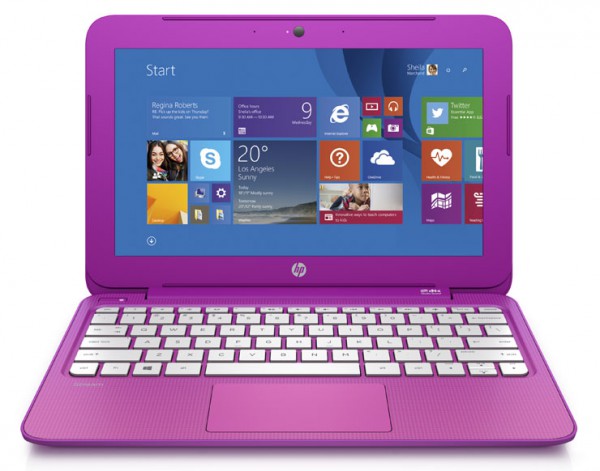
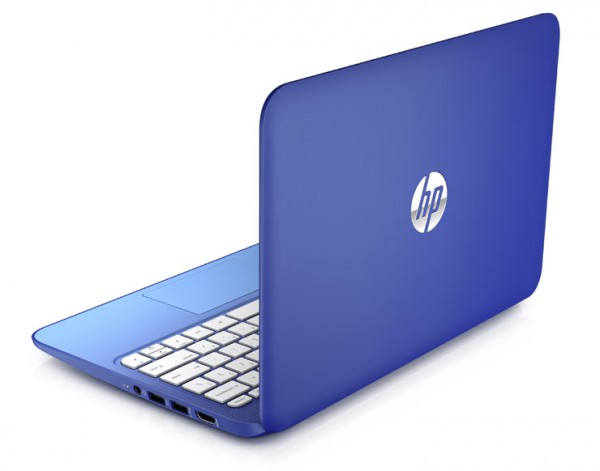
"Customers can enjoy entertainment in high-definition (HD) with an 11.6 inch HD display or 13.3 inch HD optional touch display. While the innovative fanless design with high efficiency Intel Celeron processor and 32GB of eMMC flash memory allows for quiet, cool operation and quick file recall. Stunning colors and stylish gradient design available in Orchid Magenta and Horizon Blue are sure to turn heads", says Hewlett Packard.
 
While HP is tight-lipped on specs, according to Engadget (who got to play with them in person), they will be powered by a Celeron N2840 CPU and 2GB of RAM. Battery life is promised to be up to 8 hours and 15 minutes, which is more than enough for a day of college classes or some quiet time at the library. Speaking of quiet, it is fanless, so there will be no noise from a whirring fan. Best of all though, both models have HDMI output, so they can serve as a media machine when connected to a TV, or desktop when connected to a monitor, keyboard and mouse. Hell, the 13.3 inch model can even be quipped with a 4G modem that comes with 200MB of data per month for life.
 
Arguably, the only downside is the limited colors. They look to me to be pink and purple, but HP calls them "Orchid Magenta and Horizon Blue". Wasn't there a children's TV show called Blue's Clues with a dog named Blue and a dog named Magenta? Maybe that show was the inspiration, but I digress; while colors should be gender neutral, these colors seem to me as a bit feminine, at least as society has traditionally dictated. I would have no problem owning and using a pink laptop, but I can foresee it being an issue for some shoppers. An option for black or silver would probably be appreciated.
 
HP has also announced new tablets, powered by an Intel Atom Z3735G. Sadly, the slates will only have 1GB of RAM, and I am worried that it will not be enough. Hewlett Packard says, "the HP Stream 7 and HP Stream 8 Windows tablets keep customers connected to work, friends and content all at an exceptional value. The cloud-connected, Intel-powered 7 inch and 8 inch tablets include one year of Office 365 Personal and 60 minutes of Skype each month, 1TB of Microsoft OneDrive storage for one year,  and a full Windows 8.1 experience. The HP Stream 8 tablet includes an optional 200MB of free 4G data each month with no annual contract for the life of the device".
 
HP lists the following prices:
  • The HP Stream 11.6 inch diagonal starts at $199.99.
  • The HP Stream 13.3 inch diagonal starts at $229.99.
  • The HP Stream 7 Tablet starts at $99.99.
  • The HP Stream 8 Tablet starts at $149.99.
Sure, this $199 HP Windows laptop is hardly top of the line, but it is more than enough for the average home user. Believe it or not, the laptops even come with a $25 credit to the Windows Store, for buying apps or games. Technically, with that said, you could look at the price as only being $174.99 -- a steal.
While I hate putting down the Chromebook, it is just impossible to justify a purchase of a low-end Google-powered machine when you can buy a true PC for under $200. Don't forget, running the Chrome browser in Metro Mode on Windows is pretty much the Chrome OS experience anyway. Low-end Android tablets are safe for now, but trouble could be on the horizon there too; if Microsoft closes the app-gap (a big "if"), a $99 Windows tablet could be very attractive.
 
Will sub-$200 Windows laptops kill the Chromebook? Tell me in the comments.
 
Image Credit: Barnes and Noble
 
~ Brian Fagioli

5.14.2014

Google shows off new designs for Chromebooks, extends battery life, increases offline capabilities

In a joint press conference, Google and Intel announced lighter Chromebooks with 11+ hours of battery life and new offline capabilities. Will it be enough to entice the enterprise? 

Navin Shenoy, vice president of the PC client group at Intel, shows off a new Chromebook.
 Image: James Martin/CNET
At a joint press conference on Tuesday to unveil improvements in Chrome devices, Google and Intel introduced new processors for Chromebooks, talked up big battery life improvements, and showed off the ability to do more things offline.
 
Navin Shenoy, vice president of the PC client group at Intel and Caesar Sengupta, VP product management at Google, took turns addressing new features and products that have come from the two companies' partnership around Chrome OS.
 
Here's a quick summary of the main announcements:
  1. Chromebooks based on Intel's i3, Haswell, and Bay Trail processors
  2. Bay Trail devices will be thinner and faster with over 11 hours of battery life
  3. 20+ designs, with Intel being the only processor providing 64-bit to Chromebooks
  4. Chromebooks gaining traction in education, deployed in nearly 10,000 new schools
  5. New offline capabilities to watch movies and TV shows with Google Play Movies app
  6. Some Intel processors now being made conflict-free
Shenoy started with the Haswell-based products by highlighting a bright teal-colored HP Chromebox that would be available in June and a $349 LG Chromebase, which is an all-in-one desktop machine that was announced at CES 2014.
 
The beginning of the press conference was targeted at enterprise customers. Sengupta made a specific mention of business customers, including Auberge Resorts, that made the switch to Chrome from XP. Shenoy mentioned the popularity of the Chromebox with the enterprise, and mentioned that the HP model would have integrated hangout features like the Chromebox for meetings.
 
Google has already been aligning itself with trusted enterprise providers such as VMware and Citrix. Linking arms with Intel is a major step toward Google establishing itself as a major player in the enterprise. 
 
"Intel is a top contributor to the Chrome OS," Shenoy said. "We are now the number two contributor to Google for open source."
 
The Bay Trail devices will, more than likely, be one of the key offerings to potential business customers. The Bay Trail processors have strong performance and don't use a lot of power, which helped Google extend the projected battery life of this new crop of Chromebooks to over 11 hours. The previous models topped out around 10, although some Chromebooks got far less than that. ASUS, Acer, Toshiba, and Lenovo are all planning Bay Trail Chromebooks. 
 
Sengupta also reminded the audience of the updates that are pushed to Chromebooks every six weeks, absolving the users of manually updating the devices. That's a value-add for many IT departments that have to devote a lot of resources updating client machines.
 
The processor announcements were capped off by unveiling a Core i3 option for Chromebooks. An Acer Chromebook will be available at $349 with Core i3 this summer and Dell will be adding an i3 option to one of their Chromebooks as well. 
 
Chromebooks' momentum in education was also highlighted. Chromebooks are now in nearly 10,000 new schools, continuing the traction that Chromebooks have already already gained. Intel showed off their reference platform for an education Chromebook alongside a few other models that were geared toward education customers, touting smaller sizes and increased durability. Intel has long been trying to catalyze the education market with devices such as its Classmate PC. The partnership with Google is a win for Chromebooks, since Intel has obviously chosen them as a potential winner in low-cost education devices.
 
One of the last major announcements was Intel's push to produce conflict-free processors. Processors contain tantalum, tungsten, tin and gold, all of which can be mined in conflict zones, such as the Democratic Republic of Congo, by enslaved workers. 
 
Other interesting announcements included the addition of Google Now and voice actions to Chromebooks, and more offline capabilities with Google Play. Offline functionality is a big deal in the enterprise since businesses don't want workers to be stuck if they have spotty connectivity. While the offline capabilities announced don't directly affect productivity features, they show Google is getting more conscious about the importance of offline capability.
 
"You can choose to be productive with Google Docs, or completely unproductive with your TV shows," Sengupta said.
 
Chromebooks are available in 20 countries and will be available in nine more over the next few months. No mention of a Chrome tablet just yet, but Shenoy said "we're aggressively pursuing new form factors." 
 
When questioned on the possibility of a Chrome tablet or Android clamshell, Sengupta narrowly skirted the question; ending his response, by saying, "We're going to keep innovating."
 
~ Conner Forrest

4.23.2014

New Chrome feature will allow users to unlock a computer with a smartphone

The Easy Unlock feature, which allows users to authenticate with a phone, has surfaced in the Chrome OS developer's channel. It potentially uses unique sound waves for authentication. 

 
Recent security flare-ups have caused major companies across the board to up the ante on product security and authentication. Forcing users to change their passwords more often has been the go-to solution, but that can actually be less secure if users have trouble remembering their passwords, as they end up writing them down or emailing them to themselves.
 
François Beaufort announced on a Google+ post in December that the Chromium OS team was working on "password free screen unlock" feature, noting that the proposal was made in November. In the initial code review it was referred to as chrome.screenlockPrivate, but it seems that the project has taken a new direction.
 
According to recent code commits (commit 1, commit 2) that were spotted by Android Police in the Chrome developer's channel, Chrome developers are working on an Easy Unlock feature for Chrome OS. The feature could allow a Chrome OS user to unlock their device by placing their phone in close proximity to their machine. Folks on the dev channel can "enable" the feature at: chrome://flags/#enable-easy-unlock, but nothing substantive will happen. The feature is still in its infancy, but there are a few things we can conclude.
 
 
In February, I wrote an article about Google's acquisition of SlickLogin, a startup founded by three graduates of the Israel Defense Forces' cybersecurity unit. SlickLogin's technology prompts a user's phone to emit a high-frequency sound that the computer will read as an authentication method. SlickLogin wasn't very well-known to the public and was acquired by Google before they even brought their product to market.
 
At the time Google purchased SlickLogin, it was also buying other security startups, such as Impermium, and it was unclear what the search giant had in store for the company. Now, it's apparent that Google's purchase of the Israeli startup was an acqui-hire play.
 
Based on the fact that the proposal was made in November 2013, it's safe to assume that Google had been courting SlickLogin long before the acquisition in February 2014; and they were probably targeting a company to assist with that feature. Combine that with SlickLogin's CEO changing his job title on LinkedIn to "Product Manager at Google" immediately after the announcement. 
 
While the concept of using a smartphone to unlock your personal computer may appeal to some consumers, I would argue that this feature is being developed to attract enterprise and education users. Chromebooks have already captured 20% of the education market, and Google has been moving steadily moving deeper into the enterprise.
 
Recently, Google has offered $100 off Chromebooks for business customers, VMWare support for Chromebooks, and even a Chromebox specifically for business. Easy Unlock will follow all of these offerings as simply another tool to get the enterprise on board with the idea of Chromebooks as laptops for business. 
 
With all this being said, security woes are still keeping some enterprise adopters at bay. By increasing the perceived security its computer offerings, Google is hoping it can position Chromebooks as a viable, more secure replacement for XP and Windows 8 products.
 
While much of the reporting on Easy Unlock has lauded the feature as a one-step replacement for passwords, SlickLogin also positioned its technology to be used as part of a two-factor authentication system for added security. So, this could be used as a way for Google to offer a cool feature to consumers and higher security to the enterprise. 
 
A Google spokesperson declined to comment.
 
~ Conner Forrest 


4.15.2014

Google offers $100 off Chromebook prices to XP switchers

In a strategic move to lure business users facing a loss of XP support, Google has dropped the price on Chromebooks for business. How many businesses will jump at the offer? 

Image: Sarah Tew/CNET
 
The popularity of Windows XP continues to cause headaches for businesses and Microsoft. Now that the end-of-life deadline for XP has officially passed, Google is taking advantage by offering a discount to businesses looking to move from XP to Chromebooks.
 
Amit Singh, president of Google Enterprise, announced in a blog post Tuesday that any business considering Chromebooks will receive discounts on the Chrome devices if they purchase before June 30.
 
If you purchase Chromebooks through Google's Chromebooks for Business program, your company will receive $100 off each managed device it purchases. Considering the average price of a Chromebook hovers around $300, this is a big deal. In addition, Google is offering the following discounts for employees that need access to desktop apps on their Chromebooks:
 
1. Business can also get an additional $100 off each Chromebook if you purchase it with VMware Desktop as a Service (DaaS)
 
2. Companies also receive 25% off Citrix XenApp Platinum Edition (including AppDNA software to speed up Windows XP migration)
 
The discounts are a logical step after Google partnered with VMware to address some of the major compatibility concerns with a VMware for Chromebooks. According to Forrester analyst J.P. Gownder, virtualization licensing is a concern for potential enterprise adopters.
 
"The special offer takes on one barrier to Chromebook adoption in enterprise: The cost of virtualization licenses," Gownder said. "Chromebooks increasingly fill a potential computing niche within enterprises, but only for some workers in some verticals; there are simply too many legacy applications in use to move all of a company's employees to Chromebooks. Virtualization is one way out of this problem -- if you only use a legacy application infrequently, for example, you can access it using tools from Citrix and VMWare. But the cost of licensing makes that hard."
 
Windows 8 has met poor reception, giving Google a prime opportunity to push Chromebooks and the Google Apps suite for the enterprise. According to Gartner fellow Tom Austin, it's a smart move, but the opportunity wouldn't exist for Google if Microsoft hadn't forced the hand of business customers.
 
"This is a smart, tactical campaign that should somewhat increase the volume and velocity of Chromebook sales into enterprises of all sizes. What's clever, of course, is Microsoft has provided the pressure to force more people to get off of XP, many of whom wouldn't go through the gauntlets they face if not forced," Austin said.
 
Google has made various steps toward the enterprise with announcements like the Asus Chromebox and Google+ Hangouts for the conference room, but fear of transitioning to a cloud-based system has kept potential customers at bay. And Austin said the potential spending spree could also be a factor. Businesses are looking at the possibility of migrating data, changing user procedures, retraining operators, and replacing business applications, among other things.
 
"Google is showing a commitment to Chromebooks that I believe is part of a longer game: Google will unify Chrome OS with Android over the next year or so, at which point Chromebooks will become a great deal more interesting because of the wide array of applications available for Android," Gownder said.

Ending support for XP makes sense on Microsoft's end, but that doesn't mean it's the right move. Consider this analogy from the automotive industry.
 
"I have a 1962 Morgan Plus 4 Roadster. It's still supported by the factory with spare parts. And many other marques -- such as Mercedes-Benz and Jaguar -- have similar policies on supporting heritage products. But the automotive market is different," Austin said. "There's a large and vibrant classic car market that funds heritage product production, warehousing and sales via their purchases. There's no such market around computers."
 
According to Austin, Google wants to capitalize on that pain and be the rebound for all of these distressed businesses.
 
"So it's good for Microsoft," Austin said. "But Google recognizes this as an opportunity for Google, too. If XP customers have to run the gauntlet, why not make it just a bit easier to move to Chromebooks? That's what Google is doing -- lubricating the skids of a switch to Chromebooks."
 
~ Conner Forrest

3.04.2014

Samsung introduces Chromebook 2 laptops with Galaxy Note 3 stitched design

Summary: The two new notebooks will be released in April with Exynos 5 Octa processors and sub-$400 price tags.

 
Yesterday's leaks of new Samsung Chromebooks with the faux leather look of its Galaxy Note 3 phones and tablets appear to be entirely accurate, as the company has just officially announced two new models, complete with that same trim.
 
The Chromebook 2 line consists of an 11.6-inch and a 13.3-inch model. To fill in that bigger screen real estate, the 13.3-inch version also has full HD resolution (1,920x1,080) whereas the smaller notebook has a resolution of 1,366x768. They feature similar specs otherwise, including 4GB of RAM, 16GB of solid-state storage, and Samsung's own Exynos 5 Octa processor. (The 13.3-inch Chromebook 2 gets a 2.1GHz CPU, whereas the 11.6-inch model includes a 1.9GHz version.)
 
Another difference is in that exterior cladding. The smaller laptop will be available in either white or black, while the 13.3-inch unit will come in gray. As you can see in the photo above, the case includes a stitched texture that resembles leather. Samsung also hopes to differentiate its latest family from the increasing number of Chromebooks through its bundled software, which includes Wunderlist Pro and Air Droid Premium. The latter assists you in interacting and transferring files with your Android smartphone.
 
As with other Chromebooks, Samsung's new Chromebook 2 systems are affordably priced to appeal to students and the education market in general. When they arrive in May, the 11.6-inch flavor will cost $319.99 and the 13.3-inch version will be priced at $399.99.
 
~ Sean Portnoy

2.12.2014

Schooled by Linux -- 1,700 students get Ubuntu laptops

 
Linux is everywhere; from mobile phones to web servers. Even Chromebooks run Linux. Ironically, Chrome OS is a poor platform for actually learning about the open-source kernel. This is because Google's OS is limited by design. And so, it does not behave like a typical Linux distribution.
 
Instead, students would be better served by using a true Linux distribution, such as Ubuntu, Fedora or Mageia. With that said, a forward thinking school in Pennsylvania has done just that. Penn Manor High School has purchased 1,700 laptops running Ubuntu.
 
According to the school, "each student received an Acer TravelMate TMB113 laptop, mouse, flash disk and case. Kits were distributed, by grade level, during the week of last week of January 2014. The bulk of the distribution took 4 days. During distribution, students received an orientation session to help them get started with the new laptop".
 
Handing out laptops to students is not news, but the underlying OS is -- Ubuntu 13.10. This is an up to date, easy to use distribution, which will allow the students to learn more about Linux. Somewhere in the world, Linus Torvalds is smiling.
 
Believe it or not, the school has not locked-down the machines for software installation. Students can explore all aspects of the operating system and install the software of their choosing. The only caveat is that they respect copyright laws as well as the school district's policies.
 
However, web content will be filtered. "As required by the Children's Online Protection Act, (CIPA) each laptop is equipped with a filter to block material deemed harmful to minors. Filters are enabled both on and off campus", says the school. Regardless of your stance on censorship, protecting the morals and minds of high-school students is a positive.
 
The school should be applauded, not only for thinking outside of the Microsoft and Google box, but for embracing open-source philosophy. These students will learn more than how to use Facebook and Microsoft Word. Not to mention, besides the students benefiting, so does the Linux community. Future open-source evangelists and programmers may be bred from Penn Manor High School.
 
Should more schools embrace Linux? Tell me in the comments.
 
~ Brian Fagioli

1.04.2014

Microsoft might have reason to fear Chromebooks after all

Microsoft might have reason to fear Chromebooks after all
Late last year, we wondered why Microsoft was seemingly wasting its time bashing Chromebooks, the low-cost browser-based laptops that have barely registered in consumer sales figures. However, Fortune’s Michael Helft writes that Chromebooks have the potential to give Microsoft major headaches in one of its important markets: Schools. In particular, Helft says that his sons’ school district has started buying up Chromebooks instead of PCs and he says that they’re delivering some real advantages.
 
“It’s not hard to see why our PTA and the school district opted for Chromebooks,” he explains. “Sure, they don’t have Office. But they do have the free Google Docs, which is an easy-to-use alternative and sufficient for most tasks required of elementary school students. As for the lack of Windows — or for that matter MacOS — that’s actually an asset for the cost-sensitive school environment. The machines boot up immediately, they can be shared easily amongst students, they never have to be upgraded or backed up, and they are always up to date.”
 
This is particularly interesting because it shows that Microsoft’s attempt to paint Chromebooks as mere “toys” might not be as effective as the company thinks. Sure, Chromebooks might not have all the high-end productivity tools that Windows PCs have but do first graders really need the full versions of Excel and PowerPoint preloaded onto their machines? It seems that what Google has done is address certain pain points that schools have with Windows machines — namely, their maintenance costs — in a way that Microsoft is having a hard time responding to.


10.10.2013

Acer announces the C720 Haswell Chromebook

The technology community is abuzz with excitement over the next-generation of Chromebooks. Yesterday, my colleague Joe Wilcox reviewed the sexy $279 Chromebook 11 by Hewlett-Packard. Sadly, while HP's Chromebook looks great, it is very much under-powered. After all, the specs are the same as last year's Samsung model -- ARM processor and a paltry 2GB of RAM.
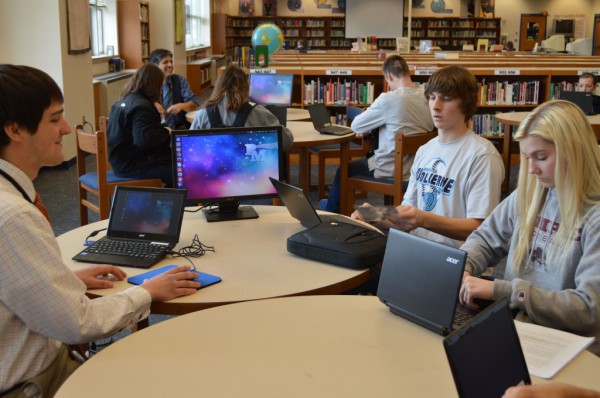
 
Today, Acer announces the C720 which undercuts the HP variant in price and trumps it in specifications.
 
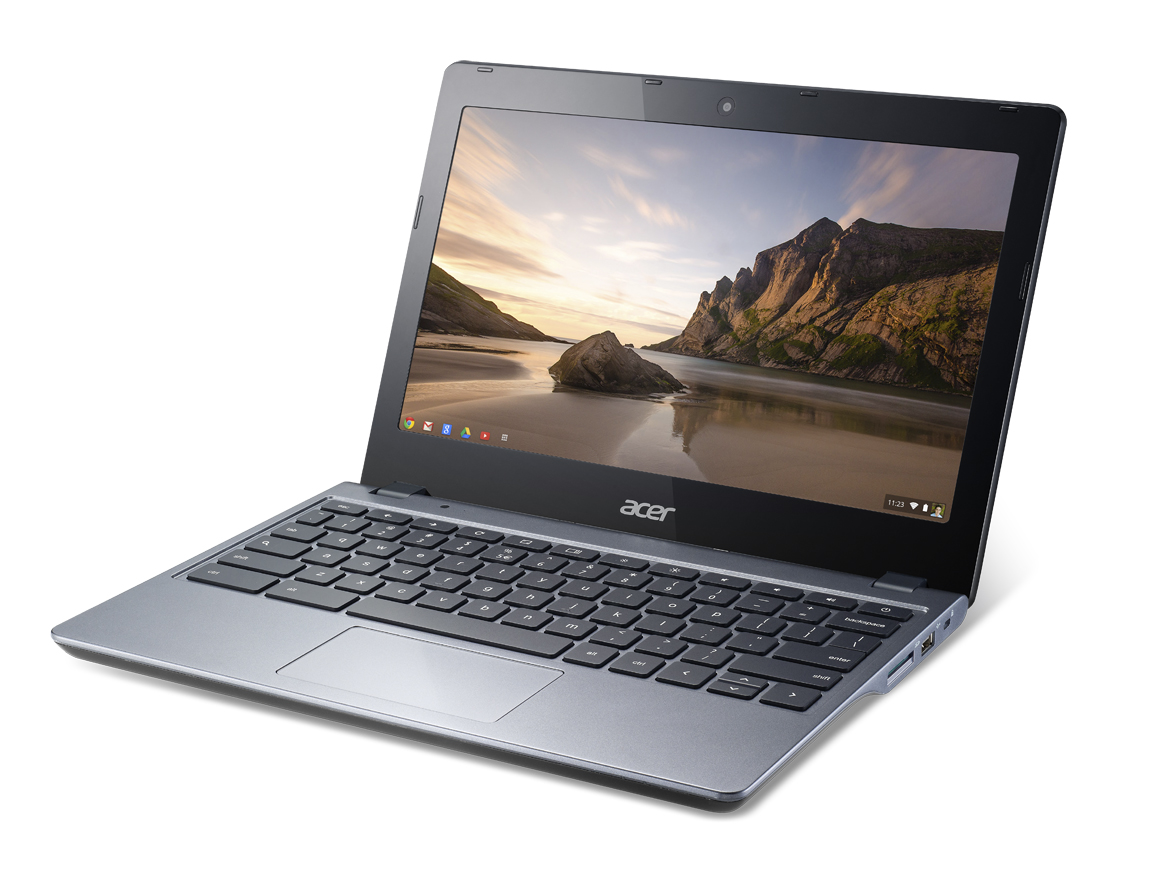
Acer says, "the new Chromebook is powered by an Intel Celeron 2955U processor based on the Intel Haswell micro-architecture, so it delivers a noticeable boost in both performance and battery life. The battery keeps customers going for up to 8.5 hours, ideal for all day productivity and fun. Customers can power through web pages and docs, and will also enjoy fluid HD video and apps with the support of up to 4GB of DDR3L memory".

Yes, you read that right, it has a Haswell-based processor and 4GB of RAM. But wait, that's not all -- Acer has priced the computer at $249. While it is arguably not as attractive as the HP Chromebook 11, it will trounce it in performance for $30 less. It even adds USB 3.0, HDMI-out and an SD card slot, all of which are nowhere to be found on the HP.
 
"The device weighs only 2.76 pounds, so it’s easy to carry in a backpack or bag. The slim and sleek size of the Acer C720 still provides room for a vibrant 11.6-inch ComfyView HD display with a 1366x768 resolution that keeps websites, images and video crisp and clear. Plus, the display has a matte, anti-glare property, enabling students and families to enjoy the Chromebook outside in sunlight for classwork, reading, playing games and more", says the computer manufacturer.
 
"The Acer C720 is a significant step forward for our highly-acclaimed Acer Chromebook line, as it delivers speedy performance, quick boot times, a matte anti-glare display and a slimmer design that is portable enough for anywhere use...these key advances allow families and students to continue collaborating, learning and playing in exciting ways, all while staying secure since Chrome OS includes multiple layers of protection from online threats", says Arif Maskatia, chief technology officer at Acer.
 
While you really can't go wrong with any modern Chromebook, this Acer seems like the best "bang for your buck". In reality, there is no reason that anyone should choose the HP model over it. This seems to be the "it" laptop for the holidays and it will make a great gift for anyone in your family. It is available to pre-order today at BestBuy.com and Amazon.com. I cannot wait to get my hands on it.

What do you think? HP Chromebook 11 for $279 vs. Acer C720 for $249, which would you buy?
 
~ Brian Fagioli

5.31.2013

How the Chromebook succeeds beyond all other Linux distributions

Takeaway: The Chromebook has taken off. It’s a Linux-based device that has one key thing in its favor. Jack Wallen explains what he thinks it is.

Unlike my usual fare, I’m going to cut to the chase and answer this question up front. The Chromebook (and it’s Linux-based Chromium OS) succeeds because it’s easy to use and it works. Simple. End of story.
Oh, but wait — it’s not really all that simple. There’s one additional point of interest, one that I’ve been harping on Linux distributions about for years. The Chromebook does one thing all other distributions do not…

Market.

Yes, I’m talking to you Canonical and SUSE (and any other solid desktop distributions that cares to listen). You will never get anywhere (at least in the United States) until you market. Why? There’s a reason companies dump millions upon millions (or billions upon billions) of dollars into marketing campaigns. Consumers are image-driven and those images are best driven by network television.

That’s right. Commercials.

Yes, the Chromium OS is being distributed by OEMs now via the Chromebook. You can hop in your car, head to big box stores like Best Buy, and purchase a Chromebook. But even if those Chromebooks sat on the shelves, waiting for consumers to plop down their hard-earned cash, had they not been exposed to them in the first place — there would be no demand.

Demand… driven by consumerism, powered by the great god Advertisement.

Yes, it helps that the Chromium OS is incredibly simplistic and anyone can immediately sit down and start using one. Thanks to the web-based world we now live in, it has everything all tidily wrapped up in a browser. Yet a straight-up Linux environment offers more — with the same reliability.

Where’s the disconnect? Marketing.

Yes, Canonical is about to unleash the Ubuntu Phone on the world. But unless they advertise
(to the masses — not those already in the know), it will fail. Ubuntu 13.04 is an amazing operating system. It’s powerful, elegant, reliable… it has everything the consumer needs (especially now with Steam behind it). But unless Canonical digs deep into its pockets and fronts the funds for a television advertising campaign, it will go no further than it already has.
Take this example. Alienware now offers the X51 — one of it’s most powerful gaming platforms — with Ubuntu. On the Dell website, they answer the question, “Why choose Ubuntu?” like so:
Ubuntu’s stylish, intuitive interface provides a clean and streamlined experience that is easy to use. Ubuntu works with music, videos, photos and files that you use on your current PC. Its open-source operating system allows users to experience Ubuntu in a flexible manner that is unique to their preferences and its flexible interface can be customized to suit the user’s needs.
All true. All right on the nose. However, unless Dell pumps a little advertising money into that campaign, it won’t sell… at least outside of the standard-issue Linux crowd. And that is sad. It’s a powerhouse of a machine and Linux brings it a power that Windows 8 can’t touch.

But we’re not talking Google — you know, the developers of the Chromium OS — who get marketing. Google understands the only way to get a product into the hands of consumers is to let them know it exists and let them know why their product is better than all the others. That is what Canonical needs to understand and embrace.

Why do I keep bringing up Canonical and not every other Linux desktop distribution out there? It’s not because Ubuntu is my Linux of choice, it’s because Ubuntu is backed by the only company that is even close to getting the idea that marketing is the Achilles of Linux. Ubuntu is also the only distribution backed by a company that might have funds enough to actually pull off a marketing campaign powerful enough to get consumers interested.
I say ‘bravo’ to the Chromebook. No matter how you slice it, that device is getting Linux into the hands of consumers — whether they know it or not. But until other Linux distributions open their eyes and realize that consumerism is fueled by style, by appearance, by ‘hip factor’, by visuals, and by advertisements, minus Chromebook and Android, the whole of Linux will continue to remain a niche and never gain any foot hold on the one target they should have their sights on — the average consumer.

~ Jack Wallen

3.26.2012

Would you pay $299 for Google Chromebook?


"Beginning this week Acer and Samsung Chromebooks will be available starting at $299", Googler Venkat Rapaka blogs today. Is that price low enough for you or perhaps as present for a relative? For $100 more than Kindle Fire, you get a keyboard, double the storage (16GB vs 8GB), similar cloud connected benefits, comparable battery life and bigger display. Well, I had to ask.

If you want to answer, fire off in comments. This is a serious question. Because there is a right price, one making Chromebook an appealing alternative to a new laptop or tablet. Before the price cuts, Acer and Sumsung models started at 349.99. Some commenter surely will claim price cuts are sure sign Chromebooks aren't selling well. Oh yeah? Consider this: Samsung is releasing a black Series 5 Chromebook (to go  alongside grey and white ones) and prices fall for lots of reasons, such as economies of scale when products sell well, lower component prices or holiday prices. Reasons aside, is $299 low enough for you?

Amazon already lists the Acer AC700-1099 Chromebook for $299.99. Specs: 11.6-inch LED-backlit display (1366 x 768 resolution; 16:9 aspect ratio; Intel Atom N570 dual-core processor; 2GB DDR RAM; 16GB SSD; Graphics Media Accelerator 3150; 1.3MP HD Webcam with noise cancelling microphone; two USB 2.0 ports; 4-in-1 memory card slot; HDMI port; WiFi N; and Chrome OS. The Acer Chromebook is about the same size as MacBook Air and some Windows PC ultrabooks, but selling for $700 and $600-$700 less, respectively.


Chromebooks run Google's ChromeOS, which heavily relies on the cloud but not exclusively. Main benefits include:
  • Fast start-up (about 13 seconds)
  • Near instant recovery from sleep (about 1 second) 
  • Ease of setup -- just log into Google account -- that's it
  • Long battery life, which for my Chromebook was 8 hours or more
I got a taste of this alternate computing universe when during August and September a Samsung Series 5 Chromebook was my primary PC early on and exclusive one for most of the two months. In early October, I gave up my Chromebook experiment, switching to the delightful (and considerably faster) Lenovo ThinkPad T420s. But others carry the torch. Ian Betteridge is near the end of his own 30-day Chromebook adventure. 

My 70 year-old mom continues to use a Chromebook, for nearly four months now. I've heard no complaints, but no praise either. Her G5 iMac developed graphics problems. I couldn't afford to buy her a new Mac, and there was a spare Chromebook in my bedroom closet. I wouldn't have spent $449.99 on a Samsung Chromebook (price at the time) over a low-cost laptop. But I would consider $299.  

BetaNews reader S. Deemer is a Chromebook user: "I travel a lot by motorcycle, and the Chromebook makes a perfect travelling companion, with long battery life and, for the odd time when no Wi-Fi is available,
3G data connectivity without paying extra for a monthly plan. I have never used up the entire 100mb monthly 3G data allocation".


Matt Plemmons is another, in September writing: "I have been using my chromebook exclusively for 3 months now. While there where some question marks in the beginning, frequent updates have remedied most buggyness and with the onset of offline Gmail, Calendar and Docs I see this product really blooming". 

Commenter boby_k doesn't share the enthusiasm: "I have Chrome machine that Google sent me. I don't like the hardware and with 100MB plan, it is almost useless. I keep it in my car for occasional use. Wireless connection takes too long and is not ready when browser comes up most of the time". 


Now the question comes back to you. Is $299 low enough for you to buy Chromebook? Please answer in comments.

~ Joe Wilcox