Cisco Learning Network Store Promotions Page
Showing posts with label KDE. Show all posts

7.17.2015

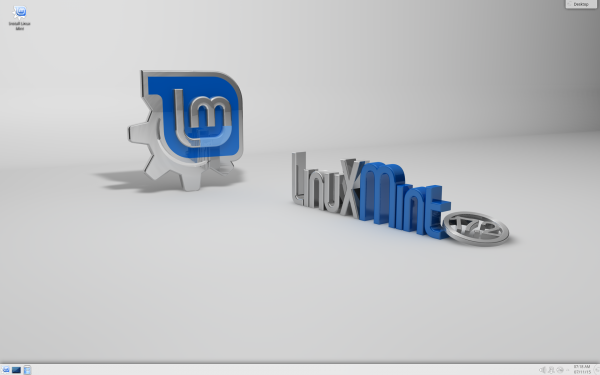
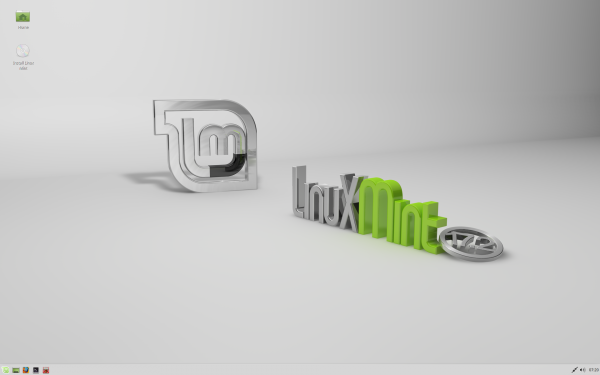
Linux Mint 17.2 'Rafaela' KDE and Xfce release candidates are here


Whether you are a beginner or expert, Linux Mint is a great distribution. Not only is it very easy to use, but beautiful too. It is quite apparent that the developers care for the operating system.
 
The two default desktop environments for Linux Mint -- MATE and Cinnamon -- are both wonderful, but I prefer the latter. A short period after the launch of a new version of the OS -- this time 17.2 Rafaela -- the Mint Team also releases KDE and Xfce editions as alternatives. Today, the release candidates for those environments become available, with Xfce updated to 4.12, and KDE brought to 4.14.2.
 
Clem Lefebvre, Linux Mint founder explains core features to be "MDM 2.0, a Linux kernel 3.16 and an Ubuntu 14.04 package base". Lefebvre further explains that the operating system, "is a long term support release which will be supported until 2019".
 
The Mint Team also shares the following improvements
  • The USB Image Writer and the USB Stick Formatter now recognize a wider variety of USB sticks. They also feature improvements in terms of partitions alignment, boot flags. Sticks are better described and the tools also now use less CPU than they did before.
  • LibreOffice was upgraded to version 4.4.3.
  • HPLIP was upgraded to version 3.15.2, for more HP printers to be recognized and supported.
  • HAL was reintroduced to support DRM playback in Adobe Flash (note that this helps with certain video websites, but not all of them, a tutorial was written to workaround other DRM/Flash issues)
  • In the repositories, Inkscape was upgraded to version 0.91.
 
So, are you ready to download it? Right on, bro. You can download the release candidates using the below torrent links. Remember, you should never install pre-release software on production machines -- unless you are cool and live dangerously. But seriously, don't do it!
 
KDE
Xfce
~ Brian Fagioli

5.18.2015

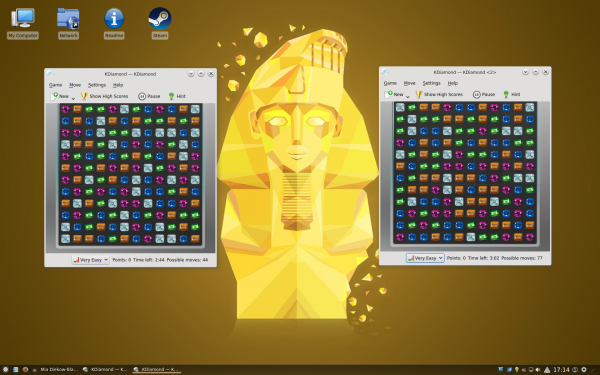
Netrunner 16 'Ozymandias' is here -- the best KDE Linux distro gets better

 
One of the wonderful things about Linux distributions is the various desktop environments available. Unlike Windows and OS X, if you do not like the user interface, you can simply change it. I am a big fan of GNOME 3, but I know that many people dislike it. That's OK -- different strokes for different folks as they say.
 
Another desktop environment I like, and recommend to many, is KDE Plasma. The latest version, Plasma 5, is wonderful, and former Windows users will feel comfortable with it. Today, the best KDE distribution, Netrunner, reaches version 16. Dubbed "Ozymandias", it embraces KDE Plama 5.
 
In what is probably the most bizarre operating system release announcement I've ever read, Clemens Toennies explains why they chose the name "Ozymandias". You have been warned of the oddness!
 
"I met a traveler from an antique land…And he told that there once was a mighty king in the land of ancient desktops, called KDE -- The King of DEsktops! And though the name and places have changed, its stories are still told and memories recalled. As it is known, there comes a point in time, where all things present must become a thing of the past to make way for the new and shiny", says Toennies.
 
Toennies further shares, "much like sand exposed to heat is transformed into something new called silikon, Plasma was formed out of the building blocks of its ancestor KDE 4. And so the old king is back – in its new incarnation called Plasma Desktop 5 ! The Plasma Desktop carries all the DNA of its predecessor and molds it into something new: A thing of the future, for the next generation to come. So when using Plasma 5 today, let’s not forget: We’re standing of the shoulder of Giants! Like Plasma5 followed KDE4, from the fires of Prometheus emerged Ozymandias, ready to roam the realms of computing."
 
Wow. OK. Nonsense aside, here are the following updated packages in the release.
  • Kernel 3.19.0~16
  • Plasma 5.3
  • KDE Applications 15.04
  • Firefox 37.0
  • Thunderbird 31.6
  • LibreOffice 4.4
  • VLC Media Player 2.2
  • Gmusicbrowser 1.1.14
  • Audacious 3.5
  • Krita & Karbon 2.8.5
  • Gimp 2.8.10
  • Pidgin 2.10.9
  • vokoscreen 2.1
 
So why do I call Netrunner the best KDE Linux distro? First off, it is based on Kubuntu, meaning there is plenty of support and available packages. Ubuntu users should be right at home.

What sets the OS apart, however, is the level of polish -- it is beautiful and chock full of useful pre-installed software. You can tell that the developers truly care about this operating system. I suggest trying it out for yourself to see what I mean.
 
If you are interested, you can download the ISO using the Torrent here.

~ Brian Fagioli

3.18.2015

Linux Mint Debian Edition (LMDE) 2 'Betsy' RC is here -- both MATE and Cinnamon

 
When it comes to picking a Linux distribution, it can be very difficult. Quite often, beginners will choose Ubuntu, which is a smart choice. Why? It is easy to use and well supported. Besides Ubuntu, however, Linux Mint is another great choice. Since it is based on Ubuntu, it is compatible with the same packages and commands.
 
There is another version of Linux Mint, though -- LMDE. This stands for Linux Mint Debian Edition. As the name describes, rather than being based on Ubuntu, it is based on Debian. While the operating system used to be a rolling release variant, it has since evolved to something else. Today, a release candidate for the second edition of the operating system becomes available. Should you use LMDE 2 instead of the traditional Linux Mint?
 
"LMDE (Linux Mint Debian Edition) is a very exciting distribution, targeted at experienced users, which provides the same environment as Linux Mint but uses Debian as its package base, instead of Ubuntu. LMDE is less mainstream than Linux Mint, it has a much smaller user base, it is not compatible with PPAs, and it lacks a few features. That makes it a bit harder to use and harder to find help for, so it is not recommended for novice users", says Clement Lefebvre, Linux Mint Team.
 
Lefebvre further explains, "LMDE is however slightly faster than Linux Mint and it runs newer packages. Life on the LMDE side can be exciting. There are no point releases in LMDE 2, except for bug fixes and security fixes base packages stay the same, but Mint and desktop components are updated continuously. When ready, newly developed features get directly into LMDE 2, whereas they are staged for inclusion on the next upcoming Linux Mint 17.x point release. Consequently, Linux Mint users only run new features when a new point release comes out and they opt-in to upgrade to it. LMDE 2 users don’t have that choice, but they also don’t have to wait for new packages to mature and they usually get to run them first. It's more risky, but more exciting".
 
Fans of Mint will be happy to know that both Cinnamon and MATE versions are available. For users of those desktop environments, using LMDE 2 will feel very familiar. It remains to be seen if any other desktop environments, such as KDE or Xfce, will be included in the future.

So, should you use LMDE 2? Probably not. For most home users, the traditional Ubuntu-based Mint is the smarter choice, as it should prove to be more stable. Not to mention, for many, the lack of PPA support will be a massive deal-breaker.
 
Users of LMDE 2 should probably be more adventurous and experienced in the ways of Linux. Remember though, this is a release candidate and not a final version, so it is not recommended to install on production machines. You can read a full list of known issues here.
 
You can download LMDE 2 Betsy RC using the below torrent links.
 
Cinnamon
Mate
Image Credit: wavebreakmedia / Shutterstock
 
~ Brian Fagioli

3.17.2015

Geeky students, act fast -- Google accepting applications for Summer of Code 2015

 
Geeky students have it made nowadays. You see, there are many outlets for their minds to be put into use. Sadly, before the Internet, it could be difficult for like-minded tech geeks to communicate and collaborate. Quite frankly, a curious mind could go undernourished as a result.
 
One of the coolest programs for tech-focused students is the Google Summer of Code. Why? For one, it is run by Google, so it is well funded and organized. More importantly, however, is that all of the projects in the program are open source. Today, the search giant begins taking applications. With that said, the window to apply is fairly small, so you had better do it soon.
 
"Interested students can submit proposals on the website starting now through Friday, March 27 at 19:00 UTC. Get started by reviewing the ideas pages of the 137 open source projects in this year's program and decide which projects you're interested in. Because Google Summer of Code has a limited number of spots for students, writing a great project proposal is essential to being selected to the program -- be sure to check out the Student Manual for advice", says Carol Smith, Google Open Source team.
 
Smith further explains, "students who are accepted into the program will put the skills they have learned in university to good use by working on an actual software project over the summer. Students receive a stipend and are paired with mentors to help address technical questions and concerns throughout the course of the project. With the knowledge and hands-on experience students gain during the summer, they strengthen their future employment opportunities. Best of all, more source code is created and released for the use and benefit of all".
 
To learn more and apply, you should head over to the official site here. The last day to apply is March 27th, so you had better apply soon. Look, I know how it is to be a student -- you say "I'll do it later", and before you know it, later is now. Be motivated and apply soon. This is a wonderful opportunity -- don't miss out!
 
If you are a Linux fan, both KDE and GNOME are participating -- how cool would it be to contribute to those projects?
 
~ Brian Fagioli

7.09.2014

Google and some nerdy teenagers improve KDE

 
As a teenager, I wasted much of my life and loved every minute of it. Rather than do anything productive, I would vegetate in front of the TV watching movies like Smokey and the Bandit on WPIX. The concept of actually learning something outside of school was foreign -- who wants to learn during their free time? In my defense though, the 90's didn't offer much outside of TV and AOL chat rooms.
 
Nowadays however, teens are afforded some very cool opportunities, including Google's Code-In. If you aren't familiar, it is a program for teens aged 13-17 to both learn about and participate in open source technologies. Today, Google announces that it has improved KDE with the help of some of these teens.
 
"To increase motivation, GCI is organized as a contest. Pre-university students 13-17 years old from all over the world can choose from a large pool of code, documentation, research, quality assurance and user interface tasks. The pool is created by the mentors of the participating open source organizations who continue to add to it throughout the contest. A task is a set of work in one of the above five categories that can be completed in a short time, taking approximately a few hours to a day to complete. In addition to self-contained tasks, task series are also created where similar work is split into several tasks or related work is split into sequential tasks. This way all sorts of work can be converted into manageable pieces for open source newbies", explains Dennis NienhĂĽser, KDE mentor.
 
NienhĂĽser further explains, "students added documentation videos for all sorts of KWin effects, updated KGeography to show recent changes, and polished KStars features. A new touch typing course for the US English keyboard layout and keyboard layout files for more languages were created for KTouch. Python support of KDevelop was extended in a series of tasks, and Amarok got several new testers to verify bugs. The Trojitá email client got a couple of usability improvements. All sorts of new features found their way into Marble, among them are extensions of KML support, polishing of the new Cloud integration and initial support for tours. Inner and outer planets of the Solar System are now shown as well as the Moon with its phases. There were 115 Marble GCI tasks alone, a considerable portion of the 259 total closed tasks for KDE".
 
Yes, Google and a bunch of nerdy teens contributed to, and improved KDE. Were the contributions revolutionary? No, but that is not the point. Regardless of the significance of the contributions, the teens learned about Linux and open source. Hopefully, they walk away from the program with a sincere interest and continue to contribute to the community.
 
Unfortunately, too many kids today are lazy and unmotivated -- much like I was -- and that is nothing to be proud of. Google and KDE deserve major kudos for putting in the effort to get these teens excited about science and technology. These teens and others like them are the future -- the open-source community is depending on them to carry the torch.
 
Do you wish there was a program like Google Code-In when you were a teen? Tell me in the comments.
 
Photo credit: Goodluz / Shutterstock
 
~ Brian Fagioli

4.19.2014

Hands on with Ubuntu 14.04: The best Ubuntu desktop ever

Summary: I still find Ubuntu with Unity the best desktop of all for users who don't know computers and just want something easy to use.
 
Lately, Ubuntu has been getting a lot of flack from other Linux users for going its own way. For example, Canonical, Ubuntu's parent company, eventually plans on using its own Mir display server instead of the more broadly supported Wayland, and that's annoyed many non-Ubuntu Linux developers.
 
That "inside baseball" criticism aside, I've found the latest release of Ubuntu 14.04 , Trusty Tahr, to be an outstanding Linux desktop both for new users and for professionals.
 
Ubuntu 14.04 with Unity 7 desktop.
I've been checking out the Trusty Tahr since its beta two release and I've been very pleased with it. I've been testing it in a VirtualBox virtual machine (VM) on a newer high-end Dell system and on two older test systems: The first was my 2007 Dell Inspiron 530S, which is powered by a 2.2-GHz Intel Pentium E2200 dual-core processor. This PC has 4GBs of RAM, a 500GB SATA (Serial ATA) drive, and an Integrated Intel 3100 GMA (Graphics Media Accelerator) chip set. The second was a 2008-vintage Gateway DX4710. This PC is powered by a 2.5-GHz Intel Core 2 Quad processor, 6GBs of RAM, a 1TB SATA drive, and an Intel GMA 3100 for graphics.
 
My point in listing these systems' stats in detail is that Ubuntu works just fine even on seven-year old systems.
 
It's also worth noting that Ubuntu 14.04 is a long-term support (LTS) version. That means that Canonical will be supporting this desktop Linux for five years. In turn, if you use an older PC you could get as much as 13 years of use out of it before you'd need to buy a new PC—just try that with Windows.
 
Installing Ubuntu remains as easy as ever on older PCs: Download the Ubuntu ISO, burn it to a DVD, boot your PC from the DVD and follow the instructions. If you're stuck with a Windows 8/8.1x PC, dealing with Secure Boot can still be a pain. The easy way around this is to go to the UEFI menu as you boot your PC and disable Secure Boot.
 
As an LTS, Ubuntu 14.04 doesn't have a lot of new features nor has there been much in the way of changes under the hood. Canonical has decided, for example, to not pull the old stable X window server and the Unity 7 shell for the graphical interface for the newer Mir graphics stack and Unity 8. You'll see those appear first in Ubuntu's smartphone and tablet efforts.
 
If you want, you can give Mir and Unity 8 a try. To do that, open a terminal and enter the following command:
 
sudo apt-get install unity8-desktop-session-mir
 
That's the quickest, cleanest way to install Mir and Unity 8. Both projects are under heavy development so be ready for regular changes.
 
That said, Unity 7 is a completely polished desktop now. If you still love GNOME, KDE, or one of their variations such as the GNOME-based Cinnamon you're not going to love Unity. There are, of course, versions of Ubuntu 14.04 that use other desktops. These include: Ubuntu GNOME; Kubuntu with KDE, and Lubuntu with LXDE.
 
If you haven't tried Unity lately, though, and you can keep an open mind, you should give Ubuntu 14.04 with Unity a try. It's much smoother than when it first appeared. In addition, I still find Ubuntu with Unity the best desktop of all for users who don't know computers and just want something easy to use.
 
Ubuntu has made several minor changes to Unity that have lead to major advantages in usability. The first of these is that Unity now has the option of using local menus again. In earlier versions of Unity you had to live with your applications' menu choices being in the master menu bar, ala Mac OS X. That's OK, but if you use a big display—I'm writing this using a 23-inch Samsung monitor—then your menu choices can be a long, long way from your application. By giving you a choice of having them on the main menu bar or on a more traditional local application menu bar, you get to pick what works best for you. For me, with my large monitors, its local menus all the way.
 
As for its base operating system, Ubuntu uses the Linux 3.13 kernel. This includes security and networking improvements.
 
For applications, Ubuntu has stuck with its usual defaults. It now uses LibreOffice 4.2.3 for the office suite; Thunderbird 24.4 for e-mail; and Firefox 28 for the Web browser. As always, you can install the programs you want if those don't please you via the Ubuntu Software Center.
 
Canonical has also taken out one feature: its own personal cloud storage program Ubuntu One. You can replace its functionality with Dropbox, Google Drive, or any of many other personal cloud storage services.
 
At the same time, it's kept one controversial feature: Built-in search scopes for such commercial sites as Amazon and eBay.
 
If you can't stand these built-in searches, you can disable them manually by going to the terminal with the following command:
 
settings set com.canonical.Unity.Lenses disabled-scopes "['more_suggestions-amazon.scope', 'more_suggestions-u1ms.scope', 'more_suggestions-populartracks.scope', 'music-musicstore.scope', 'more_suggestions-ebay.scope', 'more_suggestions-ubuntushop.scope', 'more_suggestions-skimlinks.scope']"
 
Personally, these smart searches don't bother me.
 
Put it all together and what I see is a mature, smooth Linux desktop that would work well for either business or personal use. While old-school Linux users may never learn to love Unity, I think most others will find this latest Ubuntu a true pleasure to use. I know I did.
 
~ Steven J. Vaughan-Nichols