Cisco Learning Network Store Promotions Page
Showing posts with label Office 365. Show all posts

11.16.2016

What you need to consider before adopting Microsoft Office 365

 
The cloud-based office productivity software market is expected to reach $17 billion in 2016. That’s more than a 400 percent increase from 2009 when the market was valued at $3.3 billion.
 
With the success of cloud-based applications and their pay-as-you-go model, it shouldn’t be surprising that the cloud version of one of the most widely used desktop application packages would grow to become a popular choice for businesses. I’m of course referring to Office 365, Microsoft’s leading productivity and work software package delivered via the cloud.
 
What’s the Fuss?
 
Mobile devices and cloud technologies at large have drastically changed the way we work. Most office workers don’t need to be "tied to their desk" or even be in the office itself to get things done.
 
Office 365 is designed to further enable and reflect this trend by delivering anytime, anywhere, access to Microsoft applications through (virtually) any device. Simplifying application management further, it also offers businesses a fully integrated solution - including built-in communication, collaboration and social-networking capabilities. The integration of these tools helps enable teams to better share, communicate and collaborate -- something that is not only helpful, but essential to being successful and effective in the modern workplace.
 
Also offering cloud storage, documents saved on Microsoft’s OneDrive for Business can be shared with others to simultaneously collaborate on the documents and create a common site where all work is automatically saved. Solutions such as Microsoft Yammer and Skype make it easy to communicate via text, voice video and more.
 
Mobility of the technology today is not only demanding of collaboration but is essential to be successful and effective in the day to day life. As is the case with most cloud solutions, adopting Office 365 also reduces and can even eliminate upfront capital investments with an OpEx model. And by delivering it as an online subscription, businesses no longer need to buy or upgrade to each release of Office, but will instead have updates installed every time there’s one available.
 
Do I Need to Consider Anything First?
 
Yes. Before making the move to Office 365, every organization needs to carefully evaluate what’s involved for a successful deployment. Here are a few:
  • No one size fits all: There really is no single "Office 365", but rather different options with varying levels of application functionality. Mixing and matching of plans is definitely an option, one that you need to evaluate thoroughly.
  • On-premises, cloud or hybrid" As well as applications, customers can also mix and match cloud and on-premises capabilities. A hybrid approach involves moving some users to the cloud while keeping others "on-premises" for compliance or operational reasons -- though users will of course not feel the difference, and you get to use the same tools across online and on-premises servers.
  • Preparing your infrastructure: Moving applications and services to the cloud inevitably increases the demands on your network infrastructure. End users are accustomed to the high performance of locally provided services, so when moving these local services to cloud-hosted Office 365, it’s important to anticipate performance issues and other complexities that can arise during, and after, the migration. Working closely with managed service providers (MSP) can be vital to helping prepare infrastructures for these changes.
  • Provisioning your Office 365 environment: In principle, making the transition to Office 365 involves setting up the appropriate accounts, the access permissions, file integrations and, in the case of existing users, transitioning current premise-based solutions to the cloud. This process can be simple, but in cases involving the migration of multiple data sources and application integrations, many businesses choose to draw on the expertise of a managed service provider.
  • Compliance and Security: Concerns over security keep many organizations -- especially those in healthcare and financial services—from moving to the cloud, but those concerns are lessening. With Office 365, security is truly inbuilt; starting from encryption of the data to the different levels of privacy that can be applied with both administrators and people at the user level able to control what and with whom documents can be shared with. Employing certified security frameworks based on International Standards Organization (ISO/IEC 27001:2005) standards, services such as cloud-access security solutions help detect activity and usage of data across Office 365 in order to analyse actions and activity sequences to identify possible data theft or abuse.
  • Support: Ongoing account support is an important consideration in any Office 365 implementation and is one of the major factors that brings organizations to deploy the package through a MSPs. With a good MSP, support issues can be opened via phone, email and on the web using a customer-facing portal. Many will also offer 24x7x365 support helplines, and where internal staff are unable to address an issue, an MSP is also able to own the relationship with Microsoft support services and leverage existing relationships.
While there are many things to consider before implementing Office 365, the benefits of the software-as-a-service model has meant that many analysts have predicted that the cloud will become the primary way most people access their office applications.
 
Today’s Office 365 allows organizations to break down traditional office silos to enable better knowledge sharing, manage and predict costs, always remain up to date with the latest product suite, and continues on the path of better enabling users to work from anywhere, anytime.
 
Vivek Vahie is a senior director of Service Delivery at NaviSite.
 
Published under license from ITProPortal.com, a Future plc Publication. All rights reserved.
 
Photo Credit: dennizn / Shutterstock.com
 
~ Vivek Vahie

11.15.2016

New security solution protects Office 365 customers

 
More and more companies are moving their office applications to the cloud and Microsoft Office 365 is one of the most popular options with around 85 million subscribers.
 
One of the major concerns with this trend is keeping information secure, to address this IT management solutions provider Kaseya is launching its latest AuthAnvil. An identity and access management solution, this provides single sign on (SSO), multifactor authentication (MFA) and automated user provisioning for Office 365.
 
AuthAnvil gives end users the simplicity and time saving of securely signing in once to access all applications without having to remember multiple sets of login details. With its MFA capabilities, AuthAnvil provides an added, easy to use layer of security to protect businesses from password breaches at third-party services and sites. Kaseya's MFA supports common end-user devices, including Apple iOS, Android phones and tablets, and Windows 10, as well as meeting industry standards such as HIPAA.
 
"The growth of the cloud is in a historic phase right now, and Microsoft Office 365 is one of the leading drivers of this advancement. That said, security remains a leading concern for all organizations as corporate data increasingly resides outside IT firewalls. The latest release of Kaseya AuthAnvil locks down two key threat vectors to hybrid cloud environments: endpoint security and network access", says Mike Puglia, chief product officer for Kaseya. "With Kaseya AuthAnvil, our multiple layers of security checks and balances ensure that access is limited to authorized users only, giving IT leaders peace of mind in the security of their corporate information".

Among other features are the ability to tie into a company's existing Active Directory or other user directory, so AuthAnvil can automate both Office 365 user provisioning and privileges assignment. As a result, IT administrators no longer have the burden of having to create user accounts and assign common services and privileges.
 
More information about AuthAnvil can be found on the Kaseya website.
 
Photo Credit: Slavoljub Pantelic / Shutterstock
 
~ Ian Barker

9.26.2016

Microsoft takes security to the Edge with Windows Defender Application GuardPost title

 
With many cyber attacks now initiated through the browser, endpoint security is something all businesses need to take seriously.
 
Among today's announcements at Ignite, Microsoft trailed security enhancements across a range of its products, including the Edge browser. Windows Defender Application Guard will be available to Windows 10 Enterprise users from next year and aims to make Edge the most secure business browser.
 
With Windows Defender Application Guard mode enabled, the Edge browser will protect enterprises from advanced attacks that can infiltrate networks and devices via the Internet, creating a safer, worry-free browsing experience for customers.
 
It's powered by virtualization-based security technology and uses isolated containers. These are built directly into the hardware to prevent malicious code from moving across employee devices and into the corporate network.
 
Other security announcements today include Windows Defender Advanced Threat Protection (WDATP) and Office 365 ATP now being able to share intelligence mutually across both services, helping IT pros to investigate and respond to security threats across both Windows 10 and Office 365 more quickly and efficiently.
 
Office 365 Advanced Threat Protection will also be extended to Word, Excel, PowerPoint, SharePoint Online and OneDrive for Business. It will benefit from enhancements that include dynamic delivery, this enables users to receive email immediately with a placeholder attachment while the actual attachment undergoes scanning, and URL detonation, which analyzes links in real time to identify any new malicious URLs.
 
Office 365 Threat Intelligence will provide alerts and information on the origin of specific attacks, integrate with existing security incident event management (SIEM) systems, and enable customers to deploy dynamic policies based on the nature of a threat.
 
Enterprise Mobility + Security E5, is a new offering that expands security to help companies transition to mobility and cloud. Available starting Octrober 1, 2016, the suite includes the new Microsoft Azure Information Protection service to help organizations classify, label and protect their sensitive data.
 
The first of October will also see the launch of Secure Productive Enterprise, which offers the latest and most advanced security and productivity capabilities across Office 365, Windows 10 Enterprise and Enterprise Mobility + Security.
 
You can see a short video explaining how Defender Application Guard will work in Edge below.
 
 
Photo credit: Gil C / Shutterstock.com
 
~ Ian Barker

7.12.2016

Microsoft confirms Windows 10 and Surface subscriptions are on their way

 
Ever since Microsoft announced that Windows 10 would be free "for the first year", and also referred to the new OS "as a service", there has been speculation that the software giant would start charging a monthly fee for Windows 10, much as it does for Office 365.
 
Two weeks ago, a mention of Windows 10 subscriptions appeared in an Insider Preview build, suggesting that changes to the operating system’s model were on their way. Today, Microsoft reveals all by announcing new subscription service offerings for Windows 10 and its Surface line of tablets.
 
First, the good news. Subscriptions only affect businesses, not consumers. The Windows 10 Enterprise E3 for CSP (Cloud Solution Provider) plan, announced today, will allow CSP partners to provide a subscription to Windows 10 Enterprise Edition as part of a managed service offering to businesses.
 
Explaining the move, Yusuf Mehdi, corporate vice president, Windows and Devices Group, says:
Starting this fall, businesses can get enterprise-grade security and management capabilities at just $7 a seat per month for the first time through the Cloud Solution Provider channel.
Mehdi also lists the following benefits:
  • Increased Security: Offering the sophisticated security features of Windows 10 to help businesses secure sensitive data and identities, help ensure devices are protected from cybersecurity threats, give employees the freedom and flexibility to access sensitive data on a variety of devices, and help ensure controlled access to highly-sensitive data.
  • Simplified Licensing & Deployment: Helping businesses lower up-front costs, eliminating the need for time-consuming device counting and audits, and making it easier to stay compliant with a subscription-based, per-user licensing model. This new offering allows businesses to easily move from Windows 10 Pro to Windows 10 Enterprise E3 without rebooting.
  • Partner-managed IT: Configuring and managing devices by a partner experienced in Windows 10 and cloud deployments. Partners can also help businesses develop a device security and management strategy with the unique features of Windows 10. Businesses can view subscriptions and usage for Windows 10 Enterprise, and any other Microsoft cloud services purchased, in their partner portal for easier management with one contract, one user account, one support contact, and one simplified bill.
The new plan won’t affect all businesses of course, as Windows 10 Enterprise will continue to be available through Microsoft’s regular licensing programs.
 
So what about Surface subscriptions?
 
Microsoft’s Surface as a Service program (which will cause a bit of confusion if shortened to SaaS) will allow cloud solution providers (who are also Surface Authorized Distributors) to deliver Surface devices through a managed service offering to all of resellers and customers, alongside managed cloud services, Office 365, Windows 10, and relevant ISV software.
 
In addition to revealing these new programs, Microsoft also announces an expansion to its Surface Enterprise Initiative with two new partnerships with IBM and Booz Allen Hamilton.
 
To go with the new announcements, Microsoft has released a video showing the company’s vision of tomorrow, which you can watch below.
 
 
Photo Credit: Tashatuvango/Shutterstock
 
~ Wayne Williams

6.29.2016

Microsoft's back to school deal helps students save $300 on Surface and Xbox One bundle

Microsoft today introduces a pretty sweet back to school deal, giving students the option to save $300 with the purchase of a Surface device and an Xbox One console. Part of the bundle are three free extras, one of which is a wireless controller.
 
The promo is valid for all configurations of the Surface Book and Surface Pro 4, and starts at just $878. For the money, students get the base Surface Pro 4 and a 500GB Xbox One game bundle. The two devices are normally available to students for $809.10 and $279, respectively, when purchased separately.
 
The Surface + Xbox bundle also includes a free Xbox One game -- students can choose from Just Dance 2016 ($39.99), The Crew ($29.99) and Assassin's Creed Unity ($19.99) -- and a $50 Microsoft Store gift code, on top of the aforementioned wireless controller for Xbox One in black, which students can now buy for $53.99. (The wireless controller is included with the 500GB Xbox One game bundle that students can buy.)
 
If you do the math, the savings effectively range between $279.99 and $299.99, depending on how expensive the free game that you choose is. Even if you do not care about that or the gift code, the deal is still pretty nice as you are basically getting an Xbox One at a very, very low price -- $68.90 when using the aforementioned example -- when buying a Surface Pro 4 or Surface Book.
 
A more future-proof bundle would include a mid-range Surface Pro 4 (Core i5 version with 8GB of RAM and 256GB of storage) and 1TB Xbox One, which would end up costing $1,298. You should also add a Type Cover keyboard, which adds $129.99 to the cost, just to make the tablet usable at a desk and more usable in general.
 
Students also have access to cheaper Office 365 subscriptions as well. The Home version can be had for $79.99 (normally it costs $99.99) while the Personal version goes for $49.99 (normally, $69.99); for most folks I believe the latter is the best option.
 
~ Mihăiță Bamburic

6.27.2016

New ransomware targets Office 365 users

 
A new zero-day malware has been discovered in Australia that affects all of Microsoft’s Office 365 products including Word, Excel, PowerPoint and Outlook.
 
The malware was discovered by the cyber security company Check Point and comes in the form of an invoice sent by email. The attack is designed to catch unsuspecting victims according to security analyst Raymond Schippers who said: "The email sent to Office 365 users via Outlook gives the appearance of an invoice in the form of an Office document. When they go to open it, a message will appear telling people the document was created with a previous version of the software, so they will need to click something to enable the content".
 
If a user does click on the message it will run ransomware that locks all of their files and, in order to unlock them, they will have to make a payment of a few hundred Australian dollars. However Schippers strongly recommends against complying and advises anyone who has opened the email to close the document and delete it.
 
Afterwards it will be necessary to restore the computer from a backup if available or entirely reinstall the OS in order to entirely remove the ransomware from the system.
 
This latest malware could be particularly devastating due to how it is designed to trick everyday users into opening a document that appears to be legitimate. Attachments sent from unknown email addresses should always be viewed with caution and should rarely be opened.
 
Consistently backing up one’s system is an absolute necessity to prevent the productivity loss that could occur from a malware infection.
 
Published under license from ITProPortal.com, a Net Communities Ltd Publication. All rights reserved.
 
dennizn / Shutterstock.com
  
~ Anthony Spadafora

2.19.2016

Microsoft wants to make Windows 10 and Office 365 more accessible

 
Making its products accessible to as many people as possible is clearly in Microsoft's best interests. Today the company outlined how it plans to improve accessibility in Windows 10 and Office 365, setting out a roadmap built on three key principles.
 
Transparency, accountability and being inclusive will be the company's cornerstones for 2016. Microsoft wants to "to think about all of our customers and all of the ways we can empower them with technology". But what does this actually mean.
 
Listening to and responding to feedback is at the heart of the new Microsoft, and have been central to the development of Windows 10. Accessibility is nothing new -- options have existed in Microsoft software for decades now -- but there is still more that can be done. Looking at Windows 10 in particular Chief Accessibility Officer Jenny Lay-Flurrie says:
  • Improve commonly used features and do a great job with showcase Windows experiences. We are working to ensure that everyone can easily access and use the Start menu, the lock screen, and settings as well as Cortana, Store, Music, Videos and more.
  • We’re also working hard on our new browser, Microsoft Edge. By the end of 2016, the browser will have improved browsing and reading experiences not just for those using our built-in assistive technologies, such as Narrator and Magnifier, but also for people who use other commercial assistive technology. On Feb. 3, we shared our priorities for 2016, including additional detail about the key areas that we think will have the biggest impact.
  • Windows 10 Mail will have improved screen-reader support for common email scenarios – already, we’ve made progress against these goals on Mail for PCs.
  • Work continues to improve our built-in assistive technology by increasing performance, reliability, compatibility and usability. These improvements translate to a faster Narrator, improved compatibility while using apps like Windows 10 Mail and Microsoft Word, better mapping of keyboard commands to user expectations and an increase in the number of supported languages.
Microsoft has similar goals for Office 365:
  • Making it easier to author accessible content from any device. In 2016, we will be extending the Accessibility Checker (already available in Office for PCs) to Office for Mac and improving the experience with alt-text in Office Online.
  • Making it easier to use Office 365 with screen readers and keyboards on any device. Last year, we added support for VoiceOver for Office for Mac and this year, we will be adding full accessibility support for all our Windows 10 store apps.
  • Enhancing the experience with our apps in High Contrast Mode. For example, we will make it easy to read commands and navigate through controls in Office for PC.
  • Introducing new reading and writing tools that are particularly beneficial for people with dyslexia. In January, we introduced a preview of Learning Tools in OneNote for PC that will be generally available in 2016. We are also working on improving spelling checker in Word 2016 and Outlook 2016 to offer suggestions for phonetic and other less commons misspellings.
  • Enabling everyone to use our applications in more intuitive ways. We introduced "Tell Me what you want to do..." in Office Online and Office 2016 for PCs to help people get things done quickly or get help by entering intuitive commands. We will be extending this capability to Office on iOS and Android in 2016.
Photo credit: 360b / Shutterstock.com
 
~ Mark Wilson

11.03.2015

Microsoft drastically cuts OneDrive storage, free users now get 5 GB

 
Microsoft has decided to drastically cut the storage space offered through OneDrive after a small number of users were caught abusing the service, allegedly backing up more than 75 TB to one unlimited account "in some instances".
 
The storage space reductions have widespread consequences for all OneDrive users. Free users are hit the hardest, with their storage space being cut from 15 GB to 5 GB. This sends OneDrive's free offering below competitors such as Google Drive, who continue to offer 15 GB for free to all users.
 
The camera roll bonus of 15 GB is also being cut, with all changes to free storage coming into effect in early 2016. For anyone using more than 5 GB of free storage at that point, Microsoft will offer a free one-year Office 365 Personal subscription with 1 TB of storage, although a credit card is required.
 
Microsoft is also removing the 100 GB and 200 GB paid plans for new users, replacing them with a single 50 GB plan that will cost $1.99 per month. These changes will come into effect in early 2016, although current paid customers will not be affected.
 
By cutting 100 GB and 200 GB plans, Google Drive once again comes out ahead in storage value, as they offer 100 GB for $1.99 per month, as well as 1 TB ($9.99 per month) and 10 TB ($99.99 per month) plans.
 
For everyone on an Office 365 account, unlimited storage is being replaced with 1 TB of storage, starting immediately. If you're currently storing more than 1 TB in your OneDrive account, Microsoft will notify you, and you'll be able to keep your files stored for "at least" 12 months.
 
Microsoft claims these changes "are needed to ensure that we can continue to deliver a collaborative, connected, and intelligent service", but it's hard not to feel like every OneDrive user is being punished for some users abusing the unlimited storage option.
 
~ Tim Schiesser

9.24.2015

Office 2016 arrives on the PC with an emphasis on teamwork and cloud features

 
Microsoft has officially started the worldwide rollout of its Office 2016 application suite - the first new version of Office for Windows in almost three years. For the 1.2 billion people who use Office, this latest iteration brings a slew of new features including a greater focus on collaboration and cloud services.
 
Office 2016 - which is available as a standalone package or as part of a subscription to Microsoft’s Office 365 cloud service - will bring new versions of familiar Windows apps such as Word, Excel, PowerPoint, OneNote and Outlook.
 
"The way people work has changed dramatically, and that's why Microsoft is focused on reinventing productivity and business processes for the mobile-first, cloud-first world," said Satya Nadella, chief executive officer of Microsoft. "These latest innovations take another big step forward in transforming Office from a familiar set of individual productivity apps to a connected set of apps and services designed for modern working, collaboration and teamwork."
 
 
Bringing a new focus on teamwork, Office 2016 introduces a real-time document co-authoring feature to Word. The application’s new ‘share’ button enables the creator of a document to invite others to collaborate on it.
 
"It's moving to a ‘tell me what you want to do' process rather than just describing how a function works in the Help system," explained Richard Ellis, Microsoft's Office Division Lead in the UK.
 
The new Office 2016 apps are available in 40 languages and require Windows 7 or later. A one-time purchase costs $149 for the Office Home & Student; $229 for the Office Home and Business; and $399 for Office Professional. Any customers who subscribe to Office 365 can get always-up-to-date, fully installed apps for use across their devices, combined with a continually evolving set of consumer and commercial services, such as OneDrive online storage, Skype for Business, Delve, Yammer and enterprise-grade security features, Microsoft stated.
 
 
~ Rob Thubron

5.05.2015

Microsoft Office 2016 Public Preview now available

 
Microsoft has announced the release of Microsoft Office 2016 Public Preview for Windows 7 and later.
 
The build is free for everyone to try out, no Office 365 subscription required. Although beware, there is one potential complication: the preview won’t run alongside Office 2013, so you’ll need to uninstall the older version first.
 
If you decide to take a look anyway then Excel is the best place to start. It has new charts and graphs, one-click forecasting, improved PivotTable and PivotCharts, simpler sharing and collaboration via Microsoft’s Power BI, and more.
 
There’s better support for cloud services across the suite, including Outlook’s new ability to directly attach OneDrive files and configure any recipient’s permissions.
 
Office Online apps-like real-time co-authoring of documents is making its way to the desktop, although initially for Word only.
 
Elsewhere, a "Tell Me" smart search tool helps you find the commands you need; Insights brings Bing-powered web search results without switching to a browser; and the Background Intelligence Transfer Service (BITS) does a better job of managing network bandwidth, throttling back activity when other critical network traffic is present.
 
Microsoft Office 2016 Public Preview is available now for Windows 7 and later.
 
~ Mike Williams

3.26.2015

LibreOffice moves to the cloud to take on Office Online and Google Docs

 
Four years in the making, LibreOffice is working towards moving online. LibreOffice Online is due to spring from a partnership between IceWarp and Collabora with the aim of competing directly with Google Docs and Office 365. Upon launch, it will be the first cloud-based office suite to offer support for the Open Document Format (ODF) standard.
 
Based on HTML 5, there's not currently a launch date for LibreOffice Online but IceWarp and Collabora hope to drive competition and innovation by entering the market. The suite is already available for just about every mobile and desktop platform, so the move to the cloud was all but inevitable.
 
Announcing the new collaboration, Collabora said that it had identified a need for cloud-based document editing and collaboration, and that the LibreOffice Online project would help to improve interoperability between existing services. IceWarp has plenty of experience in this field and its IceWarp Server solution already allows for the online management and viewing of Office documents. Collabora has been a LibreOffice contributor for many years now, and has already put work into an enterprise version of the suite.
 
In a blog post, Eliane Domingos de Sousa, Director of The Document Foundation said:
LibreOffice was born with the objective of leveraging the OpenOffice historic heritage to build a solid ecosystem capable of attracting those investments which are key for the further development of free software. Thanks to the increasing number of companies which are investing on the development of LibreOffice, we are on track to make it available on every platform, including the cloud. We are grateful to IceWarp for providing the resources for a further development of LibreOffice Online.
With no timeframe for launch yet sketched out, it's a case of 'watch this space' for more news.
 
~ Mark Wilson

2.24.2015

Microsoft offers free 100GB OneDrive space to Dropbox users worldwide

Summary:Microsoft is giving away 100GB of free storage to Dropbox users across the globe, although it's not being as generous with free storage as it has been for US Bing Rewards members.
It's freebie February for Microsoft, which has started dishing out 100GB of free OneDrive storage to Dropbox users across the globe.
 
Microsoft traditionally hasn't been shy about giving away that much free space on its cloud storage service: last February, it began giving away a year's worth of 100GB OneDrive storage. This month, it began offering users 100GB of OneDrive space for two years if they signed up to its Bing Rewards program. However, both offers were only available to US users.

The promotion gives all Dropbox users 100GB of free OneDrive storage for one year. To claim the free storage, Dropbox users will have to sign up to OneDrive after logging into Dropbox. They'll need to save a OneDrive brochure to their Dropbox account before the promotional storage is added to their OneDrive account.
 
If Dropbox users want unlimited OneDrive storage after that, however, they will need to become paid subscribers of Office 365 .
 
While Microsoft's OneDrive launched as a competitor to Dropbox, lately the pair have been collaborating through a partnership struck last year which tightly couples Office with Dropbox. The tie-up allows Office users to access Dropbox from within their Office apps as well as edit Office files from within the Dropbox app.
 
The integration went live for some users last December and also became a headline feature of its Dropbox for Business early access program. As was noted when the partnership was unveiled, Dropbox is host to some 35 billion Office documents.

Since then, Dropbox has launched an app for Windows Phone handsets, addressing a sizeable gap in Microsoft's app store. The cloud storage company has also launched Dropbox Badge to bring new functionality to the collaboration tools available in Office.
 
~ Liam Tung

11.09.2014

Did you pay for Microsoft Office editing on iPad? Here's how to get your refund

 
When Microsoft released Office for iPad, it was immediately popular and shot to the top of the app charts. This was hardly surprising, as people had been hoping for it ever since Apple's tablet was released. Sure, Apple's iWork solutions are fine, but Office is, well...Office. It is the gold standard for getting things done.
 
The problem was, while the apps were free, editing was not. You see, downloading Word, Excel and PowerPoint cost nothing, but it did not function as consumers had hoped. Only viewing office documents is a frustrating experience -- people want to edit too. The solution for this was to become an Office 365 subscriber, which unlocked the full potential of the software. While many recognized the value in being a subscriber, it is a hard sell when Apple's offerings are much more affordable (or free with a new iPad). Microsoft responded by making editing a free feature and all are happy right? Not so; what about the people who already paid? Great news, you can get a refund now!
 
"If you're already an Office 365 Home or Personal subscriber, you'll continue to have access to premium features on your iPad, like tracking and reviewing changes in Word, customizing Pivot Tables in Excel, and checking your speaker notes while you present in PowerPoint", says Microsoft.
 
The company further explains, "in addition to unlocking premium features on your iPad and iPhone, you can install full Office applications (Word, PowerPoint, Excel, Outlook, and OneNote) on your PC or Mac, back up and share files with 1TB of OneDrive online storage, and make calls to landlines and mobile phones with 60 Skype world minutes per month (where available). Plus, you always get the latest version of Office".
 
In other words, Microsoft is softening the blow by talking up the other benefits of Office 365. Quite frankly, the company is right; even though the iPad features are now free, there are still great reasons to continue as a subscriber, such as the desktop version of Office and unlimited OneDrive storage. But what if you only subscribed to get the iPad features? Don't worry, you can now get a refund. Microsoft explains how below.
If you purchased your Office 365 subscription from Apple via your iPad
Please contact iTunes Store Support for assistance.
If you purchased your Office 365 subscription from Microsoft or a reseller other than Apple
You can cancel your Office 365 subscription and receive a pro-rated refund of any unused remaining days between the date of cancellation and the date that your Office 365 subscription ends.
You’re eligible for a refund if you meet the following requirements:
  • You purchased an Office 365 Home or Office 365 Personal subscription on or after March 27, 2014 (when Office for iPad was made available) and activated before November 6, 2014 (when these changes were announced).
  • You cancel your Office 365 subscription and request your pro-rated refund by January 31, 2015.
In order to request a refund, contact a Microsoft Accounts and Billing agent.
Keep in mind these important details about refunds:
  • It may take six to eight weeks for you to receive your refund.
  • If you have more than one Office 365 subscription, you must make one refund request for all your subscriptions at the same time.
  • You may be asked to provide proof-of-purchase documentation.
  • Trials and free subscriptions are not eligible for a refund.
  • Microsoft reserves the right to deny any refund request that it deems to be fraudulent.
Hopefully the process is as painless as possible. With that said, Microsoft does not have to issue refunds; the fact that the company is doing so is a nice gesture. In other words, if the process is a bit frustrating, so be it.
 
Will you be canceling? Tell me how it goes in the comments.
 
Photo Credit: PathDoc / Shutterstock
 
~ Brian Fagioli

7.10.2014

Microsoft gives away almost 300 ebooks -- master Windows 8.1, Office 365, and much more

 
Eric Ligman, Microsoft Senior Sales Excellence Manager, has released a whole new batch of free ebooks, covering topics such as Windows 8 and 8.1, Windows 7, Office 2013 and Office 365, Azure, Lync 2013, and SQL Server. There are ebooks and resource guides for all things Microsoft.
 
For the past few years, Ligman has been writing posts in which he has given away almost 150 free Microsoft ebooks, and now he has another 130 more titles available to download for free, in addition to all the ones previously offered. Yes, that's right -- there are now close to 300 titles available.
 
According to Ligman, 3.5 Million of these free ebooks have been downloaded as of last June, including over a million in a single week last year. He’s hoping the latest batch will lead to a similar downloading frenzy.
 
The books are available in various formats including PDF, EPUB, and MOBI.
 
You can browse the full section and download any that take your fancy, from here.
 
The ebooks are all of different lengths -- Ed Bott’s Introducing Windows 8.1 for IT Professionals, for example, is 139 pages, while Getting To Know Office 365 is 64 pages. OneNote 2013 Keyboard Shortcuts is (unsurprisingly given the topic) a svelte 8 pages.
 
~ Wayne Williams

6.03.2014

New partnership brings easy-to-use encryption to Microsoft email users

The best way to keep data from emails and attachments from falling into the wrong hands is to use some form of encryption. But it needs to be easy to use if it's going to be effective.
 
Systems integrator and network consultancy BrightPlanIT has announced a partnership with DataMotion that will see it reselling cloud-based solutions for secure email, file transfer, customer contact and forms processing.
 
For Microsoft customers DataMotion's cloud-hosted services protect email and file attachments from accidental exposure and data theft, and are also offered as an on-premise or hybrid solution.
 
For some organizations email encryption is a legal requirement to enable them to comply with privacy legislation -- in the healthcare sector for example. DataMotion's solutions feature compliance-grade encryption without the need to install special apps or exchange encryption keys. They enable users to send secure messages and attachments with a single mouse-click, so there's no temptation to look for insecure alternatives and leave the organization open to data loss and fines from regulators.
 
The partnership with BrightPlanIT focuses on integrating encryption solutions with Microsoft Exchange Server and Office 365.
 
"We’ve had a relationship with BrightPlanIT for a while, and not only do we have great respect for each other's work, we realized that by capitalizing on our strengths and focusing our combined efforts we could offer Microsoft customers something truly unique," says Bob Bales, CEO of DataMotion. "With this partnership, new and existing customers can spend more time handling their business instead of being tied-up in the purchasing process and IT issues".
 
Skip Gould, CEO of BrightPlanIT says, "This is about getting the job done right, the first time. Concern over data loss is at an all-time high and many new, inexperienced vendors have emerged because they see the market potential. DataMotion has been doing this for a long time and their services protect companies worldwide. We’re versed in both DataMotion and Microsoft solutions, can have a customer up-and-running fast, and our experience enables us to support IT in a way that would otherwise consume a great deal of time and effort".
 
You can find more about DataMotion's SecureMail system on the company's website.
 
Image Credit: Pixel-3D / Shutterstock
 
~ Ian Barker

3.28.2014

Microsoft launches Office for iPad

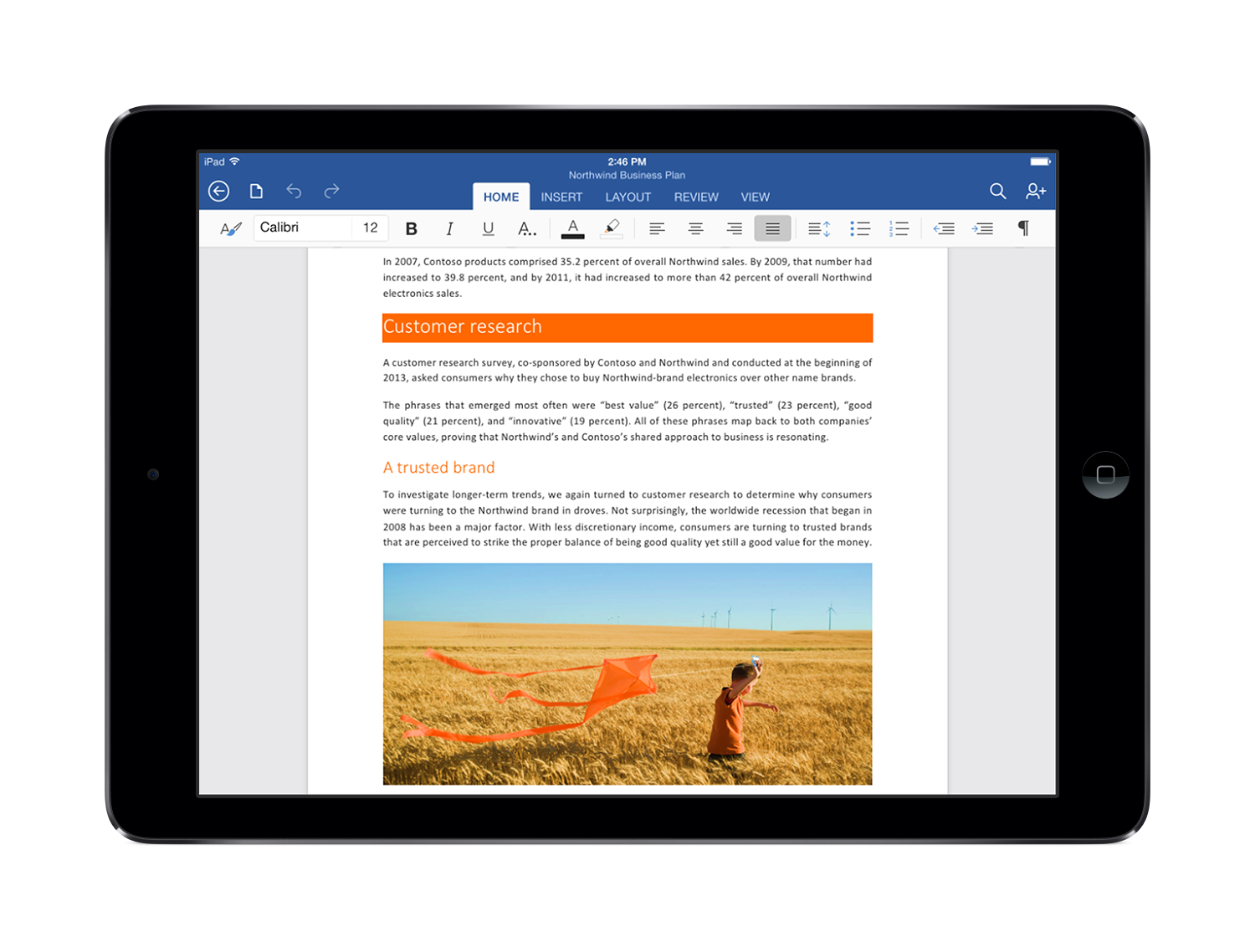
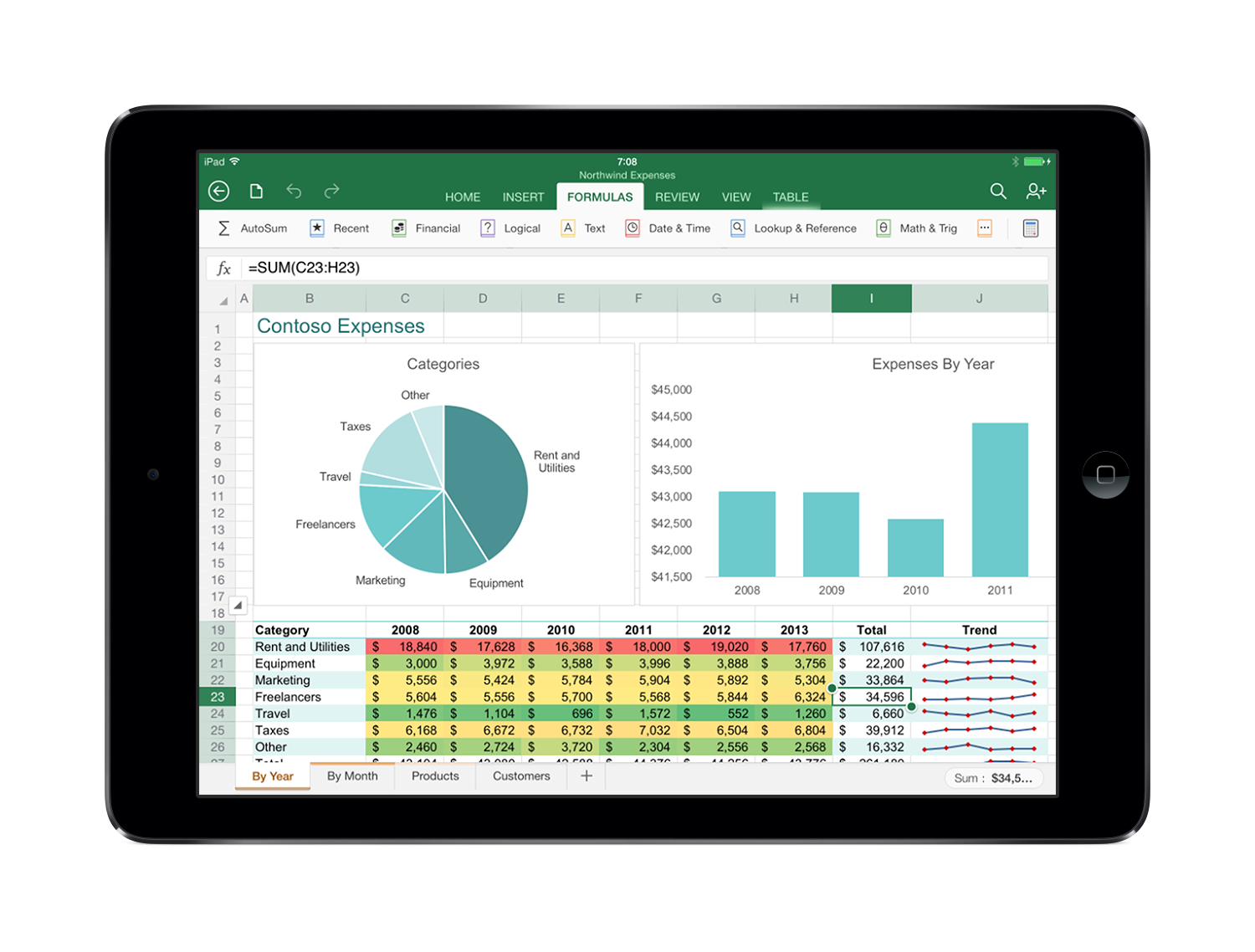
It’s taken a very long time, but today, finally, Microsoft unveiled Office for iPad. Despite the name, Office for iPad is three separate apps -- Word, Excel and PowerPoint -- which are individually available in the App store.
 
The apps have a familiar interface, with the same Ribbon interface and layout. But at the same time, they’re not just a port of the regular desktop version. Menus have been optimized for touch; objects can similarly be dragged, rotated or resized with a swipe; Excel has a special formula keyboard to help you enter data quickly, and everything scales properly in both portrait and landscape mode.
 
There’s solid integration with other iPad features, too; you can use voice dictation to create a document, perhaps, or AirPlay to project your finished presentation.
 
Best of all, there’s plenty of functionality here. This isn’t the hobbled Office Mobile for iPhone: there are templates, tables, footnotes, filters, transitions, collaboration tools, and just about everything else you’ll need. Formatting is preserved so documents look just as you’d expect, and of course you can save and share your documents in OneDrive, OneDrive for Business and SharePoint.
 
If you’re just looking for a viewer, then the good news is that the Office apps are free. Just download them and you’ll be able to read and present documents, spreadsheets and presentations.
 
To create or edit documents, though, you’ll need an Office 365 subscription. If you have one already, no problem; you’re covered for all the apps installed on up to five tablets, as well as five further Office installations on your PCs and Macs.
If you’re not a subscriber, Microsoft says Office for iPad will be covered by the upcoming Office 365 Personal at $6.99 a month ($69.99 a year).
 
There’s no doubt that Office for iPad looks great, is powerful and easy to use. But whether it’s good enough to justify the price, when there’s so much free competition, is another question.
 
 
~ Mike Williams

3.13.2014

Long-awaited Office for Mac refresh reportedly coming in late 2014


Microsoft is set to refresh its aging Office for Mac productivity suite later this year. According to to Thorsten Hübschen, Business Group Lead at Microsoft Germany, news about the new version of Office should come during the second quarter of 2014, with a final product planned for release by the year's end. The revelation came during an interview with German publication Computerwoche at CeBit 2014.
            
The current version of Office for the Mac was released more than three years ago in October of 2010. While development on Apple’s platform has historically lagged behind its Windows counterpart by about a year, the current timeline would put the Mac release almost two years apart. The company originally had plans to release Office for Mac in the spring of 2014, but it appears it will miss that timeline. Hübschen says a reorganization in 2010 that merged the Mac development team with the wider business software group is what caused the delay.

Office 365 subscribers will automatically get the next version of Office for Mac when it’s ready.
   
In related news last month reports emerged suggesting that development on Office for iPad had been sped up with the goal of launching during the first half of 2014. If that’s the case we should see the touch friendly version of Microsoft’s productivity suite arrive before its desktop counterpart on the Mac.
   
~ Jose Vilches  

2.10.2014

Microsoft moves closer to launching free 'Office Online'

Summary: Office Online, Microsoft's rebranded Office Web Apps, are inching closer toward launch.
 
Microsoft is moving closer to relaunching its Office Web Apps offering as "Office Online."

 
Check out the screen shot of Microsoft's "compare" page for its consumer Office offerings. (Thanks to Livesino.net's founder Yan Zhu for sharing the URL.)
 
Office Online is listed prominently as the free option, alongside Office 365 Home Premium (for $9.99 per month) and Office 365 University (for $79.99 for four years). Clicking on the "Learn More" button under Office Online currently takes the user to the Office Web Apps page.
 
Microsoft has offered Office Web Apps -- the Webified versions of Word, Excel, PowerPoint and OneNote that work in a variety of browsers -- since 2010. Company officials have had problems explaining to normal users how to find and use these apps. Up until now, Microsoft has touted Office Web Apps more as a feature of SkyDrive, its cloud-storage offering soon to be rebranded OneDrive, and/or as an Office 365 feature.
 
From the chart above, it's clear Microsoft is going to try to make Office Online more discoverable and understandable by the general public. It also seems that Microsoft considers this Office Online rebranding part of Microsoft's next Office wave (codenamed Office 16), give that "O16" is part of the URL path for the new compare site.
 
In related news, LiveSide is reporting on a couple of new features that are likely to be part of OneDrive. According to LiveSide, co-owned folders will be part of the revamped Microsoft cloud-storage service. And Microsoft is planning to make some new "bonus referral" offers available to get more users across all platforms make use of OneDrive, LiveSide said.
 
~ Mary Jo Foley

11.29.2013

10+ things you should know before buying Office 365

Office 365 can be a good fit in certain circumstances. If you're thinking about it, here are the basic facts you need to know before you buy in.


There's been a lot of hype about Office 365, and you might be considering it for yourself, your clients, or your organization. Office 365 is Microsoft's cloud version of Office. You'll connect via the internet, set up an account, make payment, download the appropriate files, and go to work. There are no installation discs. If you decide that Office 365 might be the right step for your organization, be sure to read 10 things you should know about moving to Office 365 by Brien Posey.
 
IT consultants will probably know all of the technical points in this article, but you might find some new arguments both for and against moving to Office 365.

1. What's the cloud?

The cloud is an industry term for an off-site file hosting service. When working with Office 365 files, you upload and synchronize files with Windows SkyDrive (Microsoft's cloud). If you want to access files from different locations or devices that don't have Office, this works to your advantage. You can also store files locally; your files belong to you.

2. The three faces of Office

Most of us have been using the desktop version for years. Office 365 and Office Web Apps are recent additions to the family. Office Web Apps is a free and limited Internet version of Office that's integrated with SkyDrive. You'll use Web Apps to view and edit files on devices that don't have Office installed.
 
Office 365 is a subscription-based plan that offers Office functionality in the cloud. It's a hybrid (of sorts) between the desktop version and the free web apps. Excuse the marketing hype, but Office 365 offers desktop functionality with web-based convenience supporting multiple devices. That last part is what matters to users and clients.

3. What you'll need

Office 365 requires Windows 7 or 8. Mac users need OS X 10.6 (or later). You'll also need Internet access to install Office 365 and to activate and manage your subscription (once a month). You'll need a compatible browser. IE 9, Firefox 12, Safari 5, or Chrome 18. Regarding hardware, at the very least, your local system will need the following.
  • 1 GHz processor or Intel processor (for Macs).
  • 1 GB or RAM (32-bit); 2 GB RAM (64-bit).
  • 3 GB of available hard disk space; 2.5 GB for Macs. 
When I say at the very least, I mean that Office 365 will run, but it will be slow (really slow... really, really slow). Users with older systems might face significant upgrade costs before they can move to Office 365.

4. The subscription costs

A small business with 25 or fewer users can purchase Office 365 Small Business. If you pay by the year, you'll pay $5, payable in an annual fee of $60 (per user). If you prefer to pay as you go, you'll pay $6 a user per month. Small Business Premium includes the desktop version of all the Office apps, for $150 a year per user. If you have more than 25 users, opt for one of the Enterprise versions from $8 to $24 per user (monthly). In a nutshell.
  • Small Business accommodates up to 25 users.
  • Midsize Business accommodates up to 300 users.
  • Enterprise for over 300 users. 
Home Premium is available for $9.99 a month ($99.99 a year). You can work with five pcs or Macs, and five mobile devices. Android devices and iPhones will need Office Mobile. Windows Phone comes with Office Mobile and it doesn't count toward the five-device limit.

5. What you'll get

The apps you get depend on your subscription choice. Most PC plans include Word, Excel, PowerPoint, Outlook, Access, OneNote, and even Publisher. The Mac business versions don't include OneNote, Publisher, or Access.

6. Compatible formats

Office 365 files are compatible with Office 2010 and 2013. Office 2007 also works, but you'll lose some functionality. You can use Office Web Apps with these files. Office 2003 users have limited access with an appropriate compatibility pack, but that will end in January 2014.
 
Office 2013 users considering Office 365 so they can share files with others who don’t have Office do not need Office 365. They can save Office 2013 files to SkyDrive and invite others who don't have Office to view them. Invitees don't need a SkyDrive account or Office to view files on SkyDrive (but they will need an invitation).

7. Perks

Office 365 subscriptions offer more than software. Subscriptions come with 27 GB of storage on SkyDrive, free website hosting with applicable tools, and 60 Skype minutes per month for landline calls.

8. Who needs it?

I can hear the wheels turning. If Web Apps is free, why purchase anything at all? (Nice try!) Web Apps is seriously limited. It's great for viewing. It also offers basic editing and formatting features, but not much else. It isn't a substitute for the desktop version or Office 365. Just remember that Office 2010 or 2013 users don't need Office 365 to work in the cloud. However, if you want the convenience of working with your files on multiple devices that don't have Office, Office 365 is a great addition for you.
 
Initially, home users might balk at paying $100 a year for Office, but Office 365 Home Premium supports five desktops and five mobile devices. You can't possibly buy that many licenses for less. Office 365 can save multiple-unit families money.

9. Free alternatives

Google Docs is by far Office 365's closest competitor. It's reliable and secure. The free (personal) version is a functional tool that you can use with your business software. However, it isn’t a free replacement for business software.

10. Office 365 security

Most organizations considering the cloud worry about security. Office 365 offers the same user-level security options and Trust Center as the desktop version. Rights management Service (RMS) supports encryption and lets you set permissions. Users will have a reasonable amount of security at their level. Offsite, files are saved in specialized data centers where security is a primary concern. In a nutshell, small to medium businesses will have better security using Office 365 than they can (probably) afford on their own.
 
Here are just a few facts you should know about Microsoft's cloud security.
  • Office 365 applications use encryption; transmissions intercepted by anyone without authorization can't be read.
  • Microsoft Office 365 is certified as compliant by accepted industry (ISO) standards. (It doesn't fully satisfy the PCI-DSS standard.)
  • Controls are in place to comply with HIPPA and FERPA.
Kirk Koenigsbauer, Corporate Vice President at Microsoft had this to say about Office 365 security concerns. "…Office 365 supports the most rigorous global and regional standards such as ISO 27001, SAS70 Type II, EU Safe Harbor, EU Model Clauses, the US Health Insurance Portability and Accountability Act (HIPAA), the US Family Educational Rights and Privacy Act (FERPA), and the US Federal Information Security Management Act (FISMA). To meet evolving needs, we also plan to support IPv6 in Office 365 for Government by September of this year, and we're taking steps to soon support Criminal Justice Information Security (CJIS) policies."

11. Can I use Office 365 offline?

Office 365 runs offline. You must connect to the internet every 30 days to maintain your subscription. Office 365 will let you know when it's time to connect.
 
The pros and cons
 
Right now, the Office 365 market is small but growing. There are three compelling reasons to buy a subscription.
  1. If you work from more than one location.
  2. If you use different devices to access Office files.
  3. If your organization supports many users and you plan to keep them current on versions. 
~ Susan Harkins  

10.09.2013

Microsoft finally confirms Office for iPad is in the works

Microsoft CEO Steve Ballmer has finally confirmed that a version of Office is in the works for the iPad. During a speaking engagement at a Gartner event in Florida, Ballmer said support for the iPad would be picked up once there is a touch first user interface which likely means, it’ll arrive after a Windows version is released.
 
The touch first user interface that Ballmer mentioned is already in progress, he said.
Rumors of Office for iPad date back to when the first tablet was launched in early 2010. The Daily, the now defunct iPad-only news app, reported in November 2011 that an app for the iPad was in the works and even provided photographic evidence. Microsoft at the time denied the accusations and said the story was based on inaccurate rumors and speculation.
 
A version of Office for iOS did arrive earlier this year but it was limited to the iPhone. The Office 365 app requires a subscription to the Office 365 service to use, however. It grants access to Word, Excel and PowerPoint documents while on the go. At the time, Microsoft suggested iPad users could use Office Web Apps via their web browser.
 
It is not known at this hour whether or not the iPad version will require an Office 365 subscription nor do we know exactly when it will be released. If previously leaked roadmaps are to be believed, however, Microsoft likely won’t get around to launching the app until late next year.
 
~ Shawn Knight