Cisco Learning Network Store Promotions Page
Showing posts with label Siri. Show all posts

10.27.2016

Apple unveils new TV App for Apple TV, iPhone and iPad

 
We were expecting Apple to release a new app for Apple TV at its "Hello Again" event, and that was the first thing that the tech giant showed off.
 
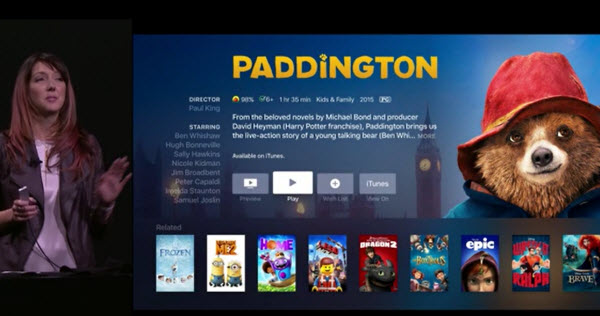
Called simply TV, the new app lets you discover and watch TV shows and movies from multiple apps on Apple TV, iPhone and iPad. There’s also a new Siri feature for Apple TV that lets viewers quickly tune in to live news and sporting events.
 
Siri is aware of where sports events and news are being shown, and users can simply say things like, "Watch the Stanford game", "Which football games are on right now?" or "Watch CBS News" (all Apple's own examples) and Siri will switch to the relevant live broadcast.
 
"Using apps on Apple TV, iPhone and iPad has become the primary way for so many of us to watch television", said Eddy Cue, Apple’s senior vice president of Internet Software and Services. "The TV app shows you what to watch next and easily discover TV shows and movies from many apps in a single place".
 
 
Apple showed off the following key features:
  • Watch Now: Watch Now is where viewers will see their collection of available shows and movies from iTunes and apps. From Watch Now, viewers can then go to Up Next or Recommended to choose what to watch.
  • Up Next: Users can enjoy the shows and movies they are currently watching, including recent iTunes rentals and purchases -- all presented in the order they are most likely to watch first. For example, when viewers finish an episode, the next one will automatically appear at the start of the Up Next queue, as will any new episodes as they become available. At any time, users can simply ask Siri to continue watching a show and immediately pick up where they left off.
  • Recommended: Viewers can explore a great selection of curated and trending shows and movies, including collections handpicked by Apple’s curators, and dedicated categories and genres such as kids, sci-fi and comedy.
  • Library: Viewers can access their entire collection of iTunes movies and TV shows that they have rented or purchased on iTunes.
  • Store: If users are looking for something new, they can check out the Store to discover great new content across video services that they have not yet downloaded or are not yet subscribed to, along with the latest releases on iTunes.
  • The TV app will allow users to begin watching on one device and pick up where they left off on another.
 
In addition to the new TV app, customers in the US will have a simplified way of enjoying their pay-TV video apps by using single sign-on. Starting in December, subscribers to DIRECTV, DISH Network and others will be able to sign in once on Apple TV, iPhone and iPad to access apps that are part of their pay-TV subscription.
 
The TV app and single sign-on will be available in December as free software updates for Apple TV (4th generation), iPhone and iPad customers in the US. Live tune-in with Siri is available today.

~ Wayne Williams
9.21.2016

Apple releases macOS Sierra as free upgrade

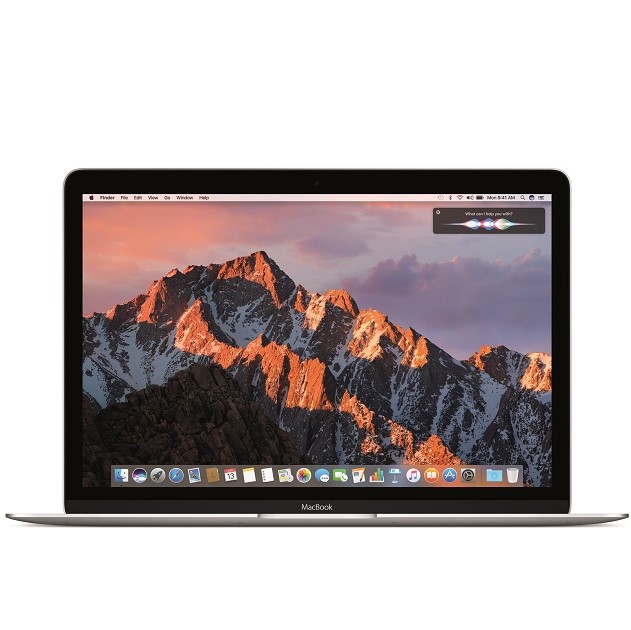
Apple's Mac computers -- MacBook, iMac, Mac Pro, and Mac mini -- are works of art. Not only is the hardware beautiful, but the included operating system is visually impressive too. Today, after a series of Beta releases, the final 10.12 version of the desktop operating system formerly known as OS X -- now known as 'macOS' -- is available for download. Apple dubs the latest version of the desktop operating system 'Sierra', after a mountain range in the company's home state of California.
 
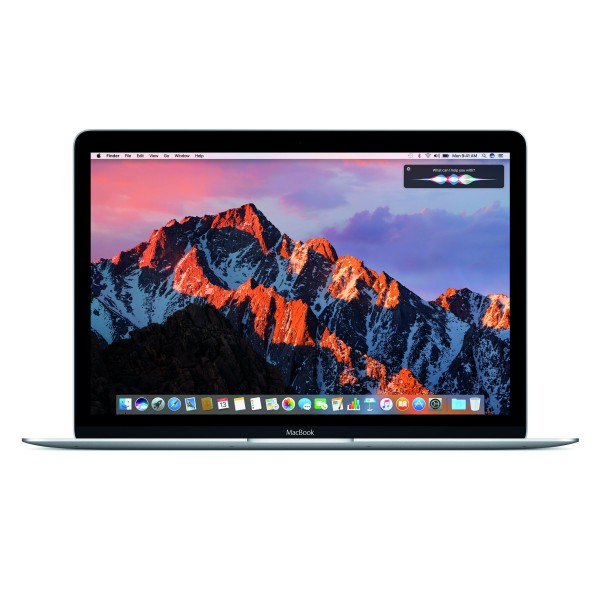
While Windows 10 is a great operating system for productivity, Microsoft simply cannot match the visual beauty of macOS. Still, Microsoft's latest operating system does offer some unique features, such as the voice assistant Cortana -- something that Apple's desktop did not offer. Today, this changes, as the legendary Siri comes to macOS Sierra. Best of all? As usual, this is a free upgrade for owners of compatible Mac computers!
 
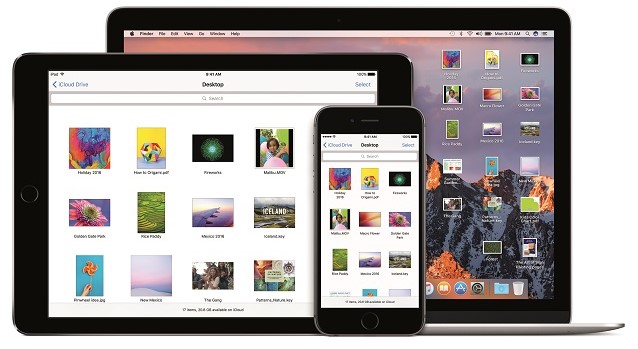
"Siri on the Mac can help send messages and email, find documents, look up information, search a user’s photo library, adjust system preferences and more. Users can also drag and drop Siri results into documents or pin them into their Today view for later reference. Universal Clipboard allows users to copy content from an app on one Apple device and paste it into another app on a different Apple device. With iCloud Desktop and Documents users can now access the files on their Desktop from iPhone and iPad. And Auto Unlock lets users automatically log into their Mac when they are wearing an authenticated Apple Watch", says Apple.
 
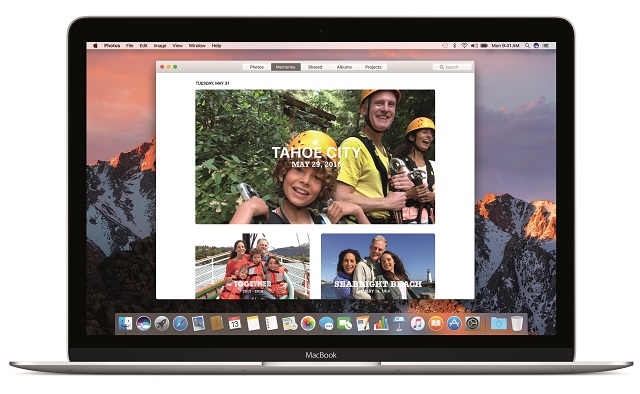
The iPhone-maker further says, "Photos introduces Memories, which highlights favorite and forgotten moments in users’ photo libraries by automatically creating curated collections of occasions like birthday parties or family vacations. Photos uses advanced computer vision to identify faces, objects and scenes in your images, so photos can be searched by who and what is in them. An all-new Brilliance editing tool brightens dark areas and pulls in highlights to make photos look richer and more vibrant".
 
 
One of the biggest pain points of online shopping is the need to enter your information, such as name and address, on every merchant you use. Then, you have to find your credit card and enter those numbers too. It is a real chore. Sometimes I will buy a product on Amazon as opposed to saving money on a new site, simply because it is easier.
 
 
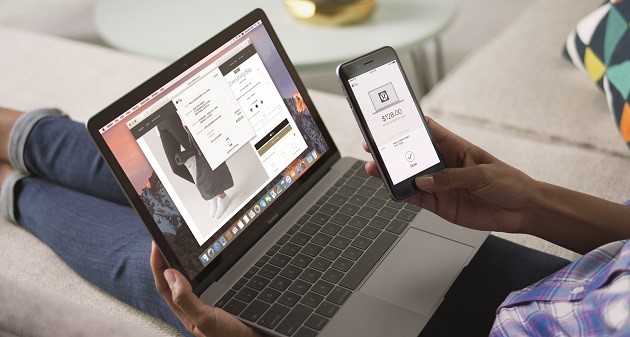
Apple Pay on the web for Safari, new to macOS Sierra, solves this dilemma as it makes shopping even easier. If a merchant supports the feature, you can checkout and pay using your Apple Pay information -- creating an account with the online retailer is not necessary. For added security, the transaction must be verified using an iPhone or Apple Watch. By leveraging a second device, it arguably makes the overall experience safer.
 
 
What else is new in the operating system? Apple shares the following.
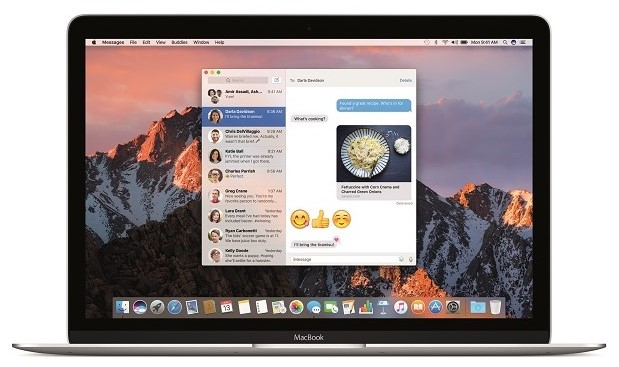
  • Messages makes conversations more interesting, allowing users to preview web links and play video clips from right within the app; respond to messages with a Tapback like a heart, thumbs up and more directly onto a message bubble; and send bigger emoji for more message impact.
  • Tabs are now available across Mac apps that support multiple windows, including Maps, Mail, Pages, Numbers, Keynote, TextEdit, and even third-party apps.
  • Picture in Picture floats video from Safari or iTunes in a window over the desktop. The window can be resized, dragged and pinned to any corner of the screen so users can watch video while they work.
  • Optimized Storage frees up space when a Mac starts getting full by storing infrequently used items in the cloud and helping users remove apps and files they no longer need.
  • Apple Music in iTunes makes it even easier to discover new music and browse exclusives and new releases.
 
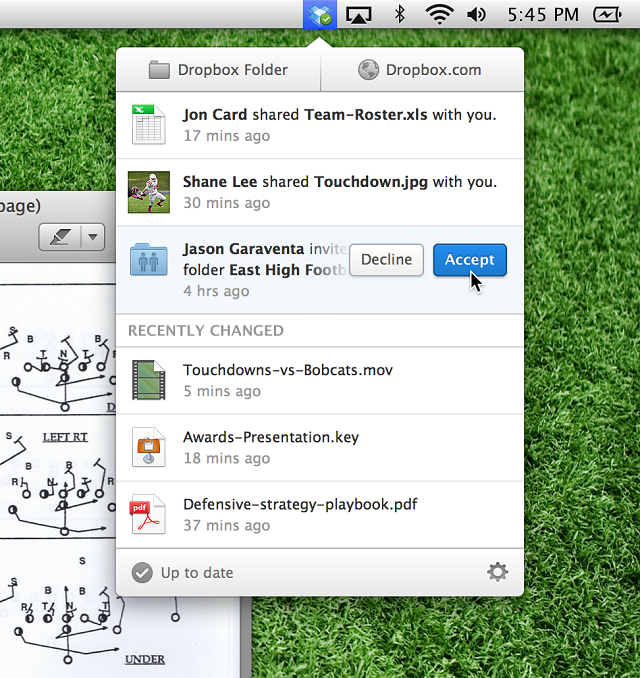
This upgrade also blocks applications from improperly accessing the accessibility settings in the operating system. This was most infamously leveraged by Dropbox, and you can read more about it here. While the cloud storage company had good intentions, there was fear that it could be used as a loophole for more nefarious apps -- Apple is wise to close it. If you are a Dropbox user, do not worry -- the company addresses macOS Sierra here.
 
If you own a compatible Mac, you can download macOS Sierra immediately from the App Store here. It looks incredible, so you should definitely not hesitate. Once you download it, please tell me what you think in the comments below.
  
~ Brian Fagioli

6.14.2016

Apple renames OS X to macOS -- upcoming 'Sierra' version will get Siri, Apple Pay, and more

If you are wanting a desktop operating system, you largely have two options -- Windows or OS X. To a lesser extent, consumers can opt for Linux-based operating systems, such as Chrome OS or Ubuntu, but Apple and Microsoft's offerings reign supreme. While OS X is arguably more elegant than Windows, it only comes installed on Apple's expensive hardware. Microsoft's OS is the best option for those on a budget.
 
One thing that was not elegant about OS X, however, was the name. It was not in line with the company's other operating systems -- iOS, watchOS, and tvOS. Not to mention, the 15 year old "X" branding was getting a bit long in the tooth. Today, Apple renames it to macOS, while also designating a new code name to the upcoming version -- Sierra. It looks to be the best Mac operating system ever.
 
"Siri on the Mac is now just one click away. The familiar features of Siri are now on the Mac with brand-new capabilities specifically designed for the desktop. Easily accessible from the Dock, menu bar or keyboard, Siri lets you use your voice to search for information, find files and send messages. For example you can ask Siri to locate a specific document you worked on last night, add a meeting to your calendar or start a FaceTime call. With Siri on the Mac, you can also drag and drop items from Siri search results into your documents or emails, pin Siri search results in Notification Center to keep an eye on information like sports scores or stock prices, and even adjust system preferences, set reminders and search your Photos library", says Apple.
 
Duing the event, I was quite impressed with the demo of Siri on macOS. She is deeply integrated with finder, offering high-quality contextual search. The voice assistant doesn't just fetch the weather, but it finds your documents too. Taking things a step further, the drag-and-drop functionality worked wonderfully, allowing seamless workflow in the operating system.
 
 
The other big feature is Apple pay on the web. The company explains, "users love to shop online using their Macs and with macOS the shopping experience in Safari is now even better. Apple Pay on the web makes it easy to make secure and private purchases when shopping on participating websites. You no longer need to share credit or debit card numbers with an online merchant and actual card numbers are not stored on your device, nor on Apple servers. Just look for the Apple Pay button at checkout on many of your favorite shopping sites and complete your purchase with Touch ID on your iPhone or by using your Apple Watch. Strong encryption protects all communication between your devices and Apple Pay servers, and Apple Pay does not track your purchases".
 
Strangely, rather than highlight biometrics on the Mac, Apple wants you to verify transactions using your iPhone or Apple Watch. I hope this will change with future hardware -- the company is probably not be ready to discuss features of future computers. With that said, if upcoming Mac computers lack fingerprint readers, it will be a huge blunder. Not every Mac user owns other Apple hardware, and if they do, they may not always have it with them. Maybe Apple just wants to keep Apple users buying multiple devices.
 
Another great feature is the ability to automatically offload local documents to the cloud to conserve space with "Optimized Storage". This will allow those with smaller storage drives to have more breathing room. On paper it sounds like a great idea, but as more and more folks surf the web on metered connections and jetpacks with limited data, this could end up being a costly headache. Not to mention, increased iCloud Drive storage is yet another monthly cost for users that utilize the functionality.
 
The operating system is full of other features too, like universal copy and paste, allowing you to share a clipboard between iOS and macOS. Plus, the ability to use "picture in picture" to conveniently watch a video while multitasking. The company has even enabled program tabs on the OS level so any app can be easily managed without any work from the developer.
 
All in all, this is shaping up to be the best Mac operating system ever. Developers can download the preview today, while existing OS X end users can upgrade when macOS becomes available in the fall. More daring home users can grab the public beta in July.
 
Are you excited for macOS Sierra? Tell me in the comments.
 
~ Brian Fagioli

9.09.2015

Live Blog: Apple's 'Hey, Siri' iPhone 6s, iOS 9, Apple TV and iPad Pro launch

 
Apple knows how to put on a show, and today is no different. Even those with little more than a passing interest in the company are (come on, admit it!) eager to see exactly what will be unveiled. For the most part we know what to expect. There's the iPhone 6s, iOS 9 and Apple TV which are all but guaranteed to make an appearance, and there have been suggestions about the long-rumored iPad Pro. Whatever the event holds, there is sure to be at least one surprise, and there's not long to wait to find out more.
 
There's a live stream if you fancy watching the event live, but if you're not able to for any reason we've got you covered with this live blog. Thing kick off at 10am PDT/6pm BST -- just keep hitting refresh for the latest updates!
 
Live Blog
  • And we're done -- time to digest all of this!
 
  • New iPhone Upgrade Program means you can get a new iPhone every year -- for a monthly fee, obviously
  • Pre-orders start on Saturday 16 September and shipping starts 25th.
  • Pricing: iPhone 6S $199, iPhone 6S Plus $299 on a two year contract.
  • Spec summary -- covered in a seperate post. Basically, everything is better, bigger and faster.
  • Fuck me... this has been going on for two hours!
  • haha.... a new app to migrate from Android!
 
  • The feature is enabled by default. So every time you take a photo, you are effectively shooting a video. Surely the 16GB model is dead!
  • Live Photos... that's just video isn't it? Maybe I'm missing something.... Touch a photo and it animates. Well... it plays a video
  • For selfie freaks, there's a 5MP FaceTime camera... and the screen can be used as a flash!
  • There's 4K video.... so is the 16GB iPhone now dead?
  • A 12MP iSight camera
  • Touch ID has been updated to a version that twice as fast, and there's also a new camera.
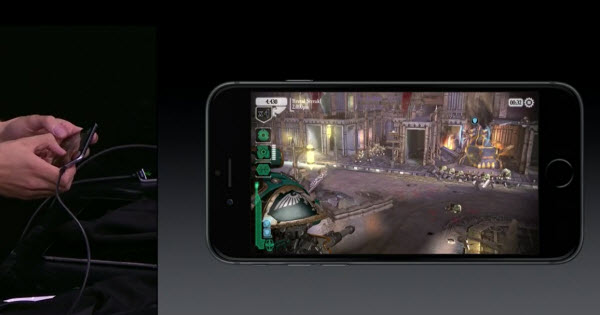
  • Demo of the A9 chip's capabilities are impressive. Warhammer looks incredible. The number of pixels being pushes around here is amazing:
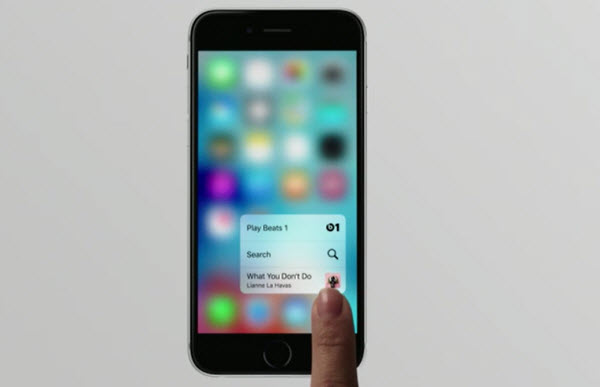
  • In many ways, 3D Touch is a simple upgrade, but adding context to more areas of iOS will make a huge difference to how lots of activities are completed.
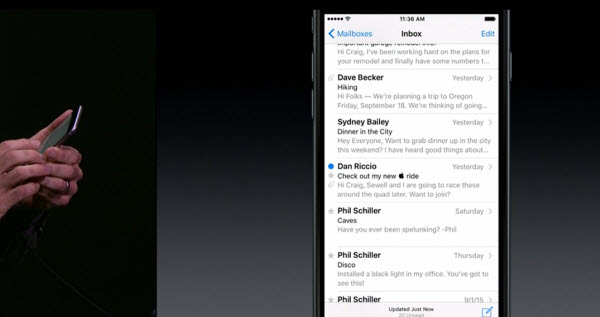
  • Press with your finger to go deeper.... into your inbox...
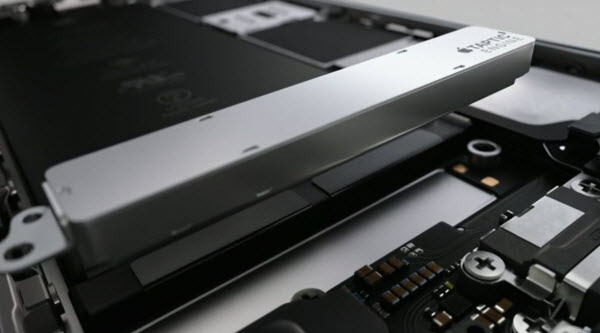
  • There's a new Taptic Engine that gives better feedback than ever before:
  • New feature to shout about is 3D touch. Multi-touch taken to a new dimension -- it's Force Touch essentially... or glorified right-clicking 
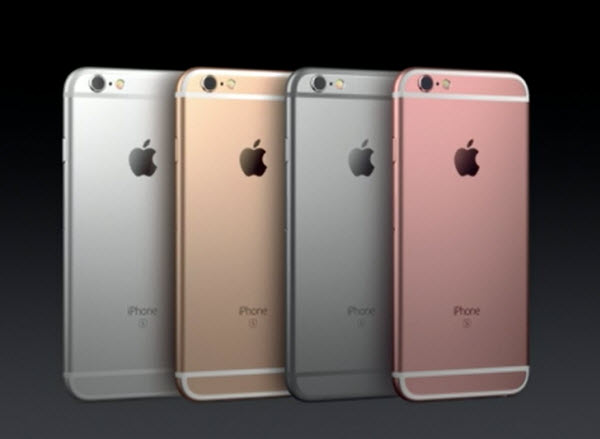
  • There are some nasty new colors. Sorry, but some of those just are not nice!
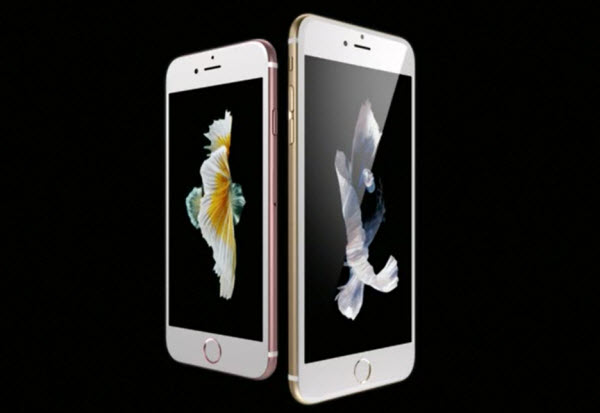
  • OK here's the new stuff. Not just the iPhone 6S, but the iPhone 6S Plus:
  • iPhone 6 is the most popular iPhone ever
  • iPhone time!
 
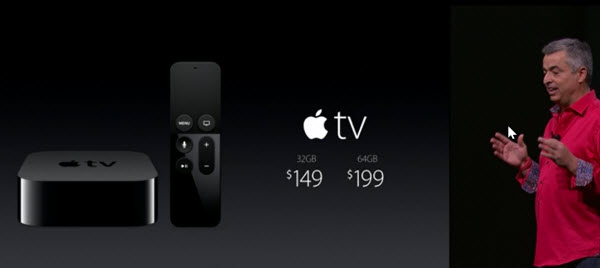
  • tvOS is available for developers today, and there's news about pricing. Fairly cheap:
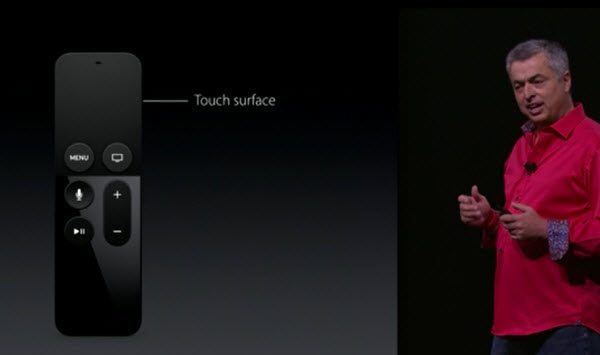
  • Apple TV remote is meant to replace all of your existing remotes -- this is nice.
  • More gaming and apps details. Buy on one device, use on any. You can also start a game on one device, move to another and pick up where you left off.
  • Oh he's gone!
 
  • Bloody hell.... is he still talking about sport?
  
  • Sports. Dull. Zzzzzzzzzzzzzzzzzzzzzzzzzzzzzzzzzzzz
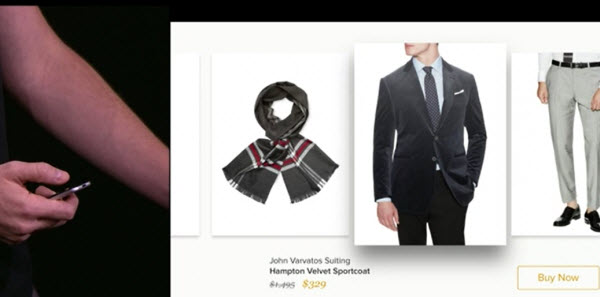
  • I mean... how happy am I meant to be about being able to shop from my Apple TV? Why not just use my laptop?
  • These ads... I mean demos.... are great platforms for the companies involved -- not particularly exciting for those watching, sadly
  • You can have multiple players involved in games as iPhones can be used as controllers too.
  • Not content with taking on Microsoft's Surface Pro with the iPad Pro, Apple TV is also borrowing a few ideas from Nintendo's Wii. Whoda thunk it?
  • Touch pad on the remote does look great for controlling games, though.
  • Good god, these demoes are contrived.
  • Crossyroad on your TV? Your wish is Apple's command!
  • Apple TV is also a games console. App Store means games and they work in TV OS:
  • The operating system is called... brace yourselves!... TV OS! Give yourselves a raise, guys!
  • There's also the option of pulling up info from other apps while you watch a show. Pull up the weather while watching a movie, pull up sport scores during a show. You get the idea.
  • What Apple TV is really doing is placing content front and center. Apps -- despite their importance -- don't actually matter all that much. Just search for what you want and it'll appear! Voice controls for playback are also nifty.
  • Apple seems to think that screensavers are more impressive though. That's what the team is leading with. Screensavers that adapt to the time of day.
  • The ability for Siri to search across multiple apps for matching content is rather cool. Could this be the killer feature?
  • Siri, show me comedy! Siri, show me porn! The possibilities are endless!
  • Siri works with Apple TV. Nice looking remote. Very much what you would expect really. Details please!
  • The future of TV is apps? That already happened with Rokua et al, didn't it?
  • Apple TV time
 
  • Oh... there's an iPad Mini 4
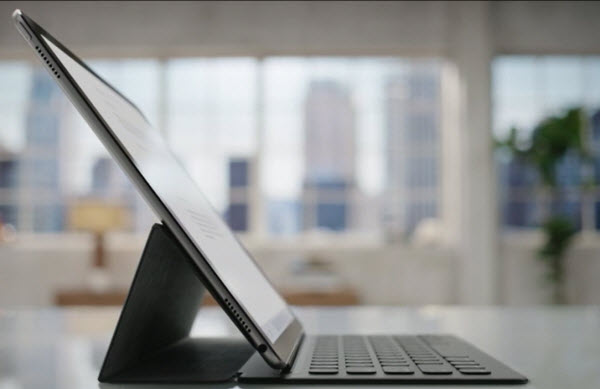
  • I'm sorry... but how much like a Surface Pro is the iPad Pro with Smart Keyboard? Even the connection is almost identical!
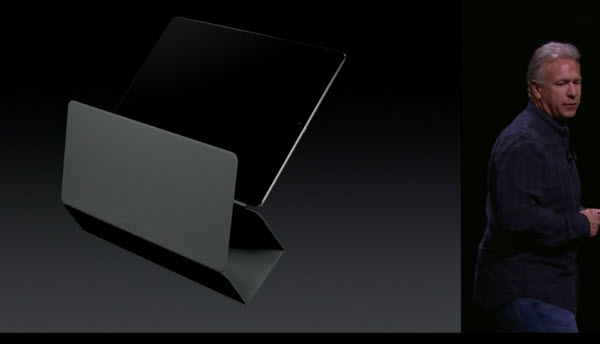
  • Smart Keyboard is a slightly eyewatering $169. It has better be as good as Apple says!
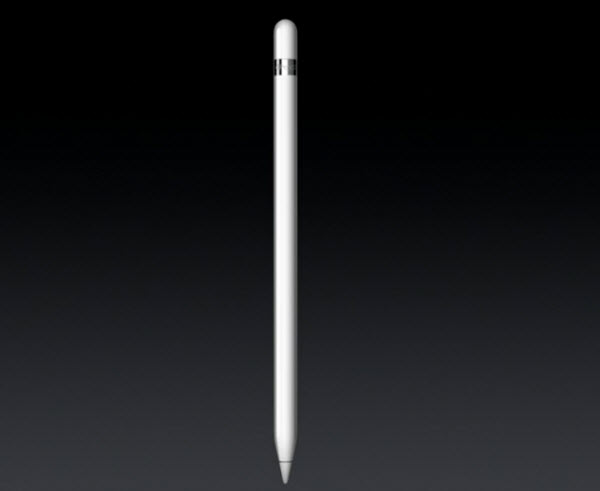
  • The Apple Pencil is $99.
  • Prices start at $799 -- not bad -- for the 32GB model, $949 for the 128GB model, and $1,079 for 128GB with WiFi and cellular. Available in November.
  • We're getting a summary of what the iPad Pro is all about. The tablet everyone said probably wasn't going to make an appearance. Some of us knew better ;)
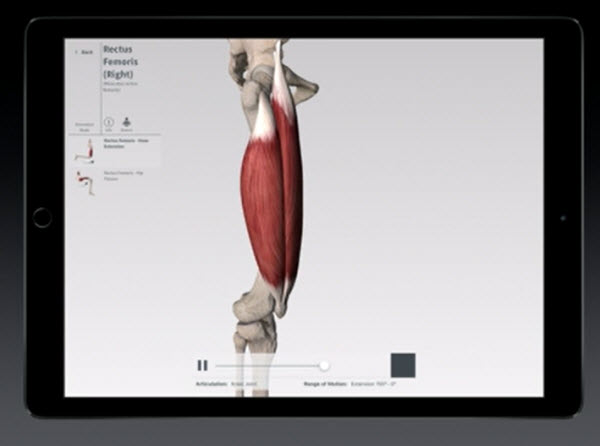
  • Bones and bit. Lovely.
  • Apple is really pushing the 'Pro' side of the iPad Pro. Design, medicine -- this is about much more than just pissing about with Angry Birds.
  • These demoes are all well and good -- although not outrageously exciting.
 
  • ... as Adobe is only too happy to demonstrate...
  • Multitasking, the large screen of the iPad Pro, and multi-touch coupled with the Apple Pencil are going to make the new tablet great for design work
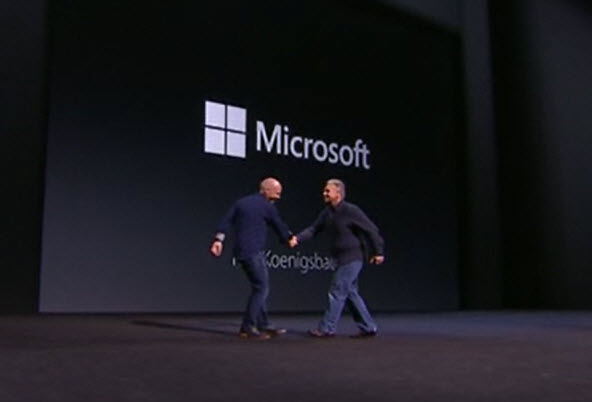
  • It seems Microsoft was not only watching -- some of the company are there!
  • We need something a bit more exciting now. I can only get so excited about a pencil.
  • Now Apple has reinvented the pencil. And call it..... Apple Pencil! Exclusively for iPad Pro.
  • New physical Smart Keyboard, connecting magnetically via the new Smart Connector, borrows heavily from Surface. You watching this, Microsoft?
  • 6.9mm thin / thick. 1.57lbs
  • 4 speaker audio this time around. Audio balances automatically as you move around the iPad Pro.
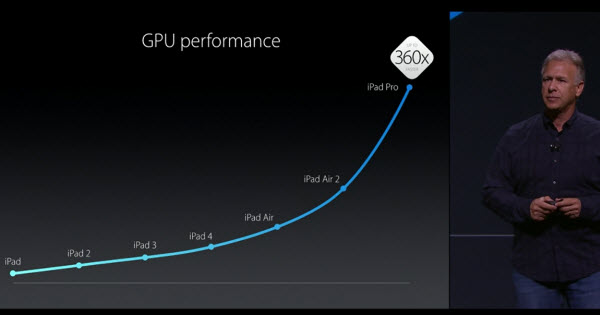
  • There's a bit of willy-waving about how much iPad has improved over the years -- now more powerful than many desktop PC... but still offering (allegedly) 10 hours of battery life.
  • 64-bit A9X chip is 'so fast'. 1.8 times faster than its predecessor.
  • Might have missed a couple of uses of the word, but 'beautiful' just cropped up -- take a drink, people.
  • The width of the display is the same as the height of the iPad Air, rounded to a 4:3 ratio. Lots of space, lots of pixels.
  • Biggest display ever -- 12.9 inches. Ideal for the multi-tasking feature of iOS 9.
  • iPad Pro -- the most powerful iPad ever
  • Biggest news in iPad since the iPad... here we go!
  • THERE BLOODY WELL IS A NEW IPAD. COME ON! TOLD YOU!
 
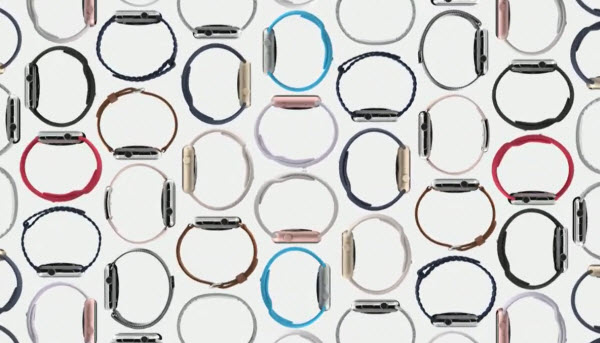
  • A red band to fight AIDS! Lots and lots of new bands
  • Gold and Rose Gold finishes available at the same price as the rest of the Sports range
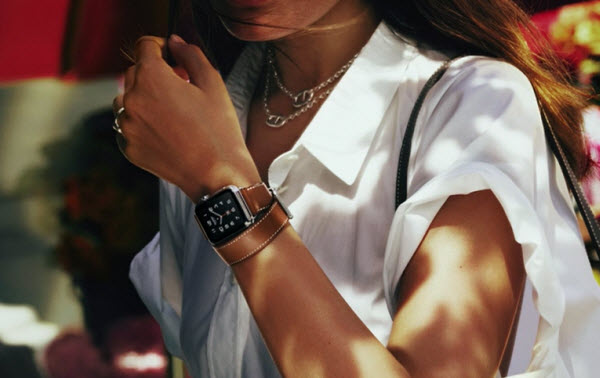
  • Announcement of working with Hermes on a new collection. Double wrap wrist straps. Nice-looking accessories!
  • [Jolts awake] Has he finished?
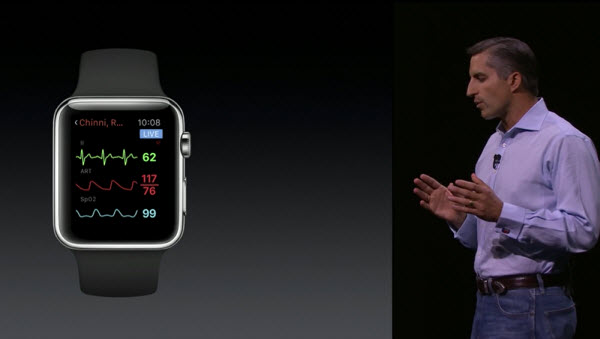
  • Live health monitoring. Cool -- but it's not what we're really interested in, is it? Get to the point!
  • How many people would have thought that a smart watch would be described as a 'game changer' for healthcare? How many people think it might still be a bit of an exageration?
  • 10,000 Watch apps on the App Store -- Facebook Messenger on the way, as is iTranslate, GoPro, and AirStrip for health.
  • Jeff Williams ready to talk at us. Lots of Watch excitement.
  • 97% customer satisfaction rating. Can't grumble at that. No mention of the metric involved, mind...
  • Apple Watch is 'helping users live a better day'? Maybe...
  • MONSTER announcements on the way!
  • We're live at the Bill Graham Civic Auditorium. Tim Cook's on stage. Brace yourselves!
  • [Plumps cushions. Gets settled]
Photo credit: TK Kurikawa / Shutterstock
 
~ Mark Wilson

12.08.2014

Windows 10 Build 9888 includes Cortana -- but so bloody what?

 
It's not long since Windows 10 build 9879 was released and more recently build 9888 leaked online. I'm not going to link to the download as it's not an official release, but it's easy enough to get hold of -- you know where to look, I'm sure. So far the builds that have seen the light of day, officially or unofficially, have been rather light on features, but build 9888 includes what everyone has been chomping at the bit for: Cortana.
 
Was it worth the wait? Is a voice activated digital assistant appropriate for the desktop? Should anyone care? My answer to all three of these questions is a resounding 'no' -- with some possible exceptions in the case of the last question. Let me elaborate.
 
Cortana builds on the ideas introduced by Siri and OK Google, bringing voice activation to the desktop. While voice control makes sense on a mobile, I think it's far harder to justify on a desktop platform. Siri and OK Google make it possible to control a phone or tablet hands-free, which is great for when you're driving or doing something else. There's also Cortana in Windows Phone, but this is of interest to around five people.
 
Talking to one's phone makes a good deal of sense -- it's what the things were invented for, after all. It's also conceivable that using a small, fiddly in-screen keyboard is rather slower than simply giving a vocal instruction for some people. But is it actually useful? Really useful? Outside of those times when it is not practical or possible to operate your phone with your hands, do the likes of Siri really pay their way?
 
If you're sitting in a coffee shop or library, if you're walking down the street, if you're sitting on a park bench, do you feel comfortable using voice activation to set reminders and so on? "Remind me to call the doctor about that weird-looking rash in the morning!" Cue lots of strange looks. Potential embarrassment aside, we live in an age when we're all more concerned about privacy than ever. Why on earth would you want to bellow your schedule, your text messages and emails, or your search queries into your phone for all to hear? It's madness.
 
Sure, voice activation is impressive. The fact that it can be done is quite cool… but, really, is it needed? Anyone who has used Siri whilst out and about -- or even just at home -- must have noticed people turning around to see if they were being spoken to. Introduce the idea on the desktop and the problem is the same. "Cortana, remind me to get milk tomorrow." "What's that, love?" comes a call from the next room. "Nothing. Just talking to the computer."
 
The problem with understanding accents, and dealing with background noise persist. "EVERYONE SHUT UP! I want to set a voice-activated reminder!" Why not just type the thing? That's why the keyboard's there. We learned to type for a reason. Let's not let that skill go the same way as cursive handwriting. There's the problem of misheard commands. If you're not understood the first time around and need to repeat yourself or even manually change what has been interpreted, have you saved any time? Is it really more convenient?
 
And does no one feel remotely self-conscious about the idea of talking to their computer? The day I start issuing vocal instructions to an inanimate object is the day I hope my loved ones make a call and get me institutionalized.
 
Microsoft almost made a rod for its own back by announcing that Windows Phone, Xbox and Windows 10 would be converging into a more uniform platform. In saying this, the company all but committed itself to bringing Windows Phone's Cortana to the desktop -- but it's a terrible idea. It's technology for the sake of technology. It's not clever, it's a waste of time.
 
Photo credit: Stokkete / Shutterstock
 
~ Mark Wilson

5.16.2014

Google Search 4.0.0 for iOS adds conversations, embarrasses Siri

Summary: Google's Search app just got smarter and it puts Siri to shame. The updated app is more conversational and inherits some new features from Google Now.
 
 
The Google Search app (free, App Store) for iOS was updated today to version 4.0.0 with several new features. It's now more conversational, meaning that if you touch the microphone icon and say “Ok Google” – a feature borrowed from Google Now – the app will pay attention to several different queries in succession, rather than treating each like an individual Google Search.
 
In the example posted in the release notes (see below), you can touch the microphone and say the following as three separate commands:
  1. "Ok Google" – to initiate a query
  2. "What's the weather like?" – resulting in today's weather, then
  3. "What about this weekend? – resulting in an extended weather forecast.
Previously, you'd have to structure each as a unique search query, and the absence of the term "weather" in the second would flummox the app.
 
The Google Search app also adopts other features from Google Now in the form of cards that appear that the bottom of the app related to previous search terms. In the right screenshot (above) you can see a card about The Avett Brothers, because I've previously searched for the band's tour dates. The updated iOS app also adds Cricket sports cards Google Now cards, faster load times and more fluid results from Google images.
 
What's astounding is how far the Google Search app has come and how woefully inadequate Apple's built-in Siri has become. I've had the Google Search app on my iPhone and iPad's home screen for more that a year and I've relegated Siri to a glorified cooking timer - one of the few things that it does well.
 
Apple has a rocky history with Siri. It acquired Siri Inc. in 2010, removed it from the App Store, and released a sanitized version in 2011 alongside iOS 5 and the iPhone 4S. The new version of Siri was a crippled version of the independent app that had less features and Apple's been painfully slow in restoring features to Siri that were available prior to 2010.
 
In March 2012 a class action lawsuit was filed against Apple on behalf of customers who felt misled about Siri's capabilities because it didn't provide features depicted in Apple's television commercials. In the commercials, Apple demonstrated Siri responding to questions with capabilities that weren't actually available in the product. (The lawsuit was later dismissed).
 
Then Apple chose corporate infighting over usability when it replaced Google with Bing as the default Siri search engine in iOS 7. Apple chose to "go thermonuclear" on Google because of its Android spat at the expense of usability for its customers. Luckily, you can still use Siri to search via Google if you append "Google" to your query.
 
The icing on the cake for me happened back in March 2014 when I asked Siri a seemingly simple query: "When is Mother's Day?" to hilariously erroneous results:
 
(Screenshot: Jason O'Grady)
Siri told me (multiple times, by the way) that "Mother's Day is on Sunday, March 15, 2015." Google Search (and even Windows Phone Cortana) got that one correct. Mother's Day was on May 11 this year.
 
Until Apple figures out what to do with Siri, it doesn't even compare to the Google Search app.
 
Following are the release notes for Google Search 4.0.0:

 __________________________________________________________________

With today’s update, you can ask questions with your voice & get updates on topics you care about.
 
Have a smarter conversation with Google:
• Tap the microphone or say “Ok Google” to start
• Ask questions such as “What’s the weather like?”
• Then follow up with “How about this weekend?”
 
At Google, we know the web well. With Google Now, we’ll tell you when there’s an interesting article for:
• Your favorite topics
• Your upcoming trips
• Your favorite authors and blogs
 
Smaller updates include:
• Cricket sports cards in Google Now
• Faster loading of Google Search and Google Now
• More beautiful and fluid image results
__________________________________________________________________
 
~ Jason O'Grady 

1.18.2014

Microsoft to finally unveil Siri, Google Now rival in April

Microsoft to finally unveil Siri, Google Now rival in April
Apple first unveiled Siri in the fall of 2011, Google took the wraps off Google Now in the summer of 2012 and now Microsoft is at long last about to release its own voice-enabled personal assistant this coming April. One of MSFTNerd’s sources claims that Microsoft plans to release its Cortana virtual assistant this spring, just in time for its annual Build developers conference.
 
MSFTNerd hints that the new service will be integrated directly with Bing and that users will be able to activate it on their mobile devices simply by saying the phrase “Bing tell me…” MSFTNerd also says that “the service will expand to the Bing app for iPhone in the US market this fall” and that “the underlying technology will be extended to American Xbox One & Windows users in 2015 with Threshold.” Cortana, for all you non-gamers out there, is the name of famous artificial intelligence character in Microsoft’s smash-hit Halo series.

6.12.2012

What Siri looks like on the new iPad

Within the iOS 6 announcement yesterday, Siri was updated. Not only can it now check up on sports statistics and scores, but, it’ll also be available on the new iPad, when it’s released in the Fall. If you were curious to see how it would look, here’s a quick snapshot:
It’s activated in the same way as on the iPhone: pressing and holding down the home button. But, instead of popping up and taking over the entire screen, it shows up in its own window on your display.

Nine auto makers including Siri support in new cars

Apple announced at WWDC that Siri would be getting an update. This is big because for the past year almost, Siri has been in beta form. This update includes a long list of features, one of which is called “Eyes Free”. This feature allows you to send messages, answer calls, hear calendar info, ect. All this will be done through your car. Apple is partnering with nine major auto makers who have agreed to fully integrate Siri-support over the next 12 months. You’ll soon be able to buy a car that “just works” with your iPhone, and no longer need to hold the home button or click the headphone button to bring Siri up. This is a big step because it shows that Apple is serious about being integrated into our everyday lives, more than it already is.


The full list of auto makes is as follows:
  • BMW
  • General Motors
  • Mercedes-Benz
  • Land Rover
  • Jaguar
  • Audi
  • Toyota
  • Chrysler
  • Honda
I’m excited for this because it is starting to look more and more like those sci-fi movies we all used to watch about the future. It’s so incredible to be able to see things like this happen and progress farther than they were years ago.
Any of you excited for Siri supported cars? Comment your thoughts down below.