Cisco Learning Network Store Promotions Page
Showing posts with label Apple. Show all posts

11.23.2016

Why did Apple limit the MacBook Pro (2016) to 16GB RAM? Battery life

 
The recently unveiled MacBook Pro (2016) complete with its Touch Bar has been praised and criticized in just about equal measure. One of the biggest criticisms levelled at Apple is that RAM is limited to 16GB. Why such a cap on a professional device?
 
Apple has revealed that the reason for the limit is nothing to do with -- as some may have suspected -- keeping costs down (as if!), but rather due to concerns about battery life. The reasoning may be fairly sound, but the full explanation may not be enough to silence critics completely.
 
Speaking to MacDaddy Apple's Phil Schiller explains that increasing the amount of supported memory would mean using RAM that consumed more power. RAM with higher power consumption means shorter battery life. It was a balancing act. But there is more to the decision, as Schiller explains:
The MacBook Pro uses 16GB of very fast LPDDR memory, up to 2133MHz.
To support 32GB of memory would require using DDR memory that is not low power and also require a different design of the logic board which might reduce space for batteries. Both factors would reduce battery life.
He had previously said: "To put more than 16GB of fast RAM into a notebook design at this time would require a memory system that consumes much more power and wouldn’t be efficient enough for a notebook". His latest statement really just expands upon his initial explanation, presumably in the hope that it will convince complainers that the right decision was made.
 
Which side of the fence do you fall? Would you rather the RAM had been increased, or are you happy with less memory and longer battery life?

~ Mark Wilson

11.16.2016

Apple makes 2016 MacBook Pro harder to repair and upgrade

 
Apple is obsessed with making its products smaller and lighter -- and this shows with the latest-generation MacBook Pro. Both the 13-inch and 15-inch models are more portable than their predecessors, making the prosumer line a much better choice for road warriors. But, knowing that Apple does not always give without taking away, what is the catch?
 
Well, in the quest to improve the new MacBook Pro line, Apple has made them harder to repair and upgrade. The company is not renowned for making laptops that are easy to service, but with the 2016 MacBook Pro line it is taking things to the next level.
 
According to iFixit, which has taken apart both the standard (referred to as the "Escape Edition") and Touch Bar-enabled 13.3-inch MacBook Pro models, you cannot change the SSD anymore or replace certain components without breaking them first.
 
The SSD is now part of the logic board, which no doubts aids in making the 2016 MacBook Pros thinner and lighter. This means that if you believe that you will need more storage down the road it is probably best to shell out for a storage upgrade before pulling the trigger on one.
 
It also means that if it fails, for whatever reason, you will have to replace the whole logic board, which, as MacBook users know, is not cheap. You can be looking at an eye-watering bill, unless your situation is covered by the warranty or accidental damage insurance.
 
I do not think many MacBook owners have gone through the hassle of upgrading the SSD, so this is unlikely to affect the vast majority of prospective buyers. But, what is more problematic is the repairability aspect, which is worse on the Touch Bar models than on the "Escape Edition".
 
"Our efforts to separate the OLED panel from the upper case resulted in the digitizer separating from the display. You live and you learn", says iFixit. "Adding insult to injury, the Touch Bar flex cable is routed underneath the upper case, making removal just a tad bit more annoying than we expected".
 
The iFixit report also notes that "the Touch ID sensor doubles as the power switch, and is paired with the T1 chip on the logic board. Fixing a broken power switch may require help from Apple, or a new logic board". This shouldn't probably surprise us, because Apple does not like it when you mess with Touch ID. And, for good reasons.
 
Both the standard and Touch Bar 2016 MacBook Pros have in common a "very solidly, glued into the case" battery assembly, which makes it much harder to replace the battery. These things start to lose capacity after a while, and it looks like a fix may involve a trip to a repair shop.
 
Unsurprisingly, Apple's design has led the iFixit team to give its 2016 MacBook Pro laptops a one out of 10 repairability score. That is the lowest that a device can get. Does this matter? Probably not.
 
Consumers and prosumers who are eyeing a 2016 MacBook Pro likely have a different set of priorities in mind than repairability and upgradeability. Despite my criticisms, Apple will manage to sell a ton of these, because, quite frankly, the latest-generation MacBook Pro line is very appealing in that segment and very hard to beat if you are already living an Apple lifestyle.
 
~ Mihăiță Bamburic

11.07.2016

Apple makes 2016 MacBook Pro's dongle hell less expensive

 
With the latest-generation MacBook Pro, Apple made a giant leap forward and fully-embraced USB Type-C. It went so far as to drop all other ports on its new prosumer-oriented laptops, even if the consumer market is not ready for it. The end result is that, if you want to use your existing peripherals and accessories, you will need (quite) a few dongles.
 
And this creates a problem. The new MacBook Pro does not come with any dongles in the box, so you will have to buy them yourself. This has angered quite a few prospective buyers, so, to make up for it, Apple has decided to do something it rarely does -- cut prices.
 
"We recognize that many users, especially pros, rely on legacy connectors to get work done today and they face a transition. We want to help them move to the latest technology and peripherals, as well as accelerate the growth of this new ecosystem. Through the end of the year, we are reducing prices on all USB-C and Thunderbolt 3 peripherals we sell, as well as the prices on Apple's USB-C adapters and cables", says Apple.
 
This is a sensible move on Apple's part, which is sure to please some prospective buyers. The latest MacBook Pros are expensive enough to begin with, after all, and you really shouldn't have to pay a lot more for dongles -- or have to replace all your peripherals and accessories.
 
The cheapest -- better said, least expensive -- model, the 13.3-inch version without the Touch Bar, starts at $1,499 -- and it only has two USB Type-C ports. And one of them will be rendered useless while charging the device, because Apple dropped the MagSafe port on the new generation. The top of the line model kicks off at $2,799 -- and if you want all the hardware upgrades you will have to shell out $4,299. Quite costly, indeed.
 
So, what sort of discounts can you expect to see? Well, it would seem that they range between $6 and $20, depending on the dongle. For instance, a USB Type-C to USB Type-A dongle will only cost you $9 now, instead of $19. A one-meter USB Type-C to Lightning dongle goes for $19, as opposed to $25 prior to this price change (the 2m version is $10 more expensive).
 
This move affects not only Apple's own accessories but also third-party ones too. Again, that should be well received by prospective buyers, especially considering that the discounts are quite substantial. The Verge says that prices on third-party USB Type-C accessories are roughly 25 percent lower on average.
 
But, what if you already bought some dongles? The good news is that Apple will automatically credit you the difference, so you will not have to go through any hassles because of this price cut.
 
If the thought of lower dongle prices may have lead you to reconsider buying a 2016 MacBook Pro, keep in mind that if you go this route you will have to carry all of the dongles you need with you. How many you need depends on your work flow, but if you are not surrounded by USB Type-C accessories and peripherals, chances are you need one for each device you plan to connect to it.
 
Photo Credit: patpitchaya/Shutterstock
 
~ Mihăiță Bamburic

11.03.2016

Apple exec explains why "cumbersome" SD card slot removed from new MacBooks but 3.5mm jack remains

 
Just why does Apple love removing long-used ports from its products? It seems the outcry that followed the disappearance of the headphone jack from the iPhone 7 had no effect on the Cupertino company; it dropped most of the standard ports from the new MacBook Pro, including the SD card slot, yet kept the laptop's 3.5mm jack.
 
Speaking during an interview with The Independent, Phil Schiller, Apple’s Senior Vice President of Worldwide Marketing, explained the thinking behind axing the SD slot. He called the decision a “bold move” - similar to how removing the latest iPhone’s headphone jack took “courage.”
 
It seems the two main reasons behind the slot’s removal were because it is “cumbersome” and there are an increasing number of cameras that use wireless transfer technology.
Because of a couple of things. One, it’s a bit of a cumbersome slot. You’ve got this thing sticking halfway out. Then there are very fine and fast USB card readers, and then you can use CompactFlash as well as SD. So we could never really resolve this – we picked SD because more consumer cameras have SD but you can only pick one. So, that was a bit of a trade-off. And then more and more cameras are starting to build wireless transfer into the camera. That’s proving very useful. So we think there’s a path forward where you can use a physical adapter if you want, or do wireless transfer.
While Schiller has a point about more cameras using wireless, there are still plenty of models, even expensive DSLRs, that don’t have the feature. And was the SD card really such a pain when sticking slightly out of the MacBook's slot? Surely using a full USB-C SD adapter, as he suggests, would be a lot more cumbersome.
 
When asked why the 3.5mm jack was removed from the iPhone 7 but remains on the MacBook Pro, Schiller said that the jack is used for more than just headphones on the laptop. Apple kept it because “these are pro machines,” and many users “have setups with studio monitors, amps, and other pro audio gear that do not have wireless solutions and need the 3.5mm jack.” Suggesting that if people used the MacBook Pro's jack for just headphones, then it would have likely been dropped. But it could still be removed in future models, if a Apple survey from September is anything to go by.
 
 
The removal of so many standard ports, and the fact that not everyone is impressed by the new Touch Bar, has led to a fair amount of criticism being directed at the new MacBooks – something that has surprised Schiller. He did add, though, that he’s never “seen a great new Apple product that didn’t have its share of early criticism and debate — and that’s cool.”
 
Despite the negative reception from some quarters, Apple’s online store is apparently taking more orders for the new MacBooks than “any pro notebook before.”
 
~ Rob Thubron

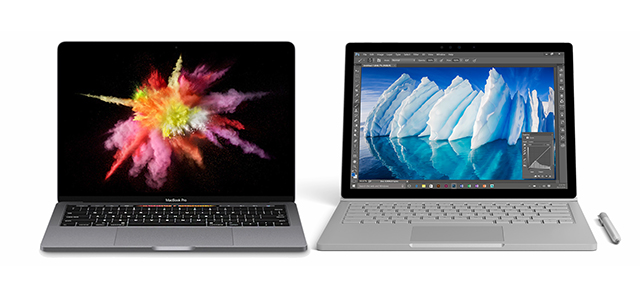
Microsoft Surface Book i7 vs Apple MacBook Pro 2016: Which new laptop should you choose?

 
Last Wednesday, Microsoft revealed, among other things, an updated Surface Book. The following day, Apple introduced a new MacBook Pro. Both devices look great, sport powerful innards and come with a suitably high price tag.
 
Which you go for will likely depend on whether you’re a fan of Microsoft or Apple, but if you’re not firmly entrenched in either camp, and need a little guidance to decide which laptop to go for, here are all the details you need.
 
Obviously, the Surface Book i7 and MacBook Pro 2016 aren’t exactly like for like. The Surface Book’s display detaches, for one thing, and it’s touch screen, but let’s see how they compare generally.
 
Design
 
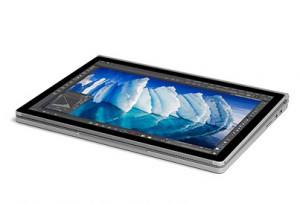
The new Surface Book keeps the same design as the previous one, including the slightly divisive hinge that means the book doesn’t fully close. The screen can detach from the body and be used as a tablet. The laptop has a magnesium alloy body.
 
The new MacBook Pro is -- you guessed it -- lighter and thinner than previous models. It has an all-metal body, and keeps the same simple, but stylish look, albeit with a few tweaks, such as a much larger touchpad.
 
Size and Weight
 
The MacBook Pro is available in two screen sizes -- 13.3-inch and 15.4-inch. The Surface Book only comes in one size -- 13.5-inch. Because Apple is fixated with thinness, it’s no surprise to see the MacBook Pro is the slimmest product at 0.6-inches, versus Surface Book’s 0.9 inches. As for weight, the MacBook Pro weighs in at 3lbs for the 13-inch device, and 4lbs for the 15-incher. The Surface Book is 3.3-3.6lbs, depending on the model (dGPU models weigh more).
 
Display
 
As I mentioned earlier, the Surface Book’s screen detaches, while the MacBook Pro’s doesn’t. The Surface Book only comes in one screen size -- 13.5-inch, while Apple’s product can be had in 13.3-inch and 15.4-inch sizes.
 
The Surface Book offers a higher resolution display -- 3,000 x 2,000, versus 2,560 x 1,600 for the 13-inch MacBook Pro, and 2,880 x 1,800 for the 15-inch model.
 
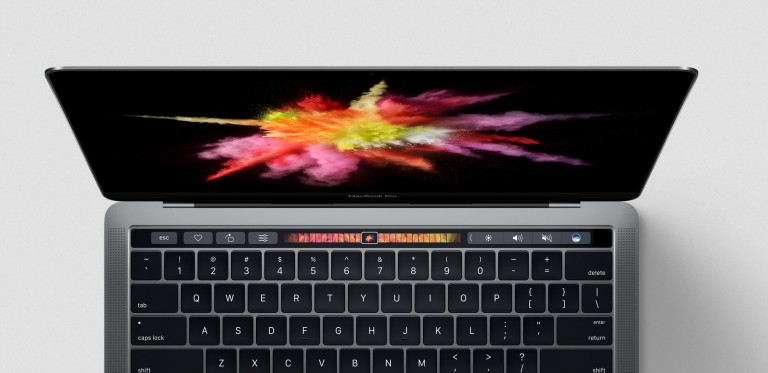
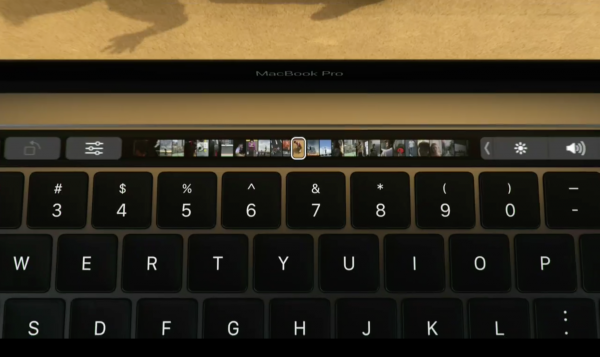
The Surface Book has a full touch screen, and you can use it in tablet mode. The MacBook Pro has a Touch Bar, a long OLED Retina display that sits in place of the old function keys at the top of the keyboard. You can use this in various ways, and additional functionality will be added in time.
Security
 
The MacBook Pro offers Touch ID, so you can log into your laptop using a fingerprint. Surface Book doesn’t have a fingerprint scanner, but does have Windows Hello, which uses facial recognition to log you in.
 
Processors
 
The Surface Book and MacBook Pro can both be had in a choice of configurations, so you can opt for a sixth-generation Intel Core i5 or i7. The Surface Book offers either Nvidia GTX 965M GPU or Intel HD graphics, while the MacBook Pro has Integrated Intel Iris Graphics 540. The larger 15-inch model adds a Radeon Pro (450 or 455) chip for 3D gaming.
 
Input
 
The Surface Book comes with a Surface Pen, so you can draw on screen. That sort of behavior isn’t possible on the MacBook Pro, but you do get the Touch Bar and a super-sized touchpad with pressure-sensitive Force Touch technology.
 
 
Battery Life
 
If you’re a road warrior, the most juice you can get out of your laptop between charges the better. Apple’s battery life is not spectacular in this case. The new MacBook Pros promise around 10 hours of battery life, while the Surface Book claims between 12 to 16 hours.
 
Storage and Memory
 
The 13-inch MacBook Pro and the new Surface Book i7 are available in 256GB, 512GB and 1TB storage configurations. The 15-inch MacBook Pro can be had with a 2TB SSD. Memory-wise, both the MacBook Pro and Surface Book can be had with 8GB or 16GB of RAM.
 
Ports
 
Apple has come under some fire for its ports choices with the new MacBook Pro. It offers four USB-C ports -- that double as Thunderbolt 3 ports -- which can be used for Thunderbolt, USB, DisplayPort, HDMI, VGI, and charging. (The basic 13-inch model only has two USB-C/Thunderbird 3 ports). This means you may need a dongle to attach certain hardware. There’s no SD card reader.
 
The Surface Book has two full-sized USB 3.0 ports, and an SD card reader.
 
Software
 
Apple's MacBook Pro runs macOS Sierra, while the Surface Book runs Windows 10 -- It’s Siri vs Cortana here. You could opt to install Windows 10 on your MacBook Pro if you want to, but you can’t install macOS Sierra on your Surface Book.
 
Price
 
The price for the entry-level MacBook Pro starts at $1,499, but you won’t get the Touch Bar for that. If you want the new Touch Bar, you’ll have to pay $1,799, which will get you the 13.3-inch display and the Core i5 CPU, 8GB of RAM and a 256GB SSD. The price for the 15-inch MacBook Pro, with Core i7 CPU, 16GB of RAM, and Radeon Pro 450 graphics, starts at $2,399.
 
The Surface Book starts at $1,349, for which you get the Core i5 CPU, 8GB of RAM, and a 128GB SSD. Opt for the i7 version, with 256GB SSD, and 8GB of RAM, and you can expect to pay $2,399. Choose the 1TB version with 16GB RAM and the price jumps to $3,299.
 
Specs:
 

Surface Book MacBook Pro
Processor Intel i5, i7 Intel i5, i7
RAM 8GB/16GB 8GB/16GB
Screen Size 13.5-inch 13.3inch/15.4inch
Resolution 3000x2000 2560x1600/2880x1800
Graphics Intel HD -- Nvidia GTX 965M Intel Iris/-- Radeon Pro 455
Thickness 0.9-inch 0.6-inch
Weight 3.3-3.6lbs 3lbs (13-inch)/4lbs (15-inch)
Touch Control Full touch screen Touch Bar/Touch ID
USB Ports 2 USB 3.0 Type A 2x (13-inch), or 4x (15-inch) Thunderbolt 3
Battery Life 12-16 hours 10 hours
  
Summary
 
For the money, the Surface Book provides a better all round deal, and the screen can be used as a tablet, which is a welcome bonus. The MacBook Pro is a svelte beast, with good looks, and future-proof ports which might require you to use a dongle or two for now, but which will be standard in the coming years. You also get a choice of screen sizes, which can be useful depending on your needs and personal preference.
 
There's no right or wrong answer when it comes to which laptop you should get, only opinion. If you're thinking of buying one of these laptops, please share your reason for doing so in the comments below. 
 
~ Wayne Williams

10.31.2016

MacBook Pro (2016) disappointment pushes some Apple loyalists to Ubuntu Linux

 
The new Apple MacBook Pro looks to be a wonderful laptop, but understandably, not everyone is impressed. The "Pro" moniker literally means "professional", and there are some concerns from that segment. Some photographers, for instance, will be very hurt and disgusted by the lack of an SD card slot. More importantly, the computer maxes out at 16GB of RAM -- many pro users want 32GB or more, which is not possible on the new machine, sadly.
 
While you might expect some of these disappointed Apple loyalists to turn to a Windows machine -- and I'm sure some will -- some are turning to an unexpected alternative -- Linux. You see, immediately after the Apple Keynote, famed Ubuntu laptop and desktop seller, System76, saw a huge jump in traffic from people looking to buy its machines. The traffic was so intense, that it needed to upgrade servers to keep up!
 
"We experienced much more traffic than we had prepared for, the website didn't go hard down but experienced slowness. We had to scale up to return to normal. It was a pretty big surge, I don't have the details in front of me at the moment but I've not really heard of anything like this before. People being so underwhelmed by a product that immediately following a new product release they actively seek out competitor's products", says Ryan Sipes, Community Manager, System76.
 
I decided to compare specifications and pricing on my own, so I headed to both Apple.com and System76.com to compare. Apple's new 15-inch MacBook Pro starts at $2,400. This machine has a Quad-core Sklyake i7, maxes out at 16GB of RAM, has an NVMe 256GB SSD, and a Radeon Pro 450 with a paltry 2GB memory.
 
 
Alternatively, I headed to System76 and configured its 15-inch Oryx Pro (you can do so here). I closely matched the MacBook Pro specs, with a Quad-core Sklyake i7 and NVMe 256GB SSD. Instead of 16GB of RAM as found on the Apple, I configured with 32GB (you can go up to 64GB if needed). By default, it comes with a 6GB Nvidia GTX 1060. The price? Less than $2,000! In other words, the System76 machine with much better specs is less expensive than Apple's.
Still, the Oryx Pro can be configured with specs far beyond the MacBook Pro, and at a very competitive price -- it is not hard to see why System76 saw a huge jump in traffic following the Apple Keynote. It is worth noting that both the Oryx Pro and MacBook Pro can run Windows too.
 
Are you surprised that some Mac users are jumping to Linux? Tell me in the comments.
 
Photo credit: Brian A Jackson / Shutterstock
 
~ Brian Fagioli

10.30.2016

Trade in your MacBook and Microsoft could give you $650 off a Surface

Apple is clearly hoping you'll spend your hard-earned cash on making your next laptop a new MacBook Pro, but Microsoft has other ideas. If the lure of the Touch Bar is not enough to convince you to buy from Apple, Microsoft is dangling a carrot to sway you towards a Surface.
 
As the company has done before, Microsoft is offering a trade-in program for anyone willing to ditch their old MacBook in favor of a Surface Pro 4 or Surface Book. If you're ready to make the switch, you could save up to $650.
 
The offer is only valid until November 7, so you don’t have a great deal of time to think about things, but if you have a 'qualifying Macbook Air or Pro device' ("excludes iPads", Microsoft clarifies), the offer is well-worth considering.
 
To take  advantage of the offer, head over to the dedicated trade-in website to find out how much your old MacBook is worth. Next, you'll need to send your hardware off to Microsoft, and you'll then be provided with a promo code which you can use to obtain a discount off your Surface purchase.
 
Don’t think of this as an opportunity to off-load your crappy, knackered MacBook, though -- conditions apply:
To be eligible for trade-in, you must own the qualifying device, device must power on battery must hold charge and not be required to be plugged in to operate, and be in fully functional, working condition without broken/missing components, cracked display/housing, liquid damage, modification(s) or have device warranty seal broken to be considered working. Cannot be password protected, and include original chargers/accessories. Must contain hard drive.
Trade in and save.
 
~ Mark Wilson

Apple wants to limit how the new MacBook Pro (2016) Touch Bar can be used

 
When Apple unveiled the latest MacBook Pro, it was the Touch Bar that stole the show. But if you were expecting this touchscreen addition to the keyboard to become an all-singing, all-dancing fun parade, you may be disappointed.
 
Apple -- loving, as it does, to remain firmly in control of everything -- has issued developers strict guidelines that restrict how the Touch Bar can (or should...) be used.
 
The company is very keen for the Touch Bar to be seen as an extension of, or addition to, the keyboard, and not the screen. As such, Apple is keen to avoid the Touch Bar being anything other than useful -- and certainly avoiding the risk of it becoming a distraction. TechCrunch shares details of some of the guidelines that have been given to developers:
 
It remains to be seen whether developers choose to abide by these guidelines, or what sort of penalties -- if any -- might exist for those who decide not to. But it is safe to assume that there will be a burgeoning market of third party tools that go against everything Apple has set out.
 
~ Mark Wilson

10.29.2016

If you're a recent MacBook Pro buyer, Apple just did you a HUGE favor

 
People wanting a shiny new MacBook Pro are in for sticker shock. The entry-level for the cheapest, newest 13-incher is $200 or $500 more than its predecessor, depending on whether or not opting for the newfangled TouchBar and TouchID. That's $1,499 or $1,799. Yikes. MBP 15 is a $400 price hike, $2,399, for current tech.
 
But if you already own MacBook Pro, particularly the 13-incher released in March 2015 or the larger model two months later, Apple increased the laptop's value by not accelerating its depreciation. No kidding. That's because the new entry-level SKUs are the same as before.
 
The $1,299 MBP 13 is the same vintage 2015 model: 2.7GHz Intel Core i5 processor, 8GB RAM, 128GB SSD, and Intel Iris Graphics 6100. The $1,999 MBP 15 also is the same 2015 notebook: 2.2GHz Core i7 processor, 16GB RAM, 256GB SSD, and Iris Pro Graphics.
 
Think of it like this: Whenever Apple announces new models and plugs them into existing price points, the resale value of the older Macs goes down. But arguably that's not the situation this release cycle. Apple arbitrarily kept the old in market, and that's great for the value of your existing Mac. You might even turn it into opportunity, selling the old one to buy the new thang.
 
I wonder if sellers understand this. Over at Swappa, the lowest listed MBP 13 March 2015 with 128GB SSD is $899, in "good" condition. High lister is 3.1GHz Core i7, 16GB RAM, and 512GB SSD for $1,650. I have the same model but with half the storage, purchased from a reputable reseller that buys Macs from corporations. I paid less than his price five months ago, with AppleCare that's good through 2018. The seller lists his laptop as "good". Mine is "excellent".
 
Swappa-listed MBP 15 starts at $1,750 for 2.5GHz Core i7, 16GB RAM, and 256GB SSD. The laptop sold for $2,499 new last year. Other sellers are smarter, asking for as much as $1,910.
 
Prices at eBay are all over the place, with some sellers giving away too much value. Don't they know what they've got! Don't price MacBook Pro based on Windows laptop depreciation.
 
Apple sells refurbished 2.7GHz March 2015 MBP 13 for $1,099, and that's a good measure for your resale pricing, if condition is excellent. Imagine if you could use a laptop for 18 months and recover as much value off your original purchase price of $1,299. Even selling for $899, you only spent $400 to use a computer for as long as 18 months. Wow.

If anything ruins the boon Apple gives current owners, it will be sellers' desperation to cash out fastest to pay for the shiny new model announced yesterday.
 
Photo Credit: Joe Wilcox
 
~ Joe Wilcox

10.28.2016

Apple is out of touch

 
I am not an Apple fanboy, but I have defended the company's decisions and philosophy more times than I can remember. And for good reason. But, looking at the new MacBook Pro line, I am finding it hard to see where that "touch of genius" is. What exactly makes its latest laptops anything more than glorified MacBooks?
 
Apple has never been afraid to take risks and innovate. But with the new MacBook Pros it has failed to improve upon their "Pro" status. It wrongfully applied the same approach it has used over and over again in the consumer space without considering that prosumers, the folks who MacBook Pros used to be designed for, have a different set of needs than the average Joe who buys a MacBook Air to go on Facebook at Starbucks. As a result, the new MacBook Pros, while different than before, are not evolved enough for this day and age. The so-called "touch of genius" tagline is proof that Apple has lost touch with the real world.
 
Now, before going any further I will admit that Apple will probably sell a ton of the new MacBook Pros. It usually does, and there is no reason to suggest sales will drop, taking into account the fact that the last major update to the Retina display-toting MacBook Pros came aeons ago. People who are looking to replace their aging rMBPs will look at what Apple has to offer first and will probably decide to move to a new model.
 
In the short run, that will work out fine, but in the long run Apple risks having to do the same thing it did with the iPad line, which is to Pro-ify it. Remember, we are talking about PCs here, regardless of the fact that they run macOS and have an Apple logo on the back. And PCs aren't selling all that well these days, because, among other things, people do not have good-enough reasons to pull the trigger on a new one, because, well, the improvements are not all that compelling.
 
But, let's get back on to the topic at hand.
 
Looking at the new MacBook Pro line, it feels like Apple wants to unify its MacBook range a bit too much. The MacBook shipped with a USB Type-C port, and so does the new MacBook Pros. Except they don't have only one, they have four. Except if you get the base new MacBook Pro in 13-inch trim, which only has two. And of the two, only one is usable if you are charging it. But the trouble is that, in order to use any of them, you either have to buy devices with USB Type-C ports or get dongles.
 
The USB Type-C device market is basically irrelevant at this stage in the grand scheme of things. Even Apple believes so, because it did not bother to introduce a compatible iPhone charger. You can get a USB Type-C to Lightning cable to transfer files, but you can't use it with the charger -- so you also have to carry the standard cable around. Or you can get, you guessed it, a dongle.
 
To be frank, that's stupid. I may be harsh, but Apple prides itself on its attention to detail. So how could it have missed that if you buy one of its new products you will not be able to use it seamlessly with another one -- that is also new, and arguably more important? Remember, the iPhone 7 launched last month, not five years ago. It's not a legacy product.
 
I am sure that lots of iPhone users would have been fine with buying a new cable and charger with USB Type-C connectors. This would be a more elegant solution, rather than having to carry a dongle to charge your iPhone and transfer some files quickly -- or a second cable.
 
Apple also seems to be torn between two technologies. On the latest MacBook Pros you get USB Type-C, with Thunderbolt 3 support, while on the iPhone 7 you have Lightning. The iPhone carries more weight, and so you can't change from Lightning to USB Type-C as easily as you can switch from standard USB connectors to the new reversible one -- because it would affect far more customers at once and relatively soon after ditching the old connector -- but I am sure that Apple is probably thinking of it.
 
But that is not the biggest problem. The USB Type-C adoption is, and it is time to address it. If you buy a new MacBook Pro today, for each USB device that you buy you will have to get a $19 dongle to be able to use it with your new laptop. And you will have to carry as many as you need with you, otherwise you will not be able to stick something as basic as a USB drive in your cutting-edge device. Connectivity-wise, without dongles, the new MacBook Pros are crippled.
 
Apple likes to take risks, and someone will surely point out that things will change and that USB Type-C is better and that the company is simply ahead of the curve. And that may very well be true, but fact of the matter is no one is fully prepared for the new MacBook Pros, not even companies making products that should work with it.
 
Something else that I find to dumb down the new MacBook Pro line is the fact that there is no MagSafe connector anymore. And that is not a change forward, because MagSafe is cleverly designed to protect your laptop from being damaged if you trip on the charger's cable. The USB Type-C cable that's provided to charge the new laptops doesn't have a similar functionality.
 
So that is a clear step backwards. Luckily, you still have the 3.5mm headphone jack, which is good because I would have hated to talk about yet another dongle. Unfortunately, I can't -- because you will need one to connect an SD card.
 
Yes, Apple dropped the SD card reader, even though it is basically as slim as a USB Type-C connector, and, arguably, incredibly useful to the vast majority of photographers. Most professional-grade cameras use SD cards, and now you will have to (I hate to say it one more time, but here goes) get a dongle to transfer photos and videos to a new MacBook Pro.
 
Two cool new things that you do get -- again, unless you opt for the base model, which only gets the latter -- are the Touch Bar and larger trackpad. The former is the real party trick, but I suspect that the bigger surface area of the trackpad will be more appreciated, more of the time.
 
I have not used a Touch Bar, so I cannot really share my experience with it, but from everything Apple has said it does not look like a revolutionary addition. What's more, it is unlikely to be extremely useful soon, because Mac developers typically need a bit of time before they embrace such features. And, really, I do not use as many apps where it could be extremely useful.
 
However, the TouchID support is a fantastic addition. However, I do not live in an environment where the risk of someone else using or stealing my laptop is worth thinking about. And Apple Pay is not in the equation either. So, let's just say I'm skeptical of the benefits it provides in return for the premium it involves.
 
But the elephant in the room is not what Apple has removed. It is what Apple has not added. And that is anything that can move the game forward in terms of laptop technology. Everything that you see on the new MacBooks has be done before -- in some form or another, if not better -- and it is not like Apple just had an iPhone moment where it managed to combine all those things in a way others have not.
 
With the exception of the Touch Bar, most of what you see on the new MacBook Pros represents an evolutionary move from the previous generation: a bit smaller, a bit lighter, a bit thinner, a bit faster, a bit more color variety, and that's pretty much it.
 
For the kind of money that Apple is asking for a new MacBook Pro, I honestly expect more. And I do not expect more for the sake of it. No. I expect more because Microsoft is doing more. Have you seen the recent Surface announcements? Barring the Surface Pro 4, which hasn't received an update yet, the software giant's PC line looks incredibly innovative and refreshing next to Apple's.
 
And Microsoft is not even trying to compete on price, because some of its stuff is hugely expensive. No, Microsoft is competing with Apple by doing what Apple should have done, which is to change the status quo. The new MacBook Pros are not all that different to the old ones or other laptops for that matter, but the Surface Pro 4, Surface Book and Surface Studio are. Microsoft is the bolder of the two, and it shows. Apple looks complacent by comparison.
 
The magic is gone.
 
Photo Credit: Lisa F. Young/Shutterstock
 
~ Mihăiță Bamburic

10.27.2016

Could Apple make Mac laptop buying any more confusing?

 
The Mac laptop line, following today's new announcements, looks lots less like Apple and more like Compaq—where Tim Cook worked much earlier in his career, incidentally, long before the original IBM PC clone-maker's demise. Confusing. Complicated. These are apt descriptions that might just send the ghost of Steve Jobs skyward on either—take your pick—Halloween or Day of the Dead.
 
Among Apple cofounder's first tasks when returning to the chief executive's chair in 1997: Simplifying product families. Jobs cut the deadweight, surprising many people by killing off Newton, for example. Complex product lines define Apple under successor Cook, by contrast.
 
Gauging only by base models, without enclosure hues, Apple offers 11 different laptop SKUs: Two 12-inch MacBook (times four color combinations); two 13-inch MacBook Air (one color); four 13-inch MacBook Pro (three two-colors); and three 15-inch MacBook Pro (two two-colors). Granted, rivals like Lenovo offer way more SKUs. But the Chinese manufacturer isn't Apple and the expectations that come with the name.
 
Problem isn't so much number of base models—before they can be configured, adding many more—is the overlap of prices and capabilities among the different Mac laptops.
 
MacBook Pro 13
 
The cheapest MacBook Pro 13 is $1,299 for 2.7GHz Intel i5 processor, 8GB RAM, 128GB SSD, and Intel Iris Graphics 6100. But, wait, that's an older model. To get the new thang announced today, price is $1,499—and that's without the hottest new feature: TouchBar.
 
You do get a 2GHz Core i5 chip, 256GB SSD, Iris Graphics 540, brighter display, and newfangled Butterfly keyboard. But some buyers should rightly wonder why a 2GHz laptop costs more than a 2.7GHz one. Apple could argue it's a generational thing between Intel chips, and addition of extras like double the storage and thinner design. Something else: You keep your USB ports on the older and lose them on the newer (in favor of Thunderbolt 3 ports). Buy more, and you pay more to add adaptors and dongles, too.
 
What I have long called the Apple Pay-more Principle applies. The current generation MacBook Pro 13 sold for $1,299 yesterday—and core capabilities were same as costlier models. That's no longer the case. Entry-level is now last-year's MBP, and something newer costs $200 more. But don't be confused, and mistakenly buy the $1,499 model wanting TouchBar. To get the newest tech, the starting price is $1,799, making the true entry level $500 more than before today's big Apple media event.
 
For that $1,799 you get 2.9GHz Core i5 processor, 8GB RAM, 256GB HD, Iris Graphics 550, TouchBar and TouchID, and four Thunderbolt 3 ports. Honestly, for this price, 8 gigs is stingy. Doubling the storage costs $200 more. The three costlier MBPs are available in two colors, space gray and silver, while the $1,299 laptop is silver only.
 
MacBook Pro's compelling new feature is the TouchBar.
 
MacBook
 
Speaking of that price, and some buyer confusion, is 12-inch MacBook, which also starts at $1,299, but is grossly underpowered compared to MBP 13: 1.1GHz Core m3 processor, 8GB RAM, 256GB SSD, and Intel Graphics 515. Before today's new laptop unveiling, small size, display quality, and Butterfly keyboard were capabilities that set apart MacBook. That's still true when comparing entry-prices, given the 2.7GHz MBP is vintage March 2015 and is 14 percent larger and consumes 20 percent more volume than its successor.
 
Jump up in price to $1,499 and 13-inch MBP looks lots more attractive than the high-end 12-inch MacBook selling for $100 more. MBP now has a next-generation Butterfly keyboard and super-bright screen, all packaged into a considerably smaller enclosure. Neither laptop has the TouchBar. MacBook config: 1.2GHz Core m5 chip, 8GB memory, 512GB SSD, and Intel Graphics 515.
 
MacBook is lighter at 2 pounds, versus 3 lbs for MBP 13 but bulk and breath matter more. Comparative sizes: .52 x 11.07 x 7.74 inches versus .59 x 11.97 x 8.36 inches, respectively. Size is no longer much of a differentiator.
 
MacBook Air
 
Comparing screens, at 13 inches, there also is MacBook Air, which costs considerably less. Starting price is $999 for 1.6GHz Core i5 processor, 8GB RAM, 128GB SSD, and Intel Graphics 6000. This is Apple's value laptop, if you don't mind non-Retina Display. Before today's MBP announcement, the Air filled a niche for thin-and-light 13-inch Apple laptops. No longer. Price is its only compelling attribute—and only below $1,000.
 
The costlier $1,199 config is a real loser compared to $1,299 MBP 13, which weighs about the same but is smaller, while offering many more benefits, such as better screen, keyboard, processor, and speakers. MBA measures .68 x 12.8 x 8.94 inches. Why not pay another 100 bucks and get so much more from MBP 13? Some confused buyers may not see the difference.
 
MacBook Pro 13 (right) is smaller and thinner than MacBook Air.
 
There are good reasons to ask why Apple offers either 12-inch MacBook or MBA 13. Apple knows. During today's keynote, Phil Schiller, who heads up marketing, explained the rational for the $1,299 Pro without TouchBar: "We think that a lot of potential MacBook Air customers will be very excited about this product, too". He then went on to basically make a sales pitch for MBP 13, by pointing out the size advantages—12 percent thinner and consuming 13 percent volume than the Air. He described MBP 13 as "smaller" and "better in every way".
 
MacBook Pro 15
 
MacBook Pro 15 stands apart from the other laptops such that most buyer's shouldn't be confused. The laptop is considerably larger than the others, packs dedicated graphics, and is considerably more expandable with respect to external devices, like monitors. There is price differentiator, too: $2,399 and $2,799 base models.
 
That said, the Pay-more Principle once again applies. Like MBP 13, yesterday the entry-level 15-inch MacBook Pro offered same core features as the higher-end models. No longer. For the same $1,999, buyer's get vintage May 2015 laptop with 2.2GHz Core i7 processor, 16GB RAM, 256GB SSD, and Iris Pro Graphics. The newest thang now costs $2,399, which arguably is 100 bucks less than what it replaced. Config: 2.6GHz Core i7 chip, 16GB RAM, 256GB SSD, and Radeon Pro 450 graphics. All the goodies come too: Butterfly Keyboard, TouchBar and TouchID, etc. A $2,799 model doubles the storage, notches up to 2.7GHz chip, and bumps up to 455 graphics.
 
MBP, like Microsoft Surface Book targets a creative professional with specific computing-task needs. The buyer pays more and gets more, and benefits for the capabilities are clearer. However, Apple laptops with small screeners and lower selling prices crowd together, presenting somewhat confusing benefits for the cost.
 
Imagine the savings that Apple could pass on to customers or higher margins to its bottom line by streamlining manufacturing to MacBook Pro 13 and 15—particularly at a time when PC sales are falling. During Q3, shipments fell for the eighth consecutive quarter, according to Gartner. The new MBP makes the Air obsolete and gives little compelling reason to buy 12-inch MacBook. They're both dead weight.
 
Keep Steve Jobs' ghost in the grave and simplify, Apple.
 
Image Credit: Creativa Images / Shutterstock
 
~ Joe Wilcox

Apple unveils new TV App for Apple TV, iPhone and iPad

 
We were expecting Apple to release a new app for Apple TV at its "Hello Again" event, and that was the first thing that the tech giant showed off.
 
Called simply TV, the new app lets you discover and watch TV shows and movies from multiple apps on Apple TV, iPhone and iPad. There’s also a new Siri feature for Apple TV that lets viewers quickly tune in to live news and sporting events.
 
Siri is aware of where sports events and news are being shown, and users can simply say things like, "Watch the Stanford game", "Which football games are on right now?" or "Watch CBS News" (all Apple's own examples) and Siri will switch to the relevant live broadcast.
 
"Using apps on Apple TV, iPhone and iPad has become the primary way for so many of us to watch television", said Eddy Cue, Apple’s senior vice president of Internet Software and Services. "The TV app shows you what to watch next and easily discover TV shows and movies from many apps in a single place".
 
 
Apple showed off the following key features:
  • Watch Now: Watch Now is where viewers will see their collection of available shows and movies from iTunes and apps. From Watch Now, viewers can then go to Up Next or Recommended to choose what to watch.
  • Up Next: Users can enjoy the shows and movies they are currently watching, including recent iTunes rentals and purchases -- all presented in the order they are most likely to watch first. For example, when viewers finish an episode, the next one will automatically appear at the start of the Up Next queue, as will any new episodes as they become available. At any time, users can simply ask Siri to continue watching a show and immediately pick up where they left off.
  • Recommended: Viewers can explore a great selection of curated and trending shows and movies, including collections handpicked by Apple’s curators, and dedicated categories and genres such as kids, sci-fi and comedy.
  • Library: Viewers can access their entire collection of iTunes movies and TV shows that they have rented or purchased on iTunes.
  • Store: If users are looking for something new, they can check out the Store to discover great new content across video services that they have not yet downloaded or are not yet subscribed to, along with the latest releases on iTunes.
  • The TV app will allow users to begin watching on one device and pick up where they left off on another.
 
In addition to the new TV app, customers in the US will have a simplified way of enjoying their pay-TV video apps by using single sign-on. Starting in December, subscribers to DIRECTV, DISH Network and others will be able to sign in once on Apple TV, iPhone and iPad to access apps that are part of their pay-TV subscription.
 
The TV app and single sign-on will be available in December as free software updates for Apple TV (4th generation), iPhone and iPad customers in the US. Live tune-in with Siri is available today.

~ Wayne Williams

Apple's MacBook Pro with Touch Bar is 'absolutely incredible'

 
The star of Apple's event today was always going to be the new MacBook Pro. Other announcements may have been made, but they faded into insignificance compared to the latest addition to Apple's notebook range. This time around we see a 13- or 15-inch device with an all-aluminum design. In Tim Cook's words, it is "absolutely incredible".
 
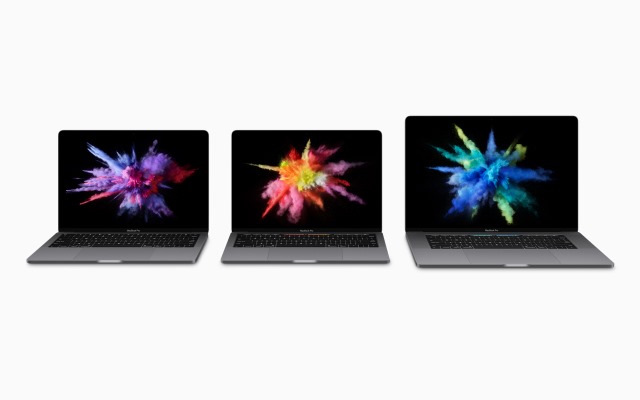
Both models are available in Silver and Space Gray, and it's the thinnest and lightest MacBook Pro ever made. Things have shrunk, things have grown. The new MacBook Pro is thinner and lighter than ever, but the trackpad is now twice as large -- it is huge. But the real show-stealer is Touch Bar.
 
We thought this
 
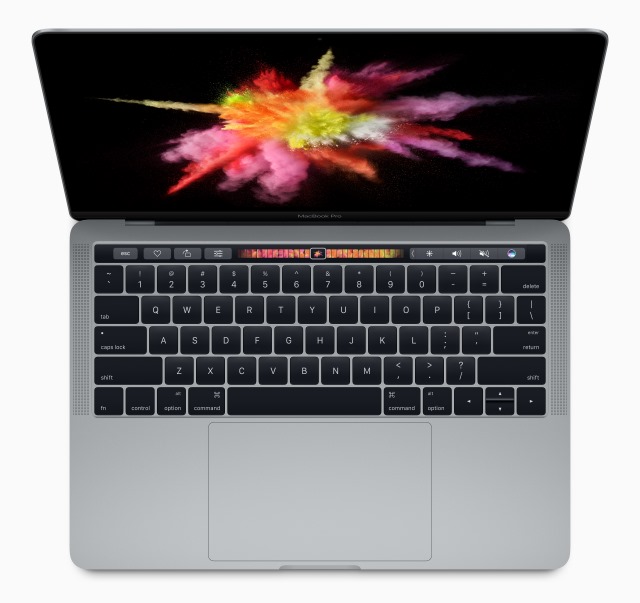
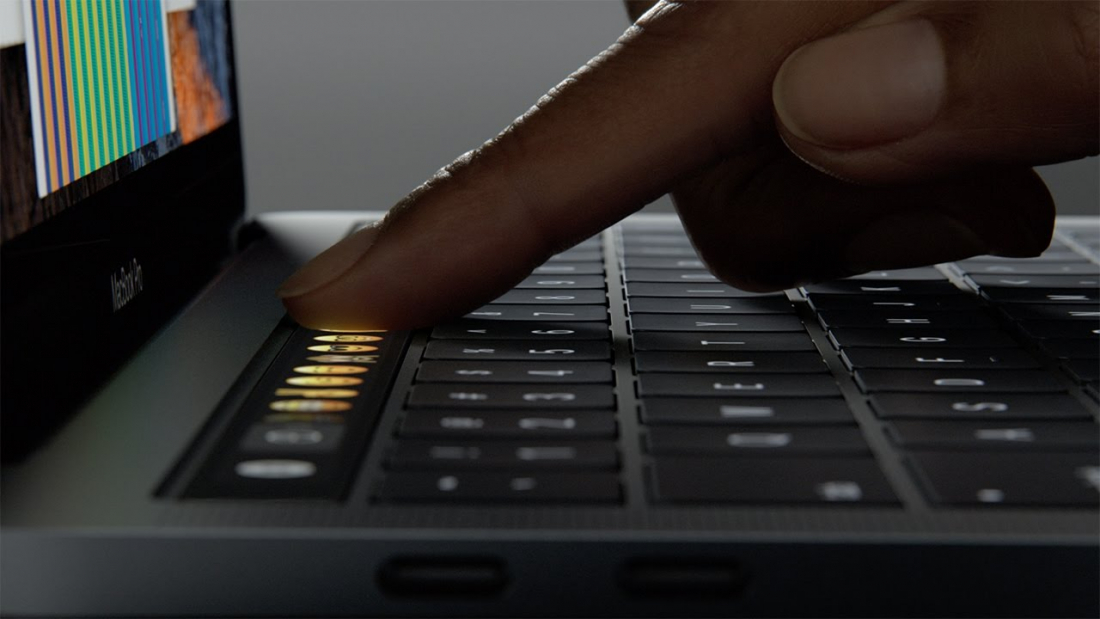
new killer feature may have been called the Magic Toolbar, but apart from the name change, it's very much what we expected. This is a Retina Display multi-touch panel that replaces the traditional row of function keys. That said, the function keys and Esc key remain, albeit in soft form.
 
 
Touch Bar is touch and gesture sensitive and includes Touch ID so you can log into your MacBook Pro with a fingerprint. Touch Bar has built in system functions such as screen brightness, and it's context sensitive, so it shows buttons that relate to the current app. Quick type suggestions blends the autosuggest feature of iOS with the features of a regular keyboard, but whether this allows for faster typing remains to be seen. Just as Cortana has a dedicated button in Windows 10, so Siri now has a dedicated button.
 
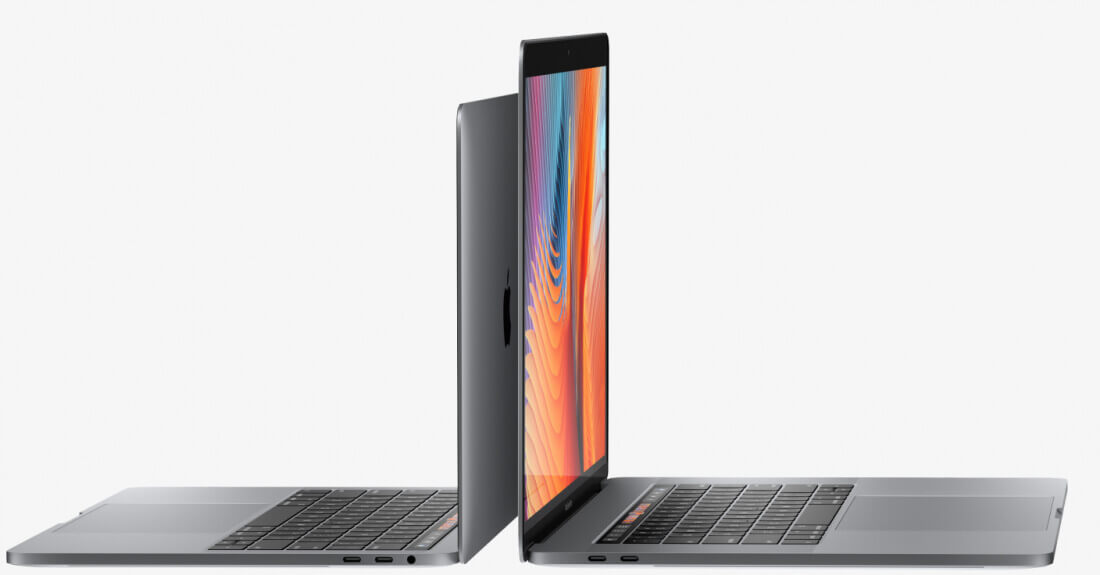
The 13inch MacBook Pro is just 14.9mm thick (17 percent thinner than before), features 23 percent less volume, and weighs just 3lbs -- almost 0.5lbs less than before. For the 15-inch model the 15.5mm thickness means it is 14 percent thinner than before, there 20 percent less volume, and the weight is just 4lbs. Both feature an all-new keyboard design with second generation butterfly switch mechanism.
 
The screen is 67 percent brighter and offers a 25 percent wider color gamut. The 15-inch MacBook Pro features an Intel Core i7 Quad-core with 2133MHz memory, supports up to 4GB of VRAM, and includes an SSD operating at up to 3.1GB/s. The 13-inch model comes in i5 or i7 versions. Both models offer up to 10 hours of battery life.
 
 
There is also a 13-inch MacBook Pro without the Touch Bar for those looking to make a bit of a financial saving -- essentially replacing the MacBook Air. In all, there are three new models which have the following base specs:
  • 13-inch MacBook Pro
  • 2.0GHz dual-core Intel Core i5
  • Intel Iris Graphics 540
  • 8GB memory
  • 256GB SSD
  • 2 Thunderbolt 3 ports
  • Available for $1,499; ships today
  • 13-inch MacBook Pro with Touch Bar
  • Touch Bar and Touch ID
  • 2.9GHz dual-core Intel Core i5
  • Intel Iris Graphics 550
  • 8GB memory
  • 256GB memory
  • 4 Thunderbolt 3 ports
  • Available to pre-order todayfor $1,799; ships in 2-3 weeks
15-inch MacBook Pro with Touch Bar
  • Touch Bar and Touch ID
  • 2.6GHz quad-core Intel Core i7
  • Radeon Pro 450 graphics
  • 16GB memory
  • 256GB memory
  • 4 Thunderbolt 3 ports
  • Available to pre-order today for $2,399; ships in 2-3 weeks
Find out more at the MacBook Pro website.
 
~ Mark Wilson

10.26.2016

Oops! Apple leaks photo of new MacBook Pro with OLED Magic Toolbar

 
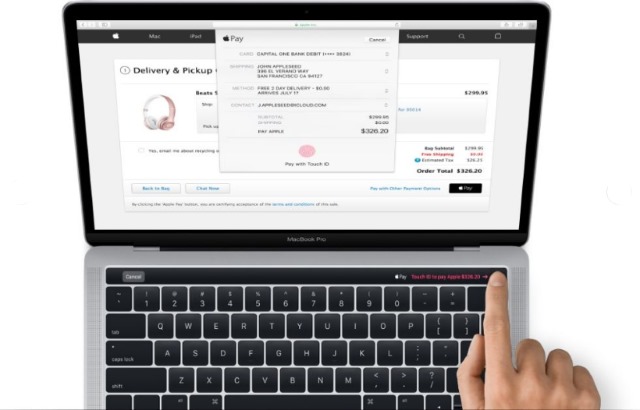
The release of macOS 10.12.1 was a fairly unremarkable affair... apart from one thing. In addition to the expected fixes and changes, hidden in the code are images relating to Apple Pay that appear to show off the new MacBook Pro -- the updated model that's not due to be announced until the upcoming event on 27 October.
 
The images are very revealing too, showing off a few surprises that Apple would probably have liked to have kept secret until the big day. Gone are the function keys at the top of the keyboard, replaced instead by a touch sensitive OLED panel presumed to be called the Magic Toolbar. There's also -- it appears -- built in support for Touch ID, and a few other changes.
 
As the images of the new machine -- first noticed by MacRumors -- originate from Apple Pay photography, that the Magic Toolbar (a name we know about from Apple's patent filings) is shown being used to make a payment with Touch ID is hardly surprising. But the addition of the OLED panel does mean that sacrifices have been made.
 
The function keys may have vanished, but so has the all-important Esc key. While it is not inconceivable that this key could have been removed altogether, the missing power button must have simply been repositioned.
 
From what we can make out from the photo, the new model would appear to be an even thinner, lighter design than before. The bezel of the MacBook Pro seems to have shrunk, but we should know precise details of the design tomorrow.
 
~ Mark Wilson

10.23.2016

Amnesty International ranks message apps according to privacy -- Facebook wins!

 
Despite a desire to be more connected than ever before, people are simultaneously more concerned than ever about their security and privacy. This is certainly true when it comes to messaging tools, and the privacy features offered by a particular app or service can be what sways your decision to use it one way or the other.
 
Justice group Amnesty International has spent some time analyzing the privacy and encryption found in a number of popular messaging tools and compiled results in a ranked list. The findings make for interesting reading, not least because Facebook is ranked the most highly.
 
The organization looked at 11 popular messaging services, checking not only whether they made use of encryption, but also at the attitudes of the companies behind each of the services.
 
So what is Amnesty International interest in all of this? The organization is keen for human rights campaigners, whistle-blowers and people in need to be able to communicate securely without having to worry about whether their messages are being read by others.
Our communications are under constant threat from cybercriminals, malicious hackers, and unjustified spying by state authorities. Young people, activists and journalists who share personal details over messaging apps are especially at risk.
Many of us trust these apps with intimate details of our personal life. Companies that fail to take basic steps to protect our communications are failing that trust.
The group goes on to say:
Amnesty International is calling on companies to apply end-to-end encryption as a default. It is also calling on technology companies to clearly inform users of the level of encryption applied to their messaging services.
Facebook is praised for WhatsApp and Messenger for offering end-to-end encryption (although not by default in the latter) and for its transparency and interest in human rights. Apple finds itself in second place, and praised for its opposition to backdoors, while Google nestles in fourth position, largely because of Hangout's more questionable security and privacy.
 
Microsoft is in a very disappointing eighth place -- disappointing for both the company and users of its products. Skype is criticized for having been "a major target of government surveillance worldwide".  Amnesty International also says: "Despite Microsofts strong policy commitment to human rights, it is still using a weak form of encryption on Skype."
 
Here's the chart in full:
  1. Facebook: 73 / 100
  2. Apple: 67 / 100
  3. Telegram: 67 / 100
  4. Google: 53 / 100
  5. Line: 47/ 100
  6. Viber Media: 47 / 100
  7. Kakao: 40 / 100
  8. Microsoft: 40 / 100
  9. Snapchat: 26 / 100
  10. Blackberry: 20 / 100
  11. Tencent: 0 / 100
Photo credit: David M G / Shutterstock
 
~ Mark Wilson

10.17.2016

iOS 10 has a hidden onscreen Home button for iPhone 7 users

 
With the launch of the iPhone 7 and iPhone 7 Plus Apple not only removed the headphone jack, the company also replaced the mechanical home button with a static one. What was not revealed, however, is that iOS 10 also has a secret software Home button.
 
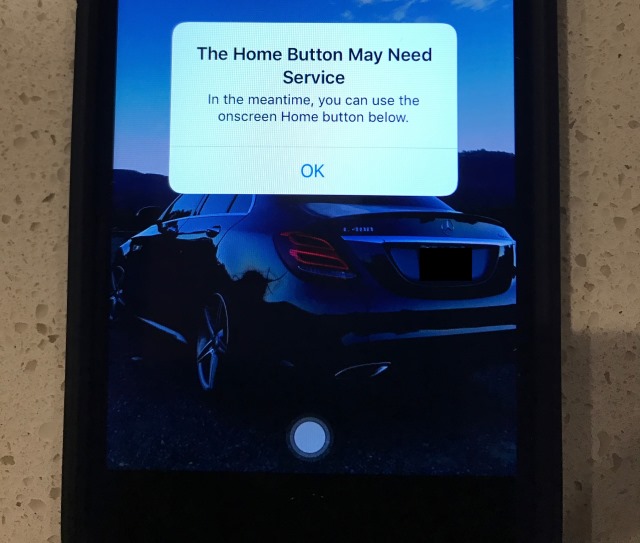
The feature is a safeguard built in should anything go wrong with your physical home button. Should this happen, the button problem will be detected and iOS 10 will offer up a temporary on-screen Home button to tide you over until you can get to the Genius Bar.
 
The hidden button was noticed by a member of the MacRumors fourm where he shared details of his discovery. User iwayne plugged in his iPhone 7 to charge and was greeted by a message reading: "The Home Button May Need Service. In the meantime, you can use the onscreen Home button below". iwayne wrote:
It worked at first then started spazzing out. The Haptic engine kept firing 3-4 times in a row for every "press". I restarted again and it's back to not working.
His problem also reveals something about the waterproofness of the iPhone 7:
Interesting thing is that this was after the phone got wet. Used a wet paper towel to clean the phone off to put on a new case and that was the end. How is this supposed to survive a meter down for a half hour if a wet paper towel did her in.
It's worth noting that -- as pointed out by Trusted Reviews -- the software button is not really new, although having it automatically kick in is. It's a part of an accessibility feature called Assistive Touch, and you can enable it yourself.
  • Go to Settings > General > Accessibility > Assistive Touch, then turn it on
  • Tell Siri: "Turn on Assistive Touch"
  • Go to Settings > General > Accessibility > Accessibility Shortcut, and turn on Assistive Touch
Photo credit: iwayne
 
~ Mark Wilson

10.15.2016

Apple now sells unlocked iPhone 7 and iPhone 7 Plus in US

 
Nearly a month after releasing the iPhone 7 and iPhone 7 Plus, Apple is giving consumers the option of purchasing the unlocked versions of its latest flagships in US. The "SIM-free" models are available in all the color and storage configurations as their carrier counterparts, with prices starting at the same $649 for the iPhone 7 and $769 for the iPhone 7 Plus.
 
The unlocked iPhone 7 and iPhone 7 Plus models carry the designation A1778 and A1784, and support the same LTE bands as the AT&T, Sprint, T-Mobile and Verizon versions. But what are the differences?
 
The main difference between the unlocked and carrier versions of the iPhone 7 and iPhone 7 Plus, as Apple explains on its website, is that the SIM-free versions do not ship with a carrier SIM card and "work with any carrier".
 
Meanwhile, Apple notes, the iPhone 7 and iPhone 7 Plus models designed for AT&T and T-Mobile will be limited to 3G for voice services while data can be "either 3G or 4G LTE", when connected to a CDMA network. However, the Sprint and Verizon versions can work on AT&T and T-Mobile as well.
 
If you are thinking of buying the unlocked version to get an iPhone 7 or iPhone 7 Plus faster you should know that shipping times range between a couple of days to a whole month, depending on the configuration that you want.
 
~ Mihăiță Bamburic

9.29.2016

Apple is smart to enlist hackers and iPhone 7 jailbreakers to secure iOS and macOS

 
Apple has historically been very guarded and secretive. While this is still true today, the company has definitely become more open after Steve Job's death. Quite frankly, the fact that there are now public betas for both iOS and macOS is mind-blowing for the Apple faithful. Last month, the company even launched its first bug bounty program! Why did Apple soften its guarded position? It had to. As the technology market advances, and security becomes a bigger focus, it is not possible to catch all bugs and vulnerabilities in house.
 
While the bug bounty and public betas were very wise moves, the company is apparently taking things a step further. According to Forbes, Apple is enlisting iPhone jailbreakers and other hackers (such as Luca Todesco, Nicholas Allegra and Patrick Wardle) to bolster the security of its products using the aforementioned bug bounty program. In fact, it is rumored to be happening at a secret meeting. If true, is the company smart to trust these people?
 
Many iPhone users like jailbreaking their devices, and yeah, I can understand the appeal. You can make your phone do things that Apple did not intend, including fun customizations. The problem? It makes your iPhone or iPad less secure. Every time an exploit is discovered that allows jailbreaking, or a vulnerability is discovered in macOS, it highlights a bug that Apple missed -- it is embarrassing for the company.
 
Some bugs and vulnerabilities can be exploited by malware, as we saw last month. While the iPhone is viewed by many as secure, hackers were found to be spying on people. It was quickly patched with iOS 9.3.5, but there is no telling how long the vulnerability had been in the wild. This malware in particular highlights why Apple must do whatever it can to secure its products -- including working with known hackers.
 
Unfortunately, selling these bugs and exploits to nefarious groups and governments can be quite lucrative -- it is big business. In order for Apple to recruit these people into its program, it has to do one of two things -- outbid other entities that purchase them, or build a relationship with the hackers. If Apple has really invited these people as Forbes claims, they may be trying to do the latter.
 
Besides the previously mentioned invitees, who else is attending? Forbes says the following.
Forbes believes others who made the cut include noted iPhone and Mac hackers Francisco Alonso, Stefan Esser, Braden Thomas, Pedro Vilaca and Jonathan Zdziarski. Former Apple engineer Alex Ionescu, Steven De Franco (better known in the jailbreak community as ih8sn0w), and a member of the famous Pangu jailbreak crew, Hao Xu, are also amongst the invitees.
Whether or not this secret meeting pays off for Apple remains to be seen. If the maximum the iPhone-maker will pay is $200,000, and other groups (such as Cellebrite) will offer them more, these hackers and jailbreakers may be tempted to cut Apple out. Cash is king, right?
 
Tim Cook and company may want to consider higher bounty payments, or to take things further, hire these people full time. Yes, I am actually suggesting making these people official Apple employees. With that said, they will need to be vetted, of course. These folks are undoubtedly smart, but their trustworthiness and ability to adapt to the corporate world will need to be proven.
 
Do you think Apple is wise to work with jailbreakers and hackers or is it playing with fire? Tell me in the comments.
 
Photo Credit: Goncharenya Tanya/Shutterstock
 
~ Brian Fagioli

9.21.2016

Apple releases macOS Sierra as free upgrade

Apple's Mac computers -- MacBook, iMac, Mac Pro, and Mac mini -- are works of art. Not only is the hardware beautiful, but the included operating system is visually impressive too. Today, after a series of Beta releases, the final 10.12 version of the desktop operating system formerly known as OS X -- now known as 'macOS' -- is available for download. Apple dubs the latest version of the desktop operating system 'Sierra', after a mountain range in the company's home state of California.
 
While Windows 10 is a great operating system for productivity, Microsoft simply cannot match the visual beauty of macOS. Still, Microsoft's latest operating system does offer some unique features, such as the voice assistant Cortana -- something that Apple's desktop did not offer. Today, this changes, as the legendary Siri comes to macOS Sierra. Best of all? As usual, this is a free upgrade for owners of compatible Mac computers!
 
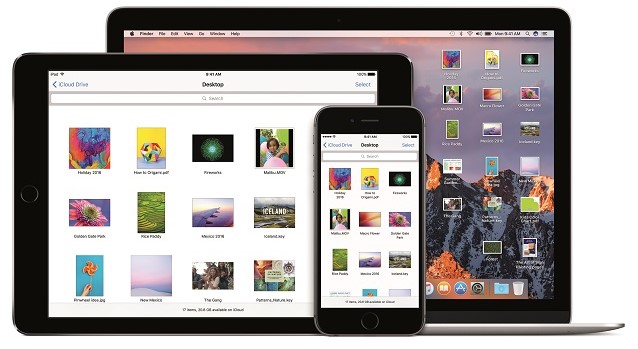
"Siri on the Mac can help send messages and email, find documents, look up information, search a user’s photo library, adjust system preferences and more. Users can also drag and drop Siri results into documents or pin them into their Today view for later reference. Universal Clipboard allows users to copy content from an app on one Apple device and paste it into another app on a different Apple device. With iCloud Desktop and Documents users can now access the files on their Desktop from iPhone and iPad. And Auto Unlock lets users automatically log into their Mac when they are wearing an authenticated Apple Watch", says Apple.
 
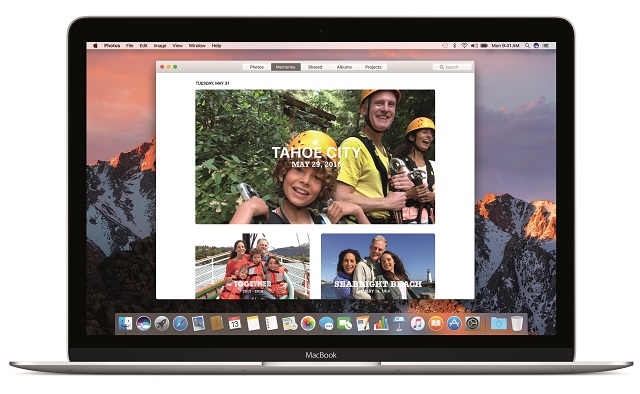
The iPhone-maker further says, "Photos introduces Memories, which highlights favorite and forgotten moments in users’ photo libraries by automatically creating curated collections of occasions like birthday parties or family vacations. Photos uses advanced computer vision to identify faces, objects and scenes in your images, so photos can be searched by who and what is in them. An all-new Brilliance editing tool brightens dark areas and pulls in highlights to make photos look richer and more vibrant".
 
 
One of the biggest pain points of online shopping is the need to enter your information, such as name and address, on every merchant you use. Then, you have to find your credit card and enter those numbers too. It is a real chore. Sometimes I will buy a product on Amazon as opposed to saving money on a new site, simply because it is easier.
 
 
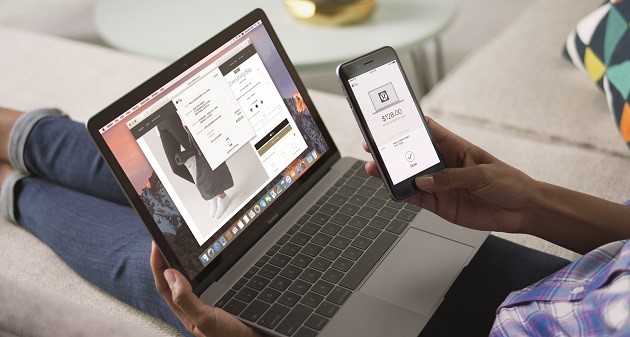
Apple Pay on the web for Safari, new to macOS Sierra, solves this dilemma as it makes shopping even easier. If a merchant supports the feature, you can checkout and pay using your Apple Pay information -- creating an account with the online retailer is not necessary. For added security, the transaction must be verified using an iPhone or Apple Watch. By leveraging a second device, it arguably makes the overall experience safer.
 
 
What else is new in the operating system? Apple shares the following.
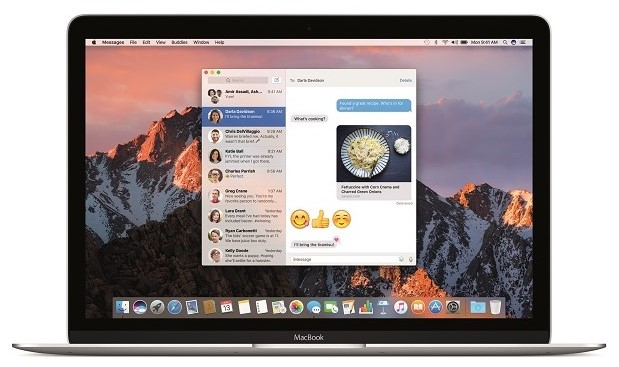
  • Messages makes conversations more interesting, allowing users to preview web links and play video clips from right within the app; respond to messages with a Tapback like a heart, thumbs up and more directly onto a message bubble; and send bigger emoji for more message impact.
  • Tabs are now available across Mac apps that support multiple windows, including Maps, Mail, Pages, Numbers, Keynote, TextEdit, and even third-party apps.
  • Picture in Picture floats video from Safari or iTunes in a window over the desktop. The window can be resized, dragged and pinned to any corner of the screen so users can watch video while they work.
  • Optimized Storage frees up space when a Mac starts getting full by storing infrequently used items in the cloud and helping users remove apps and files they no longer need.
  • Apple Music in iTunes makes it even easier to discover new music and browse exclusives and new releases.
 
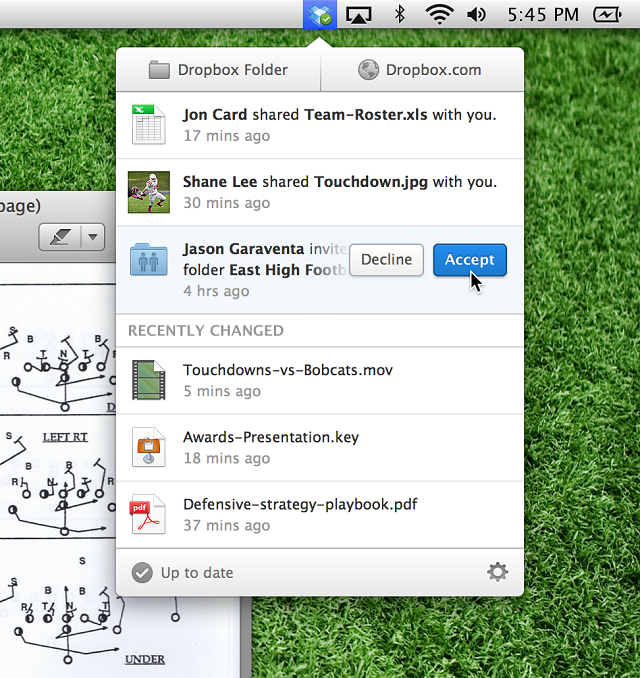
This upgrade also blocks applications from improperly accessing the accessibility settings in the operating system. This was most infamously leveraged by Dropbox, and you can read more about it here. While the cloud storage company had good intentions, there was fear that it could be used as a loophole for more nefarious apps -- Apple is wise to close it. If you are a Dropbox user, do not worry -- the company addresses macOS Sierra here.
 
If you own a compatible Mac, you can download macOS Sierra immediately from the App Store here. It looks incredible, so you should definitely not hesitate. Once you download it, please tell me what you think in the comments below.
  
~ Brian Fagioli

9.16.2016

The most popular iPhone 7 is the Plus model

 
When Apple said that iPhone 7 sales will be determined by supply and not demand it meant it. Earlier this week it issued a statement saying that all iPhone 7 Plus versions and the Jet Black iPhone 7 sold out quickly after going up for pre-order -- and they will not be available to walk-in customers, as a result.
 
While we do not know how many iPhone 7 and iPhone 7 Plus units Apple had available for the pre-order round, a Slice Intelligence report claims that the bigger model is more popular with early adopters. Last year, it was the iPhone 6s which enjoyed the biggest success during pre-orders.
 
The iPhone 7 Plus is the better model on paper, boasting a bigger, higher resolution screen, dual camera setup at the back, and larger battery. Still, its success comes as somewhat of a surprise, because phablets used to be less popular than their smaller counterparts.
 
Slice Intelligence says that 55 percent of the iPhone 7 units Apple moved during the pre-order round were Plus models, with the remaining 45 percent of pre-orders being for the smaller version. Most folks (55.9 percent) who purchased one of Apple's latest flagships came from an older iPhone.
 
The report says that 34 percent of the customers haven't purchased a smartphone online since 2014. Few came from a rival brand, like Samsung (2.1 percent), LG (0.6 percent) or Motorola (0.5 percent) -- those numbers may go up after the iPhone 7 and iPhone 7 Plus are officially available in stores.
 
When it comes to colors, most buyers opted for black (46 percent), followed by jet black (23 percent), rose gold (15 percent), gold (nine percent), and silver (eight percent). The most popular storage option is 128GB (67 percent), followed by 256GB (19 percent) and 32GB (14 percent).
 
It is interesting to see that the range-topping 256GB versions were more popular than the entry-level 32GB models, seeing as they are $200 more expensive in US. The mid-range, 128GB versions, are the best buy, as they offer much more storage capacity over the 32GB model for $100 more.

~ Mihăiță Bamburic