Cisco Learning Network Store Promotions Page
Showing posts with label MacBook. Show all posts

10.30.2016

Trade in your MacBook and Microsoft could give you $650 off a Surface

Apple is clearly hoping you'll spend your hard-earned cash on making your next laptop a new MacBook Pro, but Microsoft has other ideas. If the lure of the Touch Bar is not enough to convince you to buy from Apple, Microsoft is dangling a carrot to sway you towards a Surface.
 
As the company has done before, Microsoft is offering a trade-in program for anyone willing to ditch their old MacBook in favor of a Surface Pro 4 or Surface Book. If you're ready to make the switch, you could save up to $650.
 
The offer is only valid until November 7, so you don’t have a great deal of time to think about things, but if you have a 'qualifying Macbook Air or Pro device' ("excludes iPads", Microsoft clarifies), the offer is well-worth considering.
 
To take  advantage of the offer, head over to the dedicated trade-in website to find out how much your old MacBook is worth. Next, you'll need to send your hardware off to Microsoft, and you'll then be provided with a promo code which you can use to obtain a discount off your Surface purchase.
 
Don’t think of this as an opportunity to off-load your crappy, knackered MacBook, though -- conditions apply:
To be eligible for trade-in, you must own the qualifying device, device must power on battery must hold charge and not be required to be plugged in to operate, and be in fully functional, working condition without broken/missing components, cracked display/housing, liquid damage, modification(s) or have device warranty seal broken to be considered working. Cannot be password protected, and include original chargers/accessories. Must contain hard drive.
Trade in and save.
 
~ Mark Wilson

9.21.2016

Apple releases macOS Sierra as free upgrade

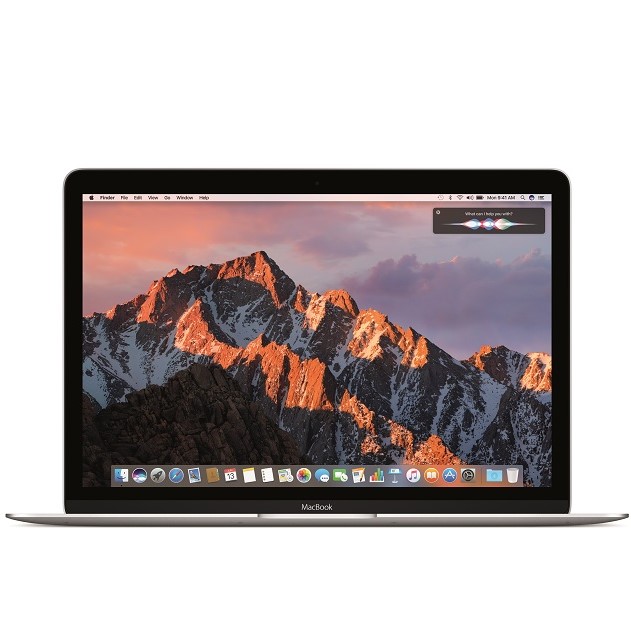
Apple's Mac computers -- MacBook, iMac, Mac Pro, and Mac mini -- are works of art. Not only is the hardware beautiful, but the included operating system is visually impressive too. Today, after a series of Beta releases, the final 10.12 version of the desktop operating system formerly known as OS X -- now known as 'macOS' -- is available for download. Apple dubs the latest version of the desktop operating system 'Sierra', after a mountain range in the company's home state of California.
 
While Windows 10 is a great operating system for productivity, Microsoft simply cannot match the visual beauty of macOS. Still, Microsoft's latest operating system does offer some unique features, such as the voice assistant Cortana -- something that Apple's desktop did not offer. Today, this changes, as the legendary Siri comes to macOS Sierra. Best of all? As usual, this is a free upgrade for owners of compatible Mac computers!
 
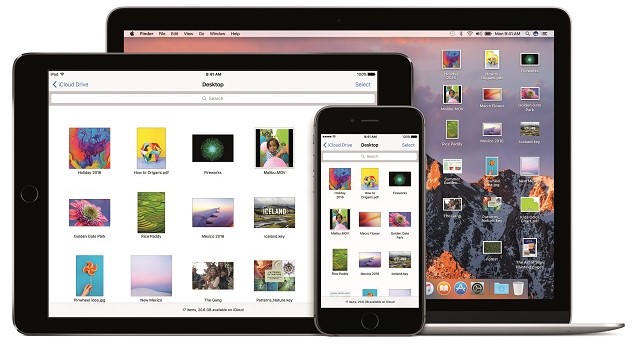
"Siri on the Mac can help send messages and email, find documents, look up information, search a user’s photo library, adjust system preferences and more. Users can also drag and drop Siri results into documents or pin them into their Today view for later reference. Universal Clipboard allows users to copy content from an app on one Apple device and paste it into another app on a different Apple device. With iCloud Desktop and Documents users can now access the files on their Desktop from iPhone and iPad. And Auto Unlock lets users automatically log into their Mac when they are wearing an authenticated Apple Watch", says Apple.
 
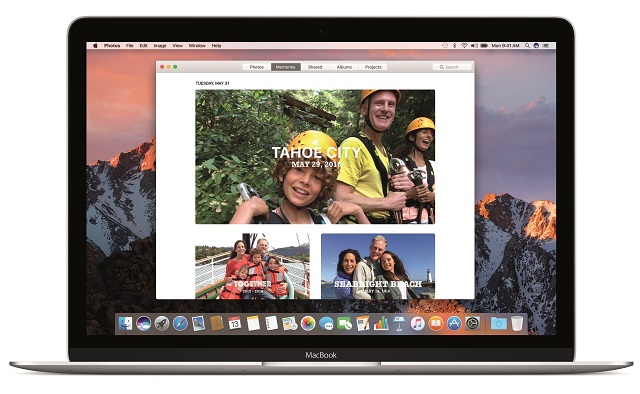
The iPhone-maker further says, "Photos introduces Memories, which highlights favorite and forgotten moments in users’ photo libraries by automatically creating curated collections of occasions like birthday parties or family vacations. Photos uses advanced computer vision to identify faces, objects and scenes in your images, so photos can be searched by who and what is in them. An all-new Brilliance editing tool brightens dark areas and pulls in highlights to make photos look richer and more vibrant".
 
 
One of the biggest pain points of online shopping is the need to enter your information, such as name and address, on every merchant you use. Then, you have to find your credit card and enter those numbers too. It is a real chore. Sometimes I will buy a product on Amazon as opposed to saving money on a new site, simply because it is easier.
 
 
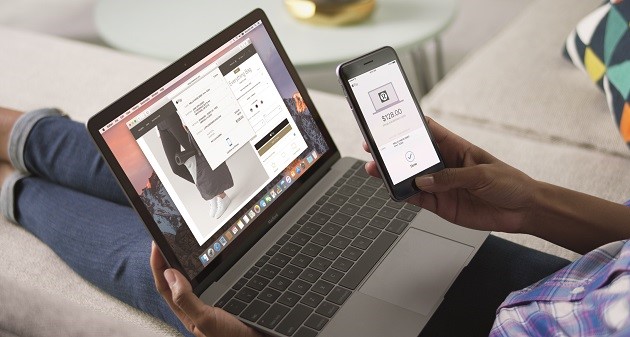
Apple Pay on the web for Safari, new to macOS Sierra, solves this dilemma as it makes shopping even easier. If a merchant supports the feature, you can checkout and pay using your Apple Pay information -- creating an account with the online retailer is not necessary. For added security, the transaction must be verified using an iPhone or Apple Watch. By leveraging a second device, it arguably makes the overall experience safer.
 
 
What else is new in the operating system? Apple shares the following.
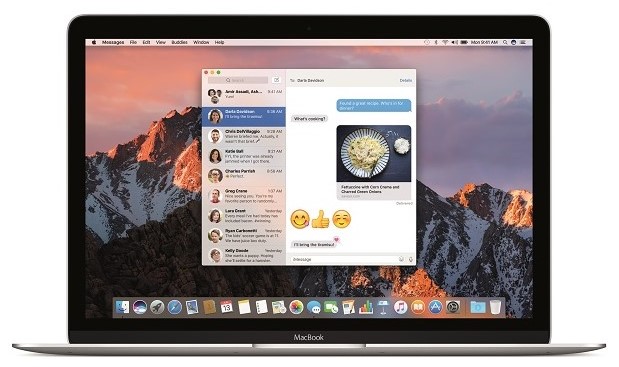
  • Messages makes conversations more interesting, allowing users to preview web links and play video clips from right within the app; respond to messages with a Tapback like a heart, thumbs up and more directly onto a message bubble; and send bigger emoji for more message impact.
  • Tabs are now available across Mac apps that support multiple windows, including Maps, Mail, Pages, Numbers, Keynote, TextEdit, and even third-party apps.
  • Picture in Picture floats video from Safari or iTunes in a window over the desktop. The window can be resized, dragged and pinned to any corner of the screen so users can watch video while they work.
  • Optimized Storage frees up space when a Mac starts getting full by storing infrequently used items in the cloud and helping users remove apps and files they no longer need.
  • Apple Music in iTunes makes it even easier to discover new music and browse exclusives and new releases.
 
This upgrade also blocks applications from improperly accessing the accessibility settings in the operating system. This was most infamously leveraged by Dropbox, and you can read more about it here. While the cloud storage company had good intentions, there was fear that it could be used as a loophole for more nefarious apps -- Apple is wise to close it. If you are a Dropbox user, do not worry -- the company addresses macOS Sierra here.
 
If you own a compatible Mac, you can download macOS Sierra immediately from the App Store here. It looks incredible, so you should definitely not hesitate. Once you download it, please tell me what you think in the comments below.
  
~ Brian Fagioli

9.15.2016

Removing the headphone jack from future MacBooks would be a mistake

 
I can understand the logic behind Apple's decision to remove the headphone jack from its latest iPhones. Some folks may not like it, but fact of the matter is that space is at a premium on such small devices. If a manufacturer can add meaningful features that improve the user experience by dropping the headphone jack then it is well worth it -- despite the fact that you can no longer charge your iPhone 7 or iPhone 7 Plus and use the headphones at the same time without buying a dongle.
 
But Apple is testing the waters to see if it could drop the headphone jack on other devices as well, as it is now asking users of the MacBook Pro with Retina display if they "ever use the headphone port". This is no longer about "courage". It would be change for change's sake.
 
The main argument for removing the headphone jack on an iPhone is that it takes quite a bit of space, which could be put to better use. And Apple has introduced some changes over the previous generation -- like a bigger battery, a home sensor with haptic feedback instead of a clicky button, extra speaker, optical image stabilization or dual-camera setup -- that are meaningful improvements that do not change the overall dimensions of the iPhone 7 and iPhone 7 Plus compared to the old generation.
 
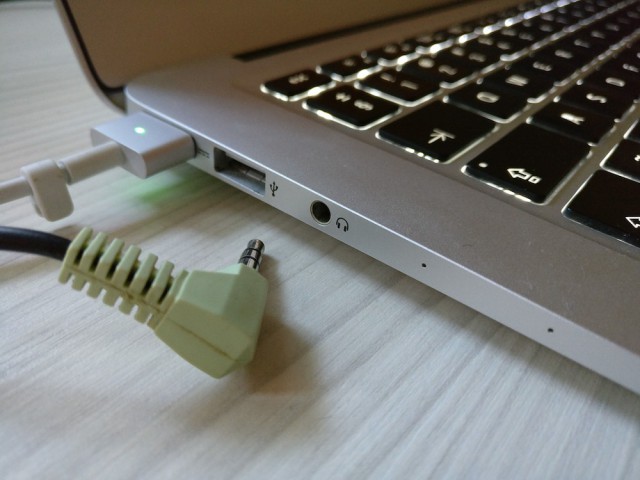
However, MacBooks aren't iPhones. People expect to have a certain degree of flexibility on laptops as powerful as the MacBook Pro, and that means being able to plug different things in, like, you guessed it, speakers. The headphone jack on a MacBook Pro is not only useful for plugging in headphones but also full-fledged speakers.
 
You could replace wired headphones with wireless ones because MacBooks have Bluetooth, and you could even get used to the fact that they'll involve an extra expense (on top of what you'll pay for a new MacBook) and require charging. But if you have proper speakers, like I do, then you really do not want to find workarounds to keep using them.
 
Apple could throw an adaptor in the box or come up with some sort of dongle, but that would not really be all that necessary considering that MacBooks don't have to be that thin or space-challenged inside to go that far. Not to mention the fact that you do need a bit of thickness to make sure there is enough travel in the keyboard, and ensure that you can fit a large enough battery underneath.
 
Apple hasn't shied away from removing things that were deemed super popular and important in the past, but it did that to offer something better in return or because there was a better alternative available. For instance, I am sure that no one really mourns the loss of the built-in DVD player these days, as not a lot of people have to use DVDs anymore. You could be better served by a USB flash drive, no doubt.
 
But the headphone jack is still very relevant in the PC space primarily because there are lots of users who have purchased (pricey) speaker setups that require it to be there. Meanwhile, manufacturers haven't come up with a better alternative or felt the need to do so, because, like I said above, space isn't really an issue on devices like desktops, laptops or even tablets. And not to mention that the backlash would be huge.
 
Perhaps Apple could surprise us by revealing a MacBook design so good that users could forget about the lack of a headphone jack, but personally I doubt that it could happen. Quite likely, we'd be looking at a thinner profile and USB Type-C ports that few people could use without adaptors. And I wouldn't be surprised if there's also an adaptor in the accessory list, that would rob users of a port just so they could continue to enjoy their speakers.
 
Realistically speaking, desktop speakers aren't things that you want to replace. In the consumer space there is not much progress -- if any -- because all the improvements have long taken place. Manufacturers are adding small tweaks here and there to improve their audio offerings, but really, their offerings from today aren't all that different to those that shipped a decade ago.
 
Some folks that I know, like me, have speakers purchased in the last decade, that still work great today -- and they expect them to continue working for years to come. I assume that is the case with lots of MacBook users who use speakers while at the desk. Apple probably knows how many of them there are but, no matter, the number is unlikely to be small.
 
If Apple comes to the conclusion that it could get away with dropping the headphone jack then it'll probably be right. It is not the end of the world. People will continue buying MacBooks, but it would no doubt be a change for the worse, not the better.
 
~ Mihăiță Bamburic

9.06.2016

Almost half of Samsung Galaxy Note owners want to switch to Apple iPhone 7

 
Tomorrow is the big day -- Apple's September product event. While there is probably more than one product being unveiled -- maybe even new MacBooks -- the most anticipated device is the iPhone 7.
 
Are Apple fanatics the ones most excited for the new iPhone? Not necessarily. Actually, according to a new study by Market Strategies (called "iPhone 7 Market Landscaper") almost half of Samsung Galaxy Note owners expressed interest in potentially switching to Apple's iPhone 7.
 
"As the battle heats up between Apple and Samsung, a new study conducted by Market Strategies International reveals that 33 percent of all Samsung owners show purchase interest in the much anticipated iPhone 7. More interestingly, nearly half (45 percent) of Galaxy Note owners expressed interest in the new iPhone, more than any other Samsung device user. With so many Samsung users considering iPhone 7, Apple is well-positioned to acquire customers amid challenges with the recently launched Galaxy Note 7", says Market Strategies.
 
Greg Mishkin, vice president, research & consulting, Market Strategies explains, "our conversations with customers reveal a strong likelihood that Samsung Note users are ripe for defecting to Apple. Samsung’s recent issues are a huge boon to Apple, just as many were writing off the iPhone 7 release as insignificant".
 
 
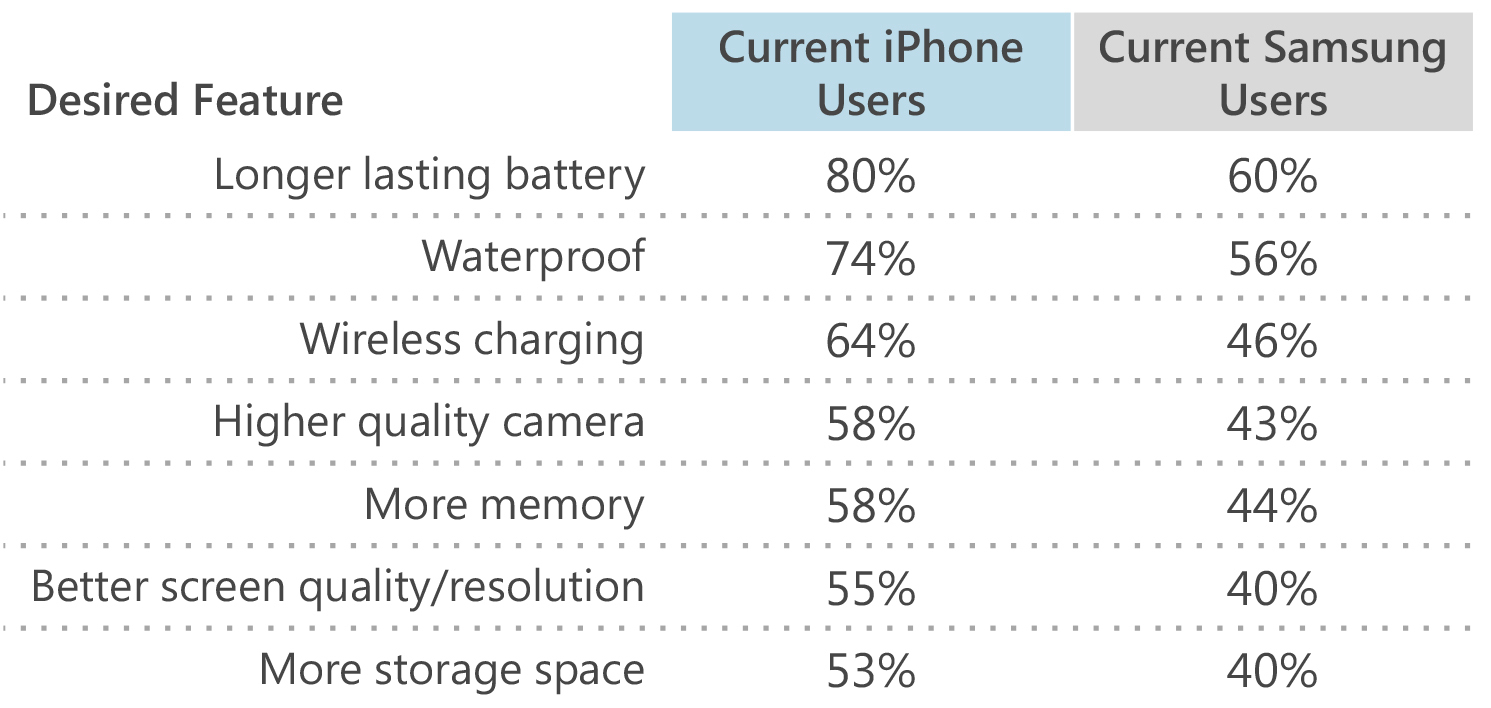
Surprisingly, as seen above, existing iPhone and Galaxy Note users vary quite a bit in wants from their next smartphone. For instance, both groups want better battery life, but there are more iPhone users that want that improvement. This is understandable, as the iPhone 6s battery life can be a bit disapointing -- the Plus variant, however, is phenomenal in this regard. Galaxy Note users would likely select Apple's plus variant if they switched, as its screen size measures up better to Samsung's phablet.
 
The company shares the following key finding from its study.
  • Battery: 80 percent of current iPhone users and 60 percent of current Samsung users want a longer-lasting battery more than any other feature.
  • Waterproofing: Although 74 percent of current iPhone users and 56 percent of Samsung users are interested in a waterproof iPhone 7, only 16 percent of iPhone users and 8 percent of Samsung users would like to see the headphone jack removed, a change that Apple had been considering for the next iPhone release.
  • Wireless Charging: 64 percent of Apple users and 46 percent of Samsung users hope for this feature on the next iPhone.
  • Memory: 58 percent of iPhone owners and 44 percent of Samsung owners noted more memory as a feature of interest.
  • Screen Size: While 61 percent of iPhone users who currently have a large screen (i.e., iPhone 6/6S Plus) report wanting an even larger screen, only 30 percent of people with older iPhones (i.e., iPhone 5S and earlier) want larger screens.
There is a good possibility that Samsung's battery woes and recall with the Note 7 are increasing the desire to switch to iPhone 7. After all, no one wants a device that could potentially blow up and cause a house fire. Owners of previous Note models could be turned off to the brand a result. As the study suggests, Apple could be looking at big iPhone 7 demand from fearful Note users that seek safety over brand loyalty.
 
Are you a Galaxy Note user who will switch to iPhone 7? Tell me in the comments.
 
Photo Credit: Dan Kosmayer/Shutterstock
 
~ Brian Fagioli

5.13.2016

Opera 39 will boost your laptop's battery life by up to 50 percent

 
No matter if we are talking about Windows PCs or MacBooks running OS X, the browser that you use can have a major impact on your laptop's battery life. Tests suggest that if you want the best results you should stick to the default browser, Internet Explorer or Microsoft Edge on Windows, and Safari on OS X.
 
But, with Opera 39 soon to be released, Opera Software is basically claiming that the new version of its browser is far superior to any of its rivals. The trick is to activate the new power saving mode, which is available when you run on battery power.
 
Opera Software has performed some tests to see how Opera 39, which is currently available in the developer stream, stacks up against Google Chrome on a laptop running the 64-bit version of Windows 10. The results show a massive difference: the former delivers 2:56 minutes of battery life while the latter only manage 1:54 minutes. That is just shy of a 50 percent improvement, which, quite frankly, sounds unbelievable.
 
"Battery saving on Opera for computers is possible thanks to optimizations, such as reducing activity from background tabs, adapting page-redrawing frequency and tuning video-playback parameters", Opera Software explains. But, that is not all that is new.
 
"Some parts of the code have been simplified, while animated themes have been optimized. In this version, we are also testing a smarter way of managing memory, which ensures that constantly opened tabs like Gmail and Facebook will be much more responsive", the company adds.
 
What's more, the built-in ad-blocker, which was introduced in a recent version of Opera, also leads to a claimed improvement in memory consumption of up to 47 percent. With it and the power saving mode on users can expect "even better power savings and performance", Opera Software claims.
 
Based on the other tests I have seen so far how much battery life you get with a certain browser is dependent, among other things, on your laptop's hardware configuration. Certain devices perform better than others, no matter if their specs are similar. Still, while not everyone may see a 50 percent improvement in battery life by using Opera's new browser, there should be a major difference nonetheless.
 
Opera Software is pitting Opera 39 against Google Chrome because the latter is the most popular browser today. The company clearly wants to make an impression, so it is going after the leading player. That said, that boost in battery life is significantly higher than what you get when comparing Google Chrome to Internet Explorer, Microsoft Edge or Safari, so it stands to reason that Opera 39 should perform the best when compared to those other browsers too.
 
The testing has been performed on a Lenovo X250, with an Intel Core i7-5600U processor and 16 GB of RAM. That is a premium configuration, and those are the kind of devices that you can expect to reveal a dramatic difference in real-life use when switching browsers. The company says that it has timed the browsers on 11 popular websites, so your experience may vary depending on the websites that you most frequently access.
 
Opera Software has, sadly, not provided any results for any of the other competitors, nor has it done any testing on OS X. But, if those claims turn out to be true, its rivals would have some catching up to do.
 
Photo credit: Brian A Jackson / Shutterstock
 
~ Mihăiță Bamburic

9.02.2015

What to expect at Apple's September 9 event: iPhone 6S, Apple TV, and more (roundup)

The technology giant is expected to release new hardware and software in tandem, with the chance of a few surprises along the way.


Here's what we think we know so far.

New iPhones will steal the show

Almost every year since its inception, Apple has released a new iPhone in September. It's almost certain that the company will reveal its latest mobile incarnation, likely to be called the iPhone 6S.
 
And if you were after a mystery or two, you might be disappointed, because almost everything so far has leaked.
 
From the various blogs and rumor mills, it's clear we can expect three new things. The first is a vastly similar if not identical design as its predecessor, but with a few minor modifications. The shell is said to be slightly thicker, making it more rigid, helping to avoid a repeat of the so-called "Bend-gate" issue from last year. The thicker shell may also house an improved, longer-lasting battery. But what's more likely is that Apple will bring its Force Touch technology from the new MacBook to the new iPhone. That would bring pressure sensitivity to the device, opening up a whole range of possibilities for developers.
 
We're also expecting an improved 12-megapixel camera -- a significant bump on the current models -- allowing for super high-resolution 4K video recording. It's also likely that we will see a beefed-up A9 processor alongside more memory, making the smartphone faster and more responsive.
 
While it's reported that Apple will drop the cheaper "C" phone model, the iPhone will still come in two sizes: the regular 4.7-inch iPhone 6S, and the 5.5-inch iPhone 6S Plus.

New software: iOS 9, OS X 10.11, and Watch OS 2

The next iPhone may be front of so many minds, but it's the software that makes the phone what it is.
 
Along with the new iPhone, the company's mobile operating system iOS 9 is also expected to land at the event. The software, first announced at Apple's developer conference in June, comes with a familiar look and feel, but with a wealth of new features.
 
We'll see an "intelligence" update to Siri, which will expand its search results and answers, add support for more in-built apps, and offer third-party support.
 
That alone has spurred on the intelligence assistant era, nudging Microsoft and Google to offer more in their mobile platforms, and even Facebook has recently jumped on board. Other features to arrive with iOS 9 include better battery management, a boost to security settings and privacy features, and a considerable upgrade to Maps, which has been widely considered a flop since its inception.
 
Hands-on with Apple iOS 9 (in pictures) SEE FULL GALLER
 
 
And there's more. Mac users will see a desktop refresh with OS X 10.11 El Capitan, the latest California-inspired operating system that lands with the company's line-up of desktop and notebooks.
 
The focus of the updated software is to squeeze out more of what you already have, like better performance, and faster speeds -- in some cases as much as four-fold. That's done by bringing Metal, the core graphics technology used in newer iPhones and iPads, to the Mac, offering a welcome boost to app rendering performance. And, there are other updates, such as Split View (which to many Windows 7 and later users will be reminiscent of Snap), and smarter Spotlight search, among other features.
 
And, for the wearable crowd, expect the anticipated update to Apple Watch to land at the event, which comes with new watch faces and greater customization.

A new Apple TV? It's about time

Finally. Apple TV is expected to get a massive overhaul, possibly setting the streaming set-top box up for bigger and better things down the line. 
 
Numerous reports have pointed to a long-awaited refresh of the platform. Almost everything there was to leak has leaked -- at least, so we think.
 
With the new hardware and software, Apple is said to want to "actively complete" with gaming consoles, putting the pintsized box in the big-wig league of consoles like Microsoft's Xbox and Sony's PlayStation. The box is also slated to include Siri, pushing the device to the same realm as competitors like Google's Chromecast and Amazon's Fire Stick.
 
The software and hardware improvements may open the platform up to App Store additions in the coming months. We may also see the launch of a cable-cutter friendly Apple-branded television streaming service down the line, potentially rivaling services like HBO and Netflix.
 
How much will it cost? Some are saying as much as $199, more than double the price of the device now.

Will there be a "one more thing?"

Apple has, at least in the past couple of years, pushed out a small yet generous "one more thing" to take away from the presentation.
 
Some have read into the size of the auditorium booked by Apple: is it a hint that we may see something significantly larger, like a car? Project Titan lives, but it may be a while until we see it.
 
Will we see a refreshed iPad? Our sister-site CNET didn't rule out the possibility that the September event, typically centered around its smaller mobile offering, might share the stage with its tablet cousin. It may be possible that we will see the "enterprise-friendly" 12.9-inch iPad at long last.
 
We'll find out for sure -- about everything -- in about a week's time.
 

5.06.2015

Lenovo's LaVie Z is lighter than the new MacBook, with a bigger display and more ports

 
Following a brief appearance at CES 2015, Lenovo’s notebook collaboration with NEC is finally hitting Western shores as the LaVie Z and LaVie Z 360. Both 13-inch systems are largely the same as announced in January, striking an impressive balance between performance, features and portability, though they’re ever so slightly heavier and a bit pricier than originally expected.
 
The standard LaVie Z comes in at 1.87 pounds, up from the 1.72 pounds we heard before, and will set you back $1,499 after an instant discount. Meanwhile, the LaVie Z 360, which adds a full 360-degree hinge system like the one found on Yoga laptops, tips the scales at 2.04 pounds and is $1,700.
 
 
For those keeping scores, the non-convertible LaVie Z is lighter than Apple's new MacBook, while the 360 model is virtually the same -- the 12-inch MacBook is 2.03 pounds. Apple’s laptop still has an edge when it comes to thickness as it’s just 0.52 inches tall compared to the LaVie Z’s 0.67 inches.
 
The key to the LaVie Z’s weight is its use of a magnesium-lithium alloy for the chassis, which is supposed to weigh half as much as aluminum.
 
 
When it comes to specs, both models are equipped with 13.3-inch QHD (2560 x 1440) displays, an Intel Core i7-5500U processor, 8GB of LPDDR3 memory, a 256GB SSD, Intel HD Graphics 5500, 802.11ac wireless, and Bluetooth 4.0. You also get two USB 3.0 ports, one HDMI-out port, an SD card reader, Yamaha speakers and a 6-cell battery that should be good for 9 hours of use.
 
Both devices will ship with Windows 8.1 and are eligible for free update to Windows 10 when it launches this summer. The only other difference besides the hinge is that the 360 model comes with a touch screen. 
 
~ Jose Vilches

3.17.2015

What is 'USB Type C' and 'USB 3.1 Gen 1'?

Summary: Apple's decision to include just one single USB Type C port on the new MacBook that will handle both power and connectivity has caused a fair bit of confusion. How can a single port take over the function of the myriad of ports that are usually present on a MacBook?
 
Apple's decision to include just one single USB Type C port on the new MacBook that will handle both power and connectivity has caused a fair bit of confusion. How can a single port take over the function of the myriad of ports that are usually present on a MacBook?
 
Apple
The port that has replaced the standard offering of USB, Thunderbolt, DisplayPort, and even the MagSafe is a port called USB Type C. The USB Type C connector differs dramatically from the regular USB port that we're accustomed to. First off, it's physically different. It's smaller and the connector is reversible, so it's not as annoying to use as the regular USB ports of old.

Now, what's interesting about USB Type C is that unlike the MagSafe or Lightning ports you find on other Apple products, it's not proprietary. It is, in fact, part of the USB-IF spec that's been in the works since the end of 2013 and forms part of the USB 3.1 specification. The new MacBook isn't even the first device to feature a USB Type C port, but it was the first to use it so comprehensively, at least until Google unveiled the new Chromebook Pixel a few days later.
 
The port isn't physically backward-compatible with existing USB ports, but the USB 3.1 standard it is built on is, so all that's needed is an adapter to make the conversion.
 
USB Type C is the port, and if you look closely at the specifications, you'll find that Apple claim that the port can do a lot:
  • Charging
  • USB 3.1 Gen 1 (up to 5 Gbps)
  • Native DisplayPort 1.2 video output
  • VGA output using USB-C VGA Multiport Adapter (sold separately)
  • HDMI video output using USB-C Digital AV Multiport Adapter (sold separately)
Which brings us to the next point of confusion - what is USB 3.1 Gen 1?
 
USB 3.1 Gen 1 is essentially what USB 3.0 was before it was updated to USB 3.1 (or, more specifically, USB 3.1 Gen 2). While the updated Gen 2 offers speeds up to 10 Gbps, Gen 1 peaks at 5 Gbps (which is still a huge improvement over USB 2.0 which maxed out at 480Mbps).
 
Other than that, USB 3.0 and USB 3.1 are the same thing.
  
USB-IF
Apple could have undoubtedly made things clearer by saying the connector was USB 3.0, but that doesn't sound as cool at USB 3.1 Gen 1 I guess.
 
Finally, here are my thoughts on some questions I've been asked:
  • Is Apple going to replace every port with USB Type C? I doubt it, given that Thunderbolt 2 has four times the data carrying capacity.
  • Will Apple replace the Lightning port on iOS devices with USB Type C? I wouldn't think so, given that the port is taller than the Lightning port Apple uses, which would result in thicker devices.
  • Are using dongles going to be a pain? If you use them a lot, maybe, but if that's your usage, then maybe the new MacBook isn't the right device for you.
~ Adrian Kingsley-Hughes

3.10.2015

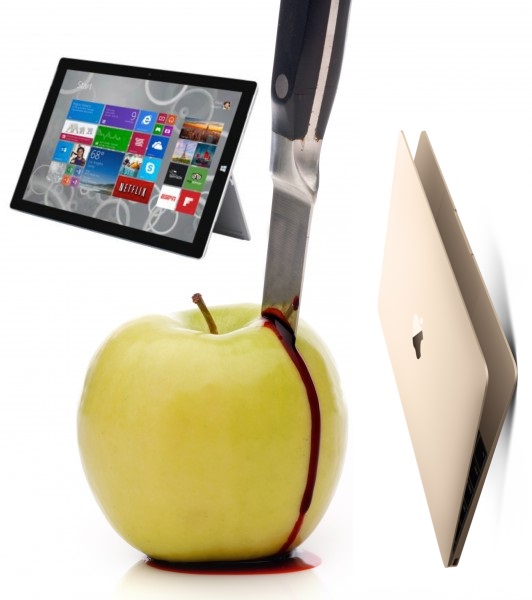
Sorry Apple, Surface Pro 3 is better than your new MacBook -- here are 6 reasons why

 
Apple makes extremely good computers; Mac Mini, iMac, MacBooks, Mac Pro -- you can't go wrong. With Apple's hardware, however, you have to pay to play; it is not an inexpensive experience. You know what? That's OK. Things are worth what people are willing to pay for them, and people are buying computers running OS X.
 
Today, while watching Apple's latest event, I started to fall in love with the "new MacBook", but quickly snapped back to reality; my Surface Pro 3 is better than this thing. Apple's latest laptop is arguably more attractive, but Microsoft's can do more, while offering a better experience.
 
1. Touch Screen -- The Surface Pro 3 is a friggin' tablet with a touchscreen. For many people, this is enough to make Microsoft's computer better. Come on Apple, it is 2015; people like this touch thing, it is not a gimmick. Could a touchscreen MacBook cannibalize iPads like the iPhone 6 Plus? It might hurt your tablet sales a bit, but regardless, OS X users deserve a modern experience. The fact that a Surface user can remove the keyboard and relax on the couch with a tablet is something your fans would love. Even if you don't make the screen removable, the ability to touch has its moments.
 
2. Stylus/Pen -- Not everyone uses a stylus or pen, but there is no downside to having it. Believe it or not, some people like to use handwriting when taking notes or working in a standing position. You know who else uses a pen? Artists. You know what brand many artists love? Apple. A capacitive stylus on an iPad is not ideal for pros; a digitizer is a must.
 
3. Windows -- This is partly subjective, but a fair point nonetheless; Windows is more popular than OS X, especially for business. Even if you prefer OS X, Windows has more available software, and that is an undeniable fact. For many college students and small business users, Windows makes more sense for this reason. Encountering software that requires Windows or Internet Explorer is a fact of life and a potential road block. Not to mention, OS X still cannot do simple things like window-snapping -- lame!
 
4. Regular USB port -- USB 3.1 type-C is the future, and Apple is on the forefront with the new MacBook. Unfortunately for Apple, this isn't the future; we are living in the present, where a traditional USB port reigns supreme. Apple's computer will require a dongle or converter cable to use a traditional flash drive or other USB device such as a hard drive or printer. It is one more thing to buy, one more thing to pack in a bag, and one more thing to lose. In 2015, the Surface Pro 3's USB port is the more useful of the two.
 
5. Better trackpad -- The Surface Pro 3 sells without the keyboard cover, but in reality it is a required purchase for the computer. While the trackpad isn't the best, it is already better than Apple's new variant. You see, because of the thin nature of the new MacBook, the trackpad no longer clicks. Instead, it uses pressure detection to register clicks and other gestures. The problem? The human brain likes physical feedback. The click of a trackpad or buttons reassure that a click has been registered. While I am sure Apple's haptic-feedback solution will be passable, it will likely be a frustrating productivity killer compared to a traditional click. Surface Pro 3 retains the clickable touchpad that consumers want.
 
6. Price -- Apple's new MacBook starts at $1299, while the Surface Pro 3 starts at $799.  True, this is the price without the type cover, so with it we are looking at about $930. The problem is, since the Surface Pro 3 is also a tablet, you need to add a $500 iPad to the MacBook for the tablet experience. This makes the new MacBook starting price $1,800. In other words, it is almost twice the starting price as the Surface Pro 3!
 
Where new MacBook is better
 
Of course, the new MacBook is better in a few departments; it is not a one-sided affair. Most importantly, Apple's new laptop features a newer Intel Broadwell chipset, which allows it to be fanless. By comparison, Surface Pro 3 uses the older Haswell and as a result, an audible fan.
 
The traditional clam shell design of the new MacBook will allow better lap-typing. The Surface Pro 3 works better than the previous generations in this regard, but is still a frustrating experience to say the least.
 
While the Surface Pro 3 is thinner than the new MacBook, that is without the keyboard cover. Once that cover is added, Apple's computer is thinner, making it the more svelte of the two.
 
Conclusion
 
Overall, Surface Pro 3 is the smarter buy for many people and the overall better computer. Hell, it is arguably half the starting price. With that said, die-hard OS X fans will likely stay in Apple's camp, and that is not a bad thing. Look, if you like Mac computers and they meet your needs, then the new MacBook is likely a great choice. If you want a touch screen computer that is also a tablet and, most importantly, runs the desktop operating system with the most software, Surface Pro 3 is for you.
 
Keep in mind, however, the Surface Pro 3 is last year's model; a 2015 Surface Pro 4 refresh with Broadwell would make Microsoft's win over Apple even greater.
 
Photo credit: Vince Clements / Shutterstock
 
~ Brian Fagioli

Apple launches an ultra-thin MacBook and a glorious love-it-or-hate-it smartwatch

Few things are as polarizing as a brand-new Apple product category, and the new Apple Watch is no different.  

 
Besides perhaps politics, almost nothing can get comment threads and Twitter feeds rolling like a new product announcement from Apple. Those who love it are derided as fanboys, while those who don't care for whatever it is are simply haters.
 
The iPod, iPhone and iPad -- they all had their skeptics who complained about the price, features, and battery life. And, as it goes, the Apple Watch is getting the same treatment.
 
Many of the core features (timekeeping, person-to-person communication, fitness) have been known for half a year, but availability and pricing were only disclosed yesterday.
 
To start, the Apple Watch is very competitive on price at the entry level. Available in two sizes, the Sport version is $350 for the 38mm and $400 for the 40mm, with a fluoroelastomer (basically fancy rubber) band in one of several colors.
 
Unlike most of Apple's products, spending more money doesn't get you a faster processor, more memory, or better tech specs. Instead, spending more money is for appearances only. The most expensive Apple Watch costs $17,000 but doesn't have any more technical functionality than the base model.
 
Instead, it's all about fashion. The full list of watches, available on Apple's website, comprises some 38 different SKUs.
 
Pricing varies, with cost rising to $550 and $600 for the stainless steel models that include an ultra-durable sapphire crystal, plus additional charges for fancier watch bands. Solid 18K gold versions start at $10,000 and rise quickly from there. Many have criticized Apple for these prices, but they are very competitive with other solid gold timepieces. Truthfully, if one doesn't already own several watches in this price bracket, they aren't really the target audience.
 
During the media event, Apple also demonstrated a number of apps that are in development for the Watch, including one from American Airlines that shows flight status information and another from Starwood that allows wearers to check in to hotel rooms and even open their hotel room door from the Watch.
 
Some business-focused apps have already been announced, including one from SalesForce. It has Passbook support so wearers can, for instance, store a flight boarding pass on their Watch and even display QR codes to get through TSA checkpoints.
 
Many more apps, including ones from Instagram, MLB At Bat, OpenTable, Twitter and more will be available on the Apple Watch, with many more coming in the near future, I'm sure. It's likely that the app ecosystem will continue to grow, and we'll see apps for the Watch that couldn't even be imagined right now. I'm looking forward to it.
 
Aside from the Apple Watch, company executives also introduced a new, ultra-thin, ultra-light MacBook. I get asked by a lot of people which Apple notebook they should buy. For the past several years, I've recommended the 13" MacBook Air as the right computer for 90% of users -- especially the type of user who needs to ask which computer they should buy. If you need the high-end, top-of-the-line machine, you usually know it.
 
However, I won't be recommending the 13" Air anymore. The new MacBook is perfect. Weighing just two pounds, 13.1mm thick, 10 hours of battery life, and sporting a reportedly gorgeous 12" Retina display, this is the machine for almost everyone.
 
Yes, it's not the fastest thing on the planet (but it's fast enough), and the screen isn't the largest (but large enough) -- and some users will complain about the fact that Apple has removed all the USB and HDMI ports in their quest to make it as thin as possible. All these are valid concerns, but really, most folks would rather have a thinner, lighter machine with a couple of optional accessories. You can always add a dongle to connect an external hard drive (Apple sells one), but you can't easily make a computer lighter. Apple made the right choices here.
 
Available for $1300 with 256 GB of speedy flash storage ($1600 buys you a faster processor and 512 GB of storage), the new MacBook is the ideal laptop for just about everyone. It's available in silver, space gray, and gold, and will begin shipping April 10, 2015.
 
What did you think of Apple's new products? Let us know your thoughts in the discussion thread below.
 
~ Jordan Golson