Cisco Learning Network Store Promotions Page
Showing posts with label Surface Pro 3. Show all posts

5.18.2015

The best Microsoft Surface Pro 3 version gets a $150 discount

    
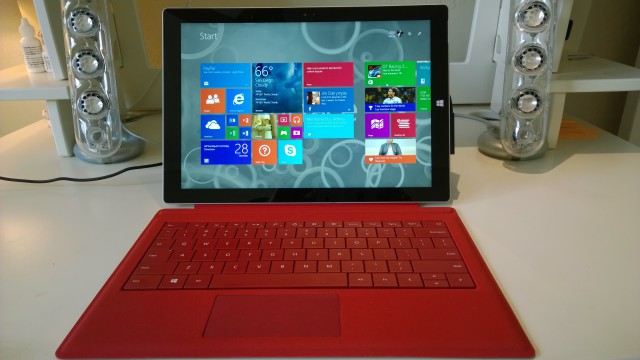
If you are in the market for a Microsoft Surface Pro 3 then you should definitely get the 256 GB version with 8 GB of RAM. It is the best of the bunch, offering the right balance between price and performance. It is also the model that I would leave my 13-inch Apple MacBook Air for.
  
Luckily, if you are considering the aforementioned Surface Pro 3 version, Microsoft is now sweetening the deal with a $150 discount, which brings the price down to a more affordable $1,149. Normally, the slate costs $1,299.
 
I would not advise pocketing the difference, however. For $129.99 you can get a Type Cover keyboard, which would make Surface Pro 3 much more usable as a laptop replacement. You can always get a third-party keyboard, but given that Type Cover was designed to be used with the slate it will most likely work best with it.
  
Or, for $49.99 more, you can get the $199.99 dedicated docking station, which adds even more convenience to the mix -- it adds three USB 3.0 ports, two USB 2.0 ports, a Gigabit Ethernet port, a 3.5 mm headphone jack, a Mini DisplayPort and a security lock. You should consider this option if you plan on using Surface Pro 3 mostly at a desk, where any keyboard -- and mouse -- would do.
 
Microsoft says that this offer is good between May 17 and May 23, 2015, which means that you have until this Saturday to pull the trigger. No matter if you take this deal or not, Microsoft will ship Surface Pro 3 with a free sleeve, until July 1.
 
Surface Pro 3 highlights include: 12-inch display with a resolution of 2,160 by 1,440 (3:2 aspect ratio); 1.9 GHz Core i5; HD Graphics 4400; 256 GB of internal storage; 8 GB of RAM; battery life: up to 9 hours of web browsing; Wi-Fi 802.11ac; Bluetooth 4.0; full-size USB 3.0 port; mini DisplayPort; microSD card slot; 5 MP front and rear cameras; stereo speakers; Surface Pen; Windows 8.1 Pro (64-bit). Physical dimensions: 292.10 x 201.42 x 9.14 mm and 790 grams (11.50 x 7.93 x 0.36 in and 1.76 lbs).
 
Photo Credit: Joe Wilcox
 
~ Mihaita Bamburic

4.01.2015

Microsoft finally gets it right with the Surface 3

The new Surface 3 from Microsoft delivers a solid compromise between power and price that hits the sweet spot for many consumers.

 
Microsoft unveiled the new Surface 3 tablet yesterday rather than the Surface Pro 4 everyone was expecting. The new Surface 3 dumps the ARM processor and Windows RT to deliver an economical Surface tablet that still has the power and capabilities users need. It looks like Microsoft has finally hit the nail on the head.
 
The Surface 3 will be the device that finally drives serious mass adoption of the Microsoft tablet. Surface RT and Surface 2 are cheaper Surface tablets but never really caught on, because they run on an ARM processors and Windows RT. The Surface Pro line has a traditional Intel architecture and runs the full Windows operating system, but the cost has placed it out of reach for many consumers. The Surface 3 looks to deliver the power and capabilities of the Surface Pro line with the affordability of the Surface RT line. This is a win-win combination.
 
I was a fan of the Surface Pro 2. I thought it included all of the improvements it needed to deliver a better hybrid tablet / PC experience than the original Surface Pro. I was blown away when Microsoft introduced the Surface Pro 3, because it was better than the Surface Pro 2 in virtually every way. I have used the Surface Pro 3 as my primary PC since it launched, and I highly recommend the Surface Pro 3--but it's not cheap.
 
A recent survey asked consumers what they were hoping for in the expected Surface Pro 4. Lower cost and better battery life were the top requested features. Thinner, lighter, better cameras, and 4G / LTE connectivity also received a fair amount of votes. When forced to choose just one element as most important, lower cost was the dominant winner... by a long shot. 
 
Surface 3 delivers on lower cost. The entry-level model is only $500 (USD) and comes with 2 GB of RAM and 64 GB SSD storage capacity. For another $100, you can double both of those to 4 GB of RAM and 128 GB SSD. It also has better battery life, plus it's thinner, lighter, and has better front- and rear-facing cameras. The Surface 3 even offers optional 4G / LTE functionality.
 
At $500, the Surface 3 is still on the high end of what people are willing to pay for a tablet. As a computer, though, the $500 and $600 Surface 3 models fall well within the $500 to $1,000 most people plan to spend on their next PC. When you consider that the Surface 3 is both a tablet and a PC, $500 is a ridiculously affordable price to pay.
 
Do you need more incentive? Microsoft is including a one-year subscription to Office 365 Personal with the purchase of the Surface 3--a $70 value that effectively makes the Surface 3 just $430. Office 365 Personal gives you Office 2013 Professional (and Office 2016 Professional, once it's launched) along with other perks and benefits like Skype calling minutes and unlimited OneDrive storage.
 
The Surface 3 is affordable, powerful, versatile, and flexible. It isn't an engineering or gaming machine, but for the vast majority of Windows PC users, the Surface 3 seems to offer an ideal combination of features and functionality at the right price. It looks like Microsoft finally got it right with the Surface 3. 
 
Does the Surface 3 have the specs that you need at the right price point? If not, how could Microsoft sweeten the deal to entice you to make a purchase? Share your thoughts in the discussion thread below.
 
~ Tony Bradley

3.10.2015

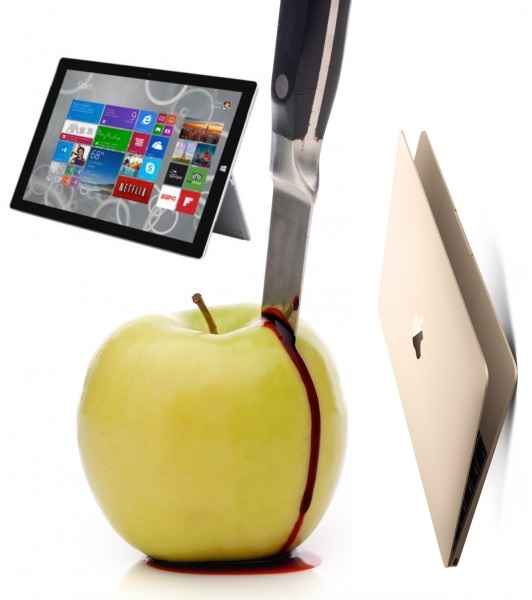
Sorry Apple, Surface Pro 3 is better than your new MacBook -- here are 6 reasons why

 
Apple makes extremely good computers; Mac Mini, iMac, MacBooks, Mac Pro -- you can't go wrong. With Apple's hardware, however, you have to pay to play; it is not an inexpensive experience. You know what? That's OK. Things are worth what people are willing to pay for them, and people are buying computers running OS X.
 
Today, while watching Apple's latest event, I started to fall in love with the "new MacBook", but quickly snapped back to reality; my Surface Pro 3 is better than this thing. Apple's latest laptop is arguably more attractive, but Microsoft's can do more, while offering a better experience.
 
1. Touch Screen -- The Surface Pro 3 is a friggin' tablet with a touchscreen. For many people, this is enough to make Microsoft's computer better. Come on Apple, it is 2015; people like this touch thing, it is not a gimmick. Could a touchscreen MacBook cannibalize iPads like the iPhone 6 Plus? It might hurt your tablet sales a bit, but regardless, OS X users deserve a modern experience. The fact that a Surface user can remove the keyboard and relax on the couch with a tablet is something your fans would love. Even if you don't make the screen removable, the ability to touch has its moments.
 
2. Stylus/Pen -- Not everyone uses a stylus or pen, but there is no downside to having it. Believe it or not, some people like to use handwriting when taking notes or working in a standing position. You know who else uses a pen? Artists. You know what brand many artists love? Apple. A capacitive stylus on an iPad is not ideal for pros; a digitizer is a must.
 
3. Windows -- This is partly subjective, but a fair point nonetheless; Windows is more popular than OS X, especially for business. Even if you prefer OS X, Windows has more available software, and that is an undeniable fact. For many college students and small business users, Windows makes more sense for this reason. Encountering software that requires Windows or Internet Explorer is a fact of life and a potential road block. Not to mention, OS X still cannot do simple things like window-snapping -- lame!
 
4. Regular USB port -- USB 3.1 type-C is the future, and Apple is on the forefront with the new MacBook. Unfortunately for Apple, this isn't the future; we are living in the present, where a traditional USB port reigns supreme. Apple's computer will require a dongle or converter cable to use a traditional flash drive or other USB device such as a hard drive or printer. It is one more thing to buy, one more thing to pack in a bag, and one more thing to lose. In 2015, the Surface Pro 3's USB port is the more useful of the two.
 
5. Better trackpad -- The Surface Pro 3 sells without the keyboard cover, but in reality it is a required purchase for the computer. While the trackpad isn't the best, it is already better than Apple's new variant. You see, because of the thin nature of the new MacBook, the trackpad no longer clicks. Instead, it uses pressure detection to register clicks and other gestures. The problem? The human brain likes physical feedback. The click of a trackpad or buttons reassure that a click has been registered. While I am sure Apple's haptic-feedback solution will be passable, it will likely be a frustrating productivity killer compared to a traditional click. Surface Pro 3 retains the clickable touchpad that consumers want.
 
6. Price -- Apple's new MacBook starts at $1299, while the Surface Pro 3 starts at $799.  True, this is the price without the type cover, so with it we are looking at about $930. The problem is, since the Surface Pro 3 is also a tablet, you need to add a $500 iPad to the MacBook for the tablet experience. This makes the new MacBook starting price $1,800. In other words, it is almost twice the starting price as the Surface Pro 3!
 
Where new MacBook is better
 
Of course, the new MacBook is better in a few departments; it is not a one-sided affair. Most importantly, Apple's new laptop features a newer Intel Broadwell chipset, which allows it to be fanless. By comparison, Surface Pro 3 uses the older Haswell and as a result, an audible fan.
 
The traditional clam shell design of the new MacBook will allow better lap-typing. The Surface Pro 3 works better than the previous generations in this regard, but is still a frustrating experience to say the least.
 
While the Surface Pro 3 is thinner than the new MacBook, that is without the keyboard cover. Once that cover is added, Apple's computer is thinner, making it the more svelte of the two.
 
Conclusion
 
Overall, Surface Pro 3 is the smarter buy for many people and the overall better computer. Hell, it is arguably half the starting price. With that said, die-hard OS X fans will likely stay in Apple's camp, and that is not a bad thing. Look, if you like Mac computers and they meet your needs, then the new MacBook is likely a great choice. If you want a touch screen computer that is also a tablet and, most importantly, runs the desktop operating system with the most software, Surface Pro 3 is for you.
 
Keep in mind, however, the Surface Pro 3 is last year's model; a 2015 Surface Pro 4 refresh with Broadwell would make Microsoft's win over Apple even greater.
 
Photo credit: Vince Clements / Shutterstock
 
~ Brian Fagioli

10.23.2014

3 reasons to invest in a Surface Pro 3 instead of an iPad Air 2

Dollar for dollar, the Surface Pro 3 is a more capable device and a much better value than the Apple tablet.  

Last week Apple unveiled its new tablet lineup and introduced the iPad Air 2. The Apple iPad is still the de facto leader of the tablet market, but it's now only marginally compelling in a market saturated with a wide variety of alternative devices. The Surface Pro 3, on the other hand, includes some unique features and capabilities that make a persuasive case for why it should be the tablet you purchase.

Don't get me wrong -- I'm a huge fan of the iPad, and I love my iPad Air. That said, since I began using a Surface Pro 3, I've found that my iPad is getting less use -- and if I already owned the Surface Pro 3, I'm not sure I would have invested the money in the iPad Air. Frankly, it's a bit redundant.

Microsoft has a whole campaign of ads pitting the Surface Pro 3 against the iPad, plus ads that put Cortana head-to-head with Siri. Last week, Microsoft launched a new commercial on the web that illustrates why the Surface Pro 3 is such an awesome device, without comparing it directly to any competing or rival tablet.
 
I still disagree with focusing attention on the Surface Pro 3 as a tablet. In my opinion, Microsoft should be marketing the Surface Pro 3 as the most versatile Windows PC -- with its tablet form factor being one of the features -- as opposed to marketing it as a tablet that can also run Windows and the full desktop Microsoft Office suite. However, as long as Microsoft and the rest of the world insist on looking at the Surface Pro 3 first and foremost as a tablet, and pitting it directly against devices like the iPad Air 2, here are three reasons you should invest your money in a Surface Pro 3 if you're in the market for a new tablet.

1. It's a PC

Have I mentioned that it's a PC? This means that it runs the full Windows operating system and all of your traditional Windows software. Functionally, it's no different than any other Windows desktop or laptop PC. It just happens to be a PC that is also a tablet, one that has touch-enabled apps like Facebook, Twitter, Netflix, and Kindle, so it fills most of the same reasons why you might typically use a device like an iPad.

2. Flexibility

The Surface Pro 3 has a built-in multi-position kickstand. It also has connectivity options that enable you to expand its capabilities -- USB 3.0, mini DisplayPort, microSD card reader. You can connect the Surface Pro 3 to an external monitor or add additional storage through a microSD card or USB hard drive. Ultimately, any device you can connect via USB to a Windows desktop or laptop PC can be connected to a Surface Pro 3.

3. Surface Pen

The Surface Pen gives you a simple, intuitive way to work with the Surface Pro 3 without a traditional keyboard and mouse. The Surface Pen can act as a mouse-alternative, with buttons for left and right-clicking. You can select and drag items, and you can draw or write on the glass display. This enables you to mark up documents and photos or take handwritten notes. The purple button on the end of the Surface Pen allows you to instantly open OneNote (even when the device is locked) or capture screenshots.
 
There's no 16 GB Surface Pro 3, so you have to look at the 64 GB models if you want a somewhat even cost comparison. The 64 GB iPad Air 2 is $599, while a 64 GB Surface Pro 3 -- with an Intel Core i3 processor -- costs $799. You have to look beyond that basic price comparison, though. If you buy an iPad Air 2, you'll also most likely still want or need a PC, so you'll have to make an additional investment in a computer. However, if you buy a Surface Pro 3, there's a good chance you won't need an additional computer. Therefore, $799 for a Surface Pro 3 will most likely cost less in the long run.
 
Do you think the Surface Pro 3 is a better device that the iPad Air 2? Why or why not? Share your opinion in the discussion thread below.

~ Tony Bradley

9.15.2014

Surface Pro 3 stock sellouts and record iPhone 6 pre-orders make for nice headlines but are meaningless

 
My colleague Brian Fagioli reported some news a couple of days ago that had me smiling. "Microsoft's Surface Pro 3 is a worldwide success -- strong sales cause limited supply" his headline declared. It’s the sort of headline Microsoft would have hoped for when it announced the news that some overseas retailers had run out of Surface Pro 3 stock.
 
"A worldwide success" is pushing it. What happened was demand outstripped supply, in some countries, and the supply was probably on the low (prudent, if you like) side to begin with. Microsoft announced no numbers, and posted a cleverly worded blog which makes it sound as if Surface Pro 3 is a huge hit. Unless you read what it actually says.
 
"Given the interest that we saw as part of our US launch, retailers ordered what we thought was a healthy amount of Surface Pro 3s for these new markets. It turns out that we didn't ship enough", Brian Hall, General Manager, Surface Marketing says.
 
"Given the interest" is a fun way to begin that sentence. It could mean, "Given the high interest" or "Given the low interest". If you assume it’s not the implied first meaning but the second one, what he’s really saying is "Given the limited interest in the US, overseas retailers took more stock than we expected them to, and by golly they cleared the lot!"
 
The fact that Surface Pro 3 has sold out in some overseas territories is good news for Microsoft and the tech giant’s tablet brand, but it certainly doesn’t mean the device is a success, worldwide or otherwise yet.
 
When a new product launches stock shortages are common, and demand from people wanting to get their hands on the new release often cause sellouts that paint a picture that might not -- indeed probably won’t -- reflect the truth.
 
Shortly after Windows 8 launched, Microsoft told the world "Windows 8 upgrade momentum is outpacing that of Windows 7" and here we are a couple of years later waiting for Windows 9 to replace Microsoft's worst selling OS in recent memory.
 
And let's not forget, the original Surface and Surface Pro "sold out" in a lot of places in the early days too, and we all know how well that turned out to be doing. Shortly after Surface 2 and Pro 2 launched, Microsoft declared it "close to selling out" and now it's claiming the same with Surface Pro 3.
 
Brian also reported on how well iPhone 6 was doing (taking a swipe at Android users in the process) using a quote from Apple that said "response to iPhone 6 and iPhone 6 Plus has been incredible with a record number of preorders overnight". It is, of course, another rather meaningless statement. It could be a record number of preorders overnight everywhere, or a record number of preorders overnight in Punxsutawney, Pennsylvania Apple doesn't specify, and doesn't give any numbers, either.
 
When the Apple 5s launched we had stories about how iPhone 5s supplies were limited and my colleague Joe Wilcox wrote the following:
In business perception is everything, and supply shortages generate blogs and news stories and the appearance that the product is super hot-in-demand.
And when a product is super hot-in demand, people want it. They want to jump on that bandwagon and own the product everyone else has. If Microsoft or Apple say "we've plenty of stock, come buy" it will give the impression that no one wants what they're offering, and who wants a product that no one else wants?
 
So congrats to Microsoft for running out of Surface Pro 3 stock in some parts of the world, and well done to Apple for getting good pre-orders on a new phone with a hugely fanatical fan base. Come back to me when you have some solid sales numbers to offer, okay? 
 
Image Credit: shpockShutterstock
  
~ Wayne Williams

7.08.2014

I am Microsoft All-In

 
Sixth in a series. On July 1, I officially started my "Microsoft All-In" summer sojourn. Surface Pro 3 is my PC and Nokia Lumia Icon my smartphone for the next couple of months. Google gets the boot -- at least for awhile. I now largely use Microsoft products and services and third-party apps available for the company's platforms. Many commenters wonder why, so let me explain.
 
I last used Windows as my primary platform in 2010 -- never for Windows Phone. Like other BetaNews reporters, I tend to write about products used regularly. Writing is more authoritative from experience, and often only long-time use reveals hidden problems or benefits. The reality, and it's something obviously seen in comments: Microsoft platform users largely make up BetaNews readership.
 
Something else: Before abdicating the chief executive's position, Steve Ballmer reinvented Microsoft as a "devices and services" company. CEO Satya Nadella inherits what his predecessor started. As someone recently immersed in Google, which gives good contextual cloud computing, I want to assess the Softies' progress. Can the company Bill Gates cofounded transition to the cloud, or do the barbarians wait at the gates to pillage the largely enterprise user base?
 
Besides, Surface Pro 3 really appeals to me. The device largely lives up to the promise of one tablet to rule them all, and it's a laptop, too. With this model, Microsoft fulfills the vision for Tablet PC, which launched a dozen years ago. That said, there are plenty of quirks, with the whole Modern UI and Desktop thingy high among them. The schizophrenic experience is less severe on Windows 8.1, but I want to see more apps supporting the newer motif, including Office.
 
Some commenters wonder why I narrowly choose among three major platform providers rather than look at open-source alternatives. Answer is simple: Most people will choose Apple, Google, or Microsoft -- iOS/OS X, Android/Chrome/Chrome OS, or Windows/Windows Phone. During the past year, I have extensively used MacBook Pro with Retina Display, iPhone 5s, Chromebooks (various), and Android phones (various) with the newest operating systems for them. Now Microsoft gets its chance.
 
Going all-in allows me to immerse in the platforms and get a real feel for where they are and where they could go compared to others. I fully expect to use products from various developers before this exercise completes. All-in is an exercise, not a lifelong commitment.
 
Here are some quick first-impressions, which hopefully help other people considering cloud choices with respect to Microsoft and competitors:
 
1. Windows 8.1 works your fingers. I move to Surface Pro 3 from Chromebook Pixel, which offers considerably streamlined user interface. Pixel, like Surface, is touchscreen. But Chrome OS contains most navigational finger movement to two quadrants -- tabs across the top and toolbar at the bottom of the screen. The concept keeps eyes focused mostly to a single area, while making switching apps super easy, since they run in browser tabs.
 
Windows 8.1 demands your fingers go all over the screen -- Charms Bar here, swipe there, etc. But design changes like moving the browser address bar to bottom of the screen reduce distance from fingers on the keyboard, diminishing Gorilla Arm risks. Overall, I find all the swiping to be quite efficient and use the touchscreen much more than on the Pixel, which screen dimensions and size are comparable.
 
2. Microsoft makes migrating from Google easy. I didn't expect this. Outlook.com copied all my Gmail folders and messages -- gigabytes of data -- with a couple mouse clicks. Windows 8.1 and Windows Phone 8 Mail and People apps can connect to Gmail and Google Contacts. Calendar is good on WP8 but not W8.1. There are other link options as well. I chose Facebook, for reasons explained in No. 3, after decoupling Google.
 
3. Sync is great when it works. I moved from a refurbished original Surface to Pro 3 and surprisingly discovered apps and settings conveniently synced. The experience is very Chromebook-like and efficient. But there are too many glitches. For example, the Windows 8.1 People app won't sync contacts from Outlook.com but works just fine on WP8. What's up with that? All contacts went poof when I broke the Google link. Facebook brought back enough of them, and others.
 
Mail sync is sluggish and irregular. If I access Gmail from Chromebook and manage messages, changes immediately are visible when opening the Android app. However, there often are mismatches between Surface Pro 3 and Nokia Lumia Icon that often necessitate my doing a quick, manual sync.
 
4. Google sync is smoother. Seven years ago this month, I started calling out sync as the "killer application" for the connected-device era, warning: "If Google gets synchronization right before Microsoft, it's game over". No company does sync better than Google. Microsoft delivers better than I expected but early experience with W8.1 and Windows Phone 8 puts the cloud rival way ahead.
 
I trust that changes made here will reflect there across the Googsphere. Microsoft must still earn my trust.
 
5. Internet Explorer 11 surprises. I like. I like. This is the first version of the browser to tickle my fancy since IE4 -- back in your granddad's day, unless you're the oldster. IE11 is smooth and speedy coming from Chrome. Some commenters finger-point to Internet Explorer HTML5 test scores being lower. I don't measure other men's equipment in the public shower. Performance matters, and IE11 delivers.
 
6. Bing satisfies. I have used Google search forever. So I was most curious about Bing. Results differ but Microsoft gets the job done, and image or video searches are far superior. I love those inline vid plays!
 
7. Gimme Windows streaming stick. Chromecast is brilliant. Google invades the living room with a Trojan horse for advertising, browser, cloud services, and platform devices. You shouldn't have to spend $399 on Xbox One to get big benefits Google gives for 35 bucks -- all while pulling people to use other products. Microsoft's streaming-to-TV approach depends too much on devices or content connected to the local network.
 
Photo Credit: Dudarev Mikhail/Shutterstock
 
~ Joe Wilcox

6.25.2014

Microsoft offers $650 store credit for MacBook Air for Surface Pro 3 trade-in

Summary: Microsoft is offering MacBook Air owners up to $650 in store credit for trading in their Apple devices for its new Surface Pro 3 tablets.
 
Microsoft is offering a limited time Surface Pro 3 promotion via which users can get up to $650 in store credit for trading in certain Apple MacBook Air models.
 
 
The new promotion, running June 20 to July 31, 2014 -- "or while supplies last" -- requires users to bring MacBook Airs into select Microsoft retail stores in the U.S., Puerto Rico and Canada. (The trade-in isn't valid online.)
 
Microsoft execs have been touting the Surface Pro 3 as the tablet that can replace users' existing laptops, including MacBook Airs. Microsoft's Surface.com site 
 
The fine print:
 
"To be eligible for trade-in, device must power on to be considered working. Water-damaged devices and devices with cracked screens are not considered working devices for purposes of this offer." 
 
All trade-ins are final and provided as part of the "Recycle for Rewards program" from CExchange LLC. The trade-in is limited to one trade-in per purchase.
 
To get the maximum ($650) value, users have to apply the store credit toward the purchase of a Surface Pro 3, the most recent model of the company's Intel-based Surface tablets. The Core i5 version of the Surface Pro 3 began shipping on June 20.
 
There's no information on the Microsoft store site about which models of MacBook Airs are eligible for promotion.
 
Microsoft also, as of late,  has been trimming prices on its second-generation Surface Pro tablets, clearing the way for the Surface Pro 3s.
 
~ Mary Jo Foley 

5.21.2014

Surface Pro 3 first impressions -- hands-on with Microsoft's new hybrid PC

 
When I boarded the train earlier this morning to go to the Surface Event in NYC, I had small expectations. Let me clarify -- small but not low. In other words, I was expecting a Surface Mini. Truth be told, I wasn't overly excited about yet another small tablet (manufacturers are already doing a good job with them). However, despite my trepidation about a small tablet, I was excited because it would have been a Surface, which is known for high quality. Plus, there were rumors about a new Surface Pro 3, and that had me giddy.
 
Imagine my surprise, when internet rumors about the Surface Pro turned out to be true and the Surface Mini was vaporware. I was front row today while watching Satya Nadella and Panos Panay unveil the Surface Pro 3 and I was smiling ear to ear the entire time. Not only was the tablet amazing, but so too was the presentation. It was very Steve Jobs-esque, which is rather appropriate. Today, Microsoft is finally a step ahead of Apple with devices. The magic has left California and gone to Washington. Here are some of my first impressions of the game-changing laptop/tablet PC hybrid.
 
Many are probably thinking the tablet is an unwieldy brick. Well, I am here to tell you that it is not true. While the tablet is larger due to the bigger, 12-inch screen, the device is extremely thin. So thin in fact, that it is pretty much equal to the ARM-powered Surface 2.
 
While the display is bigger, it is also better too, going from 1080p to 2,160 x 1,440 resolution. Microsoft has even coined a term for the screen technology, "Pixel Free". While the name is gimmicky, reminiscent of Apple's "Retina" propaganda, there is something to the name, as I cannot see any pixels in normal use -- it's that good.
 
 
The kickstand has also been improved, going from a two-stage movement to essentially an infinite-stage. Microsoft has implemented a special hinge, that allows you to position it in any angle that you want. It is kind of scary to use, as you feel like it could break. But no, it is very solid and seems to take the abuse. Only time can tell though, if the mechanism will last.
 
As far as ports, it is as to be expected -- a single USB 3.0, a mini DisplayPort and a microSD card slot. Sadly, I was hoping Microsoft would have offered a full-sized SD card slot, but it is not a deal-breaker at all. The power port luckily has been redesigned and is fantastic. While the plug still attaches magnetically, there is no fiddling required -- you can do it half-asleep.
 
I have been a huge proponent of OneNote and a heavy user of the service. Two months ago, I said "Make no mistake, this will be a huge part of Microsoft's future". Well, not to toot my own horn (toot-toot), but it seems that I was correct. The Surface Pro 3 comes with a redesigned stylus that heavily integrates with OneNote. There is even a bright "OneNote-purple" colored button (yes, I am coining that color) on it. This button, when pressed, will turn on the tablet's display and launch OneNote. From here, the user can quickly jot down ideas or reminders. Based on today's presentation, it is clear that OneNote has a big future.

 
The new stylus, or pen as Microsoft is calling it, has new technology that reduces lag. Ultimately, the user can write on the screen without thinking about it. This is a huge win for pen-users, as that lag can be a killer.
 
The real question though, is how does it feel? Pretty darn good, I must say. While using it, at no point does my arm get fatigued, nor do I feel it is too large. It is solidly built -- tank-like if you will. During today's presentation, it was dropped onto a floor with nary a scratch or ding. While I will not be torture testing it in this way, it's nice to know that it is built to last.
 
Many pundits will consider it too expensive, but I think it is important to look at the big picture. The least expensive unit starts at $799 and people pay more than that for iPads, which are arguably less useful. The particular unit I am testing is priced at $1299, but has a Core i5, 8GB of RAM and 256GB of onboard storage. This is more than enough power for most users and I can definitely see it replacing the laptop for some.
 
Quite frankly, with the new dock, it can replace some desktops too. Did I mention that the docked Surface Pro 3 can output 4K? Yup! Imagine replacing a desktop, laptop and tablet with a single, powerful device. If you think of it that way, it is not unreasonable.
 
Sadly, the Type Keyboard attachment is still a separate purchase, but it is immensely improved. Typing feels about the same, but it has a new trick. By folding it up ever so slightly against the screen, it attaches magnetically in such a way as to tilt for better typing. This also has the added benefit of making it more secure for lap use (Microsoft calls it "lapability"). The touchpad truly shines though -- gone is the friction and frustration. Fingers glide well and two-finger scroll is a dream. It is night and day better.
 
While Microsoft has been one move behind the competition for many years now, things are starting to change. Windows Phone 8.1 is immensely improved and Windows 8.x is maturing through updates, into an OS that people actually love. Finally, with the Surface Pro 3, Microsoft is at last ahead of the competition.
 
~ Brian Fagioli