Cisco Learning Network Store Promotions Page
Showing posts with label Tablets. Show all posts

8.02.2016

New security solution offers anytime, anywhere user protection

 
As growing numbers of devices are connected to the internet, security and privacy concerns grow. Businesses are looking for solutions that provide protection for both the endpoint and the network.
 
Israel-based Allot Communications is announcing a new collaboration with Intel Security to introduce McAfee Unified Security Powered by Allot, providing complete end-to-end security capabilities.
 
The solution blends advanced threat detection technologies in the network and at the endpoint with customer intelligence and comprehensive personalization capabilities to deliver a scalable platform that simplifies security service activation, service awareness, operation and management. Deployed by communication service providers (CSPs) as a value-added security service to their customers, it offers comprehensive protection for users at home, at work and on-the-go, and features a consumer-friendly interface and simple self-management capabilities.
 
"With the proliferation of mobile devices and the exponential growth in IoT, the combination of Intel Security's expertise in the cyber security domain with Allot's vast experience in the CSP network-based Security as a Service market delivers immediate and unparalleled value for operators and consumers alike", says Andrei Elefant, president and CEO at Allot Communications. "We see significant interest in the joint solution, including several engagements in progress. We are excited about this collaboration and are looking forward to working jointly with Intel Security and to expanding Allot's global reach".
 
Unified Security works with devices ranging from smartphones and tablets to gaming consoles, smart TVs and more. It can help guard against bots, malware, phishing and spam, plus it uses Intel's True Key to allow users to sign in using features that are unique to them instead of having to remember passwords. Additional features include ad blocking and parental controls.
 
You can find out more on the Allot website.
 
Image Credit: alphaspirit / Shutterstock
 
~ Ian Barker

5.24.2016

Why aren't we buying tablets anymore?

 
Six years after the release of the iPad, a once booming market is on the verge of a massive shift, one that not many predicted. For those who visited Mobile World Congress, the world’s largest mobile conference earlier this year, you had a better chance of spotting the odd person wearing Google Glasses than any new tablet devices.
 
According to the recent industry analysis conducted by IDC, the tablet market was down by as much as 10.1 percent, last year, with an estimated 206.8 million tablets shipped. That’s down from 230.1 million shipped in 2014. These stats are a bit better if you look at other research numbers, which estimate that 224.3 million tablets were shipped in 2015, compared to 242.2 million in 2014 -- a decline of only 8.1 percent.
 
I can remember how folks were excited about the Nexus 7, but this year it seems big electronic companies aren’t even trying to release new tablet devices. Excluding Lenovo’s attempt at getting into the lower end tablet spectrum and Huawei’s launch of the Matebook (which technically isn’t a tablet), tablet devices weren’t even mentioned by the likes of Samsung, Sony, HTC or LG. With these big brands not having any immediate plans in this space, does this mean that consumers don’t care about tablets anymore?
 
Cannibalized by Large Screen Smartphones
 
The shift away from tablets can be in part explained by the ever growing rate of smartphone adoption, and with the introduction of larger devices, now known as the phablet, it seems that many users are more than happy binging on Netflix via their plus-sized mobiles. The first Samsung Galaxy had a 5.3-inch display, meaning that what was considered at the time to be a phablet is now an average sized mobile device. So big phones have become a norm and are often seen as a deterrent for anyone considering the purchase of a tablet -- it’s just easier to deal with one device instead of two.
 
With an estimated 50 percent of Android tablets shipped last year featuring a 7-inch display, the threat of larger screen smartphones is a clear factor in the decline of tablet sales.
 
Usage Patterns
 
If we take a closer look at the market, it becomes clear that tablets are now a commodity. With perfectly adequate tablets now available for less than £100, little to no differentiation between devices and a saturated market, it’s becoming increasingly harder for companies to make a profit on them.
 
With the introduction of the iPad, nobody was sure how often users would want to upgrade their tablets -- would the pattern be closer to a smartphone or an elongated cycle, more reminiscent of laptop usage cycles?
 
Now we seem to have a better understanding of this industry, as identified by Apple’s own Tim Cook, the usage cycle of iPads is "longer than an iPhone, probably between an iPhone and a PC". Chances are, you have a tablet at home and you mainly use it for browsing the internet, watching Netflix or some light reading during family time. Tablets have become a shared family device, with relatively light usage and software upgrades keeping the devices current, the need to replace them is declining.
 
Laptops Are a Tougher Rival Than Predicted
 
With the rapid success of the iPad and subsequent Android tablets flooding the market, many pointed to the upcoming demise of laptops. However, the industry didn’t anticipate the rise in smartphone screen size, which in turn has resulted in tablets looking more like a luxury device and making laptops hard to resist.
 
Google’s recent introduction of its Chromebook range and new lower price point for entry level notebook devices have hurt tablet sales across established Western markets, with consumers opting to replace their laptops rather than investing in a luxury tablet which does pretty much everything their shiny smartphone can.
 
So Where’s the Innovation or the Way Forward?
 
When looking at all the tablet devices available on the market, it’s hard not to notice the iterative approach in their improvements on previous models. New tablets genuinely lack exciting and innovative features, which in turn are a significant upgrade factor, especially visible in the early adopter groups.
 
On the other hand, what’s left to introduce? Larger screen resolutions; haptic feedback; personalized tablets aimed at specific demographics such as children or gamers? There is no clear upgrade direction within this market, which can easily change with the introduction of interconnected homes or perhaps a shift from the current consumer focus to target schools and businesses with tablet devices.
 
Tablets Can Make a Comeback
 
It is becoming clear that tablets are facing a tough time, however they can still make a comeback if companies analyze the usage patterns closely and address the current market’s needs. Tablets need to clearly differentiate from both smartphones and laptops, providing users with a distinctive, personalized experience. That said, if nothing changes, tablets will be further cannibalized by the increasing rate of smartphone adoption and forever sit on the shelf next to other luxury goods.
 
Milo Trzcinski, Director of Client Services, Pocket App.
 
Published under license from ITProPortal.com, a Net Communities Ltd Publication. All rights reserved.
  
Photo Credit: xavier gallego morell/Shutterstock
 
~ Milo Trzcinski

11.23.2015

Modbook Pro: Yes, there is an OS X tablet and it's been available since 2012

As capable as the iPad Pro is for artists, there are those who want Apple to make a tablet that runs OS X. That's not likely to happen, but a third-party company has been making one for a while.

Modbook Pro
A tablet running OS X has been a pipe dream for some and a Los Angeles-based company, Modbook, has been making one since 2012. Since Apple doesn't sell nor license the OS to third parties, the Modbook Pro takes a radical approach.
 
When you buy a Modbook Pro you are essentially buying a 13-inch MacBook Pro that the company cannibalizes to make the tablet. Everything inside the MBP that makes it a Mac is incorporated in a tablet enclosure that is the Modbook Pro.
 
The tablet houses the computer, and has a 13.3-inch display that works with a Wacom pen. The MBP keyboard base unit is ditched in favor of a pure tablet device.
 
The company aims the Modbook Pro at the serious artist who needs a sensitive pen (1,024 levels of pressure sensitivity) for sketching, while also having a need for running OS X apps.
 
According to Modbook, the conversion to the tablet involves placing the MacBook Pro in the tablet housing and connecting it to the ModBook Pro via a USB 3.0 connection. This accounts for a lot of the five pound weight of the tablet.
 
In addition to an OS X installation, it can be ordered with just Windows, or it can be installed on the Modbook Pro in a dual-boot arrangement for those needing access to both OSes. This is Windows 7 according to the specifications.
 
The Modbook Pro tablet is nearly an inch thick, so it's not a slim device. It is configurable to suit the buyer's requirements, with CPU, memory, and SSD storage sizes to suit. It is available in a price range of $2,699 - $2,999 for OS X and $2,799 - $3,099 for Windows only. There is also an entry-level model for $1,899 that is a DIY version which ships with everything in a box for hardy souls willing to take on the daunting task of building the Modbook Pro themselves.

Using the MacBook Pro in this fashion voids Apple's warranty so the Modbook Pro comes with a one-year warranty of its own to cover the tablet.
 
The need for running OS X on a tablet aside, it sounds like it might be time for those considering the Modbook Pro to look at the iPad Pro with an Apple Pencil. It's a lot cheaper if nothing else.
 

9.16.2015

Apple could soon allow you to remove unwanted stock apps from iPhone, according to Tim Cook

 
Apple CEO Tim Cook has addressed one of biggest annoyances in the otherwise excellent iPhone. Cook has said that the company is aware that not everybody is a big fan of several stock apps -- more popularly known as junkware, crapware, bloatware -- in the iPhone lineup, and it intends to step back and (almost certainly) give users the ability to remove them.
 
In a wide-ranging interview with BuzzFeed News, the company's chief executive talked about privacy concerns with the new iPhones, the company's claim of iPad Pro being a desktop replacement, and more importantly, why it doesn't allow users to remove stock apps -- for example, Calculator, Stocks, Tips, Watch -- from their iPhones or iPads.


Cook said that as of now, there are several technical complications that could arise if a user removed one of the stock apps. You see, these apps talk to each other, have integration with Siri, and also the core system, hence removing them could cause issues. "This is a more complex issue than it first appears. There are some apps that are linked to something else on the iPhone. If they were to be removed they might cause issues elsewhere on the phone", he told BuzzFeed News.
 
But the company realizes that many of these apps could be removed, should a user not want them to stay on their shiny iOS devices. Cook reassured users that the company is looking into it and would likely give users the ability to remove the said apps in future.
 
"There are other apps that aren't like that. So over time, I think with the ones that aren't like that, we'll figure out a way [for you to remove them]. … It's not that we want to suck up your real estate, we're not motivated to do that. We want you to be happy. So I recognize that some people want to do this, and it's something we're looking at", he added.
 
Bloatware isn't a new thing nor exclusively prevalent on Apple devices. It's an industry-wide issue. Most Android smartphones and tablets, for instance, come with dozens of Google apps. And it's not limited to smartphones and tablets. Remember the Superfish fiasco on Lenovo laptops from earlier this year? But on Android devices, users have the ability to disable many such apps. On iPhones and iPads, this issue is more concerning because of the limited storage users get, and the extra price they are supposed to cough up to buy a high-storage variant.
 
Are you looking forward to removing some of these stock apps from your Apple device? Tell us in the comments section below.
 
~ Max Nottingham

7.24.2015

Should Apple keep making iPads?

When Apple released its Q3 report for FY2015, it revealed that its iPad sales continue to fall. This was the first quarter when the iPad’s revenue was lower than Mac sales. The past quarter reported that the revenue was lower than a couple hundred million dollars, but this quarter shows that the difference is nearly $1.5 billion.
 
This is quite a substantial drop in revenue, but still, the iPad in terms of units sold is still higher than Mac sales.
 

The meaning of this, is that Apple is currently making more revenue per Mac sold, compared to the revenue per iPad sold. Simple maths shows us that after selling 4.7 million units of Mac devices, the tech giant resulted in a revenue of $6 billion. While on the other hand, after selling 10.9 million units, it made $4.5 billion in revenue.
 
This begs the question -- should Apple stop making the iPad?
 
Definitely not. This isn’t a great reason to stop making the iPad. Plus, the more revenue Apple has, the better it will be, and it goes without saying that the company has to be diverse and corner the market as much as it can.
 
Furthermore, if you do some research, you will notice that Apple is still dominating the tablet market. Not even a single manufacturer is close to the sales it is making with the iPad.
 
So, to answer your question about whether the tablet, or the iPad is dying -- it’s not. The iPad is still outselling the rest of the industry.
 
Published under license from ITProPortal.com, a Net Communities Ltd Publication. All rights reserved.
 
~ Nabil Ansari

6.11.2015

Microsoft kills Skype Windows modern application -- a huge mistake

 
Skype should be the world's best communication solution. It is backed by one of the most powerful tech companies in the world, Microsoft, while having great name recognition. Unfortunately, the execution is very much lacking, especially on the company's own Windows operating systems. Skype is simply clunky and ugly, while offering jarring advertisements. It needs to be ad-free.
 
Today, Microsoft aims to make it a better experience, as it kills the Skype Windows modern application. Yes, the "modern UI" version you would install from the Windows Store is going away. In its place, Microsoft is hoping users will gravitate towards the traditional Windows program version. Unfortunately, this is a huge mistake.
 
"At Skype we want to help you do more together with the people you care about by delivering the best possible experiences to the devices you use. That’s why we’re simplifying your PC experience down to one app that you can use either with your mouse and keyboard or with touch. Starting on July 7, we’re updating PC users of the Windows modern application to the Windows desktop application, and retiring the modern application", says Aga Guzik, Microsoft.
 
Guzik further explains, "with the upcoming release of Windows 10 for PCs, it makes sense to use the Skype application optimized for mouse and keyboards use, capable of doing touch as well rather than 2 separate applications performing the same function".
 
Unfortunately, I think Microsoft is misguided here. They are killing the wrong version. They should instead be reinventing the modern UI Windows app version and killing the desktop version. Why? Because Windows apps can run in a windowed mode in Windows 10. It could easily be made mouse/keyboard optimized while retaining full screen usability for tablet users.
 
Remember tablet users, Microsoft? They will not want to use the traditional Skype desktop program. It feels like the company is neglecting tablet users as it looks to the future with Windows 10.
 
Sigh. What a blunder.
 
What do you think about Microsoft's decision? Tell me in the comments.
 

Photo Credit: BlueSkyImage/Shutterstock
 
~ Brian Fagioli

5.15.2015

Remix: An Android ultra-tablet

Jide Technology's Remix OS makes Android easier to use on a laptop-like tablet. Is Android the laptop OS of the future? 

 
In May 2015, I watched a live-streamed presentation on YouTube, participated in a Twitter discussion, and explored sites mentioned in Chrome. I did all of that on a single Android device: the Remix ultra-tablet from Jide Technology.
 
If you're not familiar with Remix, picture an early generation Microsoft Surface tablet. The hardware specs are solid. It's an 11.6" diagonal 1920 x 1080 touchscreen tablet, with a keyboard that magnetically attaches. Much like early Surface devices, a support in back opens to position the screen at one of two angles. The system responds without noticeable delays, thanks to 2 GB of RAM and an NVIDIA Tegra4+1 A15 processor. You can add an external microSD card, if you need more than the included 64 GB of internal storage. (As of May 2015, retail price for the tablet is $349.)
 
Software makes the Remix work more like a laptop than a typical Android tablet paired with a keyboard. Remix runs Remix OS, which adds desktop-like features to the traditionally smartphone-focused Android OS. The device comes with a few custom apps and includes full access to the Google Play Store.
 
The most visible change is the menu bar at the bottom of the screen (Figure A). An icon for each opened app appears here: tap it to switch to an opened app. Five default links also display: the back and home buttons (in the lower-left corner), along with links to a browser, downloaded files, and search. Tap the search icon, then type the first few letters of an app name to find an app on your system.
 
Figure A
 
Remix OS adds a bottom menu bar to Android and allows apps to appear side-by-side.
Next, the keyboard/cover includes a few unusual keys (Figure B). To the right of the space bar sits the Android home key; and in the upper left of the keyboard, the back key (Note: that's back, as in Android back button, not backspace or cursor-key back, both of which are in their usual spots). Then, above the numbers are an Android settings key, a touchpad toggle key (on/off), and a system search key. Tap the "print screen" key to take a screenshot. Otherwise, the rest of the keys function as you might expect (e.g., hold [Alt]+[Tab] to cycle through open apps, just as you might on a laptop).
Figure B
 
 
Custom keys on the Remix keyboard aid navigation.
 
Remix will run most apps in either "Full Screen" or "Phone" mode. By default, Remix opens apps full-screen. Google Docs, for example, expands to fill the screen. Gmail displays three columns: navigation icons, a message list, and the selected email contents. Twitter displays a single column surrounded by wide, empty margins. Switch an app to "phone" mode, and it'll restart and run in a smaller window--just as it would appear on an Android phone. (With an app open, tap the logo in the lower right of the menu bar, then choose "phone." The app will restart. To switch back, instead choose "Full Screen.") You may move a "Phone" mode app around the screen but not resize the app window (Figure C).
 
Figure C
 
Choose to run apps either "full screen" or in "phone" size windows.

Remix OS: Android for the future?

Today, Remix offers a solidly built, reasonably priced Android tablet with laptop-like features. Long-time laptop users might appreciate the ability to display apps side-by-side and to switch between apps with a single tap.
 
The Jide team continues to improve the software. A recent update improved battery life to around 8 hours of active browsing, email, and social media use. Chromecast displayed video from the device, but I failed to get either Chromecast or Miracast to mirror the on-screen display wirelessly. Remix OS today offers an attractive experience to power users and Android enthusiasts. However, no organization should ditch existing laptops (or tablets) and replace them with the Remix tablet. 
 
In the long-term, though, Remix OS strikes me as an intriguing solution, especially for people who connect to the internet first with an Android device. That's much of the world, according to an IDC report. With Remix, there's no need for people to learn a "new to them" operating system, like Windows, Mac, or even Linux. Instead, Remix would allow people to continue to use Android adapted for a different device.
 
Jide faces potential competition... from Google, who recently launched test software to allow Android apps to run on Chrome. That's a different solution to a similar problem: need a laptop? Get a Chromebook and run Android apps. Or, run Android apps on Chrome on any of the major platforms. There's no doubt that Google's approach solves a technical problem. Getting Android apps to work on Chrome is an impressive technical feat.
 
With the Start Menu, keyboard cover, "full screen" and "phone" app switches, the Jide team solves a few difficult user experience problems. It will be fun to see both Google's Android-on-Chrome and Jide's Android-adapted-to-a-laptop solutions evolve. Which solution would you prefer, and why?
 
~ Andy Wolber

5.12.2015

At $145, Cube i6 Air sports Retina display and dual boots Android and Windows

 
Every once in a while we come across a few exciting gadgets that stand out from the crowd. We’ve seen a dirt-cheap phone, a dirt-cheap TV, a dual-OS capable smartphone, and today we’re learning of another similar gadget. Called the Cube i6 Air, the $145 tablet runs both Android and Windows while sporting an impressive set of hardware.
 
This is a modified version of the Cube i6 Air 3G which was launched earlier this year in China. As the name gives away, the tablet supports 3G connectivity, but only supports Chinese bands. The Cube i6 Air fixes that problem introducing universal supported Wi-Fi. It’s also cheaper.
 
Hey, and don’t write it off as a cheap, and mediocre-specced tablet! The Cube i6 Air sports a 9.7-inch display with 2048 x 1536 screen resolution. (Same as iPad Air 2.) It is powered by an Intel Atom Z3735F Bay Trail processor coupled with 2GB of RAM, and 32 gigs of internal storage, which could be expanded using a microSD card should you need more storage.
 
The Cube i6 Air runs both Windows 8.1 and Android KitKat software. The device comes with an option “OS Switch/InsydeQ2S”, in the settings letting users quickly switch from one operating system to another. It is available for purchase in China from popular shopping portal JD.com. Elsewhere, you'll be required to look at unofficial channels like AliExpress, and portals like eBay to purchase the device.
 
~ Manish Singh

12.09.2014

Lollipop 5.01 review: The Android release we've been waiting for

Summary: The bug-fix release of Android 5 is out, and all finally seems well with this eagerly anticipated release.
 
Is it finally safe to upgrade to Android 5 after the recent release of Android 5.01? Based on my experiences with my pair of 2013 Nexus 7 tablets, the answer is an unqualified yes.
 
Android Lollipop 5.01 is here.
When Android 5 Lollipop first appeared, it worked well for some users. Others, however, said that the new operating system made their smartphones and tablets "unusable." People complained that their devices were "laggy and crashed randomly." There were also reports of trouble with the virtual keyboard display and video playback.
 
I didn't see any of those myself with the Lollipop 5.0 release. Google did eventually confirm that there was a battery life problem with Lollipop on Nexus 5 due to a Wi-Fi implementation issue. In addition, Adobe and Google uncovered a show-stopping problem with some Adobe Air applications.
 
While Google has been annoyingly quiet about exactly what bugs were fixed in Lollipop 5.01--there are no release notes--the main troubles appear to have been repaired.
 
So why should you consider upgrading? I'll tell you:

Six licks of Google's Android Lollipop

First, Lollipop's Material design gives Android a new clean look that I find to be very pleasing. It extends from the front-screen to the menus and back again. I really like this new look and it makes me more efficient by making my workflow smoother
 
In addition, Lollipop has far better built-in security. To cite only one example, your data is encrypted now by default. If you lose your phone, the only way anyone's getting at your data is if they have your password -- even if they have the device in hand.
 
This full "disk" encryption does come with a performance hit. Therefore, I don't recommend that anyone with an older Android device, such as a 2012 Nexus 7, should upgrade it. On my 2013 Nexus 7s, however, I didn't see a significant performance hit.
 
On the other hand, I have seen much better battery performance. With Lollipop, my devices are seeing about a 30 percent increase in battery life. That's amazing!
 
Not as neat, but still darn nice, is that notifications are now both more useful and easier to control. For example, with the new Priority mode, I can pick and choose what notifications I'll hear or see. I can fine-tune to the point that I will only see calls and texts from specific people. I can also set up a "Do Not Disturb" mode and nothing can disturb my nap... ah work.
 
I can also now set how app notifications work from the Menu/Sound & Notification/App notification menu. That's a lot easier than diving into each app's own menu to set up its notifications.
 
The Multitasking interface has also been improved in Lollipop. Now instead of "recent apps," Overview shows you all your apps that are running in the background as a card stack. With this, it's much easier to shuffle your way to the application you want. In addition, if you're working on multiple tasks within a single app, you'll see each task. So, for example, if you're writing an e-mail in Gmail and checking your inbox, Overview will show cards for each job. It's really handy.
 
Finally, you'll also notice that some applications run faster when they're not reading or writing to your device's memory. That's because of Lollipop's new Android runtime (ART). This Dalvik replacement gives most apps a small, but noticeable, performance bump.
 
All-in-all, I'm really pleased with this new upgrade. The battery life improvement was worth the price of admission for me. If you can't stand to wait for an automatic upgrade, you can download and install Android 5.0.1 (build LRX22C) for the Nexus 9, Nexus 7 (2013), and Nexus 10. Lollipop is also available for Google Play editions of the HTC One M8 and HTC One M7.
 
~ Steven J. Vaughan-Nichols

12.03.2014

When iPads fall, Windows tablets rise

 
The tablet market could be slowing down after years of growth, according to industry estimates, with Apple's iPad set to be hardest hit.
 
Research firm IDC projects that total tablet shipments globally are set to increase by only 7.2 percent this year, compared with 52.5 percent growth in 2013.
 
The downturn is said to reflect a growing reliance on PCs and smartphones, with most consumers and businesses still preferring to run the full-version of software packages on PCs.
 
Tablet owners are also keeping a hold of their devices for longer than expected, with many consumers keeping their tablet for three years or more. With the majority of new apps compatible with older hardware, there is often little reason to upgrade.
 
The IDC figures also take into account hybrid tablet devices that can function as laptops by adding an external keyboard. Shipments of these devices are only expected to grow by four percent.
 
Shipments of Apple’s iPad are actually set to fall this year, with predictions suggesting a 12.7 percent decrease in the number of units when compared with 2013. Apple CEO Tim Cook is looking to reverse this trend, with industry sources indicating that an enterprise partnership with IBM could be in the works to provide businesses with cloud-optimized mobile devices.
 
Compounding Apple's woes, shipments of Windows tablets are expected to grow by 67.3 per cent next year, totaling 10.9 million units, with Android shipments also increasing, this time by 16 percent.
 
IDC predicts that the market slowdown will continue until 2018, but did admit that there were a number of industry unknowns that could yet have an unforeseen impact on tablet sales.
 
Published under license from ITProPortal.com, a Net Communities Ltd Publication. All rights reserved.
 
~ Barclay Ballard

10.23.2014

3 reasons to invest in a Surface Pro 3 instead of an iPad Air 2

Dollar for dollar, the Surface Pro 3 is a more capable device and a much better value than the Apple tablet.  

Last week Apple unveiled its new tablet lineup and introduced the iPad Air 2. The Apple iPad is still the de facto leader of the tablet market, but it's now only marginally compelling in a market saturated with a wide variety of alternative devices. The Surface Pro 3, on the other hand, includes some unique features and capabilities that make a persuasive case for why it should be the tablet you purchase.

Don't get me wrong -- I'm a huge fan of the iPad, and I love my iPad Air. That said, since I began using a Surface Pro 3, I've found that my iPad is getting less use -- and if I already owned the Surface Pro 3, I'm not sure I would have invested the money in the iPad Air. Frankly, it's a bit redundant.

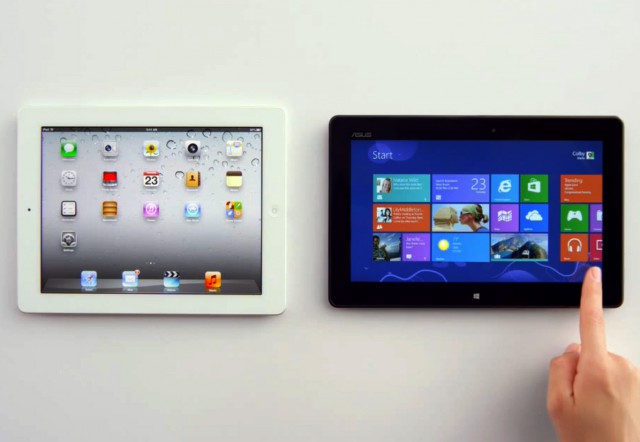
Microsoft has a whole campaign of ads pitting the Surface Pro 3 against the iPad, plus ads that put Cortana head-to-head with Siri. Last week, Microsoft launched a new commercial on the web that illustrates why the Surface Pro 3 is such an awesome device, without comparing it directly to any competing or rival tablet.
 
I still disagree with focusing attention on the Surface Pro 3 as a tablet. In my opinion, Microsoft should be marketing the Surface Pro 3 as the most versatile Windows PC -- with its tablet form factor being one of the features -- as opposed to marketing it as a tablet that can also run Windows and the full desktop Microsoft Office suite. However, as long as Microsoft and the rest of the world insist on looking at the Surface Pro 3 first and foremost as a tablet, and pitting it directly against devices like the iPad Air 2, here are three reasons you should invest your money in a Surface Pro 3 if you're in the market for a new tablet.

1. It's a PC

Have I mentioned that it's a PC? This means that it runs the full Windows operating system and all of your traditional Windows software. Functionally, it's no different than any other Windows desktop or laptop PC. It just happens to be a PC that is also a tablet, one that has touch-enabled apps like Facebook, Twitter, Netflix, and Kindle, so it fills most of the same reasons why you might typically use a device like an iPad.

2. Flexibility

The Surface Pro 3 has a built-in multi-position kickstand. It also has connectivity options that enable you to expand its capabilities -- USB 3.0, mini DisplayPort, microSD card reader. You can connect the Surface Pro 3 to an external monitor or add additional storage through a microSD card or USB hard drive. Ultimately, any device you can connect via USB to a Windows desktop or laptop PC can be connected to a Surface Pro 3.

3. Surface Pen

The Surface Pen gives you a simple, intuitive way to work with the Surface Pro 3 without a traditional keyboard and mouse. The Surface Pen can act as a mouse-alternative, with buttons for left and right-clicking. You can select and drag items, and you can draw or write on the glass display. This enables you to mark up documents and photos or take handwritten notes. The purple button on the end of the Surface Pen allows you to instantly open OneNote (even when the device is locked) or capture screenshots.
 
There's no 16 GB Surface Pro 3, so you have to look at the 64 GB models if you want a somewhat even cost comparison. The 64 GB iPad Air 2 is $599, while a 64 GB Surface Pro 3 -- with an Intel Core i3 processor -- costs $799. You have to look beyond that basic price comparison, though. If you buy an iPad Air 2, you'll also most likely still want or need a PC, so you'll have to make an additional investment in a computer. However, if you buy a Surface Pro 3, there's a good chance you won't need an additional computer. Therefore, $799 for a Surface Pro 3 will most likely cost less in the long run.
 
Do you think the Surface Pro 3 is a better device that the iPad Air 2? Why or why not? Share your opinion in the discussion thread below.

~ Tony Bradley

10.22.2014

Log into Gmail with a USB drive -- Google adds support for Security Key

Two factor authentication (or two step verification, if you prefer) is very a la mode at the moment. Actually, it has been pushed by companies for some time, but a number of high profile security problems recently has brought it back to public attention again.
 
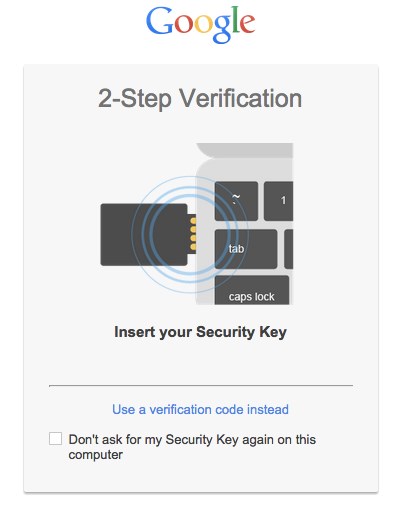
Enabling the security feature usually means entering a password as normal, in addition to a passcode sent to a mobile device. Today, Google makes things a little easier for, in its own words, "particularly security-sensitive individuals" by introducing support for Security Key.
 
Rather than relying on a mobile phone or tablet, Security Key reduces two factor authentication to working with a USB drive. Requirement for a physical 'key' greatly reduces the chances of security breaches and means it matters less if a third party determines your account password.
 
As Google explains in its announcement blog post: "Rather than typing a code, just insert Security Key into your computer’s USB port and tap it when prompted in Chrome. When you sign into your Google Account using Chrome and Security Key, you can be sure that the cryptographic signature cannot be phished".
 
Security is based on the open Universal 2nd Factor (U2F) protocol, so don’t be surprised if support is added to other services as well. This is not a security tool that will be universally embraced as Security Key is only compatible with Google Chrome, although it can be used with Windows, OS X, Linux and Chrome OS.

~ Mark Wilson

Toshiba unveils the Satellite Radius 11 Convertible -- form and function at a low price

Toshiba has been making laptops for what seems like forever, and for many consumers, the machines have been synonymous with quality and value. The company produces computers for both bargain hunters and enthusiasts alike.
 
Today, the company announces a laptop that targets both laptop and tablet shoppers with the all-new Satellite Radius 11 Convertible, running Windows 8.1. It is extremely versatile and should appeal to consumers looking for value.
 
"Move seamlessly from work to play -- and back again. A unique, 360-degree, two-axis, 'flip-and-fold' hinge enables five distinct usage modes: Laptop, Tablet, Tabletop, Presentation and Audience. A vibrant 11.6-inch diagonal, HD TruBrite touchscreen display makes the most of the five viewing modes, giving plenty of room to consume as well as create", says Toshiba.
 
The manufacturer further explains, "sleek, slim and lightweight at less than three pounds and topped with a trendy patterned light gold finish, Satellite Radius 11's compact design makes it easy to carry. Featuring a fanless design, the laptop can be configured with the latest Intel Pentium or Celeron processor, up to 4GB of RAM and either 32GB of speedy Flash memory or a spacious 500GB hard drive. The laptop also includes an HD webcam, plus a range of ports, including one USB 3.0, one USB 2.0, HDMI and an SD card slot".
Clearly, these specs are not top of the line, but that is OK, as the starting price is a low $329. This is more than enough power for a family or college student and the HDMI port allows connection to a bigger monitor for when the 11.6 inch screen feels cramped.
 
If you are interested, you can buy the machine starting October 26th and major retailers or from Toshiba directly. With Christmas coming up, this may be an inexpensive way to "wow" a loved one with an impressive gift without breaking the bank.
 
Will you buy the Satellite Radius 11 Convertible? Tell me in the comments.

~ Brian Fagioli

10.18.2014

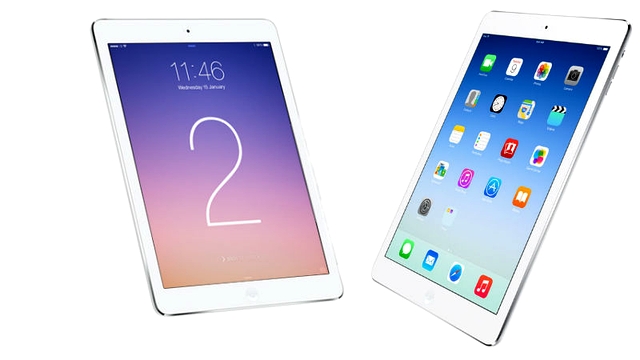
The iPad Air 2 is why tablet sales are falling

 
So two days ago Apple announced the latest iteration of its hugely popular iPad. I own a fourth gen model, and as someone who likes to be on the cutting edge, I was all set to snap up the new device. Except, what I saw didn’t excite me or give me a killer reason to drop $600+.
 
Tablet sales are slowing, and a large chunk of the reason for that can be laid squarely at Apple’s door. While the iPad Air 2 will appeal to first time buyers, businesses, or people looking to upgrade from inferior tablets, it just doesn’t offer enough to get existing iPad owners like me to upgrade. But it’s thinner! It’s lighter! So what? I’m not a frail old lady, or cursed with a muscle wasting disease. My iPad 4 is hardly a major weight, and to be honest, I like my devices to have a bit of heft to them anyway.
 
The new iPad comes with improved cameras! So what? I will never be the sort of person who takes meaningful photos with a tablet. If I’m somewhere amazingly picturesque, there’s a good chance I’ll have my Canon DSLR with me, and that takes far superior photos. And if I need to take a casual snap of something, my phone’s camera is all I need. People who take photos with an iPad are special. Let’s say no more.
 
It’s faster! Yes, this is the one selling point that means anything to me. I upgrade my PC on a regular basis in the vague hope that one day I’ll have a system that can keep up with me and do everything I want it to, so a speedier tablet is something that appeals. But the weird thing is, my iPad 4 never feels particularly slow. I’ve never cursed or shouted "come on!" at it. It does misbehave occasionally, forcing a reboot to teach it a lesson, but that’s about it. If I switched to an iPad Air 2 I would notice the difference I’m sure, but my iPad runs all the apps I throw at it without issue, and of course it runs the latest version of iOS, so I have nothing to lose by not upgrading.
 
It’s available in gold! I shove my iPad in a case, so it could be maroon and I wouldn’t know.
 
It’s got Touch ID! I like this feature on my iPhone, and I can appreciate it on the iPad, but am I prepared to spend $600+ to get it? Er… no.
 
So what was I hoping for? What would make me upgrade? Storage. The iPad Air 2 comes in three storage sizes -- 16GB, which is essentially worthless (buy that and you’ll regret it in a week), 64GB, which is the minimum you’ll need, and 128GB, which is the one you really want. If Apple had offered the 128GB model for a lower price, and chucked in a ton of iCloud storage, and just for once added the option to upgrade the internal storage in some way (a proprietary Apple expansion card of sorts would be fine), then I’d have sat up and listened. My iPad is always full, despite regularly copying photos off of it and deleting apps. Storage could have been the iPad Air 2’s killer feature. Not weight or thickness. Who the hell cares about weight or thickness?
 
A better screen would have been welcome. Sure, the new one is less reflective, but it offers the same 2048 x 1536 pixel resolution found on my iPad 4, the same 264ppi count, and the same Retina display. I can’t complain about my iPad screen, but a better one would be a reason to upgrade.
 
Any kind of innovation would have helped. Before the launch there was talk of Apple rolling out a giant iPad Air Pro capable of running iOS and OS X. That was never going to materialize, but if it had, at least we’d have something more interesting to talk about, and consider buying.
 
Adding something different to the iPad Air 2 -- some kind of built-in kickstand, a range of stunning accessories, anything -- would all have given me a reason to upgrade, except we got a refreshed Air and little else.
 
Don’t get me wrong -- if I was in the market for a new tablet, I would buy the iPad Air 2 in a heartbeat. I own a Nexus 7, and I’ve played around (briefly) with a Surface Pro 3, but neither device can compare with the iPad.
 
But the trouble is, I’m not in the market for a new tablet and so, like the vast majority of existing iPad owners, I won’t be upgrading to the iPad Air 2.
 
Maybe the iPad Air 3 will be the device I’ve been waiting for. I guess I’ll meet you back here next year to find out.
 
Photo credit: shpock/ Shutterstock
 
~ Wayne Williams

10.16.2014

Google unveils Nexus 6 phablet, Nexus 9 tablet; lands with Android Lollipop

Summary: Google finally catches up with the rest of the smartphone space by offering its home-brew phablet, along with the next iteration of its tablet and Android operating system.
 
(Image: Google)
Despite little fanfare and a muted announcement, Google said on Wednesday it was ready to lift the veil on its latest Nexus devices.
 
Meet the Nexus 6 "phablet" smartphone, and the Nexus 9 tablet. Both will run the latest version of Android, dubbed "Lollipop," in line with its candy-themed naming scheme.
 
In a blog post announcing the new devices, Android chief Sundar Pichai said: "Lollipop is designed to be flexible, to work on all your devices and to be customized for you the way you see fit."
 
According to recent reports, the quiet unveiling was due to a scramble in the last few days to get the final bits ready for the next-generation Android release. That softened any announcement Google was gunning for, said Forbes on Tuesday.
 
Google's Nexus 6 "phablet" phone, built by Motorola, which this year was sold off to Lenovo, features a 5.9-inch quad-HD display with a resolution of 1,440 x 2,560 pixels, or 493 pixels-per-inch. It also comes with a Snapdragon 805 quad-core 2.7Ghz processor, and Adreno 420 graphics.
 
The Nexus 6 boasts a 13-megapixel rear-facing camera and a 2-megapixel front-facing camera. The phone requires just 15 minutes of charging for six hours use. Google says that it's ready for 24 hours of use from a full charge.
 
With dual-front facing speakers, the phone offers stereo sound.


The Nexus 6 will be available for pre-order in late October, and will be out in stores in November. It's available on AT&T, Sprint, Verizon, T-Mobile, and US Cellular, but subject to carrier release times.
 
Unlocked versions will be available through the Google Play Store.
 
Meanwhile, the Nexus 9 tablet includes an 8.9-inch IPS LCD display. Weighing in at just over one pound, it's powered by a 64-bit dual-core Nvidia Tegra K1 processor and an Nvidia Kepler graphics chip.
 
It has an 8-megapixel rear-facing camera, and a 1.6-megapixel front-facing camera for video calls. The tablet also comes with 16GB or 32GB storage options.
 
Google's Nexus 9 tablet, developed by HTC despite little experience in the space, comes in a brushed aluminum frame, instead of the anticipated all-metal design, which helps keep the price of the device down.
 
There is no expandable storage, so choose your model wisely.
 
The Nexus 9 will be available on October 17 for pre-order.
 
The long-awaited revamped tablet arrives a day after Apple is expected to reveal its latest iPads, which are slated to include with a beefed up A8X processor — slightly better than the iPhone 6's chip, along with its Touch ID fingerprint sensor.
 
Both devices, the Nexus 6 phablet and the Nexus 9 tablet, will run the latest version of Android Lollipop.
 
Android Lollipop boasts a number of new features, including a universal user interface and experience across devices, better multitasking, and better enterprise features. The Android operating system also comes with device encryption, just like Apple's iOS 8. Both Apple and Google implemented this in the wake of government intrusions.
 
The latest version of Android will be initially available on Google's latest own-model Nexus devices, including the older Nexus 5, and will roll out to other manufacturers from there.
 
~ Zack Whittaker

10.02.2014

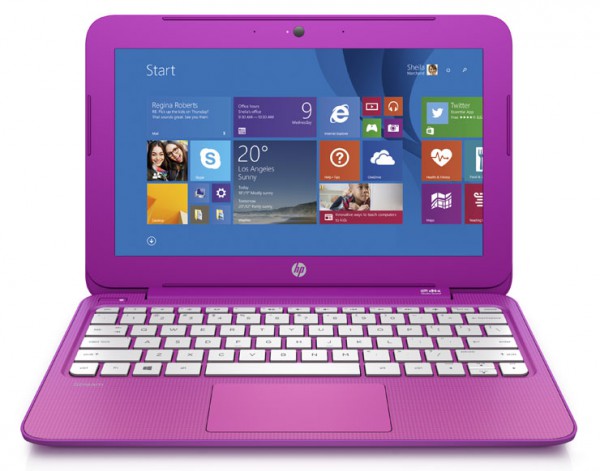
Chromebooks are in trouble -- HP unveils $199 Windows laptop and low-cost tablets

 
When I bought my first Chromebook, the 2012 Samsung model, I did it mostly for one reason -- price. I drove down to my local Best Buy and was blown away by how inexpensive it was; at $249 it looked like a MacBook Air and promised good battery life. Even though I knew the limitations of Chrome OS beforehand, I still handed over my money thinking I could find a place for it in my home. For the most part it was OK; I mean, it changed the way I thought about computing, but it soon became apparent that it could not replace my Windows machine. I didn't return it; I kept for basic typing on the go, but I later sold it as it collected dust. You see, my iPad Air when coupled with a keyboard-case was a better portable machine.
 
Now, in 2014, Chromebooks are making huge strides in homes, schools and the enterprise, but Windows still reigns supreme. While I do recommend Chromebooks for people low on cash that only have basic computing needs, today this changes. You see, HP announces the $199.99 Stream 11 laptop, and with a price that low, why would you bother with Chrome OS?
 
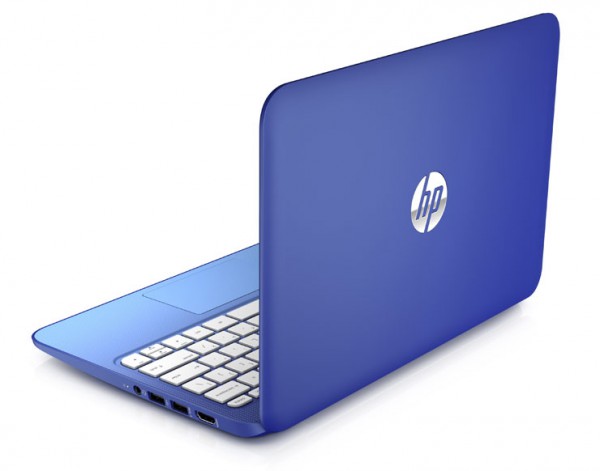
"Customers can enjoy entertainment in high-definition (HD) with an 11.6 inch HD display or 13.3 inch HD optional touch display. While the innovative fanless design with high efficiency Intel Celeron processor and 32GB of eMMC flash memory allows for quiet, cool operation and quick file recall. Stunning colors and stylish gradient design available in Orchid Magenta and Horizon Blue are sure to turn heads", says Hewlett Packard.
 
While HP is tight-lipped on specs, according to Engadget (who got to play with them in person), they will be powered by a Celeron N2840 CPU and 2GB of RAM. Battery life is promised to be up to 8 hours and 15 minutes, which is more than enough for a day of college classes or some quiet time at the library. Speaking of quiet, it is fanless, so there will be no noise from a whirring fan. Best of all though, both models have HDMI output, so they can serve as a media machine when connected to a TV, or desktop when connected to a monitor, keyboard and mouse. Hell, the 13.3 inch model can even be quipped with a 4G modem that comes with 200MB of data per month for life.
 
Arguably, the only downside is the limited colors. They look to me to be pink and purple, but HP calls them "Orchid Magenta and Horizon Blue". Wasn't there a children's TV show called Blue's Clues with a dog named Blue and a dog named Magenta? Maybe that show was the inspiration, but I digress; while colors should be gender neutral, these colors seem to me as a bit feminine, at least as society has traditionally dictated. I would have no problem owning and using a pink laptop, but I can foresee it being an issue for some shoppers. An option for black or silver would probably be appreciated.
 
HP has also announced new tablets, powered by an Intel Atom Z3735G. Sadly, the slates will only have 1GB of RAM, and I am worried that it will not be enough. Hewlett Packard says, "the HP Stream 7 and HP Stream 8 Windows tablets keep customers connected to work, friends and content all at an exceptional value. The cloud-connected, Intel-powered 7 inch and 8 inch tablets include one year of Office 365 Personal and 60 minutes of Skype each month, 1TB of Microsoft OneDrive storage for one year,  and a full Windows 8.1 experience. The HP Stream 8 tablet includes an optional 200MB of free 4G data each month with no annual contract for the life of the device".
 
HP lists the following prices:
  • The HP Stream 11.6 inch diagonal starts at $199.99.
  • The HP Stream 13.3 inch diagonal starts at $229.99.
  • The HP Stream 7 Tablet starts at $99.99.
  • The HP Stream 8 Tablet starts at $149.99.
Sure, this $199 HP Windows laptop is hardly top of the line, but it is more than enough for the average home user. Believe it or not, the laptops even come with a $25 credit to the Windows Store, for buying apps or games. Technically, with that said, you could look at the price as only being $174.99 -- a steal.
While I hate putting down the Chromebook, it is just impossible to justify a purchase of a low-end Google-powered machine when you can buy a true PC for under $200. Don't forget, running the Chrome browser in Metro Mode on Windows is pretty much the Chrome OS experience anyway. Low-end Android tablets are safe for now, but trouble could be on the horizon there too; if Microsoft closes the app-gap (a big "if"), a $99 Windows tablet could be very attractive.
 
Will sub-$200 Windows laptops kill the Chromebook? Tell me in the comments.
 
Image Credit: Barnes and Noble
 
~ Brian Fagioli

8.27.2014

Android L will bring multi-user support to smartphones

Jack Wallen ponders the upcoming multi-user support in Android "L."  

I've been watching the progress of the various incarnations of Android. Some of the developments (such as the Guest Access mode on the LG G3) point toward a certain feature arriving in Android L (the hotly anticipated next iteration of Android). But this is no longer a rumor or a "what if," because an unnamed developer with Google said "the development team has implemented this feature [multi-user], and it will be available as a part of the next public build."
 
We've seen it coming and anyone who uses a smartphone -- especially for business purposes -- will agree that this is a much-needed feature. Why? Simple. You have data on your device that you don't want others to see. If you allow someone else to use your phone (or you simply have to share a phone between workers), it's never a safe bet to just hand over the device and give that user unlimited access to your data and services. Tablets running Android 4.2 or later already enjoy multi-user support, so I'm not sure why this has been so long in coming for Android smartphones.
 
The good news..."L" yes, it's coming!
 
Multi-user support makes perfect sense for a number of reasons. The primary reasons are obvious:
  • Separate "business" and "personal" profiles: Multiple users on a single device can be the same person -- only enjoy profiles specific to business and personal usage. This would be welcome on so many levels. Not only would it allow you to keep your business and personal data separate, it would help you to get a much needed break from work. On vacation? Log into your personal profile only.
  • Limited guest profiles: If you want to allow someone else to use your phone but don't want them seeing your data or information, create a guest profile with limited access. This means your data and all your customizations are safe.
  • Create child-safe profiles so that your kids can view your phone with very limited access.
Although the LG G3 already has a "guest mode" feature, the multi-user mode would vastly improve on that. With full-blown multi-user support, you could set up restricted users or full-blown users that would sync with their own Google account.
 
You may be wondering why this is important? Do people actually share phones? Yes, they do. For business (for example, field shift workers) and personal use (some families can't afford smartphones for all of their children), people share devices... so, this makes perfect sense.
 
But why is this really important to businesses when Google already has plans to release enterprise-managed and sandboxed profiles for Android? Honestly, most small businesses don't have the budgets or the savvy to navigate those complicated waters. Knowing that staff can easily separate business and personal profiles makes Android an even more appealing platform for companies large and small.
 
The one uncertainty is this: Will the smartphone multi-user profiles resemble what we already see in the Android tablet arena? If Google is smart, it will. But if they release a stripped-down version of multi-user support (such as only allowing restricted guest access), this feature will have little use in the business world. However, if the first release of multi-user support in "L" only offers such guest access, I think it's a safe bet that later releases will see the full-blown support already available in tablets.
 
I, for one, am excited about the possibilities that "L" and multi-user mode brings. What about you? Do you think having multi-user support for a smartphone is a necessity, a great option, or a gimmick? Share your thoughts in the discussion thread below.
 
~ Jack Wallen

7.07.2014

Android privacy flaw leaks location details over Wi-Fi -- even when Wi-Fi is off

 
Google Android smartphones and tablets have a major privacy flaw that broadcasts private location data over Wi-Fi even when the connectivity is switched off and it will take some time for Google to fix the error.
 
Research by the Electronic Frontier Foundation [EFF] found that devices produced in the past three years transmit location history to anyone within Wi-Fi range whilst the screen is off and the device isn’t connected to a Wi-Fi network.
 
The leaked data comes in the form of the names of wireless networks that the phone or tablet has previously connected to including homes, workplaces, travel destinations and anywhere else that wireless Internet via Wi-Fi has been accessed, and includes up to 15 stored network names.
 
"This data is arguably more dangerous than that leaked in previous location data scandals because it clearly denotes in human language places that you've spent enough time to use the Wi-Fi," EFF’s Peter Eckersley and Jeremy Gillula explained in a blog post. "Normally eavesdroppers would need to spend some effort extracting this sort of information from the latitude/longitude history typically discussed in location privacy analysis. But even when networks seem less identifiable, there are ways to look them up".
 
Google is aware of the issue and an employee has already submitted a patch to wpa_supplicant that fixes the issue and explained that it is working out whether it needs to make changes to Android to make it more secure.
 
"We take the security of our users' location data very seriously and we're always happy to be made aware of potential issues ahead of time. Since changes to this behavior would potentially affect user connectivity to hidden access points, we are still investigating what changes are appropriate for a future release,” read a statement from the company.
 
In the meantime, which could take a while, the EFF has advised Android device owners to turn off the "Keep Wi-Fi on during sleep" mode even though it leads to an increase in both data usage and power consumption.
 
Published under license from ITProPortal.com, a Net Communities Ltd Publication. All rights reserved.
 
~ Jamie Hinks

4.24.2014

First 10.1-inch 4K Ultra HD display announced by Japan Display

 
Since late 2012 we've been blessed with displays in our smartphones packing pixel densities over 400 PPI (pixels per inch), but when it comes to tablets, we've been left with relatively modest densities; until now that is.
 
Japan Display, one of the major manufacturers and developers of mobile display technology, has announced a brand new tablet-oriented 10.1-inch panel with a whopping 4K (3840 x 2160) Ultra HD resolution. With 8.3 million pixels confined within 281 square centimeters, this new display features an impressive density of 438 PPI.
 
This new 4K panel from Japan Display uses IPS TFT LCD technology, helping the display boast 160 degree viewing angles, 400 nits of brightness, and a contrast ratio of 1100:1. The company has also harnessed low-temperature poly silicon (LTPS) technology for higher densities, bigger resolutions and faster overall operation.
 
At this stage there's no word on when and where we'll see Japan Display's new Ultra HD panel, but it will be reaching commercially available tablets in the near future. Of course with any increase in resolution, an increase in processing power and battery life is needed as well, so part of any rollout of 4K tablets will be ensuring the right hardware is paired with such an impressive display.
 

~ Tim Schiesser 

4.02.2014

Microsoft to offer Windows for free on phones, tablets

Microsoft CEO Satya Nadella gestures as he speaks during his keynote address at the company's ''build'' conference in San Francisco, California April 2, 2014.


(Reuters) - Microsoft Corp is to give away its Windows operating system to makers of smartphones and small tablets for consumers as it seeks to make more of an impact on those fast-growing markets and counter the massive success of Google Inc's free Android platform.
 
Microsoft's move, announced at its annual developers conference in San Francisco, is an attempt to broaden the small user base of mobile versions of Windows, in the hope that more customers will end up using Microsoft's money-making, cloud-based services such as Skype and Office.
 
Up to now, Microsoft has charged phone and tablet makers between $5 and $15 per device to use its Windows system, as it has done successfully at higher prices for many years with Windows on personal computers. Hardware makers factor the cost of that into the sale price of each device.
 
That model has been obliterated in the past few years by the fast adoption of Google's Android system for phones and tablets, which hardware makers quickly embraced and now accounts for more than 75 percent of all smartphones sold last year. Apple Inc's iPhone and iPad account for most of the rest of the mobile computing market.
 
By contrast, Windows-powered phones held only 3 percent of the global smartphone market last year. Windows tablets have only about 2 percent of the tablet market, according to tech research firm Gartner.
 
FREE MONEY
 
Microsoft's move to make Windows free for some consumer devices bucks a central tenet of Bill Gates' original philosophy, that software should be paid for, which led to Microsoft's massive financial success over the last four decades. But analysts said it is a realistic reaction to the runaway success of free Android.
 
"Microsoft is facing challenges on the mobile and tablet fronts and need to change their strategy to move the growth needle, this is a good and logical first step," said Daniel Ives, an analyst at FBR Capital Markets.
 
Windows will be free for companies making phones and tablets with screen sizes under nine inches for the consumer market. A license fee will still apply for business devices.
 
It comes a week after new Microsoft Chief Executive Satya Nadella unveiled new versions of Word, PowerPoint and Excel applications for Apple Inc's iPad. A year's free subscription to Microsoft's cloud-based Office 365 service will be offered on the new devices running the free Windows, Microsoft said.
 
Both moves show that Microsoft is now more interested in gaining market share for its cloud-based services such as Office on any platform or device, rather than its traditional approach of putting Windows at the center of everything it does and extending its influence from there.
 
In the new era of mobile computing, Nadella acknowledged Microsoft's underdog status.
 
"We are going to innovate with a challenger mindset," said Nadella in a question and answer session at the developer conference. "We are not coming at this as some incumbent trying to do the next version of Windows, we are going to come at this by innovating in every dimension."
 
Nadella did not have a snappy answer to the question of what Microsoft's overarching mission now was, after it had achieved its original goal of putting a computer on every desk and in every home. Instead he elaborated on remarks he made last week about the importance of mobile devices as everything we do becomes digitized and connected to the internet.
 
"Our vision, simply put, is to thrive in this world of mobile first, cloud first," said Nadella. "Our goal is to really build platforms, create the best end-user experiences, the best developer opportunities and IT infrastructure for this ubiquitous computing world."
 
SIRI RIVAL
 
Also at the gathering, Microsoft formally announced it has developed a voice activated phone assistant feature called Cortana, a direct rival to Apple's Siri.
 
The feature has been rumored for some months and a test version was demonstrated at the event by Joe Belfiore, a Windows Phone executive.
 
The Cortana service, which can take verbal instructions to search the Web, set alarms, make calls and a host of other actions, is still in beta testing but will soon be a standard feature on Windows phones, said Belfiore.
 
He announced that the latest version of Microsoft's smartphone software, called Windows Phone 8.1, will be rolled out to consumers as a downloadable upgrade in the next few months, and new phones running the software will be in stores by late April or early May. 
 
~ Bill Rigby