Cisco Learning Network Store Promotions Page
Showing posts with label Surface Studio. Show all posts

10.27.2016

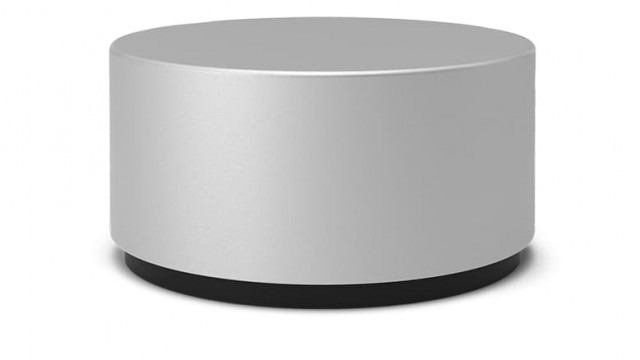
Surface Dial accessory is all about productivity and control

 
Alongside an updated Surface Book and the all-new Surface Studio, at its event today Microsoft also presented an interesting accessory for its Surface line that is designed to help users be more productive while using their device -- and make it easier to control.
 
It's called Surface Dial and what it does is enable Surface Studio, Surface Book and Surface Pro 4 adopters to handle content, access various and functions, and use various features on their device. But how does it work exactly?
 
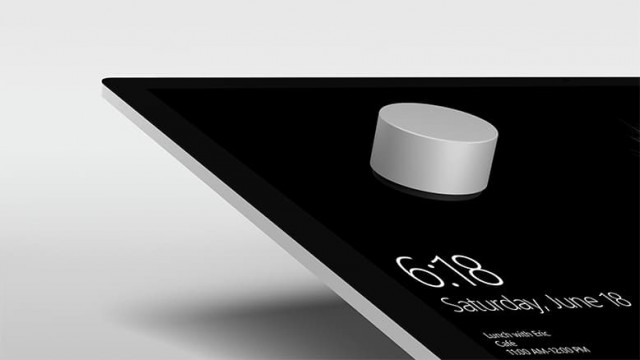
On a Surface Studio, the Surface Dial is meant to be positioned on the display, while on the Surface Book and Surface Pro 4, which have not been designed with Surface Studio support from the get-go, you keep the accessory next to the device to get what Microsoft calls "off-screen functionality". Here is what it can do.
 
The idea behind Surface Dial is to give Surface users another input option, mainly to make the software and the hardware more powerful and easy to use. If you press and hold it, it opens tools and shortcuts -- so, for instance, you can get a special menu in an image editing program to help you change the hue or move to a different position on the image. It also lets you navigate through different screens and drop-down menus, change songs, and scroll and pan.
 
On the Surface Studio, a Surface Dial works best, because, for one, the two are designed to be used together and also because as it is meant to be used while it is on the display you can keep both of your hands on top of the device or in front of it and work just like you would while creating a blueprint, for instance. And you will be able to do that just fine because it offers 3,600 points of precision and is touted to be very smooth and give users feedback when it's rotated.
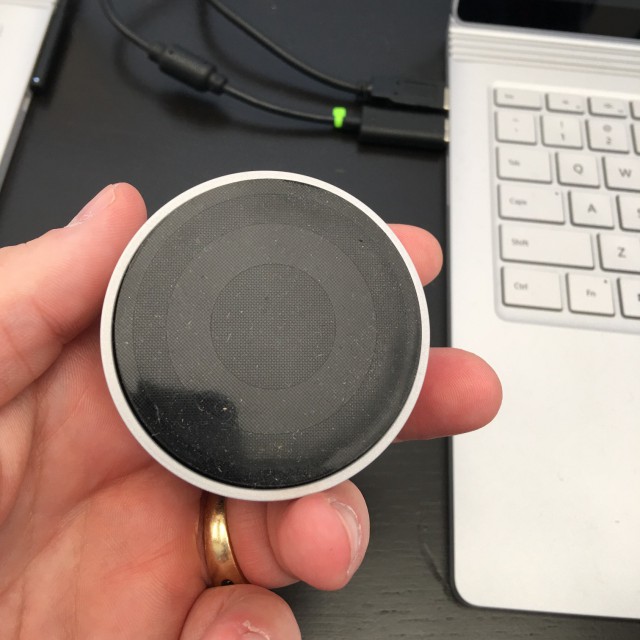
 
 
Microsoft has teamed up with a number of major developers to offer some of the features that Surface Dial can handle in software applications. The list includes BlueBeam, Drawboard, Mental Canvas, Siemens PLM Software, Silicon Benders, Smith Micro Software, and StaffPad, among others. Presumably more companies will join the fold, because this is a really powerful tool that can make it easier to use complex pieces of software.
 
 
The accessory runs on two AAA batteries, which Microsoft says will last for up to a year with four hours of daily use. It connects to supported Surface devices through Bluetooth Low Energy.
 
Surface Dial is going to be available on November 10, and it will cost $99. The price is only a problem if you have a Surface Book or Surface Pro 4 or want to order the Surface Studio after its release, because those who pre-order a Surface Studio will get one in the box. But, frankly, at $2,999 for a base Surface Studio, it should be included for everyone who gets Microsoft's new all-in-one PC. If that's not you, then you can pre-order a Surface Dial now.
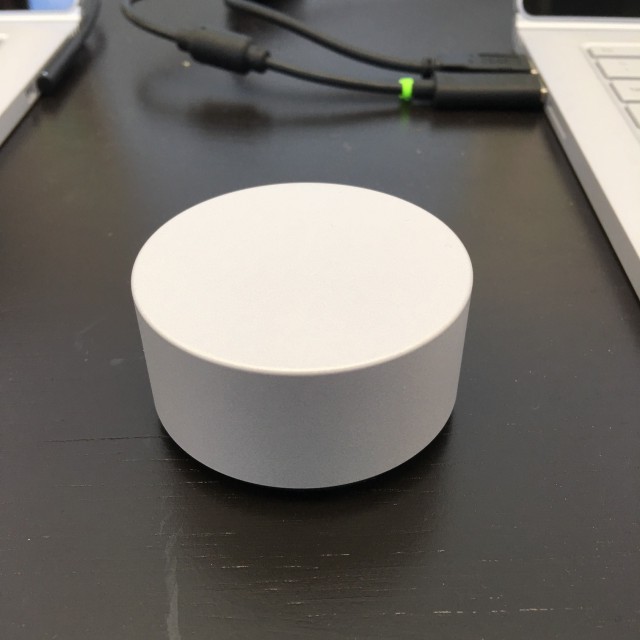
 
 
Photo Credit: Brian Fagioli

~ Mihăiță Bamburic

10.26.2016

Microsoft's new Surface Studio is an impressive but pricey all-in-one PC

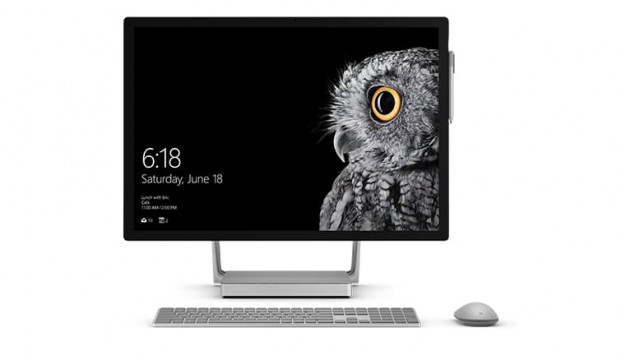
At its Surface event, Microsoft today introduced not only an updated Surface Book but also an all-new all in one PC called Surface Studio. With a 28-inch screen, impressive specs and clever design, it is probably the closest and most appealing rival to Apple's mighty 27-inch iMac with Retina 5K display.

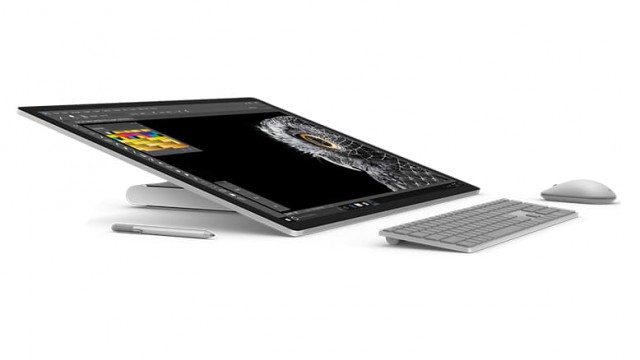
The Surface Studio is aimed at prosumers, featuring a hinged stand that enables users to adjust the angle of the display -- which can be used upright, tilted back or almost flat on the desk. That is, without a doubt, one of the most impressive things about it. And, of course, it is a touchscreen. The name of the hinge is pretty cool, as Microsoft refers to it as the Zero Gravity Hinge.

Creative professionals are going to love those two features -- and they will probably like what Microsoft has in store for the next Windows 10 update too -- it is fittingly titled Creator's Update. But they will not be the only ones who will appreciate what Surface Studio has to offer, given that the device has lots of potential both at home and at the office -- on a desk, of course.

Surface Studio is designed to satisfy the requirements of power-hungry applications, being offered in three powerful configurations. The base model, which costs $2,999, packs a quad-core Intel Core i5 processor, 1TB of "rapid hybrid drive" storage, 8GB of RAM and Nvidia GeForce GTX 956M graphics with 2GB of RAM.

The middle of the road option involves a quad-core Intel Core i7 processor and 16GB of RAM, but the same amount and type of storage and graphics card. It costs $500 more, coming in at $3,499. Last but not least we have the $4,199 flagship, which takes things to the next level: quad-core Intel Core i7 processor, 2TB of storage (same type as before), 32GB of RAM and GeForce GTX 980M graphics with 4GB of RAM.

No matter which option you are looking at, you have a 28-inch PixelSense touchscreen display with a resolution of 4,500 by 3,000 (that's 192DPI, in case you are wondering about density), Adobe sRGB, DCI-P3 and Vivid color profiles, individual color calibration for the best color accuracy out of the factory, and 3:2 aspect ratio.

What else should you know? Well, it has a Surface Pen, Windows Hello-enabled 5MP camera with 1080p video support, four USB 3.0 ports, SD card reader, Wi-Fi 802.11ac, Xbox Wireless, and stereo speakers. Being an all in one PC, it also comes with a Surface Keyboard and Surface Mouse.

It comes in at 25.09 x 17.27 x 0.44 in (637.35 x 438.90 x 11.4 mm), while the base measures 9.84 x 8.66 x 1.26 in (250.00 x 220.00 x 32.20 mm). Weight is 21.07 lbs (9.56kg) -- for the whole package that is.

Microsoft will ship the Surface Book -- with Windows 10 Pro and support for Surface Dial -- on December 15. That's nearly two months of waiting, but the good news is that you can pre-order one now from the company's online store.


~ Mihăiță Bamburic