Cisco Learning Network Store Promotions Page
Showing posts with label Kindle Fire. Show all posts

9.18.2014

Amazon announces new Kindle Voyage, Fire tablets, Fire Keyboard and Fire OS 4 'Sangria'

 
Amazon is an innovative company that makes some great products and provides wonderful services. As a Prime member, I shop there very often to take advantage of the free two-day shipping. My family uses the Fire TV almost daily to watch movies and play games and I do all of my reading on the Kindle Paperwhite. Hell, the Fire line of tablets are very enjoyable too. The only arguable misstep is the Fire phone, which many reviewers panned, but I actually liked.
 
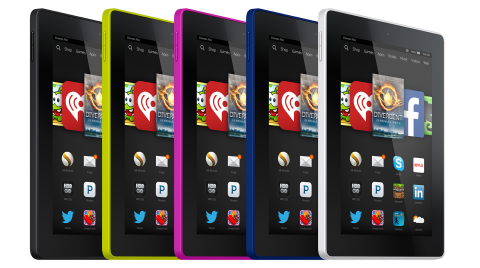
Today, Amazon surprises the tech world with a lot of new devices; three new Fire tablets (including one for kids), two new Kindle e-readers and a new version of its Android fork, Fire OS. Are you excited?
 
Many people wonder if it is necessary to own both a tablet and an e-reader, and it is a valid question. My answer has always been that it depends on how often you read. You see, e-ink technology is easier on the eyes and offers better visibility in direct sunlight. Amazon's new base-model Kindle is only $79.99 and now features a touch-screen. Really, at this price, everyone should own an e-reader to complement their tablet.
 
However, hardcore book readers should instead take a look at the new Kindle Voyage. Significantly more expensive at $199, it has a better build, better screen and most importantly, is back-lit for nighttime reading.
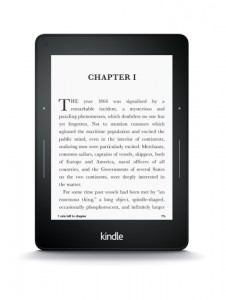
 
Amazon explains, "Kindle Voyage uses a brand new Paperwhite display, with the highest resolution, highest contrast, and highest brightness of any Kindle. With 300 pixels per inch, the new Paperwhite display delivers laser-quality text and images. The exclusive flush-front display stack uses specially strengthened glass, which is designed to resist scratches. Since regular glass would create glare, the cover glass on Kindle Voyage is micro-etched in order to diffuse light, ensuring you can read easily in bright light without glare. The etching pattern on the glass also serves to match the feel of paper".
 
If you are instead looking for a full-fledged color-screen tablet, Amazon has you covered there too with 3 new models. I am most excited by the affordability of the new Fire HD which starts at $99. However, the sub-$100 price is for a cramped 6-inch display; upgrading to 7 inches moves the price to $139. I find 7 inches to be about as small as I would want in a tablet, but children may like the smaller size.
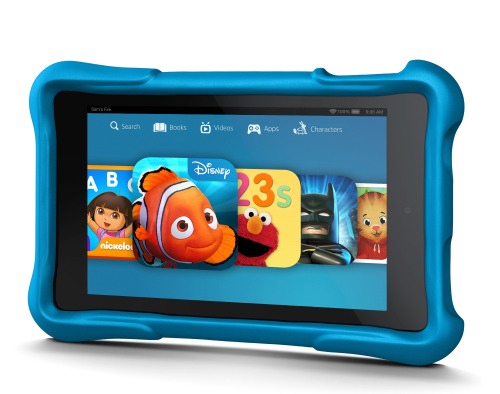
 
Speaking of children, Amazon announces the Fire HD Kids Edition, which starts at $149 for a 6 inch variant. This seems to be nothing more than the new Fire HD with a rubber bumper. However, the exciting thing is not the hardware, but instead, the perks. You see, Amazon is offering a no-questions-asked 2 year warranty and a free year of FreeTime Unlimited, which provides over 5,000 books, movies, and games for free.
 
"Despite best intentions, kids break things. Fire HD Kids Edition has an unprecedented 2-year worry-free guarantee -- if they break it, we'll replace it. No questions asked", explains Amazon.
 
If you aren't on a budget and you don't have kids, Amazon has also refreshed its Fire HDX tablet and it looks to be very powerful. It is the first tablet to be powered by the Snapdragon 805, which is a quad-core processor running at 2.5GHz. Its starting price is $379.
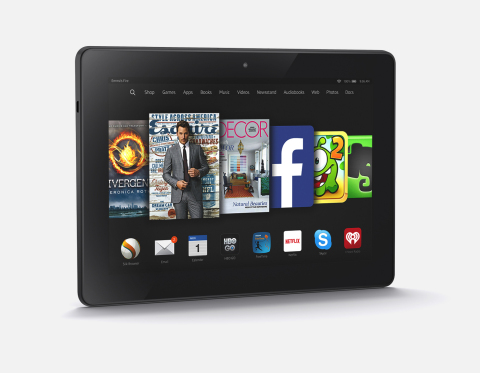
 
"The team has packed an incredible amount of technology and innovation into the new Fire HDX -- an exclusive HDX display, a powerful quad-core processor, a 70 percent faster graphics engine, exceptional audio with Dolby Atmos, and the fastest Wi-Fi -- and it’s still startlingly light. Fire HDX combines best-in-class hardware with exclusive features and services from Fire OS 4 including Firefly, the Mayday button, Family Library, ASAP, and more", says Jeff Bezos, Amazon.com Founder and CEO.
 
Whether you buy the HD, HD Kids Edition or HDX, please know that you will be running a forked version of Android that is customized by Amazon, called Fire OS. This too is getting updated to 4.0 and carries the codename of 'Sangria'.
 
"Fire OS 4 is based on KitKat and adds features and services to make it faster and easier to use. For example, Fire OS includes ASAP (Advanced Streaming and Prediction) which predicts the movies and TV episodes you’ll want to watch and starts them instantly, and Smart Suspend develops a device-specific profile for when the tablet is typically not in use and proactively turns wireless off and on to deliver up to 25 percent more standby battery life", says Amazon.
 
Not content with new devices and a new operating system, Amazon also announces a new Bluetooth keyboard, designed for the Fire HDX. While it is made for that tablet, it should in theory work with any operating system that supports a Bluetooth input device.
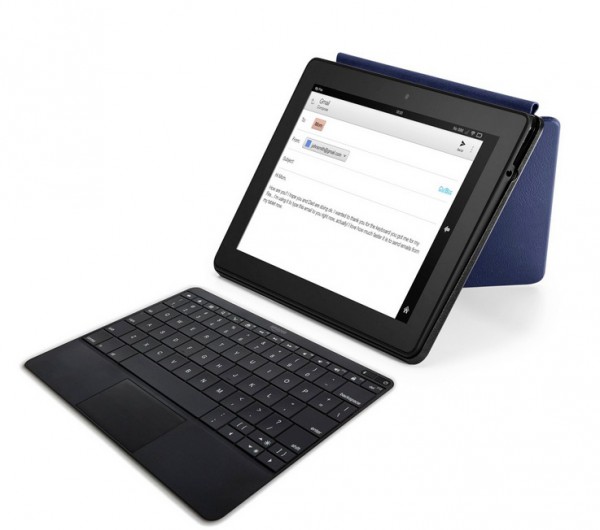
 
Amazon explains, "tablet keyboards have been frustrating to use because they work for typing but not for navigation, so you have to keep switching between typing on the keyboard and reaching up to tap the tablet display. Fire Keyboard solves this by including a trackpad within its incredibly thin and light design -- it weighs just 7 ounces and is 4.8mm thin, 30 percent thinner than a #2 pencil. Fire Keyboard also includes Instant Search -- just start typing and the search bar will appear, letting you search across your content libraries, Amazon.com, and the web. The keyboard connects magnetically to the new Fire HDX 8.9 Origami cover making it simple to carry and easy to remove if you aren’t using it -- since the Fire Keyboard is detachable you can place it as close to or as far from the tablet as you’d like for the most comfortable typing position".
 
You've got to hand it to Amazon, as they kept these new products very secret and virtually-free of leaks. Plus, it is perfectly timed for the holidays, as people will soon start their Christmas shopping. A $99 tablet under the tree should make both the gift giver and receiver happy.
 
All of these new devices are available for pre-order at Amazon's website. Will you buy them? Tell me in the comments.
 
~ Brian Fagioli
12.26.2013

Start here: the best apps for all your new devices


Christmas morning is over. The fire is roaring with wrapping paper, broken candy cane pieces litter the phone, and you've just opened a brand-new gadget. Maybe it's a new PlayStation 4, or an iPhone 5C, or the Windows tablet you've been not-so-subtly asking for all year. You've unwrapped it, torn the box to shreds, and turned it on. Now what?
 
This year we've picked out some of the very best apps, games, books, and downloads for your new devices. Dig into below for the very best Android apps, Android games, iPhone apps, iPad apps, iOS games, Windows Phone apps, Kindle books, console games, and for your Mac and PC. They're not the only ones you'll ever need, but they're enough to get you started. And before it's time for your Christmas nap, you'll be up and running with something great on your new device.
 
~ Verge Staff 

3.26.2012

Would you pay $299 for Google Chromebook?


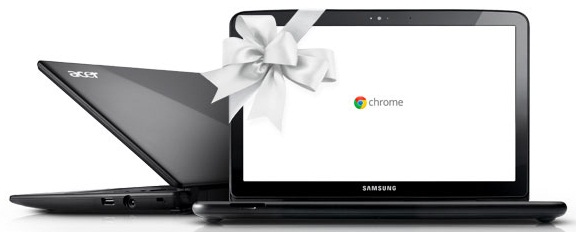
"Beginning this week Acer and Samsung Chromebooks will be available starting at $299", Googler Venkat Rapaka blogs today. Is that price low enough for you or perhaps as present for a relative? For $100 more than Kindle Fire, you get a keyboard, double the storage (16GB vs 8GB), similar cloud connected benefits, comparable battery life and bigger display. Well, I had to ask.

If you want to answer, fire off in comments. This is a serious question. Because there is a right price, one making Chromebook an appealing alternative to a new laptop or tablet. Before the price cuts, Acer and Sumsung models started at 349.99. Some commenter surely will claim price cuts are sure sign Chromebooks aren't selling well. Oh yeah? Consider this: Samsung is releasing a black Series 5 Chromebook (to go  alongside grey and white ones) and prices fall for lots of reasons, such as economies of scale when products sell well, lower component prices or holiday prices. Reasons aside, is $299 low enough for you?

Amazon already lists the Acer AC700-1099 Chromebook for $299.99. Specs: 11.6-inch LED-backlit display (1366 x 768 resolution; 16:9 aspect ratio; Intel Atom N570 dual-core processor; 2GB DDR RAM; 16GB SSD; Graphics Media Accelerator 3150; 1.3MP HD Webcam with noise cancelling microphone; two USB 2.0 ports; 4-in-1 memory card slot; HDMI port; WiFi N; and Chrome OS. The Acer Chromebook is about the same size as MacBook Air and some Windows PC ultrabooks, but selling for $700 and $600-$700 less, respectively.


Chromebooks run Google's ChromeOS, which heavily relies on the cloud but not exclusively. Main benefits include:
  • Fast start-up (about 13 seconds)
  • Near instant recovery from sleep (about 1 second) 
  • Ease of setup -- just log into Google account -- that's it
  • Long battery life, which for my Chromebook was 8 hours or more
I got a taste of this alternate computing universe when during August and September a Samsung Series 5 Chromebook was my primary PC early on and exclusive one for most of the two months. In early October, I gave up my Chromebook experiment, switching to the delightful (and considerably faster) Lenovo ThinkPad T420s. But others carry the torch. Ian Betteridge is near the end of his own 30-day Chromebook adventure. 

My 70 year-old mom continues to use a Chromebook, for nearly four months now. I've heard no complaints, but no praise either. Her G5 iMac developed graphics problems. I couldn't afford to buy her a new Mac, and there was a spare Chromebook in my bedroom closet. I wouldn't have spent $449.99 on a Samsung Chromebook (price at the time) over a low-cost laptop. But I would consider $299.  

BetaNews reader S. Deemer is a Chromebook user: "I travel a lot by motorcycle, and the Chromebook makes a perfect travelling companion, with long battery life and, for the odd time when no Wi-Fi is available,
3G data connectivity without paying extra for a monthly plan. I have never used up the entire 100mb monthly 3G data allocation".


Matt Plemmons is another, in September writing: "I have been using my chromebook exclusively for 3 months now. While there where some question marks in the beginning, frequent updates have remedied most buggyness and with the onset of offline Gmail, Calendar and Docs I see this product really blooming". 

Commenter boby_k doesn't share the enthusiasm: "I have Chrome machine that Google sent me. I don't like the hardware and with 100MB plan, it is almost useless. I keep it in my car for occasional use. Wireless connection takes too long and is not ready when browser comes up most of the time". 


Now the question comes back to you. Is $299 low enough for you to buy Chromebook? Please answer in comments.

~ Joe Wilcox