Cisco Learning Network Store Promotions Page
Showing posts with label Android L. Show all posts

9.19.2014

Google: Android L turns data encryption on by default

 
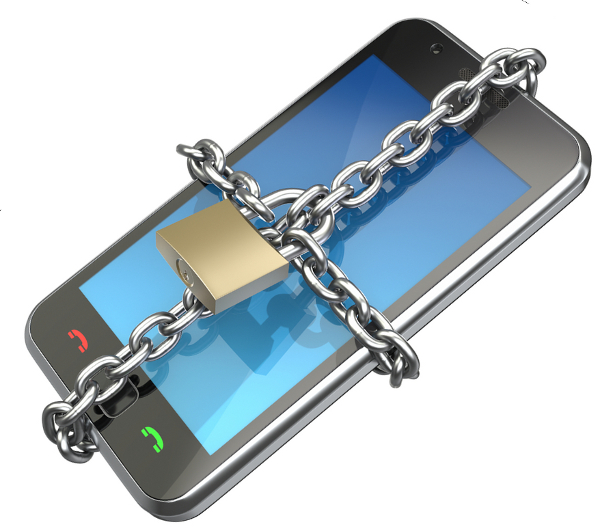
Turning on data encryption can make a huge difference in case your Android device is lost or stolen, as it will make it extremely difficult -- if not impossible -- for a third-party to access your files. It also gives you quite a bit of time to remotely wipe your device, which means that your photos, videos, texts and whatnot have a better chance of remaining private.

And if the local authorities want to take a peek, they are also out of luck -- it's good news for those involved in criminal enterprises, and others as well. All this sounds great from a privacy and security standpoint, except that encryption has never been enabled by default in Android. But that is soon about to change.
 
In a statement that was just given to The Washington Post, Google spokesperson Niki Christoff reveals that "As part of [Google's] next Android release, encryption will be enabled by default out of the box, so you won't even have to think about turning it on".
 
Google's next Android release is known as "Android L" at this stage, and will be ready for prime time later this year, if the launch date of past releases is of any indication. Android L has been made available to beta testers, and features a redesigned user interface, a new default runtime, extra security features, 64-bit support and more. You can read about it here.
 
The encryption key, which is needed to unlock the contents of the internal storage (and, presumably, the microSD card too), will continue to be only in your control, as it has been the case in the past three years, according to Christoff. This is very similar to how Apple's now doing things with iOS 8, which also only gives you the encryption key. To take advantage of this, a passcode must be set up.
 
That last bit is extremely important because encrypting an Android device without using any sort of passcode is practically impossible right now, and, frankly, pointless. For instance, Android 4.4 KitKat requires users to set up a PIN in order to encrypt the contents of the internal storage and microSD card.
 
How strong the PIN is will determine how easy it will be for a third-party to render your encryption efforts useless. Using a complex sequence is recommended, even though it may make the unlocking more difficult. That said, I am using an eight-digit PIN right now and I quickly got used to it.
 
Photo Credits: Slavoljub Pantelic/Shutterstock
 
~ Mihaita Bamburic

9.17.2014

Android L rollout: What and when to expect

Wondering if your device will get Android "L" or when the rollout should start? Jack Wallen has some of the details to satisfy your curiosity.  

 
The next iteration of Android will start hitting devices later this year (2014). Naturally, every roll out of a major Android release is big news -- but not quite this big. Android L marks some major changes for the Android ecosystem. We're talking about a serious shift in design. According to Sundar Pichai, head of Android, L is to be one of the biggest upgrades to Android yet. The new design scheme will be a much flatter look, but every animation, every shadow, every single element will look "real." Shadow gradients, 3D tiles, and a much more consistent look and feel will spread across the whole of Android.
 
From everything Google is saying, this will be the most intuitive version of Android to date. Other than a total overhaul of the look, you'll find plenty of change in the platform. Other bits and pieces you should expect:
  • Notification panel and lock screen integration
  • Prioritized notifications (based on what you look at most)
  • Interlocking apps (apps can "talk" to one another)
  • Major performance boost
  • Default to ART runtime
  • Much improved battery life (thanks to Project Volta)
  • Improved Android wear experience
  • Android TV integration
There's plenty more goodness in the list, but that should be enough to get you hoping for an "L" upgrade to your device as soon as possible.

The big question: "Will device X get L?"

This question is on the minds of almost every Android user. Will my device get "L"? As you've all come to know, OS upgrades are dependent on a couple of major variables:
  • Carrier
  • Device
Not all devices are L-compatible. Most devices manufactured in 2014 should be. Here is a short list of compatible devices that are likely a lock for "L":
  • All Google Play edition phones
  • Nexus 5
  • Nexus 7
  • LG G Pad
  • All HTC devices released after the M7
  • LG G3
  • Motorola Moto X/G/E
  • Samsung Galaxy S 5
  • Samsung Galaxy S 4 (this will roll out well after the 5)
  • Samsung Galaxy Note 3/4
  • Sony Xperia Z1/Z2/Z3
OnePlus has also claimed that all of their newer phones will be getting the "L" update -- but there is no indication as to which devices and when.
 
The "when" is the tricky part, due to the carriers. The order in which these devices (by carrier) will most likely see "L" looks like:
  1. Google devices
  2. HTC
  3. Motorola
  4. Samsung
  5. LG
  6. Sony
This order, of course, is totally thrown out of whack because of carriers. Some carriers update much faster than others. For example, if you're on a contract with AT&T, expect your upgrade to "L" to be delayed. Of the three major US carriers, my best guess for "L" rollouts would be (based on previous major update rollouts):
  1. Verizon
  2. Sprint
  3. AT&T

The big "when?"

The rollout of "L" should begin around November or December of 2014. That will, most likely, be for Google devices only. I would suspect that most other devices won't see the "L" update until the beginning of the new year (although a Verizon-branded HTC M8 update could happen sooner).
 
No matter when the update occurs -- all Android users should be excited about what may be the most significant improvement to the platform to date. If your current device doesn't support "L" and you're getting ready to purchase a new device, make sure you land one that does support "L" or wait until after the "L" release to purchase. It will be worth the wait.
 
Are you excited for the newest iteration of Android? If so, what feature(s) are you most looking forward to?
 
~ Jack Wallen

8.27.2014

Android L will bring multi-user support to smartphones

Jack Wallen ponders the upcoming multi-user support in Android "L."  

I've been watching the progress of the various incarnations of Android. Some of the developments (such as the Guest Access mode on the LG G3) point toward a certain feature arriving in Android L (the hotly anticipated next iteration of Android). But this is no longer a rumor or a "what if," because an unnamed developer with Google said "the development team has implemented this feature [multi-user], and it will be available as a part of the next public build."
 
We've seen it coming and anyone who uses a smartphone -- especially for business purposes -- will agree that this is a much-needed feature. Why? Simple. You have data on your device that you don't want others to see. If you allow someone else to use your phone (or you simply have to share a phone between workers), it's never a safe bet to just hand over the device and give that user unlimited access to your data and services. Tablets running Android 4.2 or later already enjoy multi-user support, so I'm not sure why this has been so long in coming for Android smartphones.
 
The good news..."L" yes, it's coming!
 
Multi-user support makes perfect sense for a number of reasons. The primary reasons are obvious:
  • Separate "business" and "personal" profiles: Multiple users on a single device can be the same person -- only enjoy profiles specific to business and personal usage. This would be welcome on so many levels. Not only would it allow you to keep your business and personal data separate, it would help you to get a much needed break from work. On vacation? Log into your personal profile only.
  • Limited guest profiles: If you want to allow someone else to use your phone but don't want them seeing your data or information, create a guest profile with limited access. This means your data and all your customizations are safe.
  • Create child-safe profiles so that your kids can view your phone with very limited access.
Although the LG G3 already has a "guest mode" feature, the multi-user mode would vastly improve on that. With full-blown multi-user support, you could set up restricted users or full-blown users that would sync with their own Google account.
 
You may be wondering why this is important? Do people actually share phones? Yes, they do. For business (for example, field shift workers) and personal use (some families can't afford smartphones for all of their children), people share devices... so, this makes perfect sense.
 
But why is this really important to businesses when Google already has plans to release enterprise-managed and sandboxed profiles for Android? Honestly, most small businesses don't have the budgets or the savvy to navigate those complicated waters. Knowing that staff can easily separate business and personal profiles makes Android an even more appealing platform for companies large and small.
 
The one uncertainty is this: Will the smartphone multi-user profiles resemble what we already see in the Android tablet arena? If Google is smart, it will. But if they release a stripped-down version of multi-user support (such as only allowing restricted guest access), this feature will have little use in the business world. However, if the first release of multi-user support in "L" only offers such guest access, I think it's a safe bet that later releases will see the full-blown support already available in tablets.
 
I, for one, am excited about the possibilities that "L" and multi-user mode brings. What about you? Do you think having multi-user support for a smartphone is a necessity, a great option, or a gimmick? Share your thoughts in the discussion thread below.
 
~ Jack Wallen