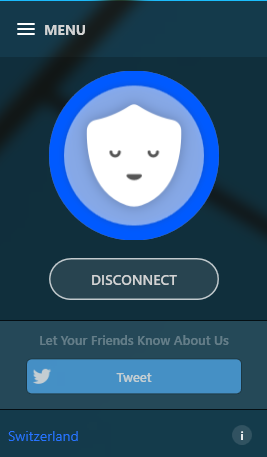
VPN’s usually require paying a chunky subscription fee, but Betternet promises an unlimited service for absolutely nothing at all.
We grabbed the Windows client --there are also iOS and Android apps, as well as Chrome and Firefox extensions -- and ran the installer. It’s essentially a front end for the OpenVPN client, which works for us, but doesn’t pack your PC with any other network layers or components.
Betternet doesn’t require any registration, which is another plus. You don’t have to hand over your name, email address or anything else: just run the program and click "Connect".
Our default browser opened immediately to display an advert, which wasn’t a great surprise -- Betternet has to fund the service somehow, and the mobile apps have other elements (you’re asked to watch videos or installed sponsored apps). But the ads only appear when connecting, there’s no extra toolbar and you can ignore the sponsored app and video-watching requests, so overall it’s not too intrusive.
On the plus side, the system connected us quickly, and within a few seconds we had a new IP address in Switzerland. Testing showed no DNS or other privacy leaks, and our browsing speeds weren’t noticeably affected.
A Swiss IP doesn’t suit your needs? Tough luck, at least with our Windows client. We couldn’t see any way to choose or change our server location, and no matter how many times we connected and disconnected, our new Swiss home remained the same.
There are no other major tweaks or options, either. The only setting is a "reconnect automatically" feature which restores your connection if it drops, which is convenient, but not as speedy or effective as the "kill switches" of the commercial competition. If the VPN does go down, your system will use its regular network connection instead, giving away your real IP address to any other service you’re accessing.
Once you are connected, there don’t seem to be any specific restrictions on what you can do. We tried downloading a couple of small torrents and had no problems at all. Betternet’s terms and conditions have the usual clauses about restricting service to protect other users, though, and we’d guess the system will also drop or throttle the connection if you’re using too much bandwidth.
Overall, Betternet scores for its simplicity, the relatively few ads and the fact that it doesn’t need registration. If you just need quick protection when connecting to a wireless hotspot, it’ll do the job very well.
The lack of server choice and configuration options will be an issue for more experienced users, though, and for real privacy and more reliable site-unblocking we’d look elsewhere.
Betternet is available for Windows, iOS, Android, Chrome and Firefox.
~ Mike Williams
No comments:
Post a Comment